Bluetooth Device Scanner
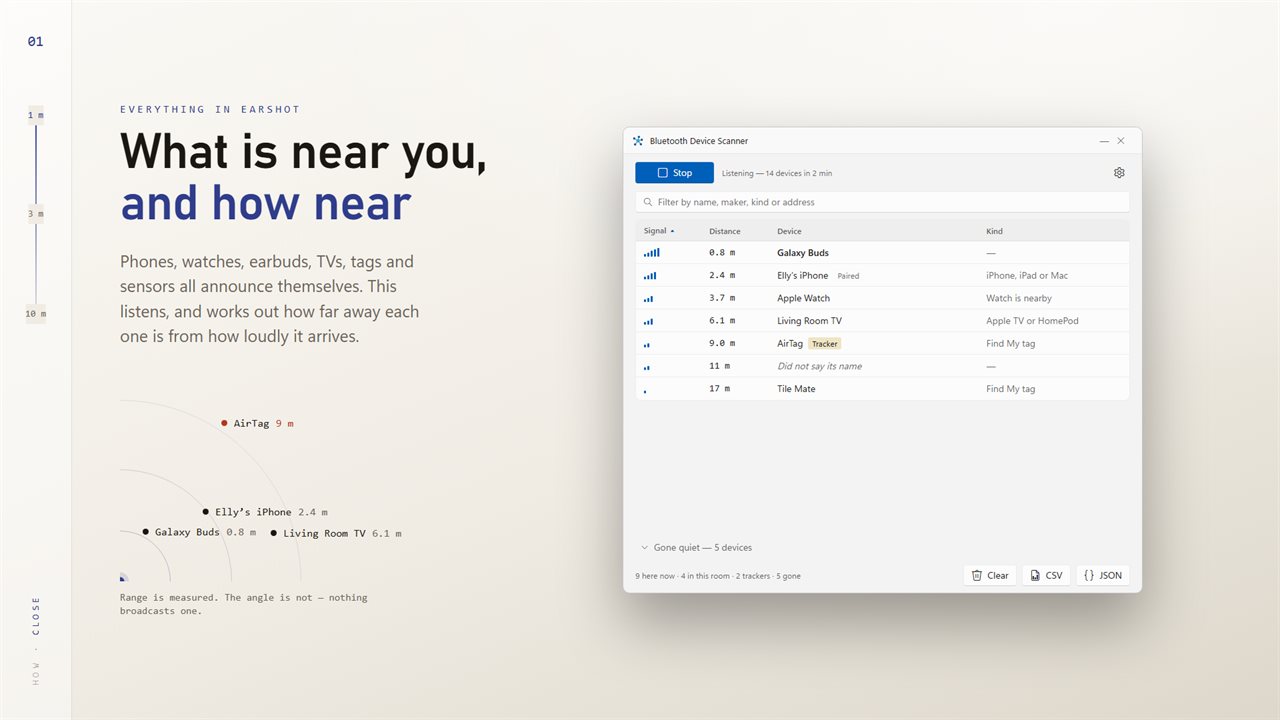
A Bluetooth scanner for your PC. See the phones, earbuds, watches, TVs and trackers broadcasting nearby, who made them, and roughly how far away each one is.
Distance, not just signal
Each device's signal is turned into an estimate in meters, adjusted for open space, an ordinary room or walls in between.
Trackers called out
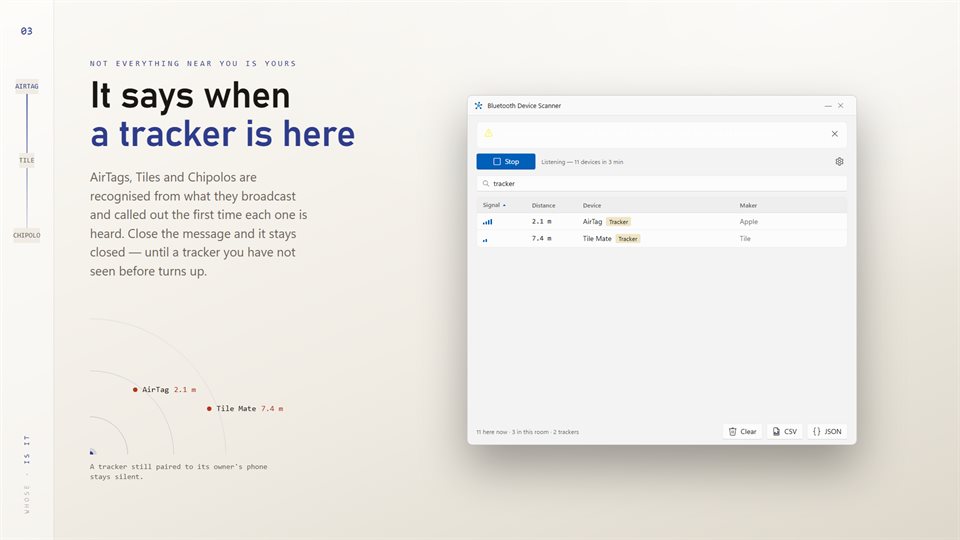
Known trackers are recognized from what they broadcast and flagged the first time each one is heard.
What each device is
Makers are named from the company code a device broadcasts, and common services like Heart Rate or Battery are spelled out in words.
See it in action
From the Store listing.
How a PC can tell how far away a device is
Most Bluetooth gadgets announce themselves several times a second so phones and computers can find them. Those announcements carry a name, sometimes a maker code, and arrive at a measurable strength.
Signal strength falls off with distance in a predictable way, so a strong signal means a device is close and a weak one means it is further off. Walls, bodies and furniture soften the signal, which is why the app lets you say what kind of space you are in.
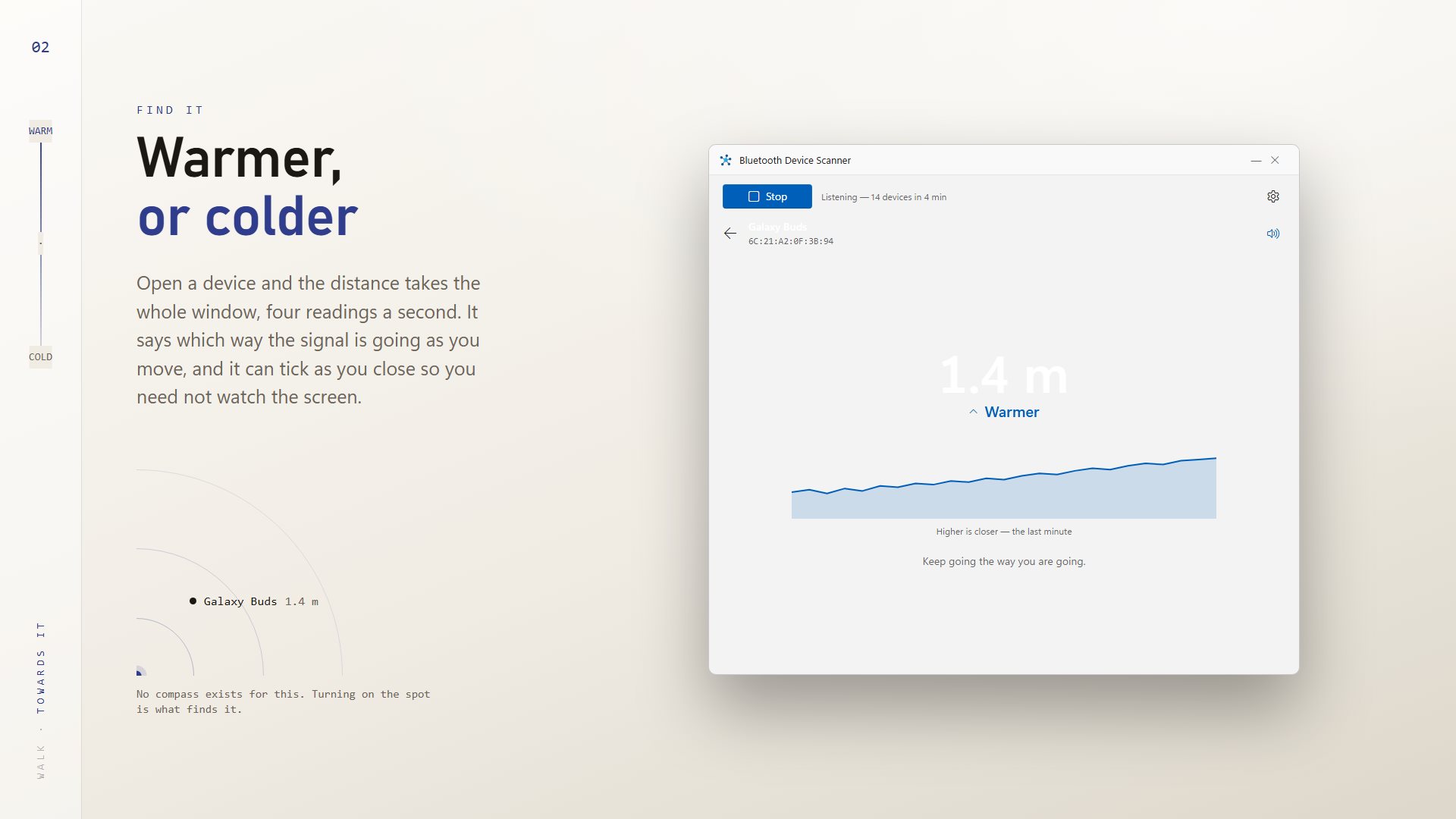
It is an estimate, not a tape measure. It is very good at telling you which of two devices is nearer, and whether you are getting warmer as you walk. Bluetooth carries no direction, so to find a lost device, turn slowly on the spot and walk the way the reading improves.
What people use it for
Finding lost earbuds
Using Find it to walk toward a case that slipped down the sofa.
Checking for trackers
Seeing whether an AirTag, Tile or Chipolo is broadcasting nearby.
Testing Bluetooth gear
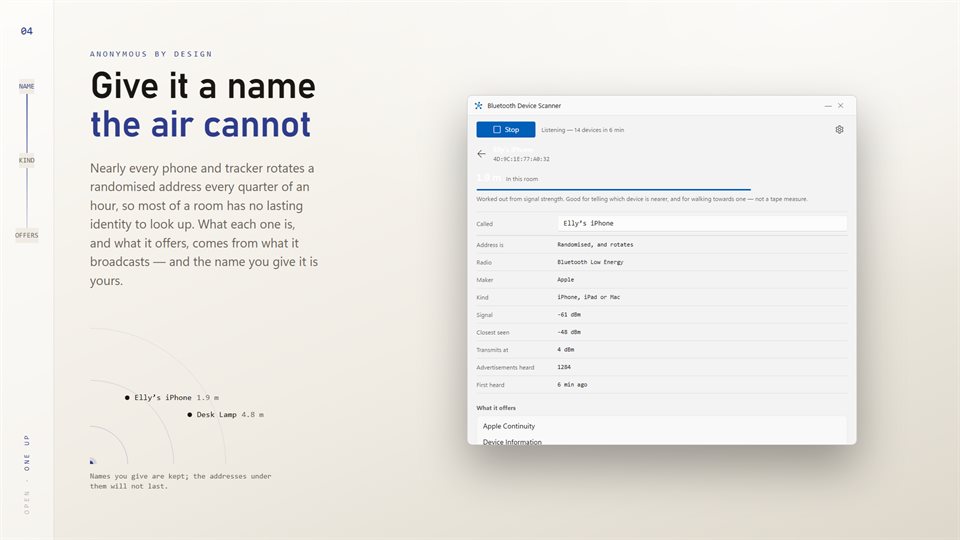
Checking what a device advertises, its signal in dBm and the services it offers, then exporting the list as CSV or JSON.
Details
- Works on
- Windows 10 (1809 or later) and Windows 11
- Download
- About 2.9 MB
- Version
- 2.0.3, updated October 2026
- Price
- $2.99 once. No subscription, no in-app purchasesUS price; the Store shows yours.
- Needs
- A PC with Bluetooth
- Privacy
- No account, no ads; it only listens
- Category
- Utilities & tools
What's new in 2.0
- Signal and distance keep updating live
- Find it mode, with optional ticking that speeds up as you get closer
- Distances corrected for each device's own transmit power
- AirTags, Tiles and Chipolos identified by name
- Devices that go quiet move to their own section instead of vanishing
- Your own names for devices, and CSV and JSON export
Questions
Anything else: [email protected]
Does it pair with or connect to anything?
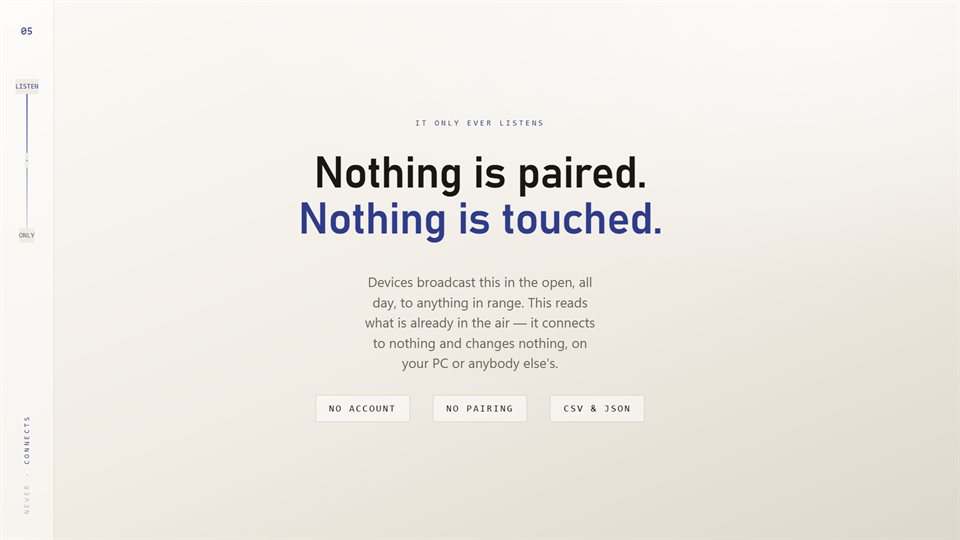
No. It only listens to what devices broadcast in the open, and changes nothing on them or on your PC.
Why does one phone show up several times?
Phones and trackers change their Bluetooth address every so often for privacy, so the same device can look new. Names you give are kept against the address it is using.
Can it prove there is no tracker on me?
No. It finds trackers that are broadcasting. A tracker sitting near its owner's phone can stay quiet, so an empty list is not a guarantee.
Why don't my keyboard and mouse show a distance?
Many of them use older Bluetooth that does not broadcast. They are listed from Windows' own paired devices instead, without a signal reading.
Does it need the internet or an account?
No. Everything happens on your PC.