HDD Light
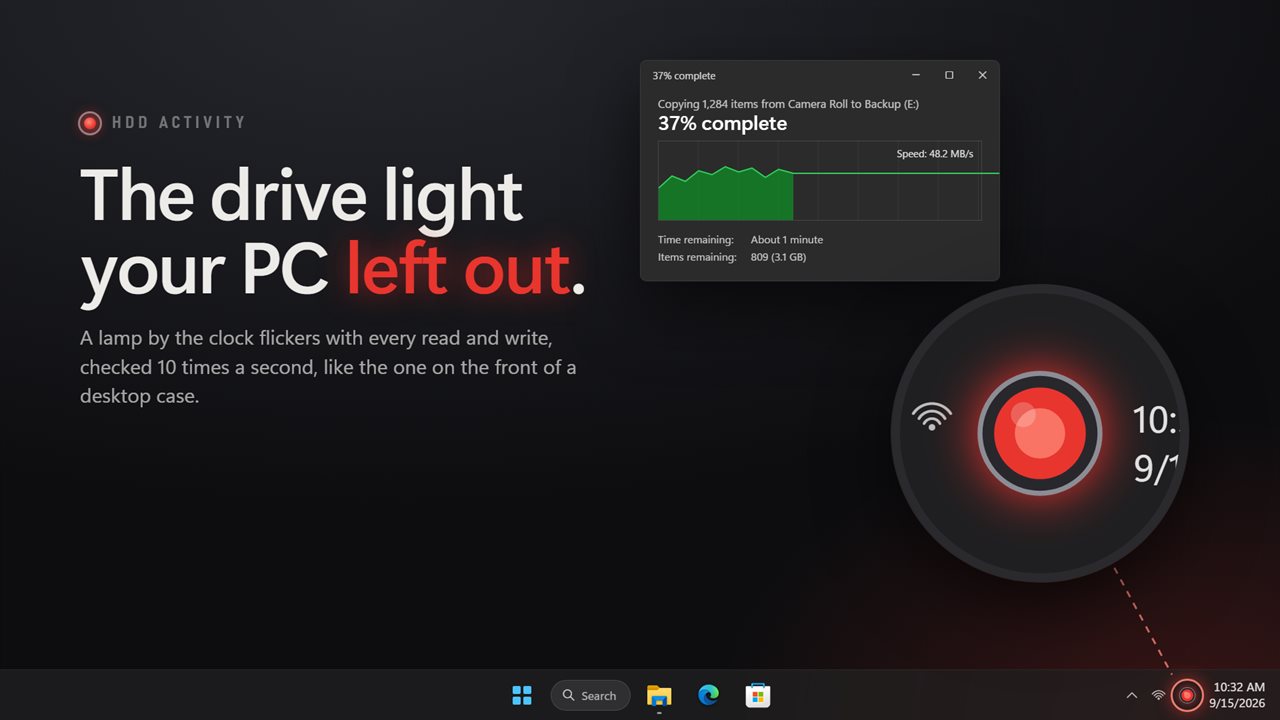
A small red lamp next to the clock that lights whenever a disk is reading or writing, so you can see your PC working the way you could on an old desktop tower.
Keeps pace with the disk
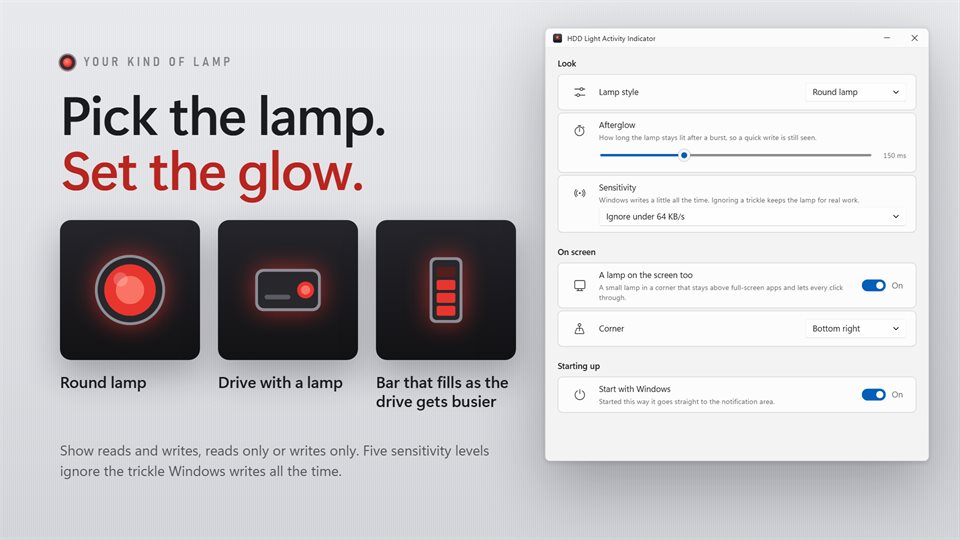
Short enough to catch a burst, with an afterglow you can set from 0 to 500 ms so a quick write still registers.
Ignore the background hum
Windows writes a little all the time. Pick a threshold and the lamp only lights for work worth noticing.
Three kinds of lamp
A classic round LED, a drive with a lamp on its front, or a bar that fills as the disk gets busier.
See it in action
From the Store listing, showing the lamp, the front panel and the settings.
What a drive light tells you
Desktop cases used to have a small lamp that flickered whenever the hard drive was busy. It answered a question nothing else on screen does: is the computer actually doing something right now, or is it stuck?
Most laptops and many modern cases dropped that lamp. When the PC goes sluggish, the fan spins up or a program stops responding, there is no quick way to tell whether Windows Update, an antivirus scan, indexing or a sync client is working the disk in the background.
With the lamp in the notification area, the answer is always in the corner of your eye. A solid glow means something is hammering the drive; a dark lamp after a long copy means the writes have finished.
What people use it for
Explaining a slow PC
Seeing at a glance that the disk is busy, rather than guessing at a frozen program.
Watching a backup or copy
Following an external drive or USB stick through a long write, and knowing when it has gone quiet.
Gaming and full-screen video
A small lamp in a screen corner that stays on top and lets every click through, for when the taskbar is hidden.
Details
- Works on
- Windows 10 (1809 or later) and Windows 11
- Download
- About 2.8 MB
- Version
- 2.0.4, updated October 2026
- Price
- $2.49 once. No subscription, no in-app purchasesUS price; the Store shows yours.
- Privacy
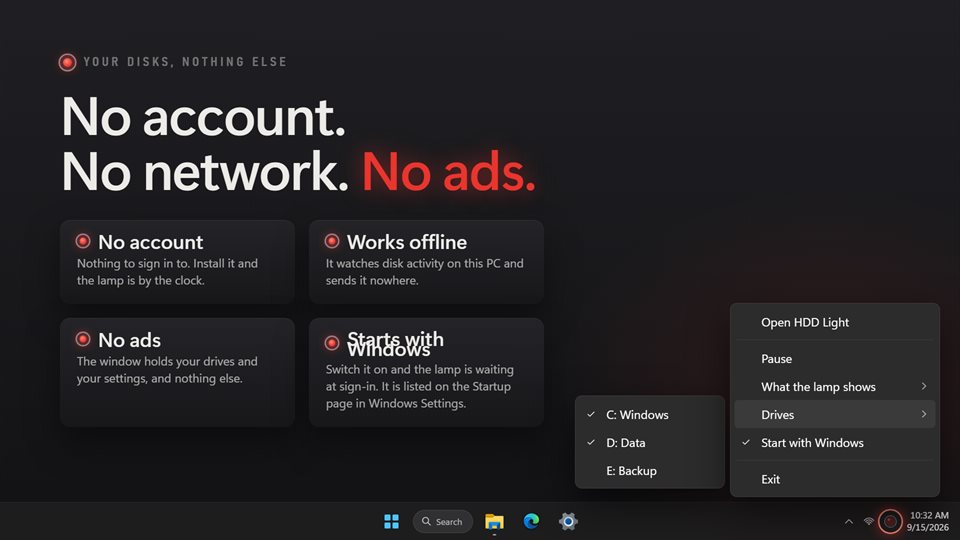
- No account, no ads, works offline
- Category
- Utilities & tools
What's new in 2.0
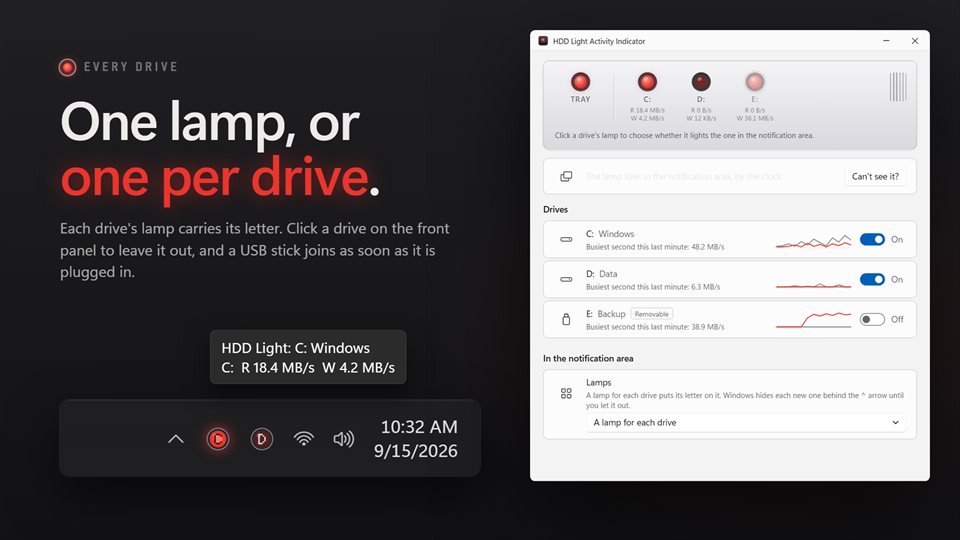
- A front panel with a live lamp, transfer speed and 60-second trace for every drive
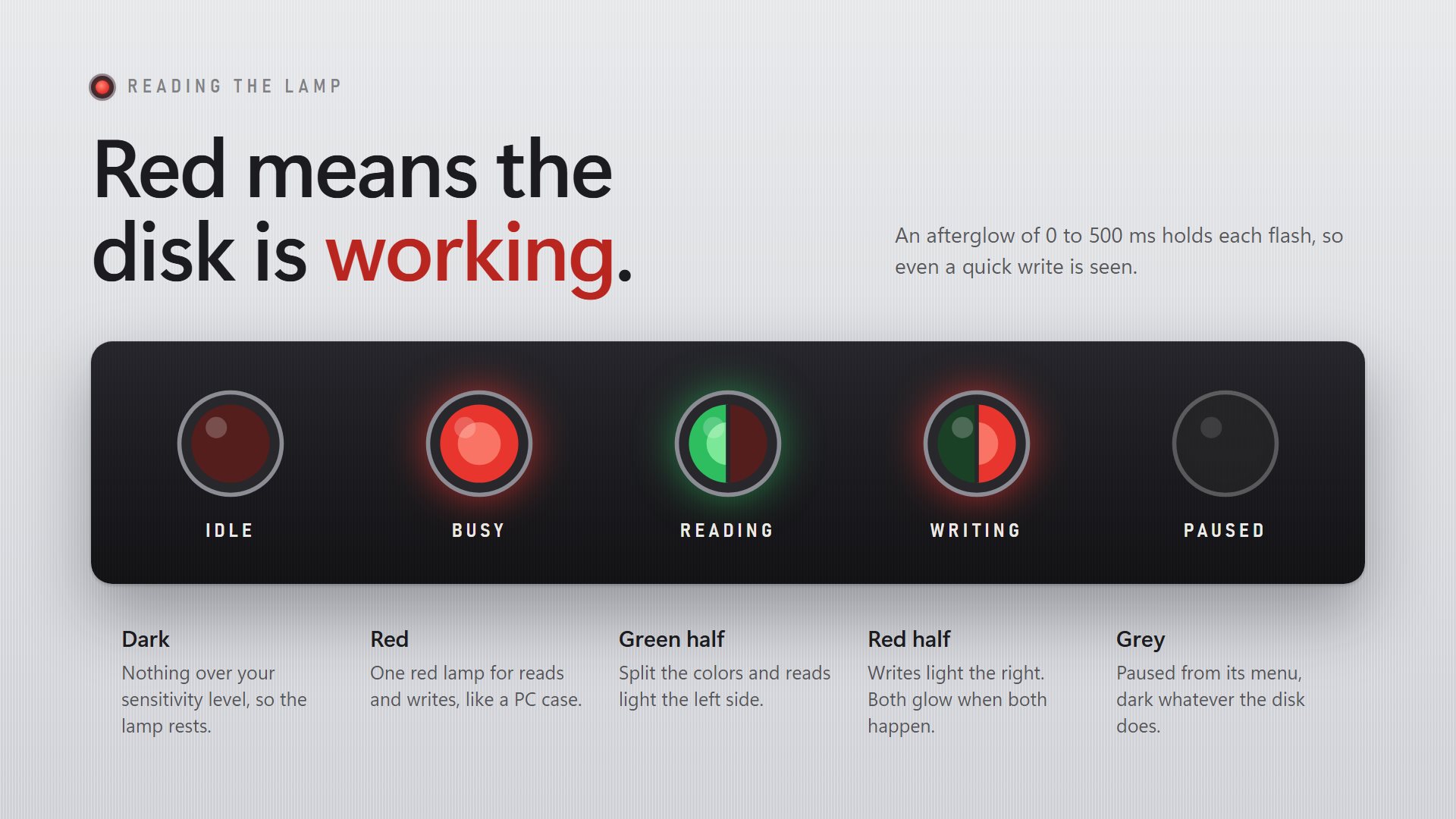
- Reads green and writes red, as an option
- A separate lamp for each drive, marked with its letter
- Three lamp styles, an adjustable afterglow and five sensitivity levels
- An on-screen lamp for full-screen apps, in the corner of your choice
- USB sticks and SD cards picked up as soon as they are plugged in
Questions
Anything else: [email protected]
Can I see which drive is busy?
Yes. Switch to a lamp for each drive and every one carries its letter. Hovering the lamp also shows each drive's read and write speed.
The lamp disappeared behind the ^ arrow. How do I keep it visible?
Windows hides new notification area icons by default. The app shows you where the lamp went and opens the taskbar settings so you can pin it.
Does it work with USB drives and SD cards?
Yes. They appear as soon as they are plugged in, and you can choose whether they light the lamp.
Can it start with Windows?
Yes. It starts straight into the notification area, with no window to close.
Does it need the internet or an account?
No. It only watches the disks on this PC.