Key Data
Press a key and see exactly what Windows received: its virtual-key code, scan code, Unicode value, the character it typed and the modifiers held.
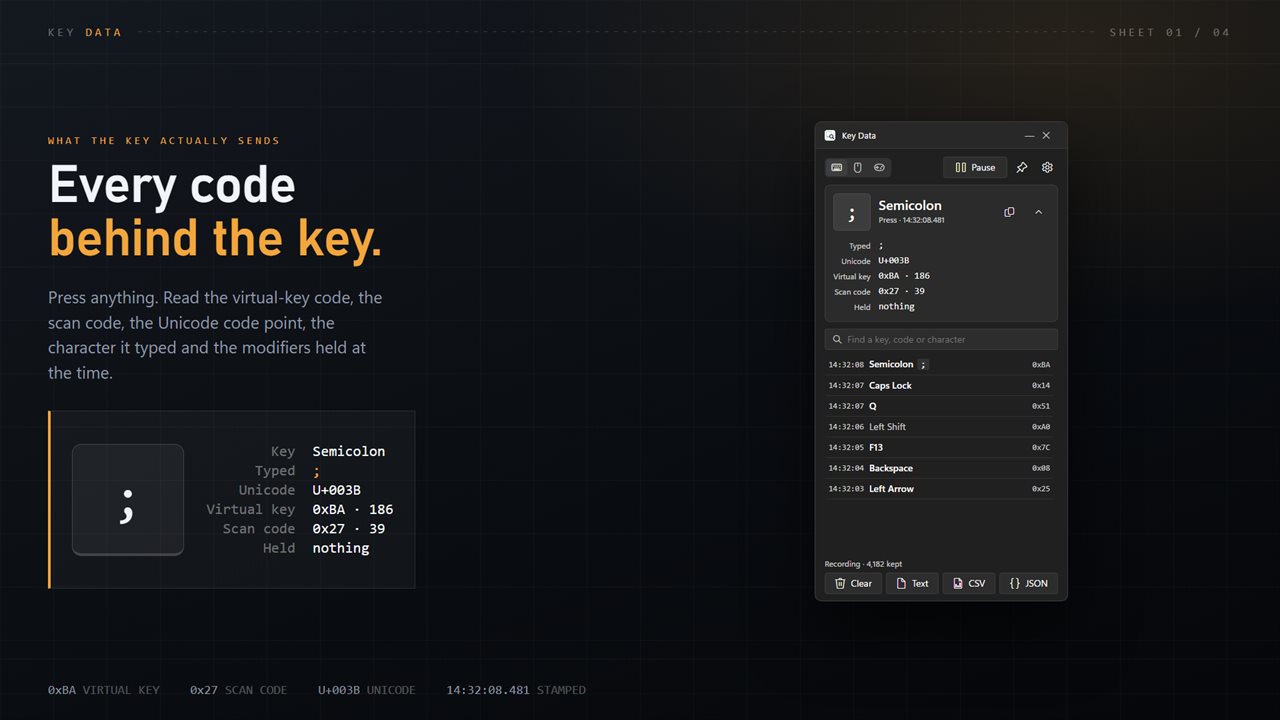
Every code for one press
Not just the key's name, but the numbers behind it, read from the keyboard layout you are actually using.
No bare numbers in the list
F1 to F24, the numpad, the media and browser keys all have names, and so do the mouse buttons.
Take the record with you
Up to 100,000 entries, kept between sessions, saved in whichever format the next tool wants.
See it in action
Straight from the app, at its real size beside other windows.
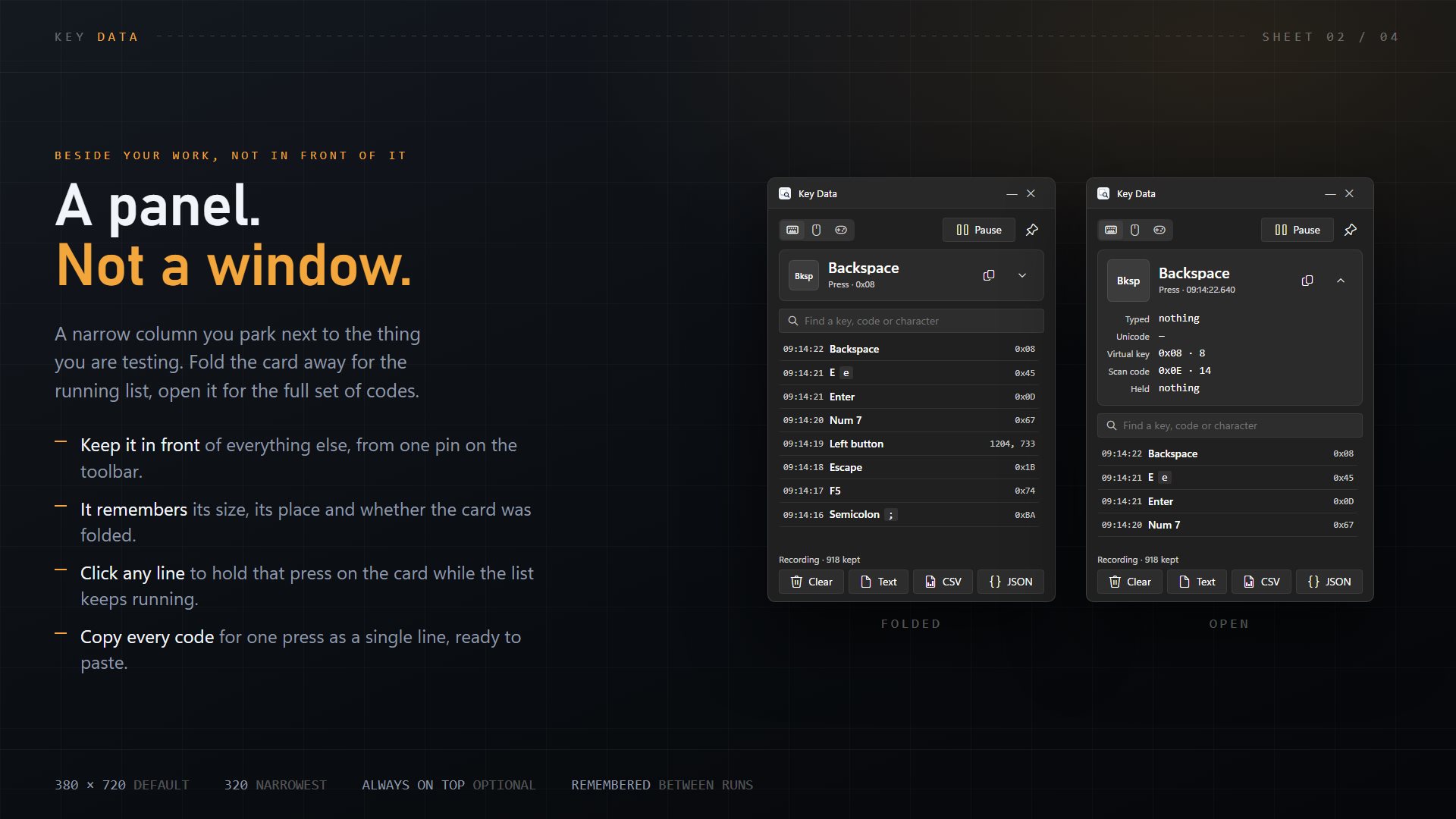
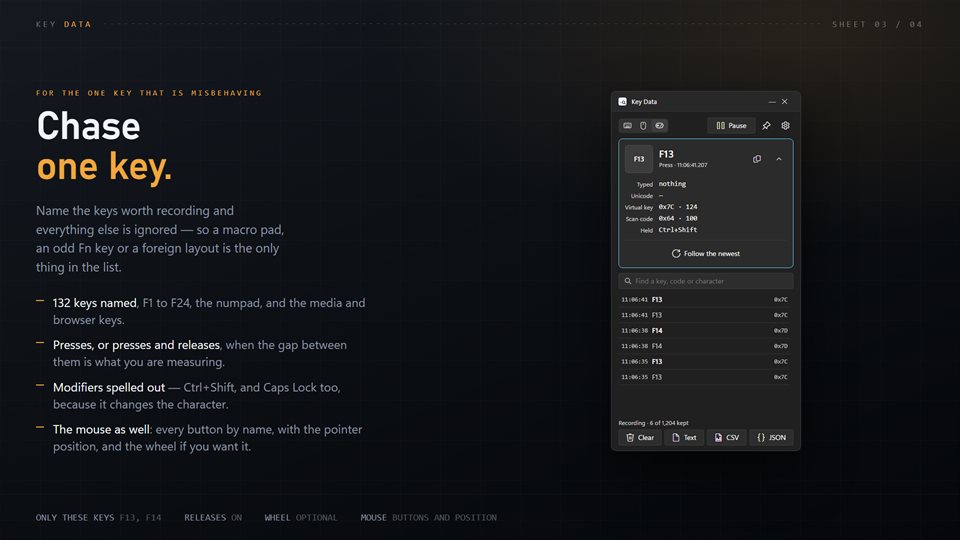

Virtual-key code, scan code, Unicode: what is the difference?
A scan code is what the keyboard hardware sends: it identifies a physical position on the board. Windows turns that into a virtual-key code, a number that means a key such as VK_RETURN or VK_F13. The layout then decides which character, if any, that key produces, and that character has a Unicode code point.
The three can disagree. The key to the right of L is the same scan code on a US and a German keyboard, but it types a semicolon on one and an umlaut on the other. If you are writing a key mapper, a game binding or a macro and the wrong thing is happening, the answer is usually in which of these numbers your code is reading.
Key Data shows all of them for each press, alongside the modifiers that were held, so you can see what was really sent instead of guessing.
What people use it for
Building key mappings and macros
Finding the exact code an odd key sends before writing a binding for it.
Testing a macro pad or extra keys
Recording only F13 to F24 or a handful of named keys, with everything else filtered out.
Checking a keyboard layout
Seeing which character a key really produces with Shift, Caps Lock or AltGr held.
Details
- Works on
- Windows 10 (1809 or later) and Windows 11
- Download
- About 2.7 MB
- Version
- 2.0.8, updated October 2026
- Price
- $3.99 once. No subscription, no in-app purchasesUS price; the Store shows yours.
- Privacy
- No account. The record stays on your PC
- Category
- Utilities & tools
What's new in 2.0
- Scan codes and held modifiers shown for every press
- The typed character read from your own keyboard layout
- Record only the keys you name, and releases as well as presses
- Mouse buttons and the wheel, with the pointer position
- Exports rebuilt: a readable table, CSV or JSON
- Up to 100,000 entries that survive a restart
Questions
Anything else: [email protected]
Is this a hidden keylogger?
No. It is a visible tool for testing keys. It runs as a normal window or in the notification area, sends nothing anywhere, and the record is a file on your own PC.
Can it see what I type at the sign-in screen or a UAC prompt?
No. Windows protects those screens from every app, so nothing typed there is recorded.
Can it record the mouse too?
Yes. Watch the keyboard, the mouse or both. Buttons are named, the pointer position is recorded, and the wheel can be left out.
Can I see the text as it was typed?
Yes. Switch the list from one press per line to typed text, and the letters join up into words.
Can it start recording when Windows starts?
Yes. It can start with Windows and wait in the notification area, already recording.