Quick PC Gaming Optimizer
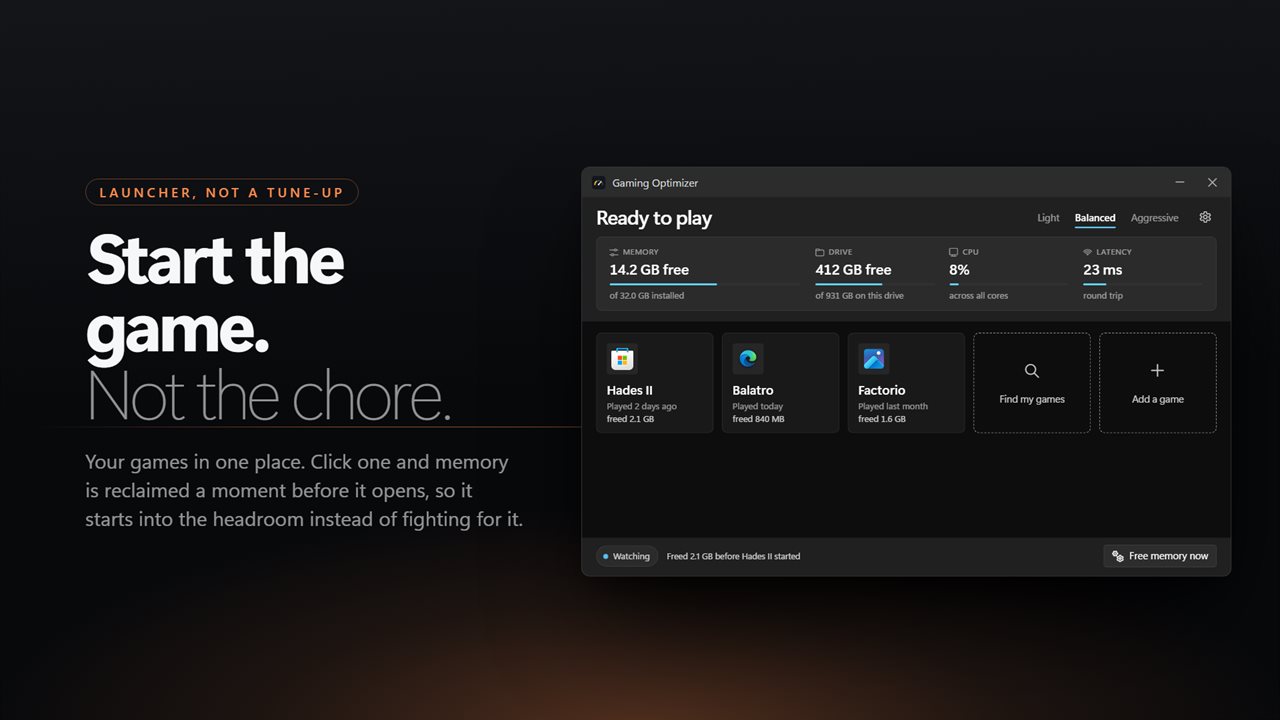
Checks whether your PC has the memory free to play, frees what background apps are not using before a game starts, and tells you how much it got back.
A straight answer first
Under 3 GB of free memory reads as tight; under 1.5 GB, it tells you to close something before you start.
Four live readings
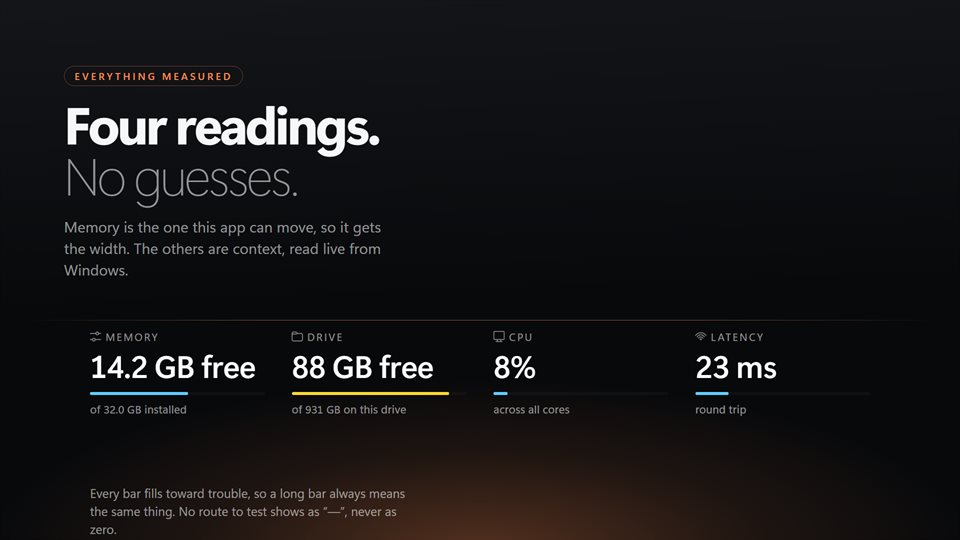
Free memory, free space on the system drive, processor load and your ping, side by side before you queue for a match.
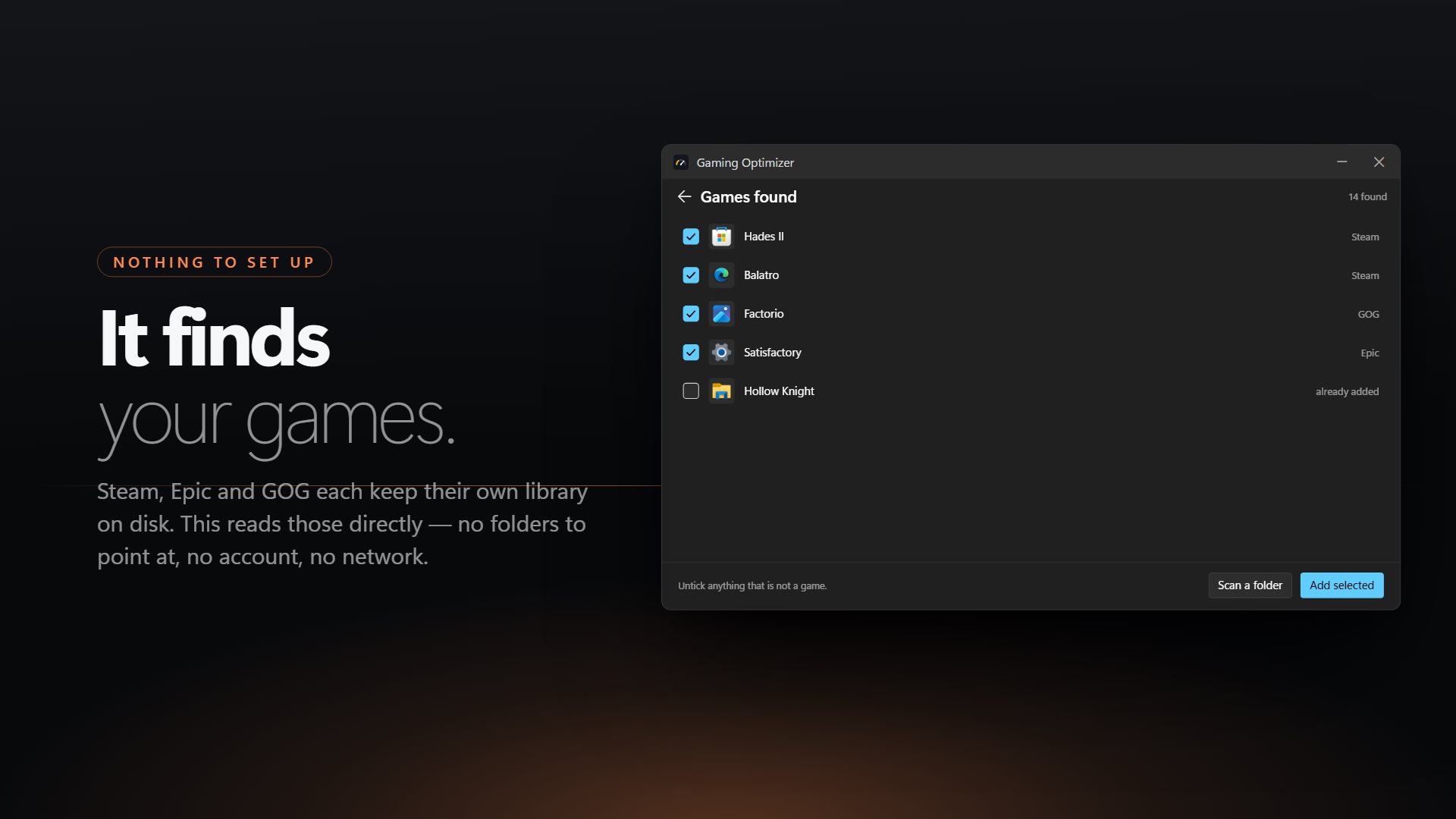
Finds your games
It reads the libraries those launchers keep on disk, so your games show up with their real names and icons. Anything else can be added from a folder.
See it in action
Straight from the app, on a Windows 11 PC.
When does freeing memory help a game?
Frame rate comes from your graphics card and processor, and no app can make those faster. Memory is different. When a game needs more than is free, Windows starts moving data out to the disk to make room, and you feel it as stutter, long loads and hitches when a new area streams in.
That only happens when memory is short. A browser with dozens of tabs, a chat app and a launcher or two can easily hold several gigabytes between them, most of it untouched. Asking those apps to hand back what they are not using gives the game room before it needs it.
If your PC already has plenty free, freeing more changes nothing, and this app says so. It never claims a frame rate, and it never touches the game you are playing.
What people use it for
Gaming on 8 or 16 GB
Clearing room from a browser and chat apps before starting a game that wants most of the memory.
One place to start games
Launching Steam, Epic and GOG games from a single list, with memory freed a moment before each opens.
A check before a match
Glancing at memory, CPU and ping to know the PC and the connection are ready before queuing.
Details
- Works on
- Windows 10 (1809 or later) and Windows 11
- Download
- About 2.6 MB
- Version
- 2.0.6, updated October 2026
- Price
- $2.99 once. No subscription, no in-app purchasesUS price; the Store shows yours.
- Privacy
- No account, no ads; only a latency ping goes out
- Category
- Utilities & tools
What's new in 2.0
- A verdict before you play, based on the memory actually free
- A list of the background apps competing with your game for memory
- Notices when one of your games is running and shows the room it has
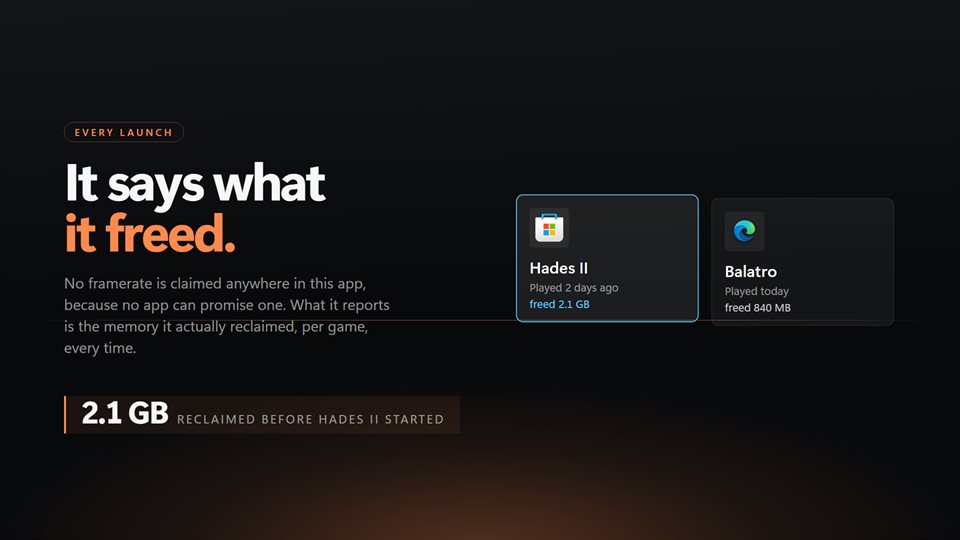
- Each boost is measured, and the amount freed is reported
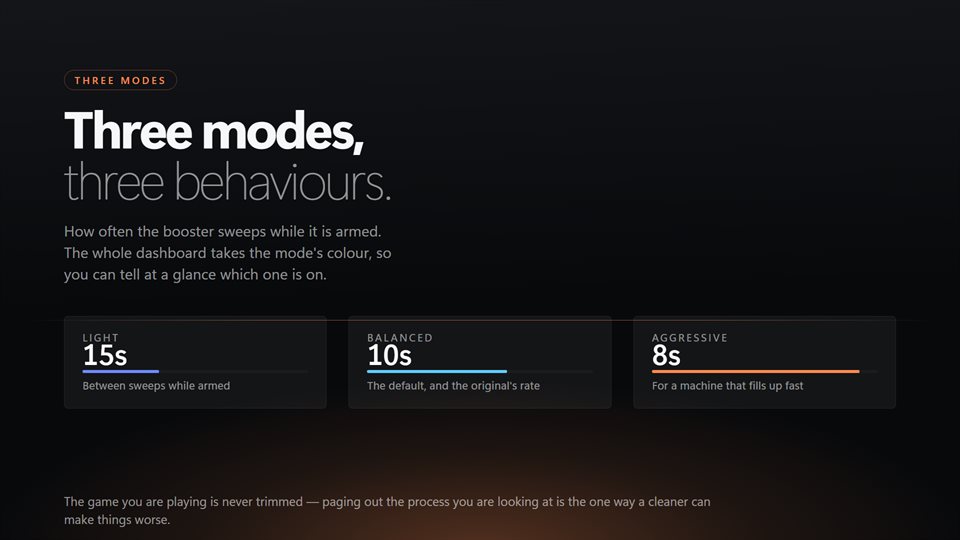
- A live trace of memory and CPU, and three modes that say what they do
Questions
Anything else: [email protected]
Will it raise my FPS?
Not directly, and it does not claim to. It frees memory, which helps when a game is short of it and changes nothing when it is not.
Does it close apps or change Windows settings?
No. It does not close, suspend or lower the priority of anything, and it leaves network settings alone. The game you are playing is never touched.
Which launchers does it find games in?
Steam, Epic Games and GOG. Games from anywhere else can be added by scanning a folder.
Does it run in the background?
Yes. With the window closed it stays in the tray, and with the booster on it keeps freeing memory on the schedule your mode sets.
Does it need the internet or an account?
No account. The latency reading sends a small ping to a public DNS server; nothing else leaves your PC.