Quick Ram Cleaner
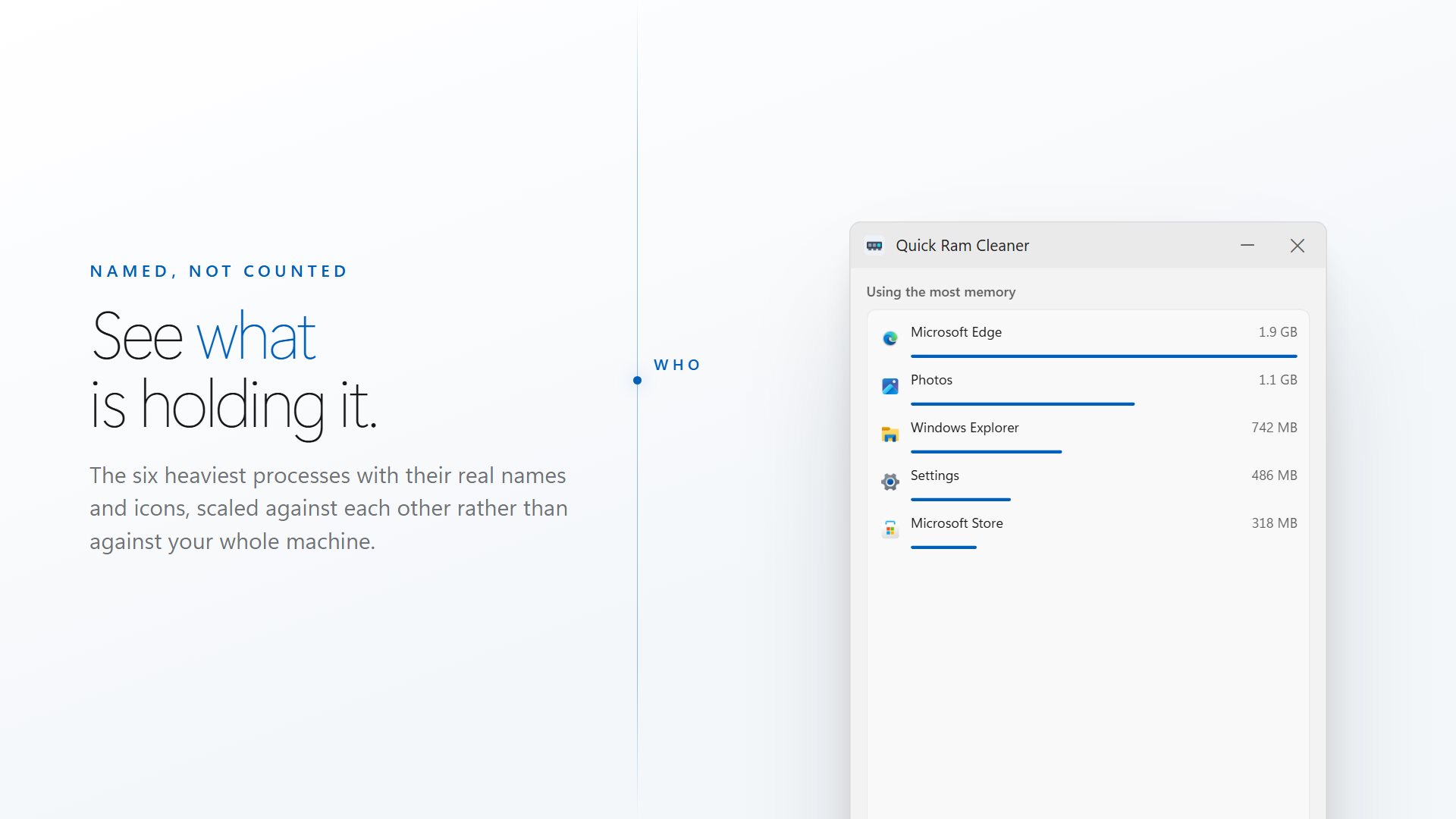
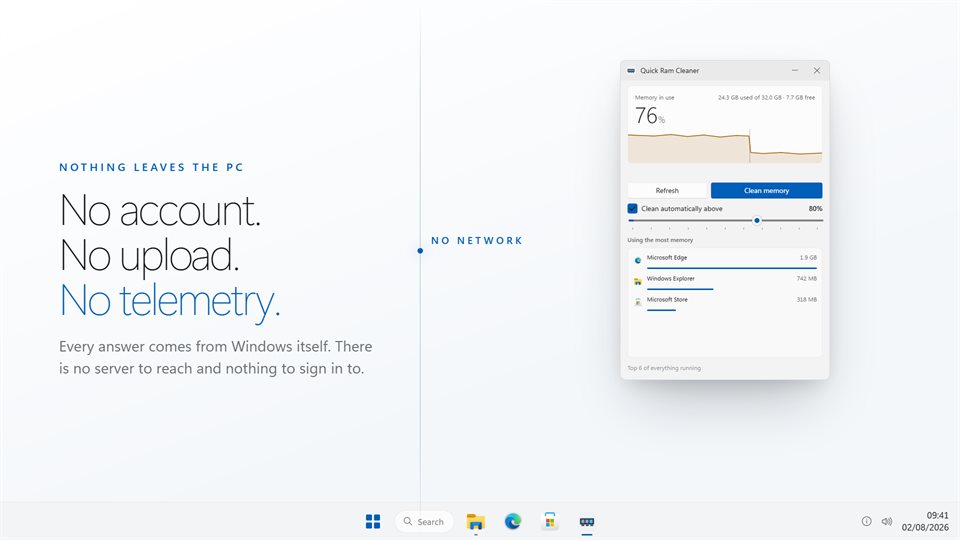
Shows how much of your PC's memory is in use and which apps are holding it, frees what they are not using, and measures exactly how much came back.
A measured result
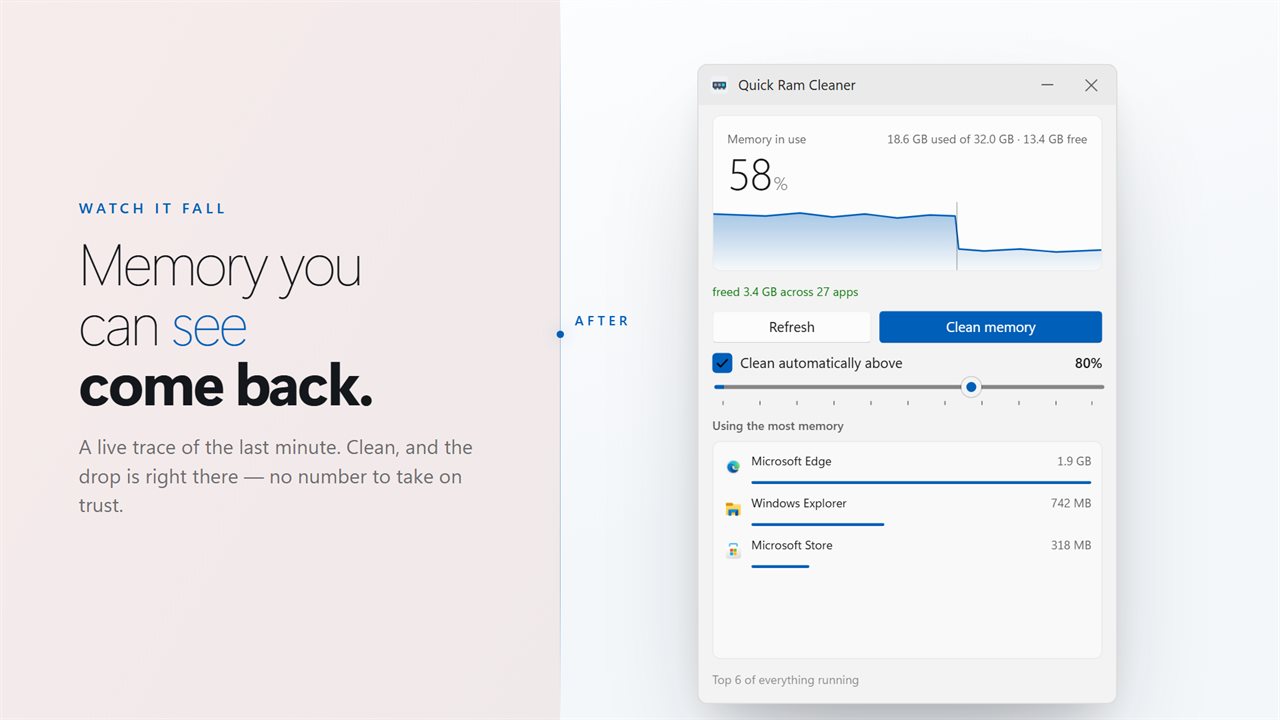
It reads free memory before and after every clean and reports the difference. The trace marks the moment, so you can see the drop.
An honest zero
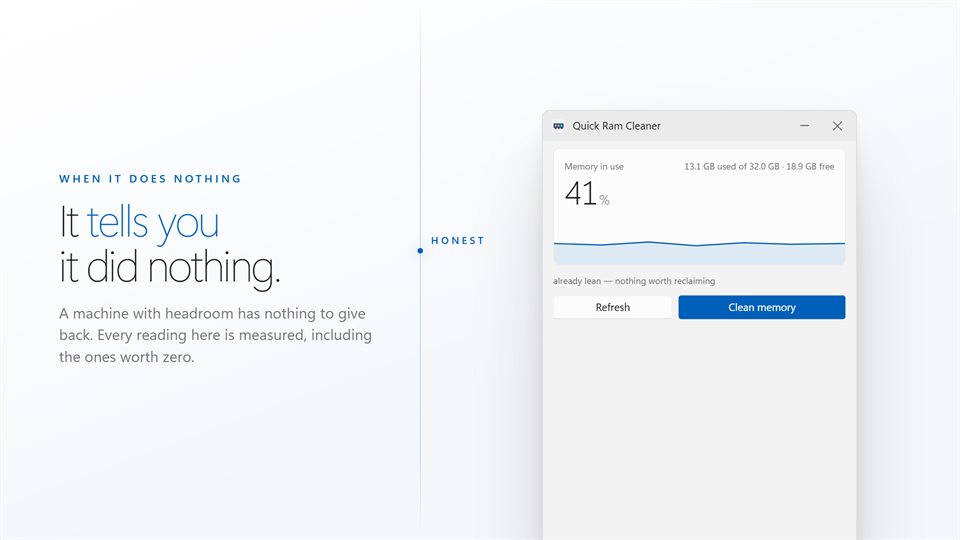
When there is nothing worth taking back, it says so instead of inventing a number to look busy.
Cleans on its own
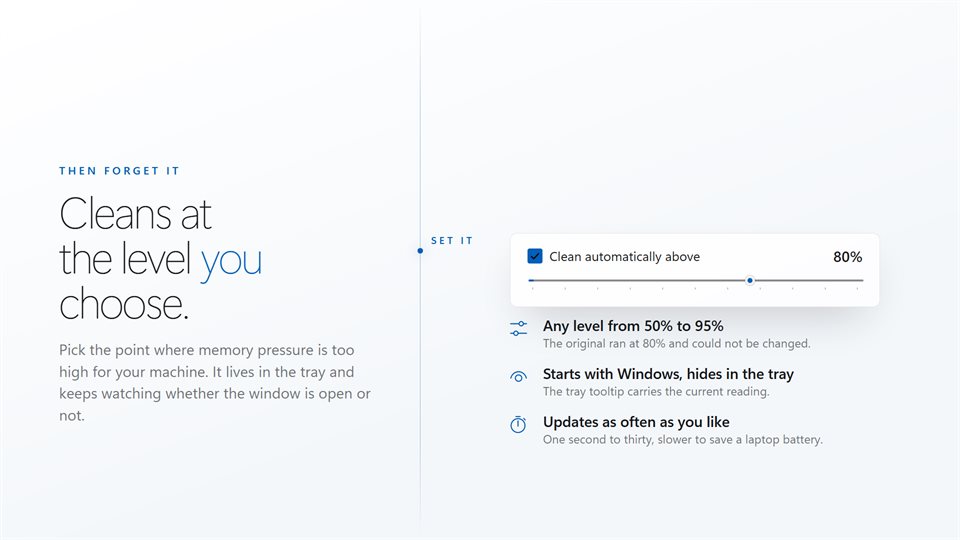
Pick the level where memory use is too high for your PC, close the window, and it keeps watching from the tray.
See it in action
Straight from the app, on a Windows 11 PC.
What cleaning memory actually does
Programs hold on to more memory than they are using at any moment. A browser keeps pages from tabs you looked at an hour ago; an editor keeps the parts of a document you have scrolled past. That memory counts as in use, even though nothing is touching it.
A clean asks every app with a window to hand back the memory it is not using right now. Nothing is closed and nothing is lost: if an app needs something it gave back, Windows gives it straight back. Services and Windows' own processes are left alone.
How much that frees depends on your PC. On a machine that is nearly full, it can be gigabytes. On one with plenty spare, it can be nothing, and this app will tell you that rather than pretend.
What people use it for
Older laptops with little memory
Taking memory back from a browser and chat apps so the next program has room to open.
Finding the memory hog
Seeing which app is sitting on gigabytes before deciding whether to close it.
Leaving it to watch
Letting it clean automatically from the tray whenever memory use climbs past a set level.
What people say
★★★★★“My computer has a ram overload problem and once it cleaned the ram, it works better”
Details
- Works on
- Windows 10 (1809 or later) and Windows 11
- Download
- About 2.4 MB
- Version
- 2.0.6, updated October 2026
- Price
- $2.99 once. No subscription, no in-app purchasesUS price; the Store shows yours.
- Privacy
- No account, no ads, nothing leaves your PC
- Category
- Utilities & tools
What's new in 2.0
- Each clean is measured, and the amount freed is shown in megabytes
- A live trace of memory use, marked where each clean happened
- The automatic cleaning level can be set from 50% to 95%; it used to be fixed at 80%
- The tray tooltip shows the percentage in use and the gigabytes free
- Each app in the list shows its share as a bar
Questions
Anything else: [email protected]
Will it close my apps or lose my work?
No. It never closes or ends anything. It only asks apps to give back memory they are not using.
Why did a clean free nothing?
Because there was nothing spare to take back. If less than 8 MB comes back, it says 'already lean' instead of quoting a number.
Can it clean automatically?
Yes. Turn on automatic cleaning, choose a level between 50% and 95%, and it runs whenever memory use passes it.
Does it keep running when I close the window?
Yes. It goes to the tray, where the tooltip shows memory use, and it can start with Windows.
Does it need the internet or an account?
No. Every reading comes from Windows on your PC.