Text Overlay Teleprompter
A teleprompter that sits just under your webcam, on top of your video call, so you can read your script and still look the other person in the eye.
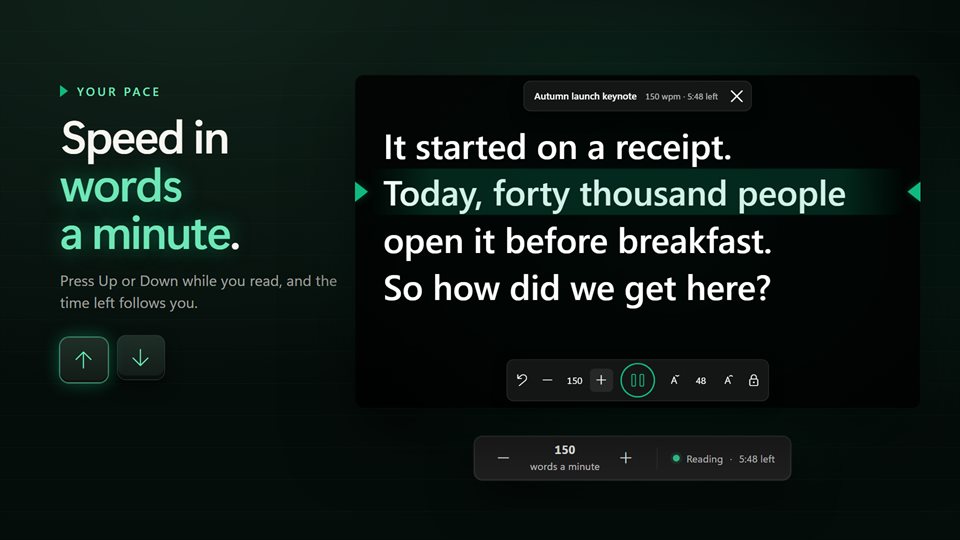
A speed that means something
Set the pace in words a minute and see how long the script has left. Speed up or slow down while you read.
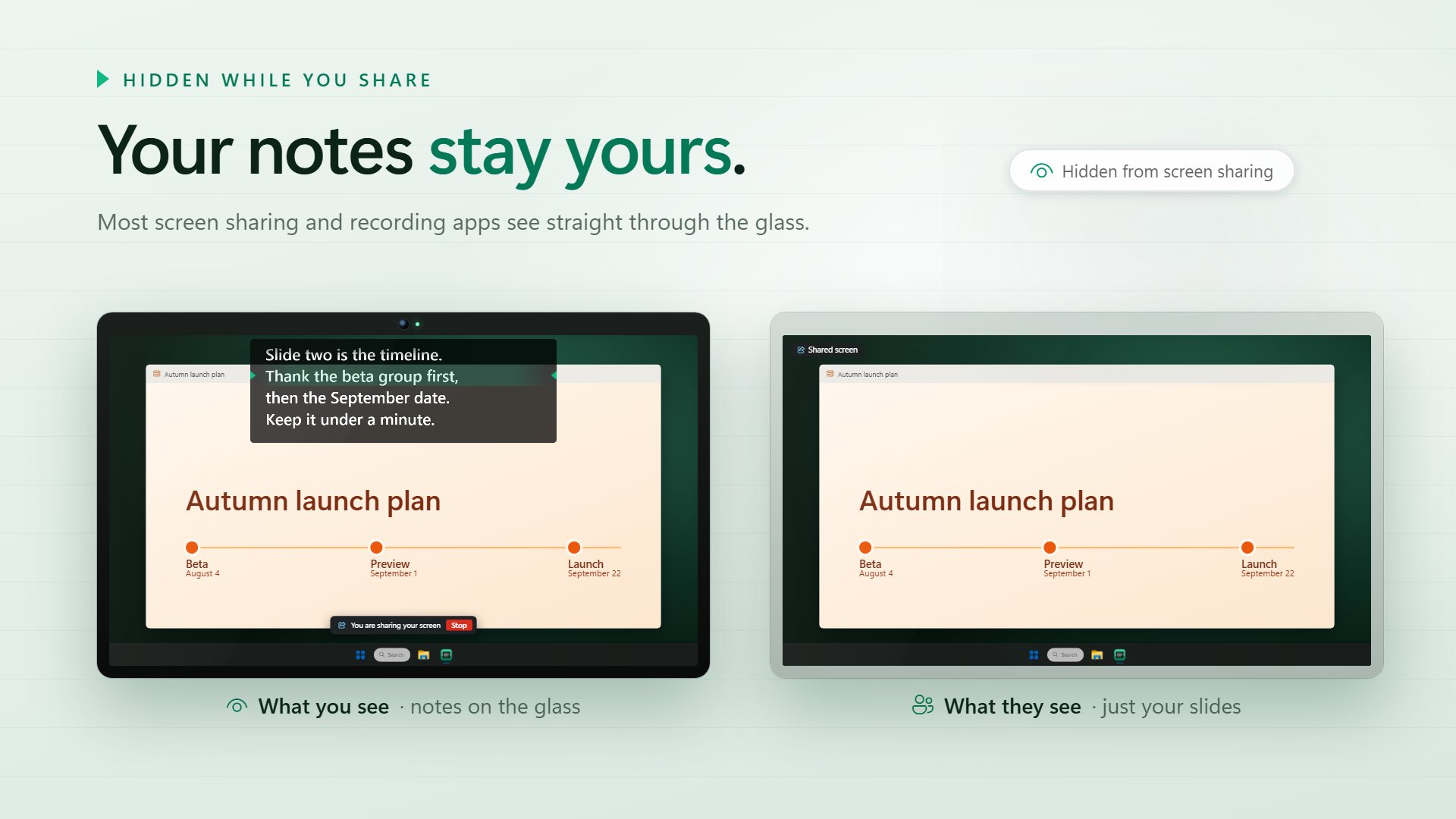
Your notes stay yours
Most screen sharing and recording apps skip the glass, so your audience sees your slides and not your script.
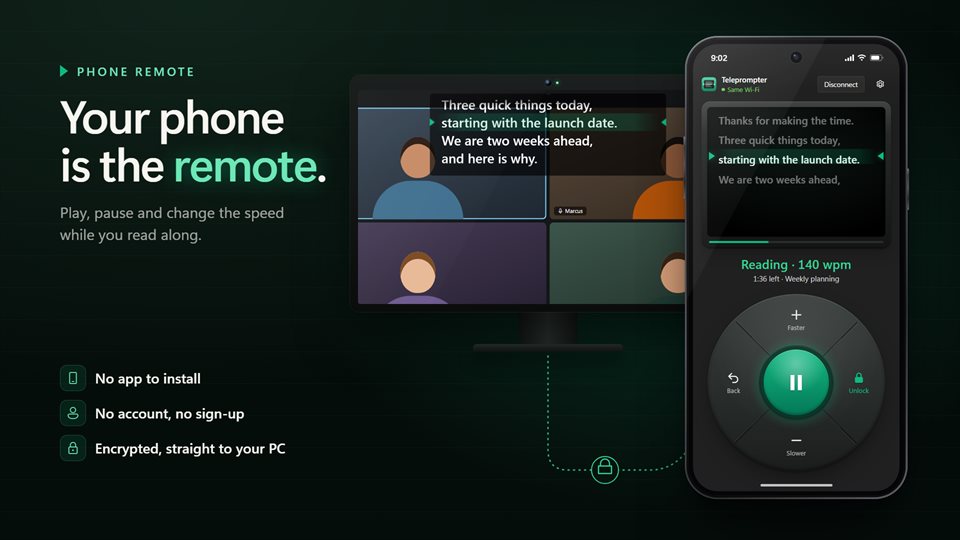
Control it from your hand
Scan a code and your phone plays, pauses, changes speed and steps back a line. No app to install and no sign-up.
See it in action
From the Store listing.
![A script with a [pause] marker, and the prompter stopped at it waiting to go on](https://store-images.s-microsoft.com/image/apps.46680.13903490342615722.3de91db3-6acd-493f-b7c7-b52f5ff5e655.096bcdec-2211-4cb4-a3e2-4401f41d11a9?w=960&q=85)
Why the prompter goes under the webcam
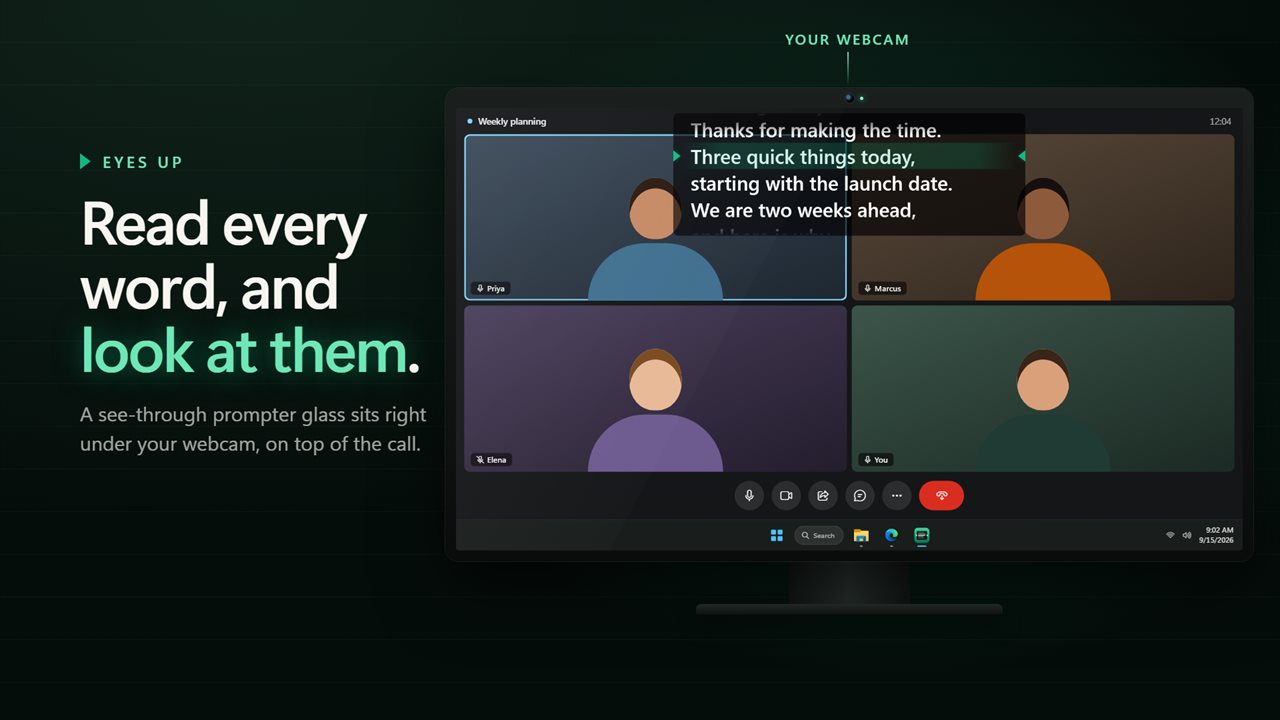
On a video call, people notice when your eyes drop to the corner of the screen to read notes. The closer the text is to the camera, the more it looks like you are talking to them.
This app places a see-through glass right below the webcam, on top of the call window. The line you should be reading sits on a fixed green band, so your eyes stay in one spot while the words come to you.
Pacing is built into the script. A blank line gives you a breath, [pause] stops the roll until you press play, and a 3 or 5 second count-in gives you time to look up before it starts.
What people use it for
Presentations on video calls
Delivering a pitch, a demo or a team update without losing your place or your eye contact.
Recording videos
Reading a script for a tutorial, course or social video in one take.
Beam-splitter rigs
Mirroring the text left to right or upside down for real teleprompter glass.
What people say
★★★★★“I know what to say but as soon as the camera starts rolling, I draw a blank. This tool has helped me make my presentations much better.”
Details
- Works on
- Windows 10 (1809 or later) and Windows 11
- Download
- About 2.9 MB
- Version
- 2.1.5, updated October 2026
- Price
- $4.99 once. No subscription, no in-app purchasesUS price; the Store shows yours.
- Opens
- Word (.docx), RTF, .teleprompt, .txt and .md
- Privacy
- No ads; works offline, and backup is optional
- Category
- Business
What's new in 2.0
- The prompter is now a separate glass that floats over your call
- Hidden from most screen sharing and recording apps
- Click-through, so the call underneath stays usable
- Speed in words a minute, with the time left
- [pause] markers and a 3 or 5 second count-in
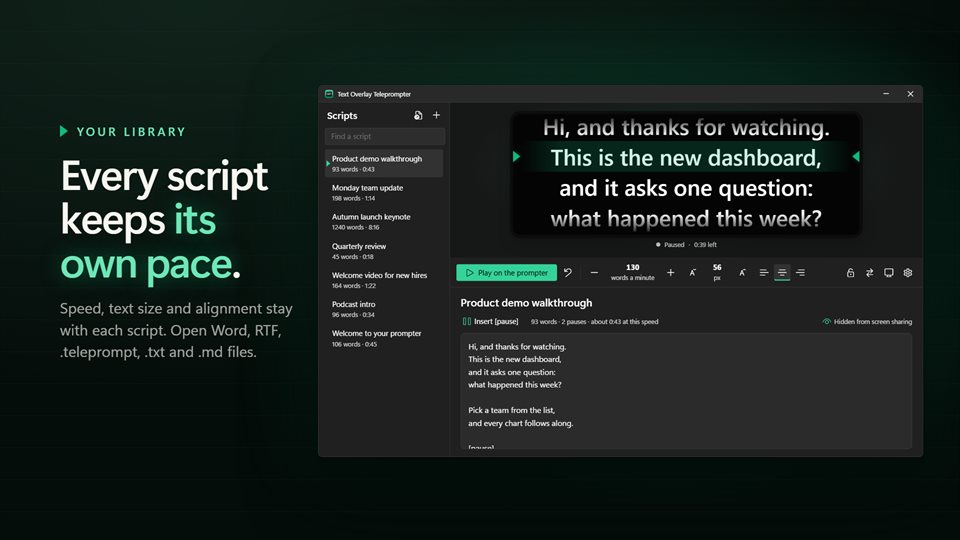
- A script library, Word and RTF import, and a phone remote
Questions
Anything else: [email protected]
Will people on the call see my script?
Not when you share your screen in most apps, which skip the glass. A camera pointed at your monitor would still see it.
Can I click on the call while the prompter is over it?
Yes. Lock the glass and clicks go straight through to the window underneath. A shortcut brings them back.
Can I control it without touching the keyboard?
Yes. Five shortcuts you record yourself work from any app, and your phone can act as a remote.
Will my old Easy Virtual Teleprompter scripts open?
Yes. .teleprompt files open as they are, along with Word, RTF, .txt and .md files.
Does it need the internet or an account?
No. The prompter works offline. Only the phone remote needs a network, and sign-in is only for backing up scripts to another PC.