Color Palette Maker
Start from any color and fan out a palette of five. Pick colors straight off your screen, choose from seven harmonies, lock the ones you like, and copy the palette as CSS, SCSS, JSON, Tailwind or plain hex codes.
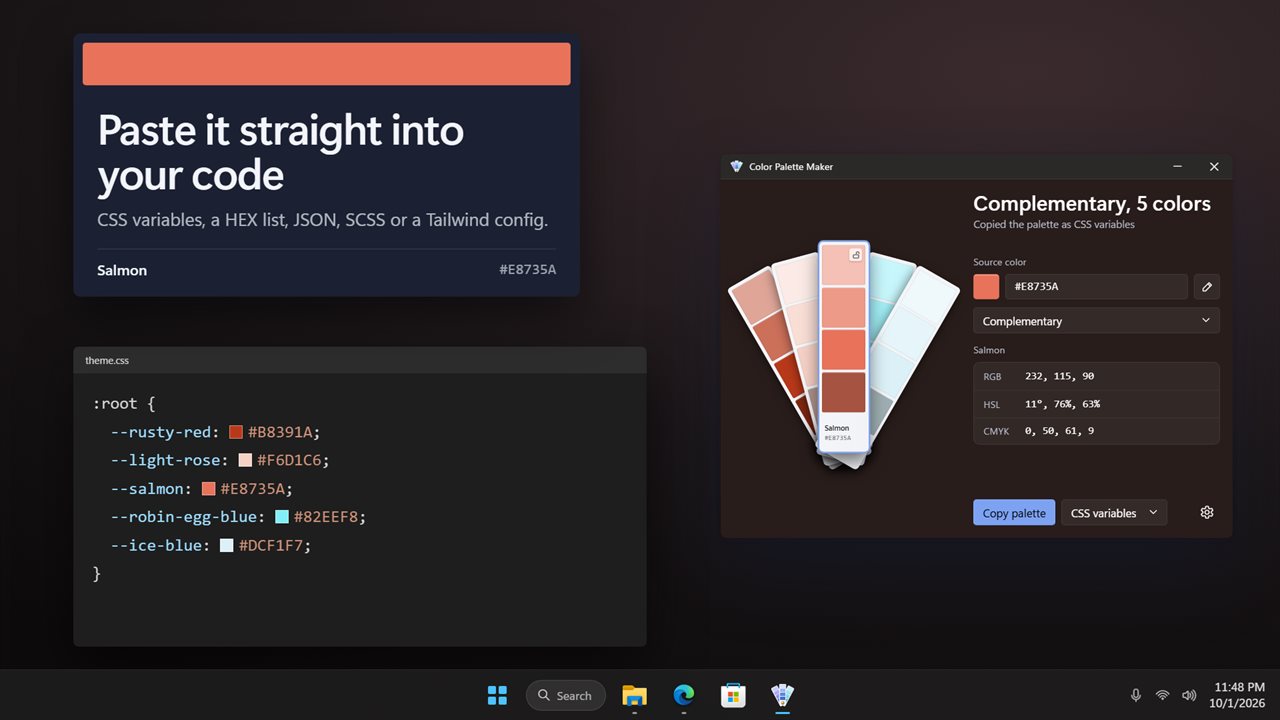
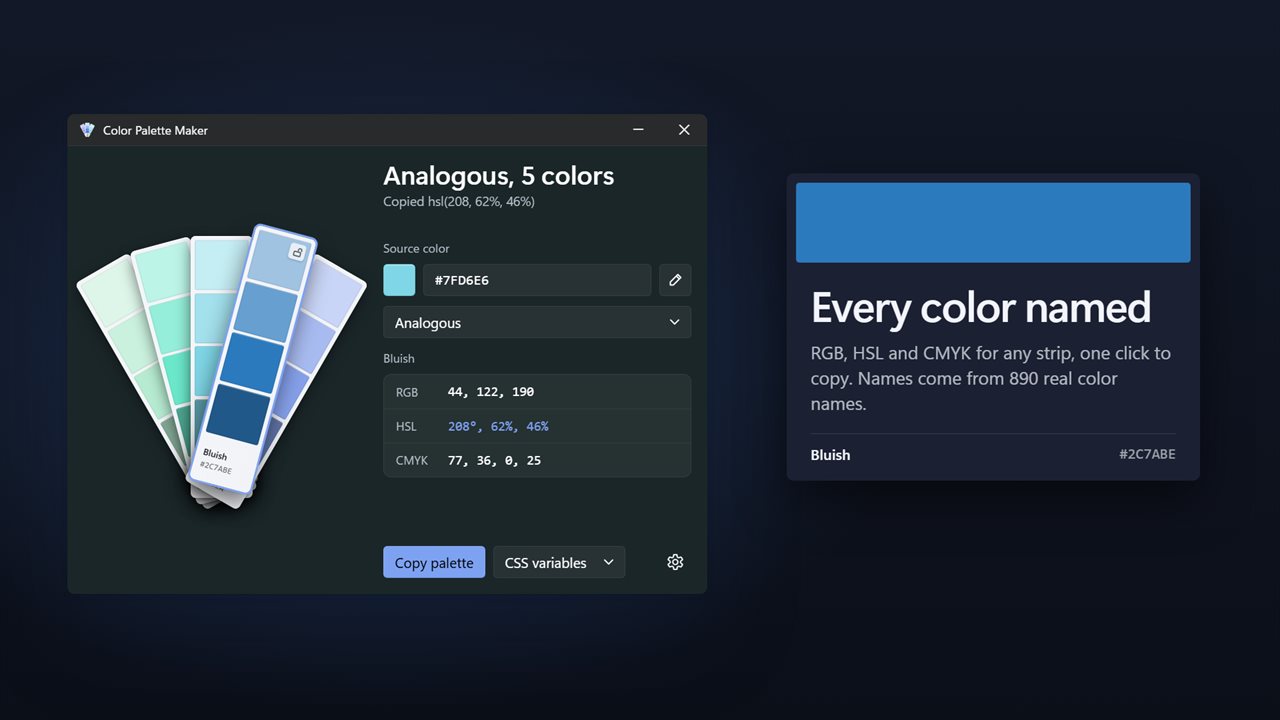
Fan out a palette of five from any color.
See it in action
About Color Palette Maker
Color Palette Maker turns one color into a palette of five, laid out like a paint-chip fan deck.
Start from any color
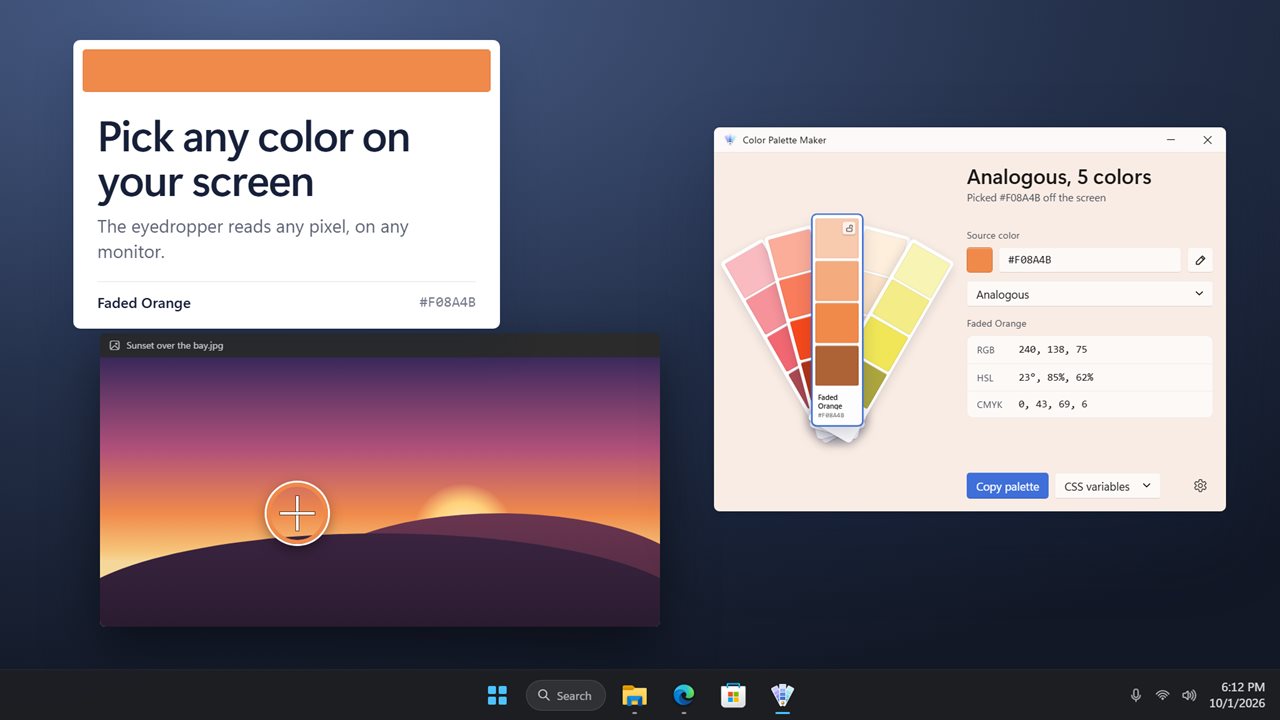
Type a hex code or RGB values, choose a color from the Windows color picker, or use the eyedropper to pick any pixel on any of your screens. The palette follows as soon as you do.
Fan out a new set
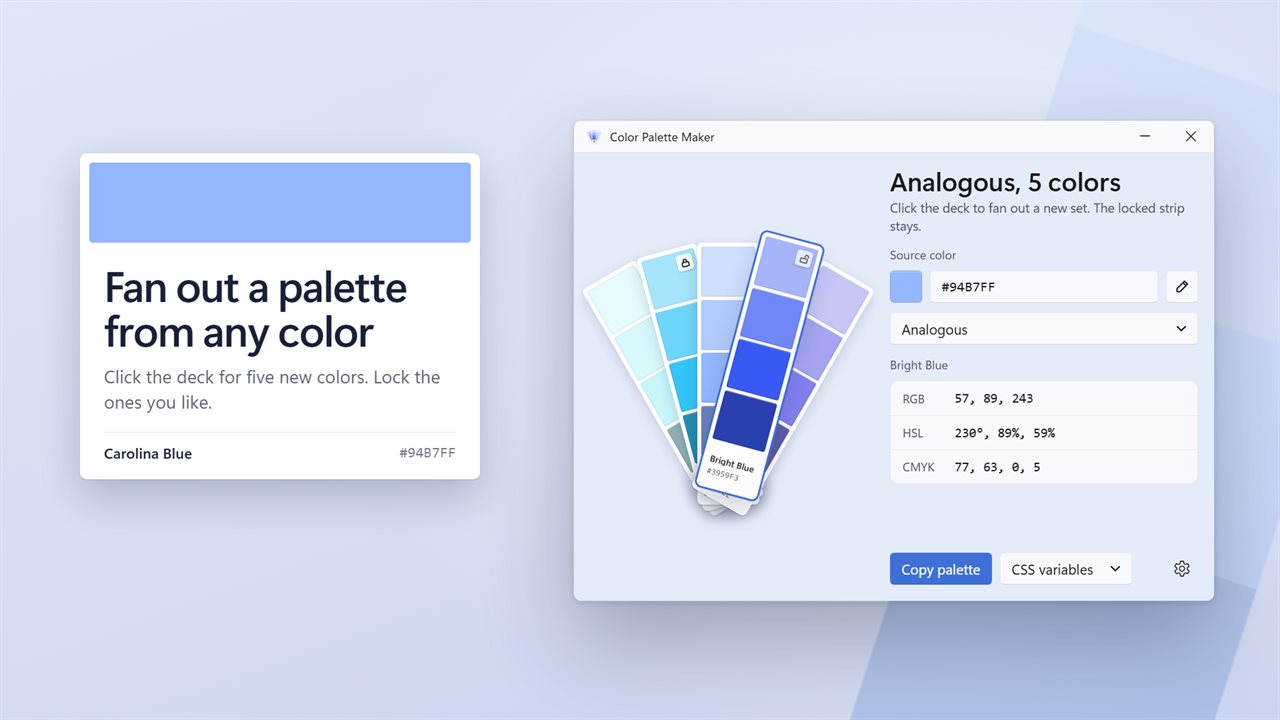
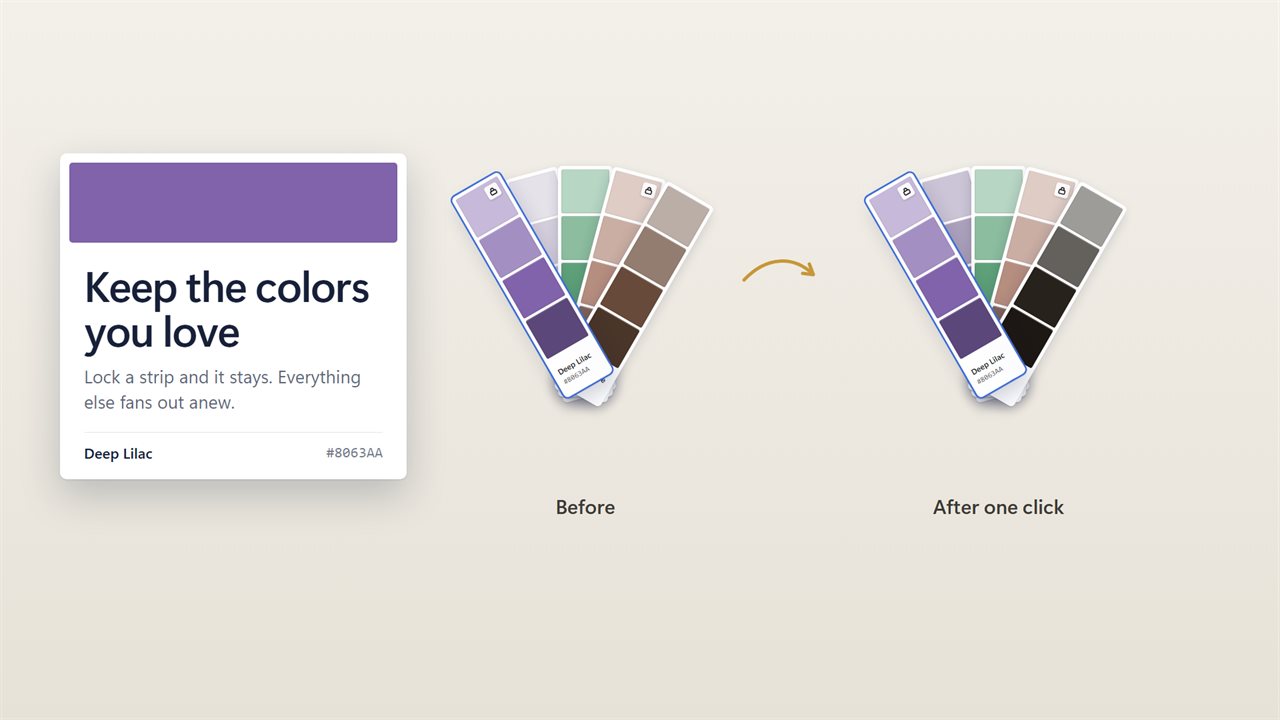
Click the deck and it fans out five new colors. Every strip shows four shades of its color from light to dark, with its name and hex code. Like one? Lock it, and it stays put while the rest change. Double-click a strip to build a whole new set from it.
Seven harmonies
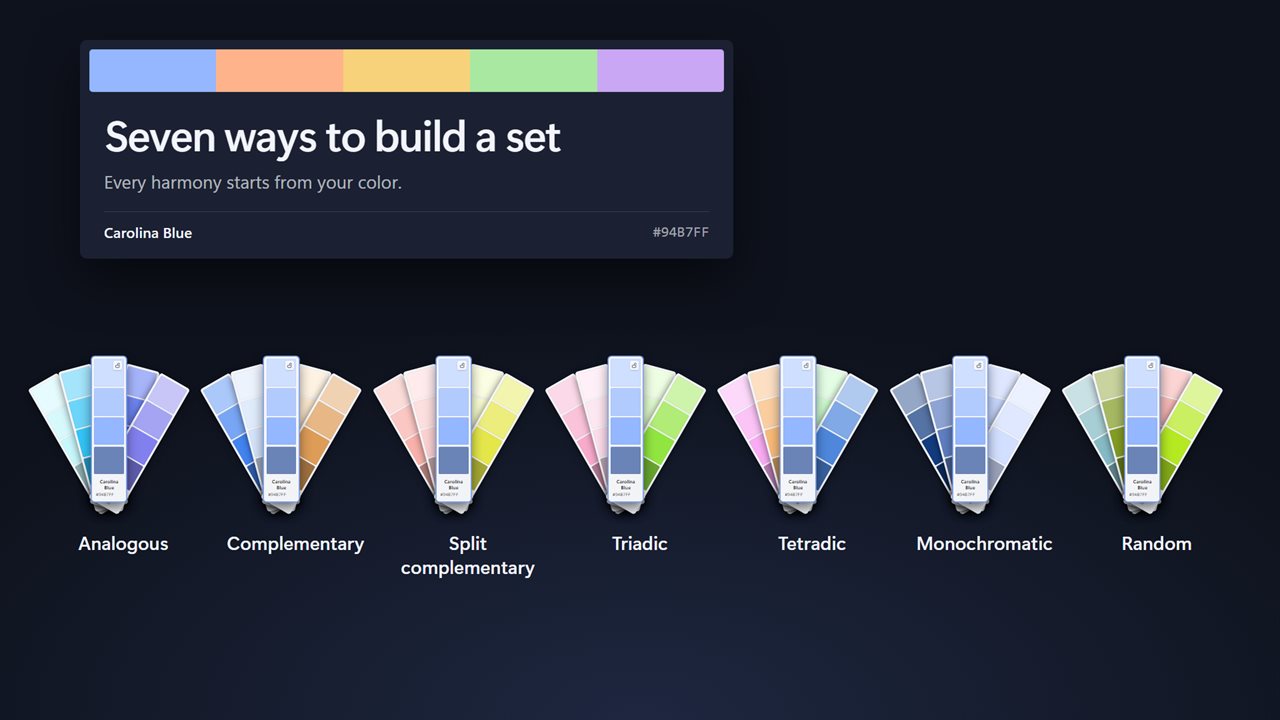
Analogous, complementary, split complementary, triadic, tetradic, monochromatic or random. Switch between them and the deck fans out again.
Every value, one click away
Select a strip to see its RGB, HSL and CMYK values, and click any of them to copy it. Click a hex code on a strip to copy just that color. Every color is named from a table of 890 color names.
Copy it as code
Copy the whole palette as CSS variables, a HEX list, JSON, SCSS or a Tailwind config, ready to paste into your project. Choose uppercase or lowercase hex codes, with or without the #.
It remembers
Your palette, your locked strips and your choices are still there the next time you open the app. Light and dark themes, or match Windows.
Features
- Five colors at a time on a paint-chip fan deck. Click the deck for a new set
- Seven harmonies: analogous, complementary, split complementary, triadic, tetradic, monochromatic and random
- Pick any color off your screen with the eyedropper, on any monitor
- Type a hex code or RGB values, or choose a color from the Windows color picker
- Lock the strips you like and they stay when you fan out a new set
- Every strip shows four shades of its color, from light to dark
- Every color is named, from a table of 890 color names
- RGB, HSL and CMYK for the selected color. Click a value to copy it
- Copy a single hex code with one click on its strip
- Copy the whole palette as CSS variables, a HEX list, JSON, SCSS or a Tailwind config
- Double-click a strip to build a new set from it
- Your palette, locks and choices are still there next time you open the app
- Light and dark themes, or match Windows
Details
- Works on
- Windows 10 (1809 or later) and Windows 11
- Download
- About 2.8 MB
- Version
- 2.0.3, updated October 2026
- First released
- December 2022
- Price
- $2.99 once. No subscription.
- Category
- Productivity
What's new in 2.0.3
- New: a paint-chip fan deck of five colors, each with four shades, a name and its hex code
- New: seven harmonies to build a palette from
- New: lock the colors you like and fan out the rest
- New: copy the palette as CSS variables, a HEX list, JSON, SCSS or Tailwind
- New: HSL values alongside RGB and CMYK, each one click to copy
- New: your palette and locks are kept between sessions
- Fixed: CMYK values now read correctly
Questions
Anything else? Ask us
Which versions of Windows does it run on?
Windows 10 (version 1809 or later) and Windows 11.
Is it a subscription?
No. Color Palette Maker is a one-time purchase of $2.99, and updates are included.
How do I get it?
EvlarSoft apps are moving to direct downloads from this site. Ask to be notified and we will email you as soon as Color Palette Maker is ready to download.
More from EvlarSoft
 Batch Image ResizeStreamline your image management with Batch Image Resize.
 Image to Icon ConverterCreate personalized icons with ease using the Image to Icon Converter.
 ImageRotateAdjust the orientation of your images, correct misaligned photos, and enhance the visual quality of your image collections.