Daily ToDo Lists
Plan your day hour by hour. Each entry sits on the time it belongs to, with a band across the top that shows the whole day at a glance and a marker on the hour you are in. Ask for a reminder and Windows tells you when one falls due, even with the window closed.
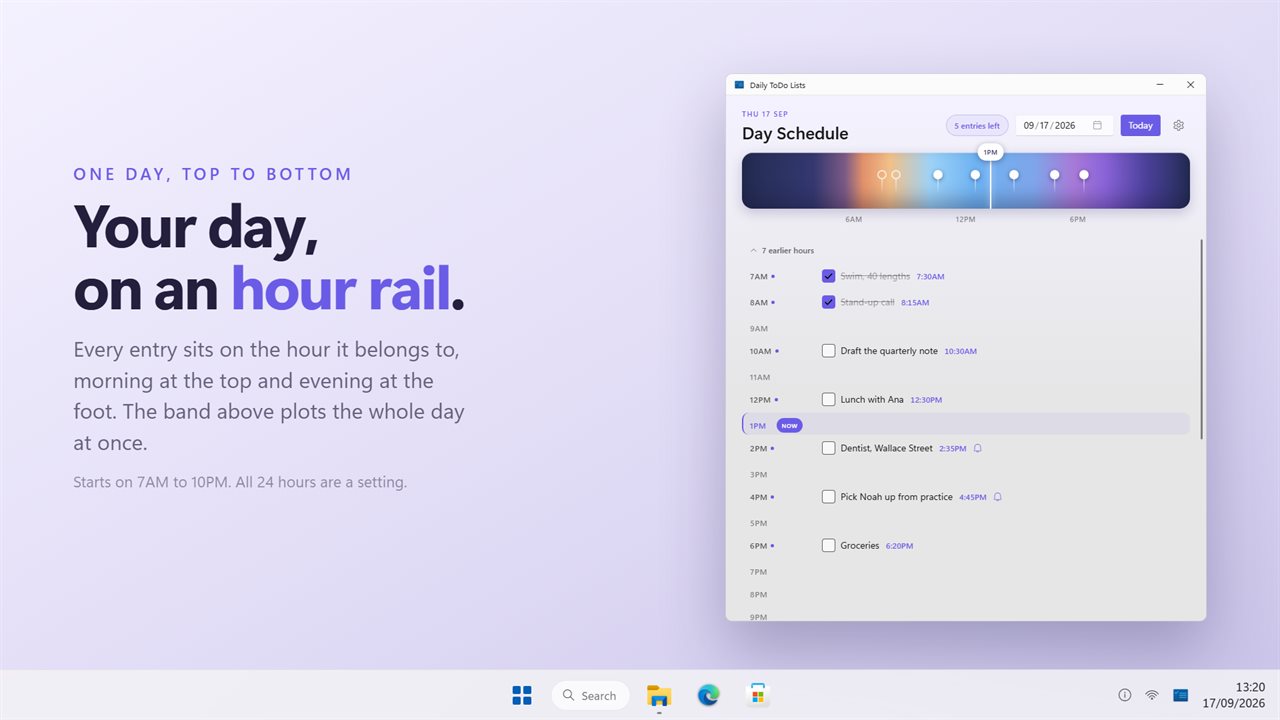
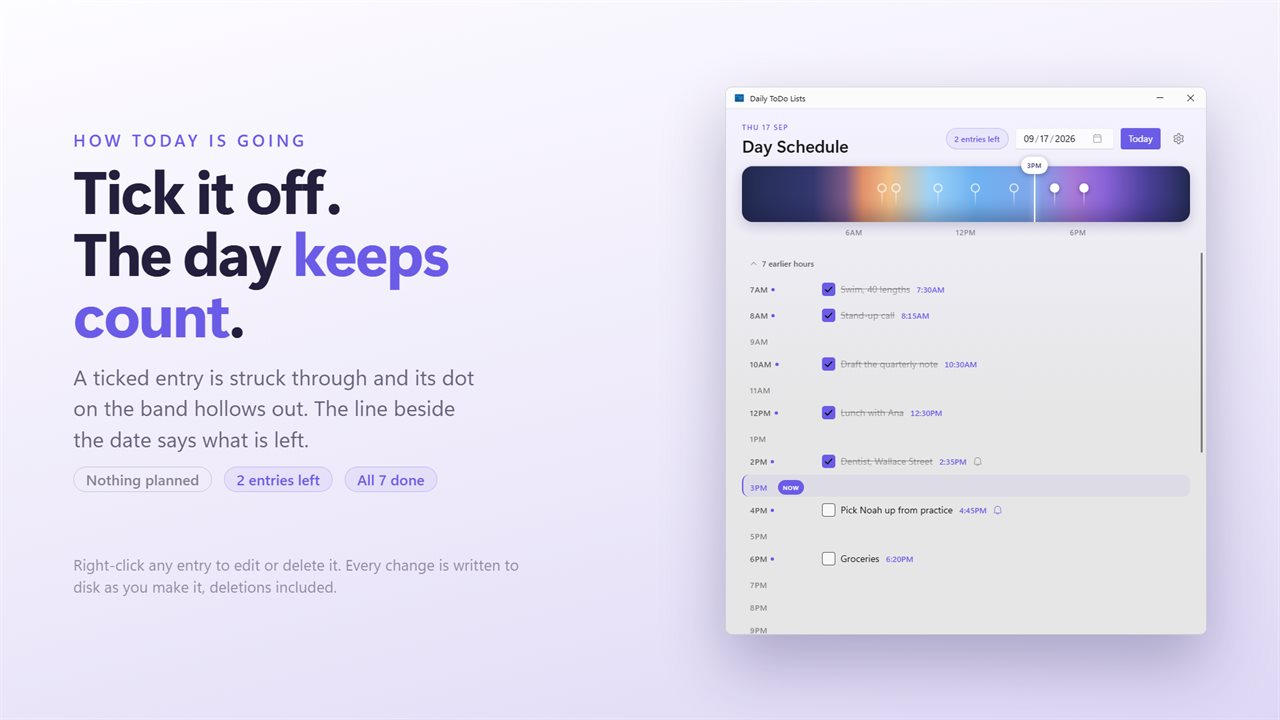
The day hour by hour, with a band across the top plotting every entry.
See it in action
About Daily ToDo Lists
A day is easier to hold when you can see the shape of it. Daily ToDo Lists lays yours out hour by hour, and puts every entry on the time it belongs to.
The day at a glance
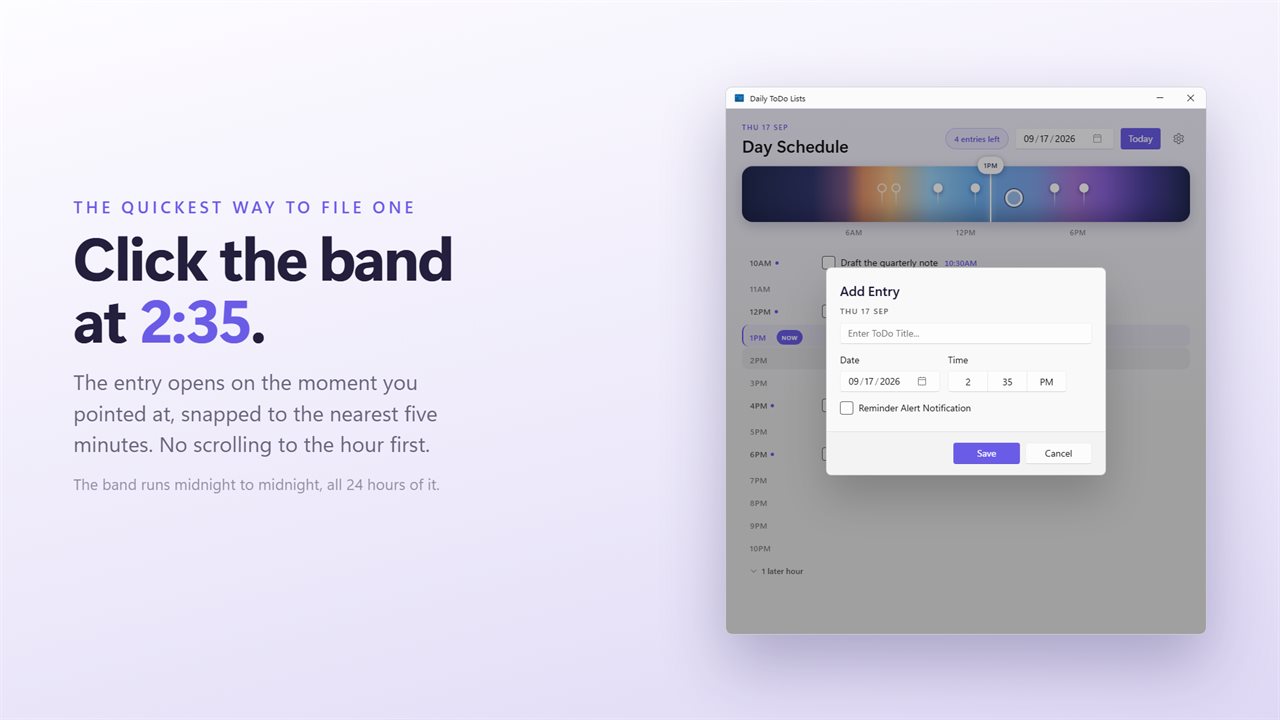
A band runs across the top of the window with a dot for every entry, and a marker that follows the current time. A busy afternoon and an empty morning read before any of the words do. Click the band where something belongs and the entry opens at that moment, snapped to the nearest five minutes.
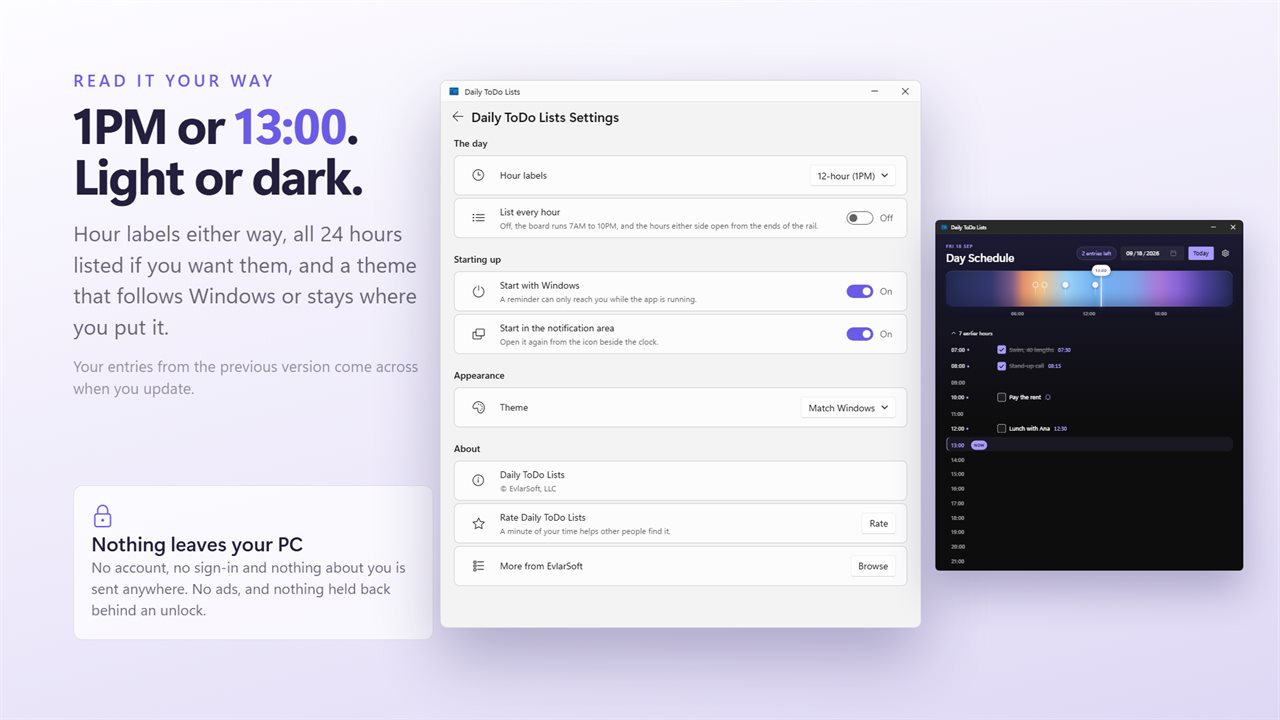
Below it, the hours run down the window as a rail. Each one holds its own entries, with a plus to add another. The board starts on the working day, 7AM to 10PM, and the hours either side open from the ends of the rail; if you would rather see all 24 at once, that is a setting.
On the minute
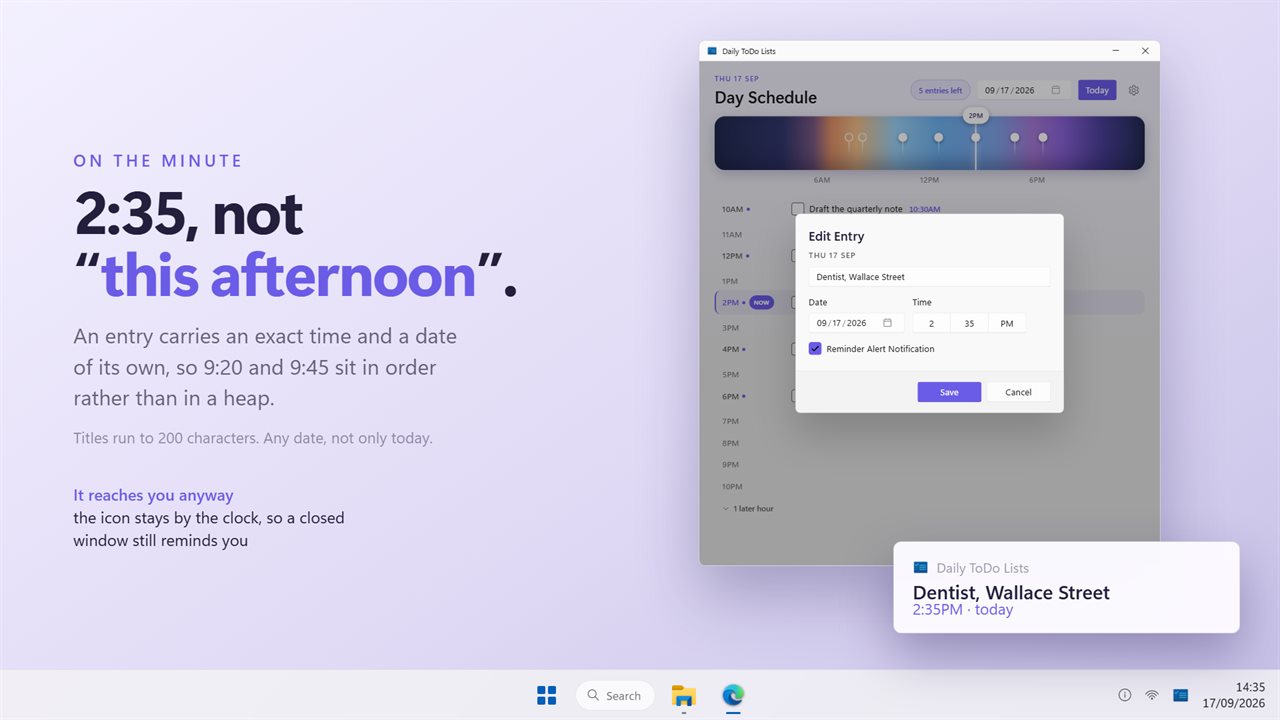
An entry is filed under its hour but carries an exact time, so 9:20 and 9:45 sit in order rather than in a heap. Hours are labeled on a 12-hour or a 24-hour clock, whichever you read faster. Titles run to 200 characters.
Reminders that reach you
Tick the box on an entry and Windows shows a notification when its time comes. Each one fires once. The app lives in the notification area, so closing the window does not stop your reminders, and the icon's menu says how many entries are still waiting today. Start it with Windows, and start it minimized, from Settings.
Ticking things off
Tick an entry and it is struck through. The line in the header keeps count: nothing planned, so many entries left, or all done. Right-click any entry to edit or delete it.
Any day, not only this one
Pick a date and the board moves to it, so next Tuesday can be planned on a Sunday. Today brings it back.
Nothing lost
Every change is written to disk the moment you make it, including a delete, which the previous version did not always do. Your entries from that version come across the first time this one runs.
It works fully offline and needs no account. An optional EvlarSoft ONE sign-in backs up your entries and settings so you can carry them to another PC. Feedback is sent only when you press Send. No ads, and nothing held back behind an unlock.
Built for Windows 11, and at home on Windows 10.
Features
- Your day laid out hour by hour, 7AM to 10PM to start, with the hours either side a click away or all 24 listed at once
- A band across the top shows the whole day at a glance: a dot for every entry, and a marker on the time it is now
- Click the band where an entry belongs and it opens there, snapped to the nearest five minutes
- Entries carry an exact time rather than only an hour, on a 12-hour or a 24-hour clock
- Tick an entry off and the header keeps the count: nothing planned, entries left, or all done
- Ask for a reminder on any entry and Windows shows a notification when it falls due
- Sits in the notification area, so reminders still arrive with the window closed, and its menu says what is left today
- Any date, not only today: pick a date to plan ahead, and Today brings the board back
- Every change is written to disk as you make it, deletions included
- Your entries from the previous version come across when you update
- Light and dark, following Windows or pinned to one. No ads, and it works fully offline with no account needed
- Optional EvlarSoft ONE sign-in backs up your entries and settings, to carry them to another PC
Details
- Works on
- Windows 10 (1809 or later) and Windows 11
- Download
- About 2.6 MB
- Version
- 2.0.4, updated October 2026
- First released
- September 2023
- Price
- $2.49 once. No subscription.
- Category
- Productivity
Questions
Anything else? Ask us
Which versions of Windows does it run on?
Windows 10 (version 1809 or later) and Windows 11.
Is it a subscription?
No. Daily ToDo Lists is a one-time purchase of $2.49, and updates are included.
How do I get it?
EvlarSoft apps are moving to direct downloads from this site. Ask to be notified and we will email you as soon as Daily ToDo Lists is ready to download.