Clipboard History and Manager
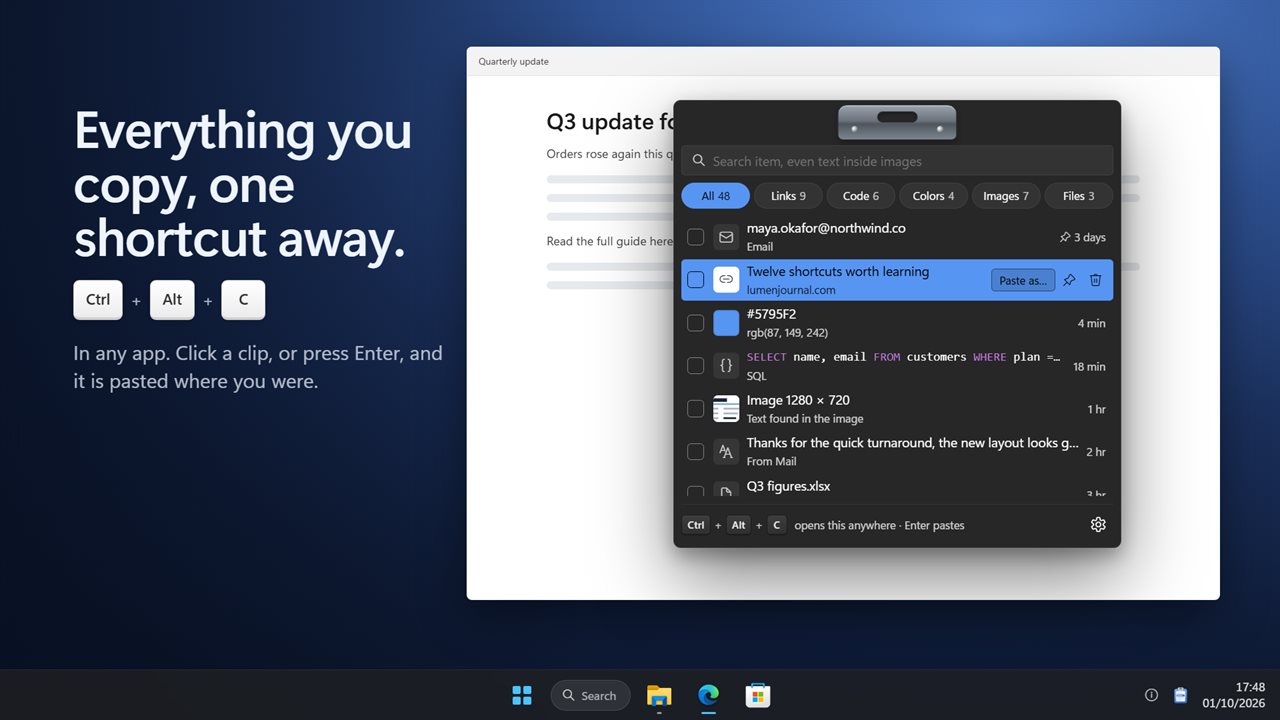
Everything you copy, one shortcut away. Press Ctrl+Alt+C in any app, find what you copied, even text inside a screenshot, and press Enter to paste it right where you were. Paste as plain text or clean links, queue several clips and paste them in order.
Everything you copy, one shortcut away.
See it in action
About Clipboard History and Manager
Copied something an hour ago and lost it? Clipboard History and Manager keeps everything you copy and brings it back with one shortcut.
One shortcut, any app
Press Ctrl+Alt+C wherever you are and your clipboard history opens in the middle of the screen, ready to search. Click a clip or press Enter and it is pasted straight into the app you were using. Press Esc, or click anywhere else, and it is gone.
See what you copied
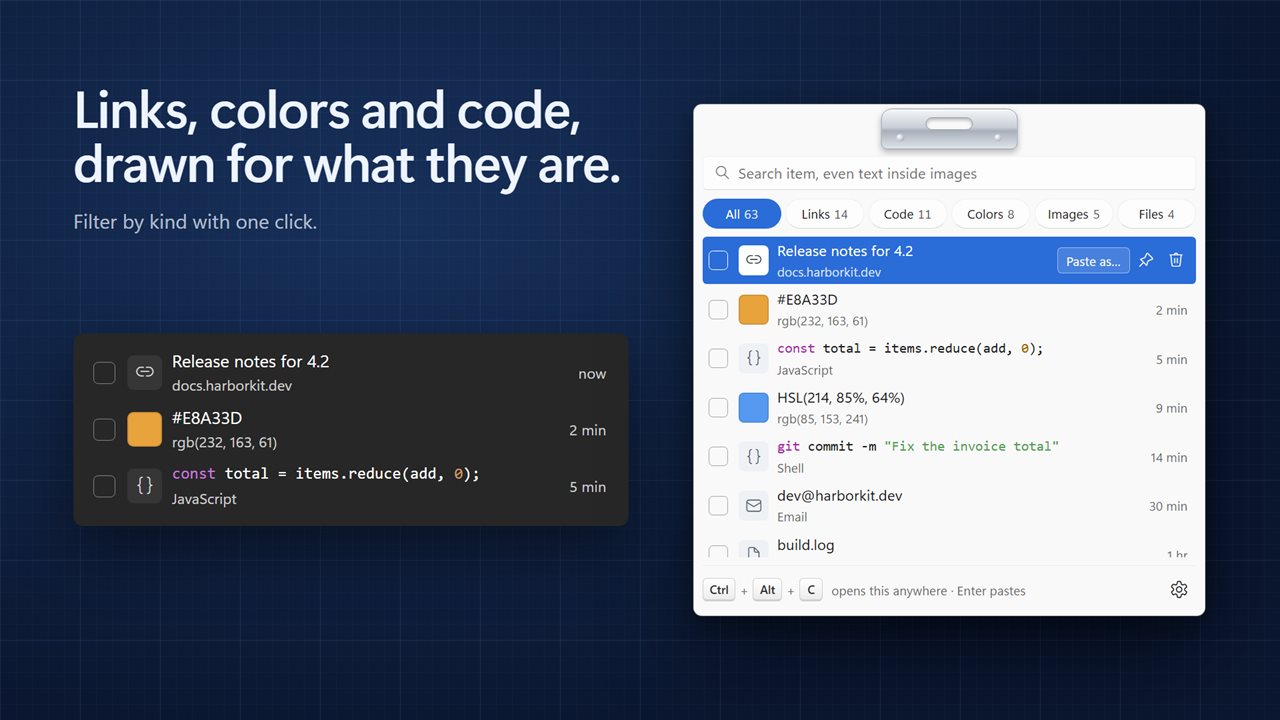
Every clip is drawn for what it is. Links show the page title and the site. Colors show a swatch. Code is colored so it reads at a glance. Emails, phone numbers, addresses and file paths each get their own icon, and screenshots show a small picture. Filter by links, code, colors, images or files with one click.
Search inside screenshots
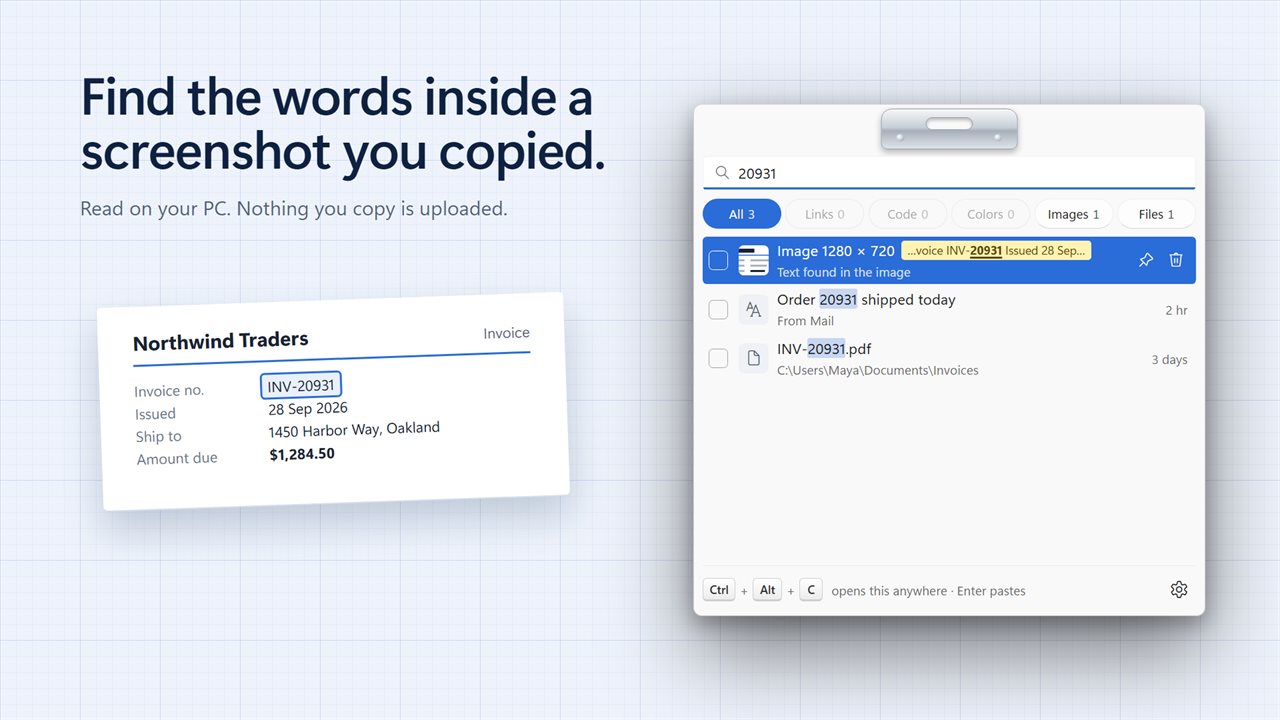
Search looks through everything you copied, including the words inside screenshots and pictures. Type an invoice number you only ever saw in an image and it turns up. The text is read on your PC, and nothing is uploaded.
Paste it the way you need it
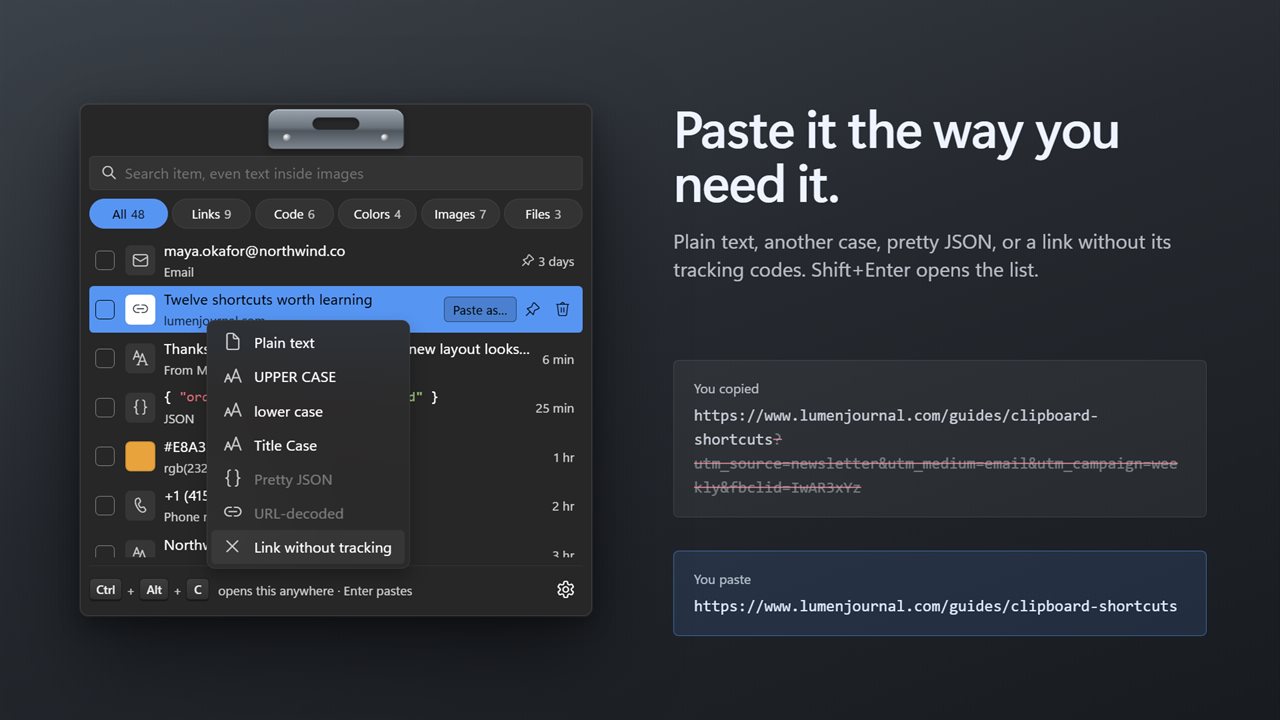
Press Shift+Enter, or click Paste as…, to paste a clip as plain text, UPPER CASE, lower case, Title Case, pretty JSON or URL-decoded. Paste a link without its tracking codes, so it is short and clean when you share it.
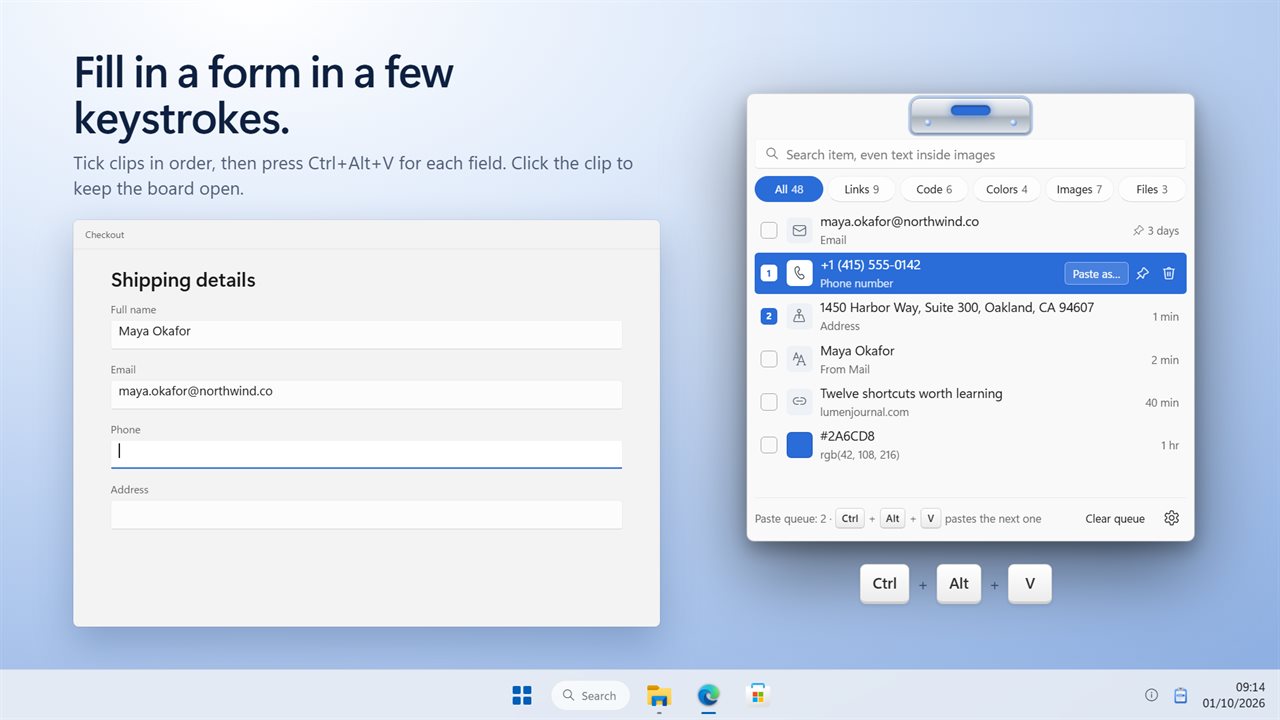
Paste a few things in a row
Tick the clips you need and they are numbered in order. Then press Ctrl+Alt+V in any app and the next one is pasted, every time you press it. Filling in a form takes seconds.
Keep what matters
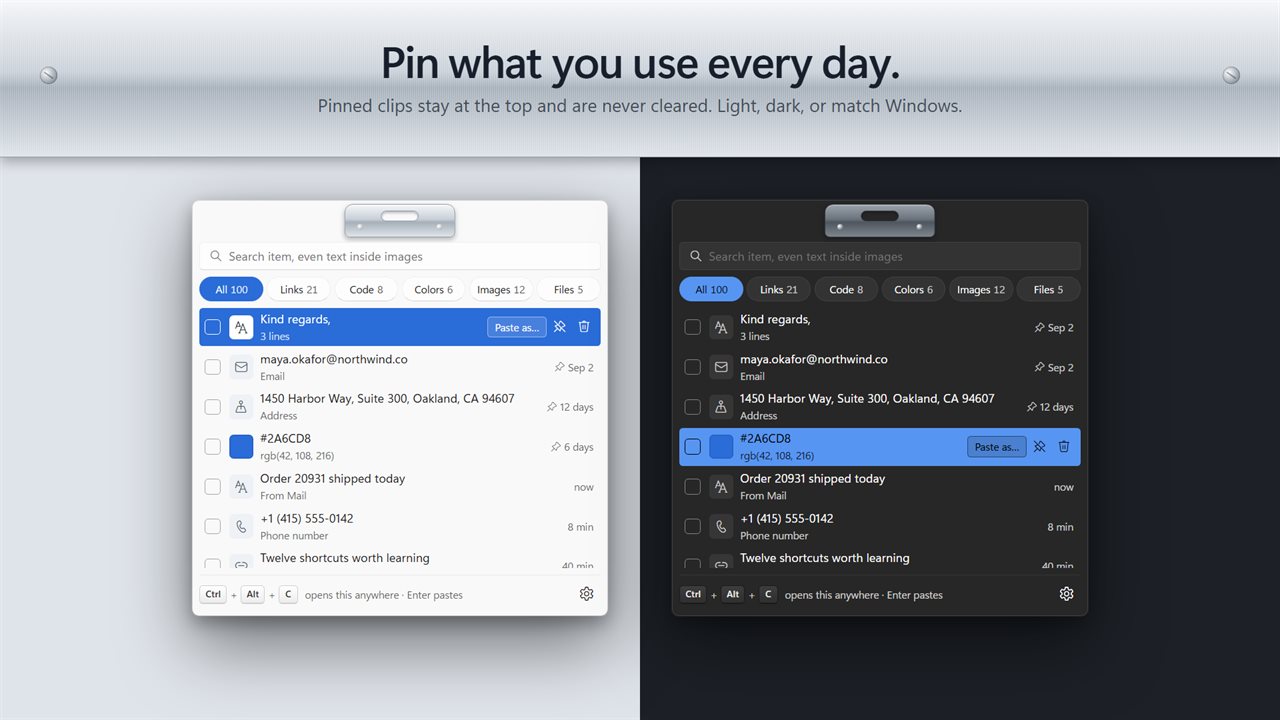
Pin the clips you use every day and they stay at the top, never cleared. Keep the last 50, 100, 250 or 500 clips. Passwords copied from a password manager are never saved.
Your history carries over
The clips saved by earlier versions of the app are all still there. The app waits in the notification area and can start with Windows, so nothing you copy is missed.
Features
- Everything you copy is kept: text, links, screenshots, pictures and files
- Press Ctrl+Alt+C in any app to open your clipboard history, or pick your own shortcut
- Click a clip, or press Enter, and it is pasted straight into the app you were using
- Search everything you copied, even the text inside screenshots and pictures
- Filter by links, code, colors, images or files with one click
- Links show the page title and site, colors show a swatch, and code is colored so it reads at a glance
- Emails, phone numbers, addresses and file paths each get their own icon
- Paste as plain text, UPPER CASE, lower case, Title Case, pretty JSON or URL-decoded
- Paste a link without its tracking codes, so it is short and clean when you share it
- Paste queue: tick several clips, then press Ctrl+Alt+V in any app to paste them one after another, in order
- Pin the clips you use every day. Pinned clips stay at the top and are never cleared
- Keep the last 50, 100, 250 or 500 clips
- Passwords copied from a password manager are never saved
- Text in images is read on your PC. Nothing you copy is uploaded
- Your clipboard history from earlier versions of the app carries over
- Waits in the notification area and can start with Windows. Light and dark themes, or match Windows
Details
- Works on
- Windows 10 (1809 or later) and Windows 11
- Download
- About 2.9 MB
- Version
- 2.0.2, updated October 2026
- First released
- July 2022
- Price
- $2.99 once. No subscription.
- Category
- Utilities & tools
What's new in 2.0.2
- New: click a clip or press Enter and it is pasted straight into the app you were using
- New: screenshots, pictures and files are kept too, and the text inside images is searchable
- New: links show their page title, colors show a swatch, and code is colored
- New: Paste as plain text, in another case, as pretty JSON, or as a link without tracking codes
- New: a paste queue. Tick clips and press Ctrl+Alt+V to paste them in order
- New: pin clips, and keep 50, 100, 250 or 500 of them
- Fixed: deleted clips stay deleted, and long clips are no longer cut short
- Your clipboard history carries over
Questions
Anything else? Ask us
Which versions of Windows does it run on?
Windows 10 (version 1809 or later) and Windows 11.
Is it a subscription?
No. Clipboard History and Manager is a one-time purchase of $2.99, and updates are included.
How do I get it?
EvlarSoft apps are moving to direct downloads from this site. Ask to be notified and we will email you as soon as Clipboard History and Manager is ready to download.