Word Counter Widget
Copy or select text in any app and see how many words it has, right away. Word Counter Widget shows words, characters, paragraphs, reading time and grade level, warns you before a post runs over its limit, and can count the words you type each day, by app, without keeping what you typed.
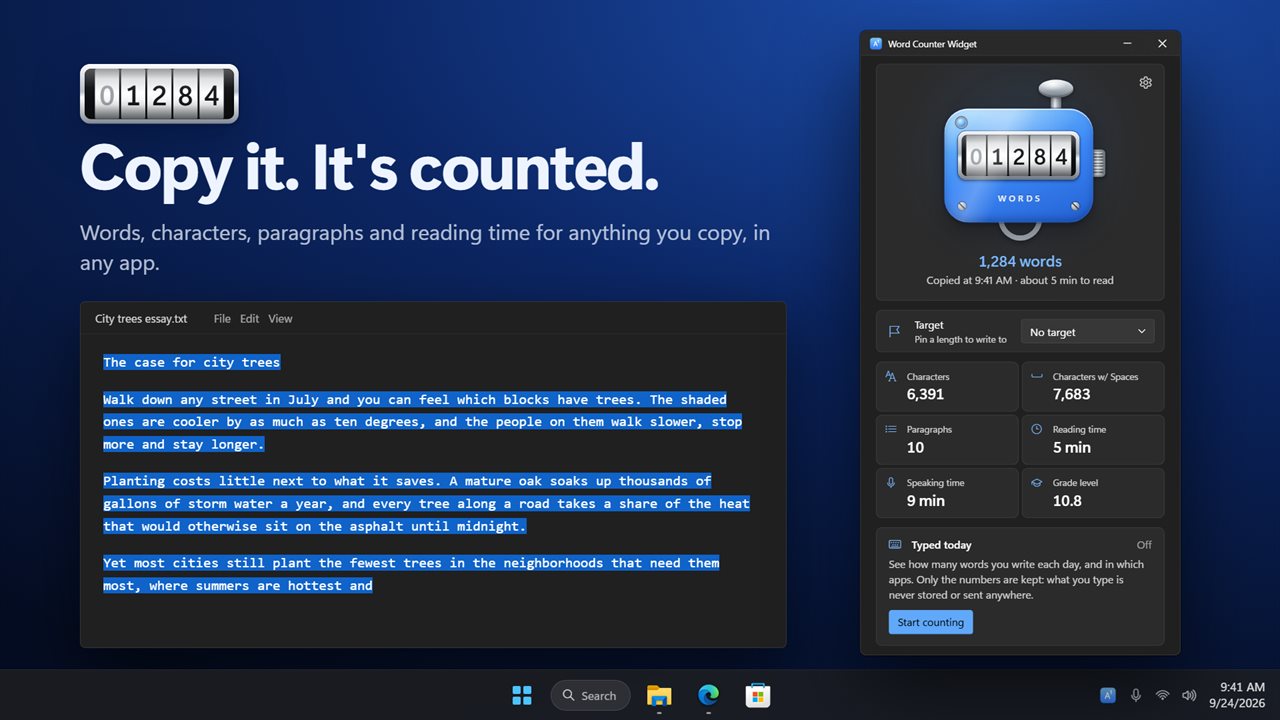
Copy any text and the count is waiting.
See it in action
About Word Counter Widget
Copy it, and it's counted. Word Counter Widget shows how long any text is, the moment you copy or select it, in any app.
Copy or just select
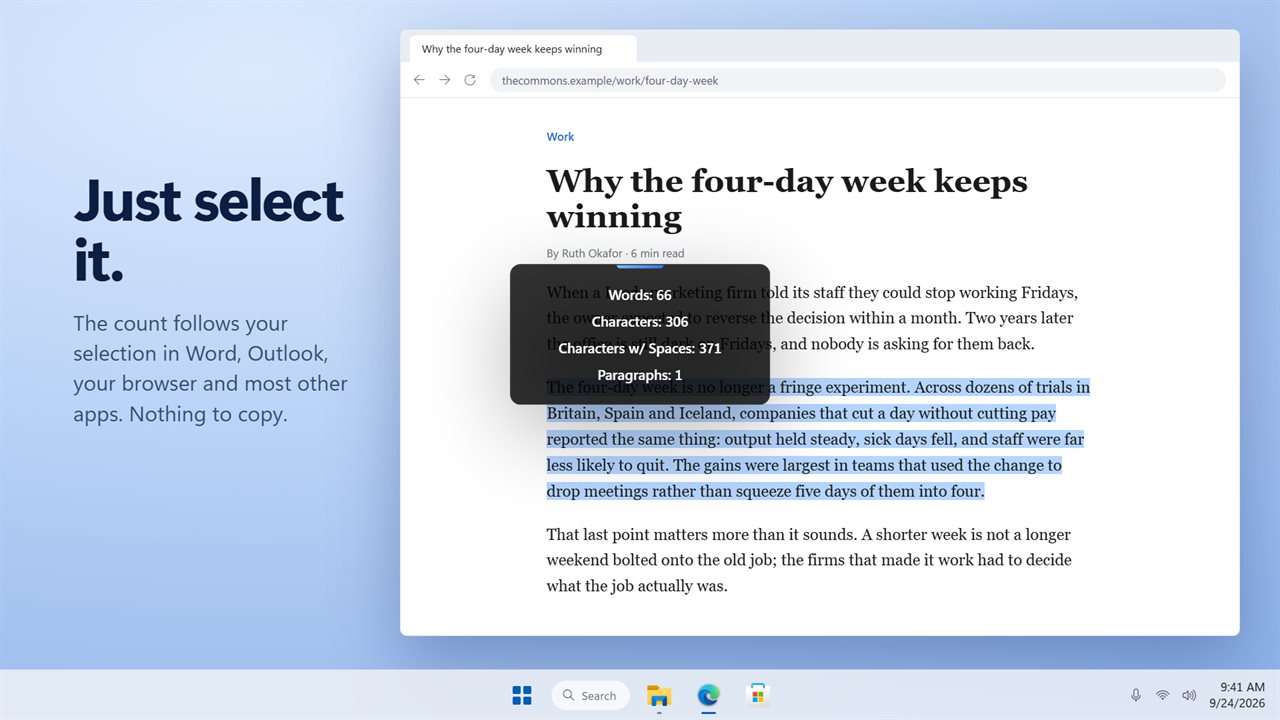
Copy text anywhere and the count is waiting: words, characters, characters with spaces and paragraphs. Or skip the copy altogether. Select text in Word, Outlook, your browser and most other apps and the count follows your selection as it grows.
The count on screen
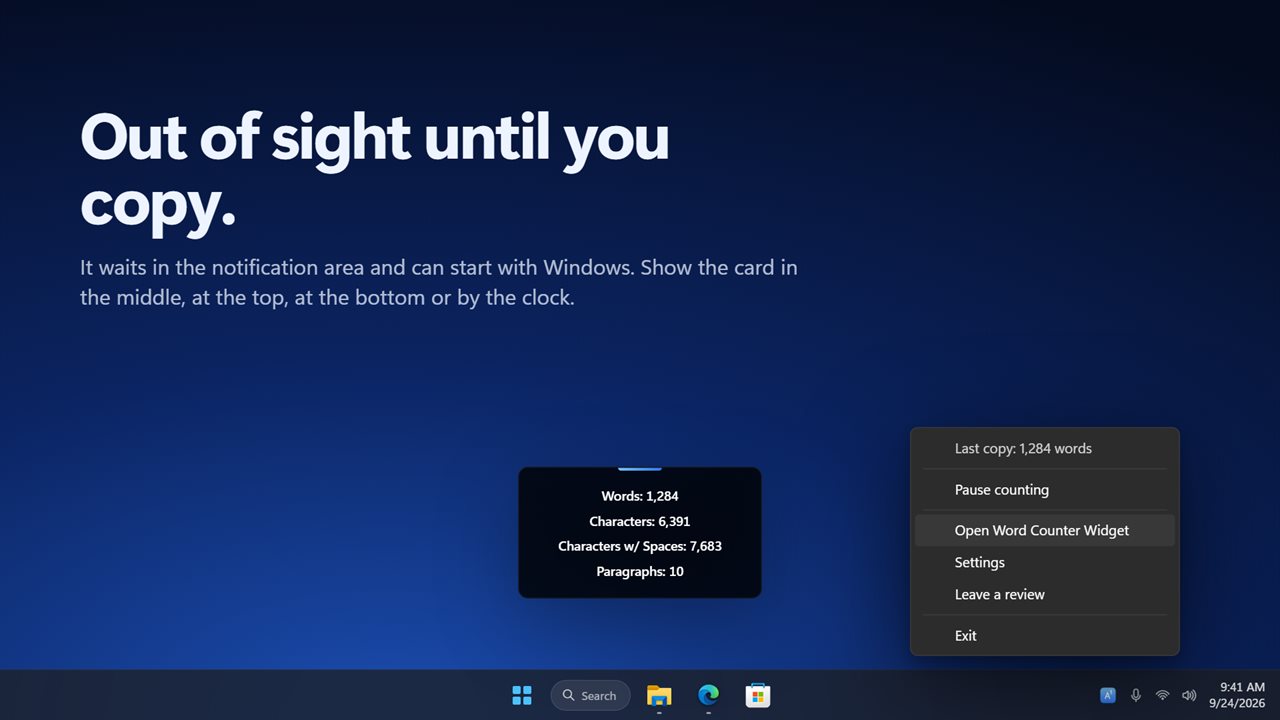
A small card shows the count for a few seconds and fades away. It never takes focus and cannot be clicked, so your selection stays exactly where it was. Put it in the middle of the screen, at the top, at the bottom or near the clock, on every screen or only the one with the pointer, in three sizes.
How long will it take?
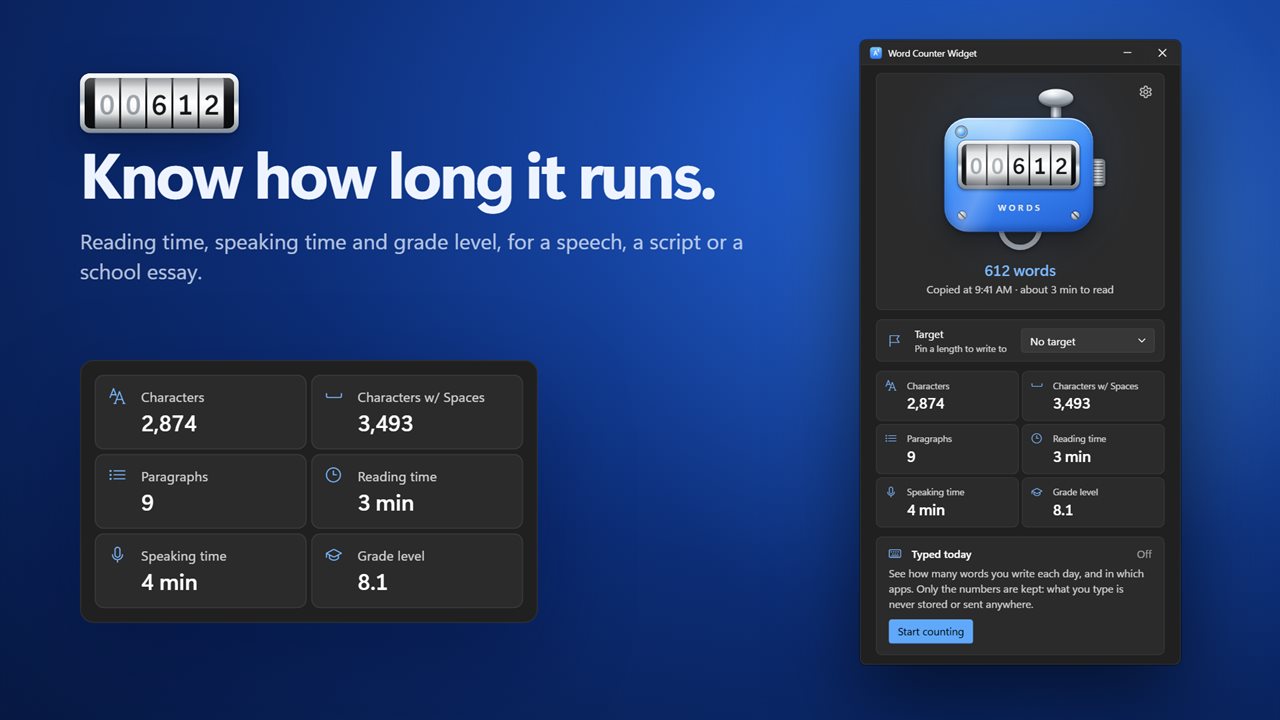
Every count comes with a reading time, a speaking time and a grade level, so you know a speech runs four minutes before you stand up. Set your own reading speed, from 150 to 400 words a minute.
Write to a limit
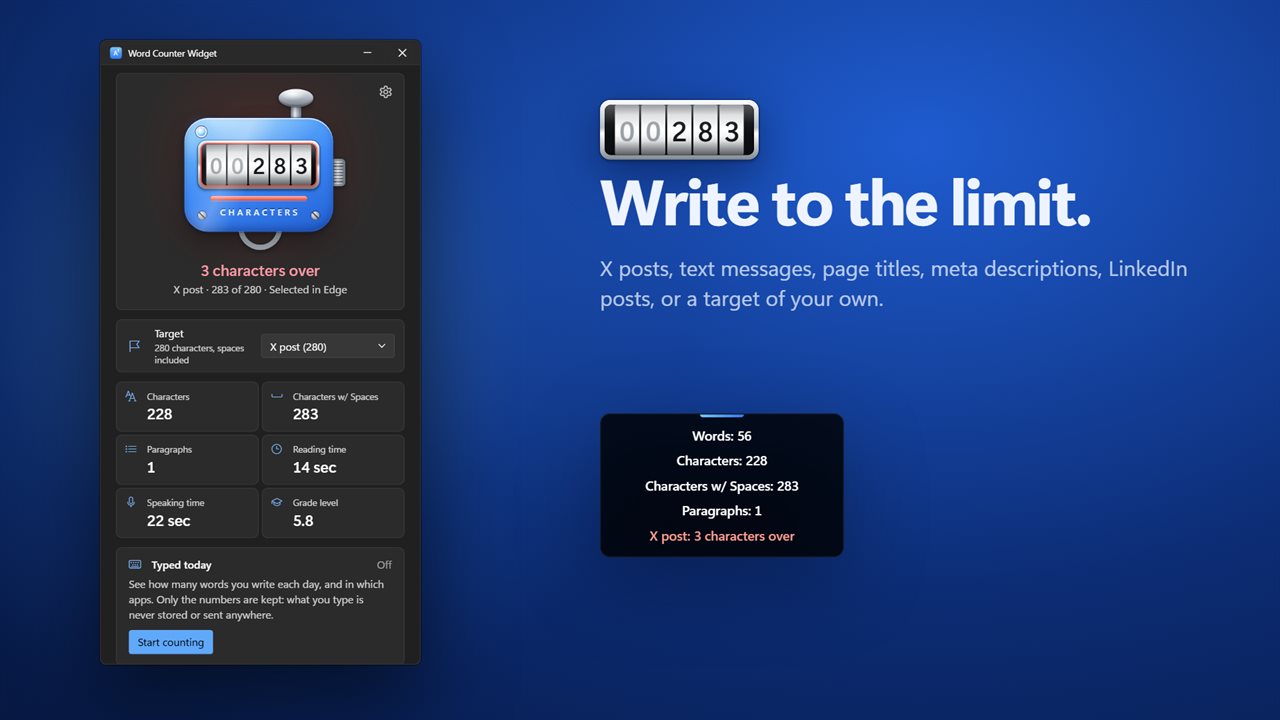
Pick a limit and the counter shows how much room is left: X posts (280 characters), text messages (160), meta descriptions (155), page titles (60), LinkedIn posts (3,000), or a target of your own in words or characters. Go over and the counter and the card turn red and tell you by how much.
See what changed
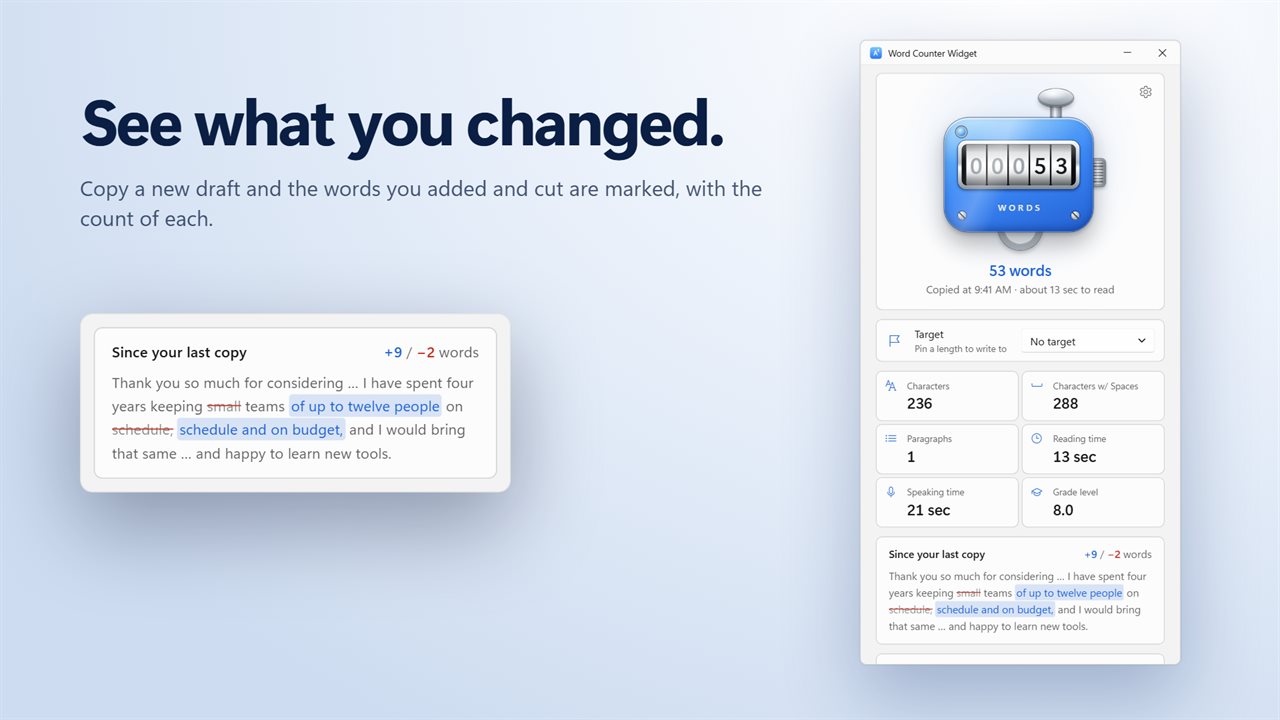
Copy a new version of the same text and the words you added and cut are marked, with the count of each.
Words typed today
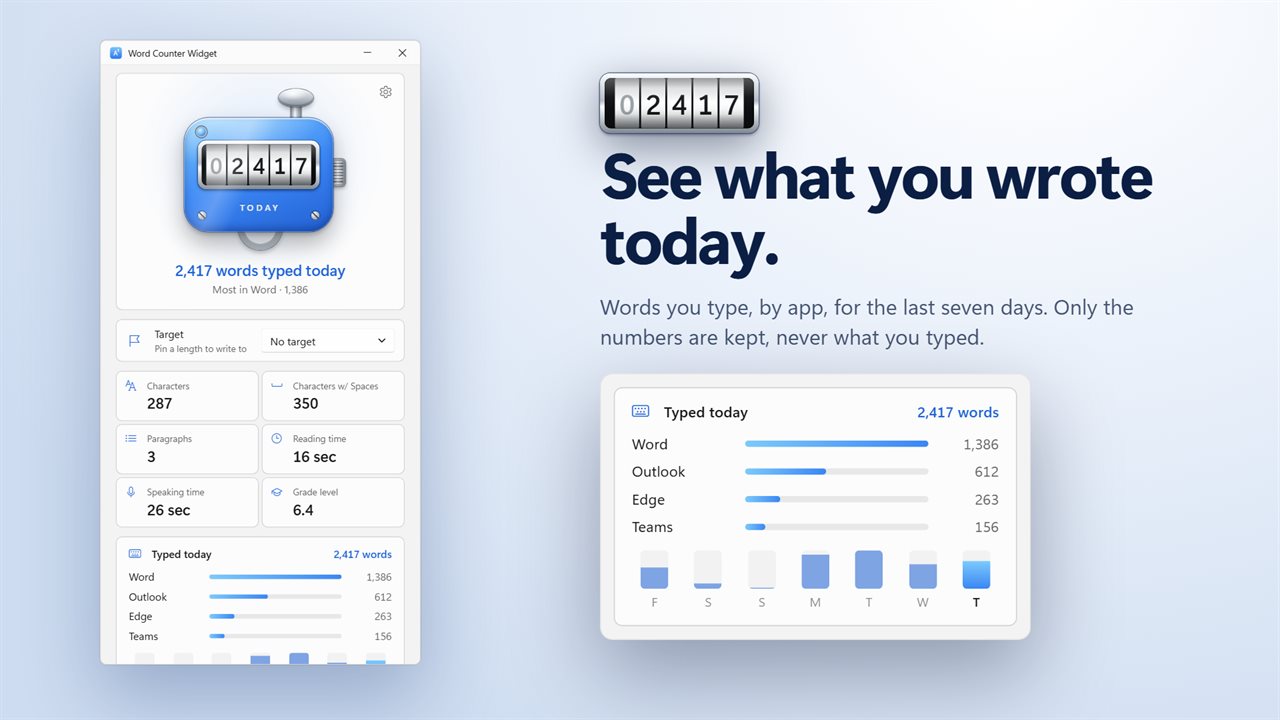
Turn it on and the app counts the words you type, by app, for the last seven days. Only the numbers are kept: what you type is never stored or sent anywhere, and password boxes are skipped. It is off until you turn it on.
Private
Everything is counted on your PC. Nothing you copy or select is saved, and the list of recent copies is gone when you exit. Copies that password managers mark as private are never read.
Always ready
The app waits in the notification area and can start with Windows. Pause counting from there whenever you like. If it started with Windows before this update, it still does.
Features
- Copy text in any app and see its words, characters, characters with spaces and paragraphs
- Select text in Word, Outlook, your browser and most other apps, and the count follows it live. Nothing to copy
- A card shows the count on screen for a few seconds. It never takes focus, so your selection stays put
- Show the card in the middle, at the top, at the bottom or near the clock, on every screen or only where the pointer is
- Three card sizes, and leave it up for 1 to 10 seconds
- Reading time and speaking time for every count, at a reading speed you set from 150 to 400 words a minute
- A grade level for every count: the school grade that reads it comfortably
- Write to a limit: X posts (280), text messages (160), meta descriptions (155), page titles (60) and LinkedIn posts (3,000)
- Or set a target of your own, in words or characters
- The counter and the card show how much room is left, and turn red when you go over
- Copy a new draft and see the words you added and cut since the last copy
- Count the words you type each day, by app, for the last seven days. It is off until you turn it on
- Only the numbers are kept: what you type is never stored or sent, and password boxes are skipped
- Copies that password managers mark as private are never read
- Your last five copies are listed with their counts until you exit
- Press the plunger to count what is on the clipboard now, and click the knob to clear
- Pause counting from the notification area whenever you like
- Waits in the notification area and can start with Windows
- If it started with Windows before, it still does
- Light and dark themes, or match Windows
Details
- Works on
- Windows 10 (1809 or later) and Windows 11
- Download
- About 2.7 MB
- Version
- 2.0.4, updated October 2026
- First released
- January 2023
- Price
- $2.99 once. No subscription.
- Category
- Utilities & tools
What's new in 2.0.4
- New: select text in most apps and see the count live, with nothing to copy
- New: reading time, speaking time and grade level for every count
- New: write to a limit for X posts, text messages, page titles and more, or set your own
- New: see the words you added and cut since your last copy
- New: count the words you type each day, by app. Only the numbers are kept
- New: choose where the card appears, its size and how long it stays up
- If it started with Windows before, it still does
Questions
Anything else? Ask us
Which versions of Windows does it run on?
Windows 10 (version 1809 or later) and Windows 11.
Is it a subscription?
No. Word Counter Widget is a one-time purchase of $2.99, and updates are included.
How do I get it?
EvlarSoft apps are moving to direct downloads from this site. Ask to be notified and we will email you as soon as Word Counter Widget is ready to download.