Clipboard History Tool
Everything you copy, kept as a stack of slips one click from the tray. Text, pictures and files, stamped with the app they came from, searchable down to the words in a screenshot, and secrets shredded on a timer.
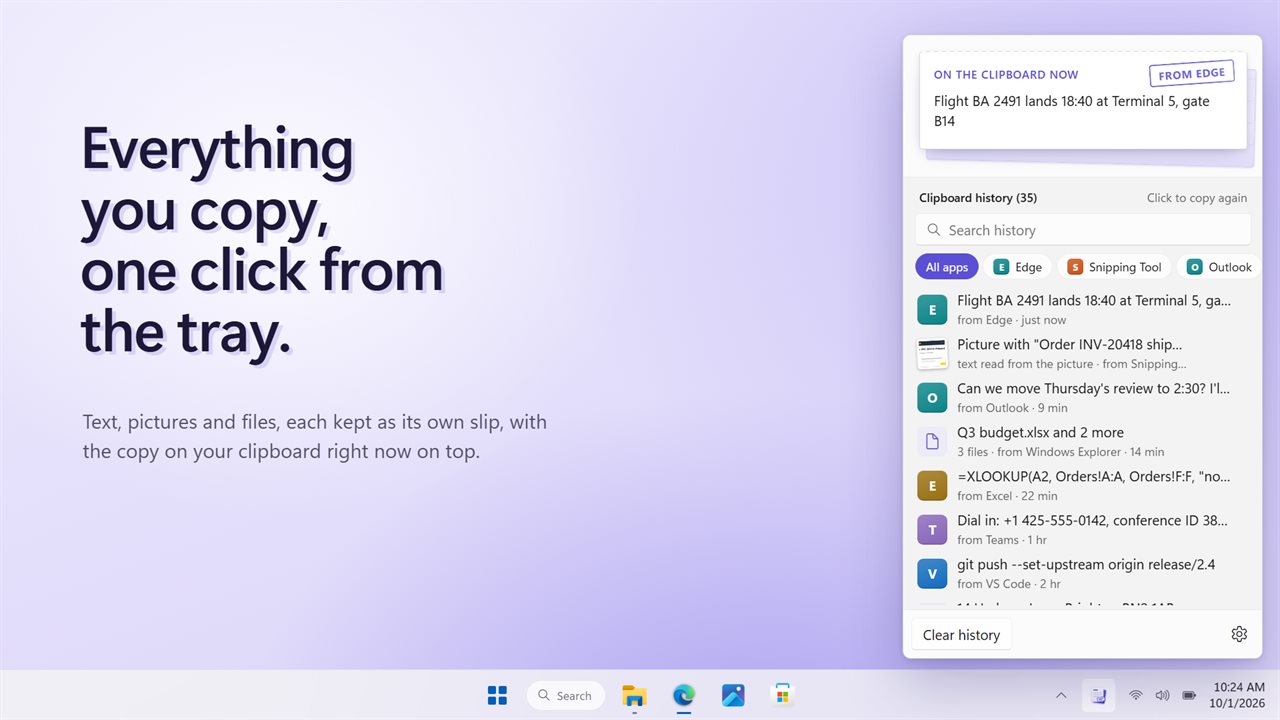
Everything you copy, one click from the tray.
See it in action
About Clipboard History Tool
Clipboard History Tool runs quietly in your notification area and keeps what you copy, so the thing you copied an hour ago is still one click away.
A stack of slips
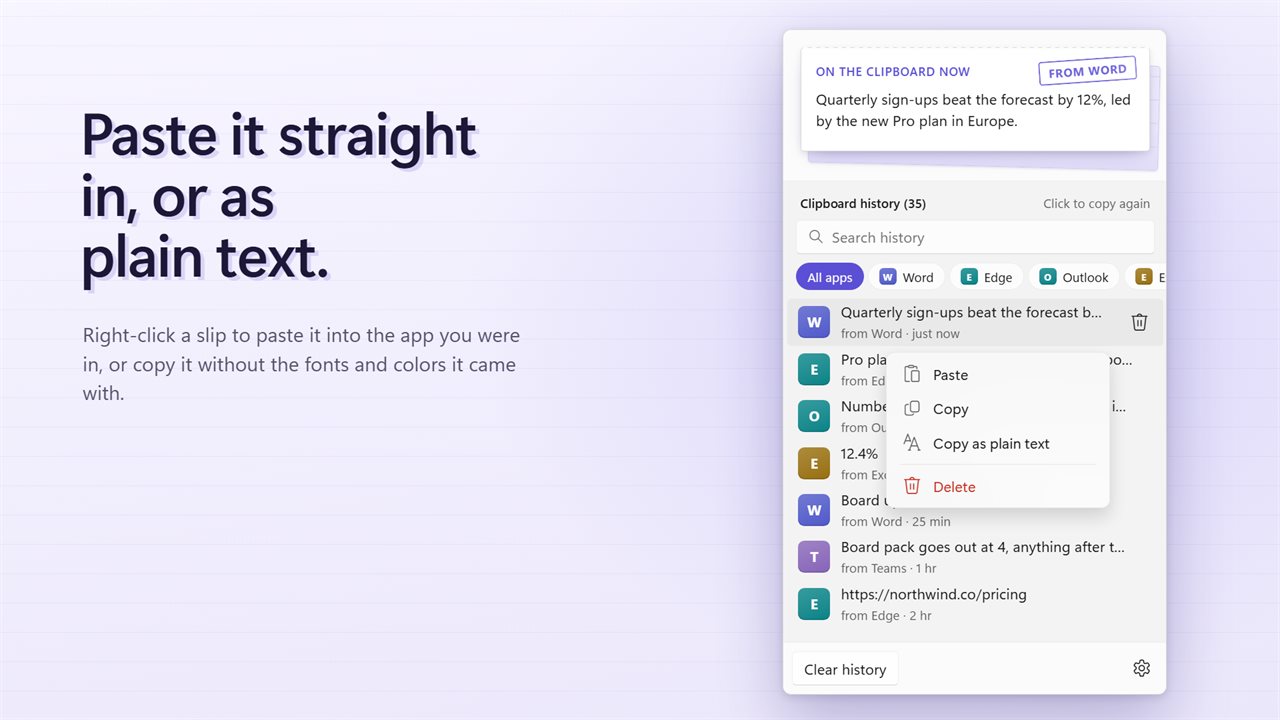
Click the tray icon and your history opens above the clock. The slip on top is what is on the clipboard right now. Below it, every copy is its own slip: text, pictures and files from any app. Click a slip and it is back on the clipboard, ready to paste.
Stamped with where it came from
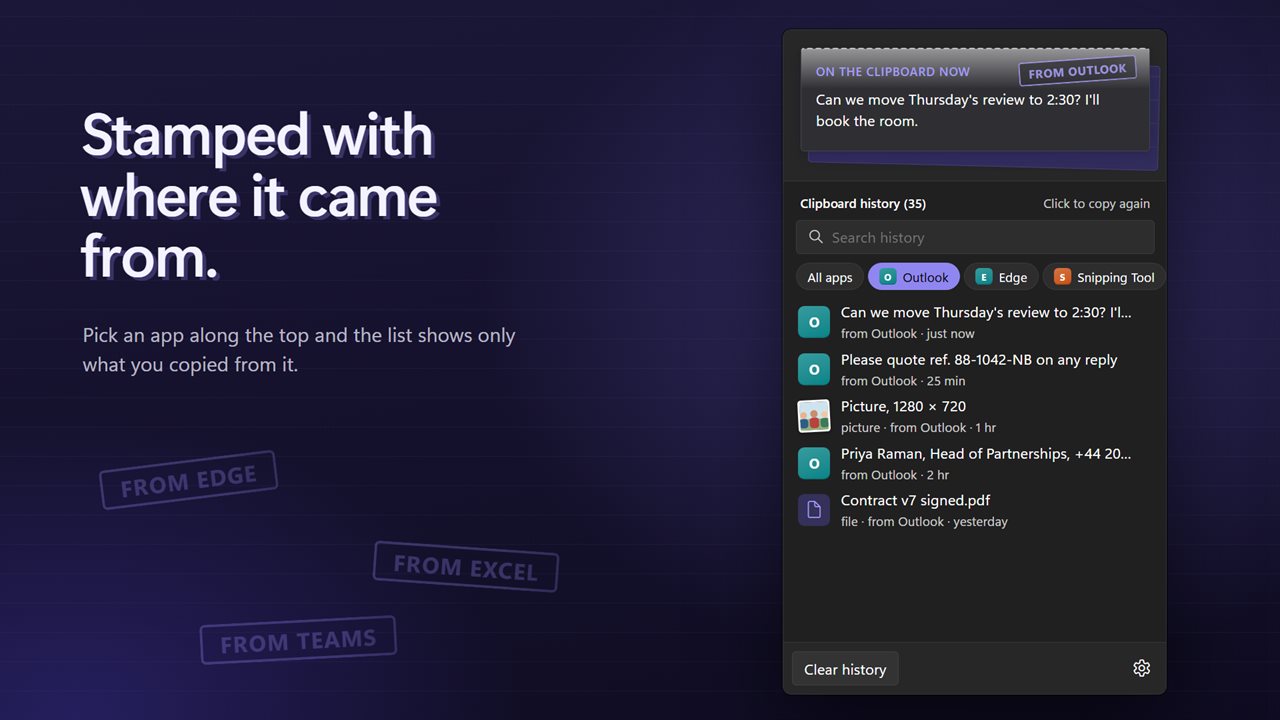
Every slip carries a stamp with the app you copied it from. Pick an app along the top and the list shows only what came from it, so the link from your browser and the line from an email never get mixed up.
Find it by what it says
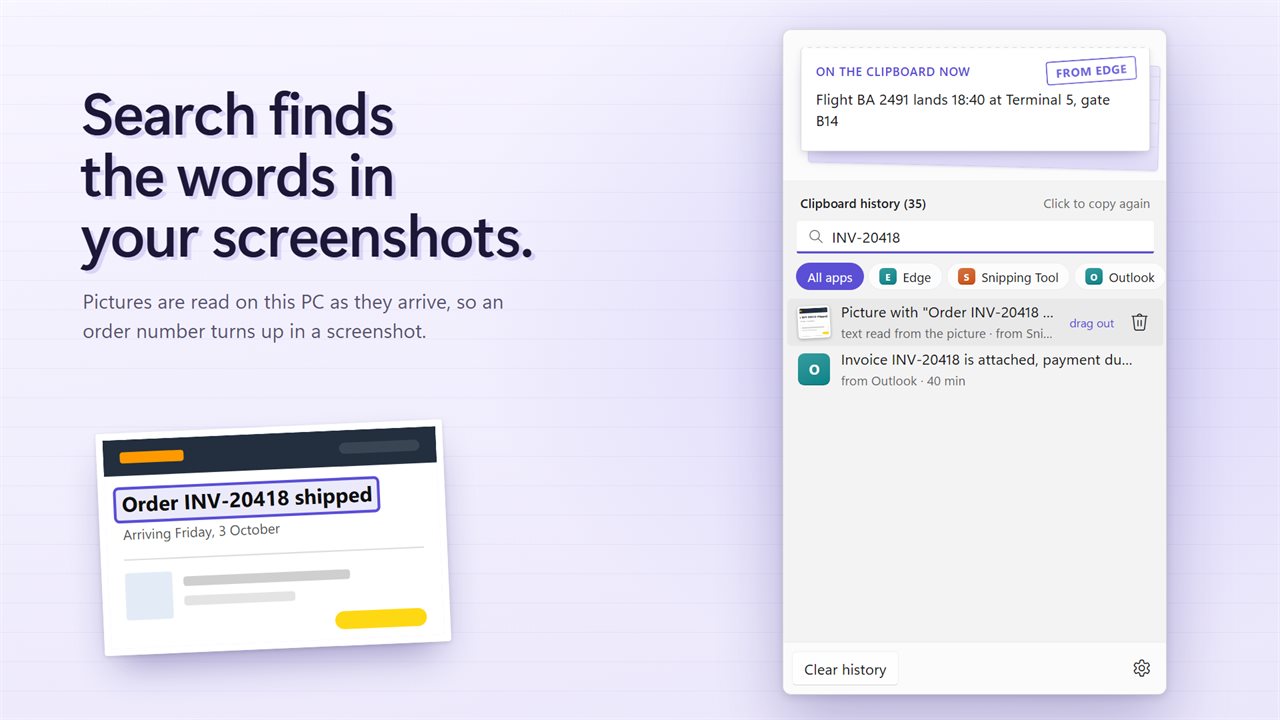
Search the whole history as you type. Pictures are read for their words in the background, so a screenshot of an order number turns up when you search for the number.
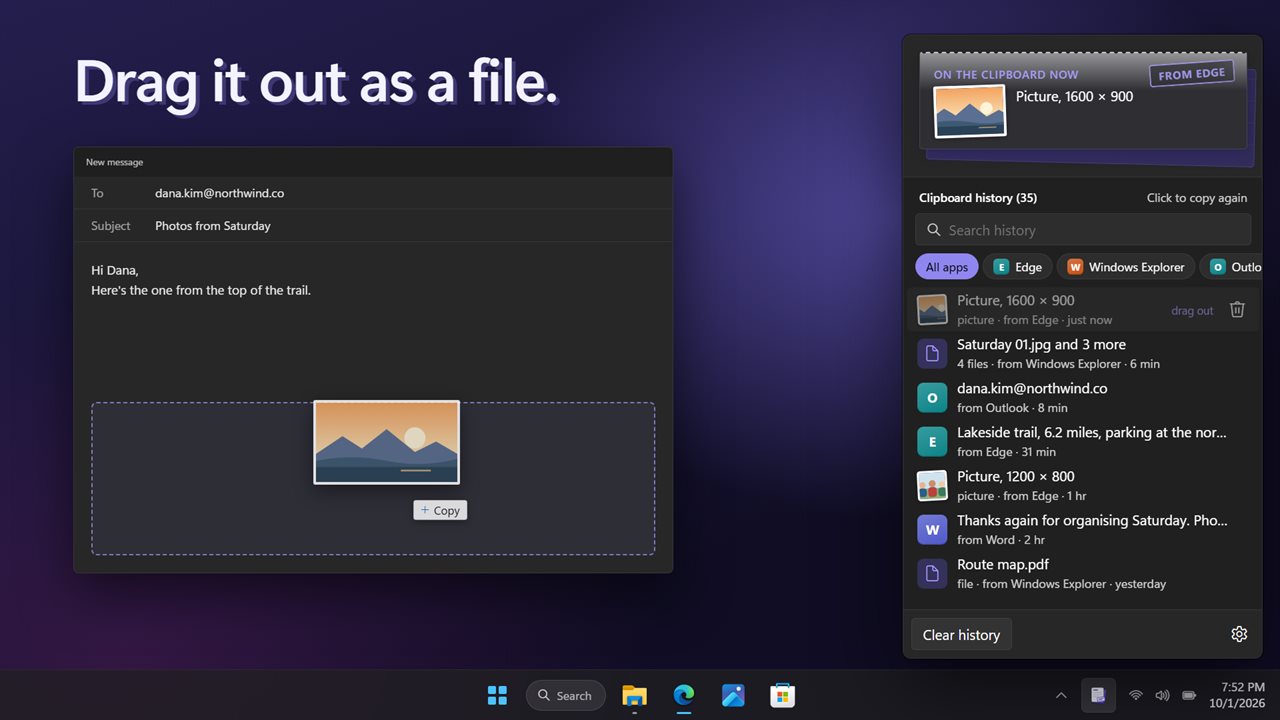
Drag it out
Drag a picture slip into a folder, an email or a chat and it lands as a PNG file. File slips drag out as the files themselves.
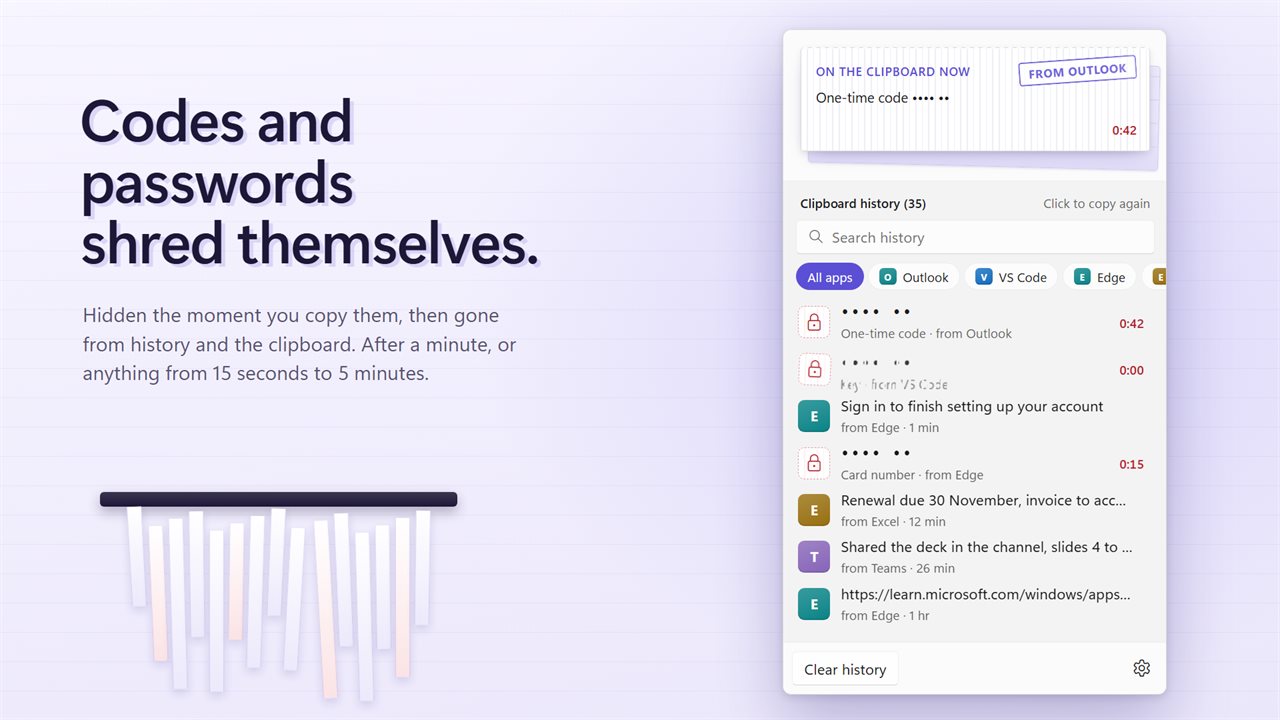
Secrets do not stay
One-time codes, card numbers, passwords and keys are hidden the moment you copy them and shredded after a minute, from the history and from the clipboard. Choose anything from 15 seconds to 5 minutes. Copies a password manager marks private are never saved at all, and they leave the clipboard on the same timer.
Yours to shape
Keep the last 35 copies, or raise it to 500. Delete a single slip or clear the lot. Start it with Windows and it is always there.
Everything happens on this PC. There is no account, nothing is uploaded, and it works with no connection. Upgrading? Your history and Start with Windows carry over.
Features
- Everything you copy, kept in a flyout one click from the tray
- Text, pictures and files, each kept as its own slip
- Click any slip to copy it again, then paste it anywhere
- Every slip is stamped with the app it came from
- Filter the history to one app with a single click
- Search your whole history, including the words inside screenshots and pictures
- Drag a picture or a file slip out of the flyout and drop it as a file
- One-time codes, card numbers, passwords and keys are hidden and shredded after a minute, from history and the clipboard
- Copies a password manager marks private are never saved
- Keep the last 35 copies, or raise it to 50, 100, 250 or 500
- Delete one slip, or clear the whole history
- Your history from the previous version carries over
- Start with Windows, carried over from the previous version
- Light and dark themes, or match Windows
- Works offline, with no account and nothing uploaded
Details
- Works on
- Windows 10 (1809 or later) and Windows 11
- Download
- About 3.0 MB
- Version
- 2.0.4, updated October 2026
- First released
- August 2022
- Price
- $2.49 once. No subscription.
- Category
- Productivity
What's new in 2.0.4
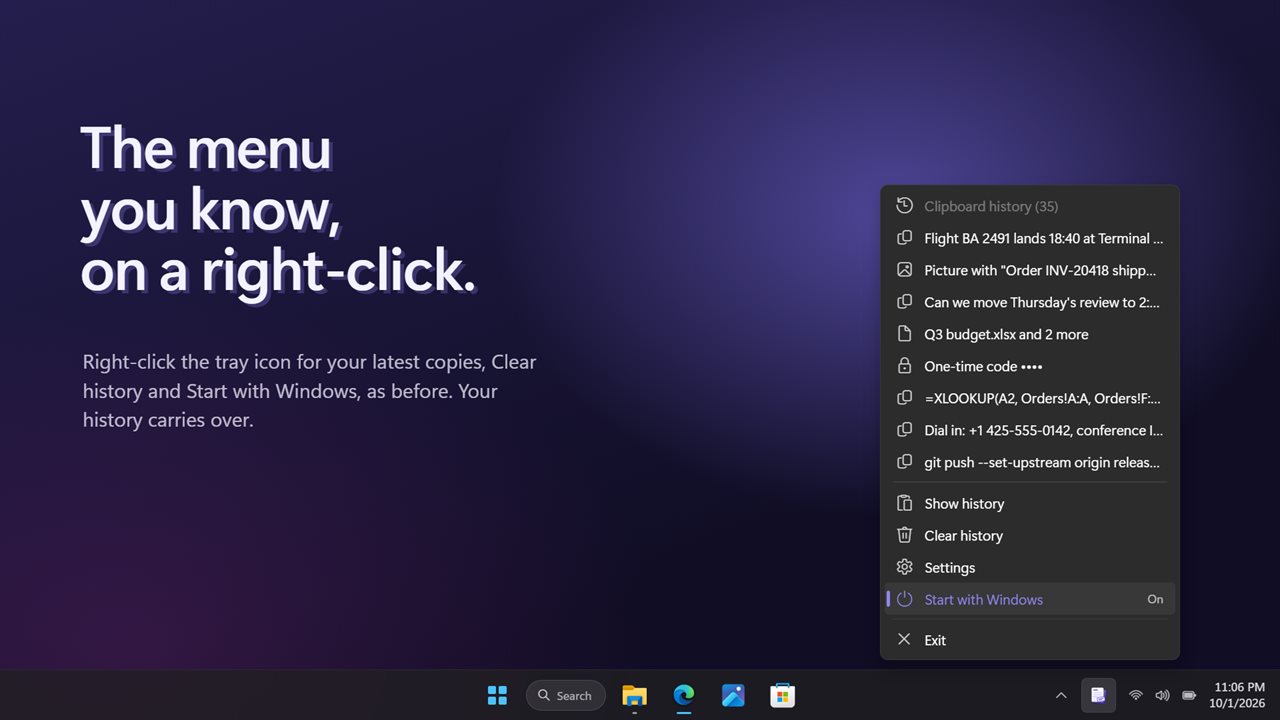
- New: a flyout above the clock, with the copy on the clipboard now on top. Right-click the tray icon for the menu you know
- New: pictures and files are kept too, and drag out as files
- New: every copy is stamped with the app it came from, with a filter for each app
- New: search, including the words inside pictures
- New: one-time codes, card numbers, passwords and keys are hidden and shredded on a timer
- New: delete a single copy
- Fixed: the history now keeps the full 35 copies, not 34, and the size can be raised in Settings
- Fixed: starting with Windows now starts quietly in the tray
- Your history and Start with Windows carry over
Questions
Anything else? Ask us
Which versions of Windows does it run on?
Windows 10 (version 1809 or later) and Windows 11.
Is it a subscription?
No. Clipboard History Tool is a one-time purchase of $2.49, and updates are included.
How do I get it?
EvlarSoft apps are moving to direct downloads from this site. Ask to be notified and we will email you as soon as Clipboard History Tool is ready to download.