Scratch Paper Quick Notes
A quick notepad beside the clock. Click the tray icon or press Ctrl+Alt+N and jot it down; it saves as you type. Snip the text from anything on screen, even a video or a locked PDF, straight onto your pad. Sums answer themselves as you write, times turn into reminders, and any sheet can be pinned to your desktop.
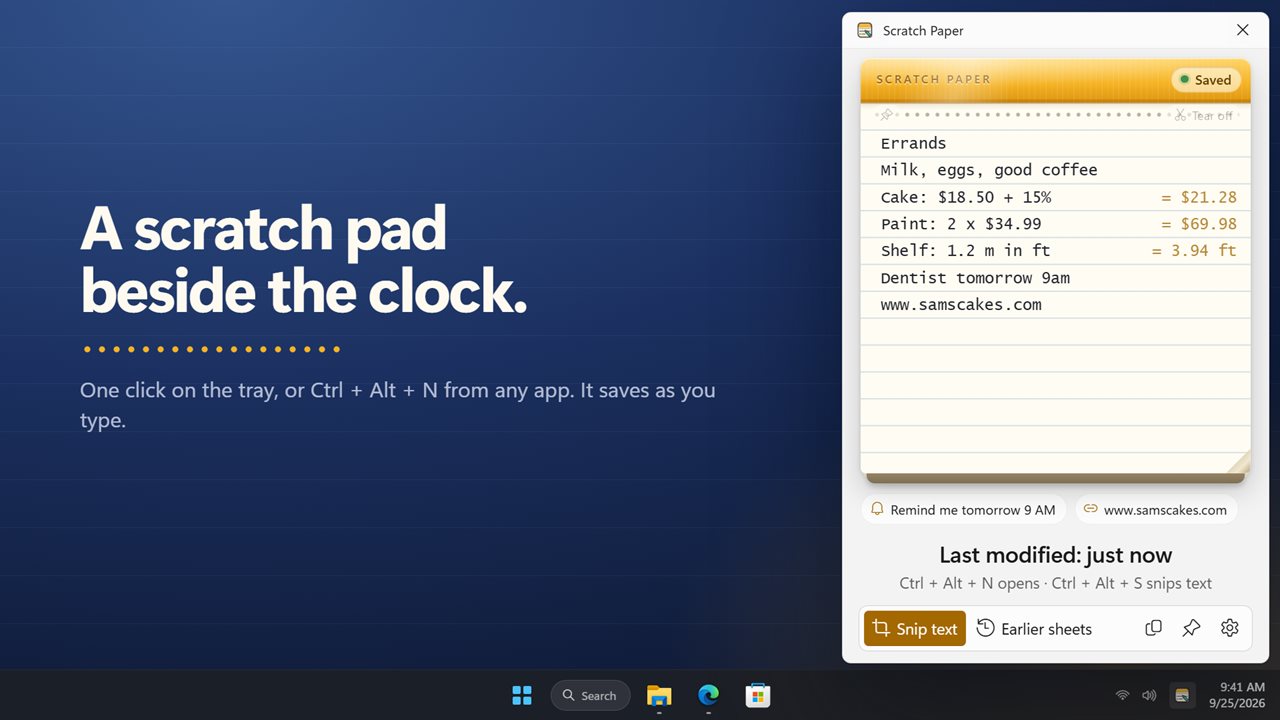
A quick notepad beside the clock, saved as you type.
See it in action
About Scratch Paper Quick Notes
Need to write something down right now? Scratch Paper is a pad that waits beside the clock. One click on the tray icon, or Ctrl+Alt+N from any app, and it is open and ready to type.
Jot it down
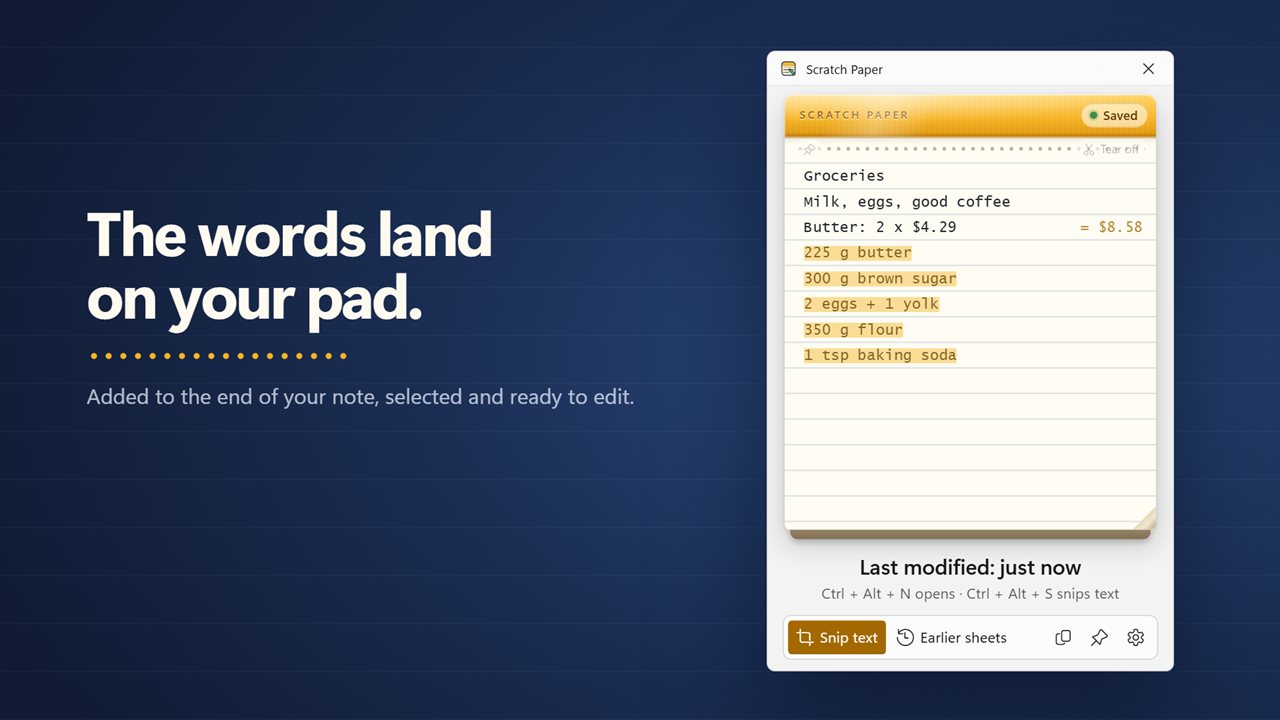
Type on real-looking ruled paper. Your note is saved as you type, so there is nothing to save and nothing to lose. Press Esc or click elsewhere and the pad tucks away. Want it to stay? Pin it open.
Snip text from anything
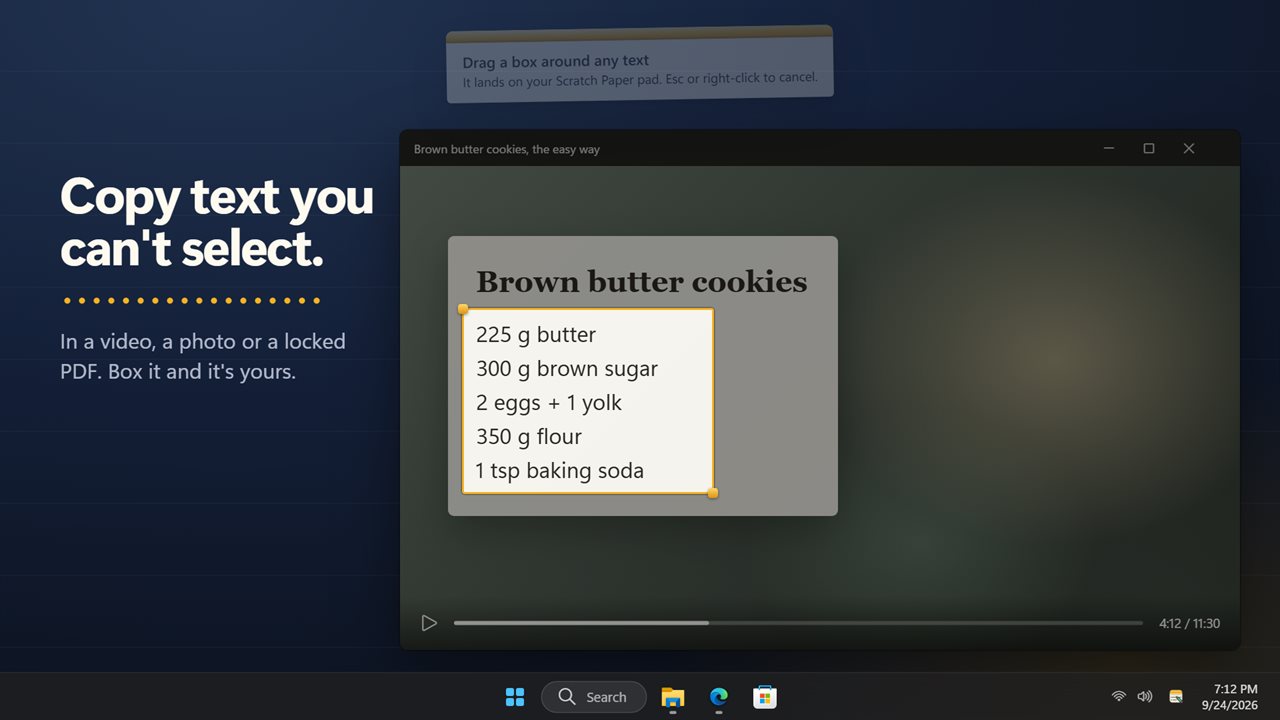
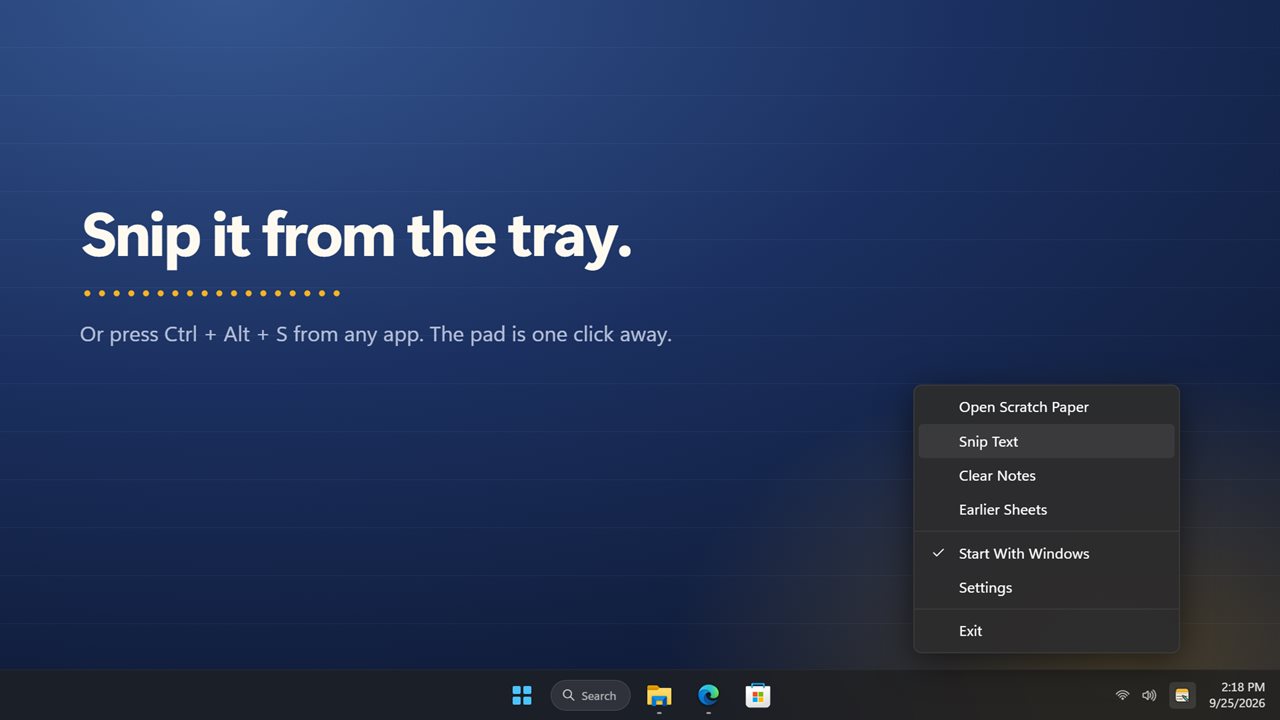
Some text cannot be copied: a recipe in a video, a code in a photo, a locked PDF, an error message. Press Ctrl+Alt+S, or click Snip text, and drag a box around the words. Scratch Paper reads them and types them onto your pad. Changed your mind? Undo puts the sheet back as it was.
Sums answer themselves
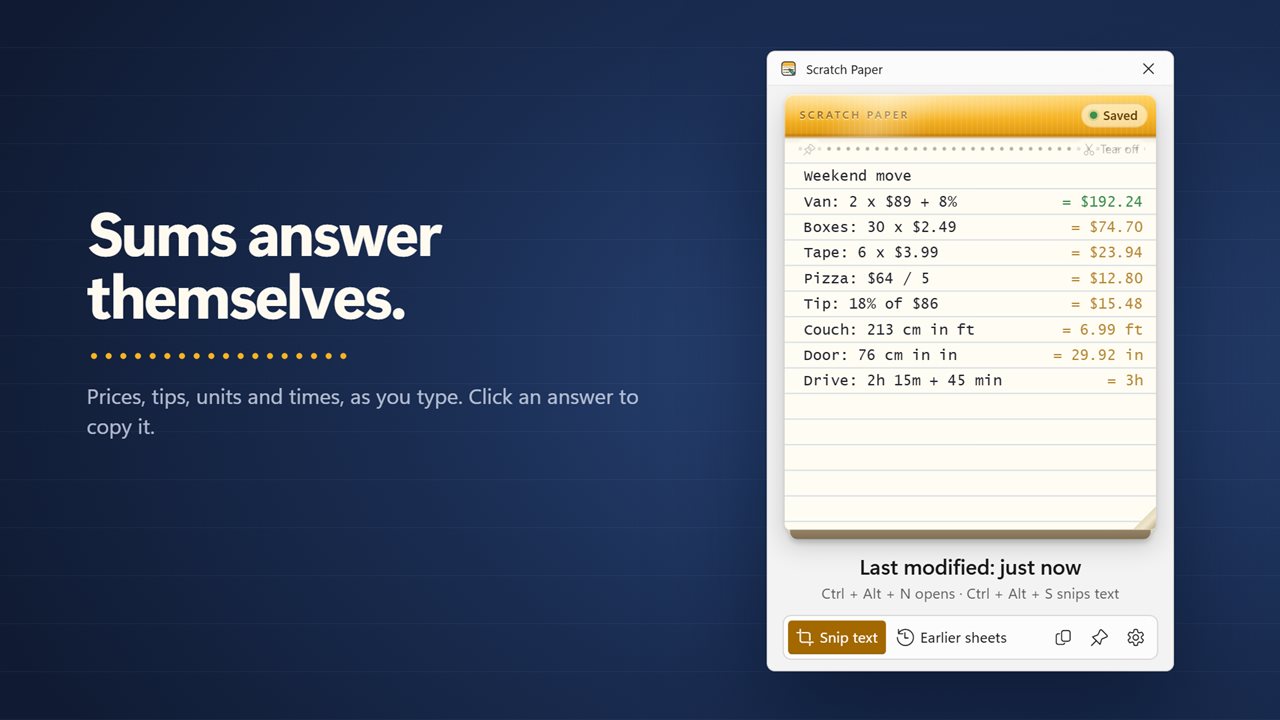
Write a line like Paint: 2 x $34.99 or Tip: 18% of $86 and the answer appears at the end of it as you type. Prices, percentages, lengths, weights, volumes, times, data sizes and temperatures all work, and you can convert on the line, like 5 km in mi. Click an answer to copy it.
Links, numbers and reminders
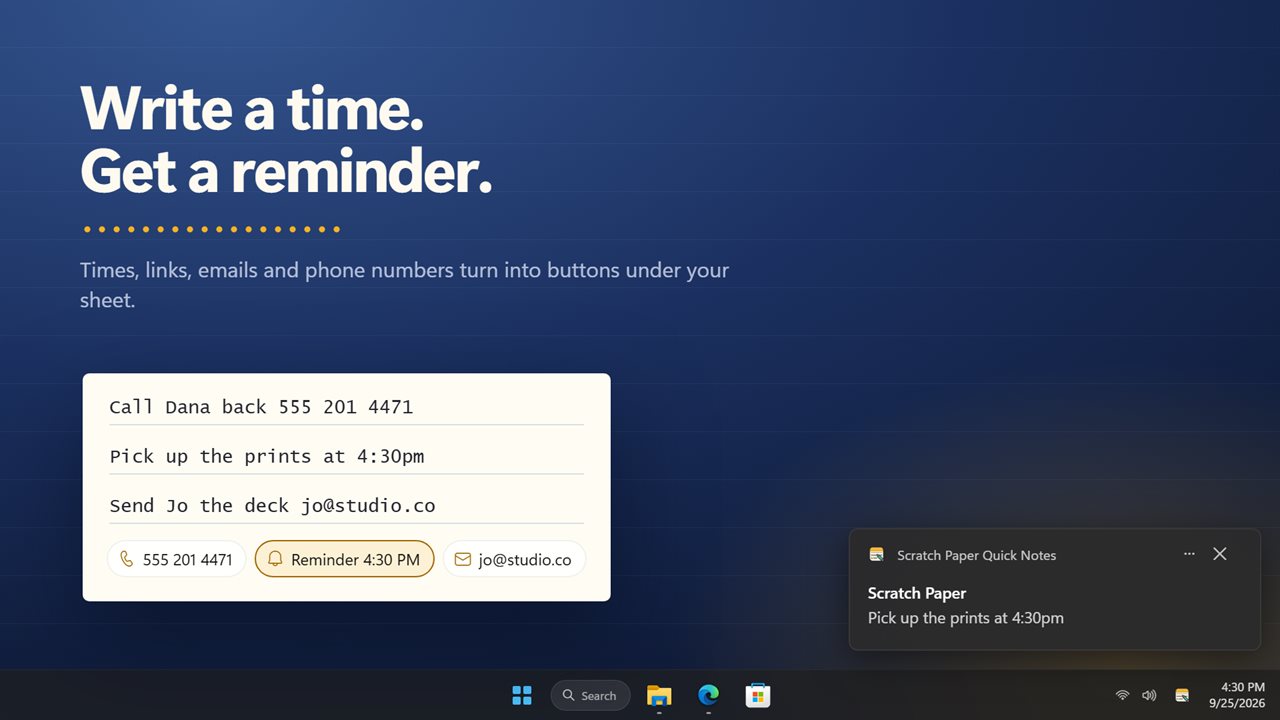
Links, email addresses and phone numbers on your sheet show up as buttons under it, one click to open. Write a time, like call the dentist tomorrow 9am, and click it to get a Windows notification when the time comes.
Tear it off
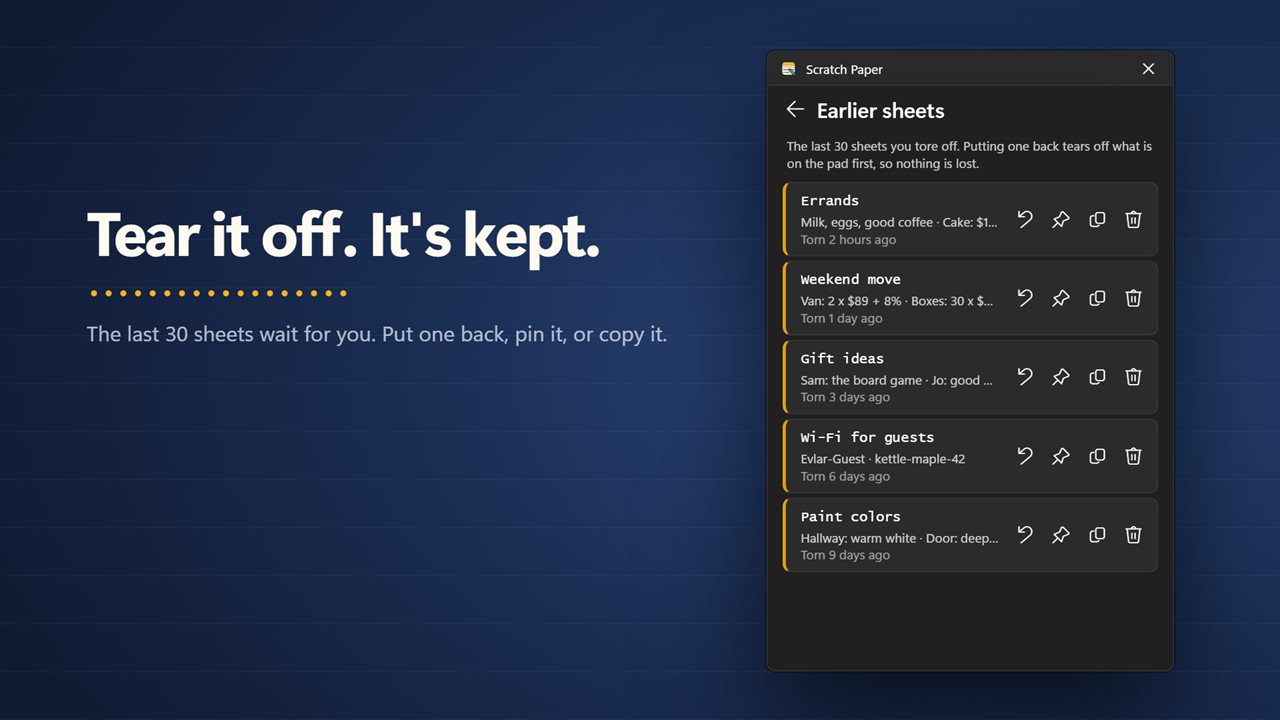
Done with a sheet? Tear it off for a fresh one. The last 30 sheets wait under Earlier sheets, where you can put one back, copy it or throw it away.
Pin it to your desktop
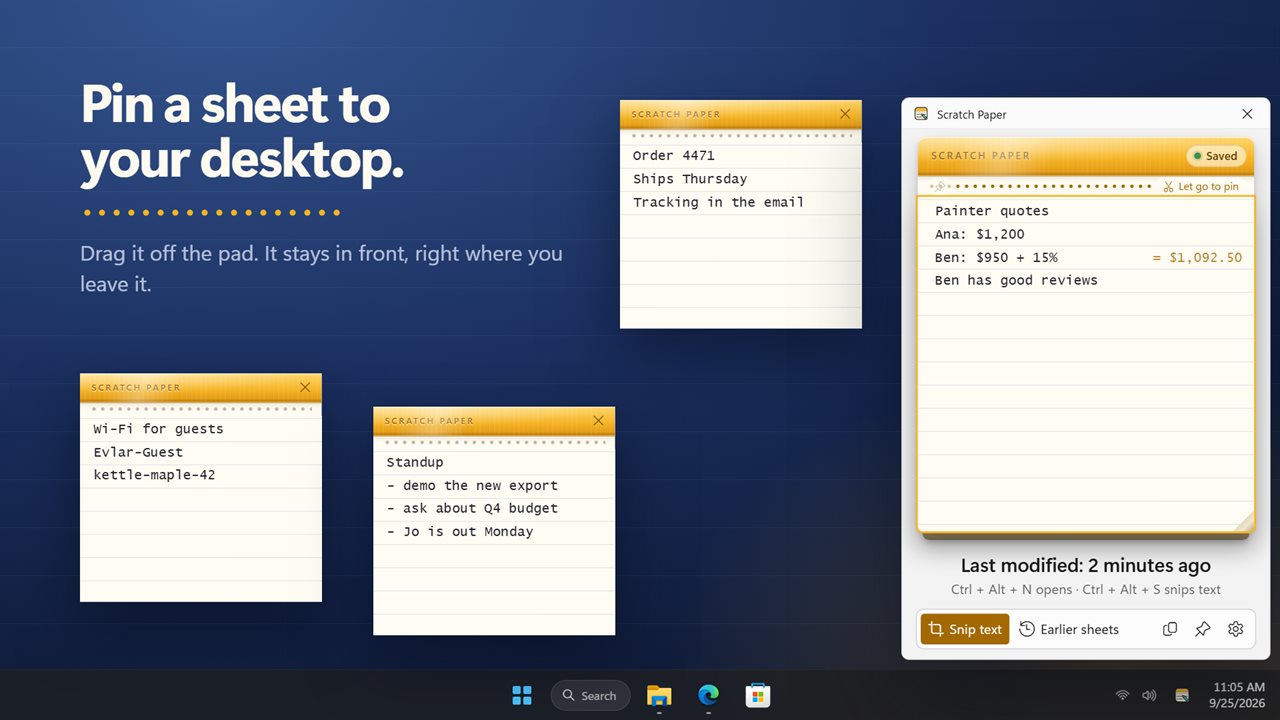
Drag a sheet off the pad and it becomes its own small note on your desktop, in front of your other windows. Pin up to 12, and they come back where you left them.
Make it yours
Ruled, graph or plain paper, four text sizes, and light or dark to match Windows. Pick your own shortcuts, and start with Windows so the pad is always one click away.
Your note carries over
Whatever you wrote in the earlier version of Scratch Paper is still on the pad after you update.
Features
- A scratch pad that opens beside the clock with one click on its tray icon
- Open it from any app with Ctrl+Alt+N, or pick your own shortcut
- Your note saves itself as you type
- Snip text: drag a box around any words on screen and they are typed onto your pad
- Snip reads text you cannot select, in a video, a photo, a locked PDF or an error message
- Snip from any app with Ctrl+Alt+S, from the tray menu, or with the button on the pad
- Sums answer themselves: a line like 3 x 4.50 + 18% gets its answer at the end. Click an answer to copy it
- Works with prices, percentages, lengths, weights, volumes, times, data sizes and temperatures
- Convert on the line, like 5 km in mi or 350 f to c
- Links, email addresses and phone numbers on your sheet become one-click buttons
- Write a time, like "call Sam tomorrow 9am", and turn it into a Windows notification with one click
- Tear off a sheet to start fresh. The last 30 are kept under Earlier sheets
- Put an earlier sheet back on the pad, copy it, or throw it away
- Pin a sheet to your desktop as its own small note, up to 12 at a time
- Pinned notes stay in front of other windows and come back where you left them
- Ruled, graph or plain paper, in four text sizes
- Keep the pad open, or let it tuck away when you click elsewhere
- Light and dark themes, or match Windows
- Optional EvlarSoft ONE sign-in backs up your notes and settings, to carry them to another PC
- Your note from the earlier version is still on the pad
Details
- Works on
- Windows 10 (1809 or later) and Windows 11
- Download
- About 2.9 MB
- Version
- 2.0.5, updated October 2026
- First released
- May 2022
- Price
- $1.99 once. No subscription.
- Category
- Productivity
What's new in 2.0.5
- New: snip the text from anything on screen, even a video or a locked PDF, straight onto your pad
- New: sums answer themselves as you type. Click an answer to copy it
- New: links, emails and phone numbers become buttons, and a time on your sheet can become a Windows reminder
- New: tear off a sheet for a fresh one. The last 30 are kept
- New: pin a sheet to your desktop as its own note
- New: Ctrl+Alt+N opens the pad from anywhere, and Ctrl+Alt+S snips text
- New: ruled, graph or plain paper, and a dark theme
- Your note is still on the pad
Questions
Anything else? Ask us
Which versions of Windows does it run on?
Windows 10 (version 1809 or later) and Windows 11.
Is it a subscription?
No. Scratch Paper Quick Notes is a one-time purchase of $1.99, and updates are included.
How do I get it?
EvlarSoft apps are moving to direct downloads from this site. Ask to be notified and we will email you as soon as Scratch Paper Quick Notes is ready to download.