Decibel Meter Widget
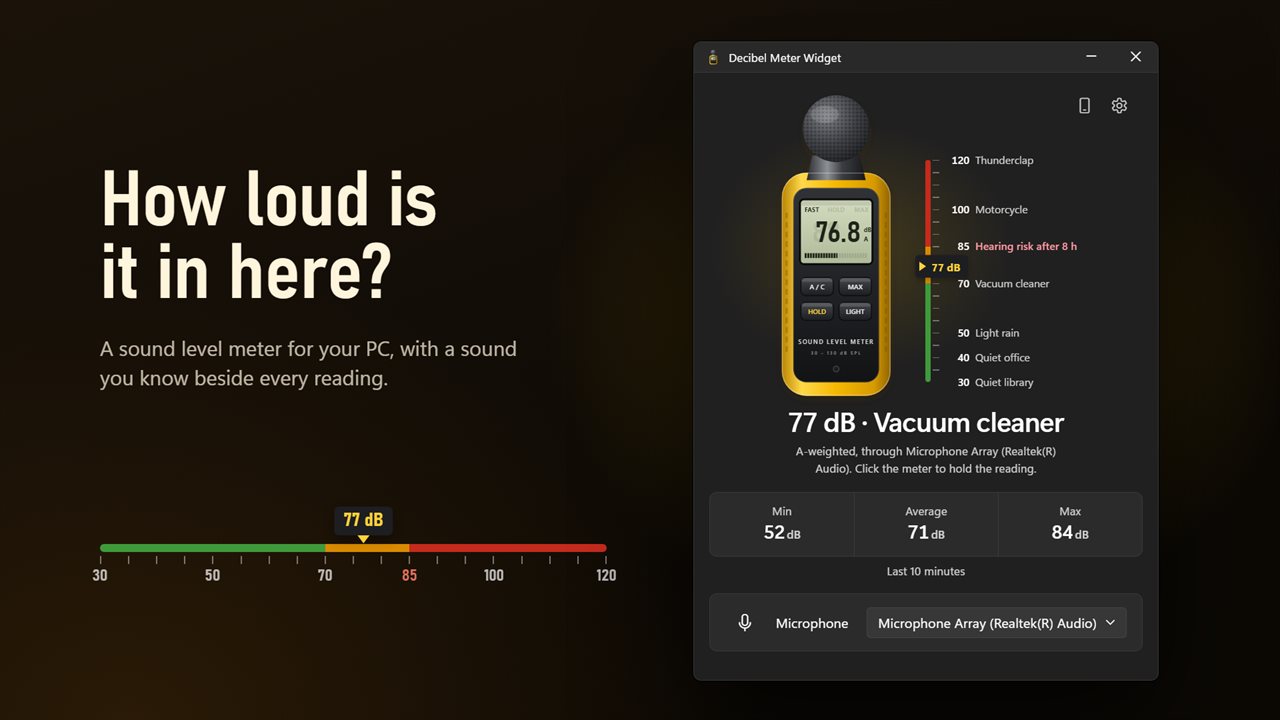
How loud is it in here? Decibel Meter Widget turns your PC's microphone into a sound level meter, with a sound you know beside every reading, the lowest, average and loudest of the last 10 minutes, and an alert when the room gets too loud. Measure with your phone too, with no app to install.
A sound level meter for your PC, with a sound you know beside every reading.
See it in action
About Decibel Meter Widget
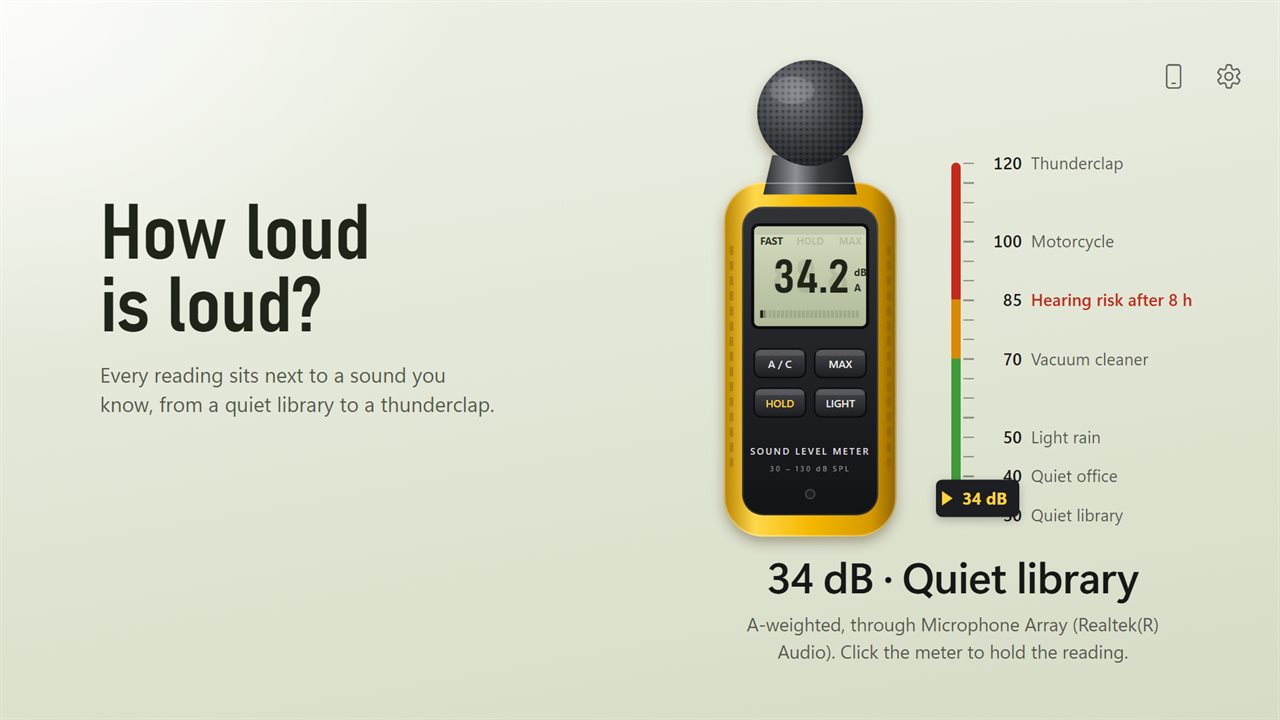
Decibel Meter Widget is a sound level meter for the room you are in. It looks like the handheld meter it is named after: a yellow case, a green display and real keys.
How loud is loud?
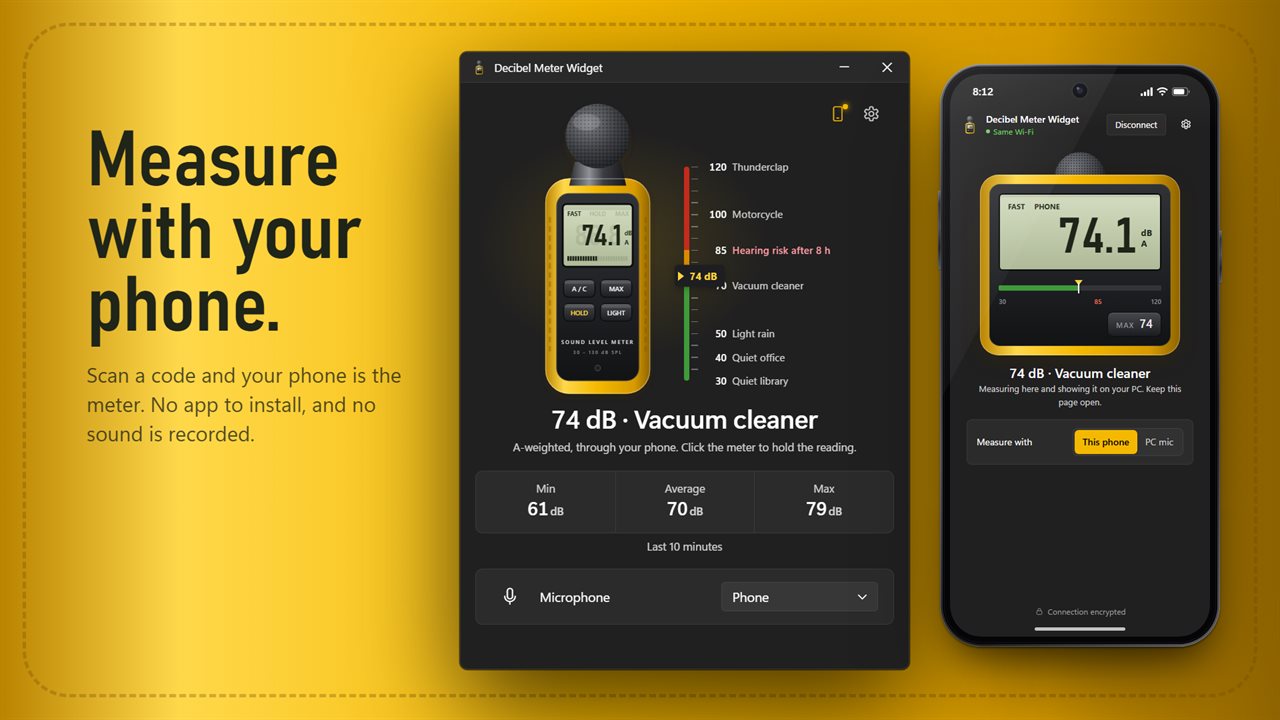
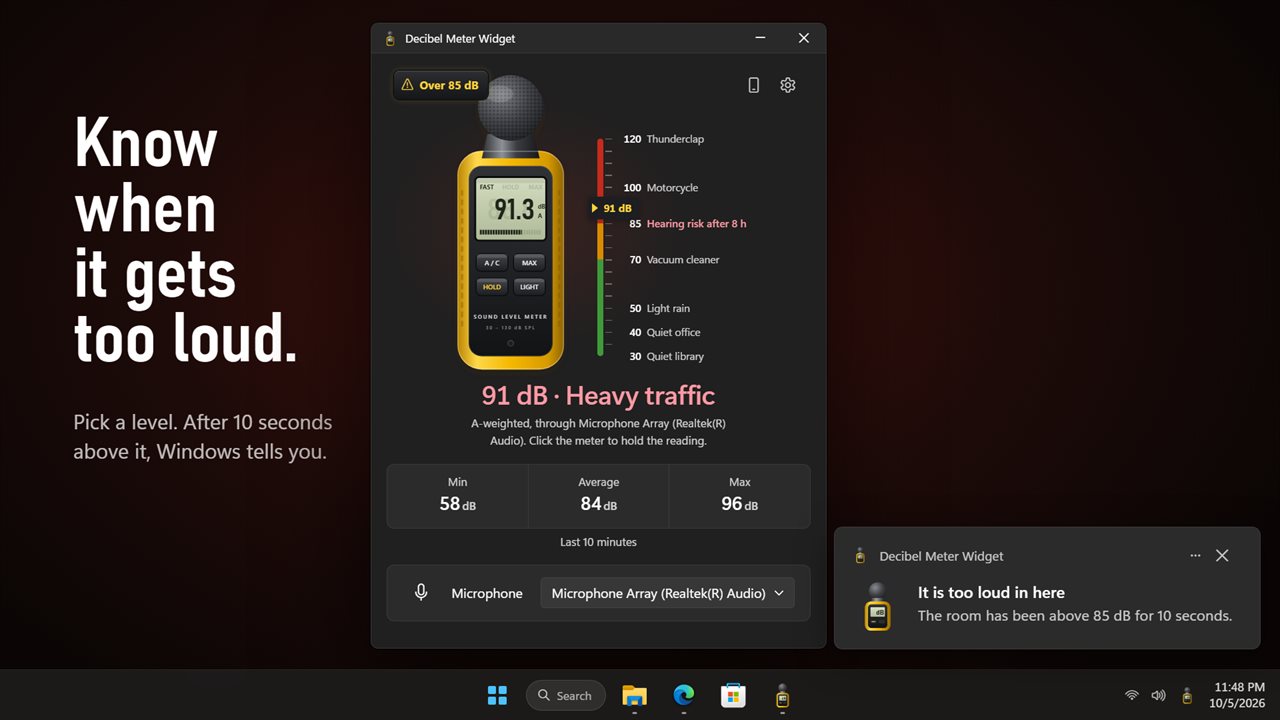
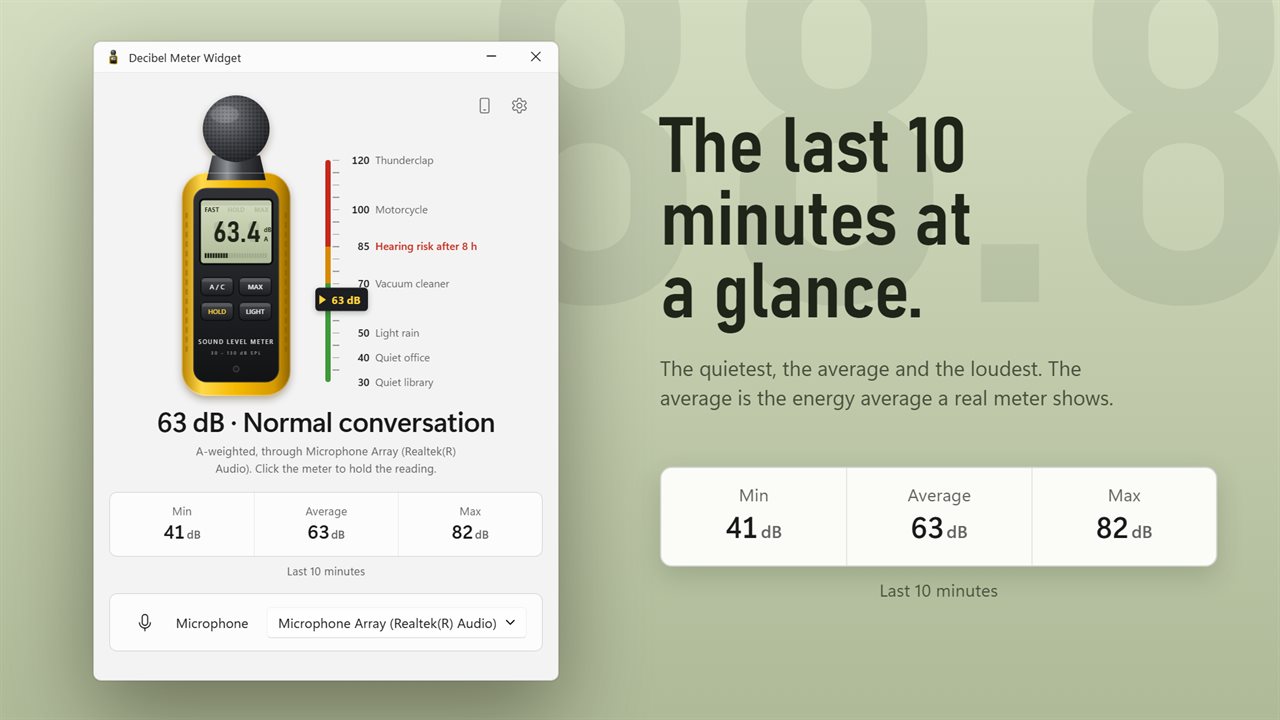
Every reading sits next to a sound you know: a quiet library at 30 dB, a quiet office at 40, light rain at 50, a vacuum cleaner at 70, a motorcycle at 100 and a thunderclap at 120. A line under the meter says it in words, like "62 dB · Normal conversation". The meter glows amber from 70 dB and red from 85 dB, the level where hearing is at risk after 8 hours.
The last 10 minutes
The lowest, average and loudest level of the last 10 minutes sit under the meter. The average is the energy average, the same one a real meter shows.
Measure it properly
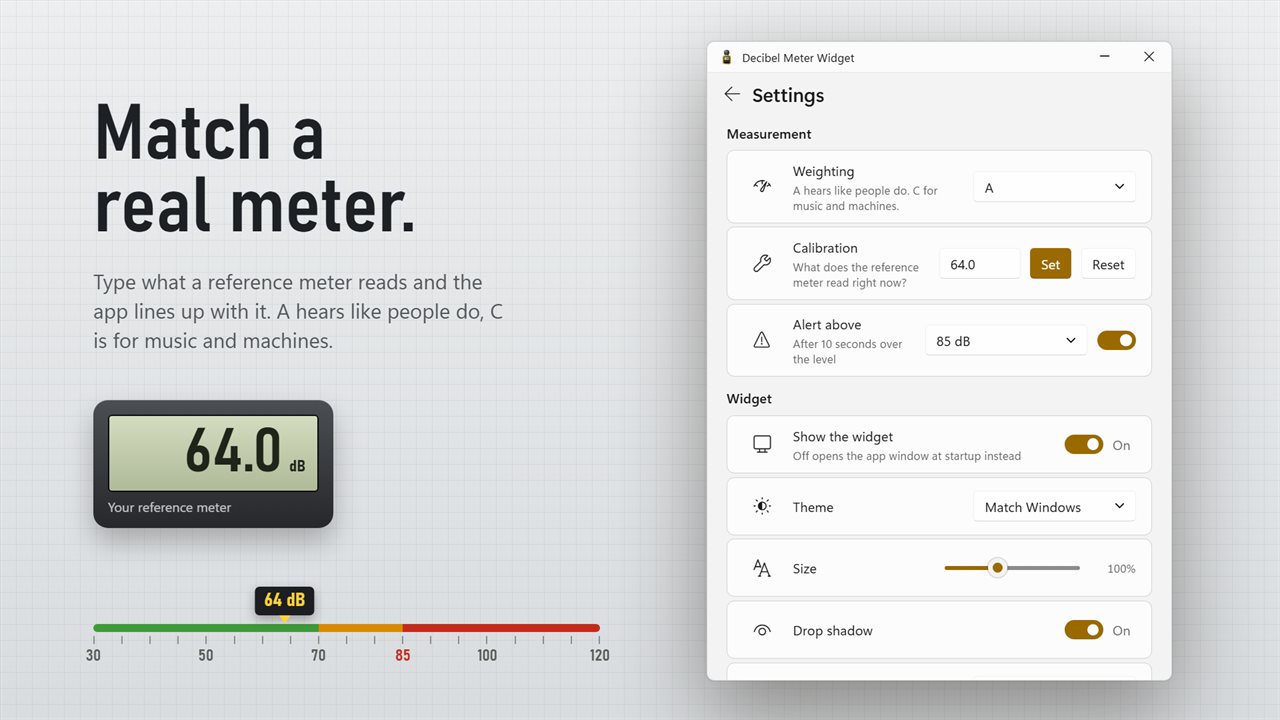
Choose A weighting, which hears like people do, or C, for music and machines. Click the meter to hold a reading, show the maximum or light the display. To match a reference meter, hold both in the same spot, choose Calibrate and type what the reference reads.
Know when it gets too loud
Pick a level: 60, 70, 80, 85, 90 or 100 dB. After 10 seconds above it, the meter shows a red plate and Windows tells you: "It is too loud in here."
Measure with your phone
Choose the phone button and scan the code with your phone's camera. Your phone opens the same meter in its browser, with no app to install and no account. Take it next to the speaker or across the room, and the reading shows on your PC at the same time. Only the sound level leaves your phone, ten numbers a second. No audio is recorded or sent. It works on the same Wi-Fi or over the internet, encrypted end to end, and the phone keeps its own calibration.
On your desktop
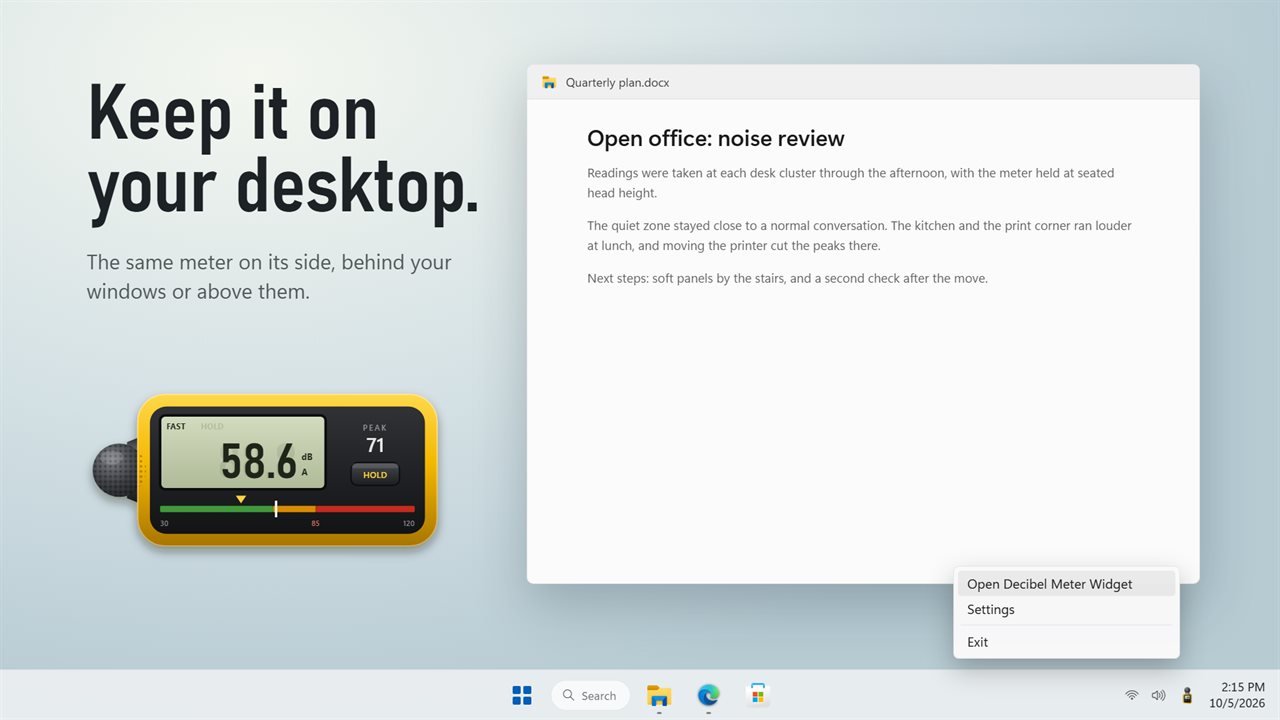
The widget is the same meter lying on its side, with its display, the peak and a color bar. Keep it on the desktop behind your windows or above them, at any size from 70% to 150%. Turn the widget off and the app window opens at startup instead.
Good to know
Readings are estimates from a computer or phone microphone. Calibrate against a real meter when accuracy matters. No sound is ever recorded.
Features
- A sound level meter for the room you are in, drawn as a real handheld meter with a green display
- Every reading sits next to a sound you know, from a quiet library at 30 dB to a thunderclap at 120 dB
- The meter glows amber when it gets loud and red past 85 dB, where hearing is at risk after 8 hours
- The lowest, average and loudest level of the last 10 minutes. The average is the energy average a real meter shows
- A and C weighting: A hears like people do, C is for music and machines
- Hold a reading, show the maximum, or turn on the display light, right on the meter's own keys
- Calibrate against a reference meter: type what it reads and the app lines up with it
- An alert above 60, 70, 80, 85, 90 or 100 dB, after 10 seconds over the level, with a Windows notification
- Measure with your phone: scan a code, no app to install. Only the sound level leaves the phone, never any audio
- Your phone works on the same Wi-Fi or over the internet, encrypted end to end, and keeps its own calibration
- A desktop widget: the same meter on its side, behind your windows or above them
- Pick any microphone, or use the Windows default
- Widget size from 70% to 150%, light and dark themes or match Windows, and it can start with Windows
Details
- Works on
- Windows 10 (1809 or later) and Windows 11
- Download
- About 2.8 MB
- Version
- 1.0.3, updated October 2026
- First released
- October 2026
- Price
- $3.99 once. No subscription.
- Category
- Utilities & tools
Questions
Anything else? Ask us
Which versions of Windows does it run on?
Windows 10 (version 1809 or later) and Windows 11.
Is it a subscription?
No. Decibel Meter Widget is a one-time purchase of $3.99, and updates are included.
How do I get it?
EvlarSoft apps are moving to direct downloads from this site. Ask to be notified and we will email you as soon as Decibel Meter Widget is ready to download.