Mic Mute Button
Mute your microphone from any app, instantly. Press Ctrl+Alt+M, or a shortcut of your own, and Mic Mute Button mutes the mic at the Windows level, so every call, game and recording goes quiet at once. A mute pad above the clock confirms it, and a live meter shows when you are back on. Your phone can be a mute button too, with no app to install.
Mute your microphone from any app with one shortcut.
See it in action
About Mic Mute Button
The mute button in a call only works when that call's window is in front. Mic Mute Button mutes the microphone itself, from any app, with one shortcut.
One shortcut, every app
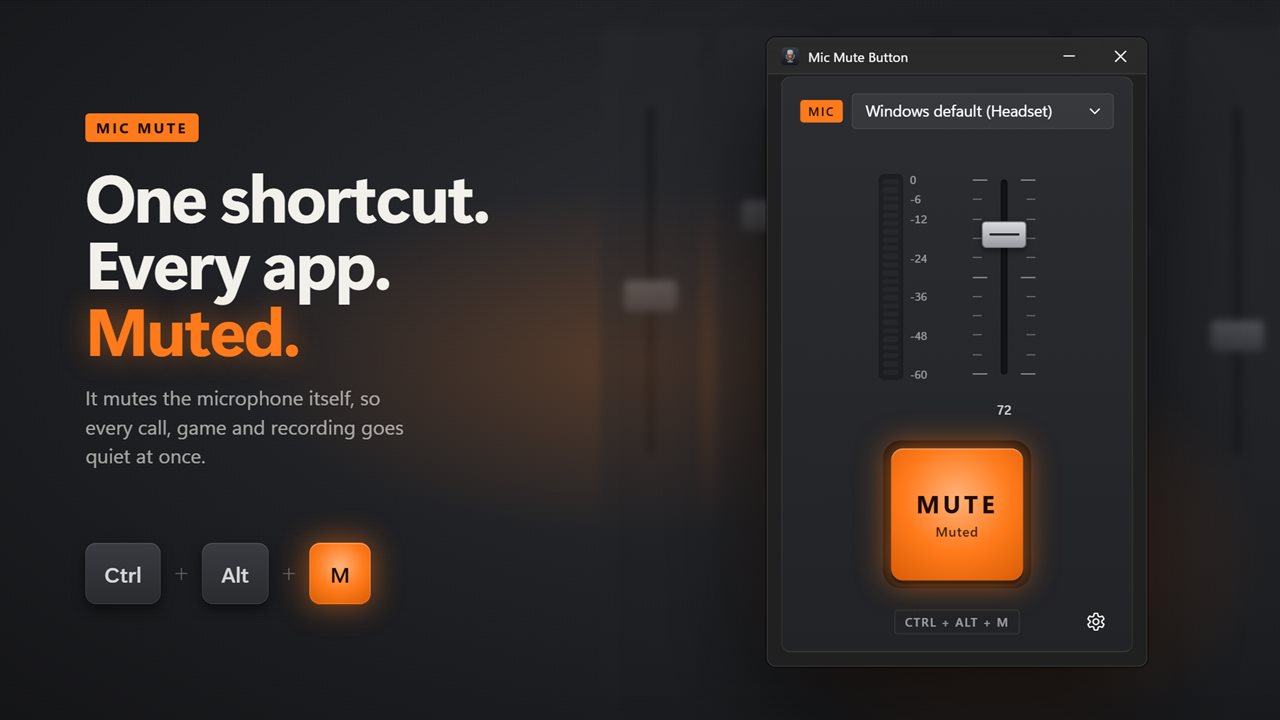
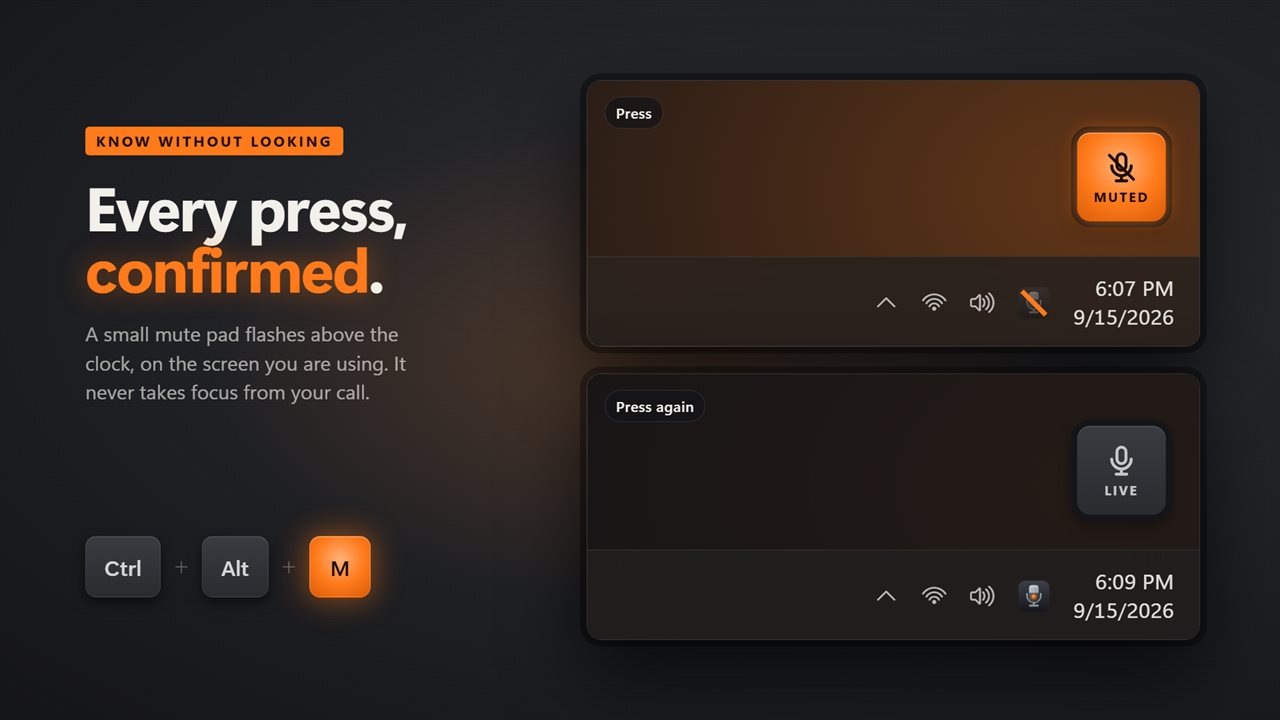
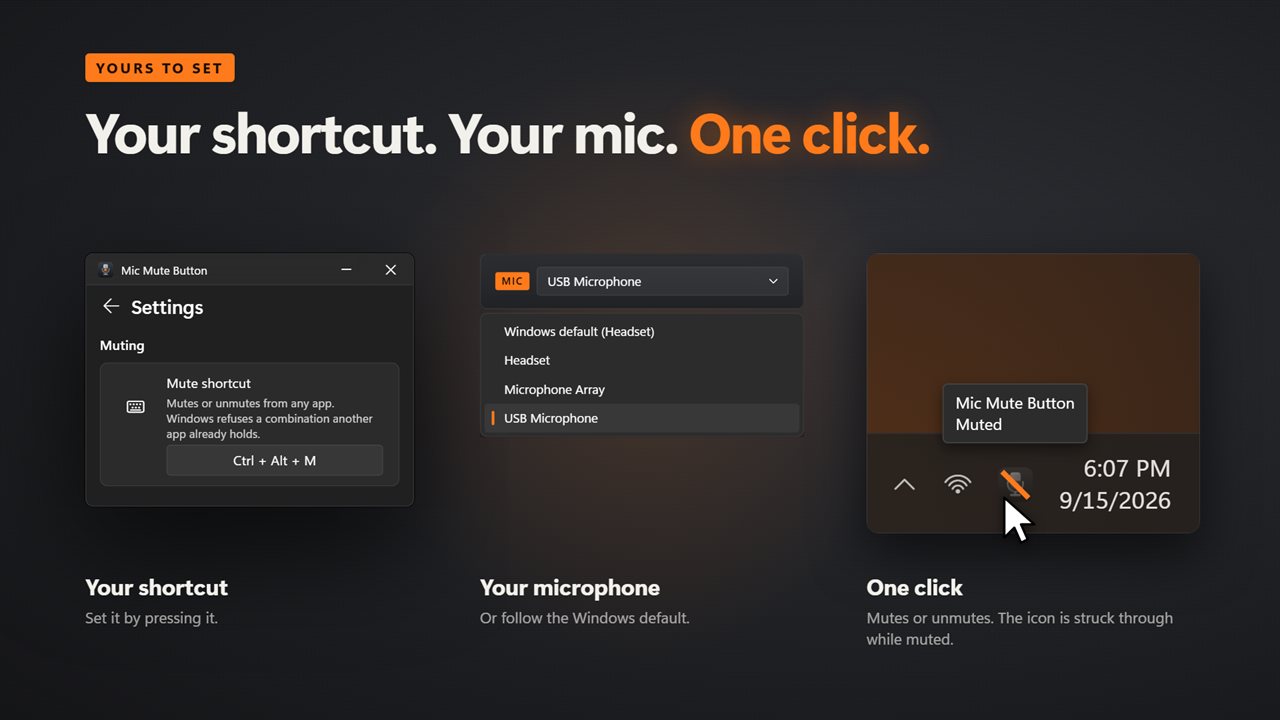
Press Ctrl+Alt+M and the microphone is muted for everything at once: meetings, games, voice chat and recordings. Press it again and you are live. Set your own shortcut by pressing it in Settings.
A channel strip for your mic
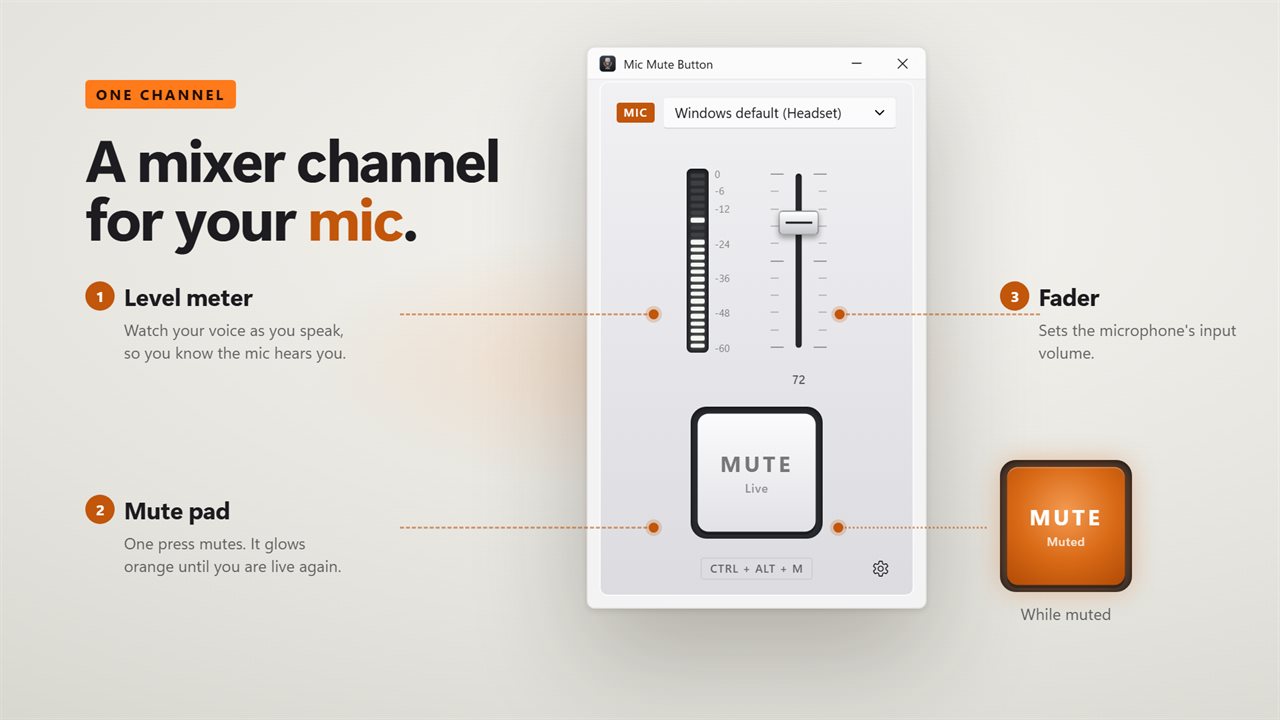
The window is a single mixer channel. The big pad at the bottom mutes and unmutes, and glows orange while you are muted. A level meter shows your voice as you speak, so you know the mic is really hearing you, and a fader sets its input volume. Pick a microphone at the top, or leave it on the Windows default and Mic Mute Button follows it when you plug in a headset.
Know without looking
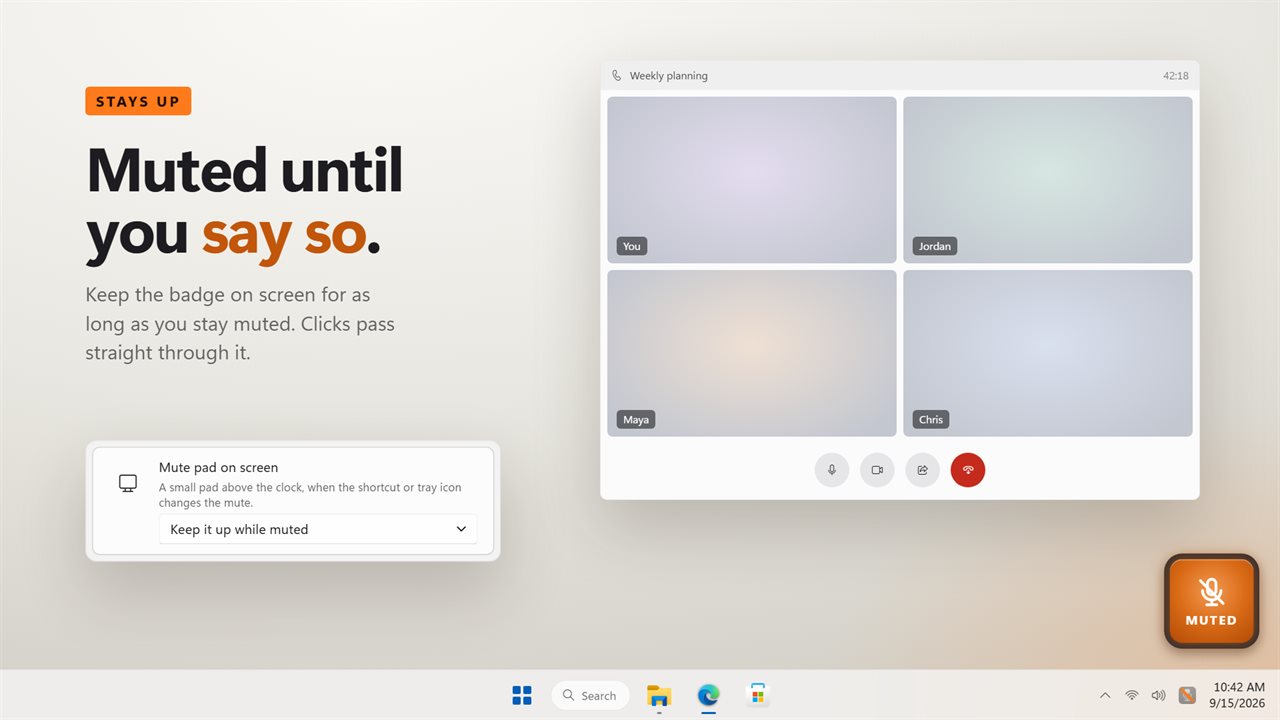
When you use the shortcut or the tray icon, a small mute pad flashes above the clock on the screen you are using. Prefer a reminder? Keep a badge on screen for as long as you stay muted. It never takes focus and clicks pass straight through it. Turn on the click and you will hear it mute too.
Always in step
If Windows or another app mutes the microphone, the pad, the tray icon and the badge all follow.
Your phone as a mute button
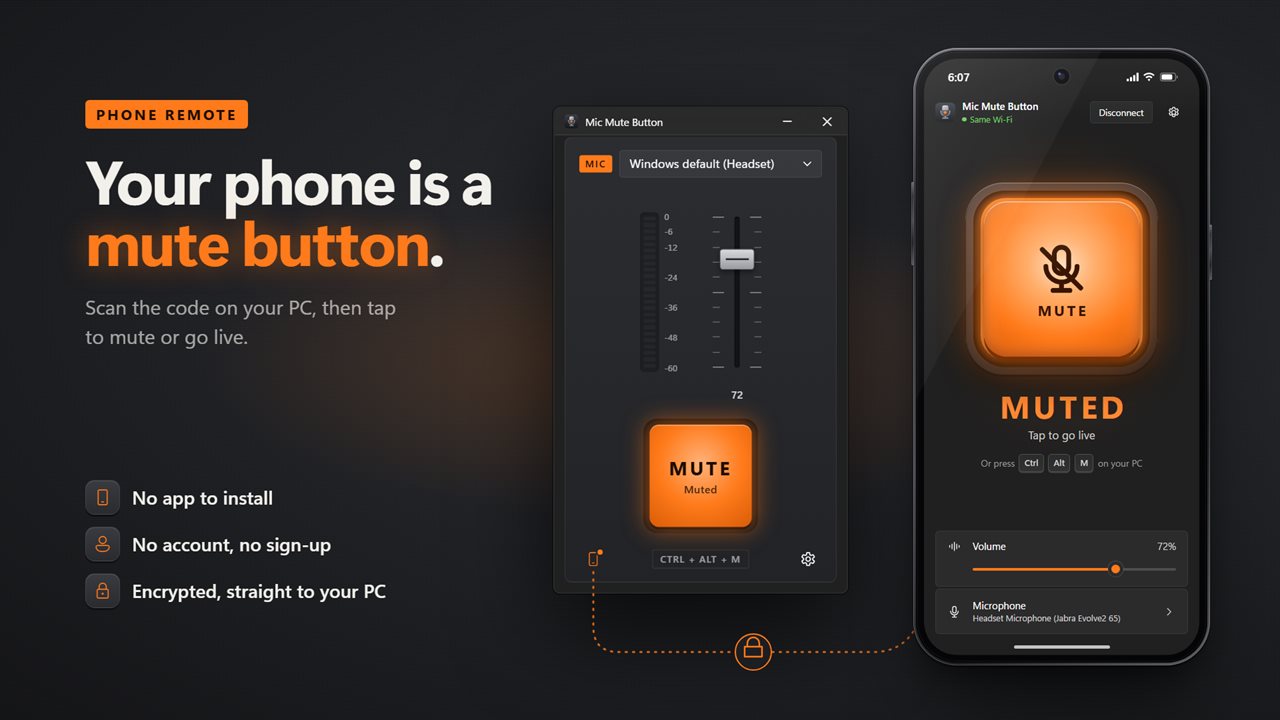
Scan the code in the window with your phone's camera, and your phone becomes a mute button with the volume and the microphone picker too. There is no app to install, no account and no sign-up. Your phone talks straight to your PC over an encrypted connection.
Where it lives
In the notification area, where the icon is struck through while you are muted and one click mutes or unmutes. It can mute the microphone as it starts, start with Windows, and follow your light or dark theme.
Everything happens on this PC. No account is needed, and your voice is never recorded or uploaded. Muting works with no connection at all; only the phone remote, and any feedback you choose to send, need a network.
Features
- Mute or unmute your microphone from any app with one shortcut, Ctrl+Alt+M to begin with
- A big mute pad in the window that glows orange while you are muted
- A live level meter, so you can see the mic is really hearing you
- Set the microphone's input volume with a console-style fader
- Pick a microphone, or follow whichever one Windows uses by default
- A small mute pad flashes above the clock when you use the shortcut
- Or keep a badge on screen for as long as you stay muted
- Click the tray icon to mute; the icon is struck through while muted
- Stays in step when Windows or another app changes the mute
- An optional click, so you hear it mute without looking
- Mute on start, start with Windows, and light and dark themes
- Use your phone as a mute button, with the volume and mic picker too. No app to install and no account
- Works offline, with no account needed. Your voice is never recorded or sent anywhere
Details
- Works on
- Windows 10 (1809 or later) and Windows 11
- Download
- About 2.9 MB
- Version
- 2.1.6, updated October 2026
- First released
- August 2023
- Price
- $3.99 once. No subscription.
- Category
- Utilities & tools
What's new in 2.1.6
- New: the window is a mixer channel strip with a big mute pad, a live level meter and an input volume fader
- New: a mute pad flashes above the clock when you use the shortcut, or stays up while you are muted
- New: the tray icon shows when you are muted, and a click on it mutes or unmutes
- New: follow the Windows default microphone, mute on start, and start with Windows
- Fixed: your shortcut carries over, and the mute stays in step when another app changes it
Questions
Anything else? Ask us
Which versions of Windows does it run on?
Windows 10 (version 1809 or later) and Windows 11.
Is it a subscription?
No. Mic Mute Button is a one-time purchase of $3.99, and updates are included.
How do I get it?
EvlarSoft apps are moving to direct downloads from this site. Ask to be notified and we will email you as soon as Mic Mute Button is ready to download.