Camera & Mic Privacy Indicator
See which apps are using your camera and microphone. Tally lamps light up the moment an app turns either one on, and a week of history shows who used them and for how long.
See who is using your camera and mic, and for how long.
See it in action
About Camera & Mic Privacy Indicator
Is anything listening? Camera & Mic Privacy Indicator answers at a glance.
Tally lamps for your camera and mic
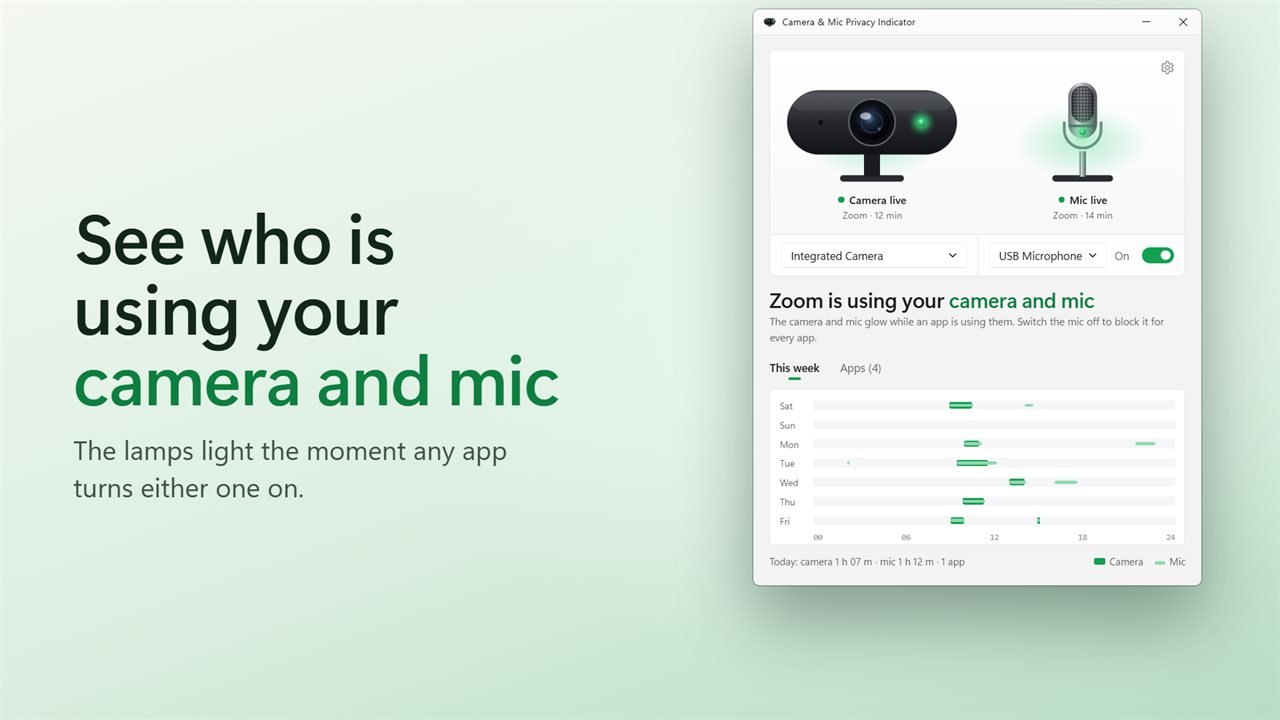
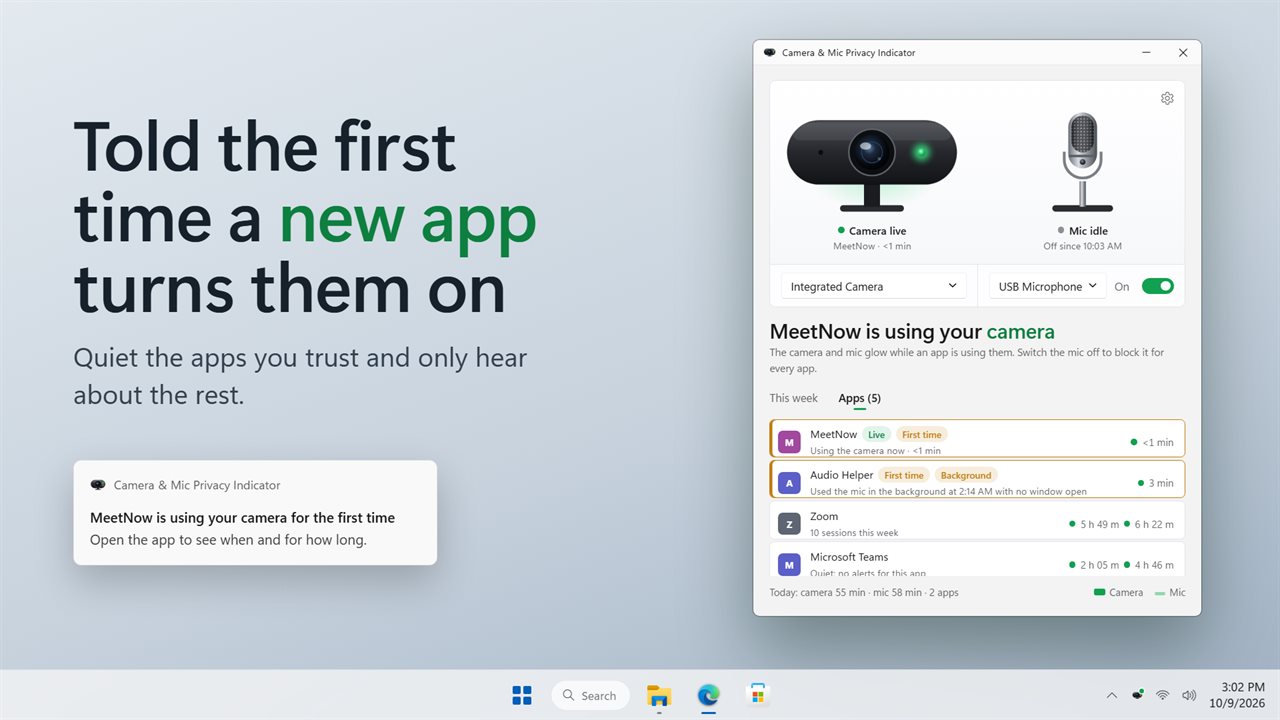
The window shows a webcam and a microphone. Each one's lamp lights while any app is using it, and the headline names the app: "Zoom is using your camera and mic." Click the camera or the mic to go straight to its Windows privacy page.
A week of who used what
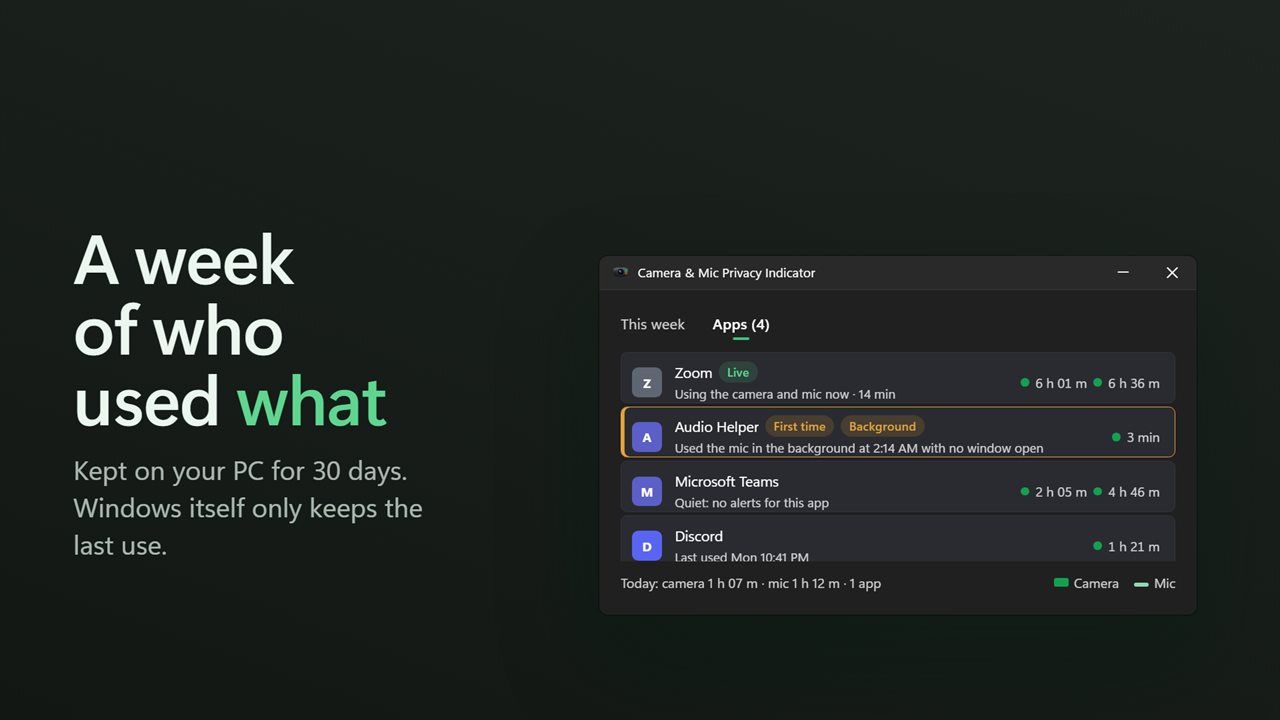
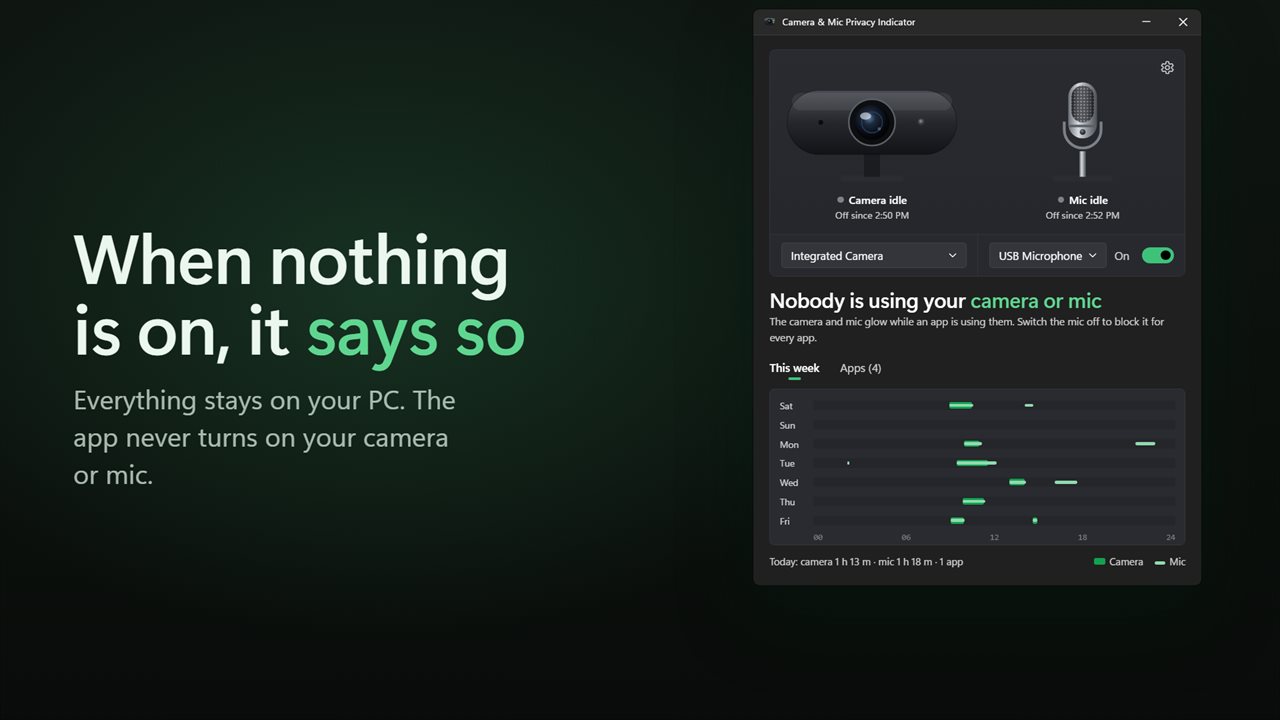
Windows only remembers each app's last use. This app keeps the rest: a strip for each of the last seven days shows when the camera and mic were on, and every app gets its own row with its camera and mic time this week. History is kept for 30 days and starts the day you install.
Catch the surprises
An app using the camera or mic for the first time is flagged, and so is one using them with no window open. You can be told with a notification for either, or quiet the apps you trust.
A widget on your desktop
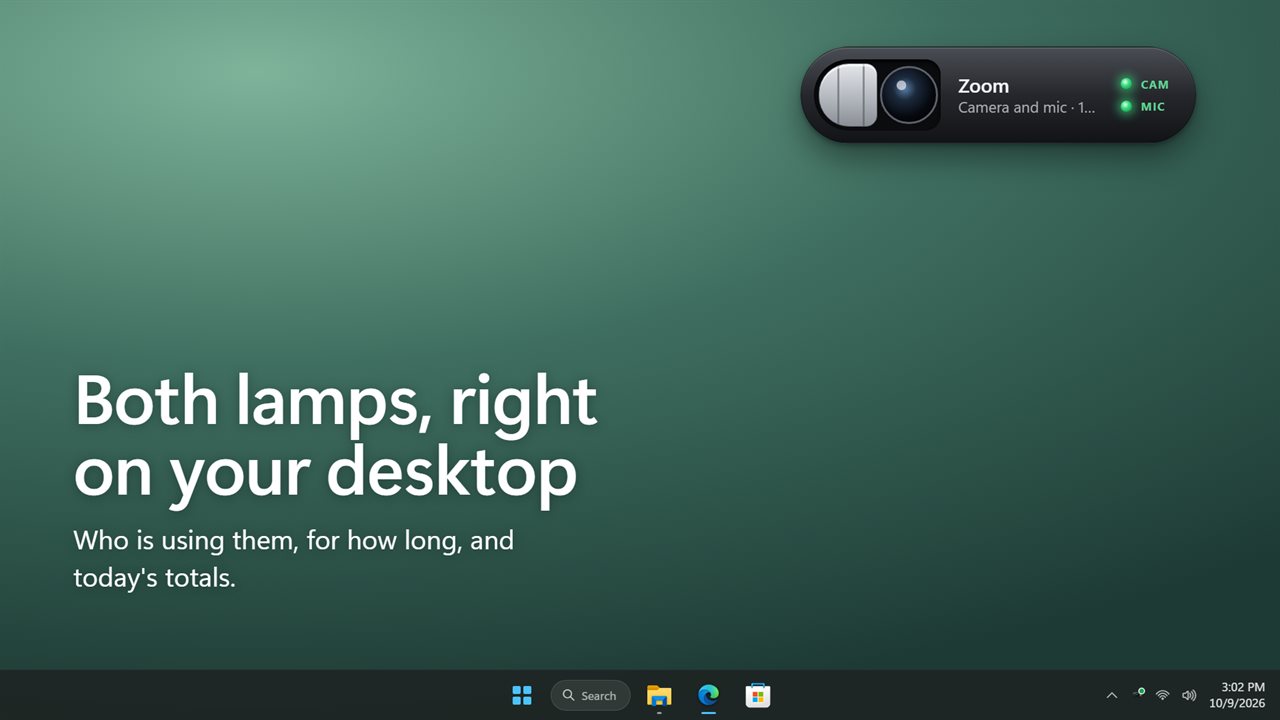
The desktop widget shows both lamps, who is using them and for how long, and today's totals. Make it bigger or smaller, keep it on the desktop or above your windows.
Private by design
The app reads Windows' own access record. It never turns on your camera or mic, and nothing leaves your PC unless you turn on backup.
Features
- A drawn webcam and microphone whose tally lamps light while any app uses them
- Names every app using your camera or mic right now, and for how long
- Click the camera or the mic to open its Windows privacy page
- A week of use at a glance: one bar per day for the camera, one line for the mic
- Each app's camera and mic time this week, its sessions and when it last used them
- Flags an app the first time it uses the camera or mic on your PC
- Flags an app that uses them with no window open
- A notification for a first-time app or background use, each with its own switch
- Quiet the apps you trust so they never send a notification
- A desktop widget with both lamps, who is using them and today's totals
- Works with desktop apps and Store apps alike
- History stays on your PC for 30 days. Nothing is uploaded unless you turn on backup
- Waits in the notification area, which shows a green dot while something is live, and can start with Windows
- Light and dark themes, or match Windows
Details
- Works on
- Windows 10 (1809 or later) and Windows 11
- Download
- About 2.9 MB
- Version
- 2.0.3, updated October 2026
- First released
- November 2022
- Price
- $1.99 once. No subscription.
- Category
- Utilities & tools
What's new in 2.0.3
- New: tally lamps on a drawn webcam and mic, and the headline names the app using them
- New: a week of history, with each app's camera and mic time
- New: alerts for first-time apps and for apps using them with no window open
- New: a desktop widget
- Fixed: mic alerts no longer stop when you turn off camera alerts
- Fixed: app names are no longer cut short
Questions
Anything else? Ask us
Which versions of Windows does it run on?
Windows 10 (version 1809 or later) and Windows 11.
Is it a subscription?
No. Camera & Mic Privacy Indicator is a one-time purchase of $1.99, and updates are included.
How do I get it?
EvlarSoft apps are moving to direct downloads from this site. Ask to be notified and we will email you as soon as Camera & Mic Privacy Indicator is ready to download.