Quick Voice Memo Recorder
Click the red button and talk. Quick Voice Memo Recorder saves every memo and types out what you said, right on your PC, with no internet and nothing uploaded. Record from any app with a shortcut, search your memos by what you said, and copy the text wherever you need it.
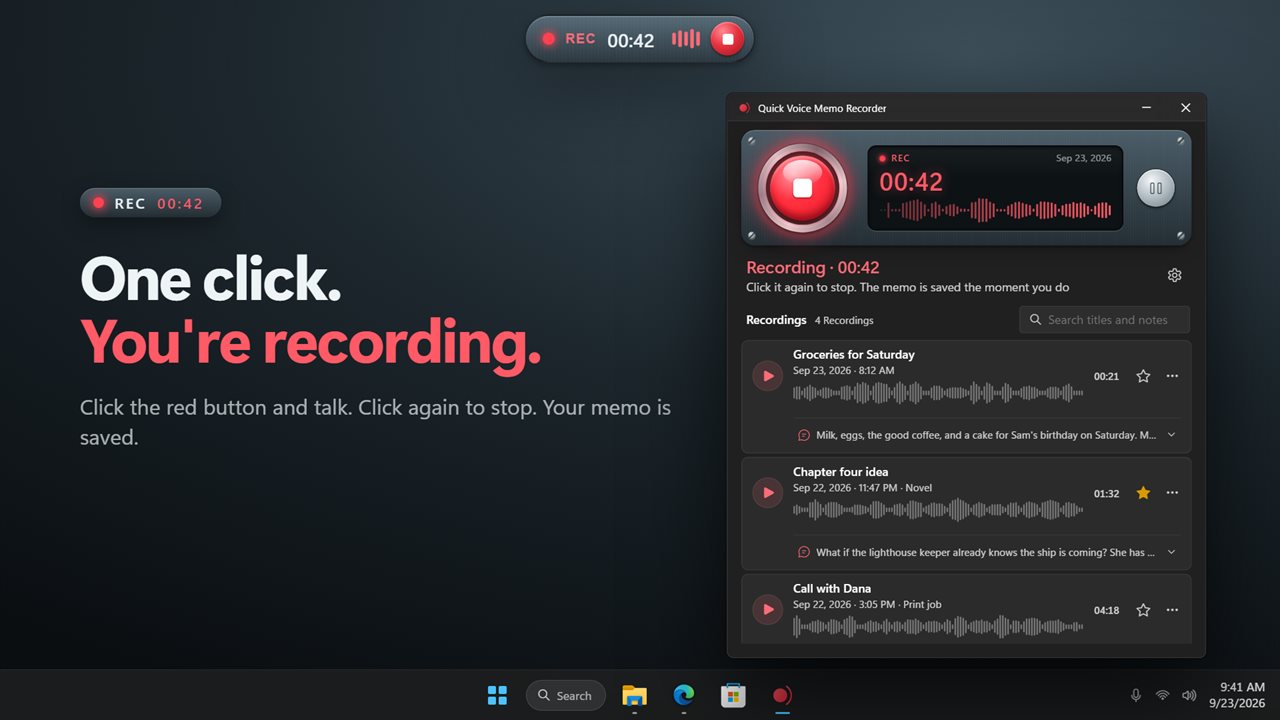
One click, or one shortcut, and you're recording.
See it in action
About Quick Voice Memo Recorder
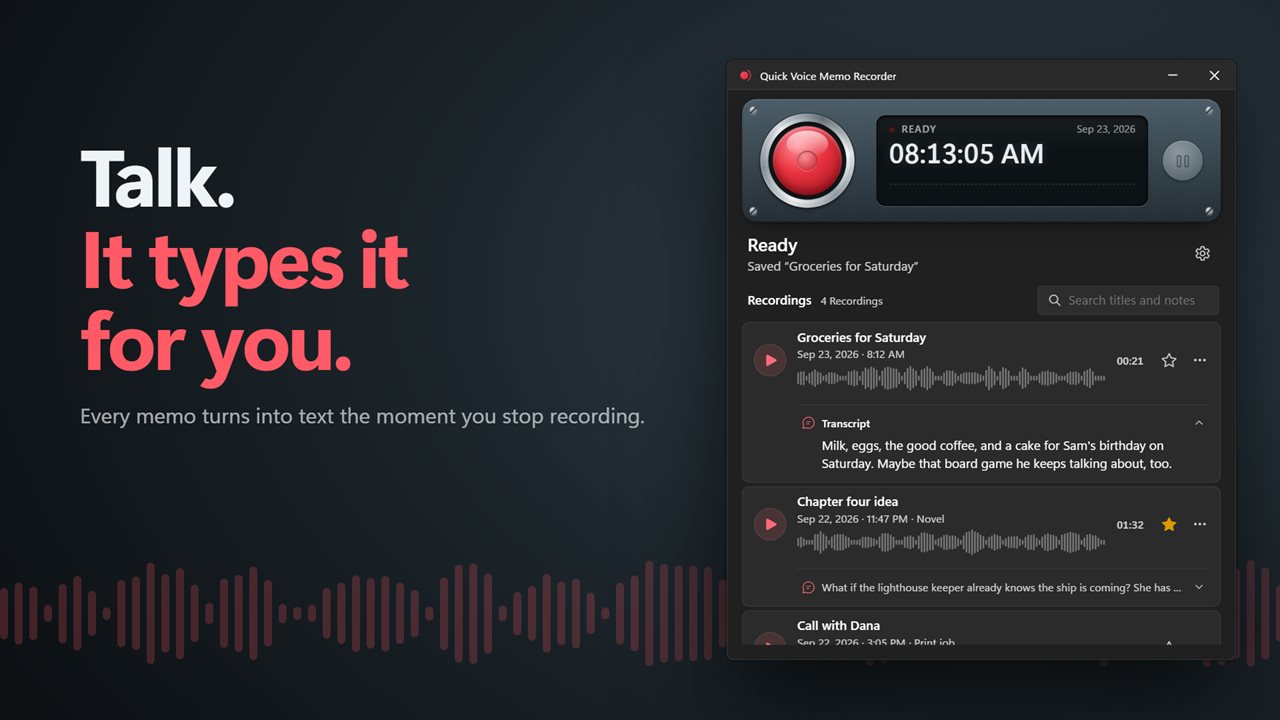
Have a thought, say it. Quick Voice Memo Recorder records a voice memo with one click and turns it into text for you.
One click to record
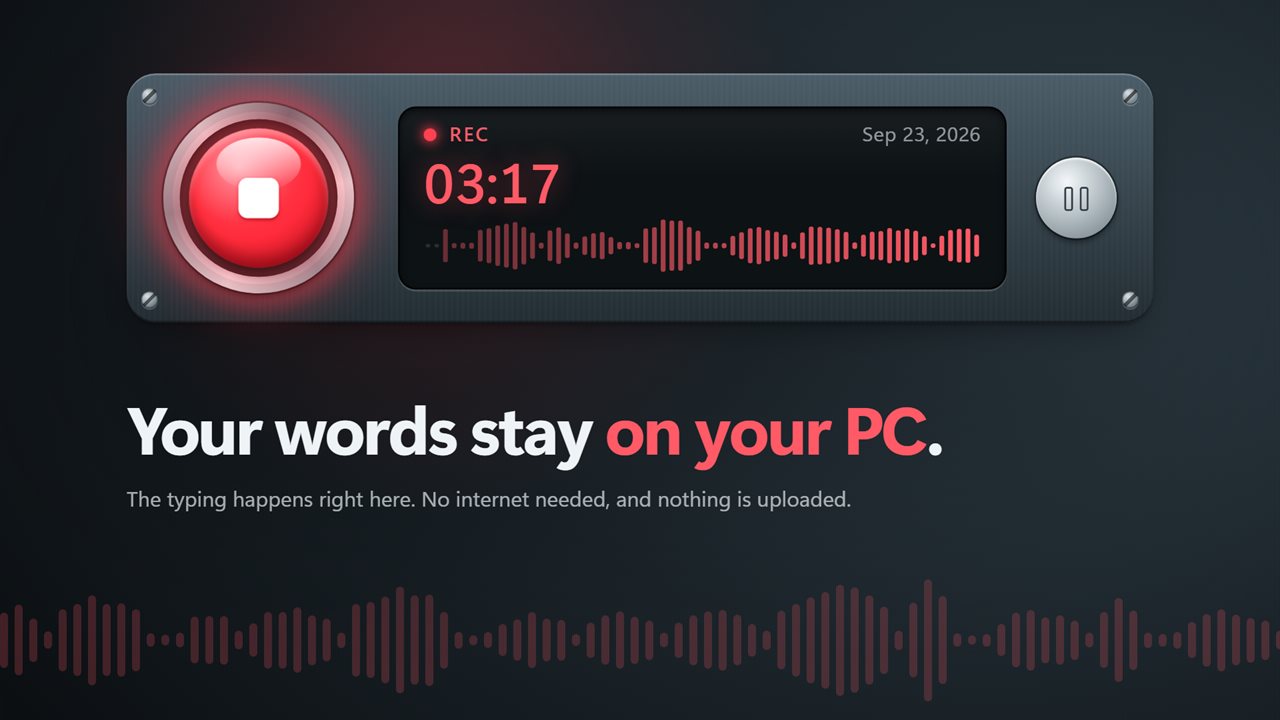
Click the big red button and start talking. The display shows your voice as you speak, and a timer counts up. Click again to stop, and the memo is saved the moment you do. Need a break? Pause, then resume in the same memo.
Record from any app
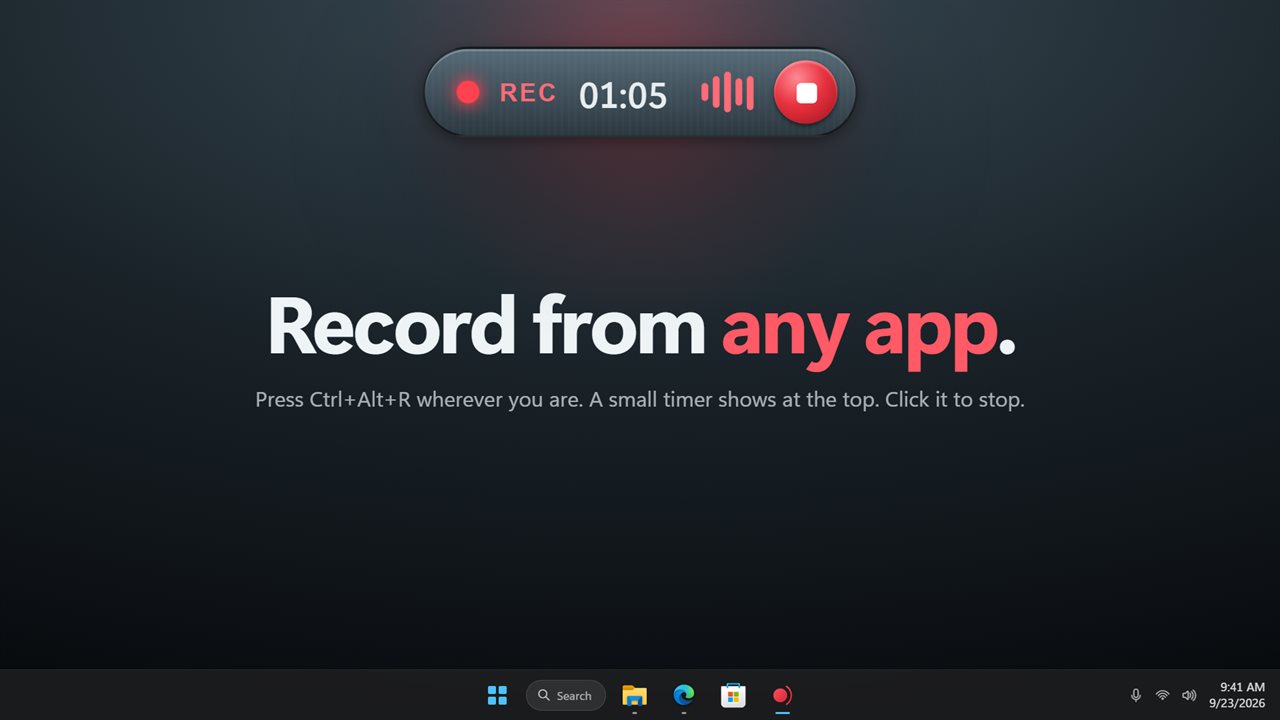
Press Ctrl+Alt+R wherever you are, or pick your own shortcut. A small REC timer appears at the top of the screen while you record. Click it, or press the shortcut again, to stop. The app waits in the notification area and can start with Windows, so it is always ready.
It types it for you
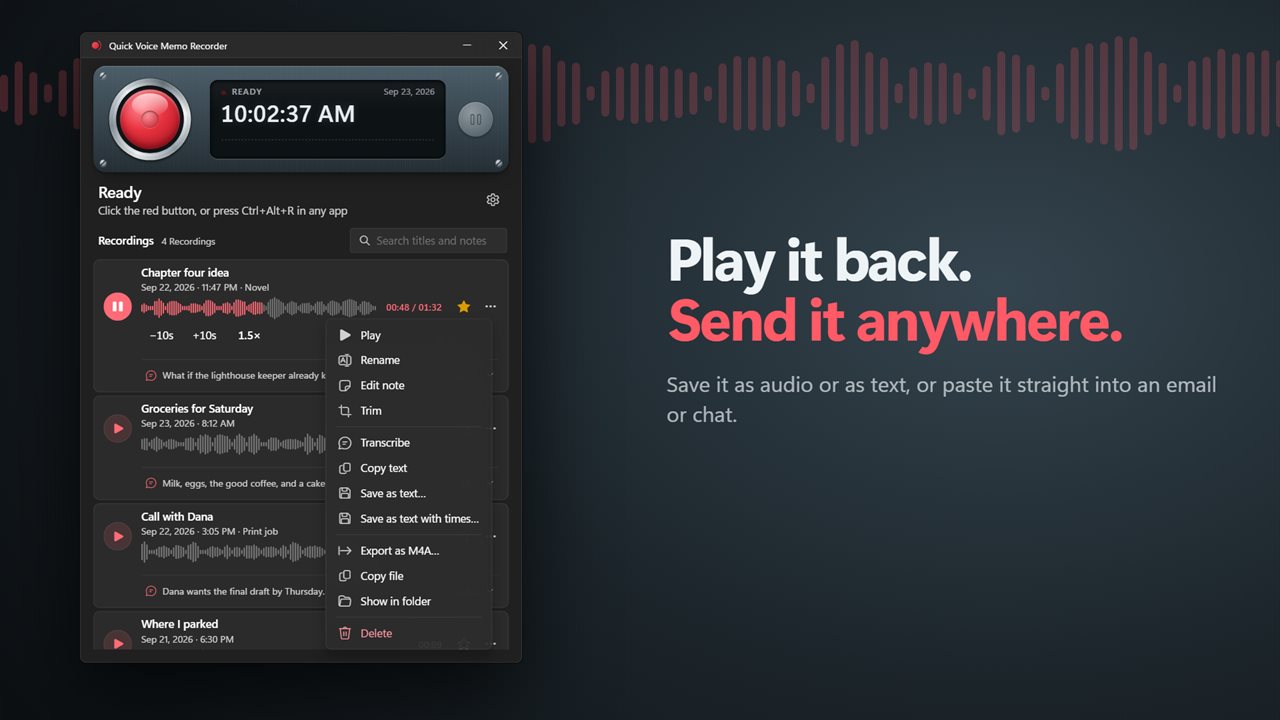
Every memo is turned into text as soon as you stop recording. Open a memo to read what you said, copy the text, or save it as a text file, with or without the times. The first few words can become the memo's title with one click.
Private by design
The text is made on your PC, not in the cloud. English works with no internet at all. Spanish, French, German, Italian, Portuguese and Dutch need a one-time download, then work offline too. Your recordings are never uploaded, and there is no account.
Find it again
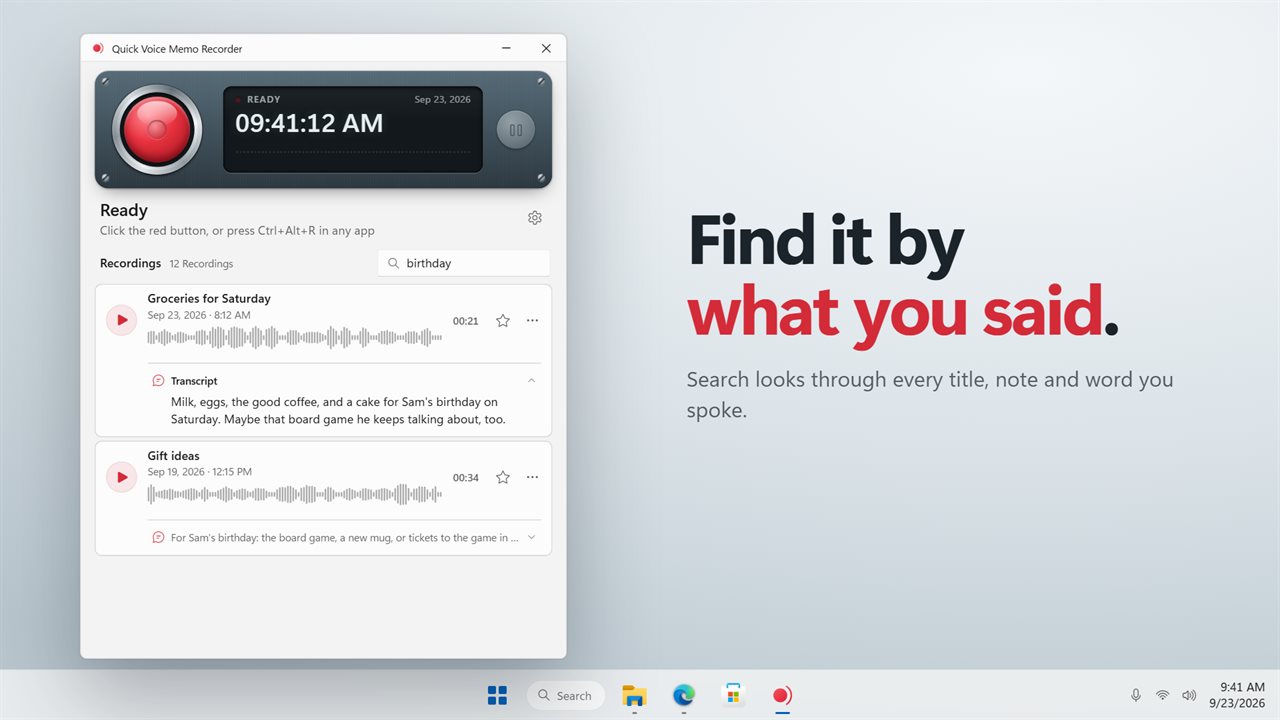
Search looks through every title, note and transcript, so you can find a memo by anything you said in it. Star the memos that matter to keep them at the top, rename them, and add notes.
Play, trim and share
Play a memo back at normal speed, 1.5x or 2x, and skip 10 seconds back or forward. Trim the start and end, with undo until you decide to keep it. Save a memo as M4A, or copy the file and paste it into an email, a chat or a folder.
Your phone as a remote
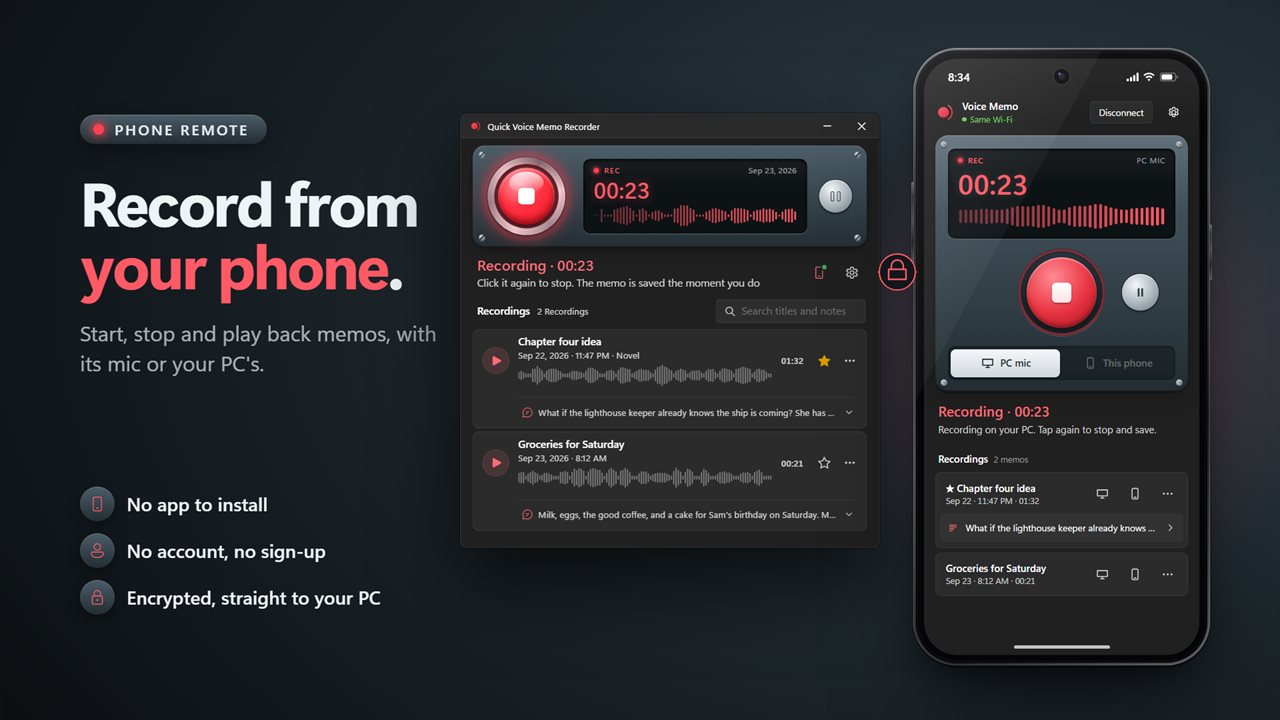
Scan the code in the app with your phone's camera, and your phone can start and stop a recording, play your memos and read what you said. Record with your PC's microphone or your phone's own. There is no app to install, no account and no sign-up. Your phone talks straight to your PC over an encrypted connection.
Your memos stay yours
Memos are saved as ordinary WAV files in Documents\VoiceMemo. Everything you recorded with an earlier version of the app is still there.
Features
- Record a voice memo with one click on the big red button
- Start and stop recording from any app with a keyboard shortcut, Ctrl+Alt+R unless you pick another
- A small REC timer sits at the top of the screen while you record. Click it to stop
- Pause and resume inside the same memo
- A live sound display while you talk, so you can see the microphone is hearing you
- Every memo is turned into text as soon as you stop recording
- The text is made on your PC. English works with no internet, and your recordings are never uploaded
- Spanish, French, German, Italian, Portuguese and Dutch too, after a one-time download
- Search your memos by title, note or anything you said in them
- Copy the text, or save it as a text file, with or without times
- Name a memo from its first few words with one click
- Play back at 1x, 1.5x or 2x, and skip 10 seconds back or forward
- Trim the start and end, and undo it until you decide to keep it
- Rename memos, add a note, and star the ones that matter to keep them at the top
- Save a memo as M4A, or copy the file to paste into an email, a chat or a folder
- Memos are saved as WAV files in Documents\VoiceMemo
- Memos recorded with earlier versions of the app are all still there
- Use your phone as a remote and a second mic to record, stop and play memos. No app to install and no account
- Choose which microphone to record from
- Waits in the notification area and can start with Windows. Light and dark themes, or match Windows
Details
- Works on
- Windows 10 (1809 or later) and Windows 11
- Download
- About 41.5 MB
- Version
- 2.1.3, updated October 2026
- First released
- January 2023
- Price
- $2.99 once. No subscription.
- Category
- Utilities & tools
What's new in 2.1.3
- New: every memo is turned into text on your PC. English works with no internet
- New: search memos by anything you said in them
- New: copy the text or save it as a text file
- New: record from any app with a shortcut, with a small REC timer at the top of the screen
- New: pause and resume, trim, and play back at up to 2x
- New: save a memo as M4A, or copy the file into an email or chat
- Your existing memos are all still there
Questions
Anything else? Ask us
Which versions of Windows does it run on?
Windows 10 (version 1809 or later) and Windows 11.
Is it a subscription?
No. Quick Voice Memo Recorder is a one-time purchase of $2.99, and updates are included.
How do I get it?
EvlarSoft apps are moving to direct downloads from this site. Ask to be notified and we will email you as soon as Quick Voice Memo Recorder is ready to download.