Volume Level Locker
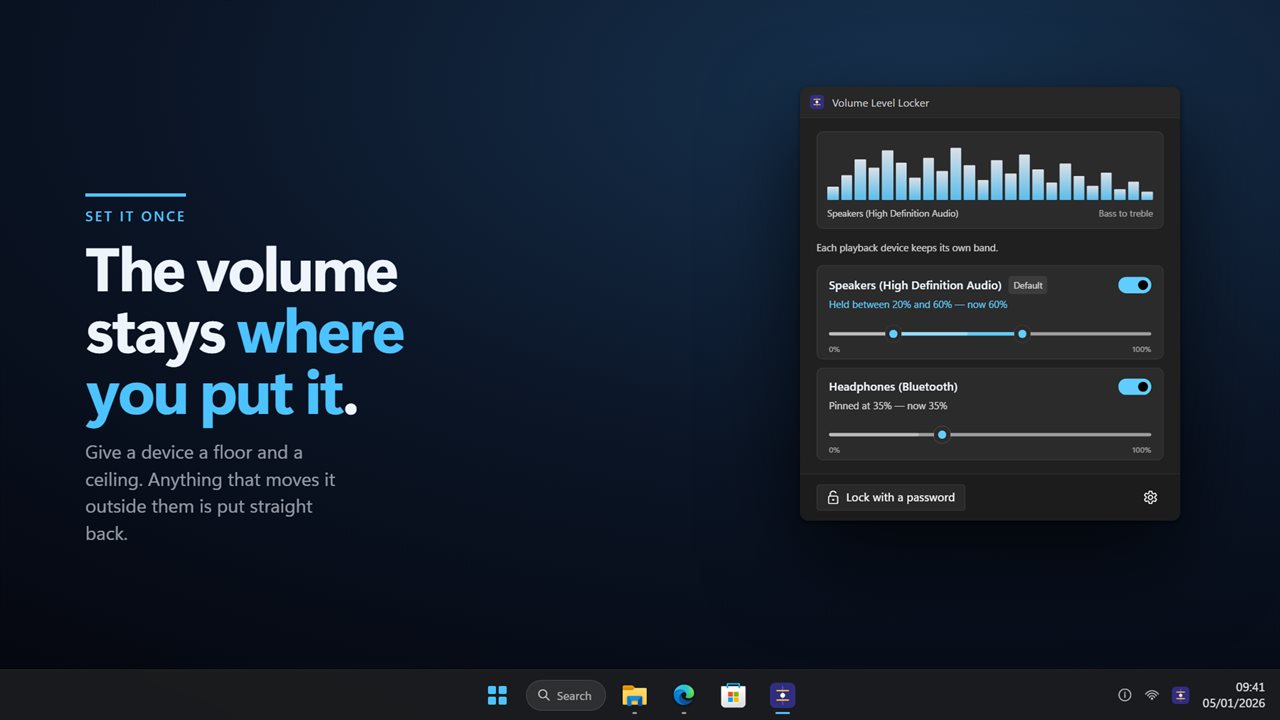
Set a volume and have it stay there. Volume Level Locker gives each playback device a floor and a ceiling and holds it between them, so anything that moves the volume outside the band — a keyboard key, a headset dial, another program, somebody else at the desk — is put straight back. Mute it and it unmutes, because a floor means sound keeps coming out. Every device keeps its own band, so the speakers and the headphones are not the same rule. Lock it with a password on a shared machine.
Set it once. Anything that moves the volume outside the band is put straight back.
See it in action
About Volume Level Locker
Windows lets anything move the volume. A media key, a headset dial, a program that decides it needs your attention, or whoever sat down at the PC after you.
Volume Level Locker gives the volume two walls and keeps it between them.
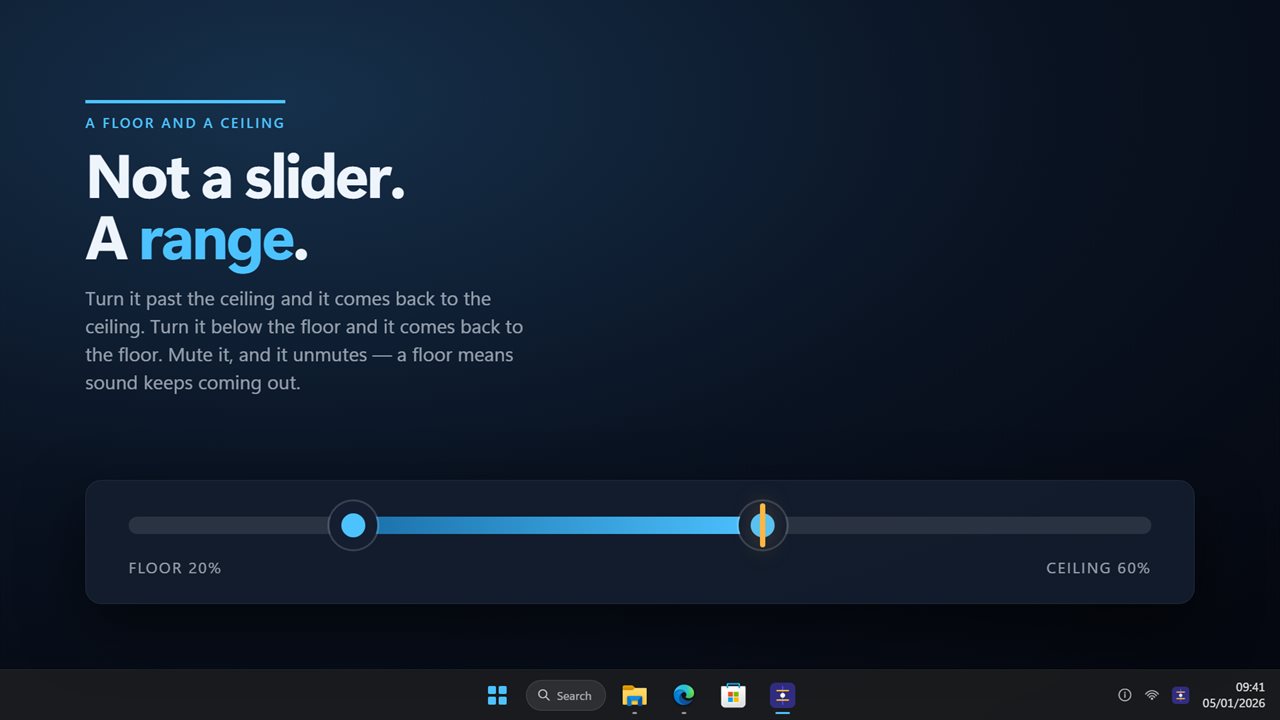
Not a slider. a range
A floor and a ceiling, set on one rail. Turn the volume past the ceiling and it comes back to the ceiling. Turn it below the floor and it comes back to the floor. Anywhere between the two, it is left alone — which matters, because a lock that pins the volume to one number is unusable the moment you legitimately want it slightly quieter.
Mute it, and it unmutes. A floor means sound keeps coming out.
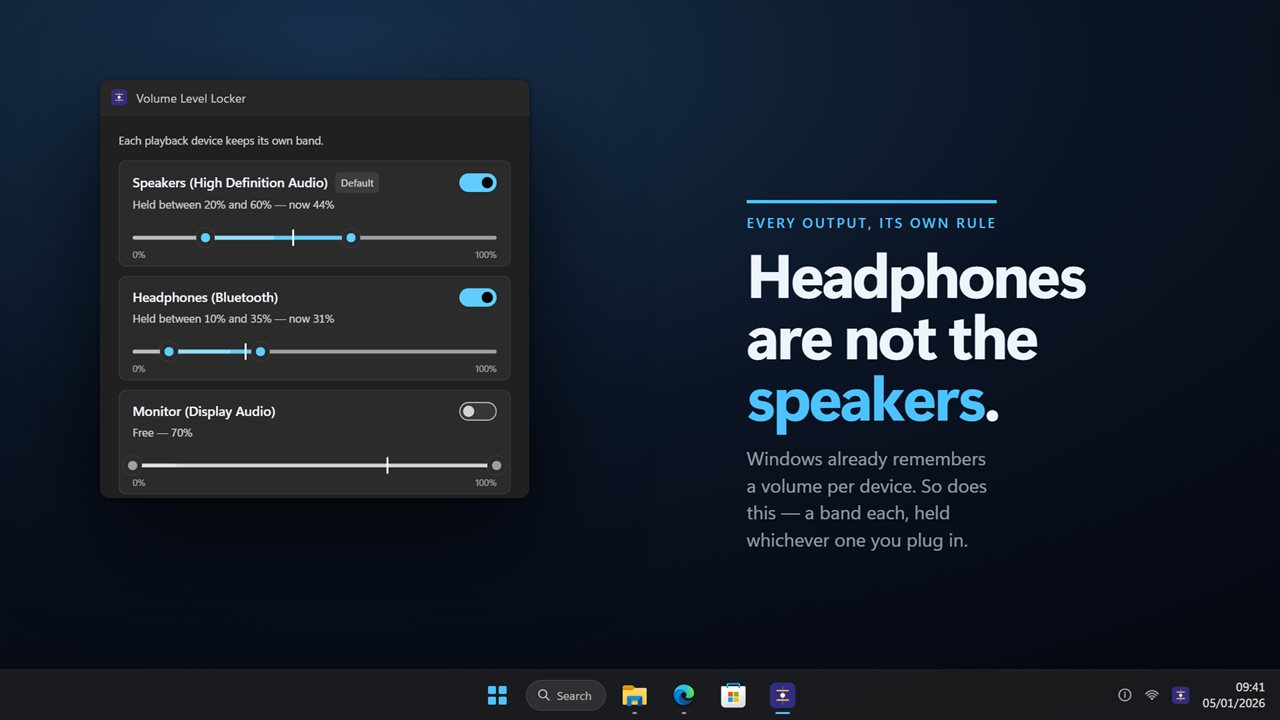
Every output, its own rule
The speakers and the headphones are not the same problem. Windows already remembers a volume for each device, and this remembers a band for each: the speakers held between 20% and 60%, the headphones pinned at 35%, the monitor left alone entirely. Plug something in and its own band is what gets held. Change the default device and it follows, without letting go of the others.
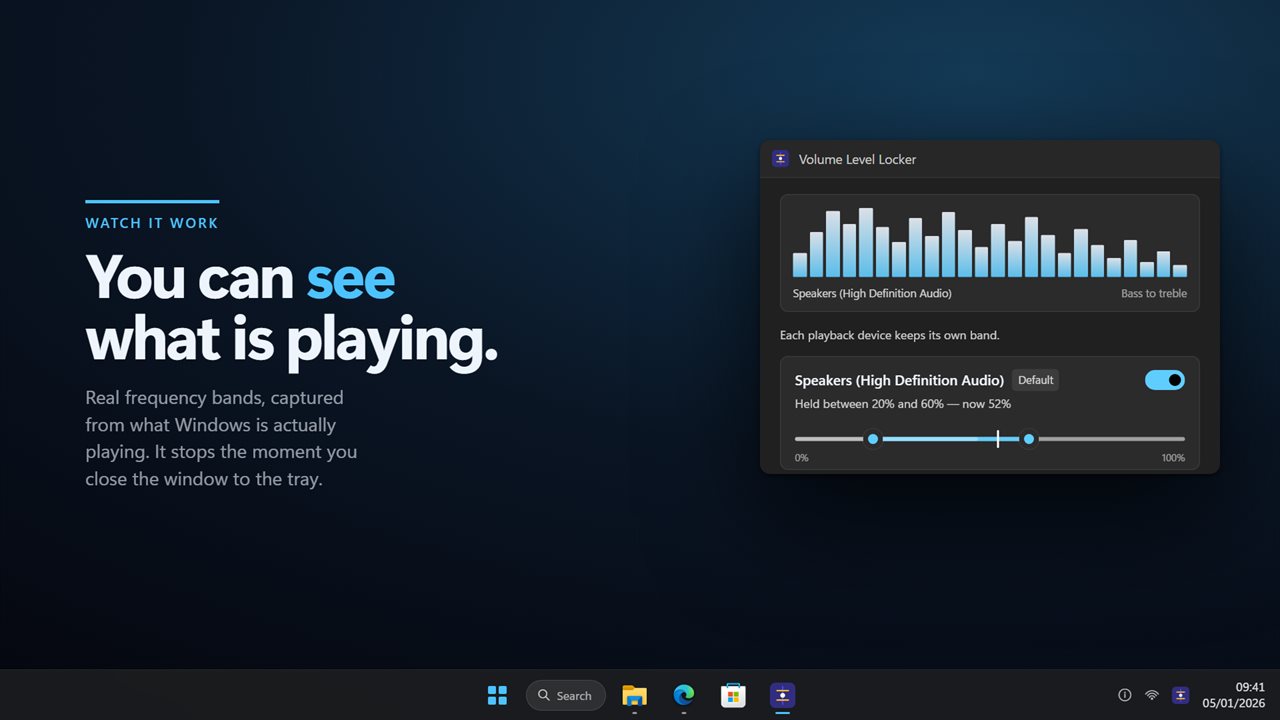
Watch it work
A visualizer across the top shows the frequency bands of what is actually playing, taken from the audio Windows is sending to the device — so you can see at a glance that the app is watching the right output. It stops the moment you close the window to the notification area, because a meter nobody is looking at is not worth the power.
Each device's rail carries the same idea at control size: the level that is coming out, drawn inside the band you allowed, so the rule and the sound are one picture rather than two.
Lock it
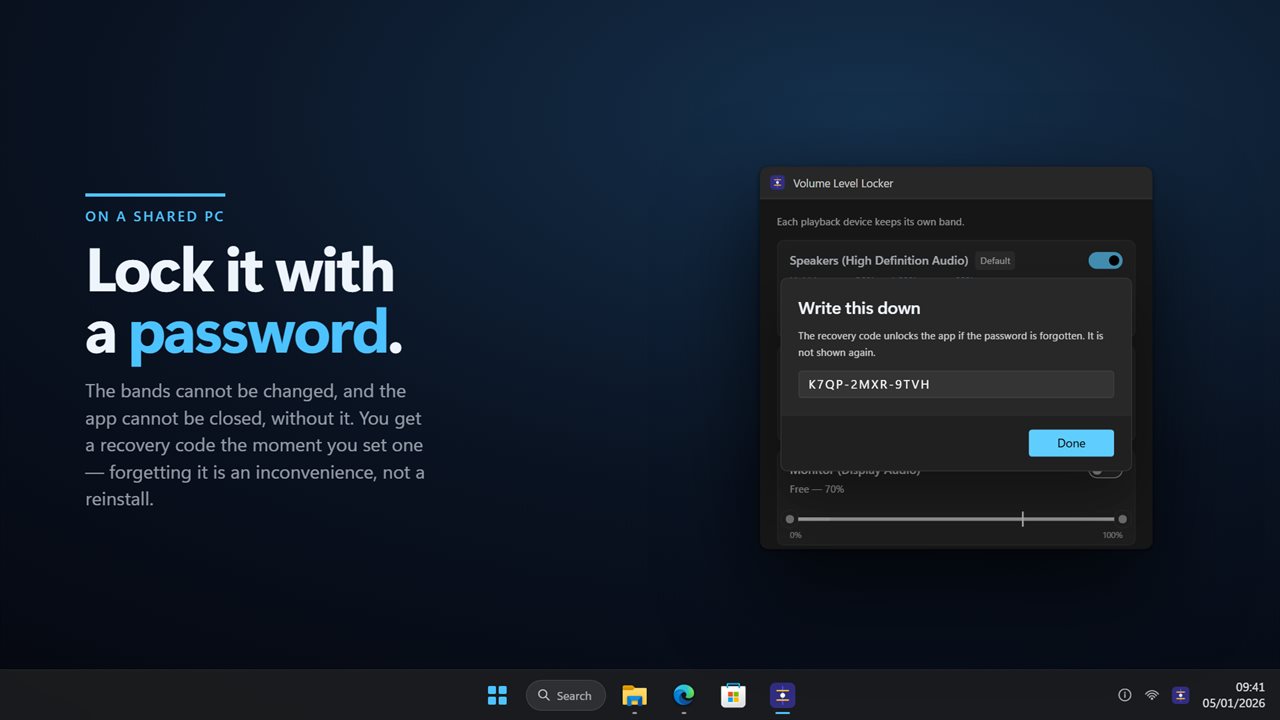
On a shared machine the bands can be locked with a password. Locked, they cannot be changed and the app cannot be closed — which is the point, since a lock that can be quit is not a lock.
You are given a recovery code the moment you set a password, and told to write it down. Forgetting the password is then an inconvenience rather than a reinstall.
Where it lives
In the notification area. Close the window and the bands stay held; click the icon and it is back. It can start with Windows, and it follows your light or dark theme.
Everything happens on this PC. There is no account, nothing is uploaded, and it works with no connection at all.
Features
- Locks a playback device to the volume you set
- A floor and a ceiling on one rail, not a single fixed level
- Anything that moves the volume outside the band is put straight back
- Unmutes, because a floor means sound keeps coming out
- A band of its own for every playback device, held whichever you plug in
- Follows the default device when it changes, and keeps holding the rest
- A live visualizer of what is actually playing
- Lock it with a password on a shared PC
- A recovery code the moment you set a password, so forgetting is not a reinstall
- Lives in the notification area and keeps holding with the window closed
- Follows the Windows light and dark themes
- Works offline. No account, and nothing is uploaded
Details
- Works on
- Windows 10 (1809 or later) and Windows 11
- Download
- About 2.5 MB
- Version
- 2.0.7, updated October 2026
- First released
- August 2023
- Price
- $2.99 once. No subscription.
- Category
- Utilities & tools
What's new in 2.0.7
- Fixed: once a band’s two ends were dragged together into a pin, neither end could be moved again and the volume stayed held there
Questions
Anything else? Ask us
Which versions of Windows does it run on?
Windows 10 (version 1809 or later) and Windows 11.
Is it a subscription?
No. Volume Level Locker is a one-time purchase of $2.99, and updates are included.
How do I get it?
EvlarSoft apps are moving to direct downloads from this site. Ask to be notified and we will email you as soon as Volume Level Locker is ready to download.
More from EvlarSoft
 Modern Audio BalancerA left and right balance slider that lives beside your clock.
 Audio Levels MonitorA level meter for whatever your PC is playing, or whatever your microphone is hearing — real dBFS, one bar per channel.
 Audio Input/Output LockWindows moves your default speakers and microphone on its own — a monitor wakes, a headset reconnects, a game exits — and there is no setting that stops it.