Audio Input/Output Lock
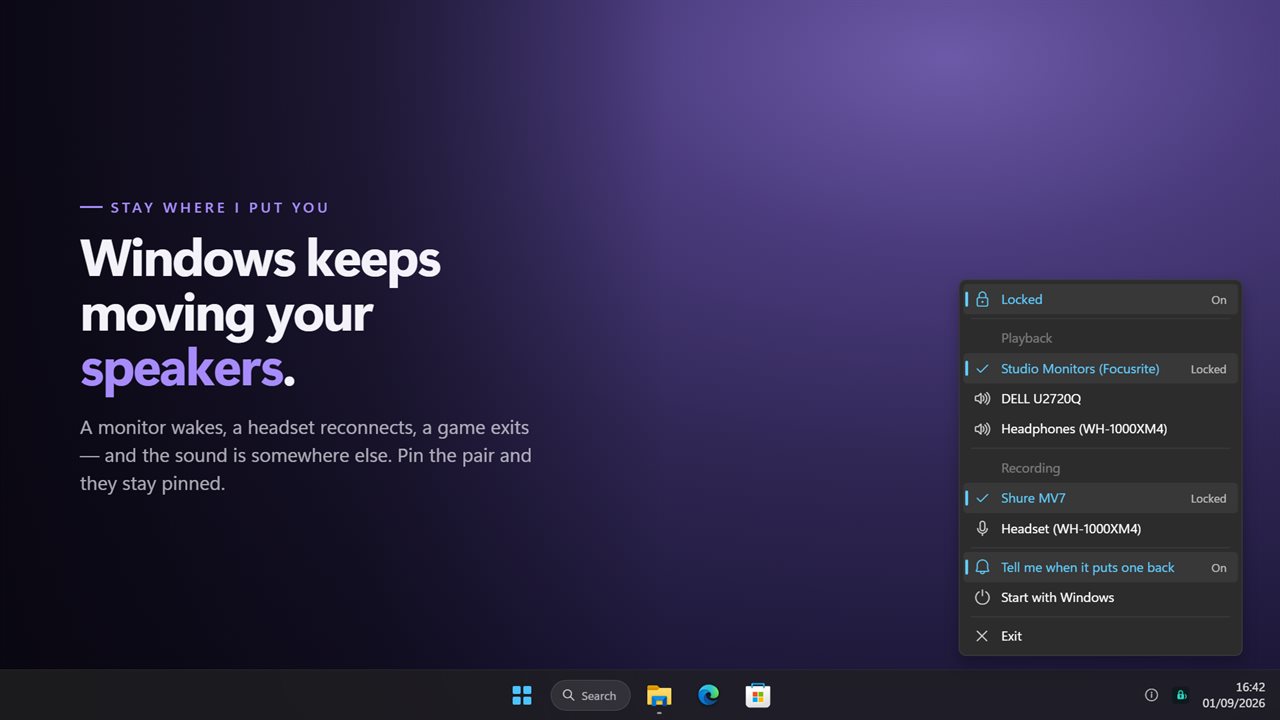
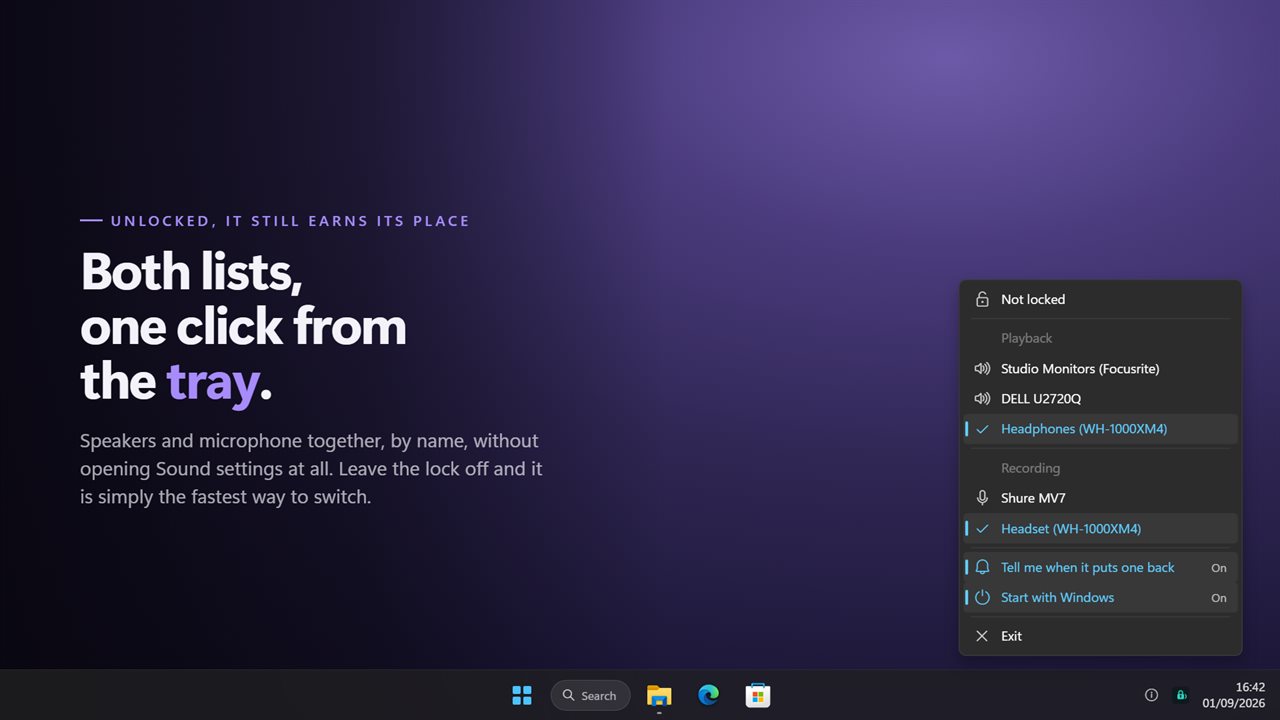
Windows moves your default speakers and microphone on its own — a monitor wakes, a headset reconnects, a game exits — and there is no setting that stops it. Audio Input/Output Lock holds both where you put them, puts them back within a moment of anything changing them, and tells you which one moved. Unlocked it is still the fastest way to switch: both device lists in one menu in the notification area, without opening Sound settings at all.
Pin your speakers and microphone, and they stay pinned.
See it in action
About Audio Input/Output Lock
Windows has opinions about which speakers you want. A monitor wakes up over HDMI and takes your sound with it. A headset reconnects and grabs the microphone. A game exits and leaves you somewhere else entirely. There is no setting anywhere that stops it.
Pin the pair
Pick your speakers and your microphone from the menu in the notification area, switch the lock on, and they stay. Anything that moves them — Windows, a driver, another app — is undone within a moment.
Choosing a device is what locks it. In the old version those were two separate things, so picking your headset while the lock was on put you straight back on the speakers you had just left.
It tells you when it acts
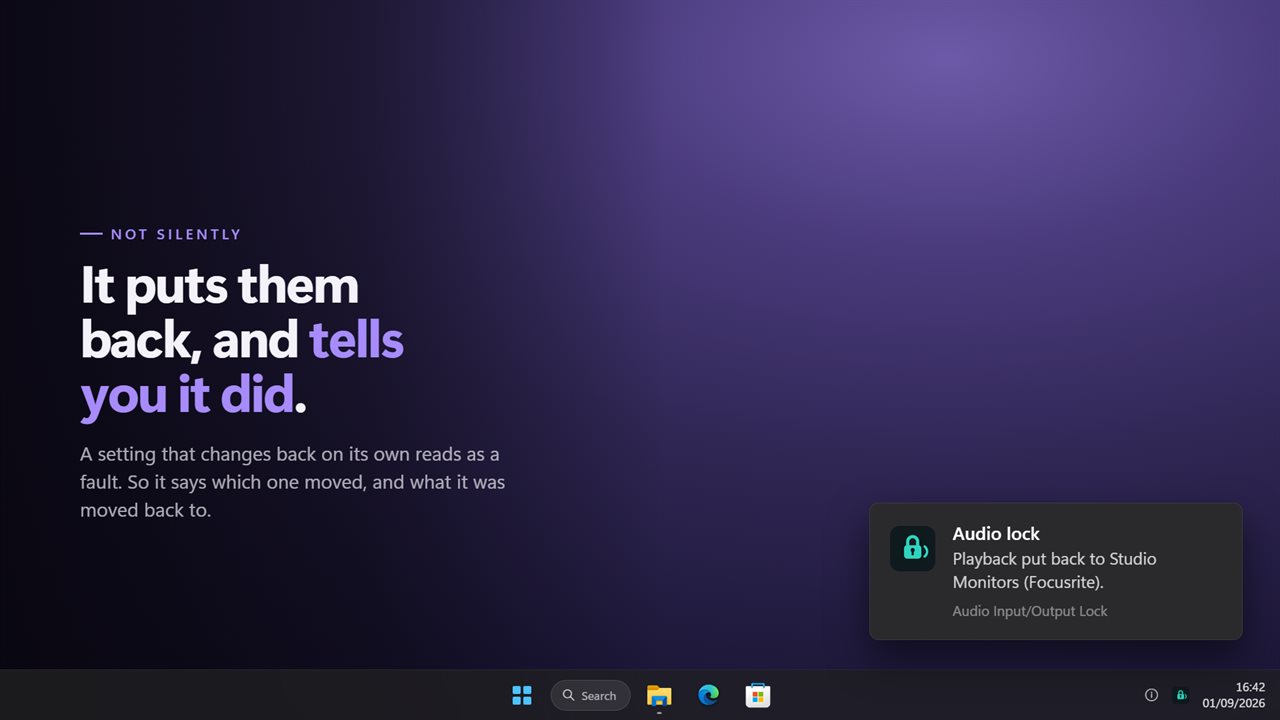
A setting that changes back on its own reads as a fault. So when it puts a device back it says so, and names the device — which one moved, and what it was moved back to. You can turn that off if you would rather it worked in silence.
And if the device it is holding is unplugged, it lets go and tells you, rather than fighting a machine that no longer has that hardware.
It is still locked tomorrow
The lock is remembered across a restart. The previous version wrote it off every single time it started — which is precisely the moment nobody is watching, because it starts with Windows.
Or just use it to switch
Leave the lock off and it is a device switcher: playback and recording in one menu, listed by name, one click from the tray. No Sound settings, no right-clicking the volume icon, no scrolling a dialog.
Where it lives
In the notification area, with no window anywhere. The menu is drawn to match the rest of Windows 11 rather than handed over as a grey box from 1995, and it follows your light or dark theme.
It waits on Windows to report a change instead of asking a hundred times a second, which is what the old version did — so it costs nothing while nothing is happening. Everything happens on this PC: there is no account, nothing is uploaded, and it works with no connection at all.
Features
- Holds your speakers and your microphone where you put them
- Puts a device back within a moment of anything moving it
- Tells you which one moved and what it was put back to
- The lock survives a restart — the old version switched itself off on every start
- Both lists in one menu, so switching speakers and microphone is one trip
- Choosing a device is what locks it, instead of a switch three rows away
- Lets go and says so when the device it was holding is unplugged
- Waits on Windows for notice of a change rather than polling a hundred times a second
- Starts with Windows
- Follows the Windows light and dark themes
- Works offline. No account, and nothing is uploaded
Details
- Works on
- Windows 10 (1809 or later) and Windows 11
- Download
- About 2.5 MB
- Version
- 2.0.8, updated October 2026
- First released
- September 2022
- Price
- $2.99 once. No subscription.
- Category
- Utilities & tools
What's new in 2.0.8
- Fixed: the lock survives a restart. The old version wrote it off on every start, so it was never on when it mattered
- New: it tells you which device moved and what it was put back to, instead of acting in silence
- New: it lets go and says so when the device it was holding is unplugged
- Choosing a device now locks it. Picking one while the lock was on used to put you straight back where you were
- It waits on Windows to report a change instead of polling a hundred times a second and rebuilding the device list every pass
- Playback and recording are in one menu, with the lock at the top rather than buried under both lists
- No longer switches autostart on by itself the first time it runs
- Redesigned menu that matches Windows 11 and follows the light and dark themes
Questions
Anything else? Ask us
Which versions of Windows does it run on?
Windows 10 (version 1809 or later) and Windows 11.
Is it a subscription?
No. Audio Input/Output Lock is a one-time purchase of $2.99, and updates are included.
How do I get it?
EvlarSoft apps are moving to direct downloads from this site. Ask to be notified and we will email you as soon as Audio Input/Output Lock is ready to download.