DICOM Viewer
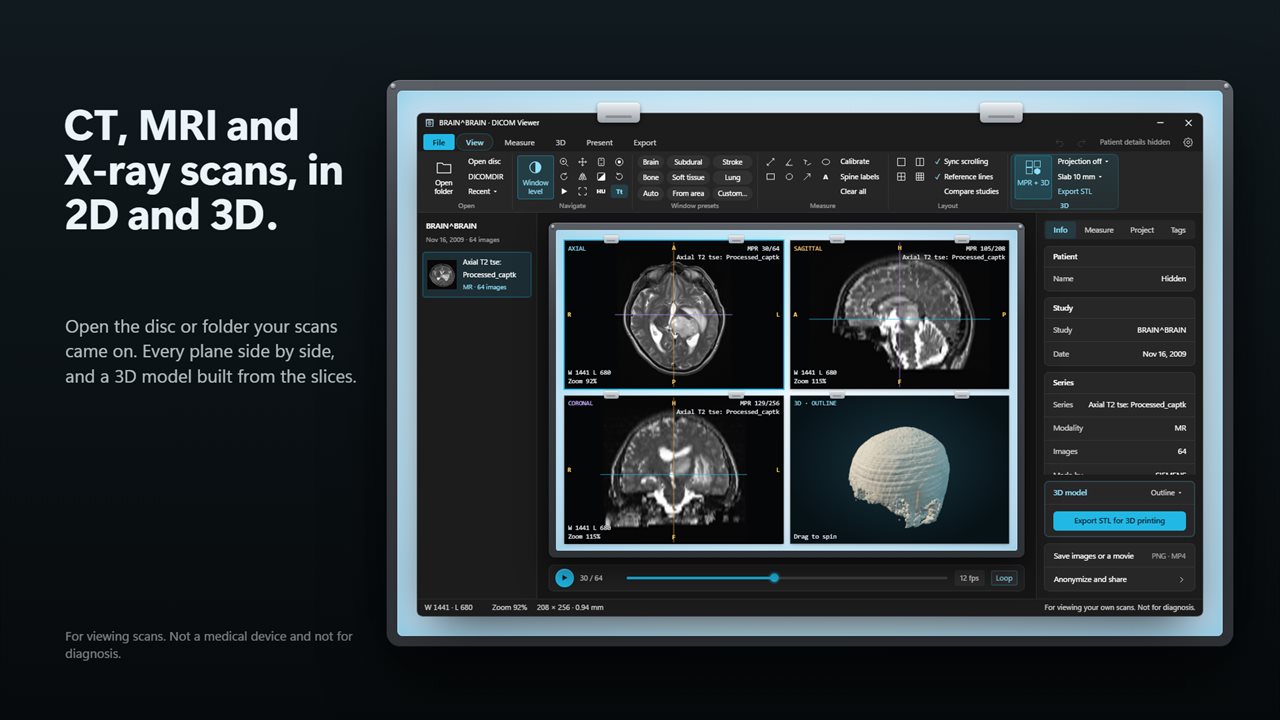
Open the CT, MRI or X-ray scans from your disc or folder. Scroll the slices, see every plane side by side, measure, and turn the scan into a 3D model you can export as STL. For viewing only: not a medical device and not for diagnostic use.
CT, MRI and X-ray scans, every plane side by side with a 3D model.
See it in action
About DICOM Viewer
Open the scans from your CD, see them in 2D and 3D.
DICOM Viewer is for viewing scans, not for diagnosis. It is not a medical device, it has not been cleared by the FDA or any other regulator, and it must not be used to make any clinical decision. If you are a patient, talk to your doctor about your images.
Open your scans
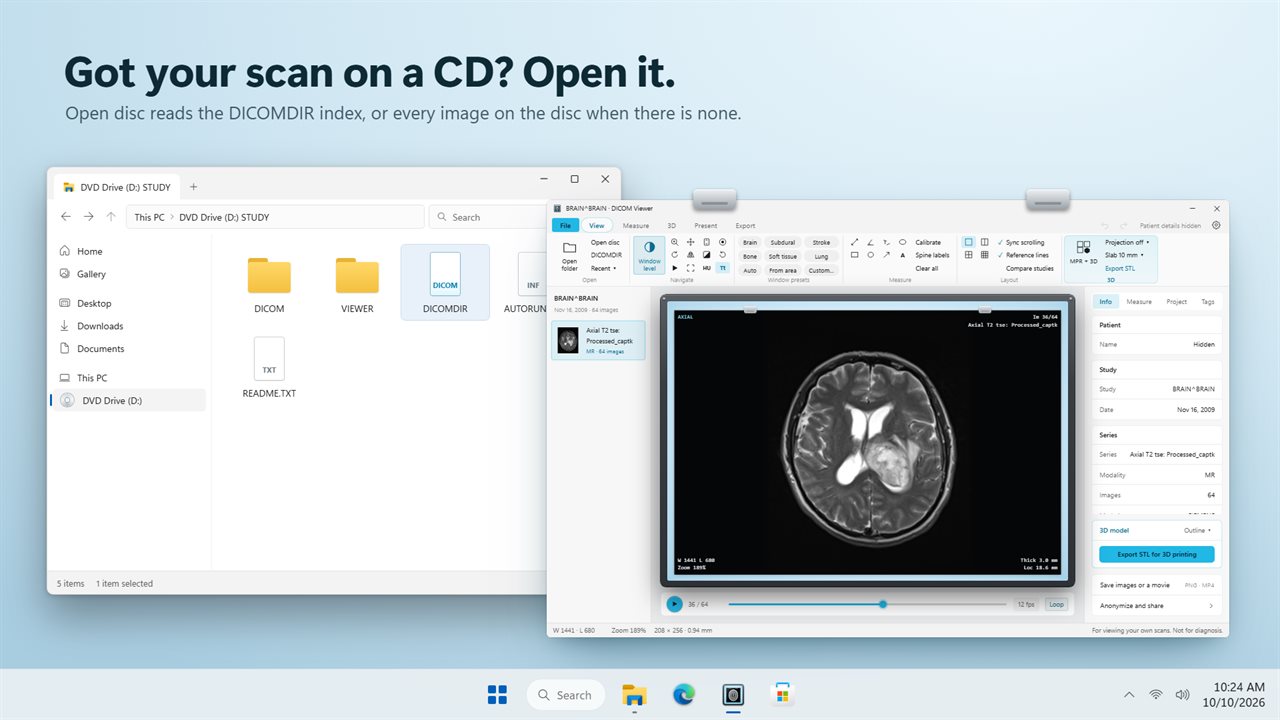
Put in the CD or DVD that came with your scan and choose Open disc. DICOM Viewer reads the DICOMDIR index, or every image on the disc when there is none, and sorts the study into its series. Folders, single files and files with no extension open too, and you can drop them on the window. Compressed images (JPEG, JPEG lossless, JPEG-LS, JPEG 2000 and RLE) open as well as plain ones.
Look through the slices
Scroll through a CT or MRI series, play it as a movie, zoom, pan, rotate, flip and invert. Brightness and contrast presets for brain, subdural, stroke, bone, soft tissue and lung CT are one click away, or drag to set your own. Put 1, 2, 4 or 9 images side by side, or compare two studies.
Every plane, and 3D
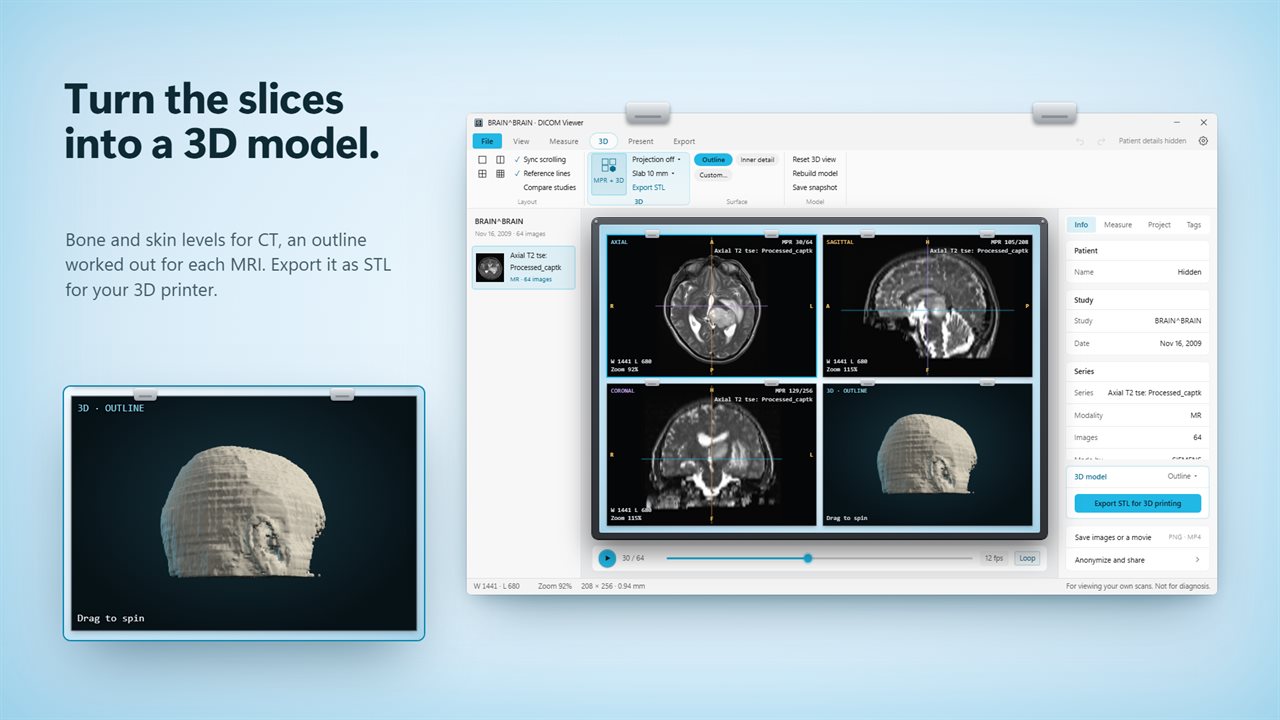
MPR + 3D rebuilds front and side views from the slices, with lines showing where each one cuts the others, and builds a 3D model you can spin. CT has bone, dense bone and skin levels; an MRI gets an outline and an inner-detail level worked out from the scan itself. Thick-slab views show the brightest, darkest or average of 2 to 40 mm of slices.
Print it
Export the 3D model as an STL file for your 3D printer or another 3D app.
Measure
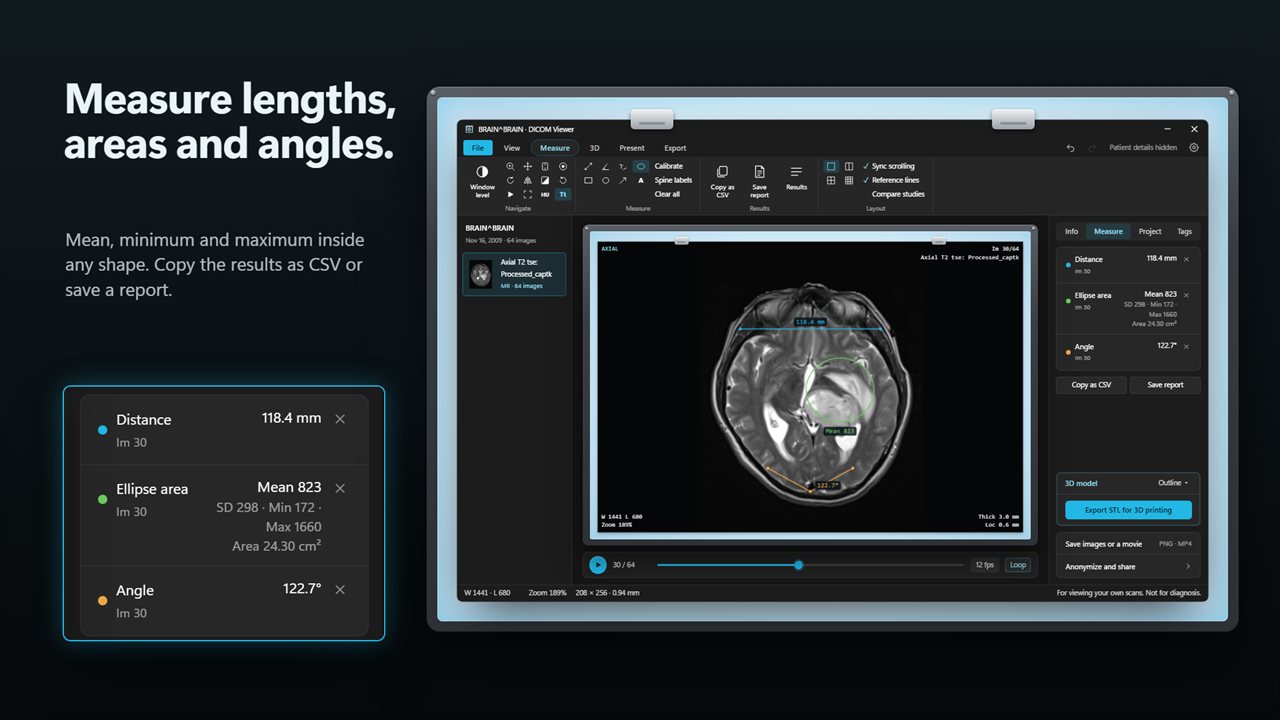
Distance, angle, Cobb angle, rectangle, ellipse and freehand areas with mean, minimum and maximum inside them, pixel values, arrows, notes and spine labels. Calibrate images that have no scale. Copy the results as CSV or save a report.
Show a patient
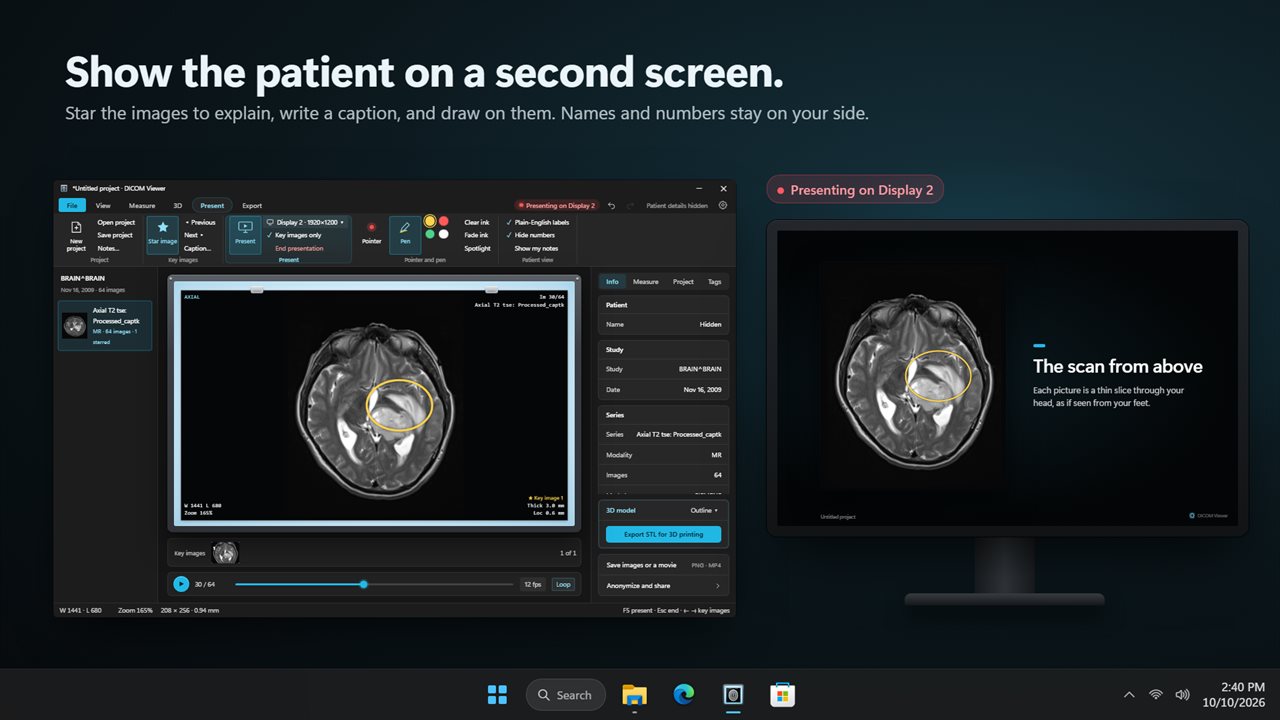
Present sends one image at a time to a second screen: the key images you starred, the captions you wrote, and your pointer and pen. Patient names and IDs never go across, and plain-English labels replace the medical ones. Projects keep the key images, captions, measurements and your own notes for next time.
Share safely
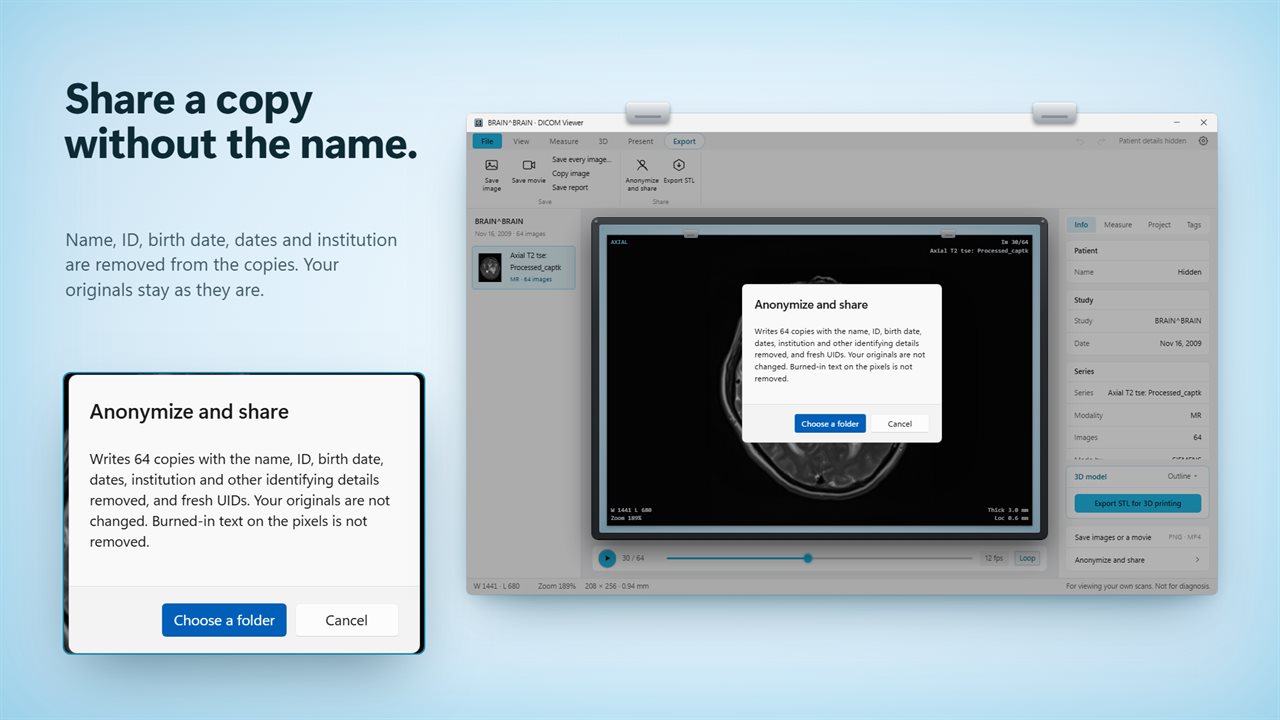
Patient details are hidden on screen until you choose to show them. Anonymize writes copies of the study with the name, ID, birth date, dates, institution and other identifying details removed. Save any image as PNG or the series as a movie.
Everything happens on your PC. Your scans are never uploaded.
Features
- Open CT, MRI and X-ray scans from a CD, a DICOMDIR, a folder or single DICOM files
- Every series in the study in a side list, with layouts of 1, 2, 4 or 9 images
- Axial, coronal and sagittal views rebuilt from the slices, with reference lines
- A 3D model of the scan you can spin, with bone, dense bone and skin levels for CT
- MRI and other scans get an outline and an inner-detail level worked out from the scan itself
- Export the 3D model as an STL file for 3D printing
- Brightness and contrast presets for brain, subdural, stroke, bone, soft tissue and lung CT
- Measure distance, angles, Cobb angles and areas, with mean, minimum and maximum inside each shape
- Present mode shows key images on a second screen, with your captions, pointer and pen
- Save images as PNG, the series as a movie, and measurements as CSV
- Anonymize a study: copies with the name, ID, birth date and dates removed
- Patient details hidden on screen by default, and a list of every DICOM tag
Details
- Works on
- Windows 10 (1809 or later) and Windows 11
- Download
- About 3.5 MB
- Version
- 1.0.2, updated October 2026
- First released
- October 2026
- Price
- $29.99 once. No subscription.
- Category
- Productivity
Questions
Anything else? Ask us
Which versions of Windows does it run on?
Windows 10 (version 1809 or later) and Windows 11.
Is it a subscription?
No. DICOM Viewer is a one-time purchase of $29.99, and updates are included.
How do I get it?
EvlarSoft apps are moving to direct downloads from this site. Ask to be notified and we will email you as soon as DICOM Viewer is ready to download.