XPS Viewer
Open, read and print XPS and OXPS files, save them as PDF, and unprint them back into a Word document you can edit.
Open XPS and OXPS files again, every page.
See it in action
About XPS Viewer
Got an .xps or .oxps file and nothing to open it with? Since the April 2018 update to Windows 10, Windows no longer installs XPS Viewer by default, so on many PCs these files just sit there. XPS Viewer opens them again.
Read and print
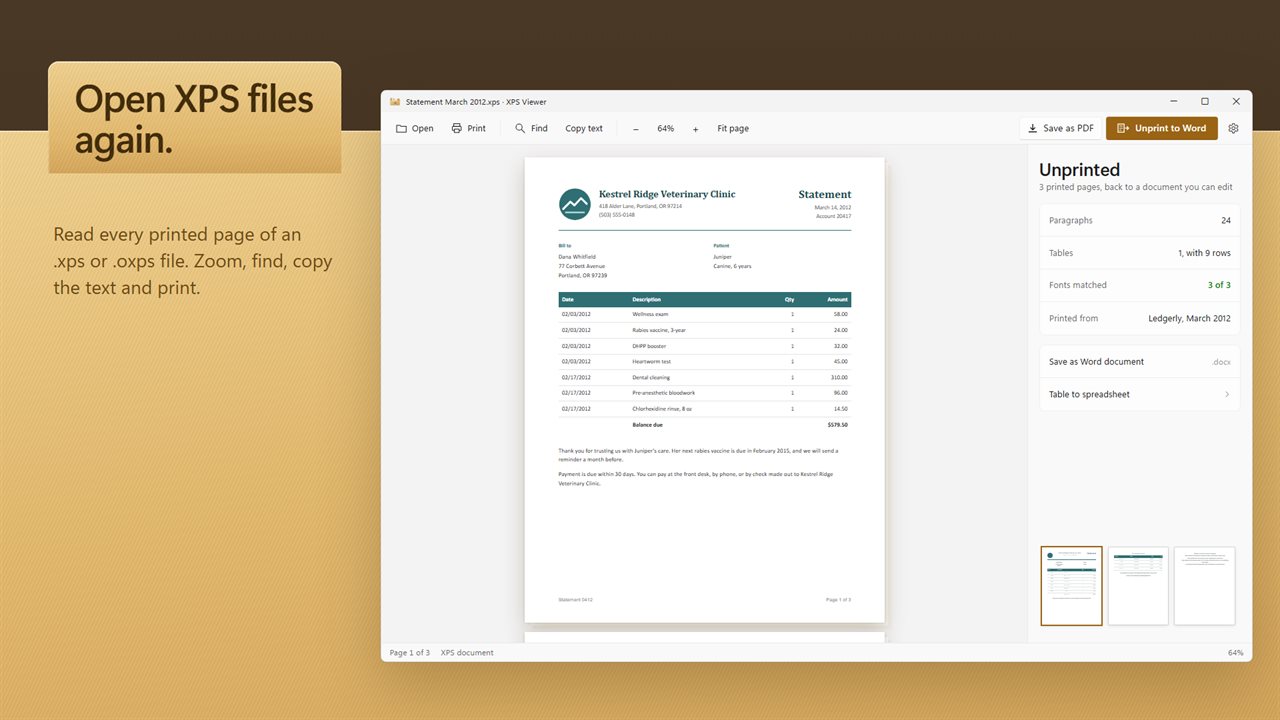
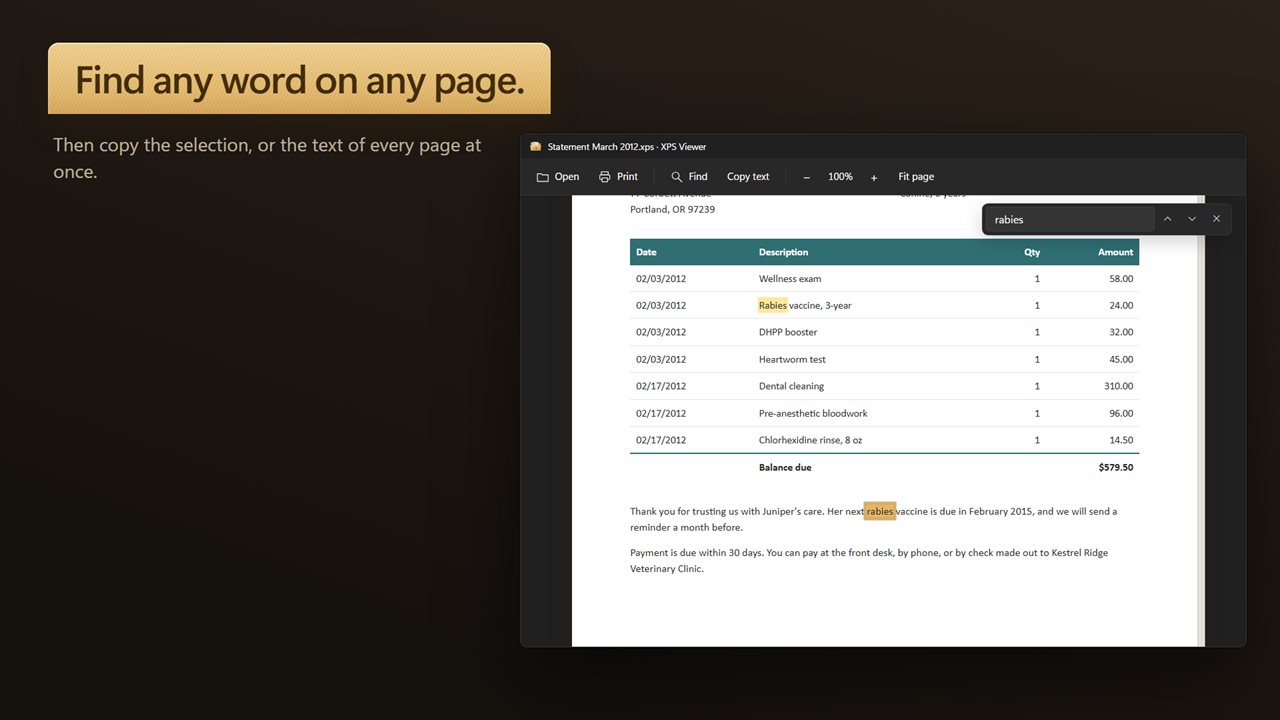
Open any XPS or OpenXPS document: printouts made with the XPS Document Writer printer, receipts, statements, and the files in old office archives. Page through it, zoom in, fit the page, jump around with thumbnails, find a word, and print it.
Save as PDF
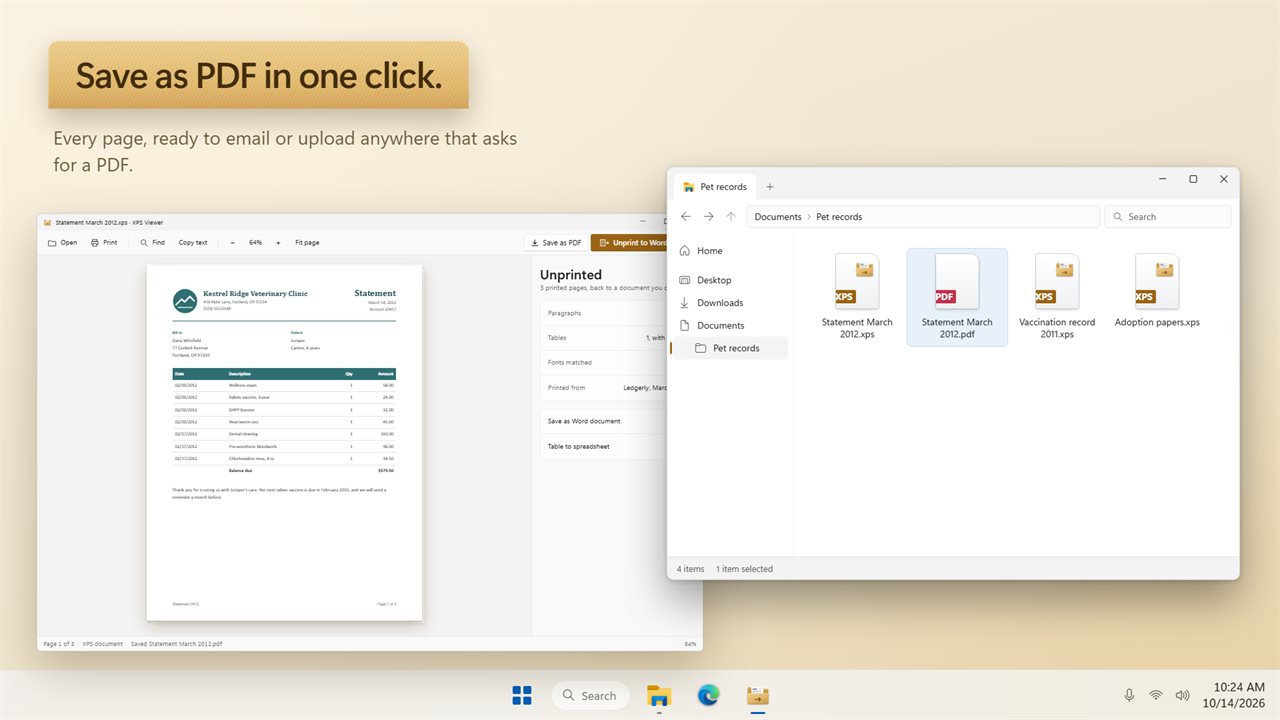
One click saves the whole document as a PDF, ready to email or upload anywhere that asks for one.
Unprint to Word
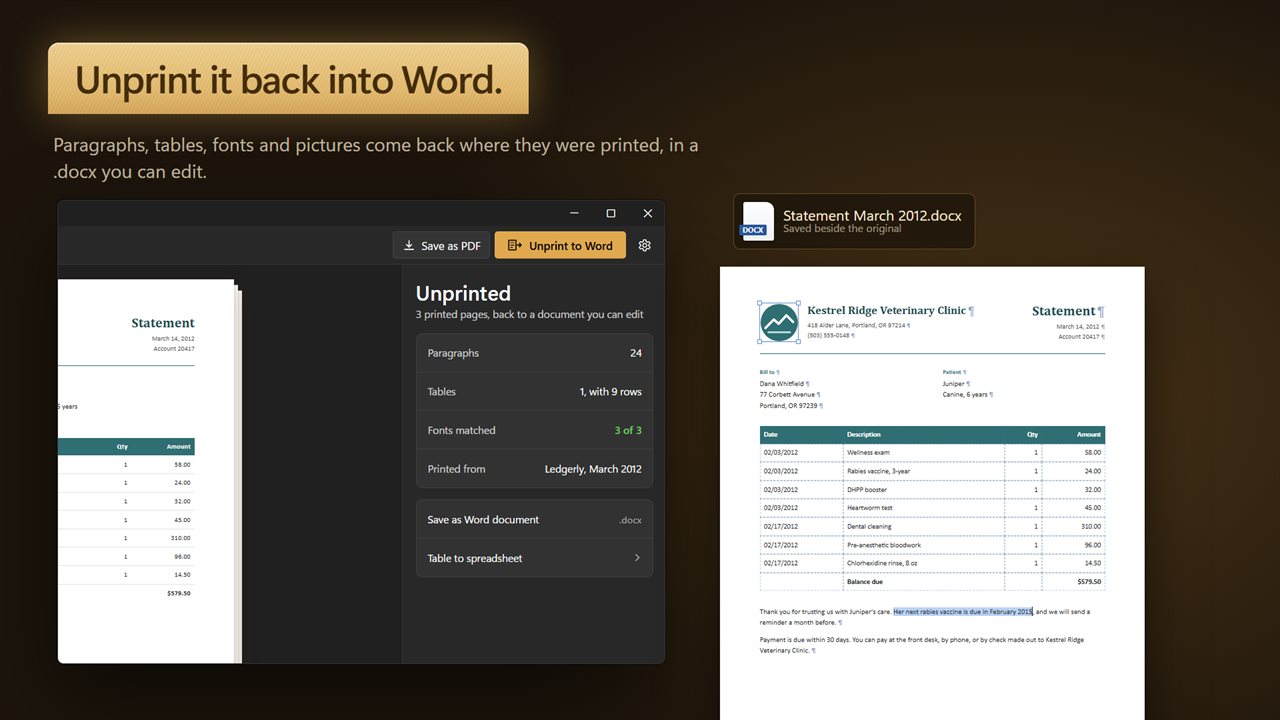
An XPS file is a printout: the words are frozen in place. Unprint reads the printed pages and rebuilds them as a Word document you can edit. Lines that wrapped are joined back into paragraphs, words split by a hyphen are put back together, tables come back as real tables, and pictures land where they were printed. You can also save it as Rich Text.
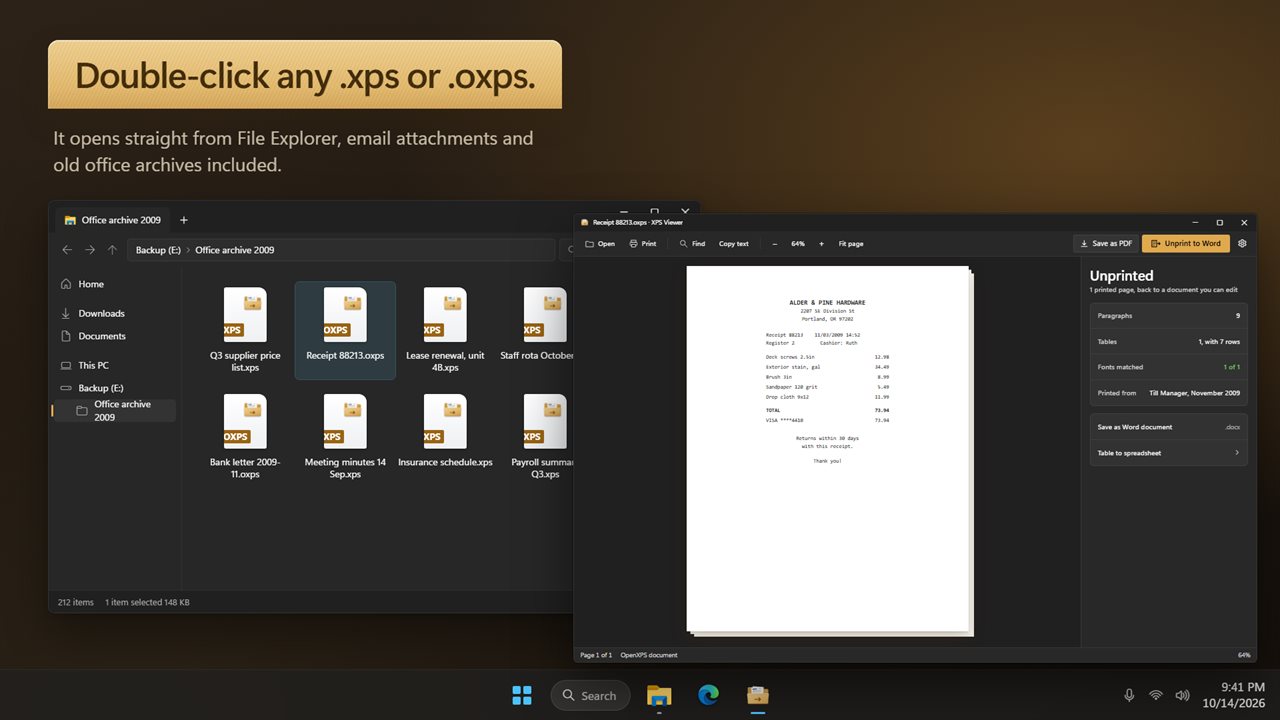
XPS Viewer tells you what it found before you save: how many paragraphs and tables, whether the fonts are on your PC, and which program printed the file and when.
Tables to a spreadsheet
Price lists, statements and reports often hold a table. Copy every table in the document into an Excel workbook, one sheet per table, with the numbers stored as numbers.
Copy the text
Select some text and copy it, or copy the text of every page at once.
Private by design
Everything happens on your PC. No account, no upload, and it works offline.
Features
- Open .xps and .oxps files, including printouts from the XPS Document Writer printer
- Read every page, zoom in and out, or fit the whole page
- Page thumbnails to jump straight to any page
- Find any word in the document
- Copy the selected text, or the text of every page at once
- Print the document
- Save as PDF in one click
- Unprint to Word: rebuild the printed pages as an editable .docx, with paragraphs, tables, fonts and pictures where they were
- Also saves as Rich Text (.rtf)
- Copy the tables on the pages into an Excel spreadsheet (.xlsx)
- See how many paragraphs and tables were found, which fonts are on your PC, and which program printed the file and when
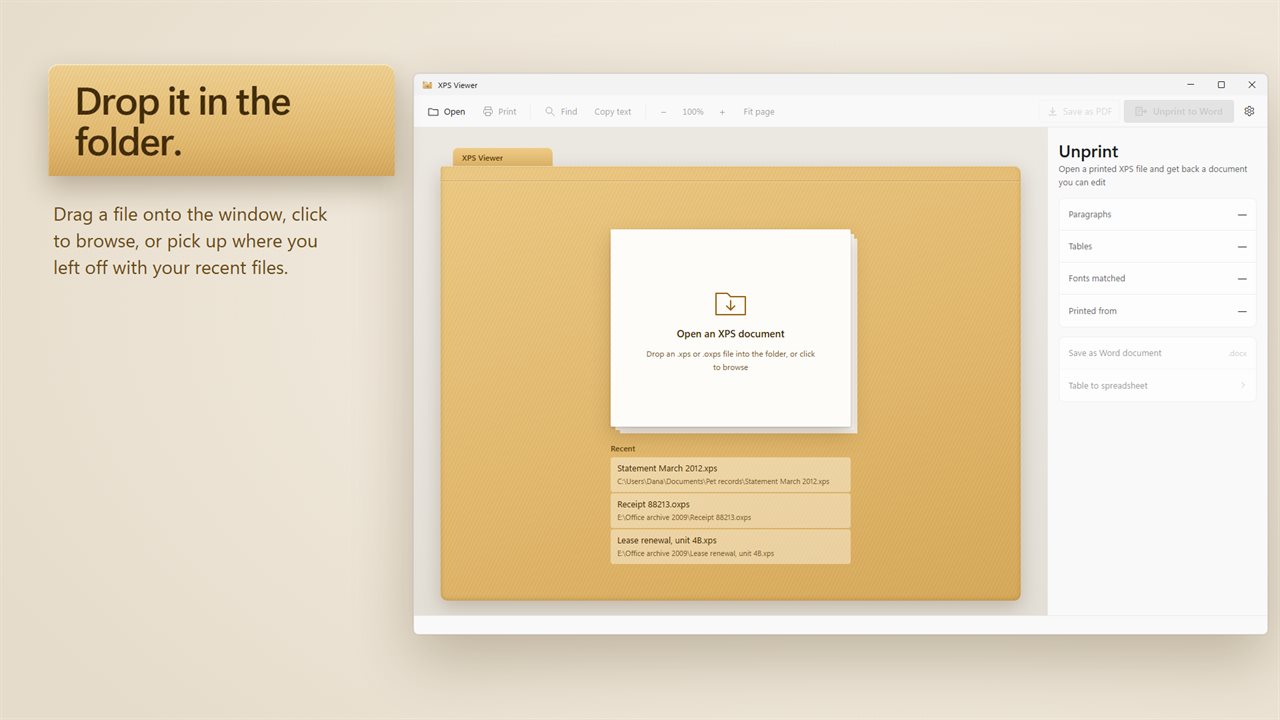
- Opens from File Explorer with a double-click, or drag a file onto the window
- Light and dark themes
- Works offline. Your documents never leave your PC
Details
- Works on
- Windows 10 (1809 or later) and Windows 11
- Download
- About 58.6 MB
- Version
- 1.0.2, updated October 2026
- First released
- October 2026
- Price
- $4.99 once. No subscription.
- Category
- Productivity
Questions
Anything else? Ask us
Which versions of Windows does it run on?
Windows 10 (version 1809 or later) and Windows 11.
Is it a subscription?
No. XPS Viewer is a one-time purchase of $4.99, and updates are included.
How do I get it?
EvlarSoft apps are moving to direct downloads from this site. Ask to be notified and we will email you as soon as XPS Viewer is ready to download.