Mind Map
Brainstorm, plan and outline as a mind map. Type a list and the map grows, then switch between six layouts, add relationships and markers, present it branch by branch and export to PowerPoint or PDF.
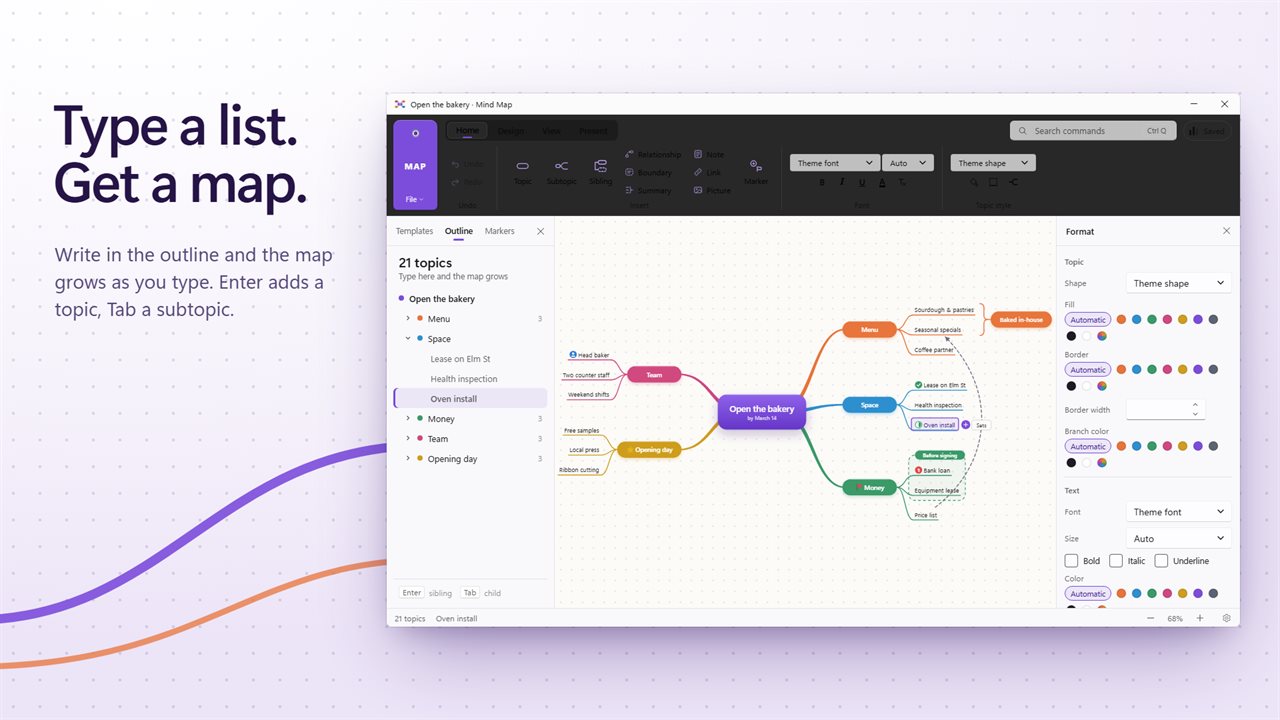
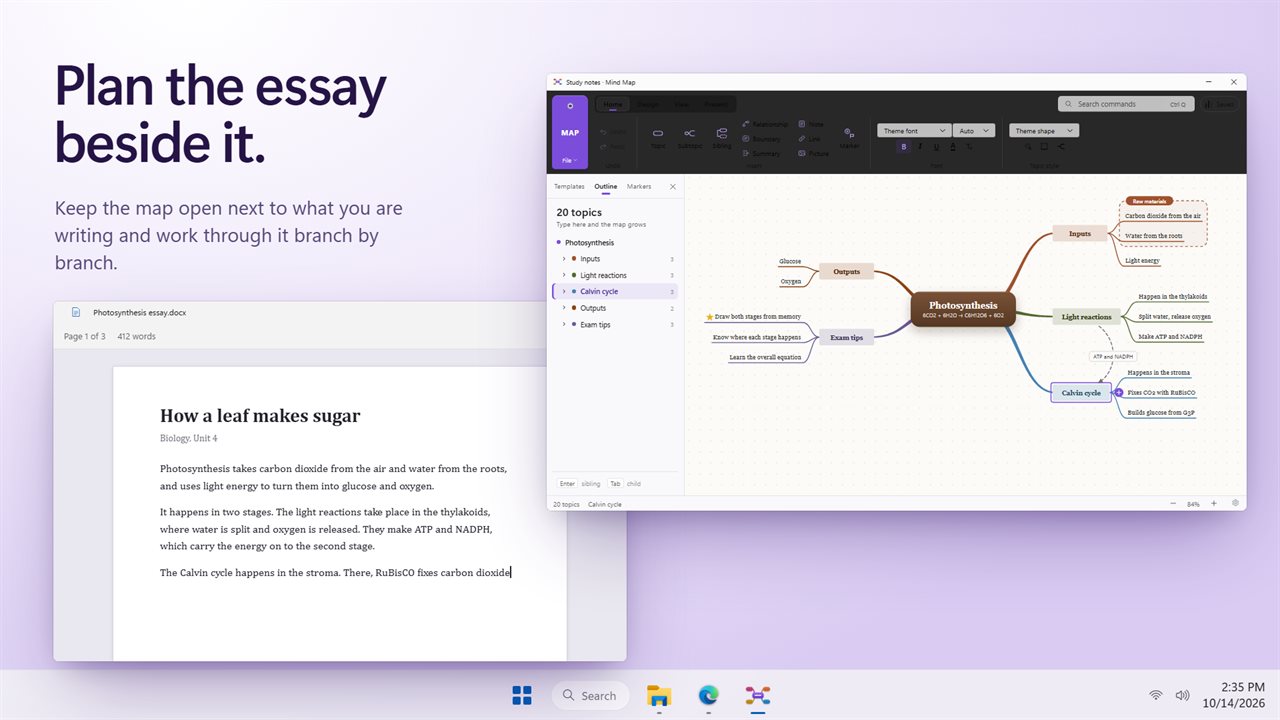
Type in the outline and the map grows as you go.
See it in action
About Mind Map
A mind map app for Windows that keeps up with you. Type a list in the outline and the map grows beside it, one topic per line.
For planning anything
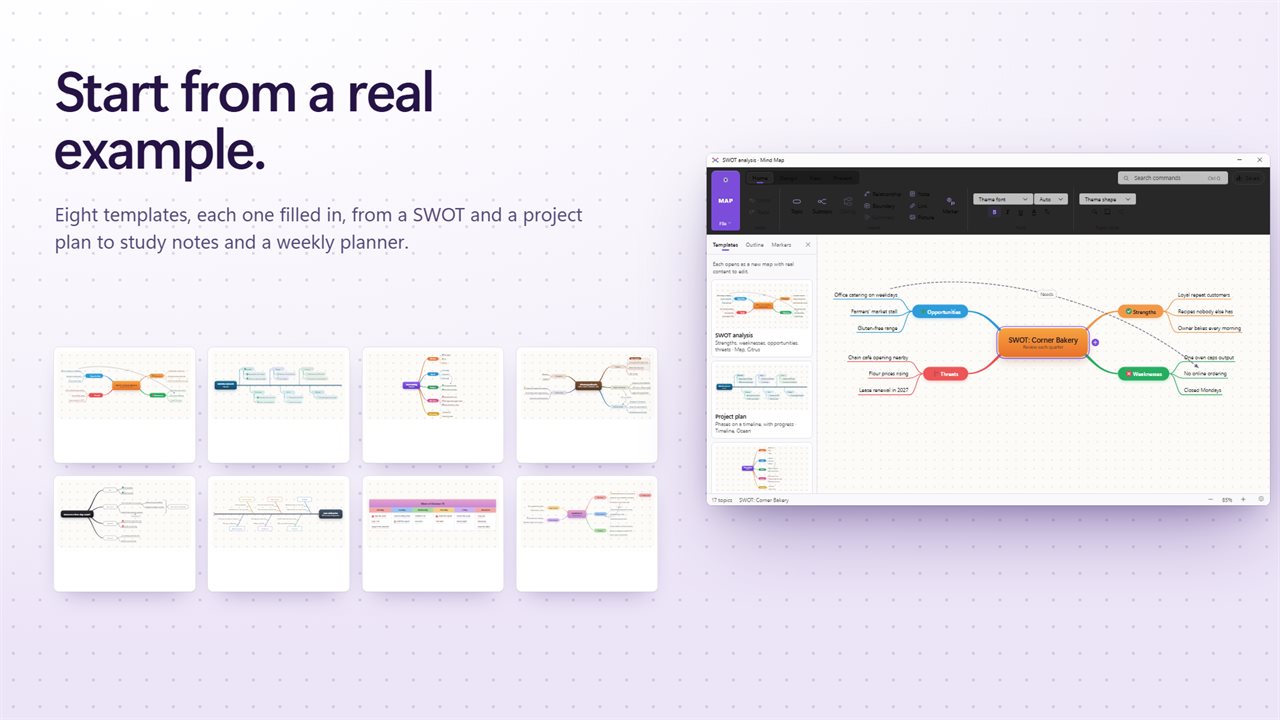
Study notes before an exam, the chapters of a book, a team brainstorm, a project plan, a lesson for a class. Start blank or from one of eight templates that come filled in: SWOT analysis, project plan, meeting notes, study notes, decision tree, root cause, weekly plan and book summary.
Type, and the map grows
The outline on the left and the map stay in step. Enter adds a topic, Tab makes it a subtopic, and the map draws itself as you type. Or work straight on the map with the same keys.
Six layouts
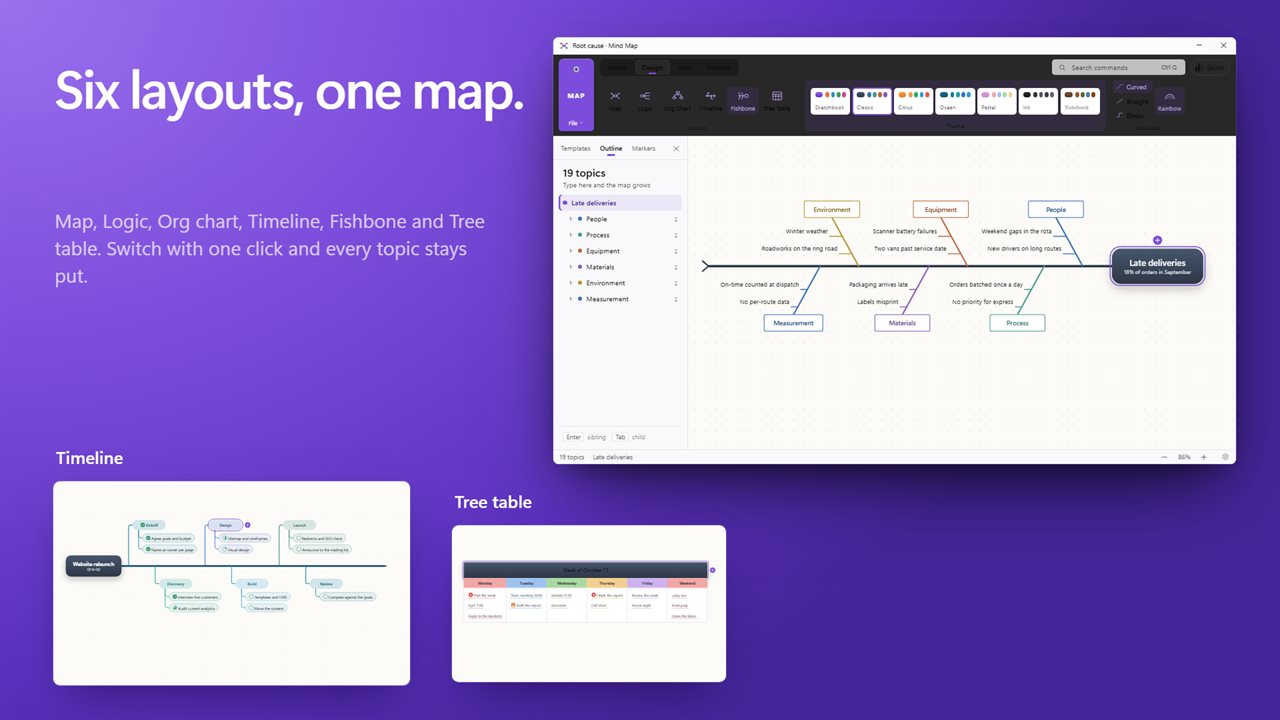
Map, Logic, Org chart, Timeline, Fishbone and Tree table. Switch with one click and every topic stays where it belongs. Pick from seven themes, curved, straight or elbow branches, and rainbow branch colors.
Connect and mark
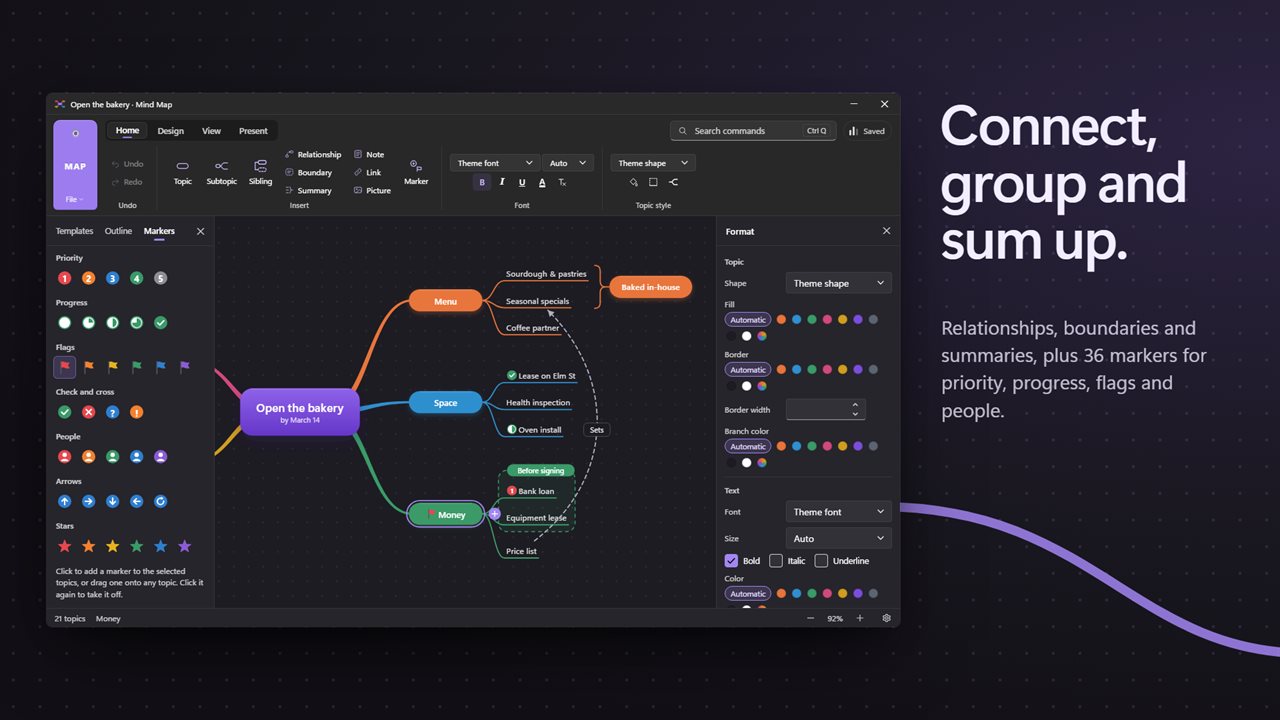
Draw a relationship between any two topics, put a boundary around a group, and sum several topics up with a summary bracket. Add 36 markers for priority, progress, flags, people and more, and put pictures, web links and notes on any topic.
Present and share
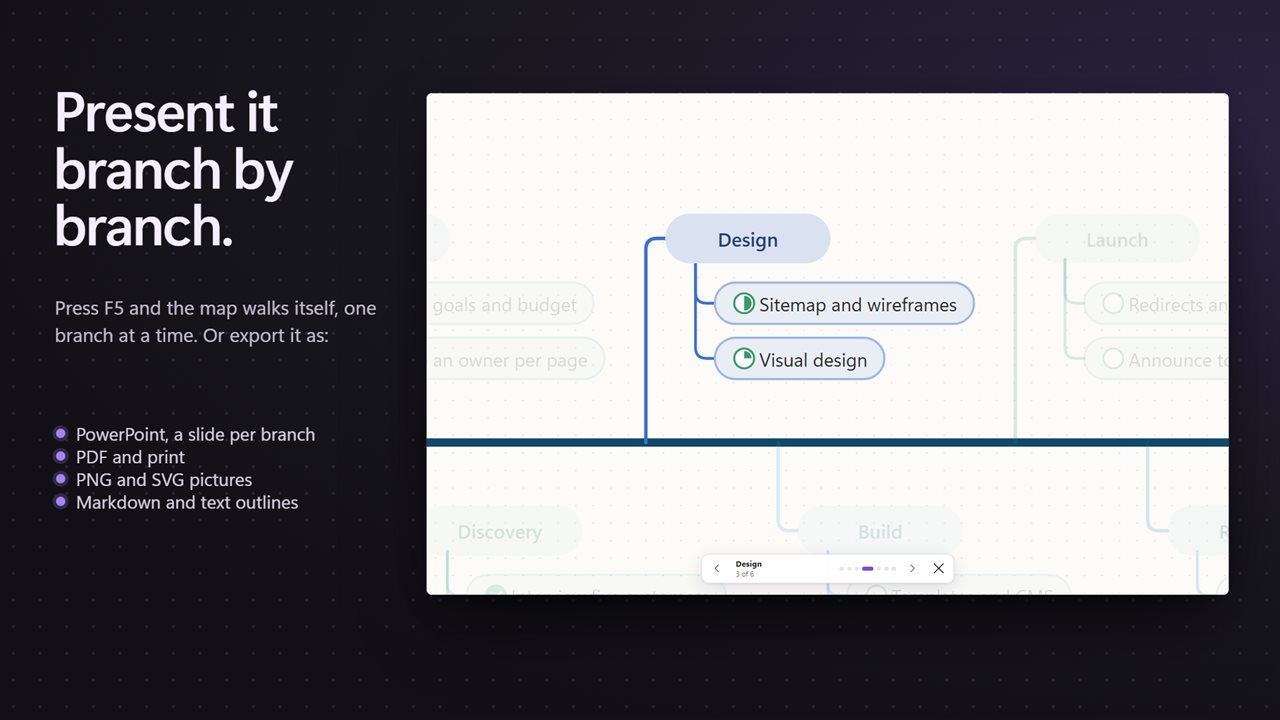
Press F5 and the map plays full screen, branch by branch. Export to PowerPoint with a slide for each main branch, or to PDF, PNG, SVG, a Markdown outline or a text outline, or print it.
Your files
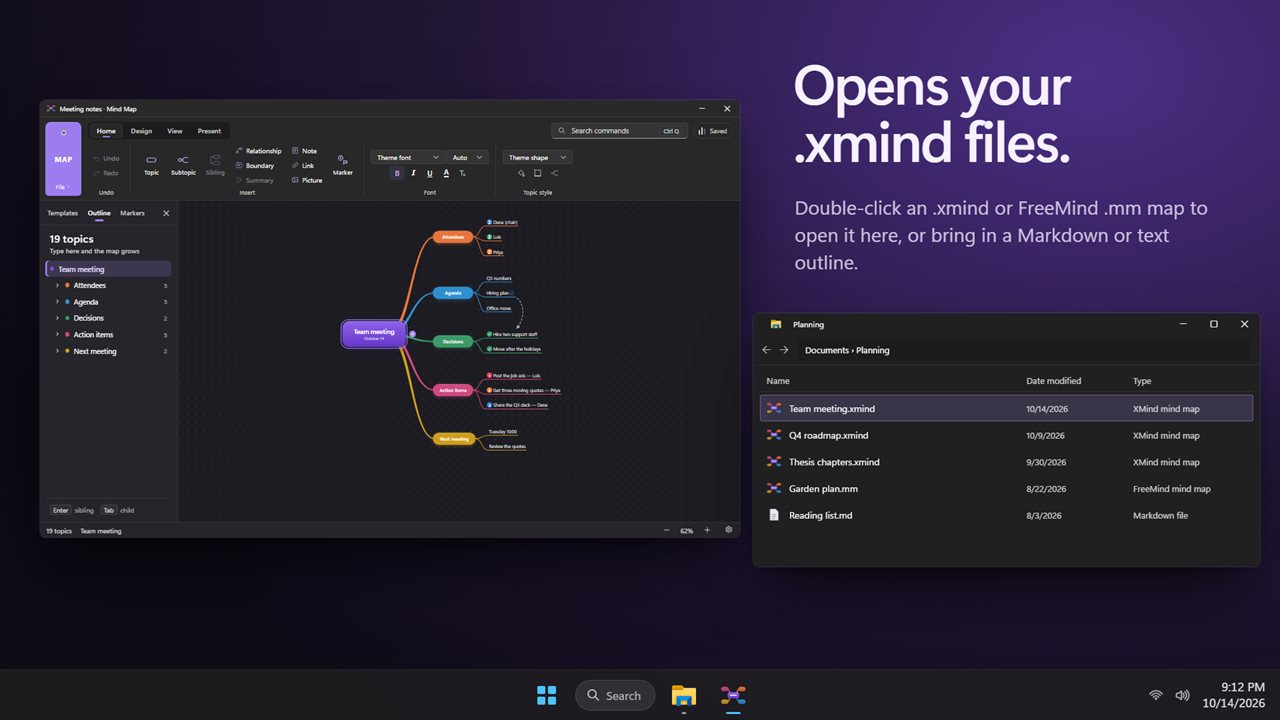
Opens and saves .xmind files, and opens FreeMind .mm maps, Markdown and plain text outlines.
Private by design
Everything happens on your PC. No account, no upload, and it works offline.
Features
- Type in the outline and the map grows as you go: Enter adds a topic, Tab a subtopic
- Six layouts: Map, Logic, Org chart, Timeline, Fishbone and Tree table
- Seven themes, with curved, straight or elbow branches and rainbow branch colors
- Relationships between any two topics, boundaries around a group, and summaries that bracket several topics
- 36 markers for priority, progress, flags, check and cross, people, arrows and stars
- Pictures, web links and notes on any topic
- Eight templates with real content: SWOT, project plan, meeting notes, study notes, decision tree, root cause, weekly plan and book summary
- Present the map full screen, branch by branch
- Export to PowerPoint, with a slide for each main branch, or to PDF, PNG, SVG, Markdown or a text outline
- Print the whole map
- Opens and saves .xmind files, and opens FreeMind .mm maps, Markdown and text outlines
- Focus on one branch, collapse and expand, and find any command with Ctrl+Q
- Brings back unsaved work if the app closes unexpectedly
- Works offline. Light and dark themes that follow Windows
Details
- Works on
- Windows 10 (1809 or later) and Windows 11
- Download
- About 3.1 MB
- Version
- 1.0.2, updated October 2026
- First released
- October 2026
- Price
- $9.99 once. No subscription.
- Category
- Productivity
Questions
Anything else? Ask us
Which versions of Windows does it run on?
Windows 10 (version 1809 or later) and Windows 11.
Is it a subscription?
No. Mind Map is a one-time purchase of $9.99, and updates are included.
How do I get it?
EvlarSoft apps are moving to direct downloads from this site. Ask to be notified and we will email you as soon as Mind Map is ready to download.