Write Pad
A simple word processor for letters and notes. Open the RTF and DOCX files people send you, dictate instead of typing, copy text out of a picture, and have your document read aloud.
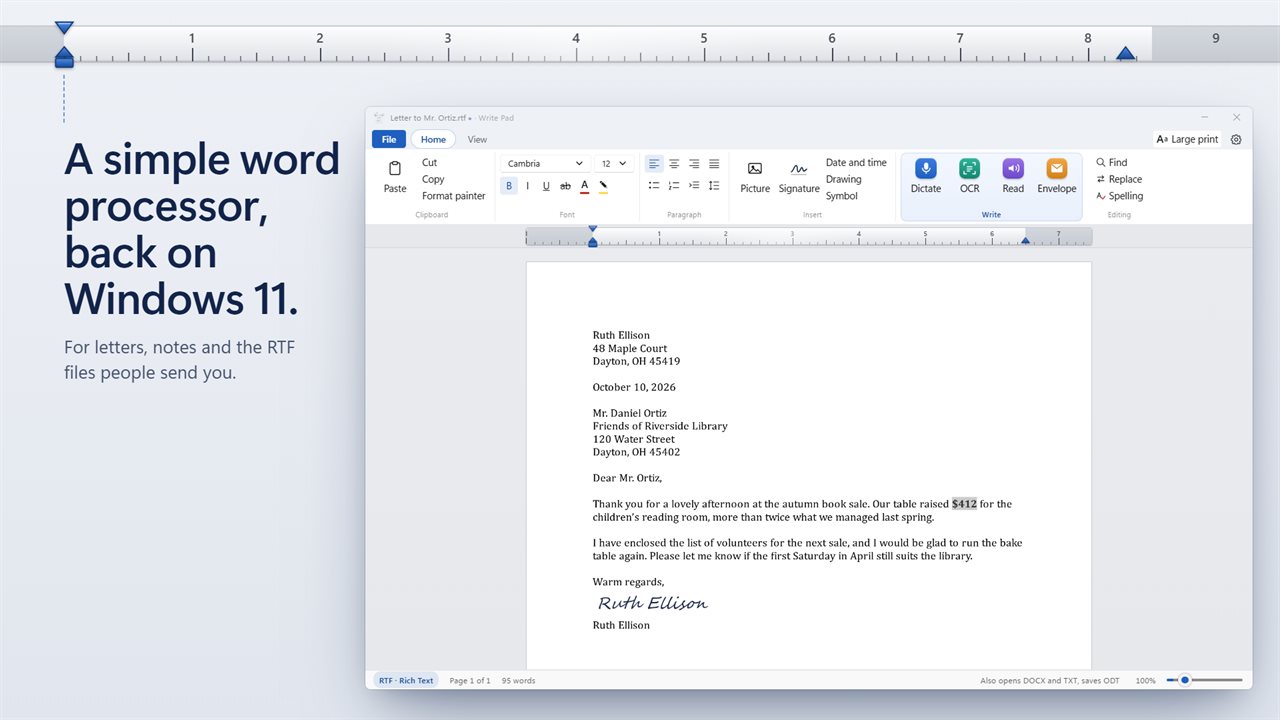
Write a letter on a ribbon laid out the way WordPad's was.
See it in action
About Write Pad
WordPad was removed from Windows 11 in 2024. Write Pad is a simple word processor for the same jobs: a quick letter, a page of notes, or opening the RTF file someone sent you.
Familiar from the first click
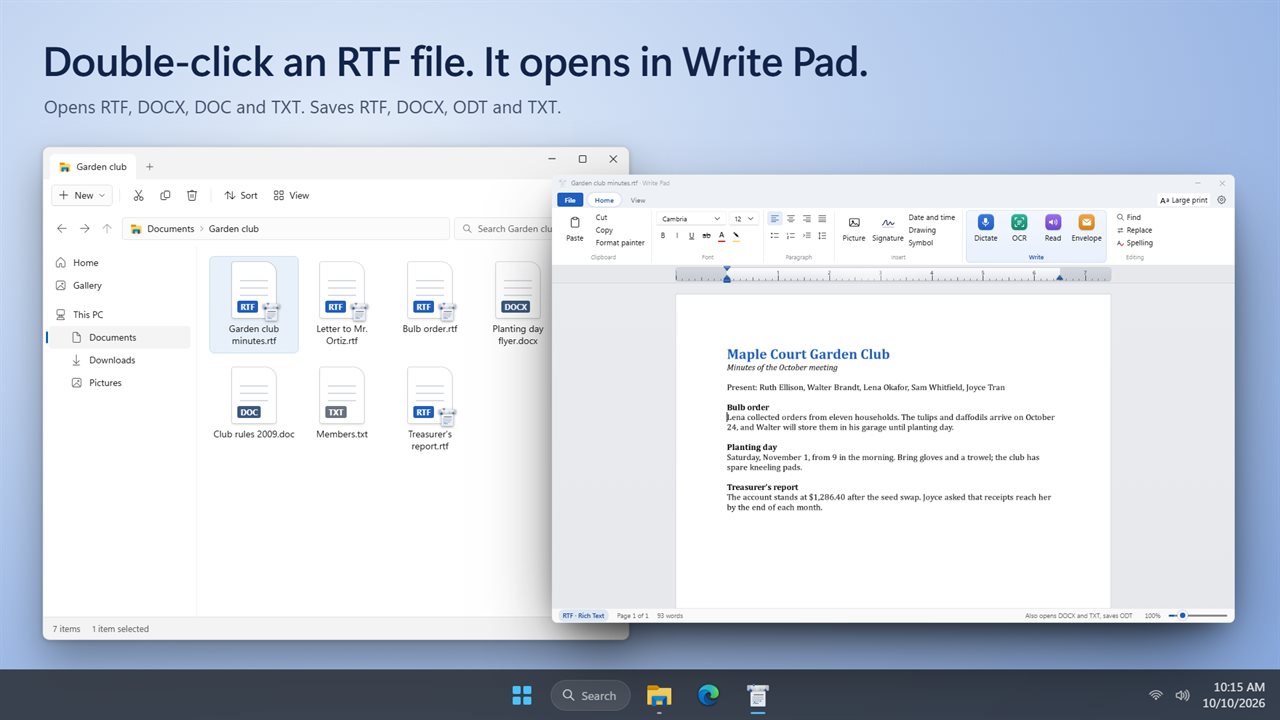
The ribbon is laid out the way WordPad's was: Clipboard, Font, Paragraph and Insert, with a ruler whose indent markers you drag. Choose from 15 fonts, add color and highlight, lists, alignment and line spacing. Write Pad opens RTF, DOCX, DOC and TXT files, and saves RTF, DOCX, ODT and TXT. Double-click an RTF file in File Explorer and it opens here.
Dictate instead of typing
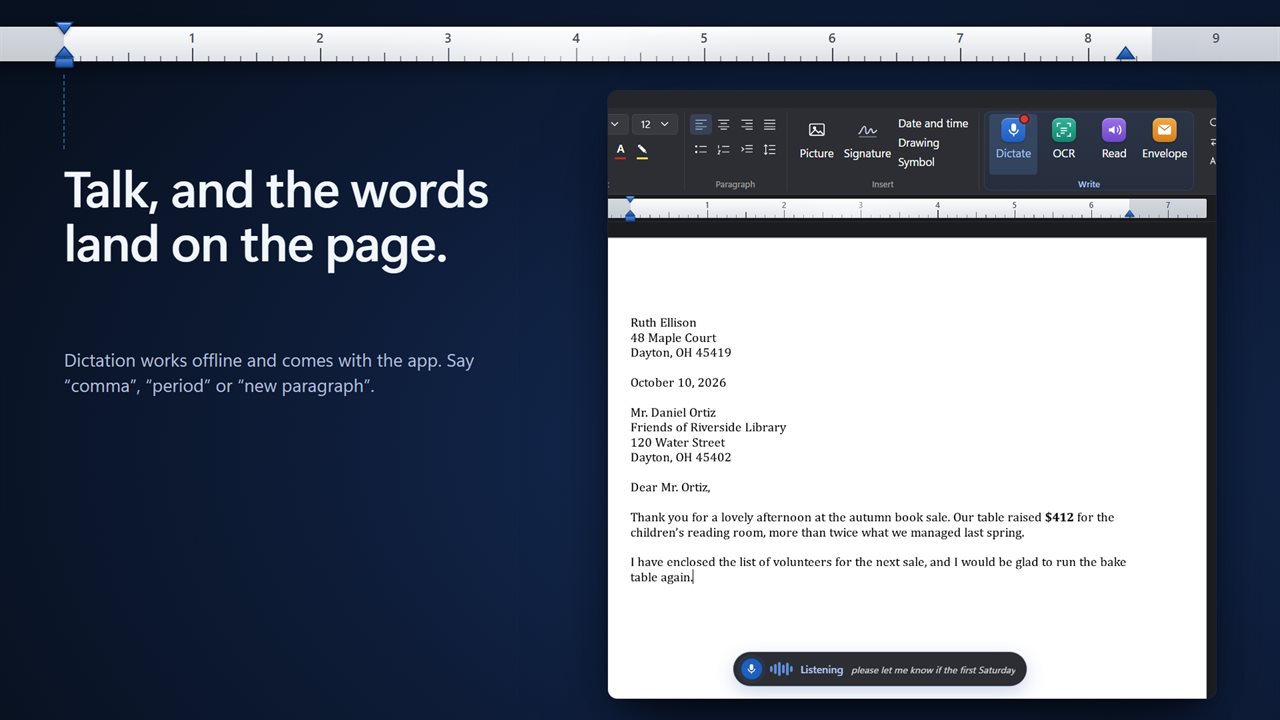
Click Dictate and talk. Your words land on the page as you speak. Say "comma", "period", "question mark" or "new paragraph" and it punctuates for you. Dictation works offline, in English, and comes with the app, so there is nothing to download.
Copy text out of a picture
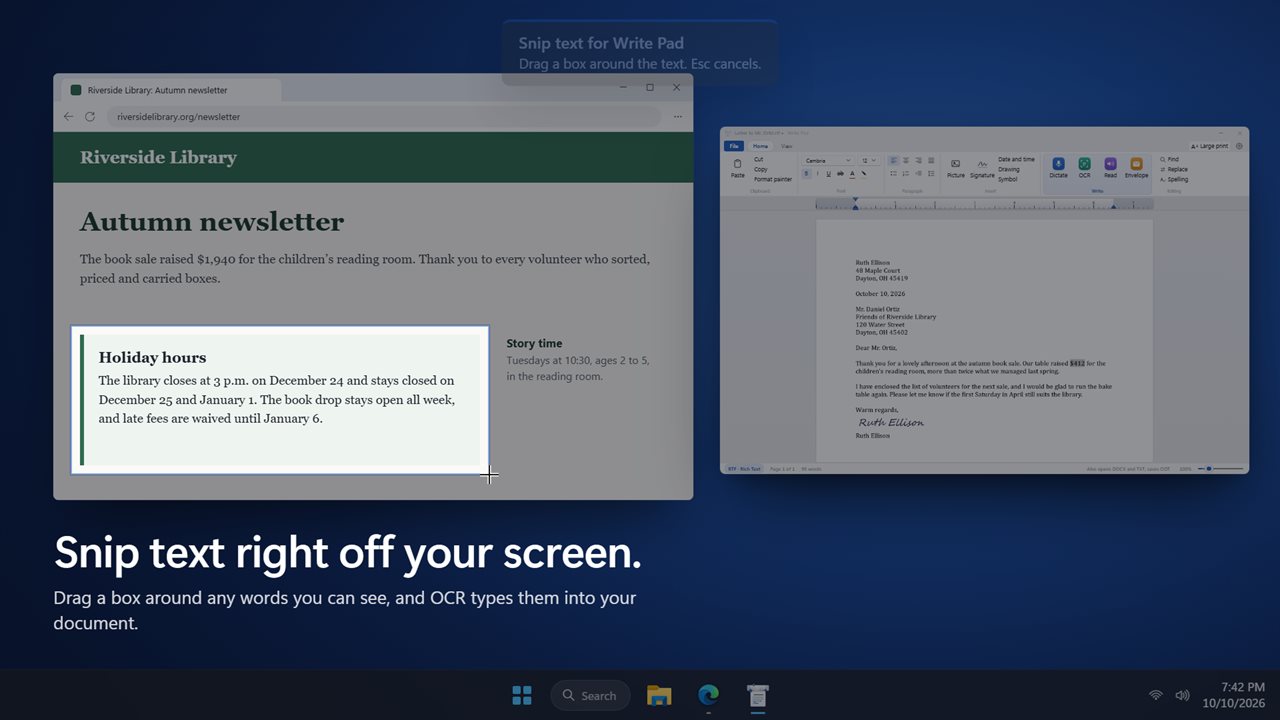
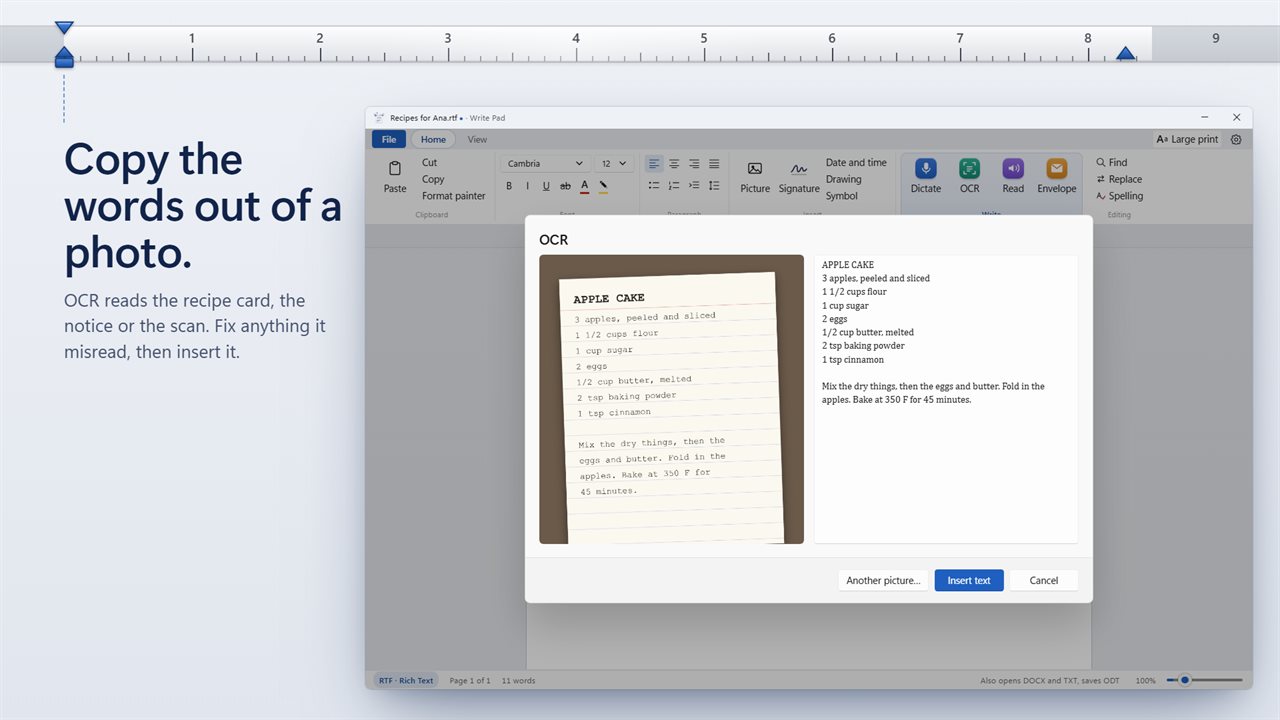
OCR types out the words in a photo, a scan or a screenshot. Choose a picture, paste one, or snip a box around any text on your screen. Check the text, fix anything it misread, and insert it.
Hear it before you send it
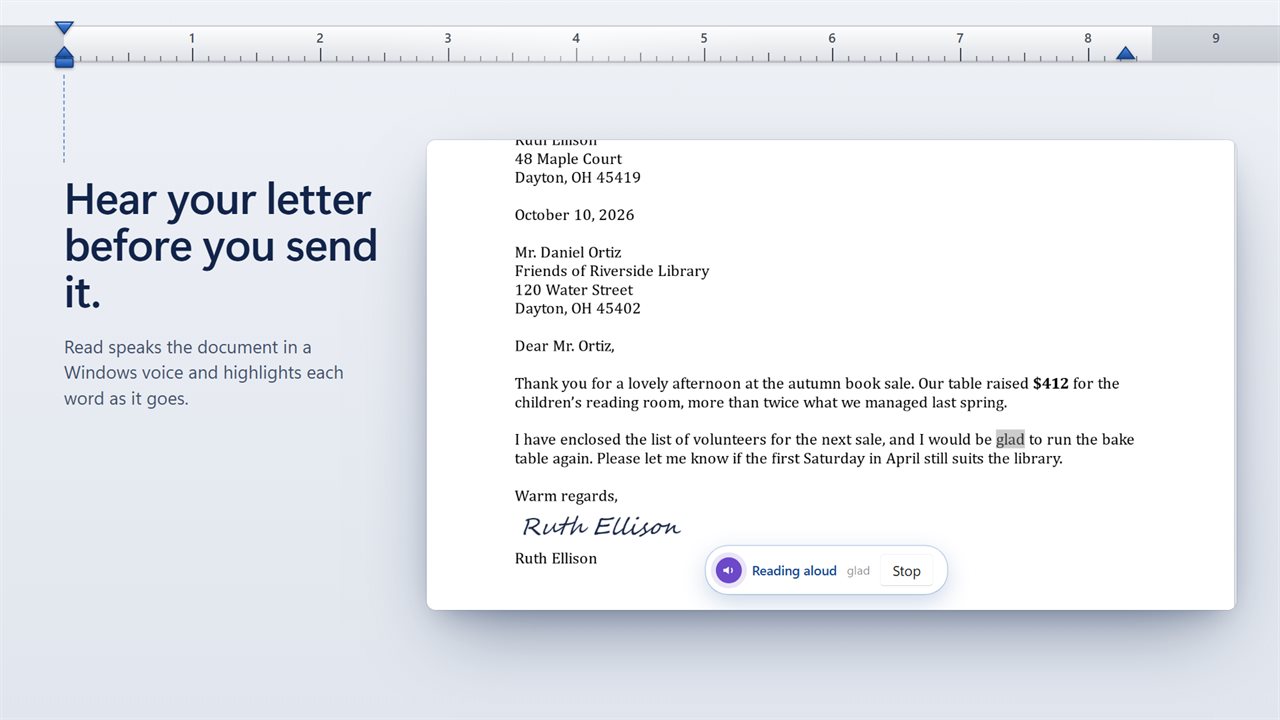
Read speaks your document in a Windows voice and highlights each word as it goes. Pick the voice and the speed in Settings.
The everyday things
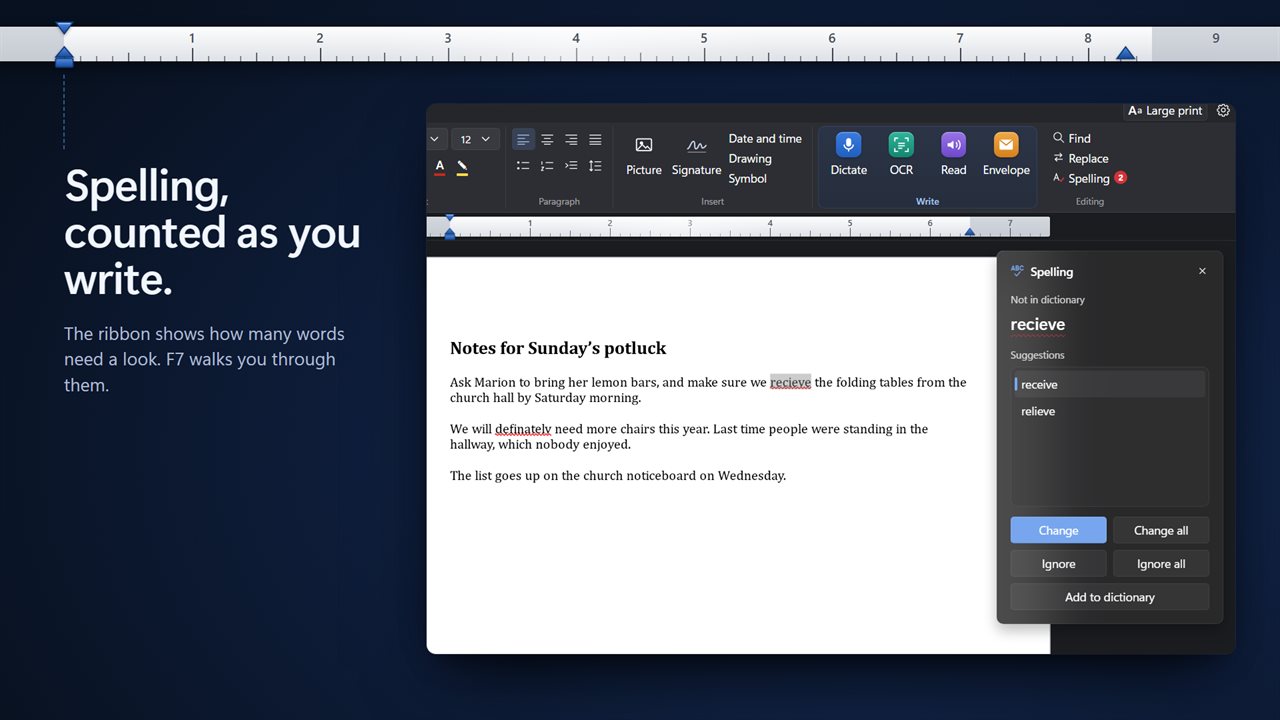
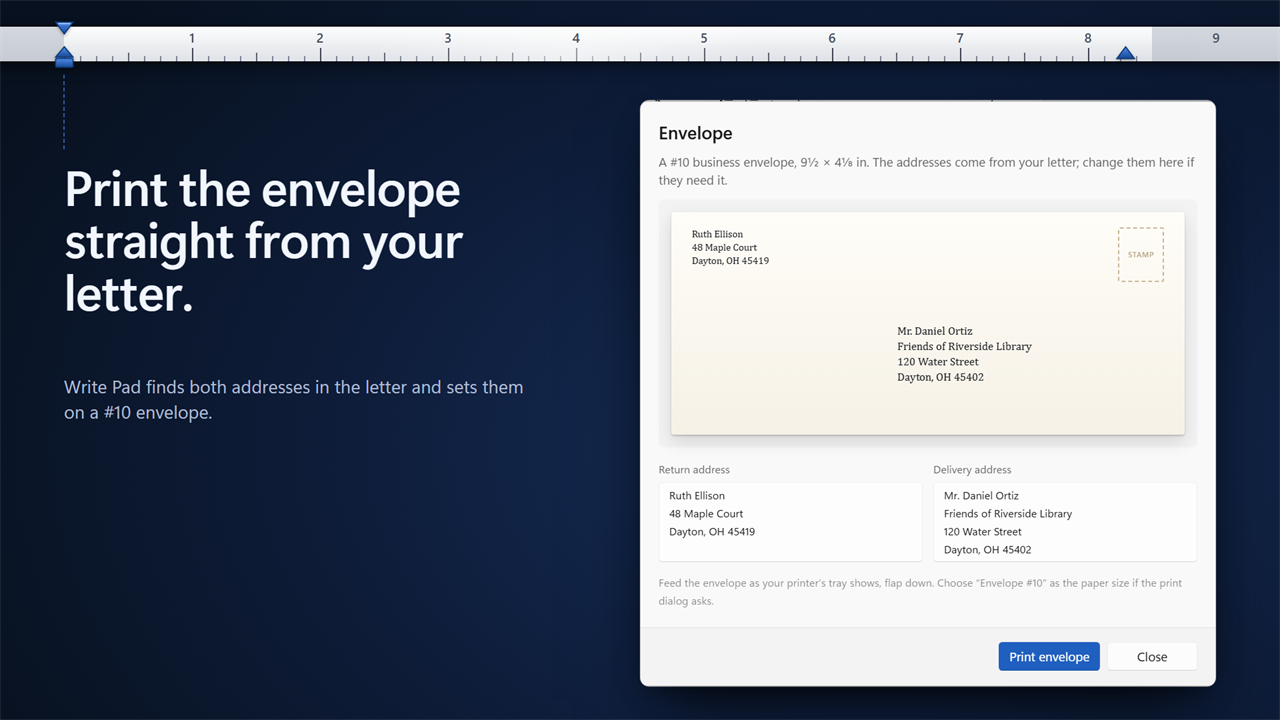
Spelling is checked as you type, and the ribbon shows how many words need a look. F7 goes through them one by one. Find and Replace, Date and time, and 72 symbols are on the ribbon. Paste from a web page or from Word and the formatting comes with it. Draw your signature into a letter, then print a #10 envelope with the addresses already filled in from it.
Easy on the eyes
Large print makes the page and the buttons bigger. Light and dark themes, or match Windows. The page stays white, the way it prints.
Your work stays on your PC
No account and no upload. Dictation, OCR and spelling all run on your PC. If Write Pad closes before you save, it offers your document back the next time it opens.
Features
- A simple word processor with a ribbon laid out the way WordPad's was
- Opens RTF, DOCX, DOC and TXT files, and saves RTF, DOCX, ODT and TXT
- Dictate: talk and your words are typed into the document, offline, with nothing to download
- Say "comma", "period", "question mark" or "new paragraph" while you dictate
- OCR: copy the text out of a photo, a scan or a snip of your screen, and fix it before inserting
- Read: hear your document in a Windows voice, with each word highlighted as it is read
- Spelling checked as you type, with a live count of words that need a look; F7 goes through them
- Find and Replace
- Paste from a web page or from Word and keep the formatting
- Draw your signature and put it in the letter, or add a drawing or a picture
- Print an envelope with the addresses taken from your letter
- Ruler with indent markers you drag, 15 fonts, colors, highlight, lists, alignment and line spacing
- Large print makes the page and the buttons bigger
- Unsaved work is set aside every minute and offered back if Write Pad closes unexpectedly
- Light and dark themes; the page stays white, the way it prints
Details
- Works on
- Windows 10 (1809 or later) and Windows 11
- Download
- About 95.1 MB
- Version
- 1.0.1, updated October 2026
- First released
- October 2026
- Price
- $5.99 once. No subscription.
- Category
- Productivity
Questions
Anything else? Ask us
Which versions of Windows does it run on?
Windows 10 (version 1809 or later) and Windows 11.
Is it a subscription?
No. Write Pad is a one-time purchase of $5.99, and updates are included.
How do I get it?
EvlarSoft apps are moving to direct downloads from this site. Ask to be notified and we will email you as soon as Write Pad is ready to download.