Evlar XLSX Editor
Open, edit and save Excel workbooks and CSV files for free. Go Pro for Formula X-ray, workbook compare, charts, conditional formatting and PDF export.
Open, edit and save XLSX, XLS and CSV workbooks for free.
See it in action
About Evlar XLSX Editor
A spreadsheet editor for Windows that opens the workbooks people send you and helps you understand them.
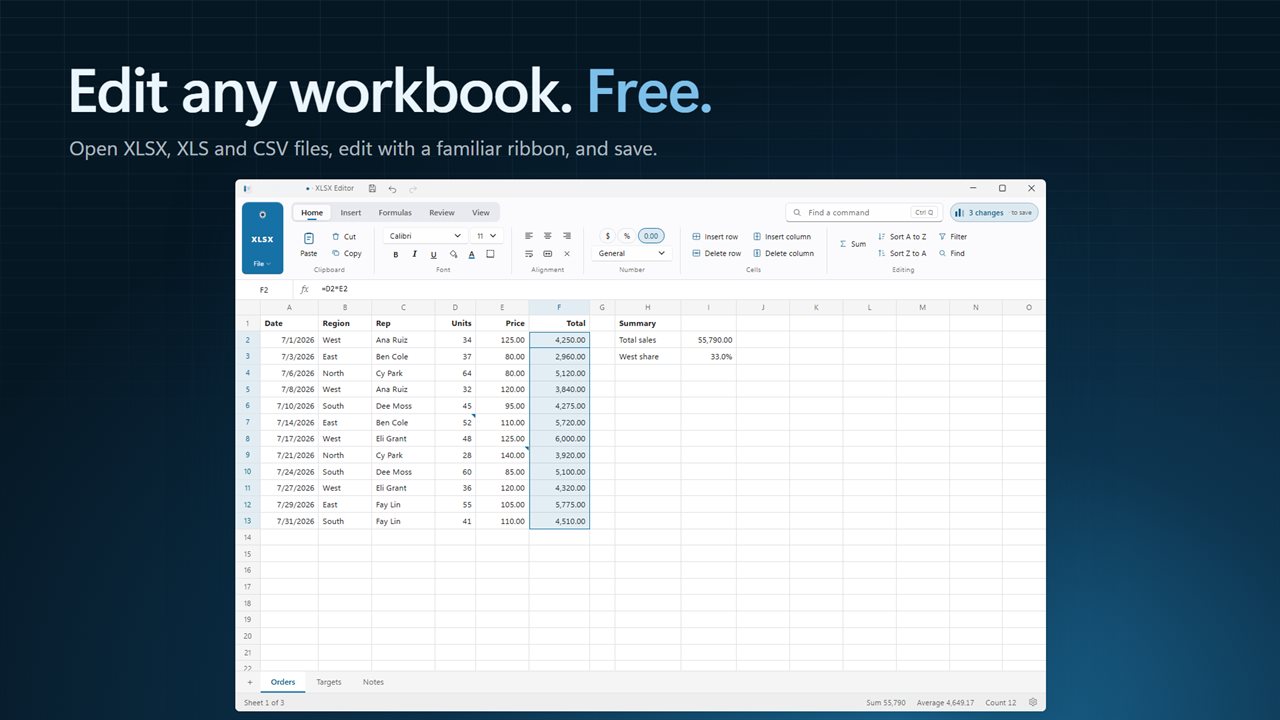
Edit any workbook
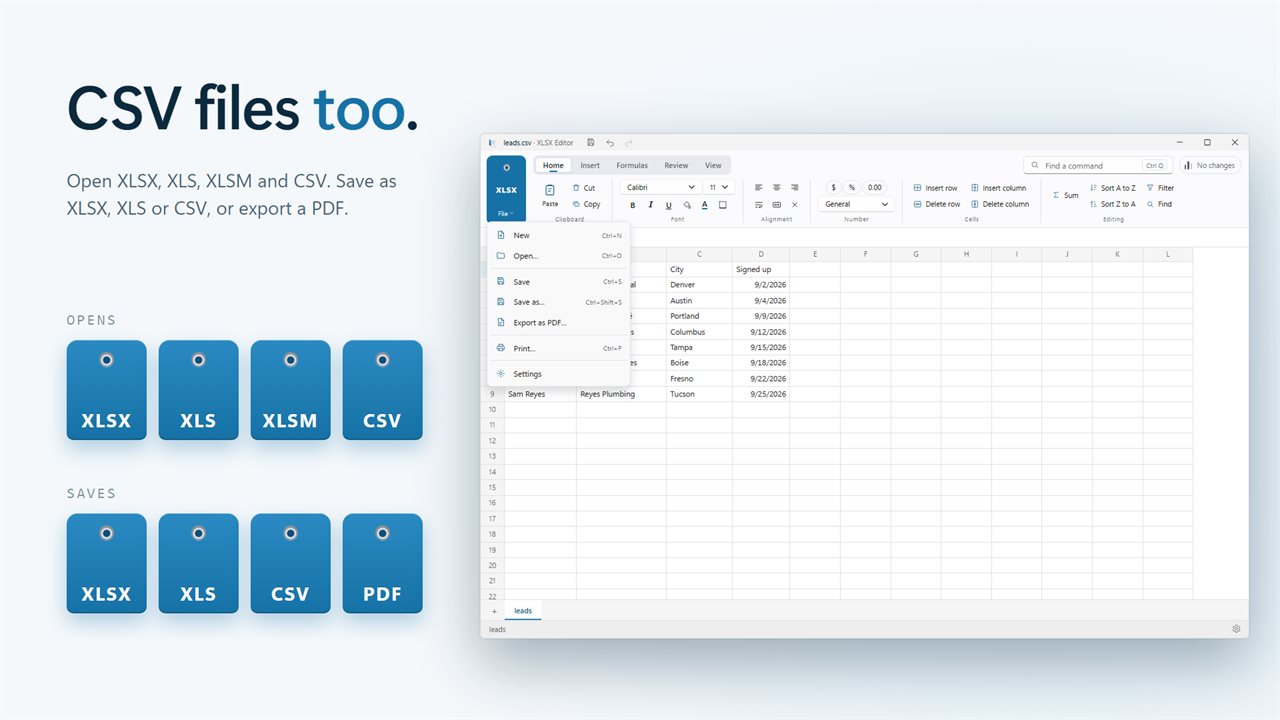
Open XLSX, older XLS and CSV files. Edit with a familiar ribbon: fonts, fills, borders, number formats, formulas, sorting, filters, frozen panes and page setup. Save as XLSX, XLS or CSV.
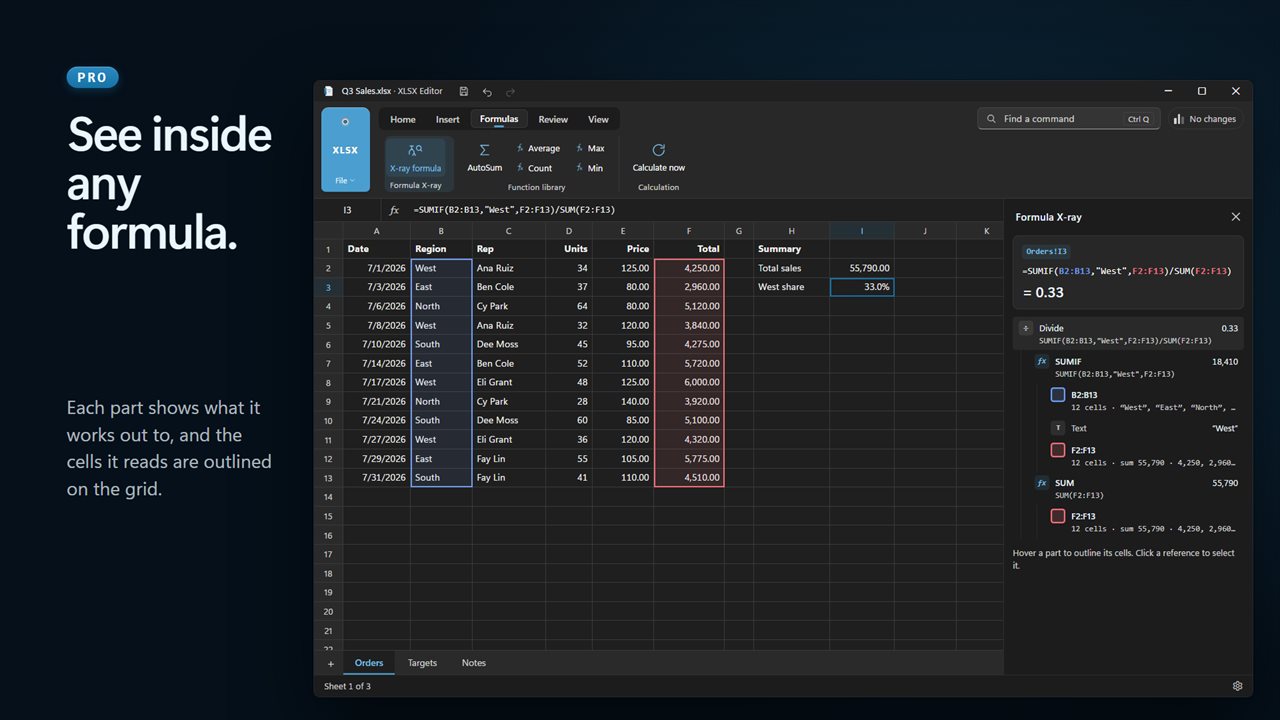
Formula x-ray (pro)
Click a cell and see its formula broken into parts, with what each part works out to. Hover a part and the cells it reads are outlined on the grid. Click a reference to jump to it, even on another sheet. It is the quickest way to check someone else's spreadsheet.
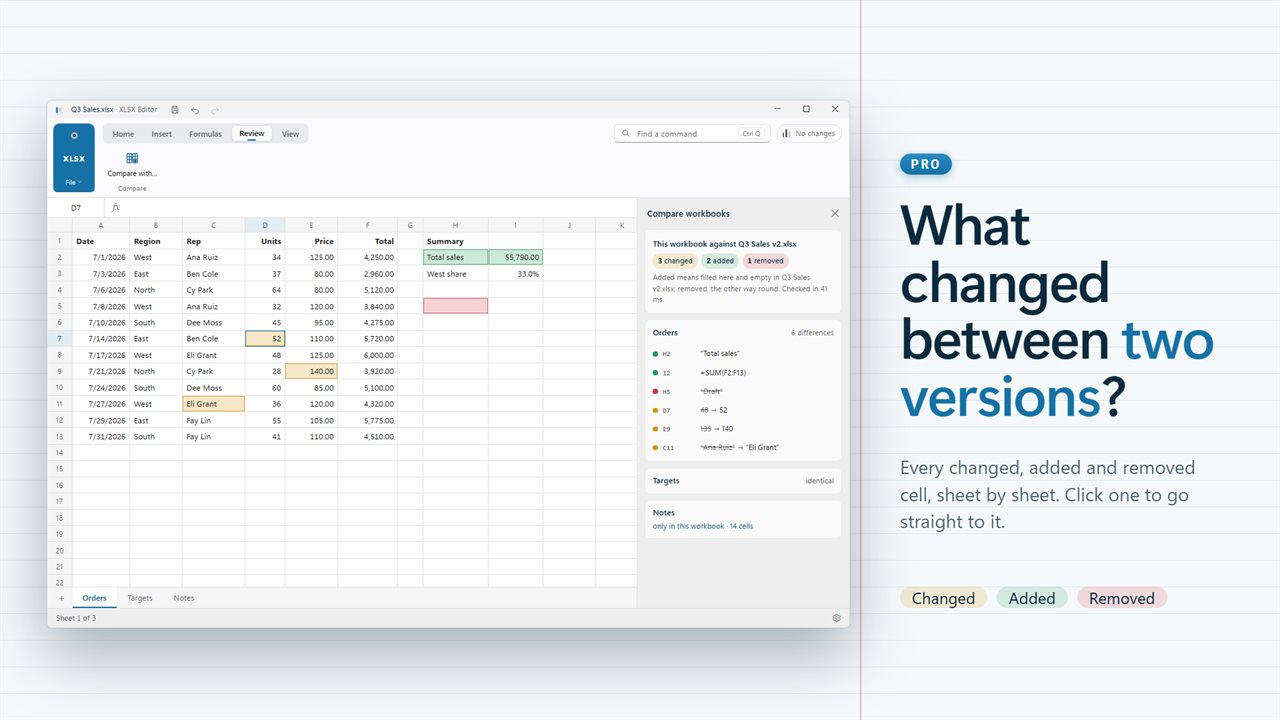
Compare two workbooks (pro)
Pick the other version and see every changed, added and removed cell, sheet by sheet. Click a difference to go straight to it.
Charts, rules and PDF (pro)
Insert column, line and pie charts. Color cells with conditional formatting: color scales, data bars, icon sets and highlight rules. Keep bad entries out with data validation, and circle the ones already there. Export a PDF that follows your page setup.
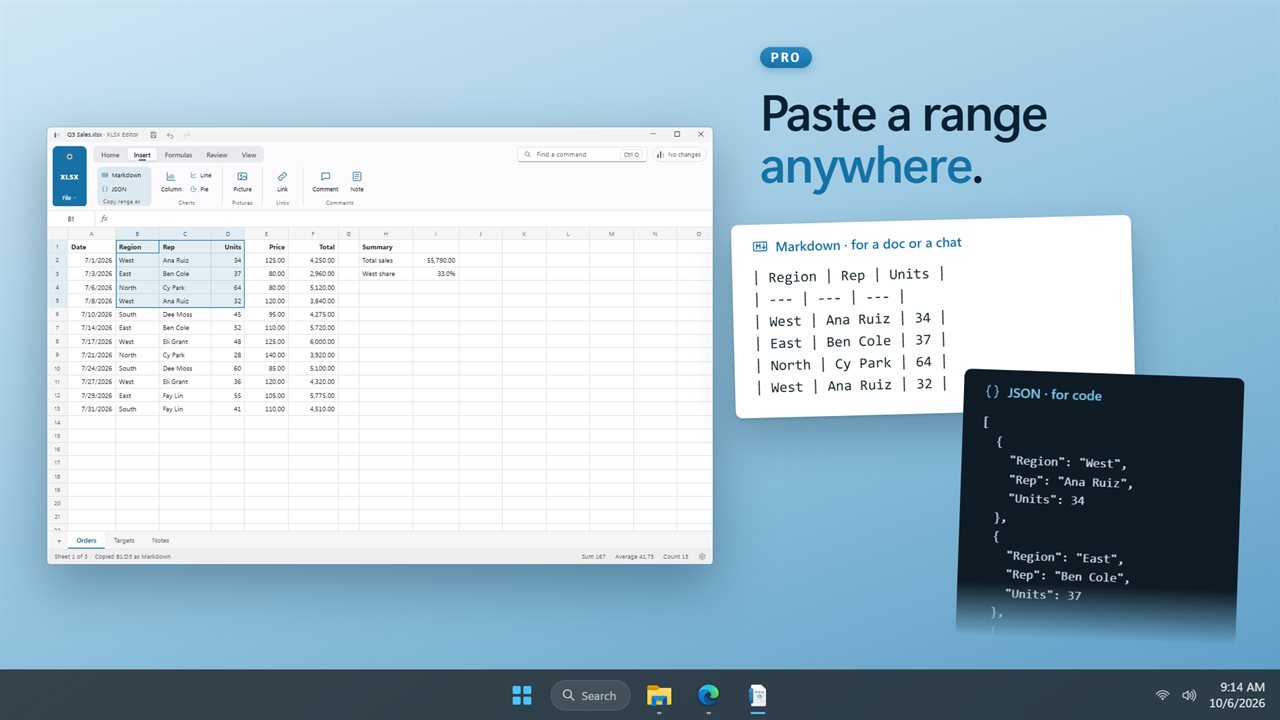
Copy as Markdown or JSON (pro)
Select a range and copy it as a Markdown table for a document or chat, or as JSON for code.
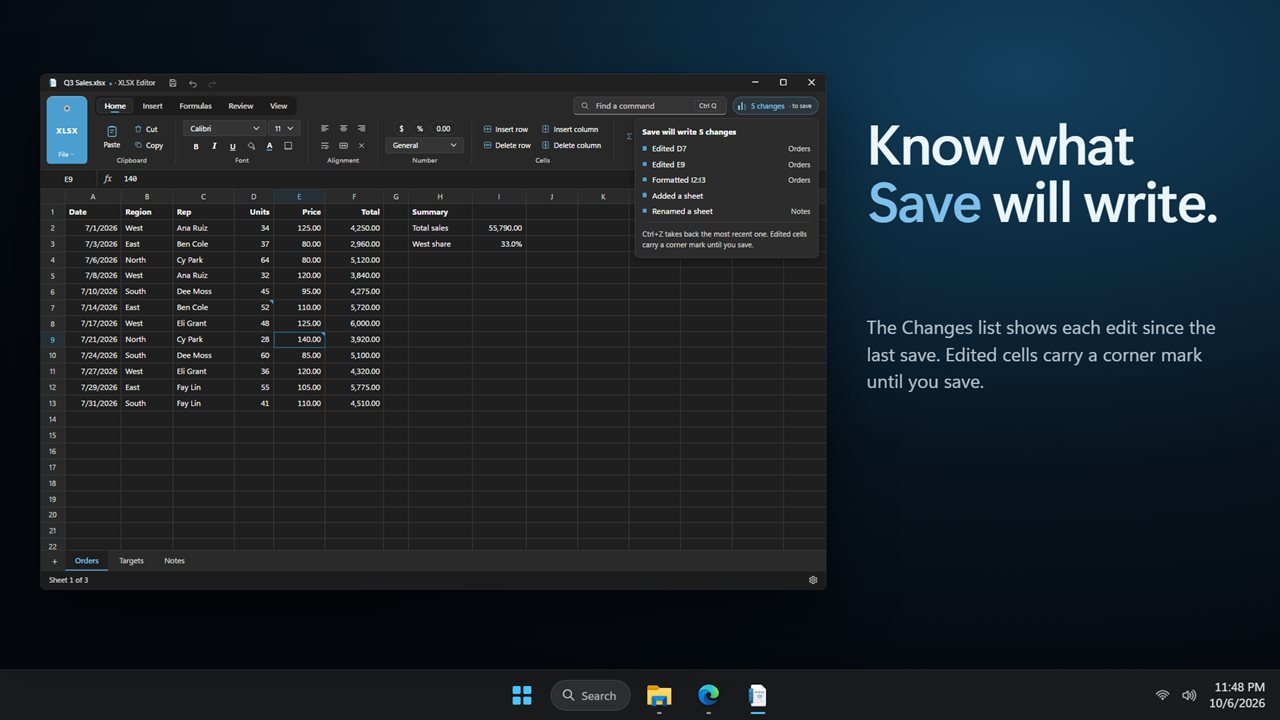
Know what you are saving
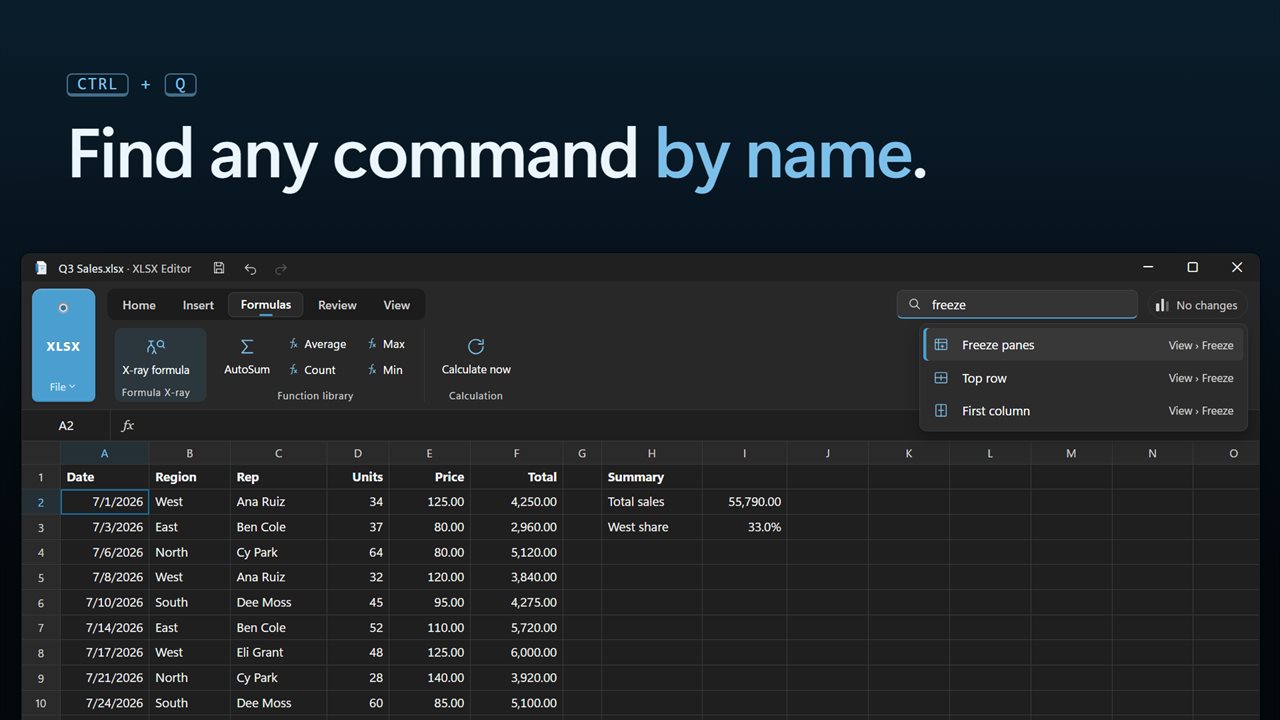
The Changes list shows each edit since the last save. Press Ctrl+Q to find any command by name.
Free, with one upgrade
Opening, editing, saving, printing and converting between XLSX, XLS and CSV are free. Pro unlocks Formula X-ray, Compare workbooks, charts, conditional formatting, data validation, PDF export and Copy as Markdown or JSON with one payment. No subscription. If you own XLSConverter Lifetime or an active XLSConverter subscription, you already have Pro.
Private by design
Everything happens on your PC. No account, no upload, and it works offline.
Features
- Open, edit and save XLSX workbooks, including older XLS files and CSV
- Save as XLSX, XLS or CSV
- Free to open, edit and save. Pro is one payment, no subscription
- Pro: Formula X-ray breaks any formula into its parts, shows what each part works out to, and outlines the cells it reads
- Pro: Compare two workbooks and step through every changed, added and removed cell, sheet by sheet
- Pro: Charts, conditional formatting, data validation and PDF export
- Formulas with AutoSum, Average, Count, Max and Min
- Pro: Copy a range as a Markdown table or as JSON
- Sort, filter and find
- Fonts, fills, borders, number formats, wrap text and merge cells
- Freeze the top row or first column
- Sum and average of the selection in the status bar
- A Changes list that shows exactly what Save will write
- Find any command by name with Ctrl+Q
- Works offline. Your files never leave your PC
Details
- Works on
- Windows 10 (1809 or later) and Windows 11
- Download
- About 56.1 MB
- Version
- 2.0.3, updated October 2026
- First released
- August 2023
- Price
- Free
- Category
- Productivity
Questions
Anything else? Ask us
Which versions of Windows does it run on?
Windows 10 (version 1809 or later) and Windows 11.
Is it free?
Yes. Evlar XLSX Editor is free to download.
How do I get it?
EvlarSoft apps are moving to direct downloads from this site. Ask to be notified and we will email you as soon as Evlar XLSX Editor is ready to download.