Evlar DOCX Editor
Open, edit and save Word documents without a subscription. Compare two versions, clean a document before you send it, and run a mail merge from a spreadsheet.
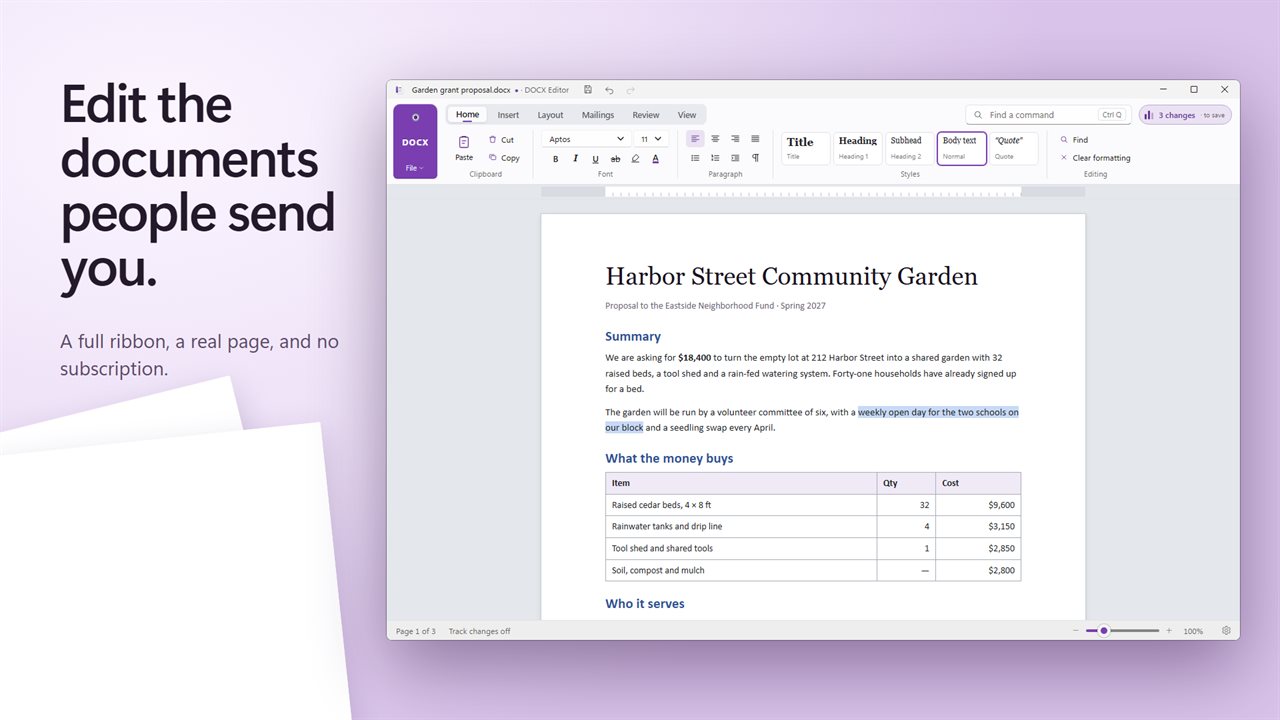
Open, edit and save documents with a full ribbon and a real page.
See it in action
About Evlar DOCX Editor
A document editor for Windows that opens what people send you and does the jobs that usually need a subscription.
Edit any document
Open DOCX and older DOC files, as well as DOCM, DOTX, RTF, plain text and web pages. Edit with a ribbon laid out the way you expect: fonts, styles, lists, tables, pictures, links, page numbers, columns, margins and a table of contents. Save as DOCX, ODT, RTF, TXT or HTML, or export a PDF.
Compare two versions
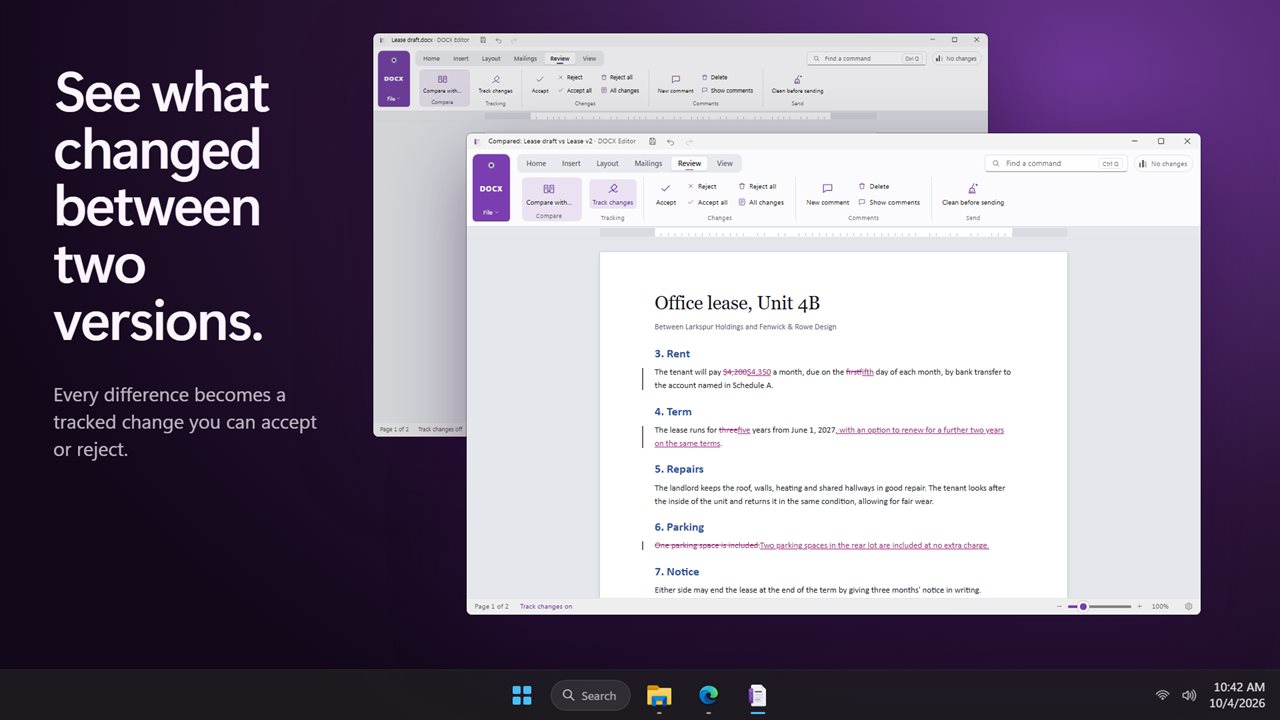
Pick the other version and see every difference as a tracked change: what was added, what was deleted, and what was reworded. Accept or reject each change, or all of them at once.
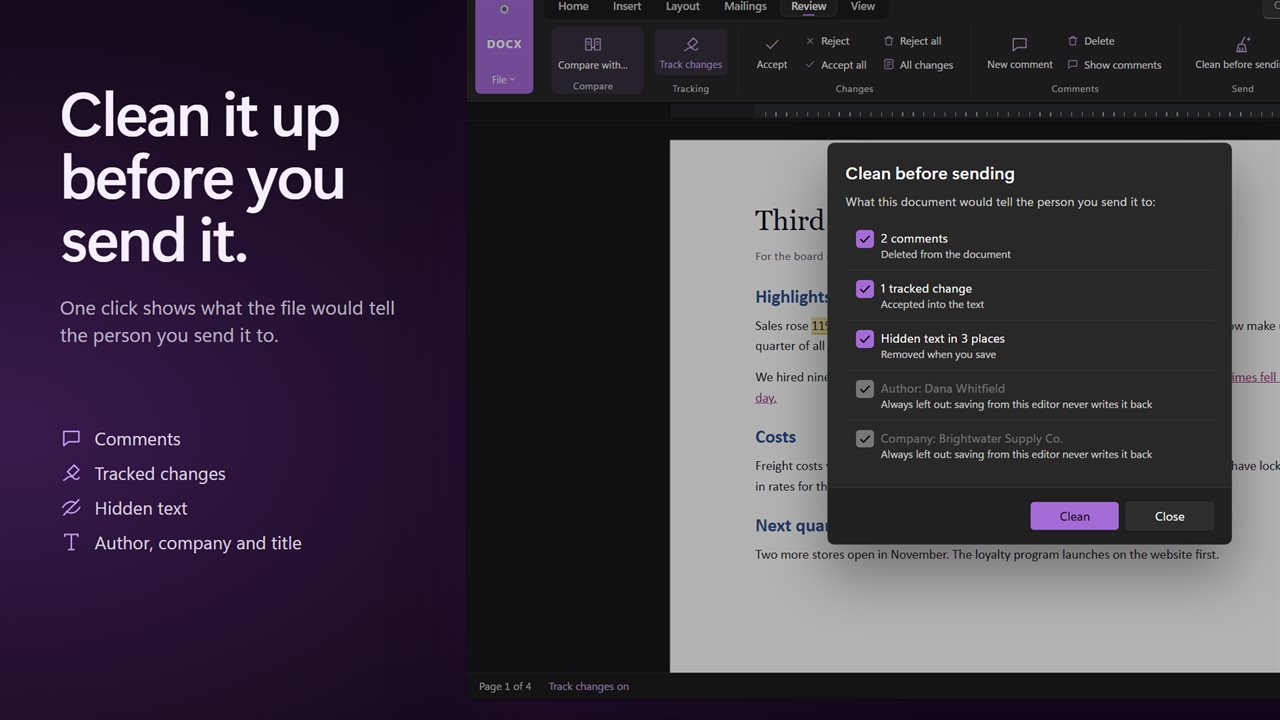
Clean before sending
Before a document goes to a client, one click shows what it still carries: comments, tracked changes, hidden text, and the author, company and title stored in the file. Choose what to remove and save a clean copy.
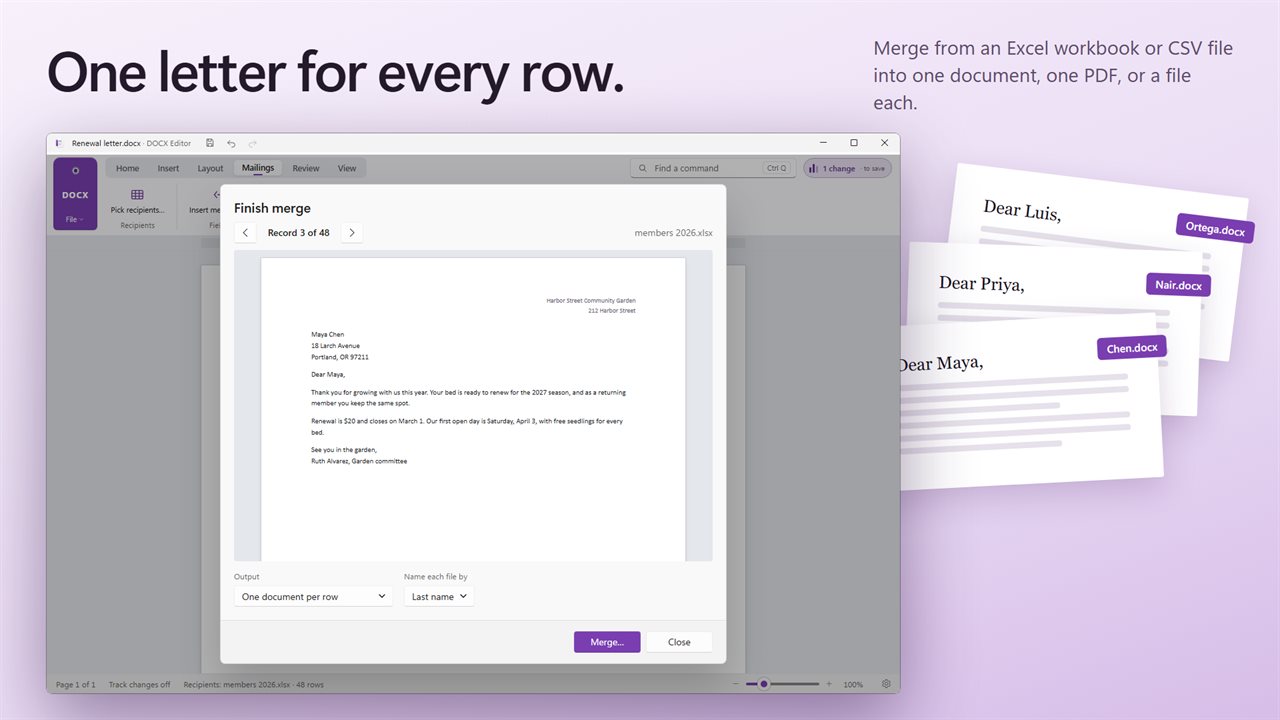
Mail merge
Pick an Excel workbook or a CSV file, insert its columns as merge fields, and preview each letter. Finish as one combined document, one PDF, or a separate file for every row, named from a column you choose.
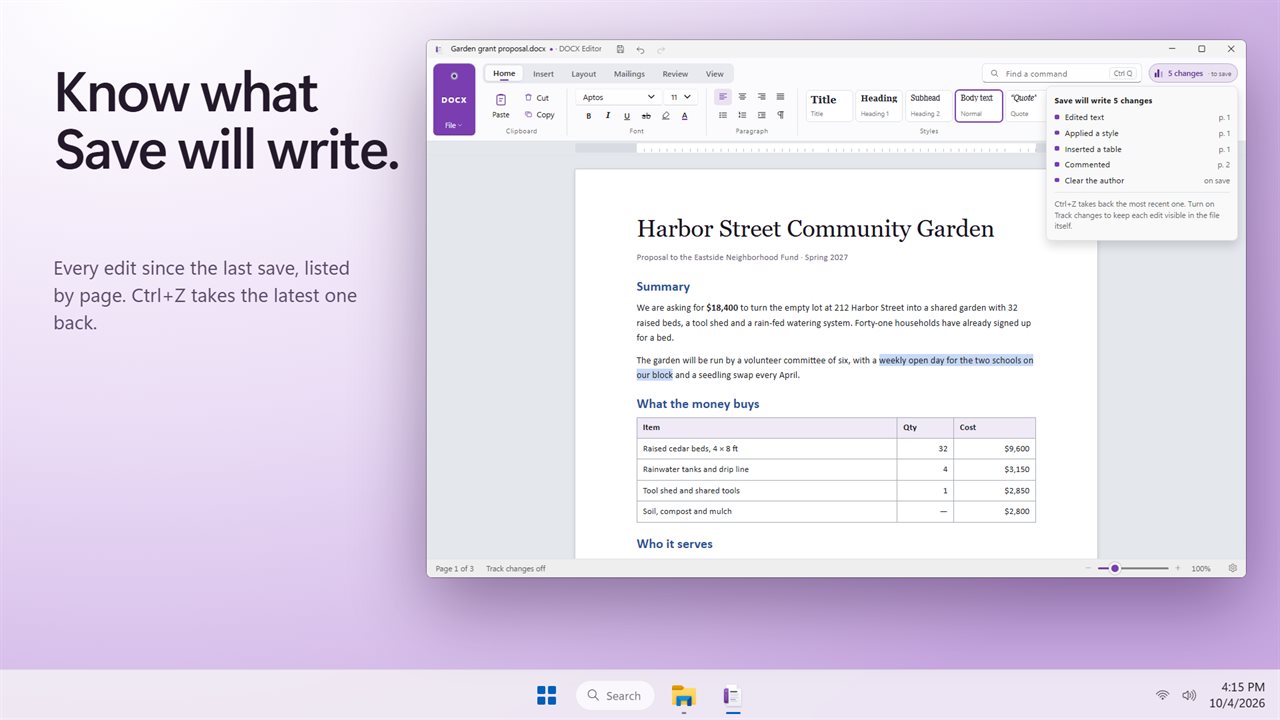
Know what you are saving
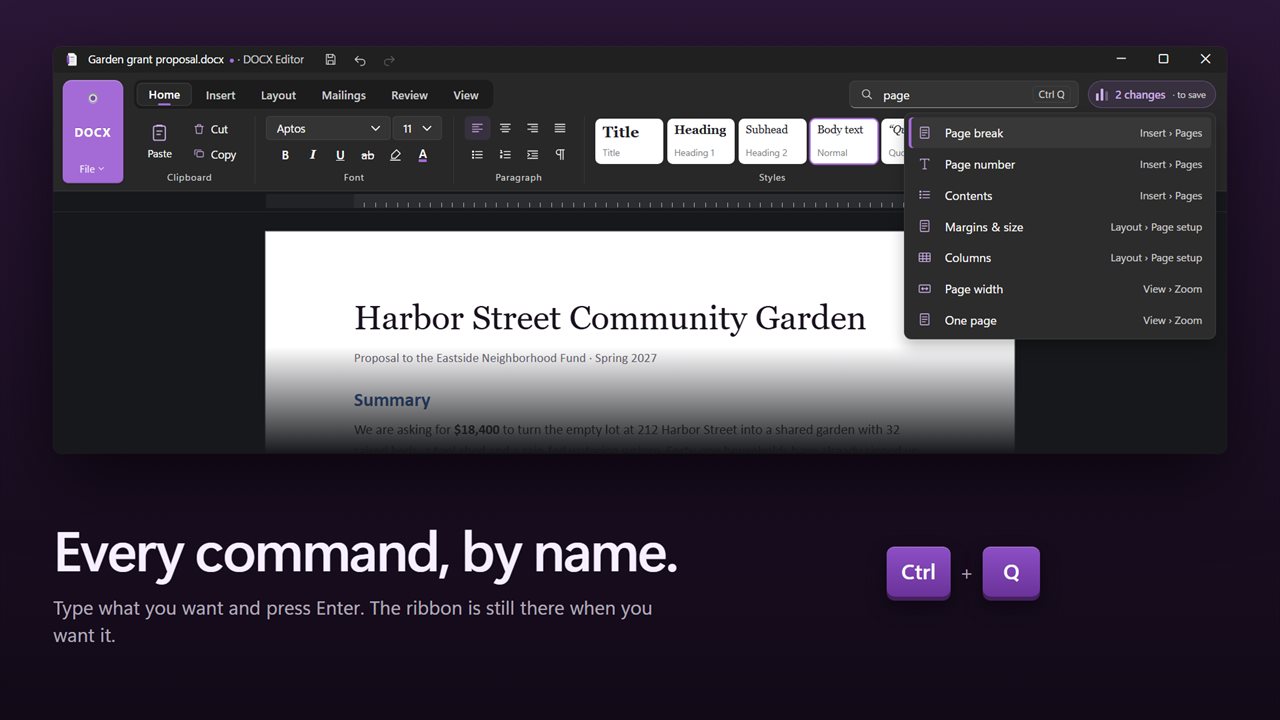
The Changes list shows each edit you have made since the last save. Press Ctrl+Q to find any command by name.
Private by design
Everything happens on your PC. No account, no upload, and it works offline.
Features
- Open, edit and save DOCX documents, with a full ribbon you already know how to use
- Opens older DOC files, plus DOCM, DOTX, RTF, TXT and web pages
- Save as DOCX, ODT, RTF, TXT or HTML, or export a PDF
- Compare two versions and see every change as a tracked change you can accept or reject
- Track changes, comments, and accept or reject all in one click
- Clean before sending: find comments, tracked changes, hidden text and author details, and remove them
- Mail merge from an Excel workbook or CSV file: one combined document, one PDF, or a file for every row
- Tables, pictures, links, bookmarks, page numbers and a table of contents
- Styles, lists, columns, margins, borders and shading
- A Changes list that shows exactly what Save will write
- Find any command by name with Ctrl+Q
- Print layout, web layout, ruler and zoom
- Works offline. Your documents never leave your PC
- Light and dark themes that follow Windows
Details
- Works on
- Windows 10 (1809 or later) and Windows 11
- Download
- About 56.2 MB
- Version
- 2.0.2, updated October 2026
- First released
- October 2022
- Price
- $5.99 once. No subscription.
- Category
- Productivity
Questions
Anything else? Ask us
Which versions of Windows does it run on?
Windows 10 (version 1809 or later) and Windows 11.
Is it a subscription?
No. Evlar DOCX Editor is a one-time purchase of $5.99, and updates are included.
How do I get it?
EvlarSoft apps are moving to direct downloads from this site. Ask to be notified and we will email you as soon as Evlar DOCX Editor is ready to download.