Label Maker
Design and print address labels, shipping labels, jar labels and name badges on standard sheets or your own die-cut shapes. Mail merge from Excel, CSV or your contacts, add barcodes and QR codes, and start at any label on a half-used sheet.
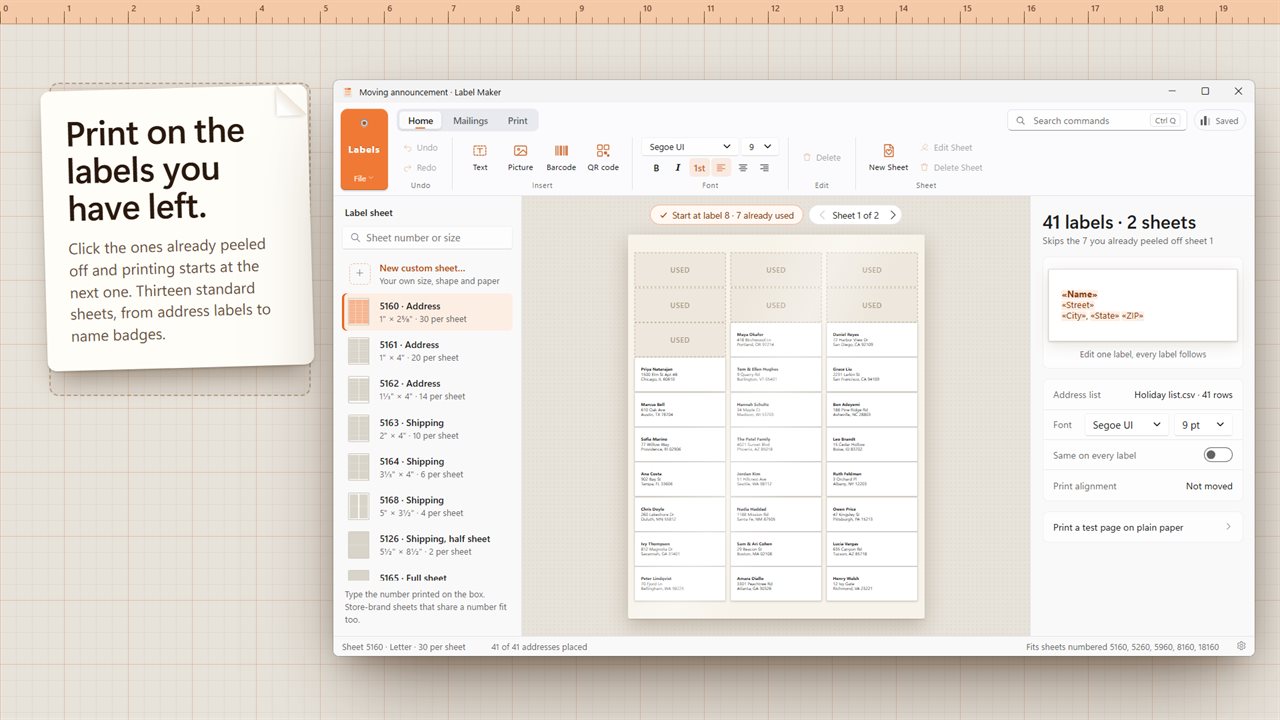
Print on the labels you have left: click the ones already peeled off and printing starts at the next one.
See it in action
About Label Maker
Labels for the holiday card list, the wedding invitations, the orders going out today and the jam on the shelf.
Your sheets
Pick the number printed on the box: 13 standard US sheets are built in, including 30-up address labels (5160), shipping labels, return address labels, round labels, name badges and business cards. Store-brand sheets that share a number fit too.
Start where you left off
Used half a sheet last time? Click the labels already peeled off and printing starts at the next one, so nothing goes to waste.
Any shape
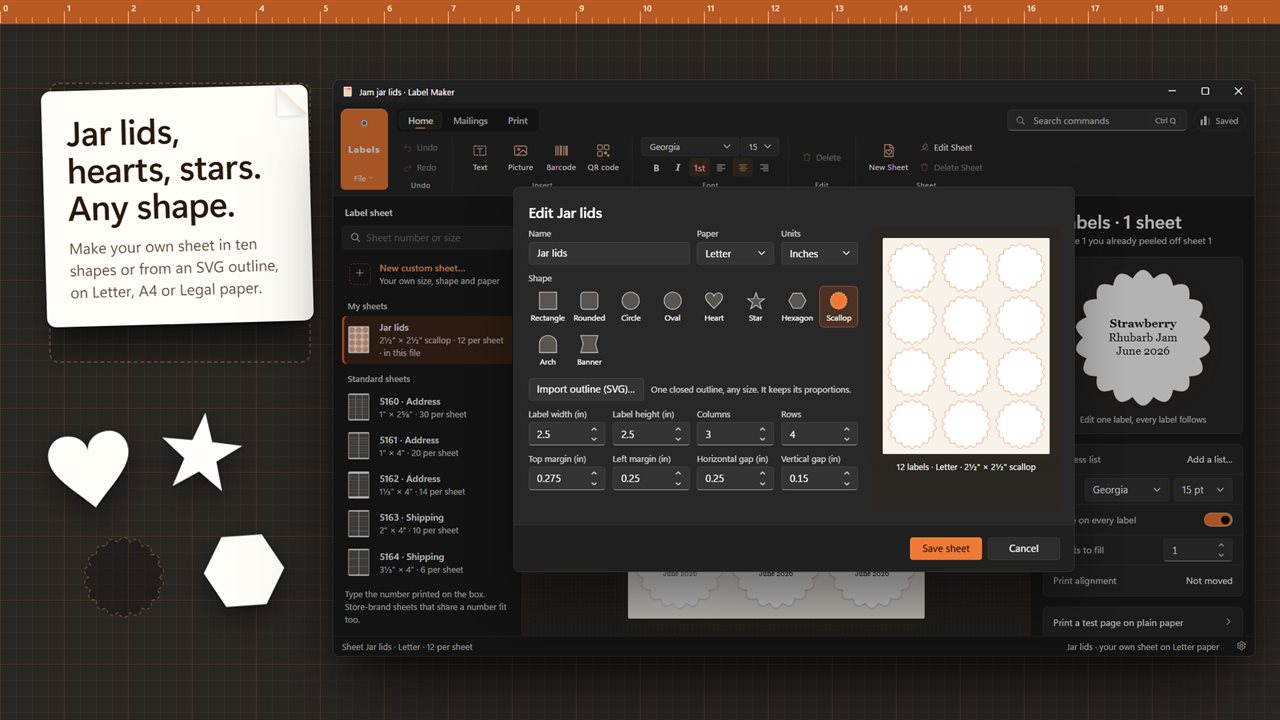
Make your own sheet: rectangle, rounded, circle, oval, heart, star, hexagon, scallop, arch or banner, or import an SVG outline for a die-cut shape of your own. Set the size, rows, columns, margins and gaps in inches or millimeters, on Letter, A4 or Legal paper, and see the sheet as you type.
Mail merge
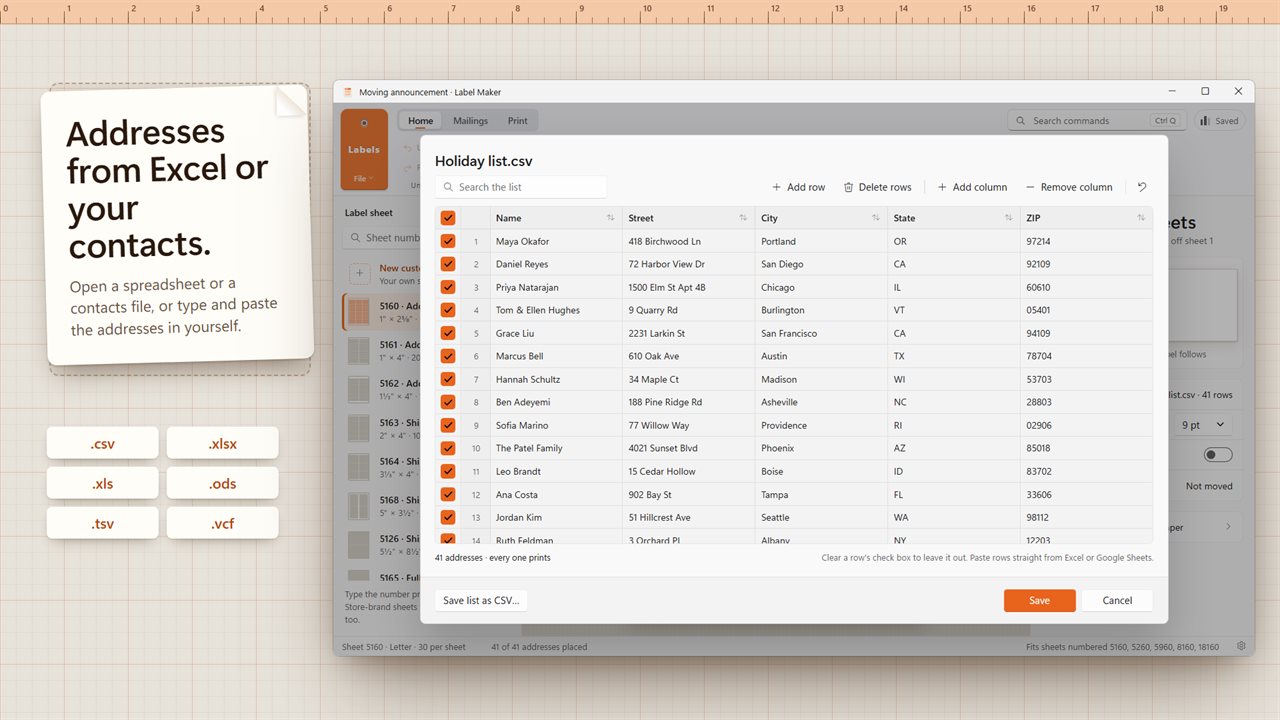
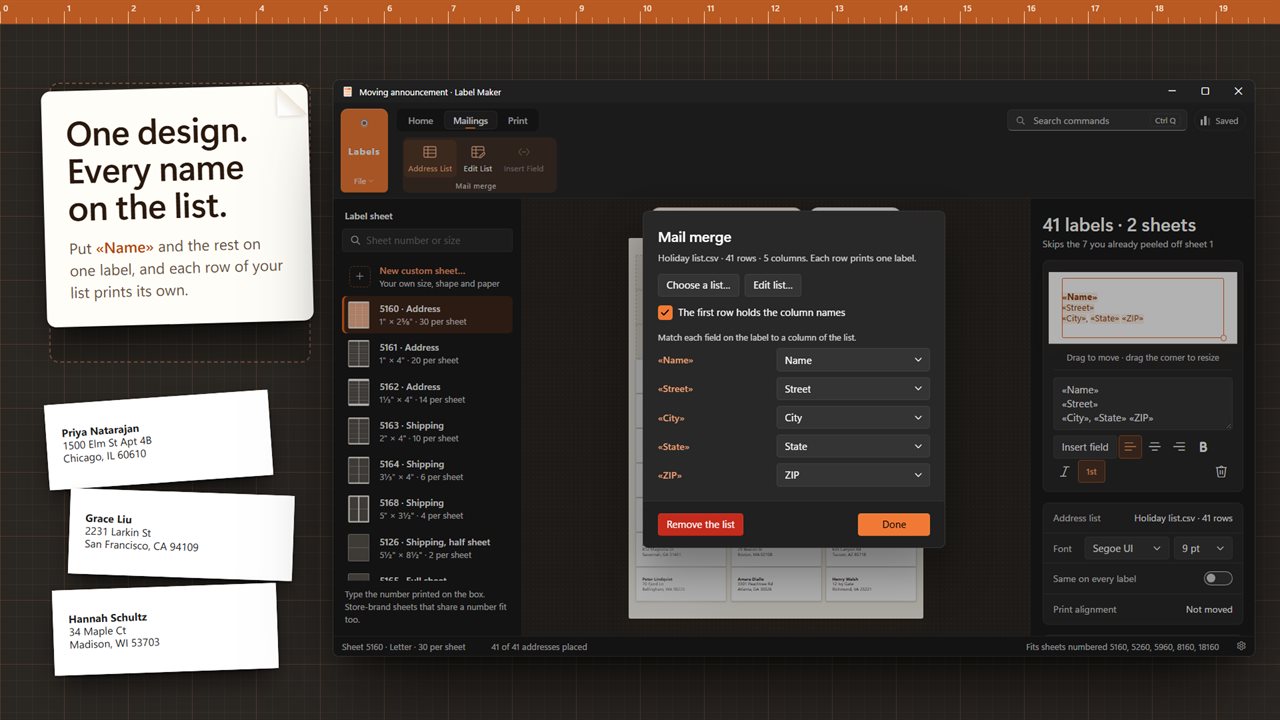
Open a list from Excel (.xlsx, .xls), OpenDocument (.ods), CSV, TSV or a contacts file (.vcf), or type it in. Put «Name», «Street» and «City» on one label and every row prints its own. The list editor lets you paste rows from a spreadsheet, sort, search and untick anyone you want to leave out.
Barcodes, QR codes and pictures
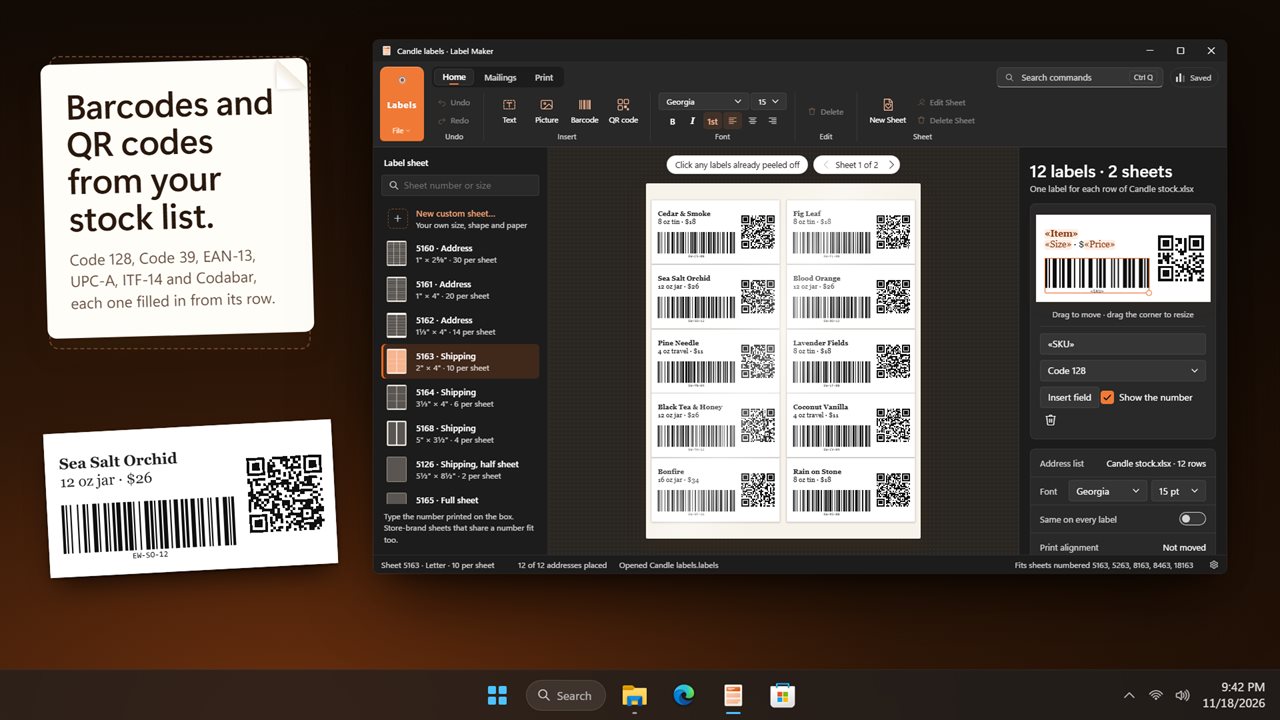
Add text, a logo, a QR code or a barcode in Code 128, Code 39, EAN-13, UPC-A, ITF-14 or Codabar. Each one can take a column from your list, so every product label gets its own code.
Prints where it should
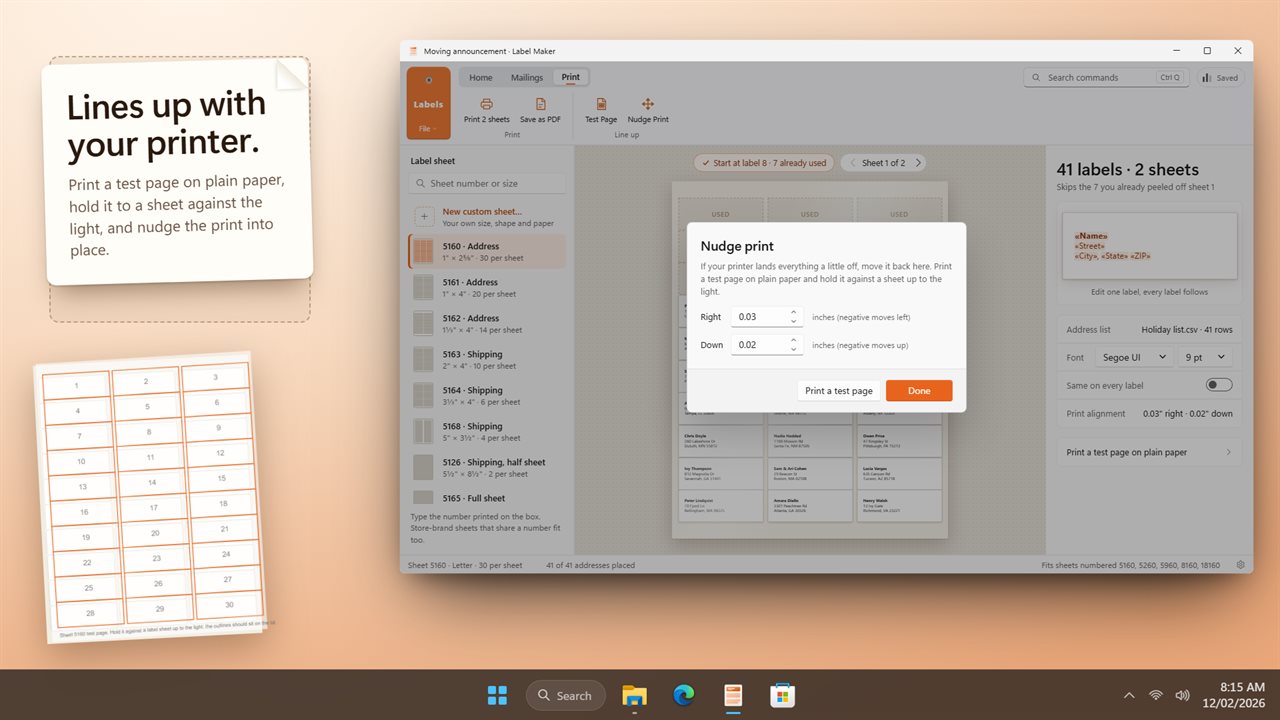
Labels print at true size through the Windows print dialog. If your printer lands a little off, print a test page on plain paper, hold it against a sheet up to the light, and nudge the print into place. The nudge is remembered for next time.
Save and share
Save your design as a .labels file with the list inside it, or save the sheets as a PDF.
Private by design
Your addresses stay on your PC. No account needed, no upload unless you turn on backup, and it works offline.
Features
- Print on standard US label sheets: 13 built in, from address, shipping and return address labels to round labels, name badges and business cards
- Type the number printed on the box to find your sheet; store-brand sheets that share a number fit too
- Start at any label on a half-used sheet: click the ones already peeled off and printing skips them
- Make your own sheet in any of ten shapes, including circle, oval, heart, star, hexagon, scallop, arch and banner, or import an SVG outline
- Custom sheets on Letter, A4 or Legal paper, measured in inches or millimeters
- Mail merge from CSV, TSV, Excel (.xlsx, .xls), OpenDocument (.ods) or contacts (.vcf)
- Built-in address list: type, paste from a spreadsheet, sort, search and leave rows out
- Text, pictures, barcodes and QR codes on every label, each one able to take a field from your list
- Six barcode types: Code 128, Code 39, EAN-13, UPC-A, ITF-14 and Codabar
- Prints at true size through the Windows print dialog
- Test page and print nudge for printers that land a little off
- Save your labels as a .labels file with the address list inside, or save the sheets as a PDF
- Works offline. Light and dark themes that follow Windows
Details
- Works on
- Windows 10 (1809 or later) and Windows 11
- Download
- About 3.3 MB
- Version
- 1.0.2, updated October 2026
- First released
- October 2026
- Price
- $9.99 once. No subscription.
- Category
- Productivity
Questions
Anything else? Ask us
Which versions of Windows does it run on?
Windows 10 (version 1809 or later) and Windows 11.
Is it a subscription?
No. Label Maker is a one-time purchase of $9.99, and updates are included.
How do I get it?
EvlarSoft apps are moving to direct downloads from this site. Ask to be notified and we will email you as soon as Label Maker is ready to download.