QRCoder
Make QR codes for links, Wi-Fi, contacts, emails, texts and calls. Every code is checked to scan before you save it. Add your colors and logo, print sheets of labels, and read a QR code off your screen from any app.
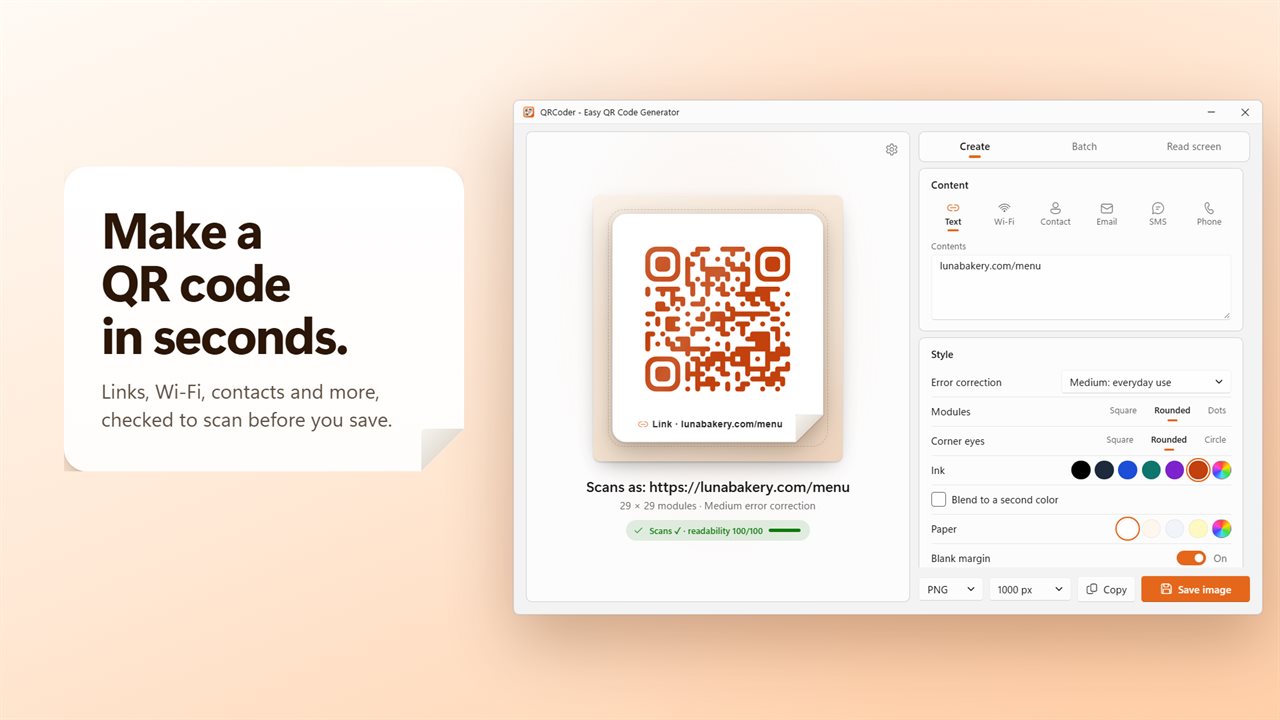
Make a QR code in seconds, checked to scan before you save it.
See it in action
About QRCoder
QRCoder makes QR codes that scan the first time. Type a link, fill in your Wi-Fi or a contact, and the code appears on a sticker, ready to copy, drag or save.
Six kinds of code
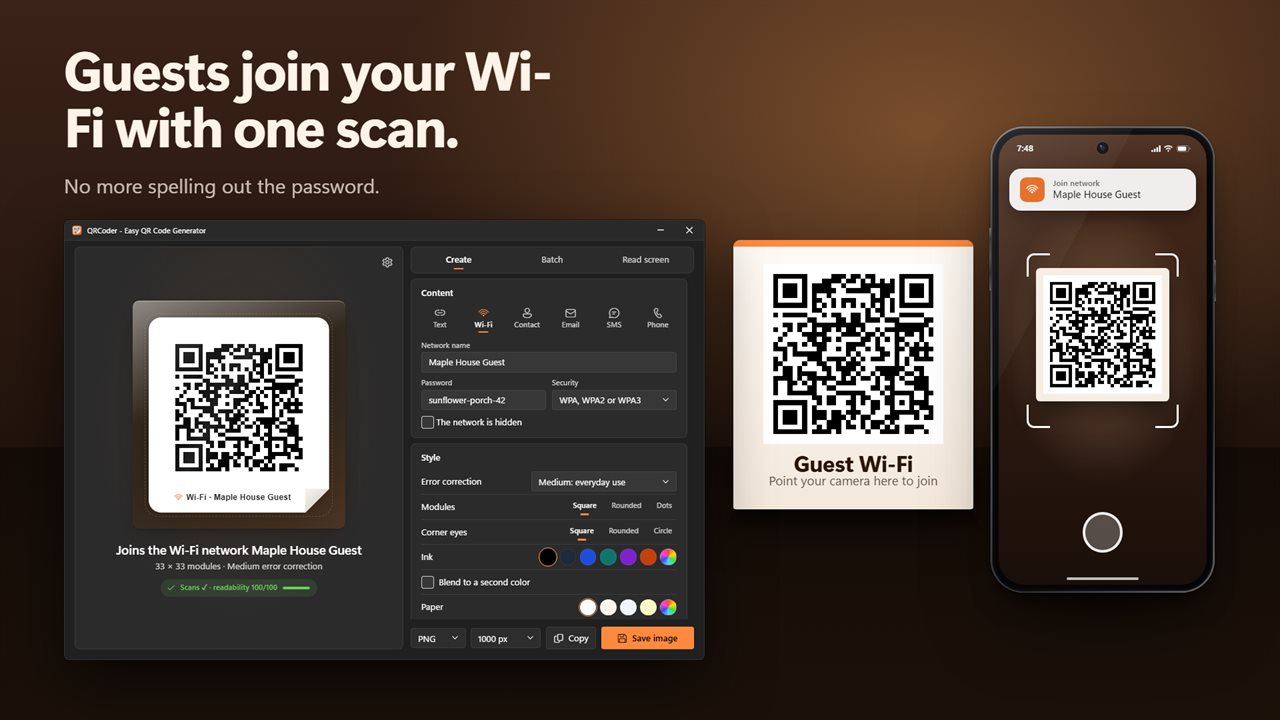
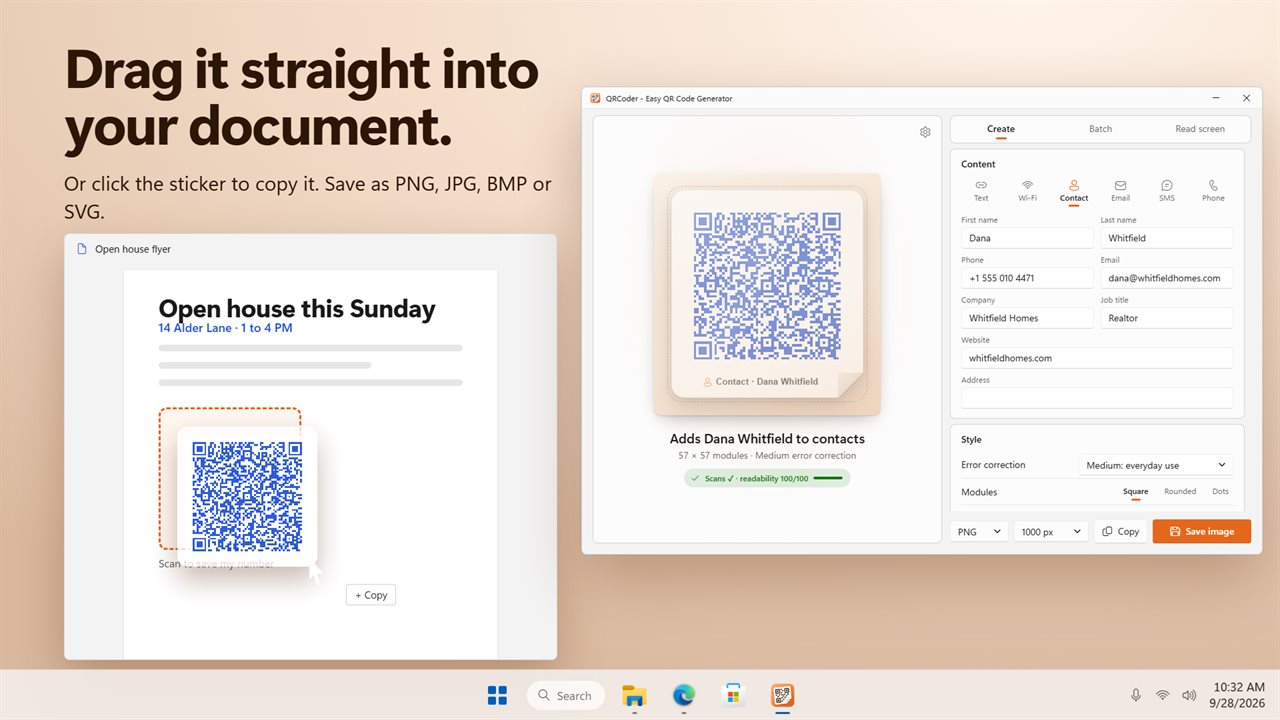
Links and text, Wi-Fi networks, contacts, emails, text messages and phone calls. A Wi-Fi code lets guests join with one scan, whether your network uses WPA, WPA2 or WPA3, an older WEP router, no password at all, or is hidden. A contact code carries a name, phone, email, company, job title, website and address.
Checked to scan
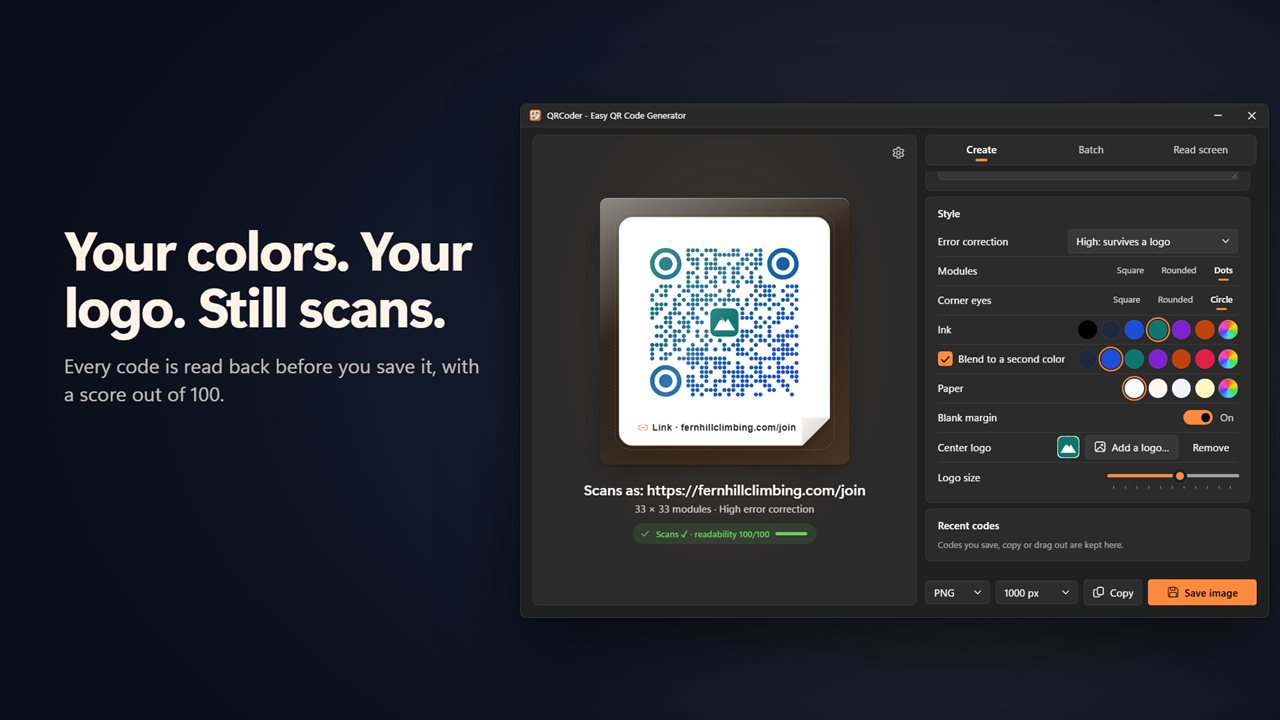
Every code is read back before you save it, at full size, small, and blurred like a poor photo, and you get a readability score out of 100. If the colors are too close, the ink is lighter than the paper, or a logo covers too much, it tells you why.
Make it yours
Pick square, rounded or dot modules and square, rounded or circle corner eyes. Choose from six inks and four papers, or any color you like, and blend the ink into a second color. Put your logo in the middle and set its size.
As tough as you need
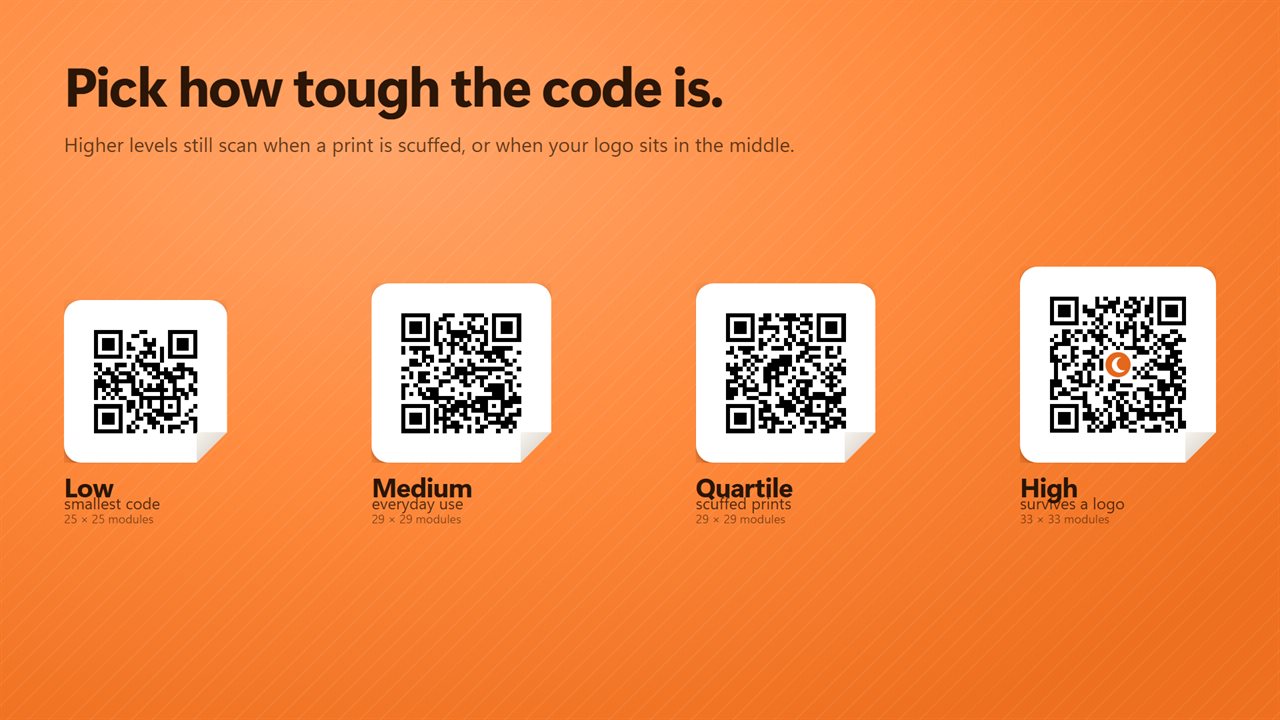
Choose from four levels of error correction: Low for the smallest code, Medium for everyday use, Quartile for scuffed prints, and High, which survives a logo.
Copy, drag or save
Click the sticker to copy the code, or drag it straight into a document, an email or a folder. Save it as PNG, JPG, BMP or SVG, from 500 to 4000 pixels. Your last twelve codes are kept, so any of them is one click away.
Sheets of labels
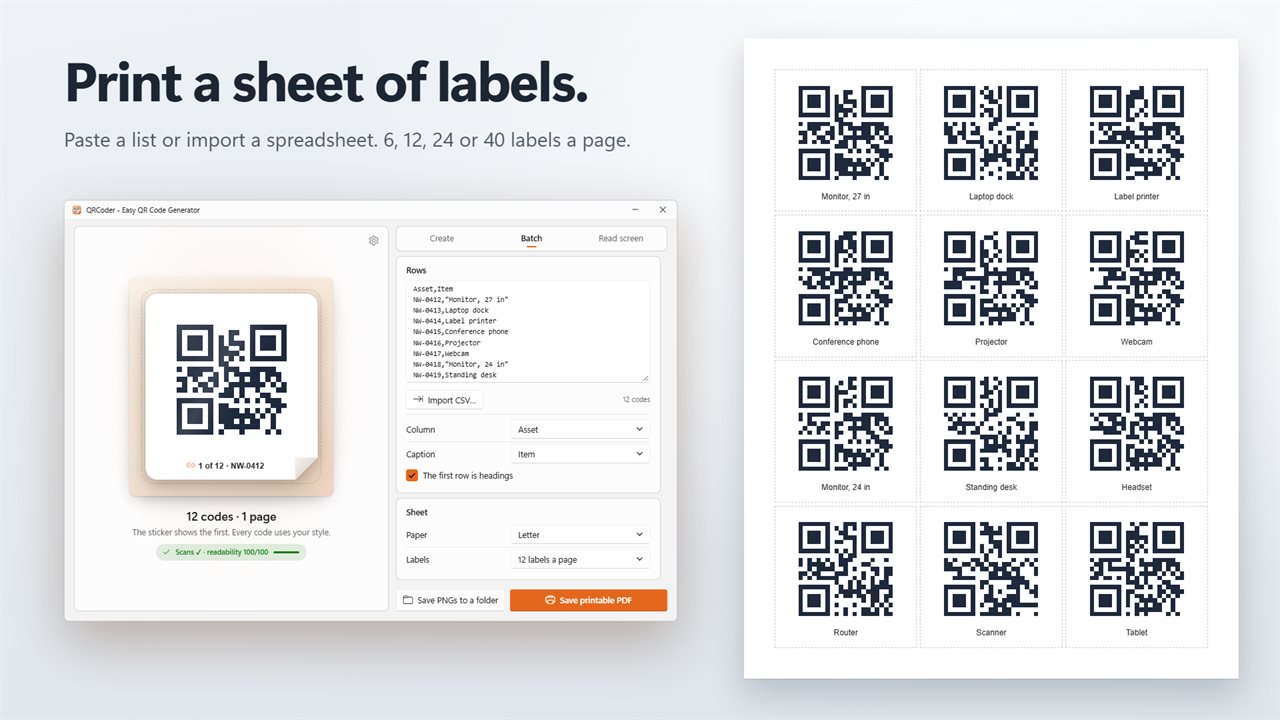
Paste a list, one code per line, or import a spreadsheet saved as CSV, up to 2000 rows. Pick the column for the code and one for the caption. Print them as a PDF label sheet on Letter or A4, with 6, 12, 24 or 40 labels a page, or save each one as its own PNG.
Read a code on your screen
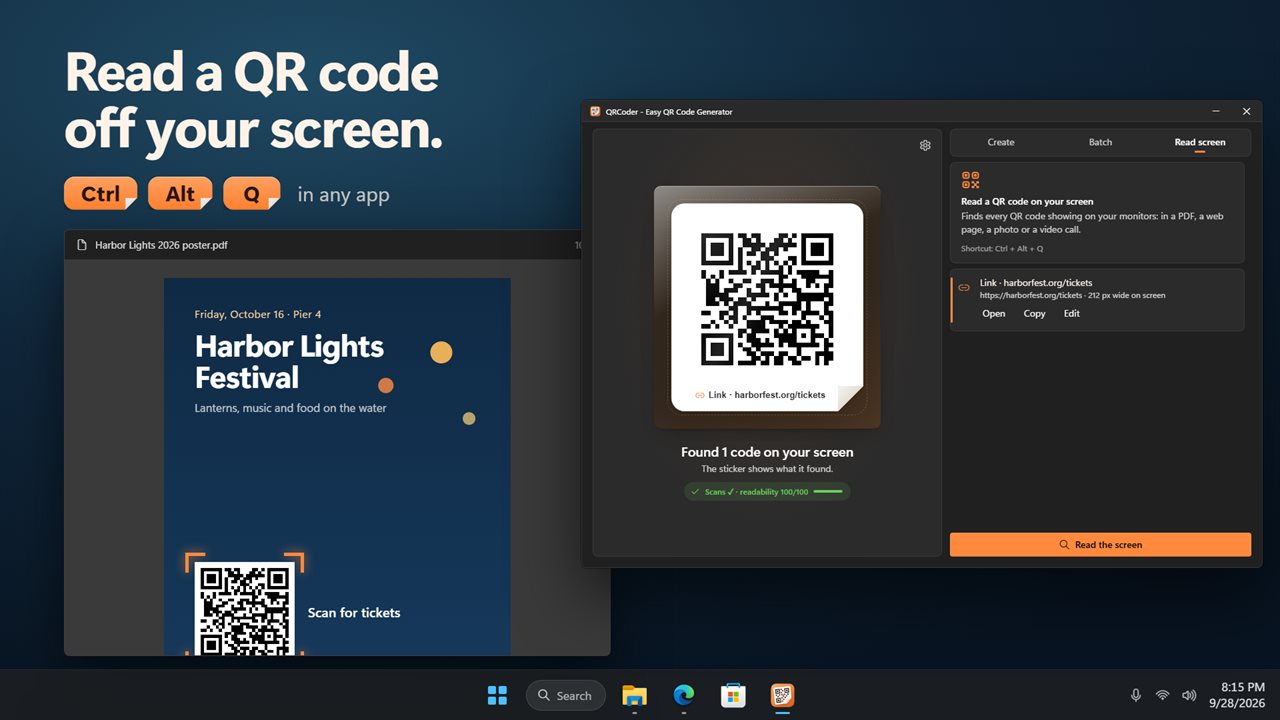
A QR code in a PDF, a web page, a photo or a video call? QRCoder finds every code on your monitors. Turn on a shortcut, Ctrl+Alt+Q unless you pick another, and it works from any app. The window steps aside while it looks, and what it finds opens in the app: open the link, copy the text or a Wi-Fi password, or edit the code and make it again.
No internet connection needed. Light and dark themes, or match Windows.
Features
- Make QR codes for links and text, Wi-Fi networks, contacts, emails, text messages and phone calls
- Wi-Fi codes for WPA, WPA2 and WPA3, older WEP routers, open networks and hidden networks
- Contact codes carry a name, phone, email, company, job title, website and address
- Type a bare address like example.com and it becomes a working link
- Every code is checked to scan before you save it, with a readability score out of 100
- Warns you when the colors are too close, the ink is lighter than the paper, or a logo covers too much
- Four levels of error correction: Low, Medium, Quartile for scuffed prints, and High, which survives a logo
- Put your logo in the middle and set its size
- Square, rounded or dot modules, and square, rounded or circle corner eyes
- Six ink colors and four paper colors, or any color you pick, with an optional blend to a second color
- Save as PNG, JPG, BMP or SVG, from 500 to 4000 pixels
- Click the code to copy it, or drag it straight into a document, an email or a folder
- Your last twelve codes are kept, so you can bring one back with a click. Turn it off or clear it any time
- Make many codes at once: paste a list, or import a spreadsheet saved as CSV, up to 2000 rows
- Print them as a PDF label sheet on Letter or A4, with 6, 12, 24 or 40 labels a page, each with its caption
- Or save every code as its own PNG in a folder
- Read a QR code that is on your screen: in a PDF, a web page, a photo or a video call, on any monitor
- Turn on a shortcut, Ctrl+Alt+Q unless you pick another, to read the screen from any app
- Open a link it found, copy the text, copy a Wi-Fi password, or edit the code and make it again
- Works without an internet connection. Light and dark themes, or match Windows
Details
- Works on
- Windows 10 (1809 or later) and Windows 11
- Download
- About 3.2 MB
- Version
- 2.0.3, updated October 2026
- First released
- March 2023
- Price
- $2.99 once. No subscription.
- Category
- Productivity
What's new in 2.0.3
- New: Wi-Fi, contact, email, text message and phone codes
- New: every code is checked to scan, with a readability score
- New: your colors, module and eye shapes, and a logo in the middle
- New: four levels of error correction
- New: print sheets of labels from a list or a spreadsheet
- New: read a QR code on your screen, from any app with a shortcut
- New: drag a code into any app, and keep your last twelve codes
- New: save as PNG, JPG, BMP or SVG, up to 4000 pixels
Questions
Anything else? Ask us
Which versions of Windows does it run on?
Windows 10 (version 1809 or later) and Windows 11.
Is it a subscription?
No. QRCoder is a one-time purchase of $2.99, and updates are included.
How do I get it?
EvlarSoft apps are moving to direct downloads from this site. Ask to be notified and we will email you as soon as QRCoder is ready to download.