MPP Viewer & Gantt Chart Editor
Open, edit and print .mpp project schedules on a Gantt chart, without the software they were made in. Critical path, slipped tasks against the baseline, a one-page status report, and edits saved back into the .mpp.
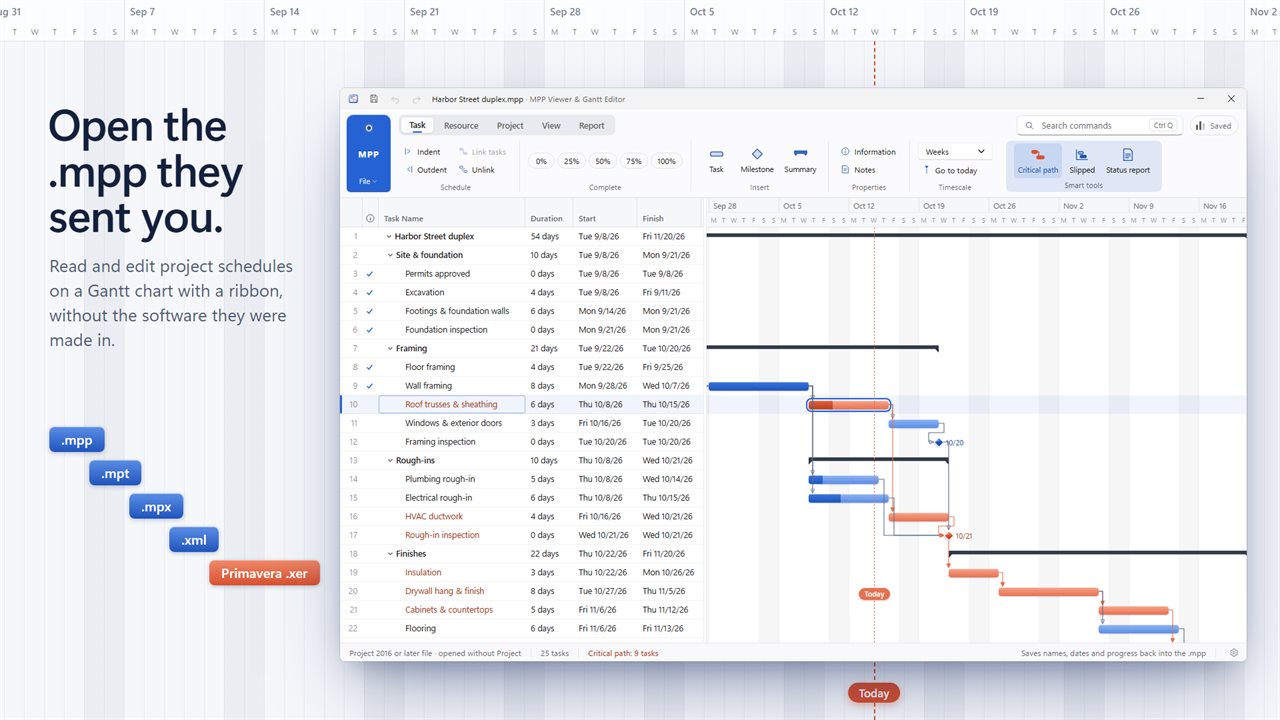
Open .mpp, .mpt, .mpx, Project XML and Primavera .xer schedules on a Gantt chart with a ribbon.
See it in action
About MPP Viewer & Gantt Chart Editor
A Gantt chart app for Windows that opens .mpp project files: the build schedule the general contractor sent, the rollout plan from the client, the template your office has used for years.
Open the file you were sent
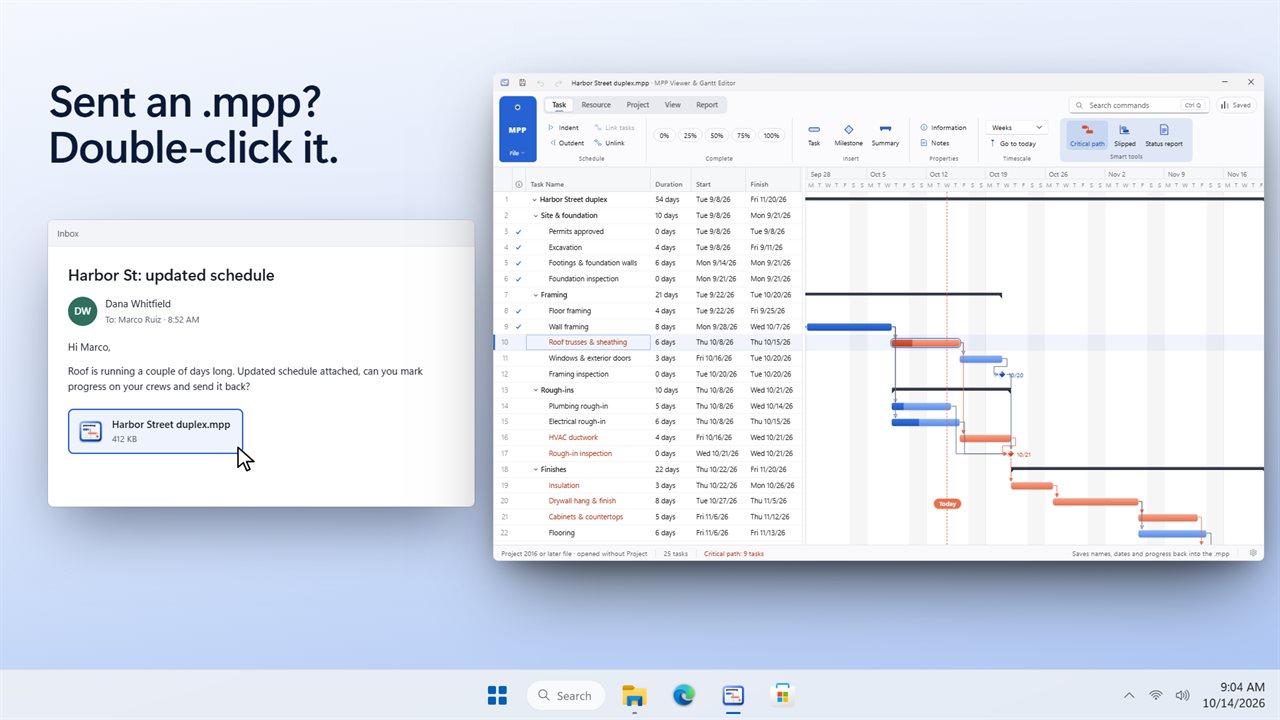
Open .mpp schedules and .mpt templates, .mpx files, Project XML (.xml) and Primavera P6 .xer exports. Double-click one in an email or in File Explorer and it opens with its tasks, summaries, milestones, links, progress, resources, notes and baseline.
A gantt chart with a ribbon
The task table on the left, the bars on the right, and Task, Resource, Project, View and Report tabs across the top. Switch between days, weeks and months, collapse to the summaries, and press Ctrl+Q to find any command.
Edit and it recalculates
Change a name, a duration, a start or finish date, % complete or the links, and every date after it moves. Indent and outdent, add tasks, milestones and summaries, link tasks four ways with lag, set working days and holidays, or move the whole project to a new start date.
Know where it stands
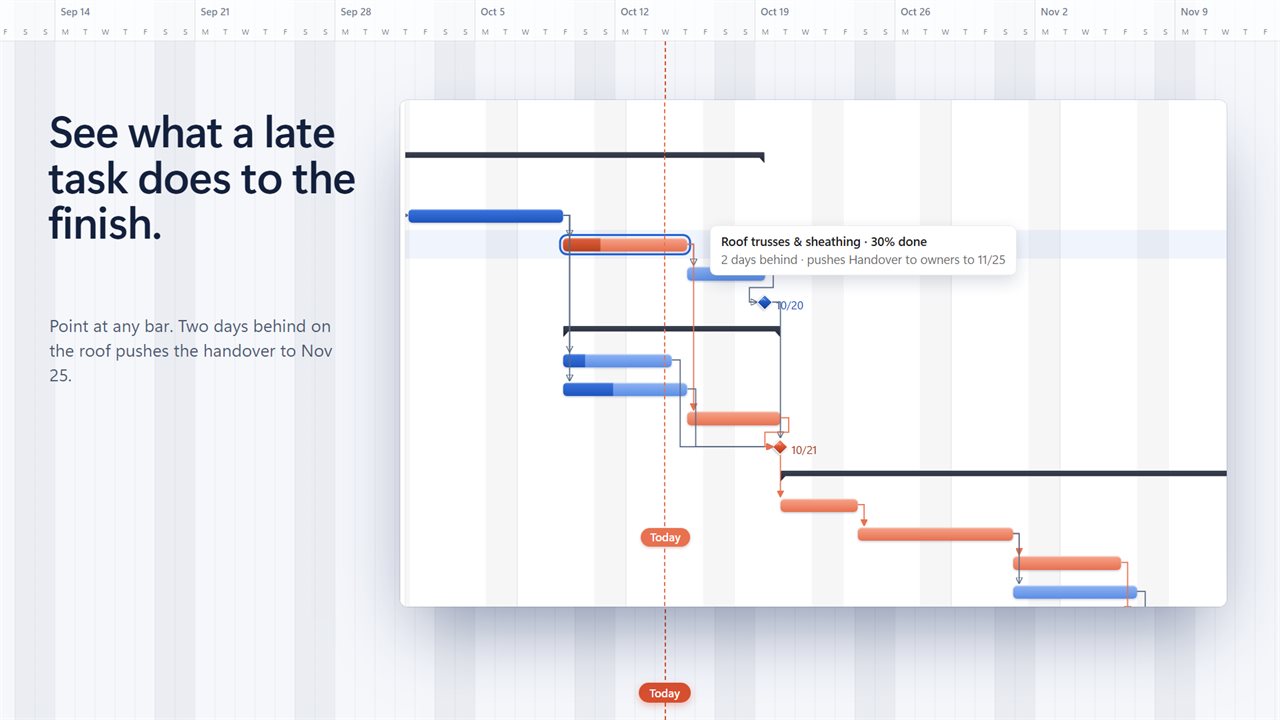
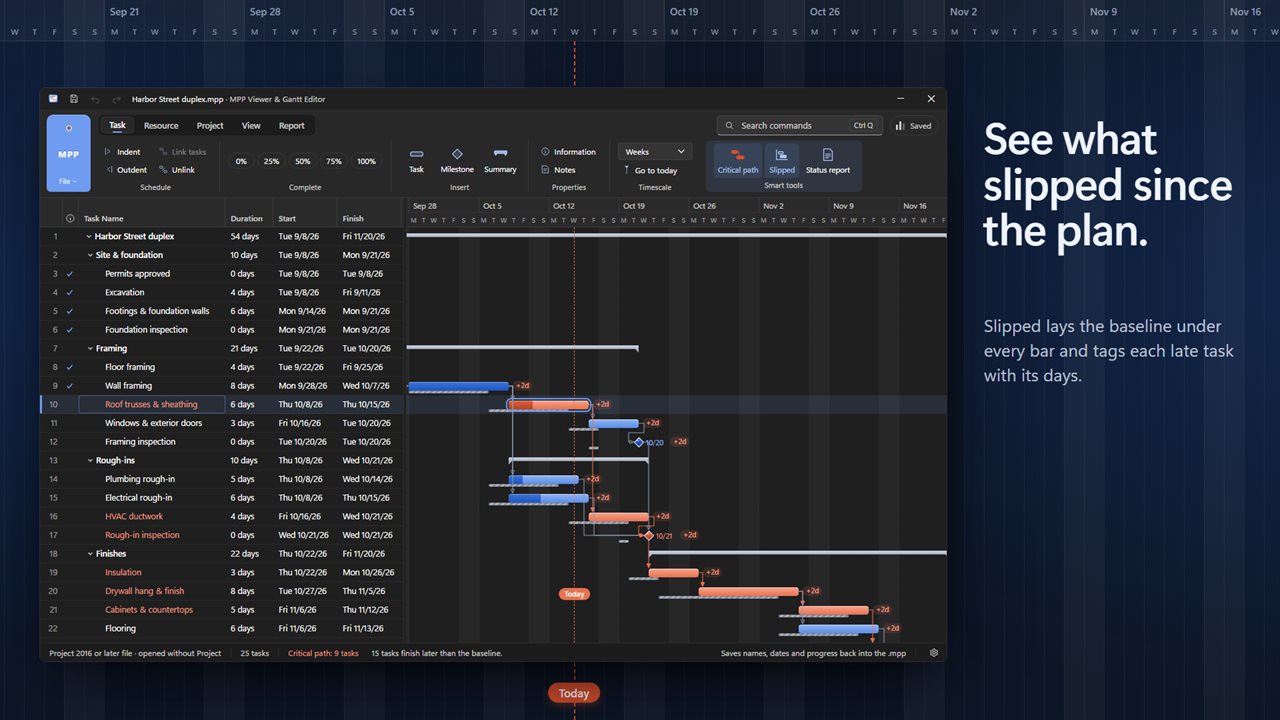
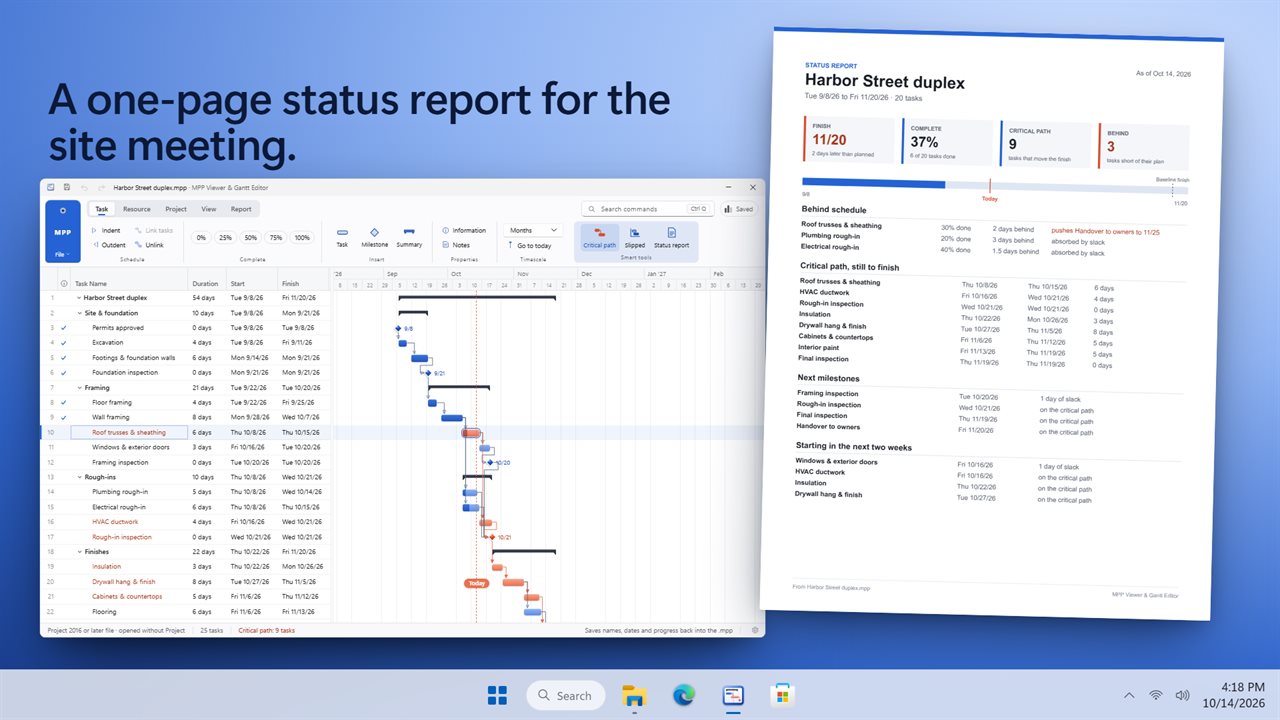
Critical path shows the tasks that move the finish. Point at a late task and it tells you how many days behind it is and which date it pushes. Set a baseline, and Slipped shows the plan under every bar with the days each task has slipped.
A status report in one click
A one-page PDF with the finish date against the baseline, % complete, what is behind and what it pushes, the critical path still to finish, the next milestones and what starts in the next two weeks.
Resource sheet
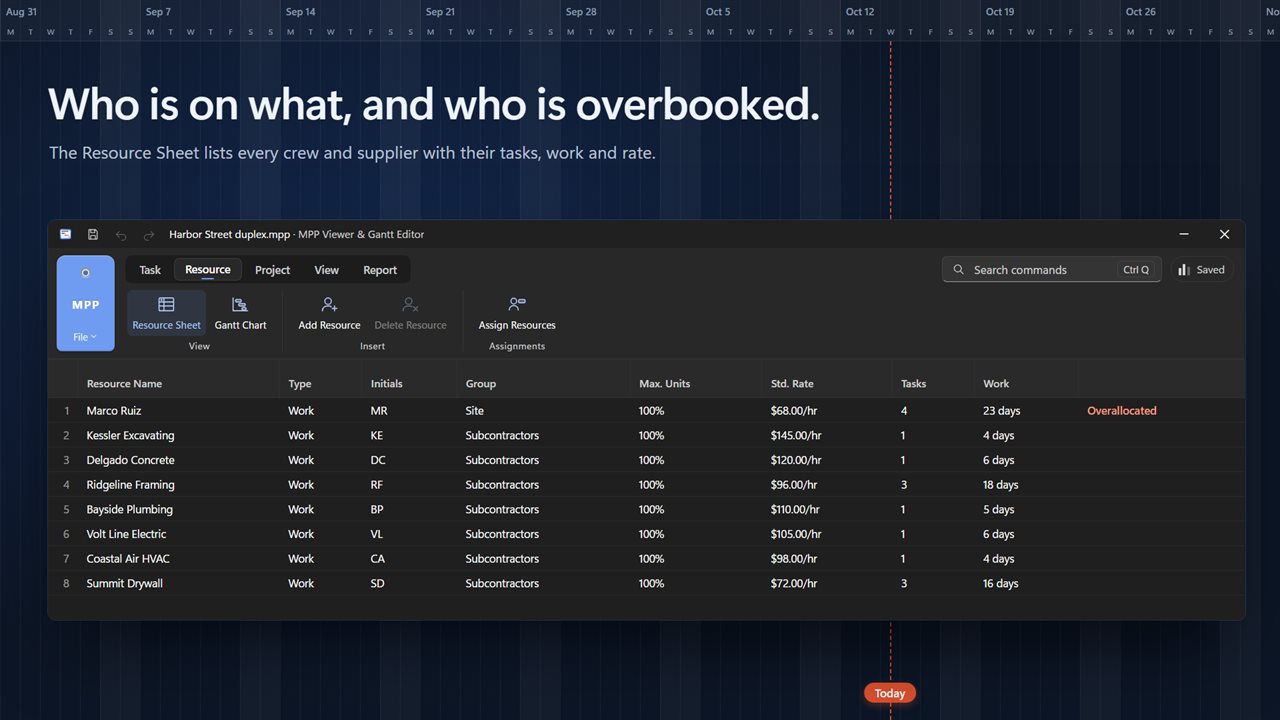
Every person, crew and supplier with their group, rate, tasks and work, and a flag on anyone booked on two things at once. Assign resources to any task.
Saving, plainly
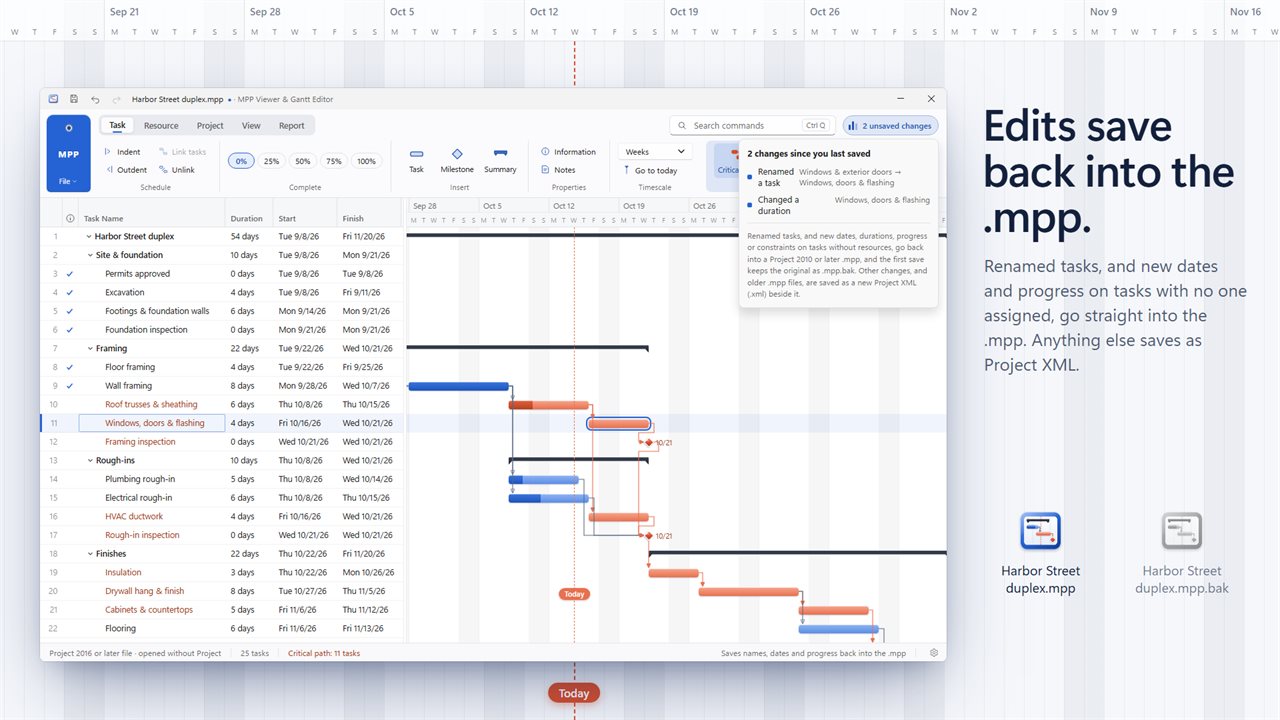
Task names, and new dates, durations, progress and constraints on tasks with no resources assigned, are written straight back into .mpp files saved in the 2010 format or later. The first save keeps the original beside it as .mpp.bak. Any other change, and older .mpp files, save as a new Project XML (.xml) file beside the original, which stays untouched. You can also save a copy as MPX.
Share it
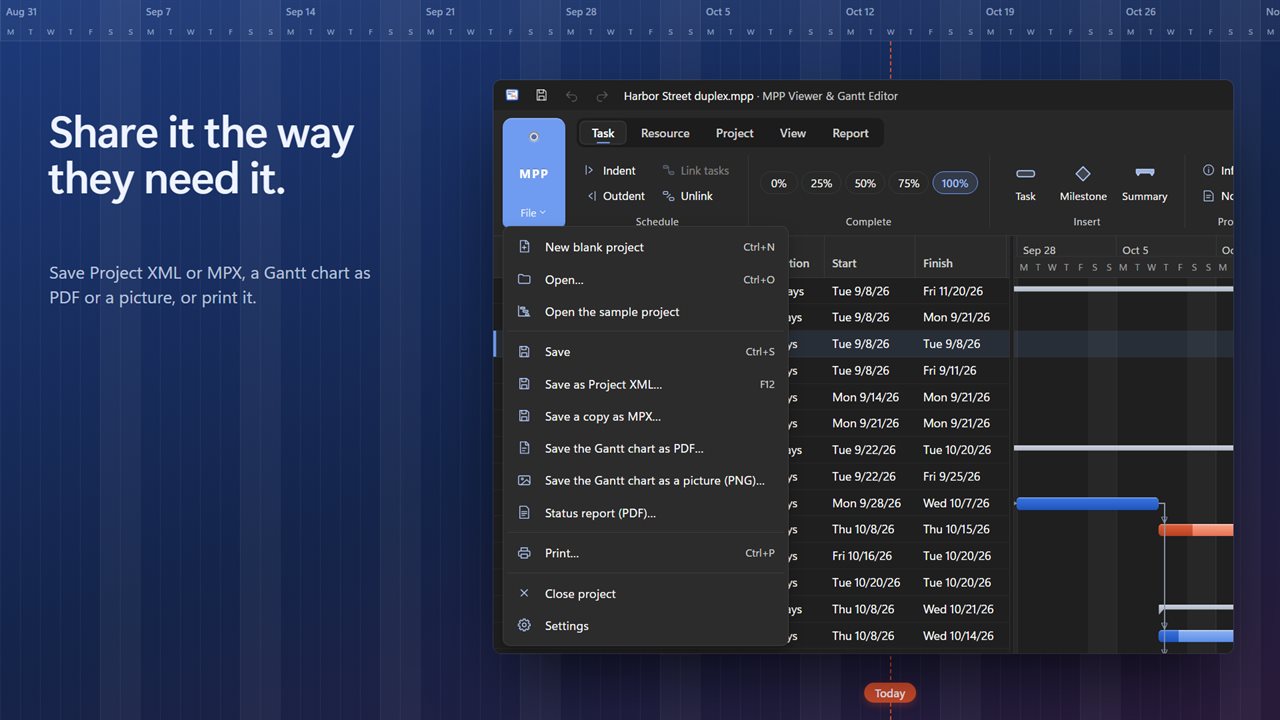
Save the Gantt chart as PDF or as a PNG picture, print it, or send the status report.
What isn't kept
Custom fields, views, filters, macros, cost tracking, actual work and resource leveling aren't shown and may not be kept when you save. Dates and the critical path come from this app's own scheduler and can differ slightly from the original.
Private by design
Everything happens on your PC. No account, no upload, and it works offline.
Features
- Open .mpp project files and .mpt templates, plus .mpx, Project XML (.xml) and Primavera P6 .xer schedules
- Every task on a Gantt chart: summaries, milestones, links and progress, with a table of names, durations, starts and finishes beside it
- A ribbon with Task, Resource, Project, View and Report tabs, and Ctrl+Q to find any command
- Edit names, durations, start and finish dates, % complete, links and notes, and the schedule recalculates as you type
- Indent and outdent, add tasks, milestones and summaries, and link tasks finish-to-start, start-to-start, finish-to-finish or start-to-finish with lag
- Critical path: see which tasks move the finish date
- Point at a late task to see how far behind it is and which date it pushes
- Set a baseline, then Slipped shows the plan under every bar and how many days each task is late
- A one-page status report PDF: finish date, % complete, what is behind, the critical path, the next milestones and what starts in the next two weeks
- Resource Sheet with every person, crew and supplier, their tasks, work and rate, and who is overallocated
- Working days and holidays, project start date, and Move Project to shift the whole schedule
- Saves names, and new dates, durations, progress and constraints on tasks with no resources assigned, straight back into .mpp files in the 2010 format or later, keeping the original as .mpp.bak
- Everything else saves as Project XML beside the original, or as a copy in MPX
- Save the Gantt chart as PDF or as a PNG picture, or print it
- Days, weeks or months timescale, zoom, a Today line, and collapse to summaries
- Undo and redo, and a list of every change since you saved
- Brings back unsaved work if the app closes unexpectedly
- Works offline. Light and dark themes that follow Windows
Details
- Works on
- Windows 10 (1809 or later) and Windows 11
- Download
- About 92.5 MB
- Version
- 1.0.2, updated October 2026
- First released
- October 2026
- Price
- $14.99 once. No subscription.
- Category
- Productivity
Questions
Anything else? Ask us
Which versions of Windows does it run on?
Windows 10 (version 1809 or later) and Windows 11.
Is it a subscription?
No. MPP Viewer & Gantt Chart Editor is a one-time purchase of $14.99, and updates are included.
How do I get it?
EvlarSoft apps are moving to direct downloads from this site. Ask to be notified and we will email you as soon as MPP Viewer & Gantt Chart Editor is ready to download.