VSD Viewer & Editor
Open, edit and save Microsoft Visio drawings, including old .vsd files, without Visio. Flowcharts, swimlanes, org charts and network diagrams, with a full ribbon, 29 shape libraries, Shape Data and a diagram checker.
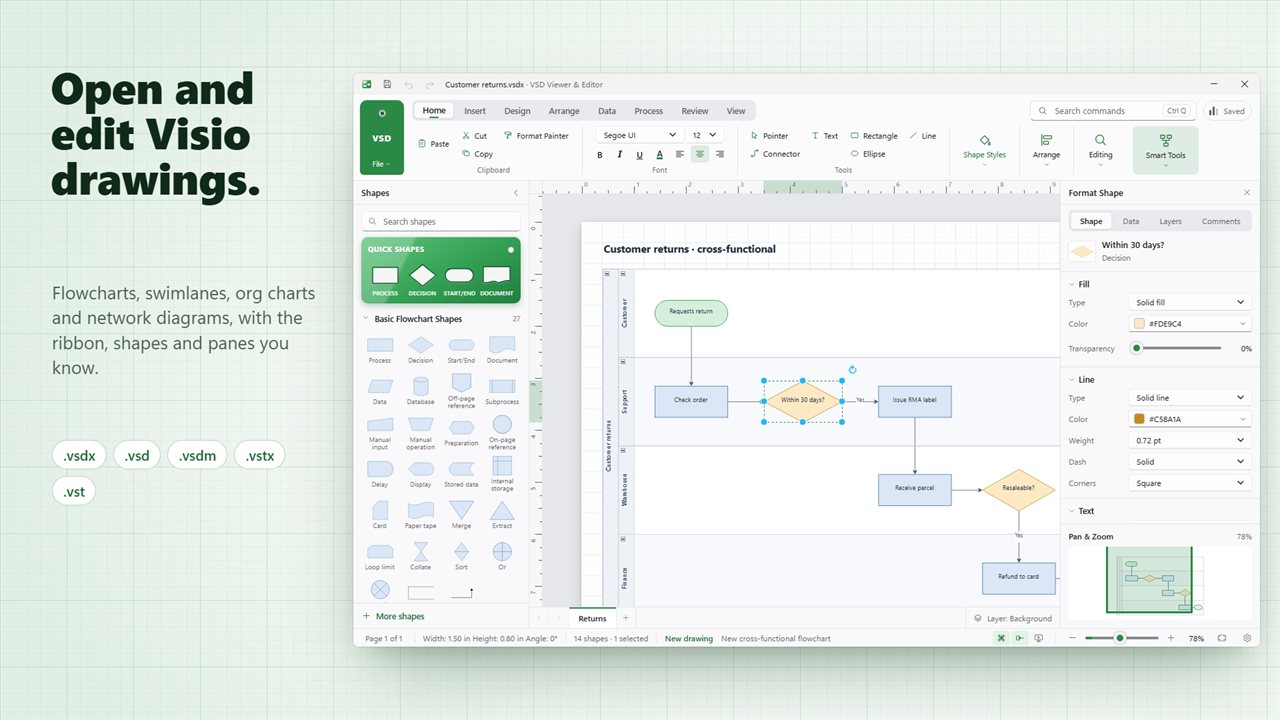
Open and edit Visio drawings with a full ribbon, the Shapes pane and the Format pane.
See it in action
About VSD Viewer & Editor
A diagram editor for Windows that opens Microsoft Visio files: the flowchart a colleague sent, the network map from 2009, the org chart HR keeps.
Open Visio files
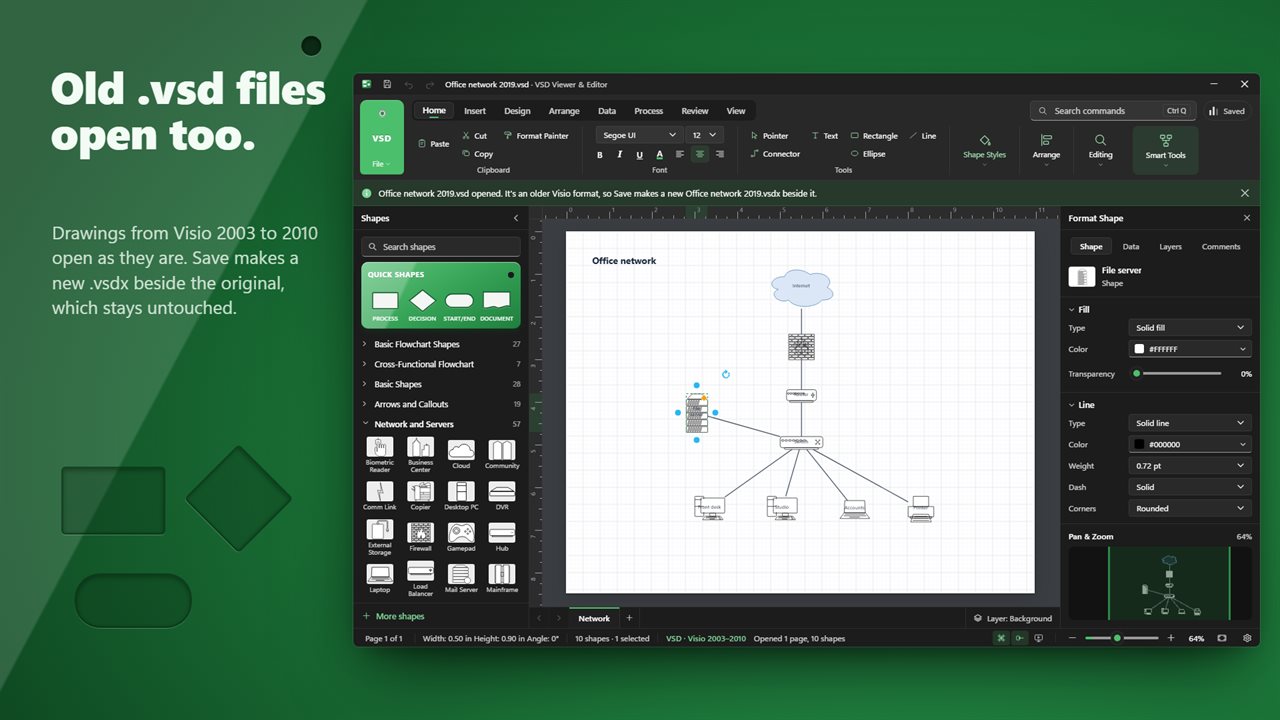
Open .vsdx, .vsdm and .vstx drawings, and the older .vsd and .vst files from Visio 2003 to 2010. Every page opens in its own tab, with its shapes, connectors, text, pictures, layers, links and Shape Data.
Edit and save
Move, resize, restyle and retype any shape. Draw connectors that stay glued when shapes move, add pages, group, align, rotate and lock. Save writes a .vsdx that Visio opens. An old .vsd is never written over: Save makes a new .vsdx beside it, and the original stays as it was.
A ribbon you know
Home, Insert, Design, Arrange, Data, Process, Review and View, the Shapes pane on the left and the Format pane on the right. Press Ctrl+Q and type to find any command.
29 shape libraries
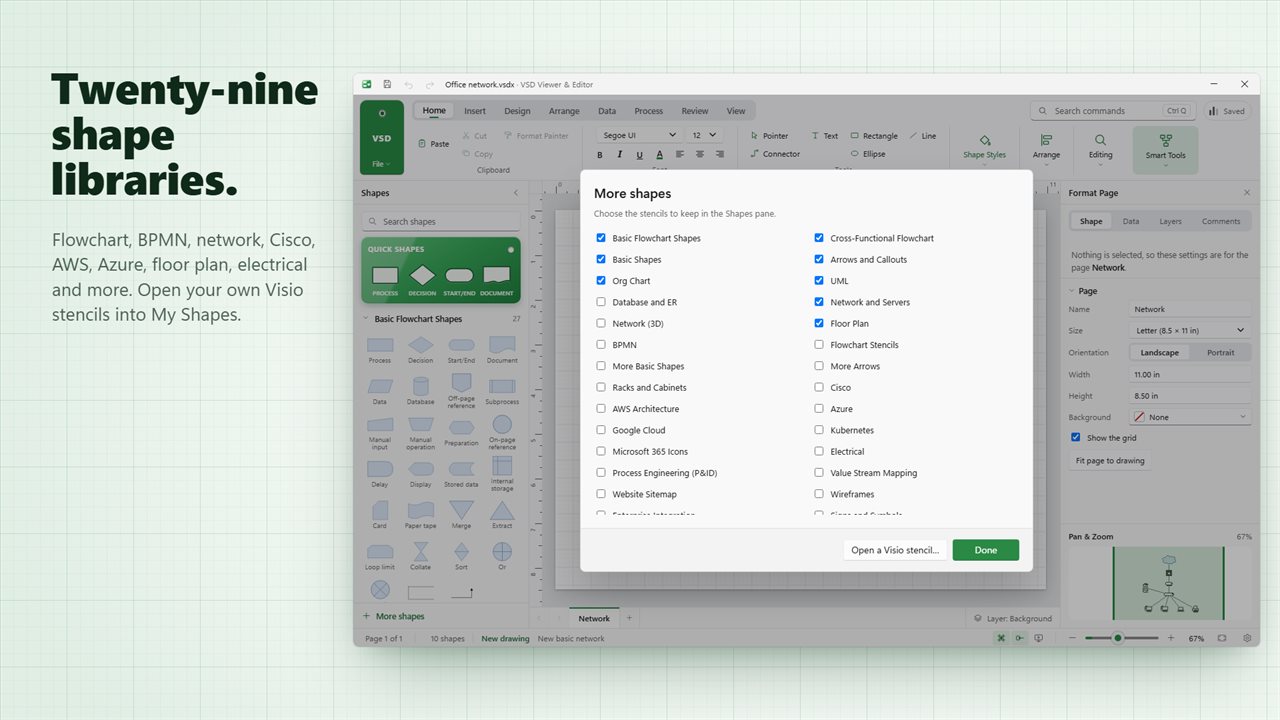
Flowchart, cross-functional swimlanes, basic shapes, arrows and callouts, UML, database and org chart shapes, plus network, Cisco, AWS, Azure, Google Cloud, Kubernetes, Microsoft 365 icons, floor plan, electrical, P&ID, BPMN and more. Open your own .vssx stencils into My Shapes. Click a shape while another is selected and it lands beside it, already connected.
Shape data
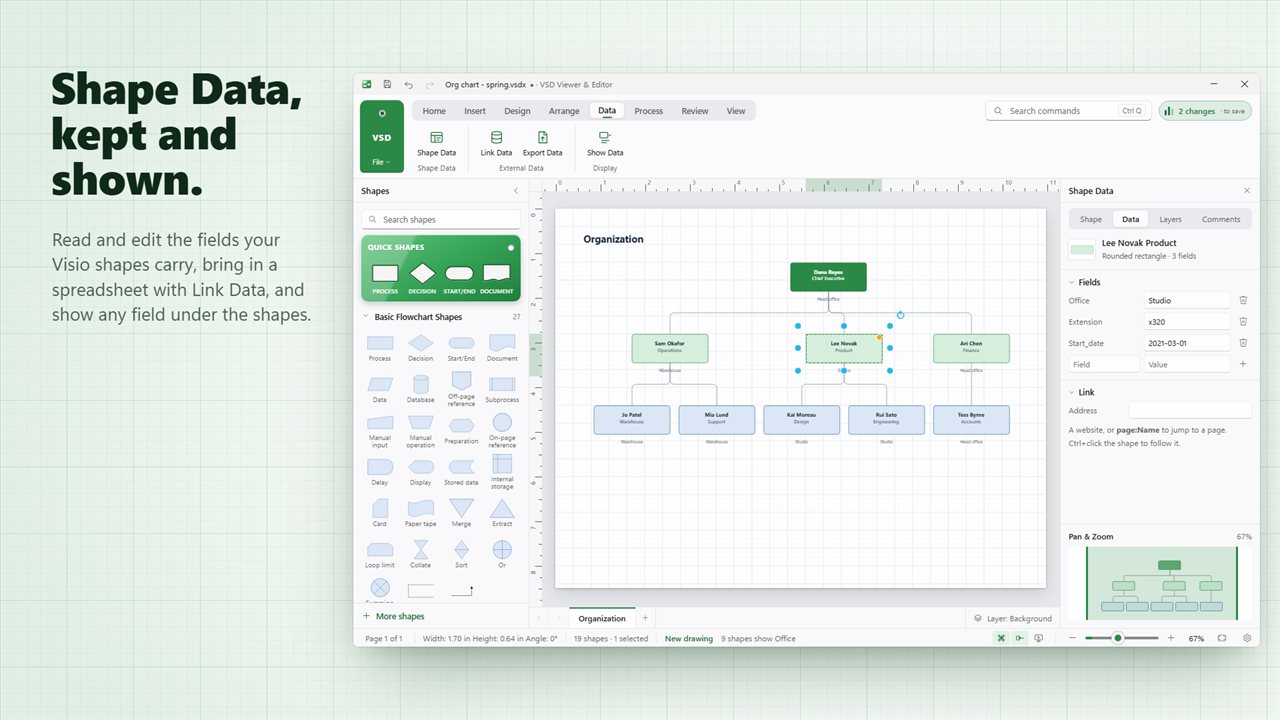
See and edit the fields your shapes carry, such as owner, cost or status. Bring in a spreadsheet with Link Data, show a field under every shape, or export everything to CSV.
Check before you send
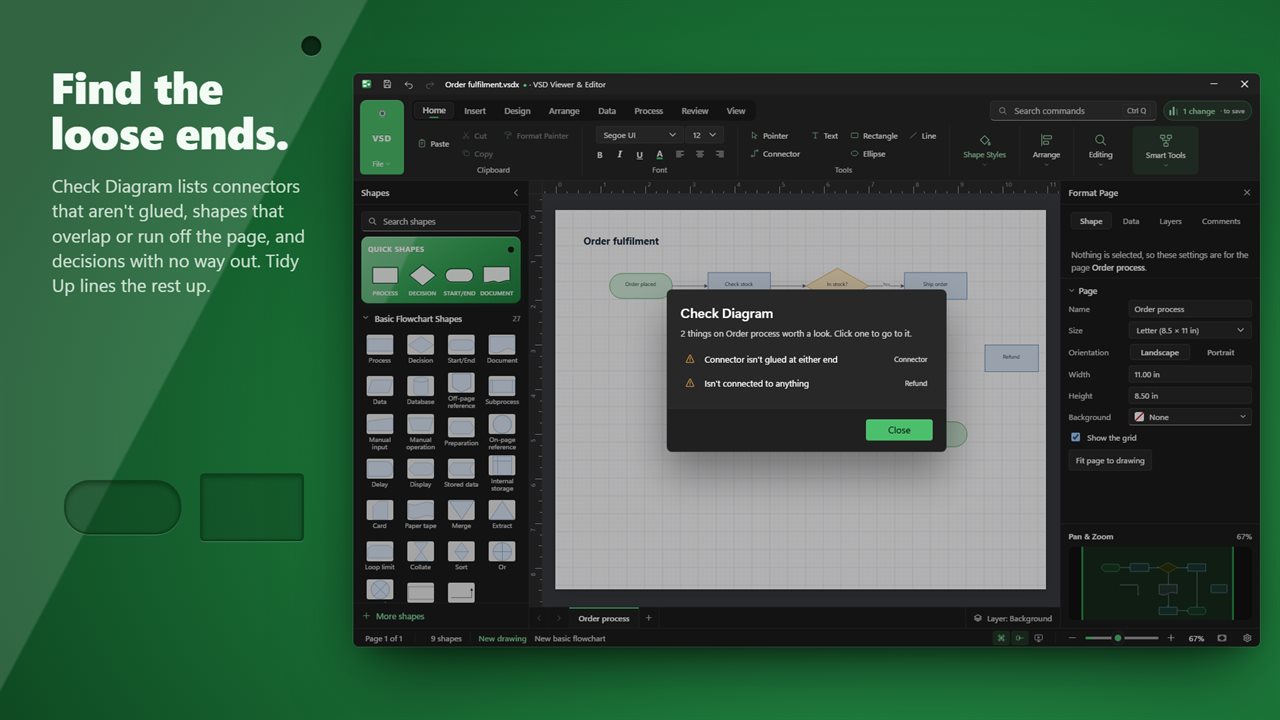
Check Diagram lists connectors that aren't glued, shapes that overlap or run off the page, and decisions with no way out. Tidy Up lines up shapes that are nearly in line, and Number Shapes numbers the steps in the order the connectors run.
Share it
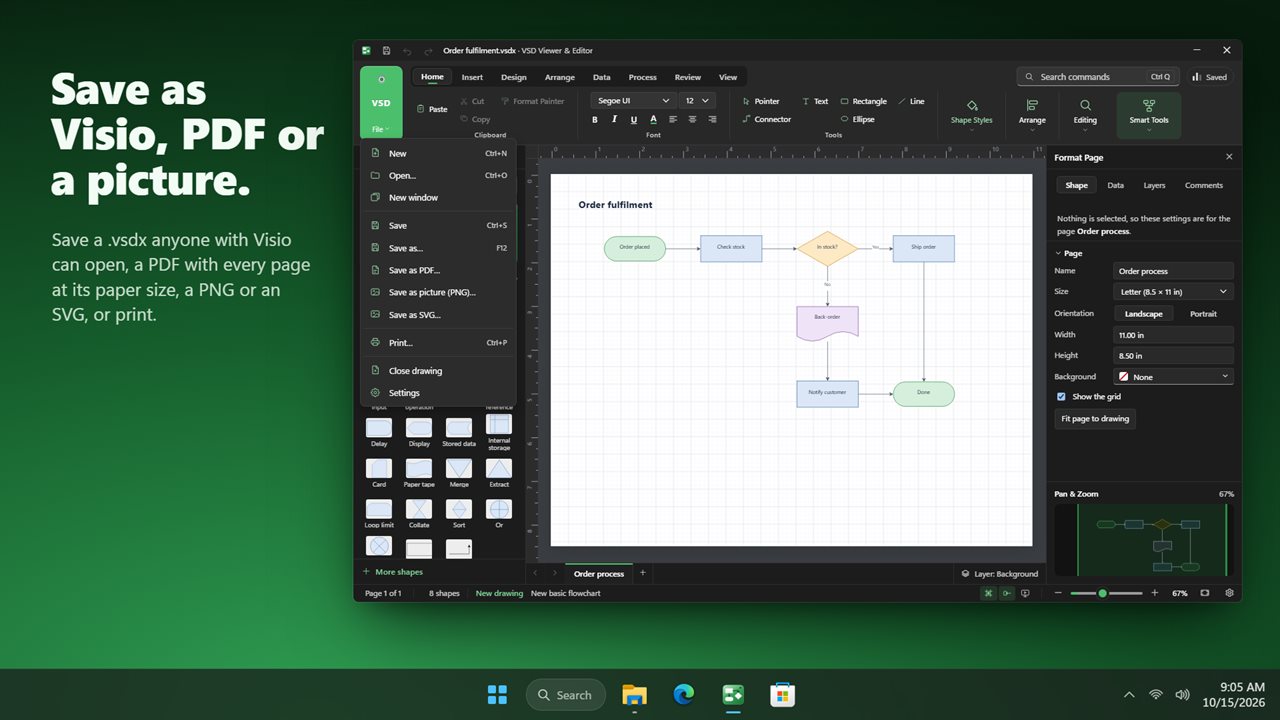
Save as PDF with every page at its paper size, as a PNG picture or as SVG, print, or present the pages full screen.
What isn't kept
Visio-only extras such as ShapeSheet formulas, macros, themes and data graphics aren't shown or saved. Text, shapes, connectors, pages, layers, links and Shape Data are.
Private by design
Everything happens on your PC. No account, no upload, and it works offline.
Features
- Open Microsoft Visio drawings: .vsdx, .vsdm and .vstx, and the older .vsd and .vst from Visio 2003 to 2010
- Edit every page: move, resize, restyle and retype shapes, draw connectors that stay glued, and add new pages
- Save as .vsdx that Visio opens. A .vsd is never written over; Save makes a new .vsdx beside it
- A full ribbon with Home, Insert, Design, Arrange, Data, Process, Review and View, and Ctrl+Q to find any command
- 29 shape libraries, from flowchart, swimlane, UML and org chart shapes to network, Cisco, AWS, Azure, floor plan and electrical
- Open your own Visio stencils (.vssx, .vss) into My Shapes
- Quick shapes: click a shape while another is selected and it lands beside it, already connected
- Format pane for fill, line, text, size and position, shadow and protection, plus page size, orientation and background
- Shape Data: read and edit the fields Visio shapes carry, and keep them when you save
- Link Data from a CSV list, Export Data to CSV, and show any field under the shapes
- Check Diagram finds connectors that aren't glued, overlapping shapes, shapes off the page and decisions with no way out
- Tidy Up lines up shapes that are nearly in line; Re-Layout Page arranges a flowchart, tree or circle for you
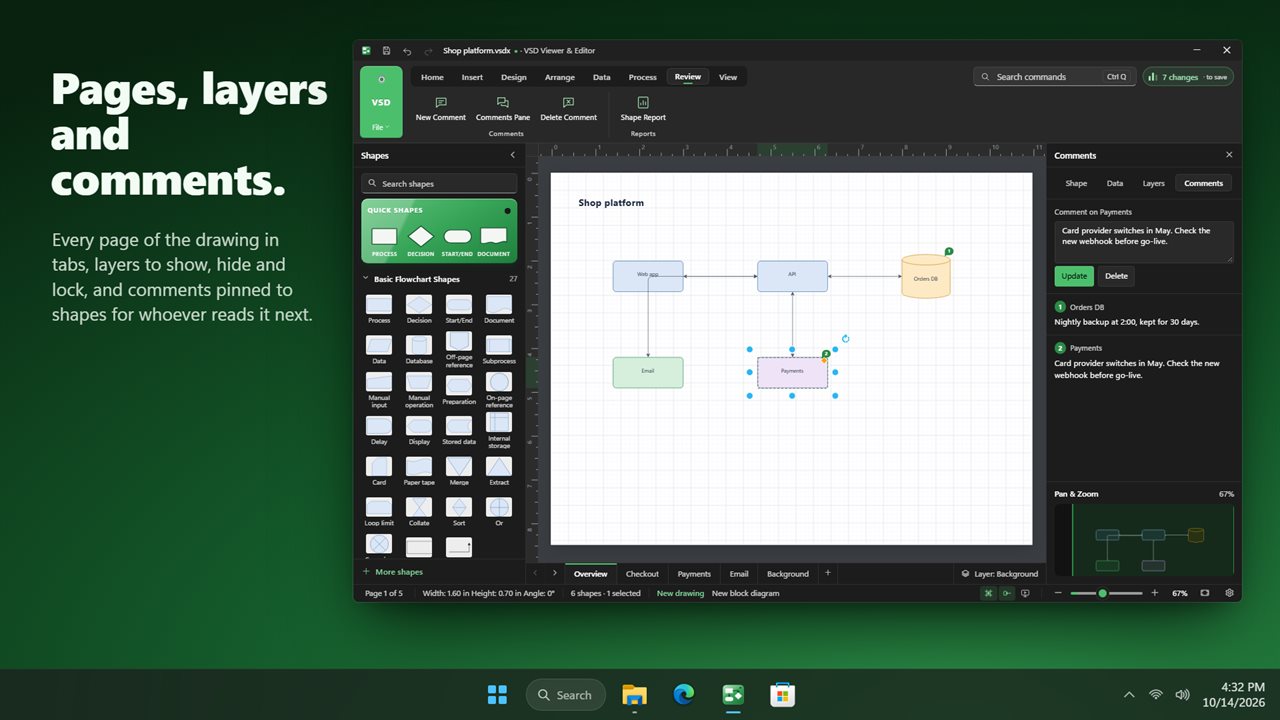
- Layers you can show, hide and lock, comments on shapes, links to websites and other pages, and Number Shapes
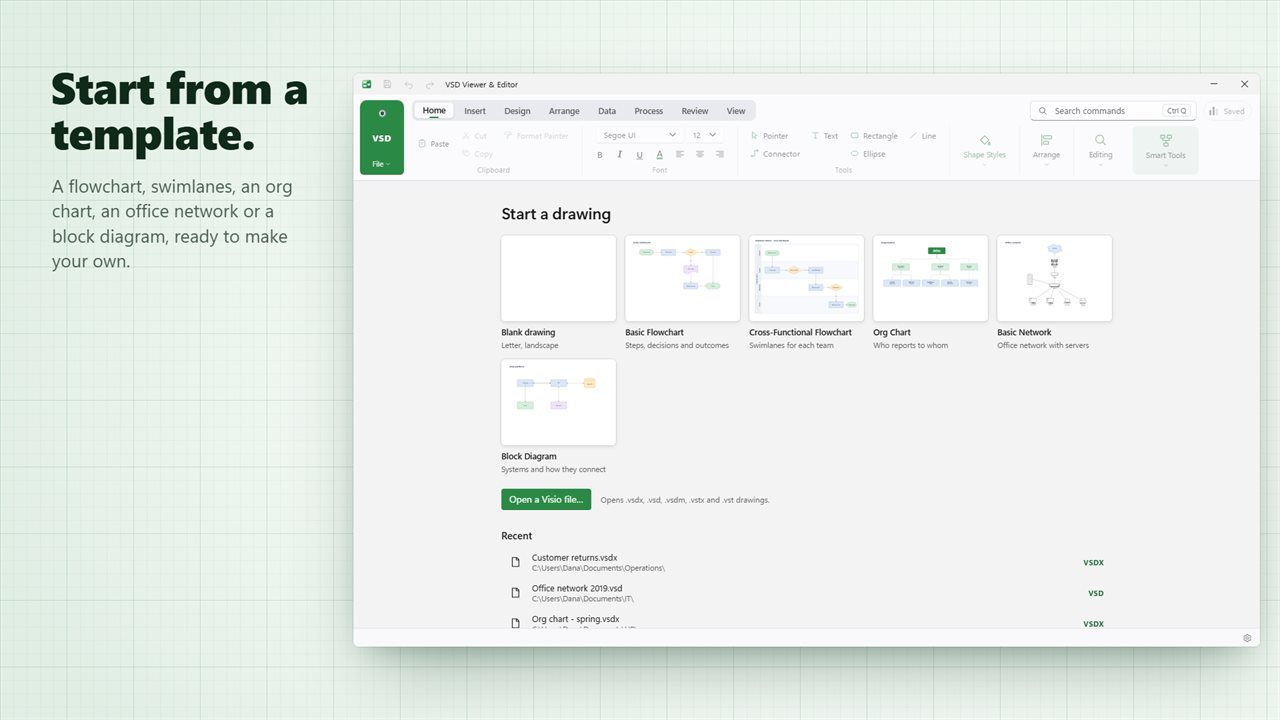
- Start from six templates: blank, flowchart, cross-functional, org chart, office network and block diagram
- Save as PDF with every page at its paper size, as a PNG picture or as SVG, or print
- Present mode shows the pages full screen, one at a time
- Rulers, grid, snap, alignment guides, a Pan & Zoom pane, and a Changes list of every edit since you saved
- Brings back unsaved work if the app closes unexpectedly
- Works offline. Light and dark themes that follow Windows
Details
- Works on
- Windows 10 (1809 or later) and Windows 11
- Download
- About 7.2 MB
- Version
- 1.0.2, updated October 2026
- First released
- October 2026
- Price
- $9.99 once. No subscription.
- Category
- Productivity
Questions
Anything else? Ask us
Which versions of Windows does it run on?
Windows 10 (version 1809 or later) and Windows 11.
Is it a subscription?
No. VSD Viewer & Editor is a one-time purchase of $9.99, and updates are included.
How do I get it?
EvlarSoft apps are moving to direct downloads from this site. Ask to be notified and we will email you as soon as VSD Viewer & Editor is ready to download.