Monitor Info
See every display you have drawn to its true size, with its real name, resolution, refresh rate, screen size, color range, brightness and connection. Plug one in and it appears. Copy the details with one click.
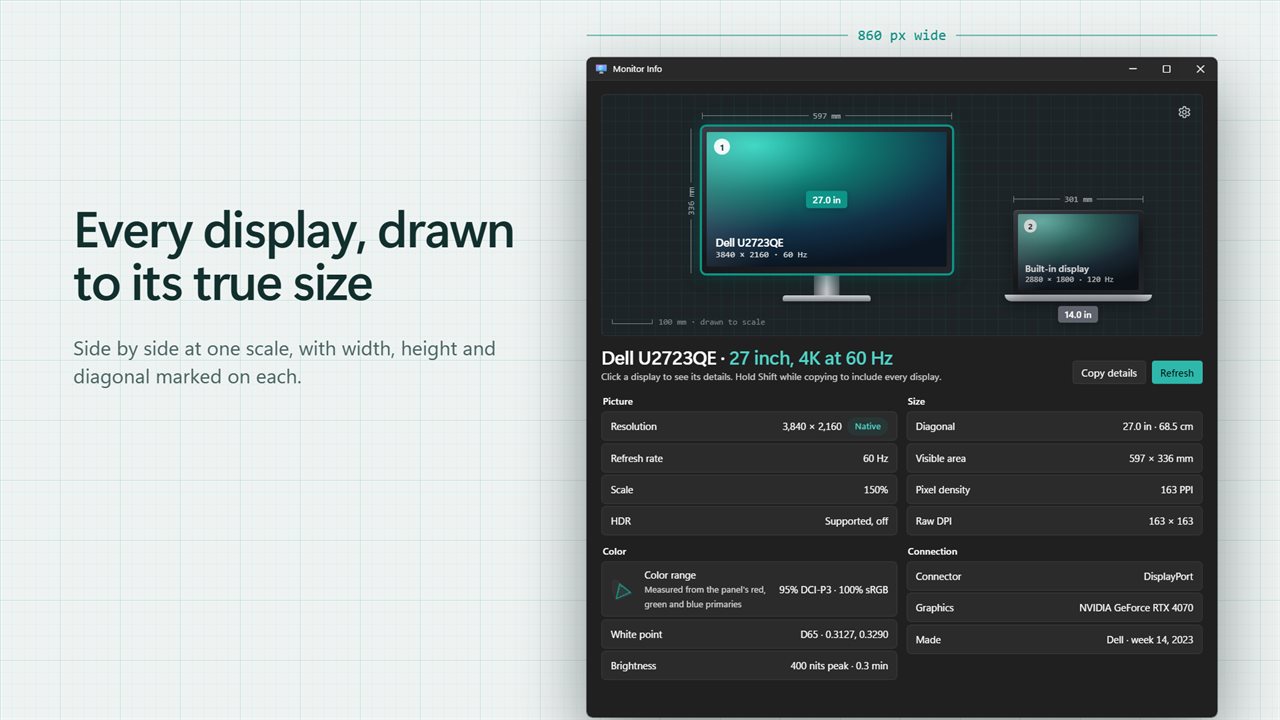
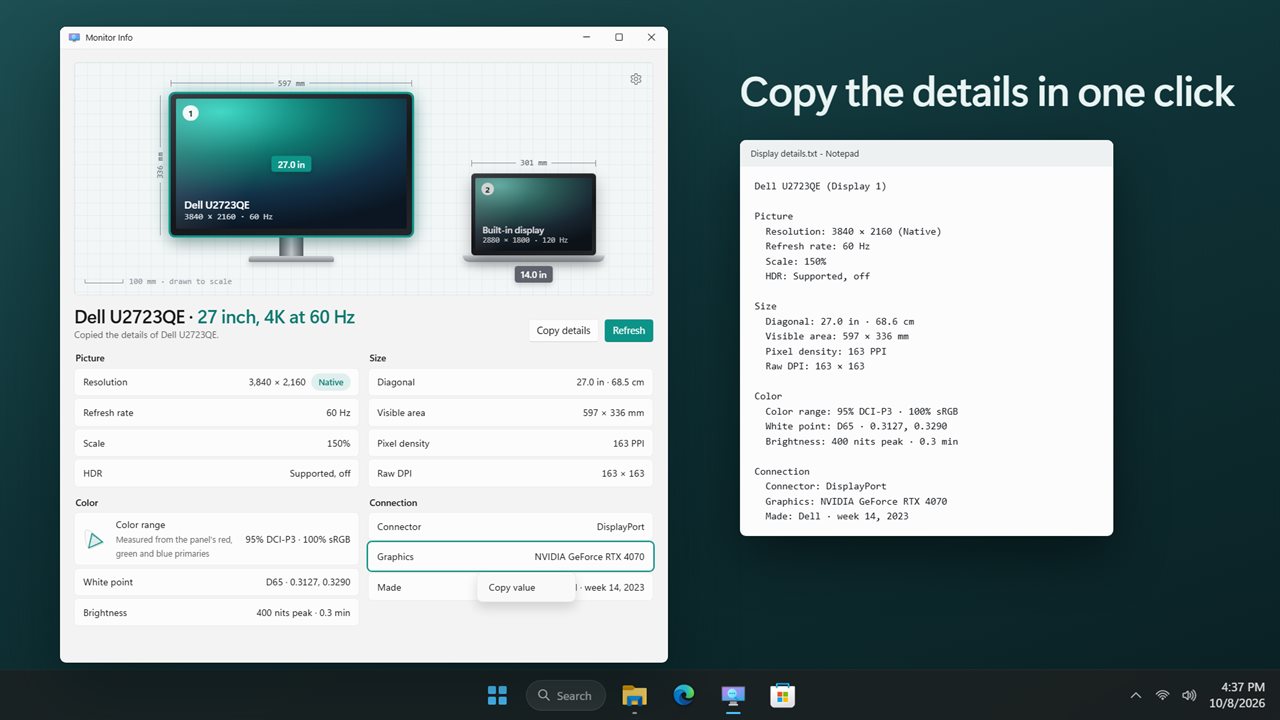
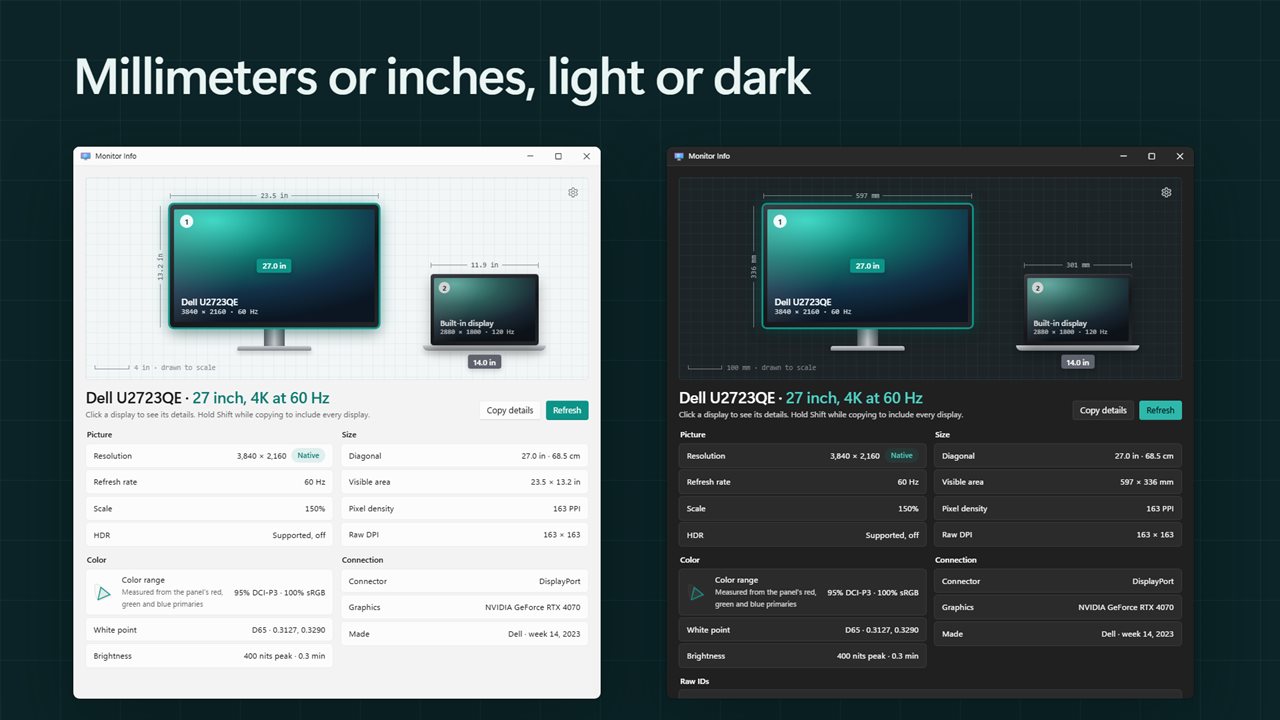
Every display drawn to its true size.
See it in action
About Monitor Info
What is that monitor, really? Monitor Info draws every display you have connected to its true size and tells you everything Windows knows about it.
Drawn to scale
Every screen is drawn side by side at the same scale, in the order Windows arranges them, with its width, height and diagonal marked like a technical drawing. A 27 inch monitor next to a 14 inch laptop looks exactly as much bigger as it is. Each one carries the number Windows gives it, so you know which is which.
The real name
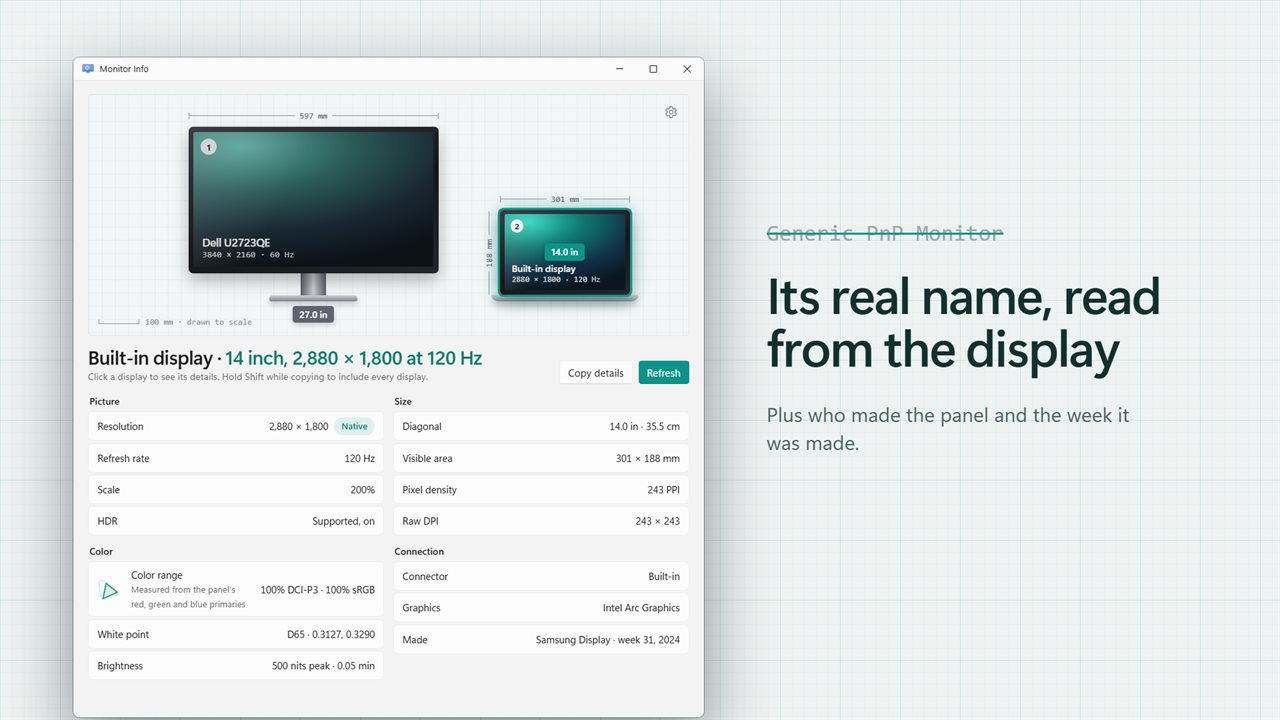
Monitor Info reads the name the monitor reports about itself, so you see "Dell U2723QE" rather than "Generic PnP Monitor". Click a display to see it in full.
Picture and size
Resolution and whether it is the native one, refresh rate, scale and HDR. Screen size in inches and centimeters, the visible area, pixel density and raw DPI. Choose millimeters or inches.
Color and brightness
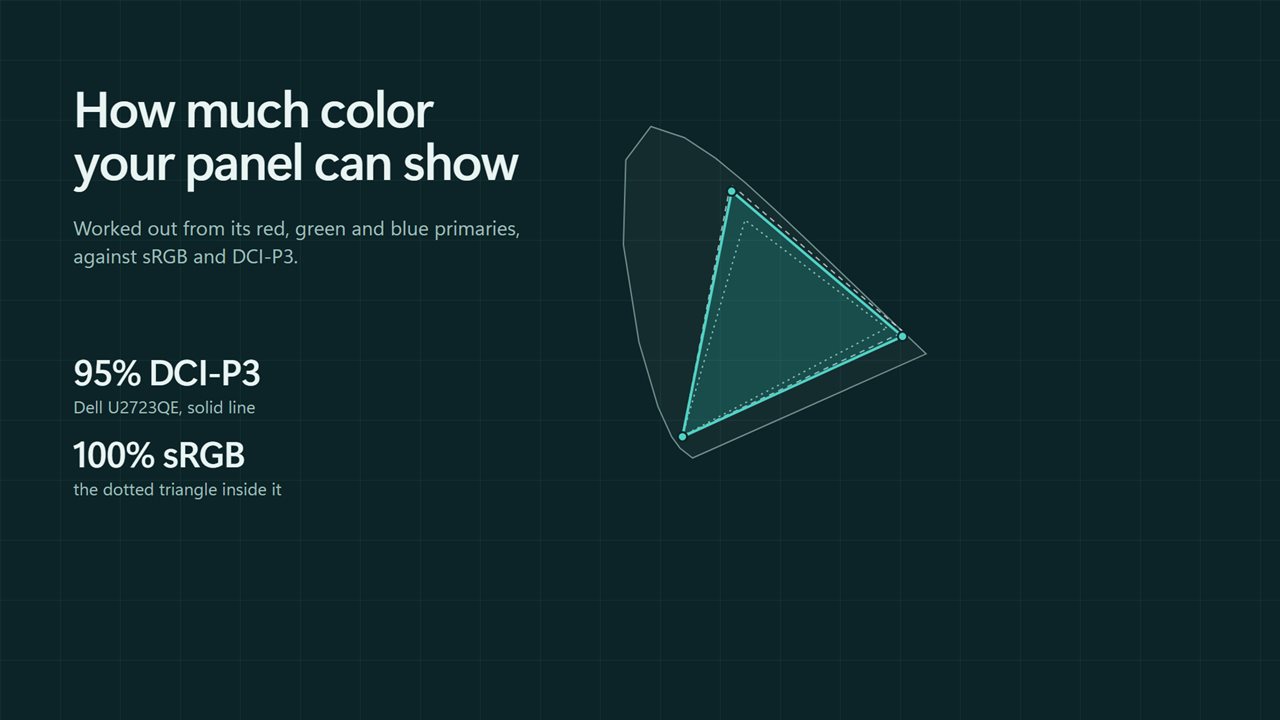
Monitor Info works out how much of sRGB and DCI-P3 your panel can show from its red, green and blue primaries, and draws it on a small color chart. You also get the white point and the peak and minimum brightness in nits.
Connection
See whether a display is on HDMI, DisplayPort, USB-C or built in, which graphics card drives it, who made the panel and the week and year it was made.
Always current
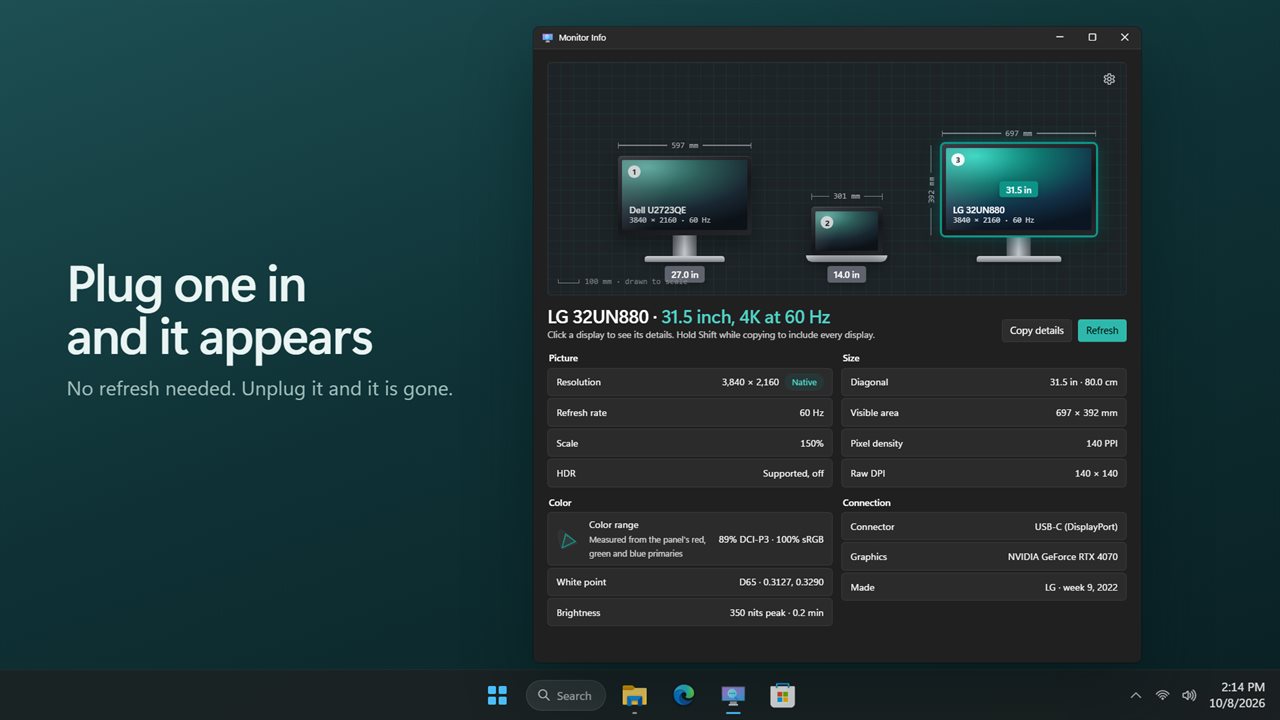
Plug a display in or unplug one and the drawing updates by itself. Refresh reads everything again.
Copy it
Copy a plain-text report of the selected display, or of every display with Shift held. Right-click any value to copy just that. Turn on raw IDs if you need the identifiers Windows uses.
Features
- Every connected display drawn to its true size, side by side, at one shared scale
- Width, height and diagonal marked on each screen like a technical drawing
- The monitor's real name, read from the display itself, not "Generic PnP Monitor"
- Resolution, native resolution, refresh rate and scale for each display
- Screen size in inches and centimeters, visible area and pixel density
- Color range worked out as a share of sRGB and DCI-P3, with a small color chart
- White point, peak and minimum brightness in nits, and HDR support
- Connector, graphics card, maker and the week and year the panel was made
- Plug a display in or unplug one and the drawing updates by itself
- Copy a plain-text report of one display, or every display with Shift held
- Right-click any value to copy it
- Show sizes in millimeters or inches
- Optional raw IDs for the display, adapter and target
- Light and dark themes, or match Windows
Details
- Works on
- Windows 10 (1809 or later) and Windows 11
- Download
- About 2.6 MB
- Version
- 2.0.2, updated October 2026
- First released
- May 2023
- Price
- $1.99 once. No subscription.
- Category
- Utilities & tools
What's new in 2.0.2
- New: every display drawn to its true size, with width, height and diagonal marked
- New: the monitor's real name, maker and the date it was made
- New: color range as a share of sRGB and DCI-P3, plus HDR support
- New: refresh rate, scale, pixel density and the graphics card for each display
- New: updates by itself when you plug in or unplug a display
- New: copy a report of one display or all of them, or right-click any value to copy it
- Fixed: Refresh now reads everything again
Questions
Anything else? Ask us
Which versions of Windows does it run on?
Windows 10 (version 1809 or later) and Windows 11.
Is it a subscription?
No. Monitor Info is a one-time purchase of $1.99, and updates are included.
How do I get it?
EvlarSoft apps are moving to direct downloads from this site. Ask to be notified and we will email you as soon as Monitor Info is ready to download.