Night Light Filter
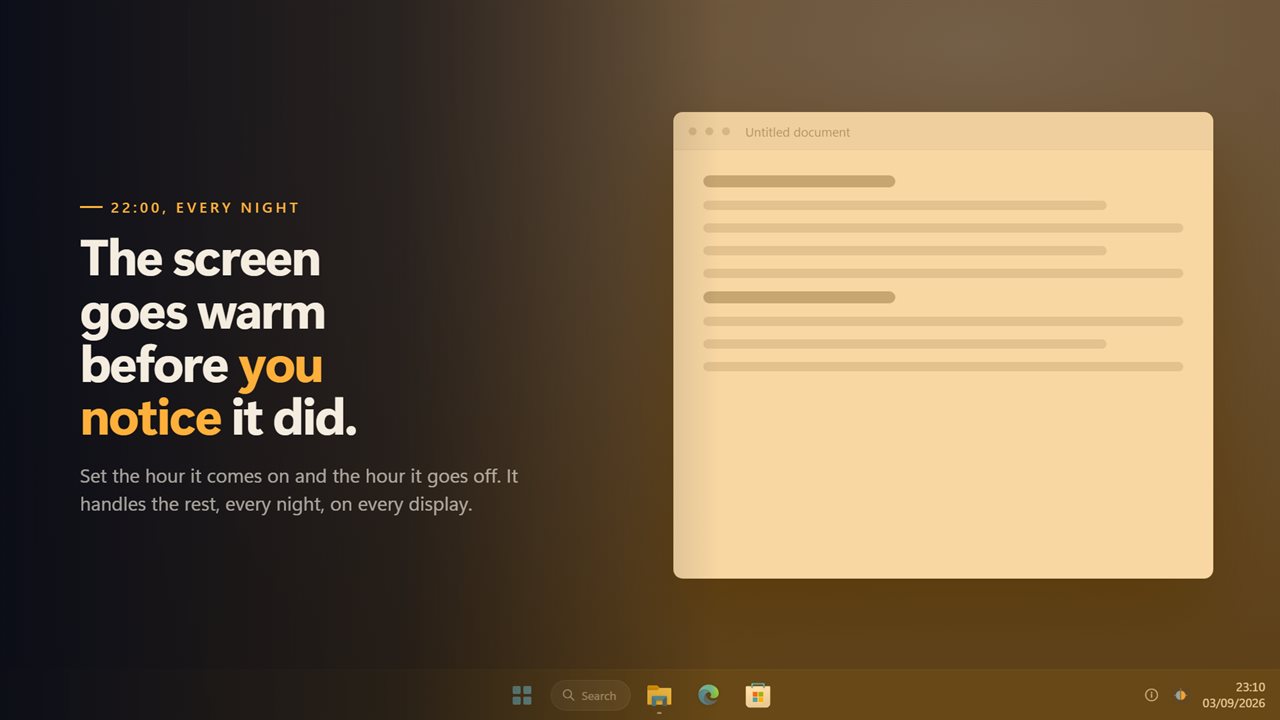
Windows' night light gives you one warmth slider and stops well short. Night Light Filter gives you any colour you like, up to 92% of it, and a schedule that runs right through midnight — coming on gradually over as long as half an hour so you never catch it happening. It works on monitors Windows refuses to warm, because it never asks the display for anything, and the tray panel draws the whole day so you can see at a glance when it changes.
Warmth on every screen, at the hour you choose.
See it in action
About Night Light Filter
Windows has a night light. It has one slider, it stops well short of where some people want it, and on a lot of monitors it does not work at all.
This is the one for those three problems.
On a schedule
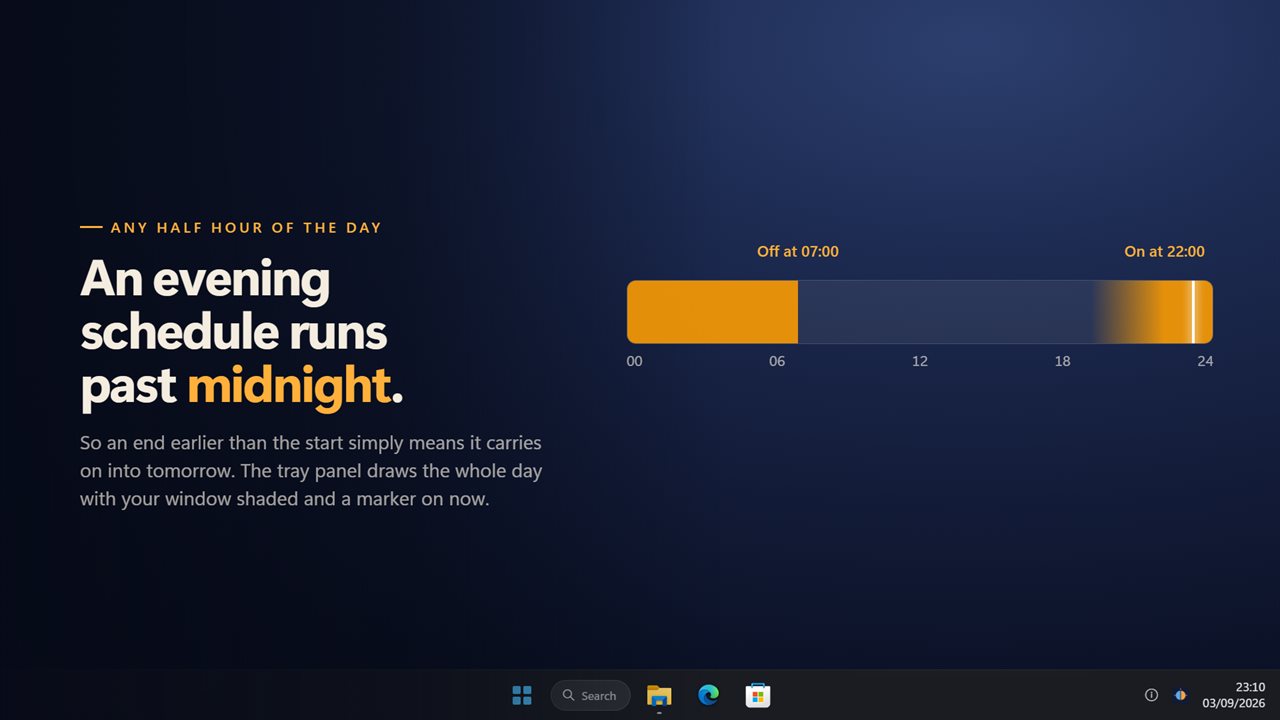
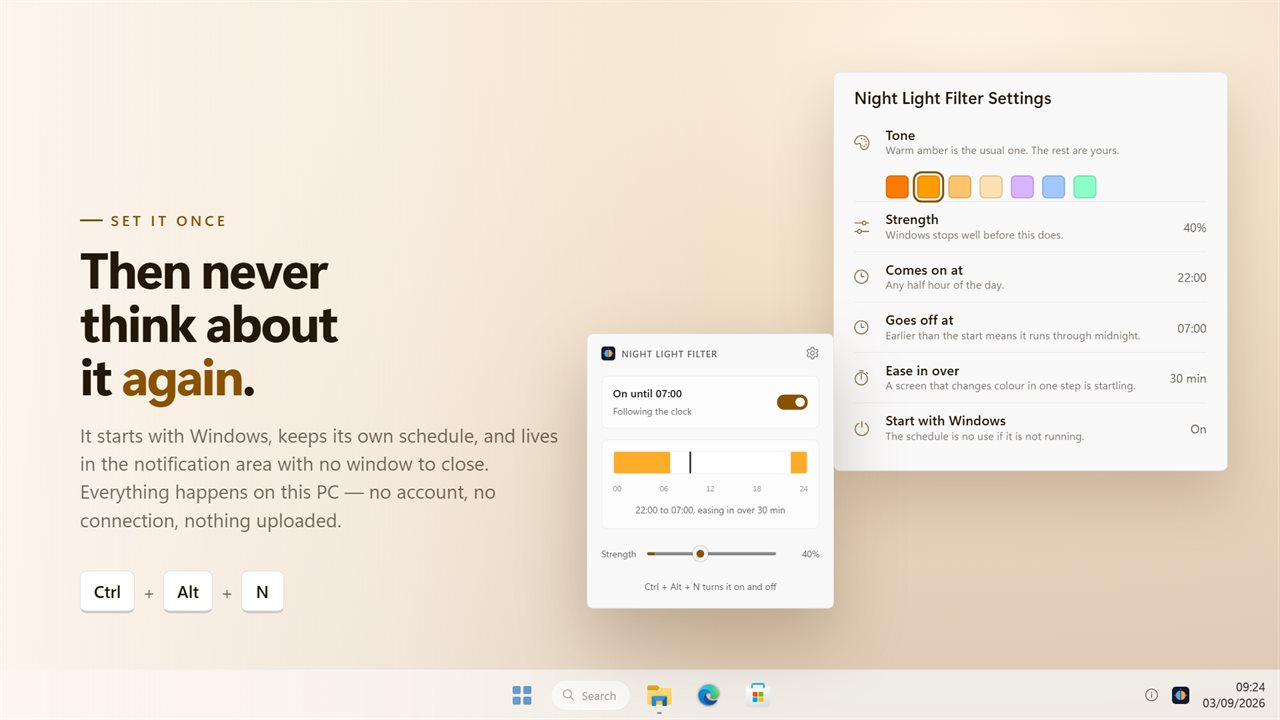
Set the time it comes on and the time it goes off — any half hour of the day, and an end earlier than the start simply means it runs through midnight. The tray panel draws the whole 24 hours with your window shaded and a marker on now, so one look tells you whether it is on and when that changes.
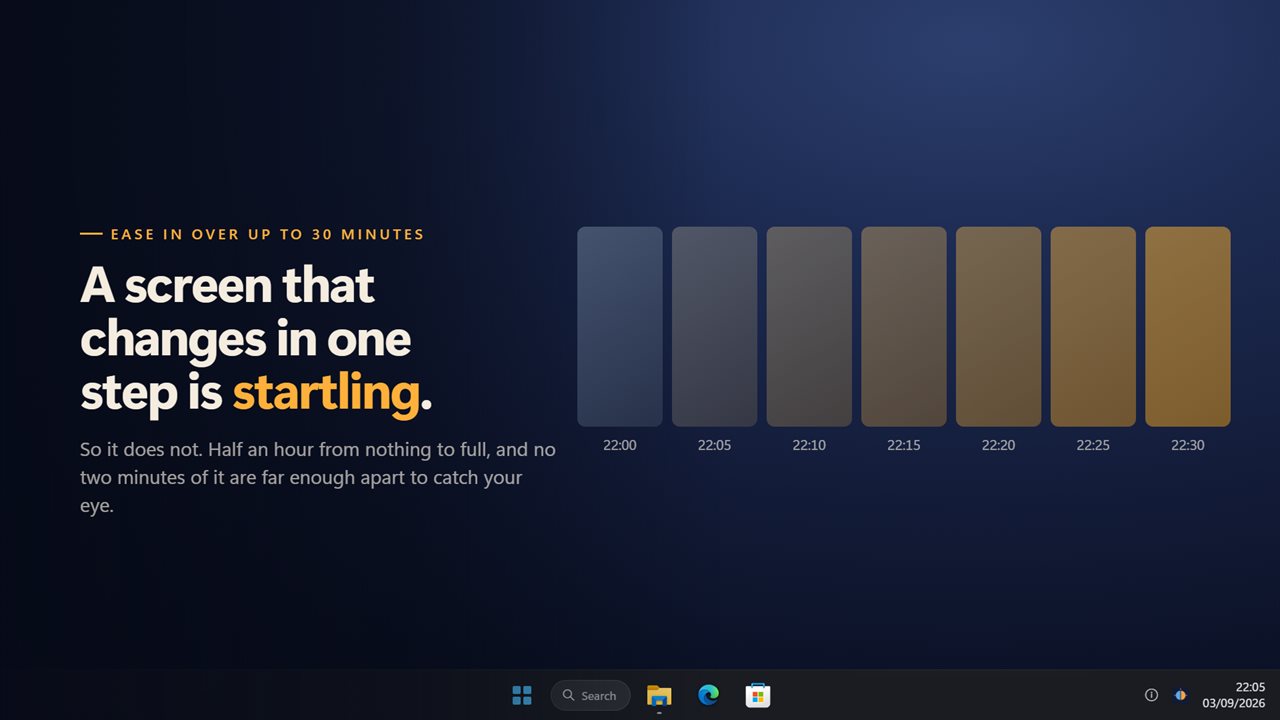
It eases in, over as long as thirty minutes. A screen that changes colour in one step is startling and you will look at it; a screen that takes half an hour is a screen you never notice changing, which is the entire idea.
Any colour, not a warmth slider
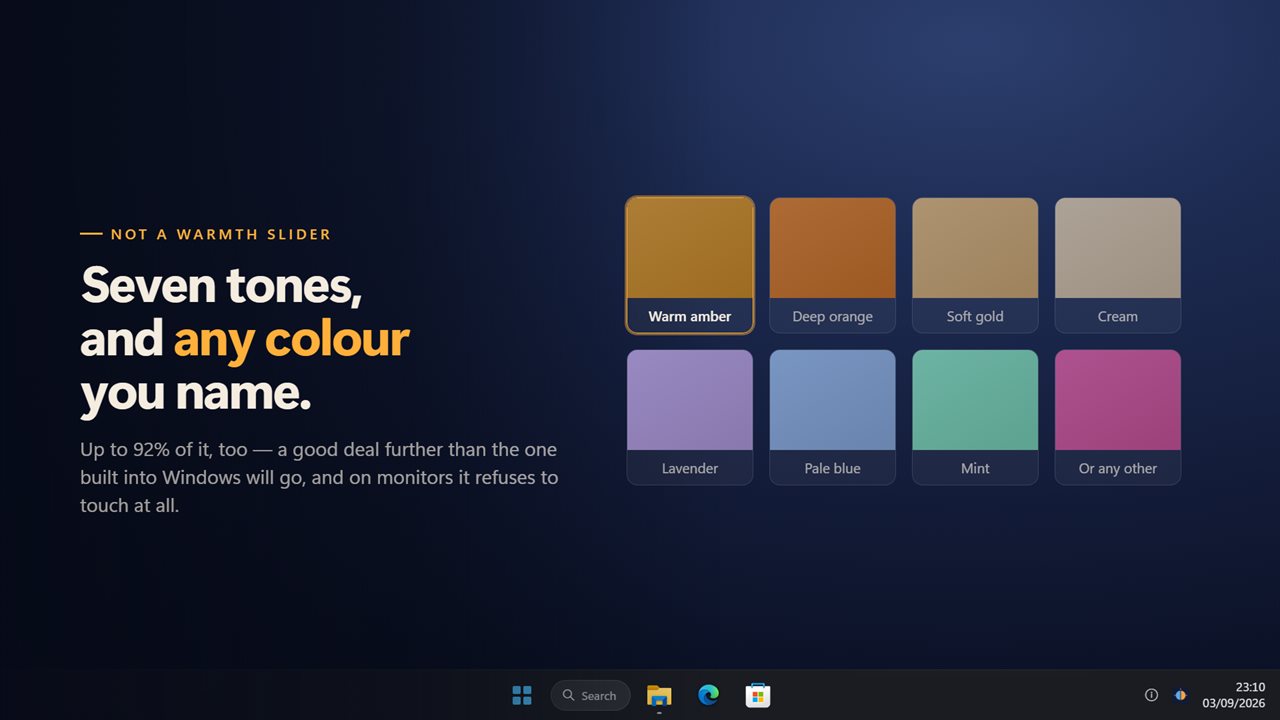
Seven to pick from — warm amber, deep orange, soft cream, a cool lavender, a pale blue, a mint — and any other colour you care to name. Amber is the usual answer, but a warmth slider cannot give you the rest of them.
The strength runs from a barely-there 5% to 92%, which is a good deal further than the built-in one will go.
On screens that will not cooperate
It lays the colour over the display rather than asking the display to change, so it works on hardware with no colour control at all, on a second monitor Windows leaves out, and on machines where the built-in night light simply refuses.
Every screen is covered, including the taskbar, and one plugged in later is covered too without a restart. The overlay is drawn straight through: it never takes a click away from the window underneath and never steals focus.
Where it lives
In the notification area, with no window anywhere. One keyboard shortcut turns it on and off while anything else has focus. It can start with Windows — which is rather the point of a schedule — remembers everything, and works with no connection at all. There is no account and nothing is uploaded.
Features
- Warms every screen at once, over everything, including the taskbar
- Comes on and goes off at the times you set, right through midnight
- Eases in over up to 30 minutes, so the change never catches your eye
- Any colour, not a warmth slider — seven presets from amber to lavender to mint, or name your own
- Goes to 92% strength, far past where Windows' own night light stops
- The tray panel draws the whole day, with your window shaded and now marked on it
- Works on a monitor Windows will not warm, because it never asks the display for anything
- Covers every screen, and one plugged in later, without a restart
- Drawn through — it never takes a click away from the app underneath
- One keyboard shortcut turns it on and off from anywhere
- Starts with Windows, which is what makes a schedule worth having
- Works offline. No account needed, and nothing is uploaded unless you turn on backup
Details
- Works on
- Windows 10 (1809 or later) and Windows 11
- Download
- About 2.6 MB
- Version
- 2.0.8, updated October 2026
- First released
- October 2022
- Price
- $2.99 once. No subscription.
- Category
- Lifestyle
What's new in 2.0.8
- New: the schedule eases in over up to 30 minutes instead of switching in one step
- New: the tray panel draws the whole day, with the scheduled window shaded and now marked on it
- New: seven colour presets, and any colour you name
- New: a schedule that runs through midnight properly
- A monitor plugged in while the app is running is covered too, without a restart
- The overlay now covers the taskbar instead of stopping at it
- One keyboard shortcut for the whole app, working from anywhere
- Redesigned settings and tray panel that match Windows 11 and follow the light and dark themes
Questions
Anything else? Ask us
Which versions of Windows does it run on?
Windows 10 (version 1809 or later) and Windows 11.
Is it a subscription?
No. Night Light Filter is a one-time purchase of $2.99, and updates are included.
How do I get it?
EvlarSoft apps are moving to direct downloads from this site. Ask to be notified and we will email you as soon as Night Light Filter is ready to download.