Family Tree Gallery
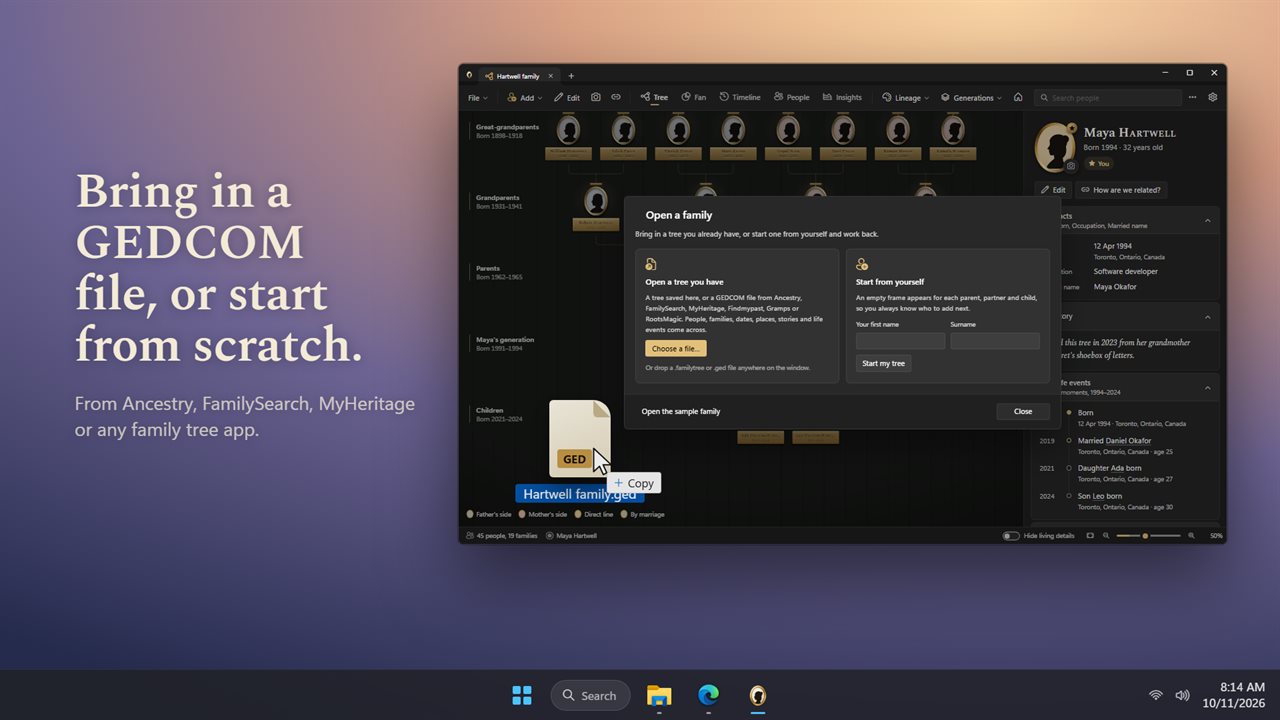
Hang your family on a gallery wall. Family Tree Gallery turns your family tree into framed portraits you can walk through, with a fan chart, a timeline and a view of how anyone is related to you. Start from scratch or bring in a GEDCOM file from Ancestry, FamilySearch or MyHeritage. Your trees stay on your PC.
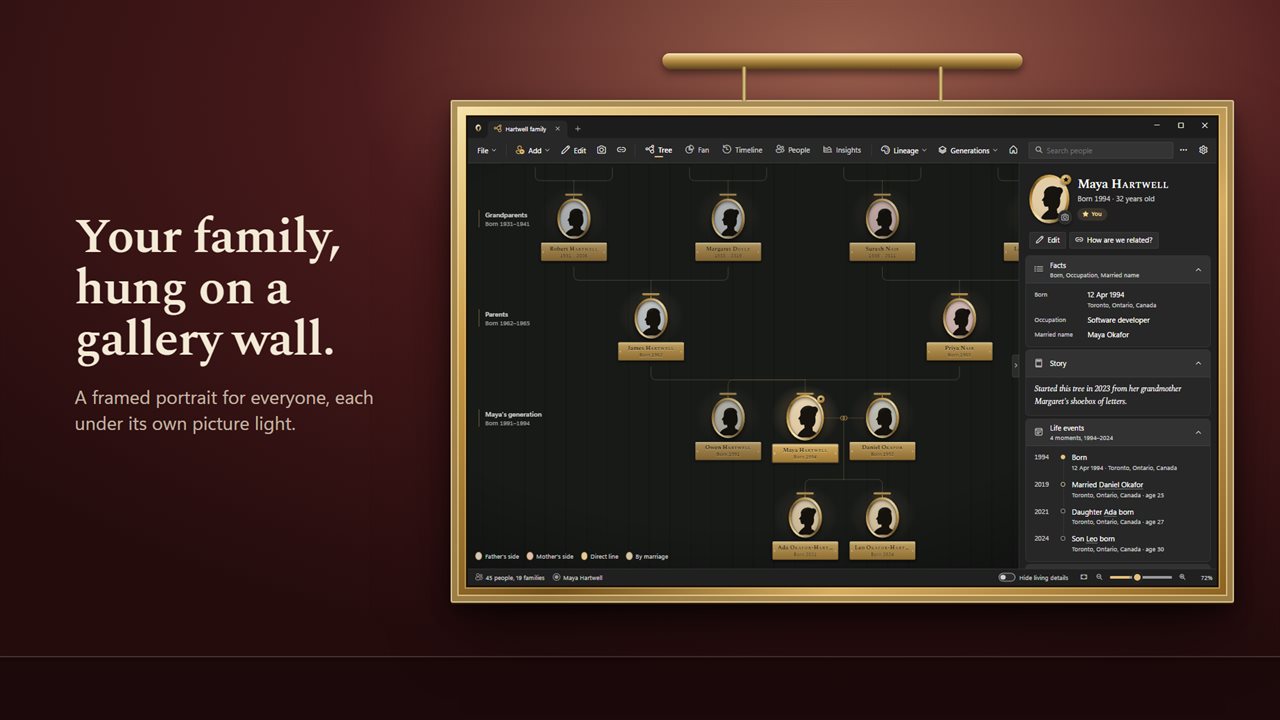
Your family, hung on a gallery wall.
See it in action
About Family Tree Gallery
Family Tree Gallery turns your family history into a gallery wall. Everyone gets a framed portrait under a picture light, and you walk from person to person through the generations.
Build it your way
Start a new tree and add people one at a time: a father, a mother, a partner, a child, a brother or sister. Or bring in a GEDCOM file from Ancestry, FamilySearch, MyHeritage or any family tree app, and your whole family appears on the wall.
Put faces to names
Add a photo to anyone, or drop pictures straight onto the window. Color the portraits by lineage, by surname or by where each person was born.
How are we related?
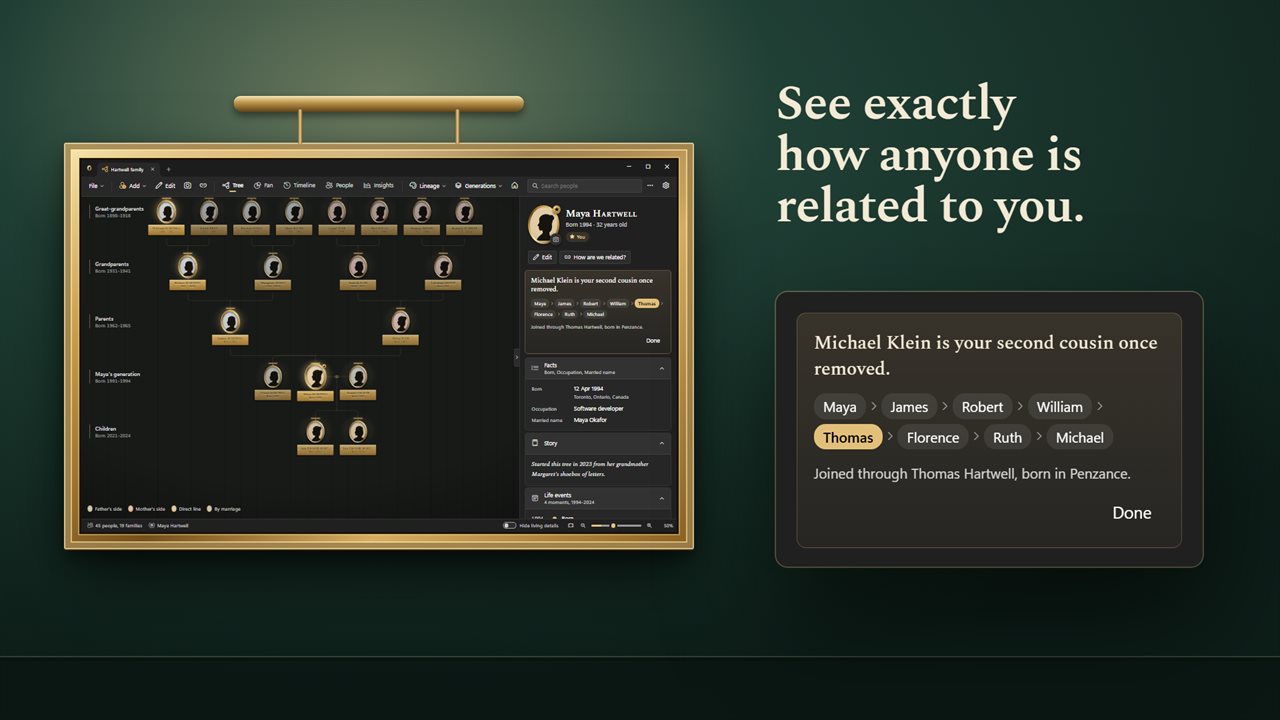
Pick any two people and see exactly how they're related, from grandparents to second cousins once removed. Choose "This is me" and every relationship in the tree reads from you.
See the whole family
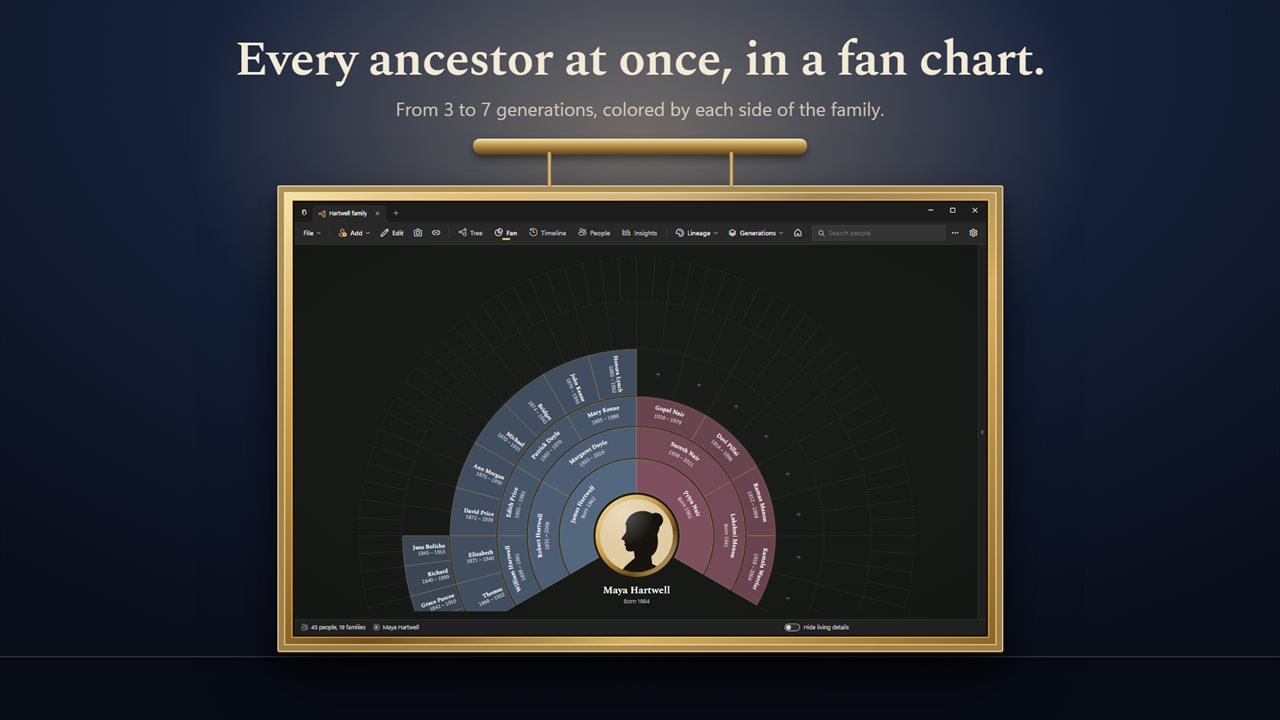
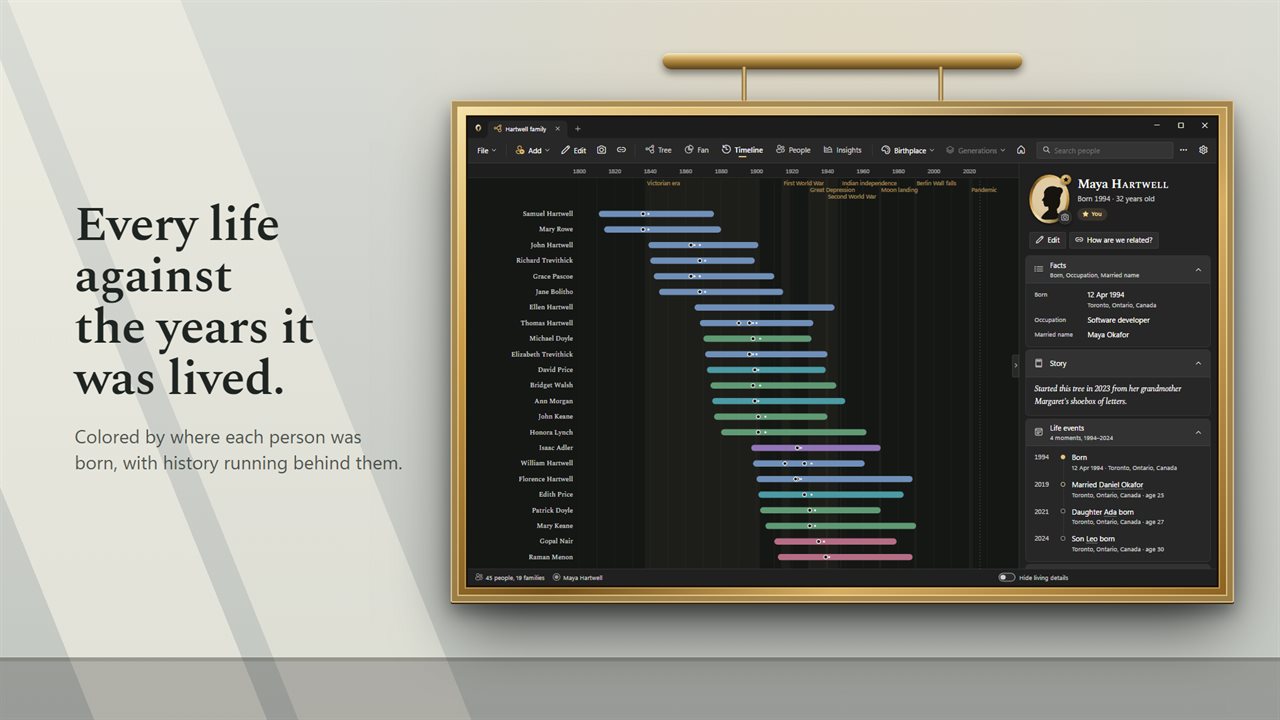
The fan chart shows every direct ancestor at once, up to 7 generations. The timeline lays each life against the years, with history behind it, from the Victorian era to the World Wars. Hover a year to see who was alive and how old they were.
Discover your story
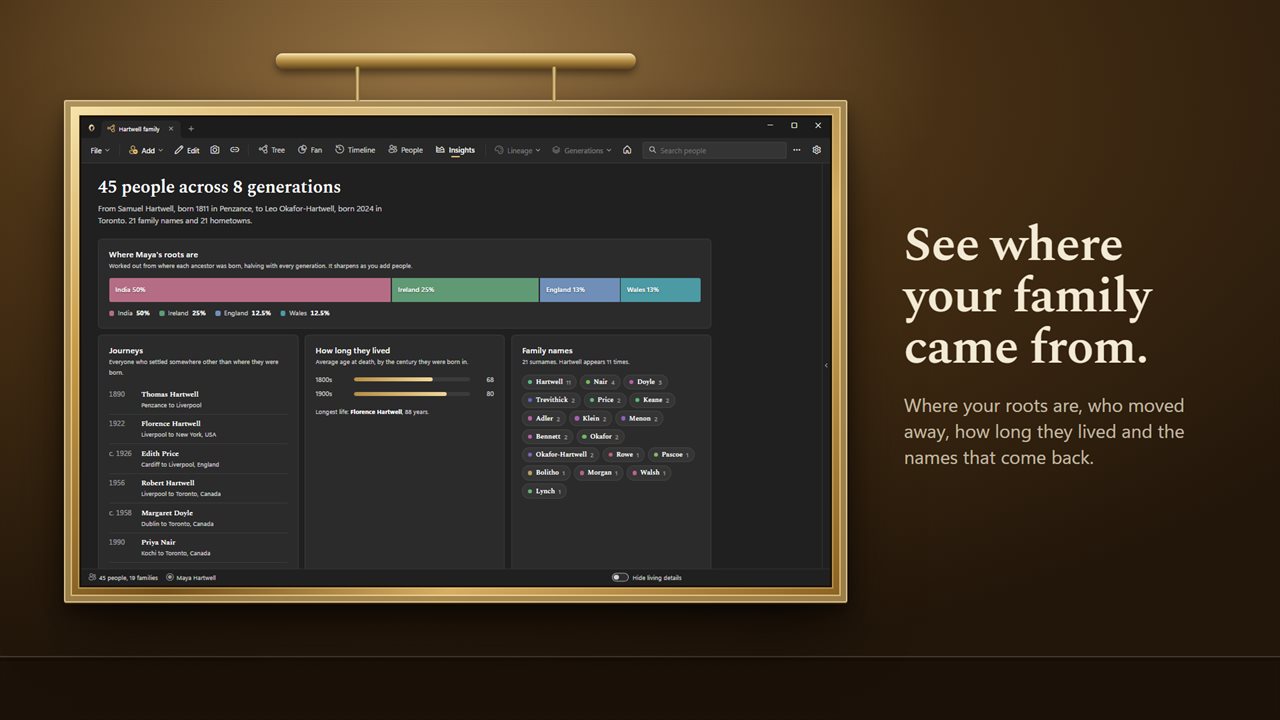
Insights show where your roots are, who moved away from where they were born, how long people lived by century, the family names and first names that come back, and what everyone did for a living.
Share with care
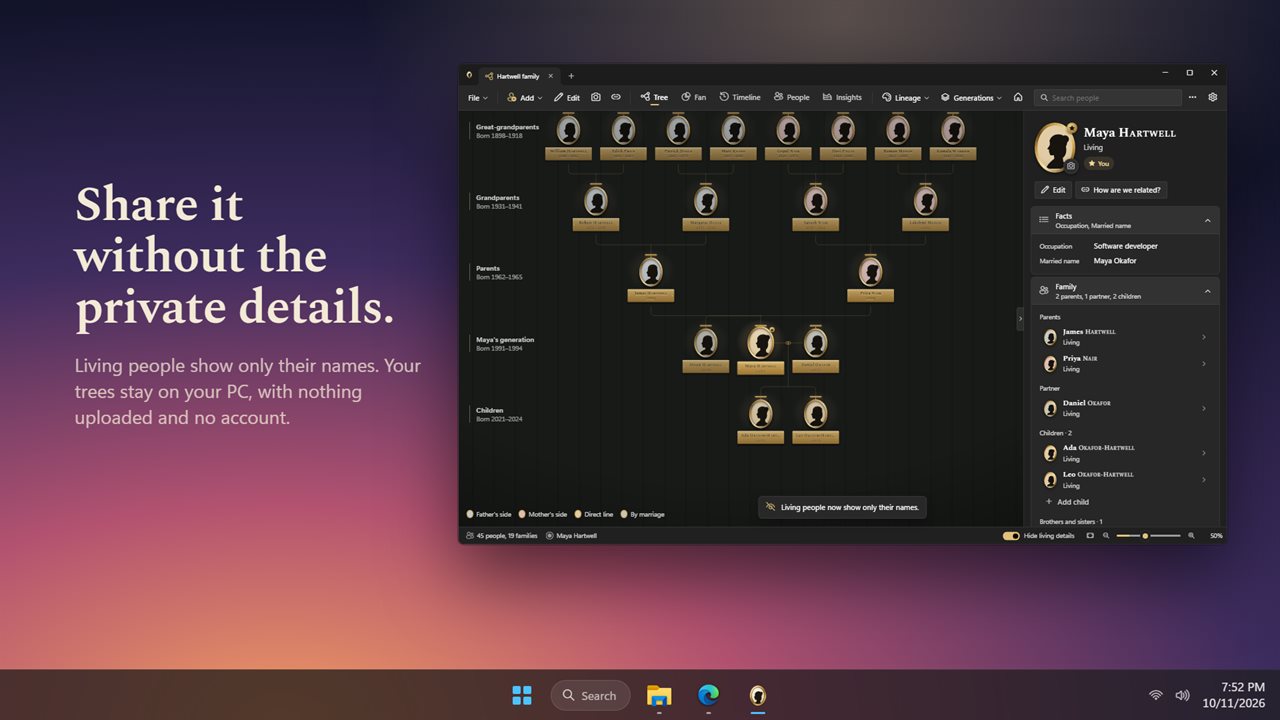
Turn on privacy and living people show only their names, with their photos hidden, so a screenshot never gives too much away.
Your trees are yours
Every tree is a file on your PC that saves as you work. Keep several open in tabs, undo any change, and export to GEDCOM whenever you like. Nothing is uploaded, and there is no account or subscription.
Features
- Your family hangs on a gallery wall, one framed portrait for everyone, lit by a picture light
- Build the tree by hand: add a father, mother, partner, child, brother or sister from anyone
- Bring in a GEDCOM file from Ancestry, FamilySearch, MyHeritage or any family tree app
- Export your tree as GEDCOM, ready for any other family tree app
- Add a photo to anyone, or drop pictures straight onto the window
- Ask how two people are related, down to second cousin once removed
- Choose "This is me" and every relationship reads from you
- A fan chart shows every direct ancestor at once, 3 to 7 generations
- A timeline lays every life against the years, with history such as the World Wars behind it
- Life events for each person: births, marriages, children and more, with their age at the time
- Insights: where your roots are, who moved, how long they lived, family names and what they did
- A sortable list of everyone, filtered as you type
- Color the portraits by lineage, surname or birthplace
- Hide the details of living people before you share a screenshot
- Keep several trees open in tabs, with undo and redo
- Every tree is a file on your PC that saves as you work. Nothing is uploaded, and there is no account
Details
- Works on
- Windows 10 (1809 or later) and Windows 11
- Download
- About 3.2 MB
- Version
- 1.0.2, updated October 2026
- First released
- October 2026
- Price
- $7.99 once. No subscription.
- Category
- Lifestyle
Questions
Anything else? Ask us
Which versions of Windows does it run on?
Windows 10 (version 1809 or later) and Windows 11.
Is it a subscription?
No. Family Tree Gallery is a one-time purchase of $7.99, and updates are included.
How do I get it?
EvlarSoft apps are moving to direct downloads from this site. Ask to be notified and we will email you as soon as Family Tree Gallery is ready to download.