File Encoder
Find out which encoding a text file is in, repair garbled text like Café back to Café, and convert files to UTF-8, UTF-16, Windows-1252 or ASCII, one at a time or a whole folder at once. Everything happens on your PC.
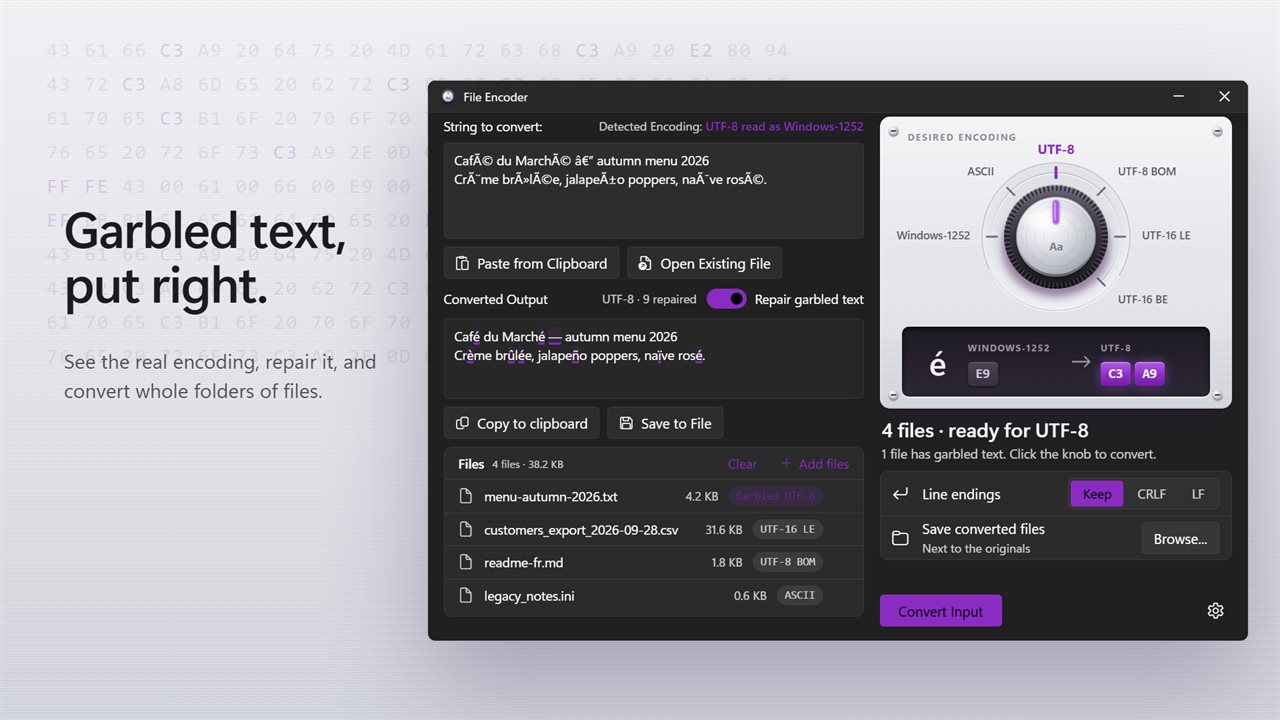
Garbled text repaired, and a batch of files ready to convert.
See it in action
About File Encoder
Text that turned into Café and — after a trip between programs? File Encoder finds out what happened and puts it right.
Know what you have
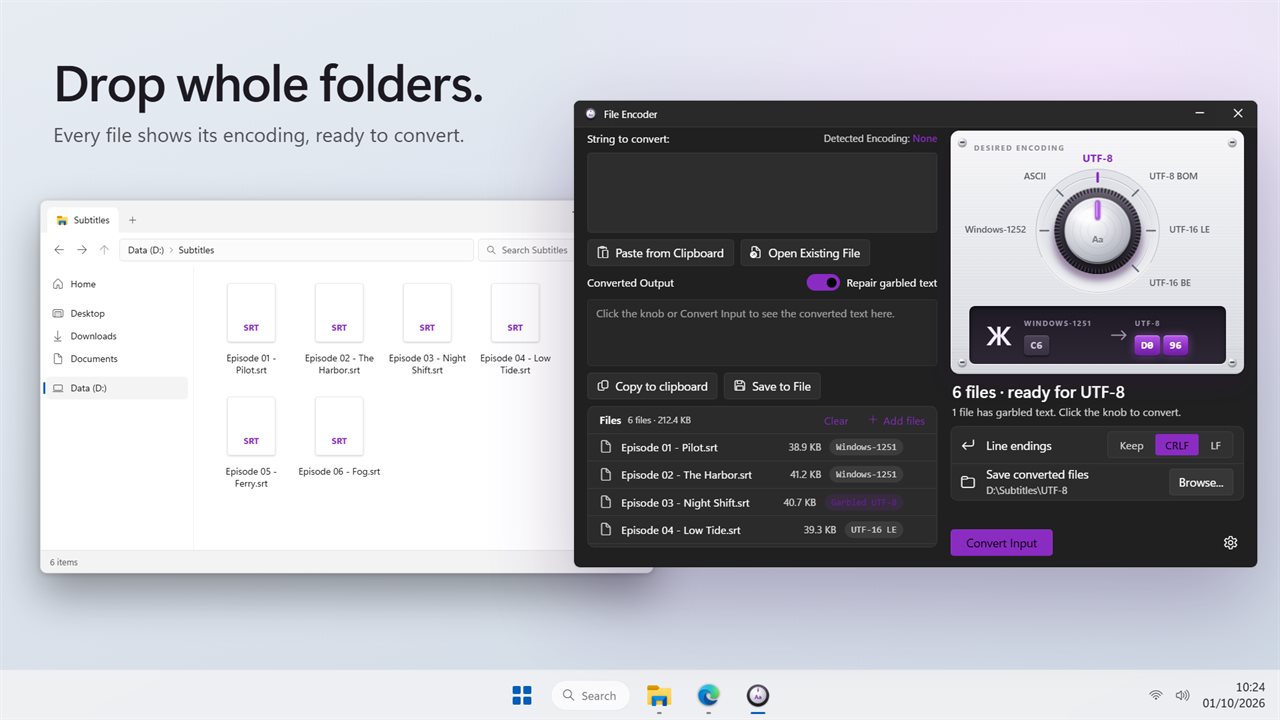
Open a file or paste some text, and File Encoder tells you the encoding it is really in: UTF-8, UTF-8 with a byte order mark, UTF-16, UTF-32, plain ASCII, or an older Windows code page such as Windows-1252 or Windows-1251. Add a batch of files and every one shows its own encoding in the list.
Repair garbled text
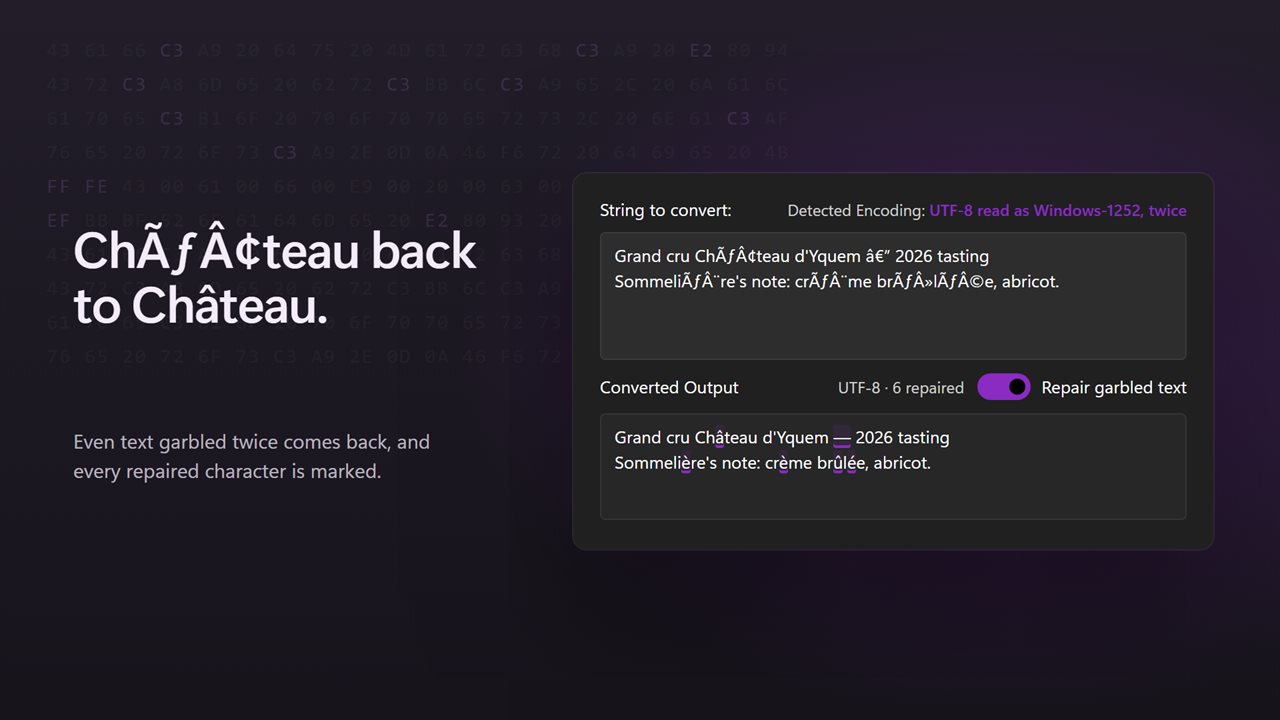
The most common mix-up on Windows is UTF-8 text opened as Windows-1252, which turns é into é and a dash into —. File Encoder spots it and repairs it, even when the text was garbled twice over. Every repaired character is highlighted, so you can see exactly what changed, and the switch turns repairs off if you want the text as it is.
Turn the knob
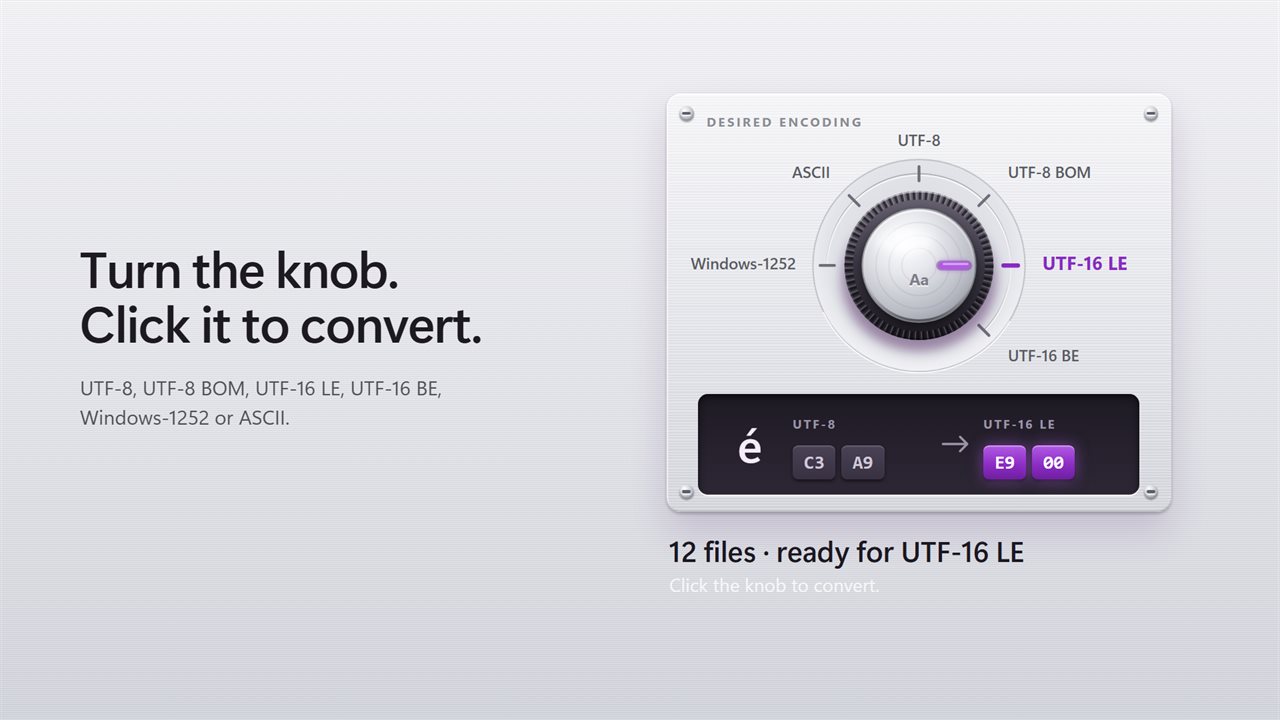
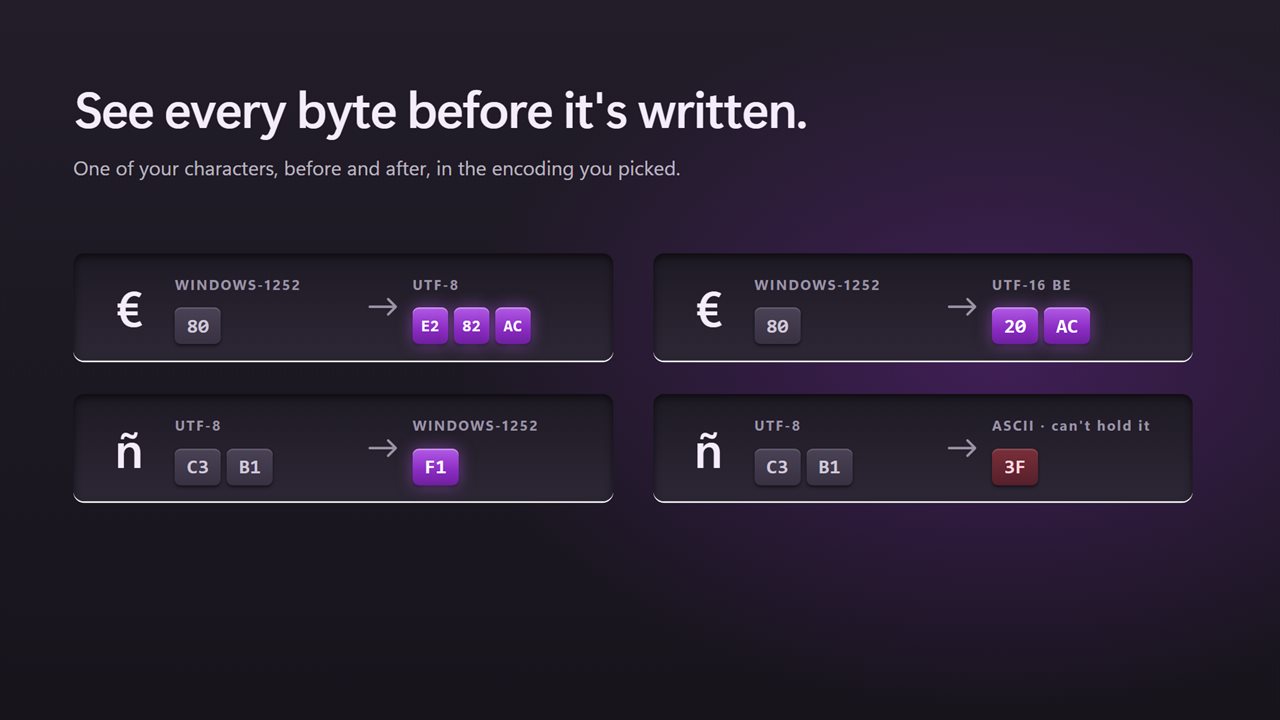
Pick the encoding you want on the knob: UTF-8, UTF-8 BOM, UTF-16 LE, UTF-16 BE, Windows-1252 or ASCII. The byte strip beside it shows one of your characters before and after, byte by byte, so you know exactly what will be written. Click the knob to convert.
Whole folders at once
Drop files or entire folders on the window. Folders are searched for text files, and program folders like node_modules are left out. Choose whether to keep the line endings or change them all to Windows (CRLF) or Unix (LF).
Safe by default
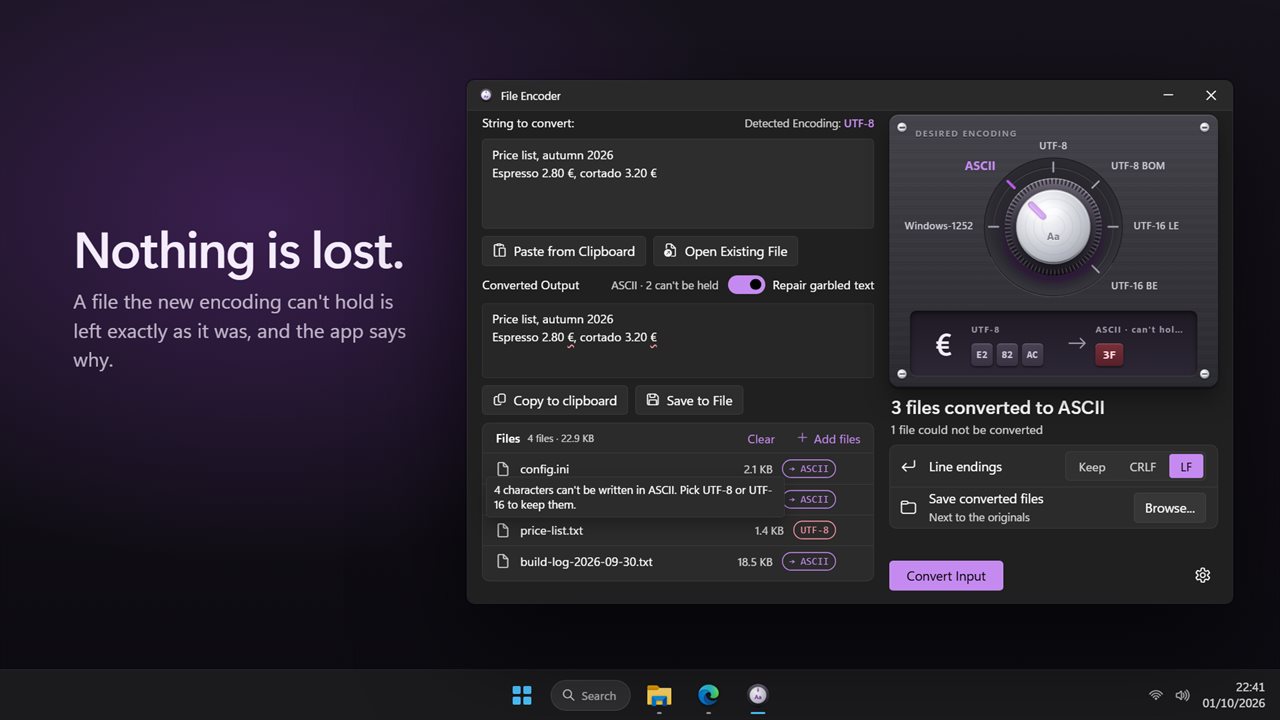
Converted copies are saved next to the originals with the encoding in their name, or in a folder you choose. You can also replace the originals. A file is never written if the new encoding can't hold one of its characters: the app tells you how many it would lose and leaves the file alone. Every file that could not be converted says why.
Private
Everything happens on your PC. Nothing is uploaded, and there is no account.
Features
- See which encoding a text file is really in: UTF-8, UTF-8 with BOM, UTF-16, UTF-32, ASCII or an older Windows code page
- Repair garbled text like Café back to Café, even when it was garbled twice
- Every repaired character is highlighted, so you can see exactly what changed
- Turn the knob to pick the encoding: UTF-8, UTF-8 BOM, UTF-16 LE, UTF-16 BE, Windows-1252 or ASCII
- The byte strip shows a character's bytes before and after, so you know what will be written
- Convert a whole batch of files at once. Drop files or entire folders on the window
- Each file in the list shows the encoding it was found in
- Keep line endings as they are, or change them all to Windows (CRLF) or Unix (LF)
- Converted copies are saved next to the originals, in a folder you choose, or in place of the originals
- Nothing is overwritten: copies get their own names, like notes (UTF-8).txt
- A file is never written if the new encoding can't hold one of its characters, and the app tells you how many
- Paste text, or open a file, and copy or save the converted result
- Every file that could not be converted says why
- Cancel a long batch at any time
- Everything happens on your PC. Nothing is uploaded
- Light and dark themes, or match Windows
Details
- Works on
- Windows 10 (1809 or later) and Windows 11
- Download
- About 3.4 MB
- Version
- 2.0.2, updated October 2026
- First released
- March 2023
- Price
- $1.99 once. No subscription.
- Category
- Utilities & tools
What's new in 2.0.2
- New: real encoding detection, for pasted text and for files
- New: repair garbled text like Café, even when it was garbled twice
- New: convert a whole batch of files or folders at once
- New: choose the line endings: keep them, CRLF or LF
- Fixed: Save to File now writes the encoding you picked, with the right byte order mark
- New: light and dark themes
Questions
Anything else? Ask us
Which versions of Windows does it run on?
Windows 10 (version 1809 or later) and Windows 11.
Is it a subscription?
No. File Encoder is a one-time purchase of $1.99, and updates are included.
How do I get it?
EvlarSoft apps are moving to direct downloads from this site. Ask to be notified and we will email you as soon as File Encoder is ready to download.