File Hash Extractor
Turn a folder of files into a folder of files each with its checksum written beside it. archive.zip comes out with archive.zip.sha256 next to it, in the standard format any checker reads — which is exactly the shape a download page or a release needs. MD5, SHA-1, SHA-256 and SHA-512, a whole batch in one pass, entirely on your PC.
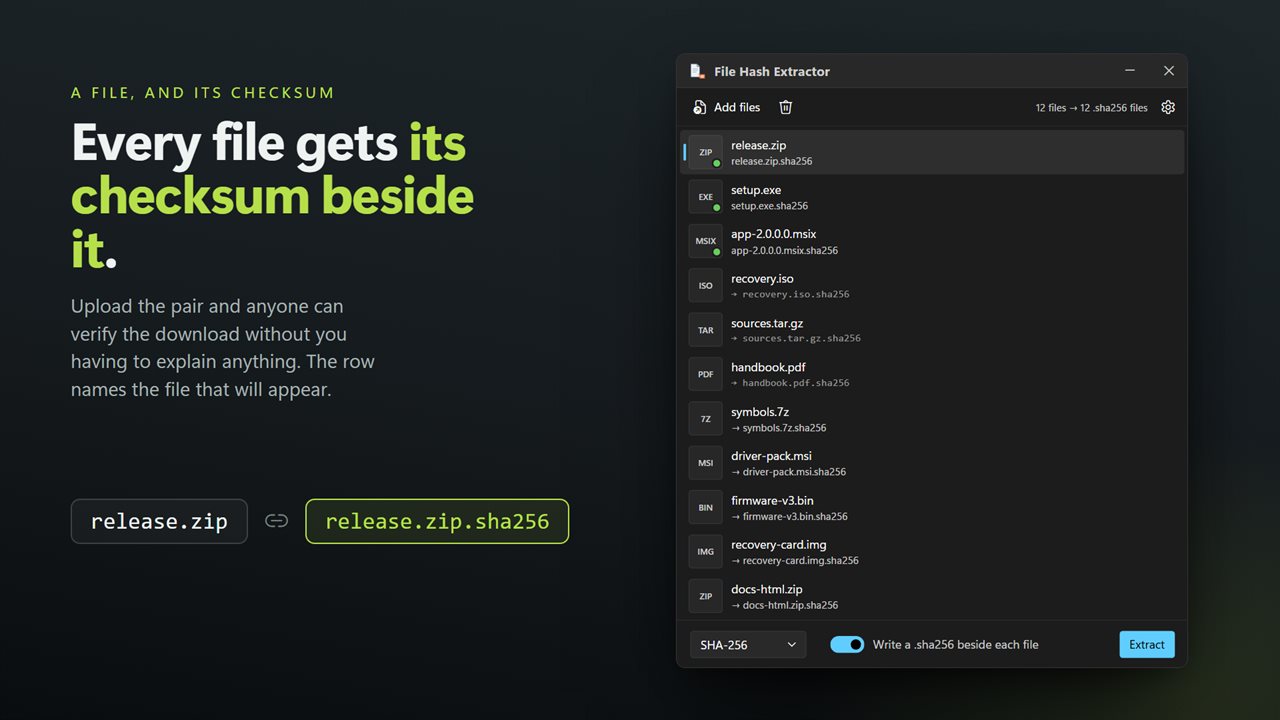
Every file comes out with its checksum written beside it.
See it in action
About File Hash Extractor
If you are publishing a file, people need a way to check that what they downloaded is what you uploaded. That means a checksum, and it means the checksum travelling next to the file rather than living in a window on your machine.
File Hash Extractor writes it out.
A checksum file beside every file
Point it at a folder and each file comes out with a small text file next to it: archive.zip and archive.zip.sha256, installer.exe and installer.exe.md5. Upload both and anyone can verify the download without you having to explain anything.
In the format everything already reads
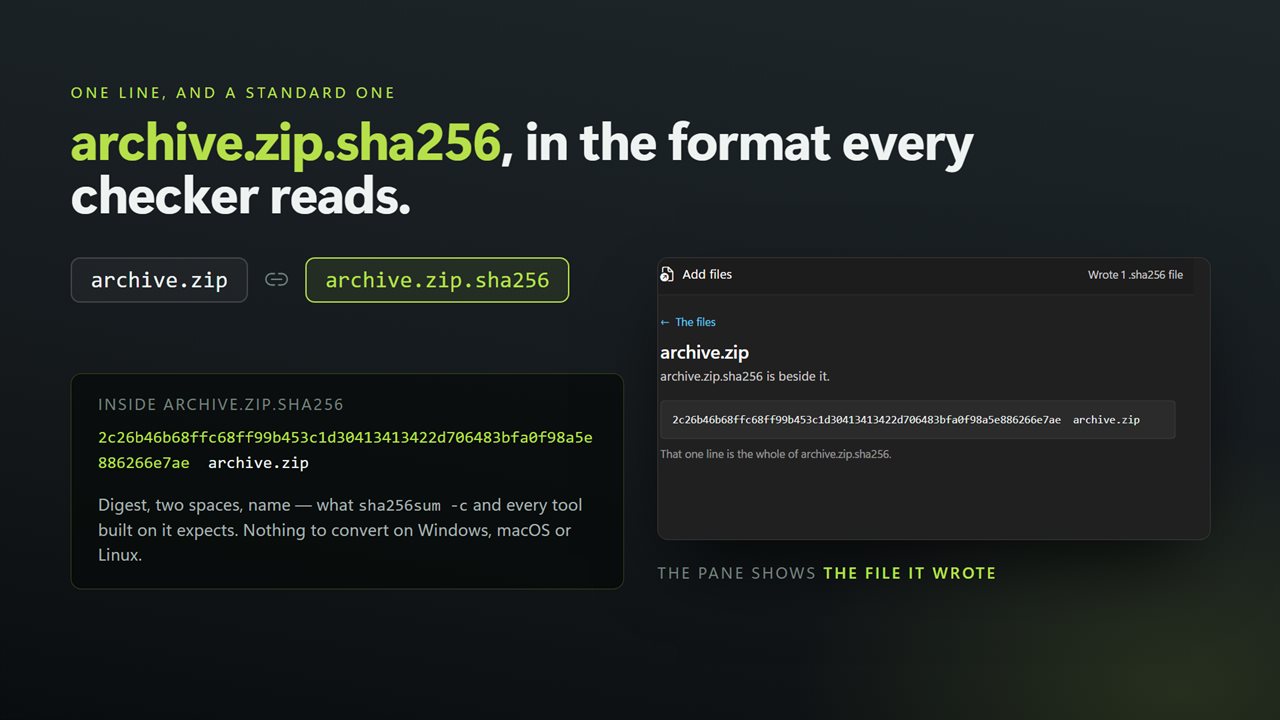
The sidecar holds the digest, two spaces and the file name — the format sha256sum, md5sum and every tool built on them expect. It works as it is, on Windows, macOS and Linux, with nothing to convert.
Four algorithms
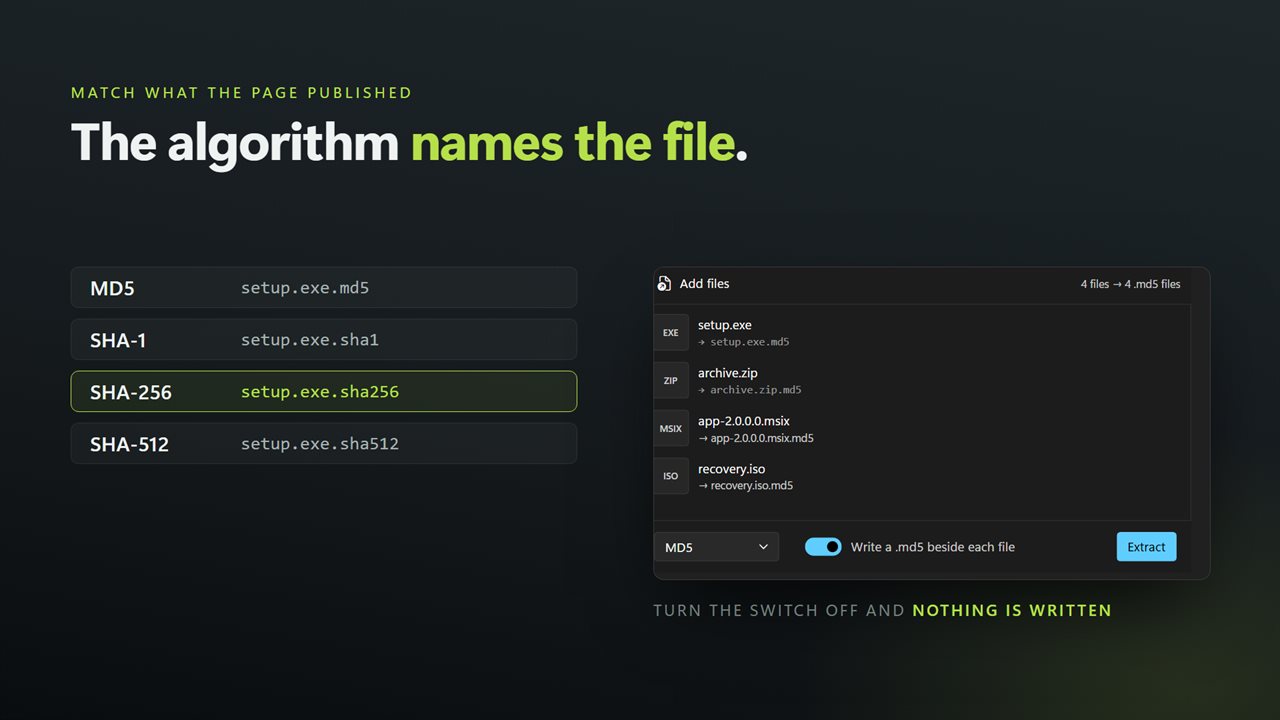
SHA-256 and SHA-512 for anything that matters, MD5 and SHA-1 for matching what a download page already published. Each one writes the sidecar its own checker reads — sha256sum, sha512sum, md5sum, sha1sum.
Or just look at them
Turn the sidecar off and it behaves like a plain checksum reader: the digests appear on screen and nothing is written to disk.
Big files, and a lot of them
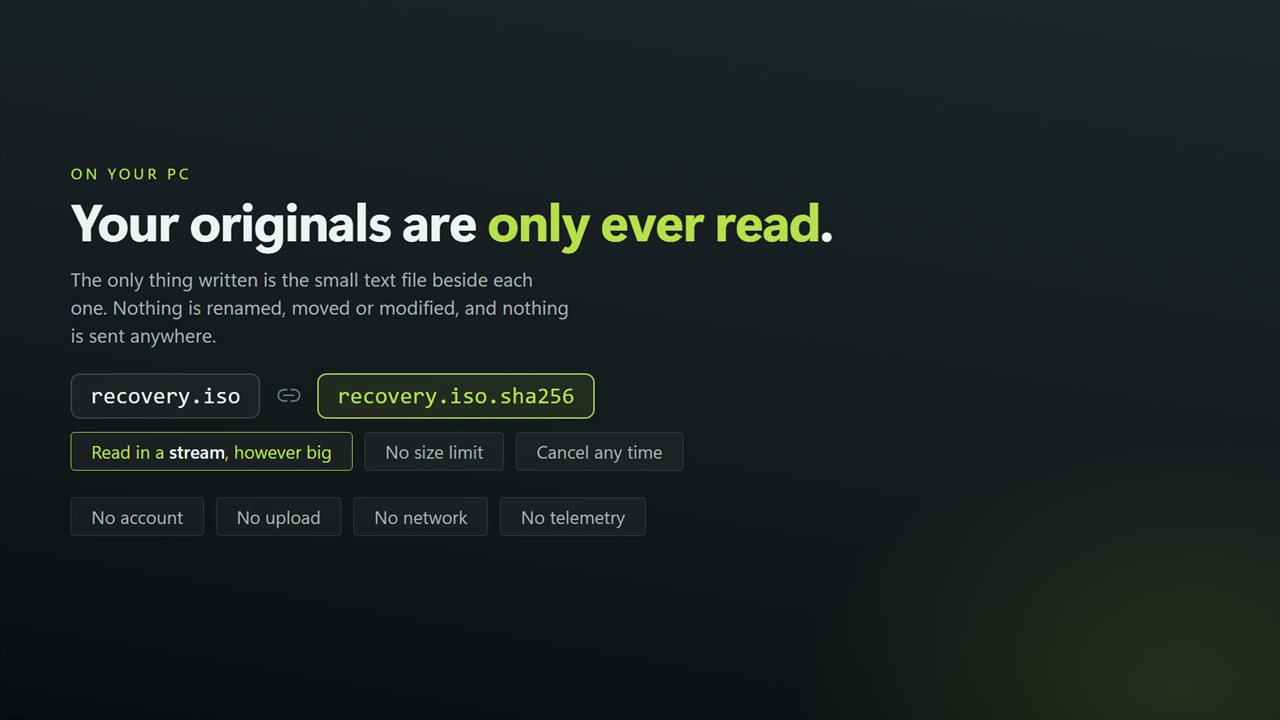
Files are read in a stream rather than loaded into memory, so disc images, installers and video are no trouble, and a long run can be cancelled at any point.
The original files are only ever read. Nothing is renamed, moved or modified.
On your PC, and nowhere else
There is no account, no sign-in, no upload and no telemetry. The app has no network code in it at all and works with the connection turned off.
Features
- Writes a checksum file beside each input — archive.zip becomes archive.zip.sha256
- The sidecar is in the standard format, so any checker reads it without being told anything
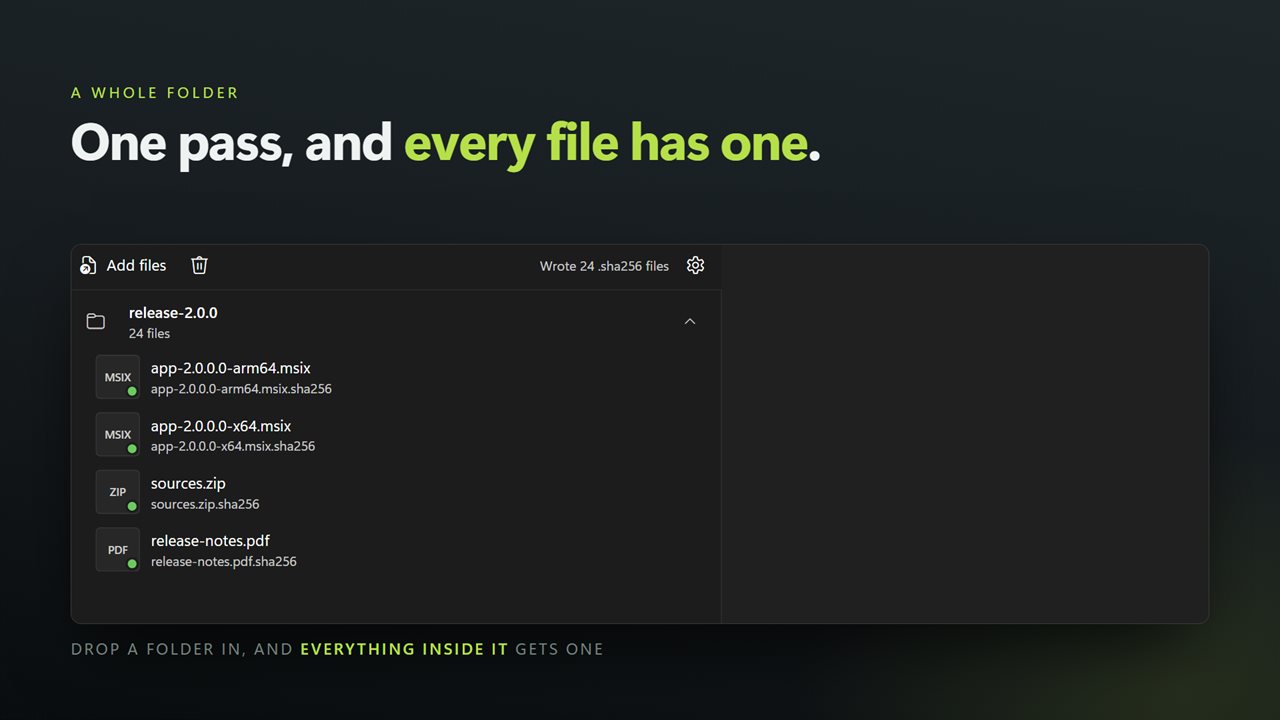
- Do a whole folder in one pass and every file comes out with its own checksum beside it
- MD5, SHA-1, SHA-256 and SHA-512
- Turn the sidecar off and just read the digests on screen
- Exactly what a release process wants: publish the file and its checksum together
- Reads files in a stream, so disc images and installers are no problem
- Nothing about the original file is changed, moved or renamed
- Light or dark, and it can follow Windows instead
- No account, no upload and no server processing
Details
- Works on
- Windows 10 (1809 or later) and Windows 11
- Download
- About 16.1 MB
- Version
- 2.0.4, updated October 2026
- First released
- December 2022
- Price
- $1.99 once. No subscription.
- Category
- Utilities & tools
What's new in 2.0.4
- Writes a checksum file beside each input — archive.zip.sha256 next to archive.zip — in the standard format any checker reads. This is the thing the app could not do before
- Now takes a whole batch. Earlier versions did one file at a time; drop in a folder and every file gets its own checksum file in one pass
- Added SHA-512 alongside MD5, SHA-1 and SHA-256
- Files are read in a stream instead of being loaded into memory, so disc images and installers no longer depend on free RAM
- The sidecar can be turned off, leaving the digests on screen and nothing written to disk
- Drag and drop from Explorer, and a right-click selection of many files opens one window instead of one each
- A redesigned interface, in light or dark, and it can follow Windows instead if you prefer
Questions
Anything else? Ask us
Which versions of Windows does it run on?
Windows 10 (version 1809 or later) and Windows 11.
Is it a subscription?
No. File Hash Extractor is a one-time purchase of $1.99, and updates are included.
How do I get it?
EvlarSoft apps are moving to direct downloads from this site. Ask to be notified and we will email you as soon as File Hash Extractor is ready to download.