Renamify
Take a word out of two hundred file names, swap it for another, number them in order or stamp each one with its own date. Pick one of six rules and every file in the list shows its new name straight away — before anything has been renamed. Extensions are never touched, a name Windows cannot store is refused rather than mangled, and nothing is renamed over an existing file. Entirely on your PC.
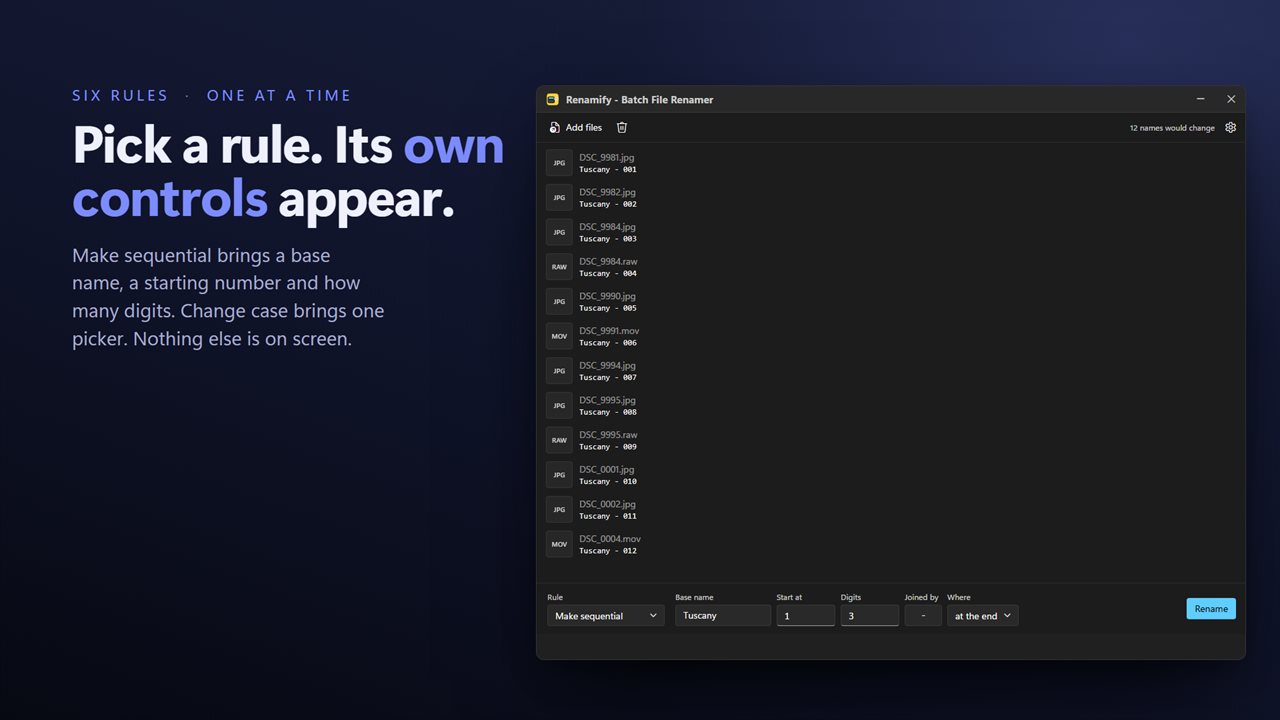

Pick one of six rules, and its controls appear beside it.
See it in action
About Renamify
Two hundred files with DSC_ on the front. A folder of scans all called Scan_2019_final_FINAL. A word that was spelled wrong in every file name in a project.
Renamify renames a folder full of files by one rule at a time.
Six rules, one at a time
Pick a rule and its controls appear on the bar beside it. Replace text with other text. Remove text. Add text to the start or the end. Change the case to UPPER, lower, Title or Sentence. Number the files in order, from any starting point, to any number of digits. Or stamp each file with the date it was created or last changed, in whichever of five formats you prefer.
One rule, one job, and the whole window given over to it — no wizard and no preview to press, because the list is the preview.
Nothing happens until you say so
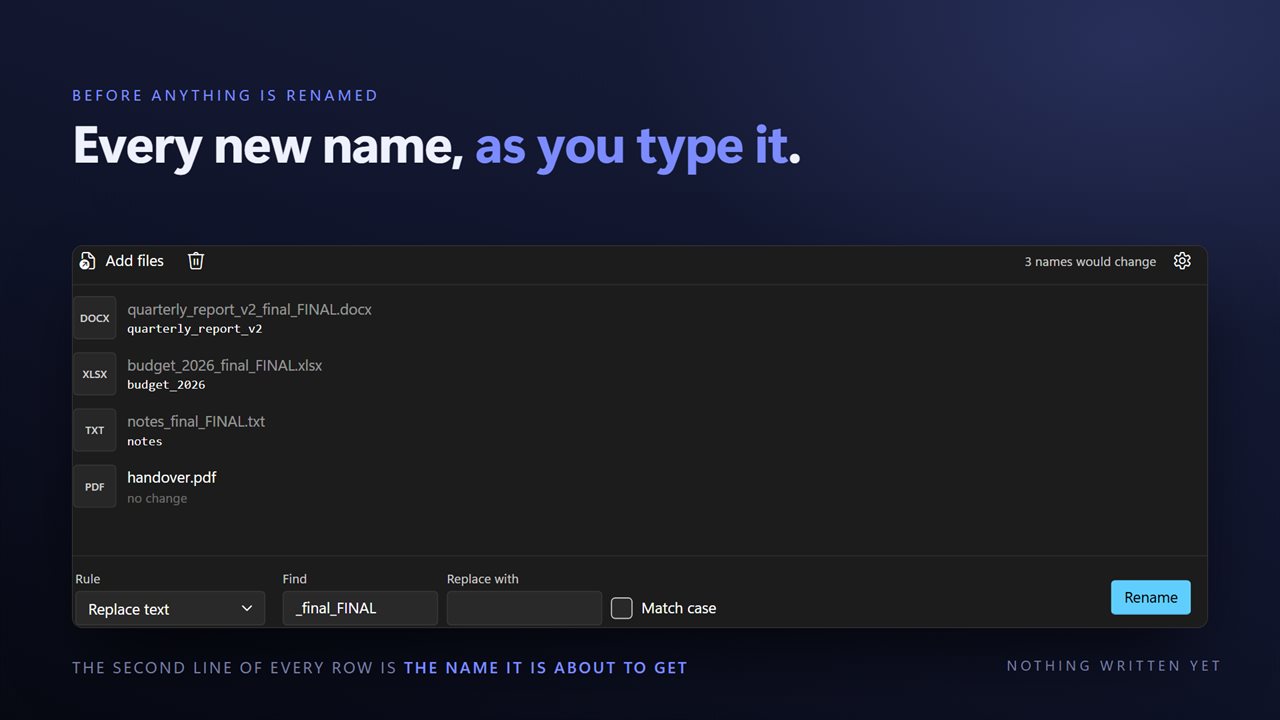
You see exactly what each file will be called, for every file, before a single one is renamed. If it does not look right, change what you typed and look again.
It will not let you break anything
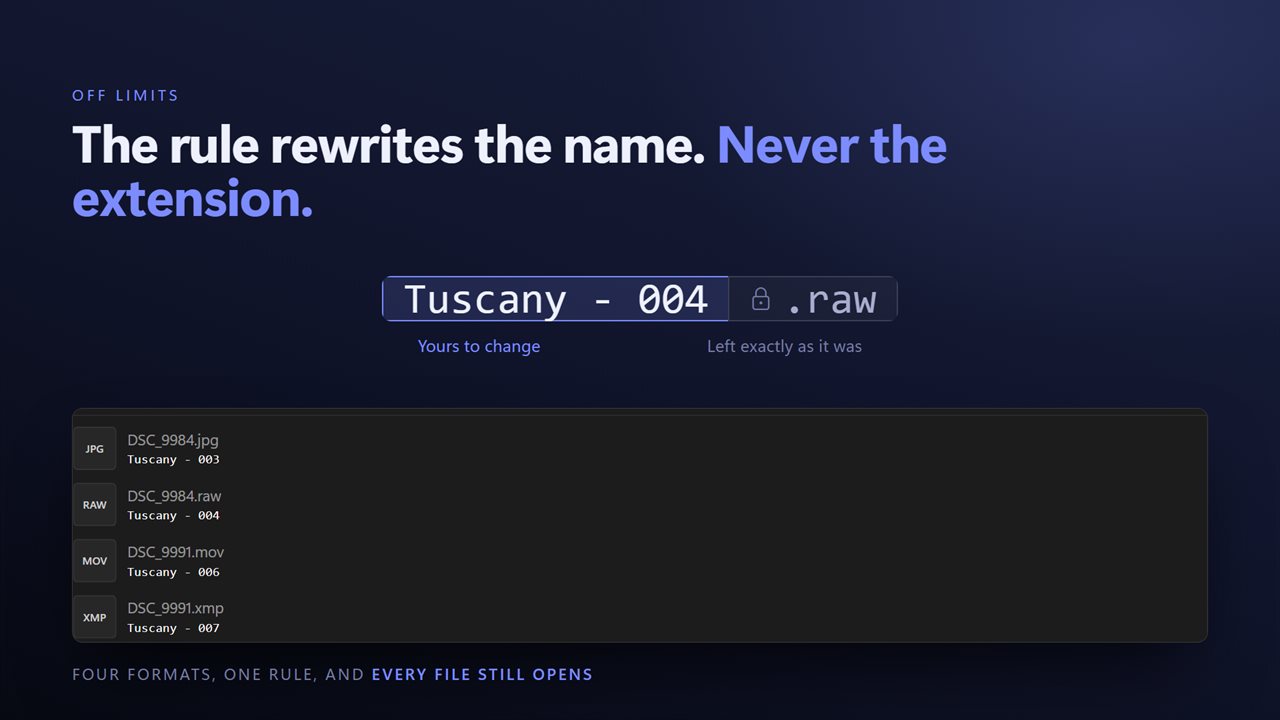
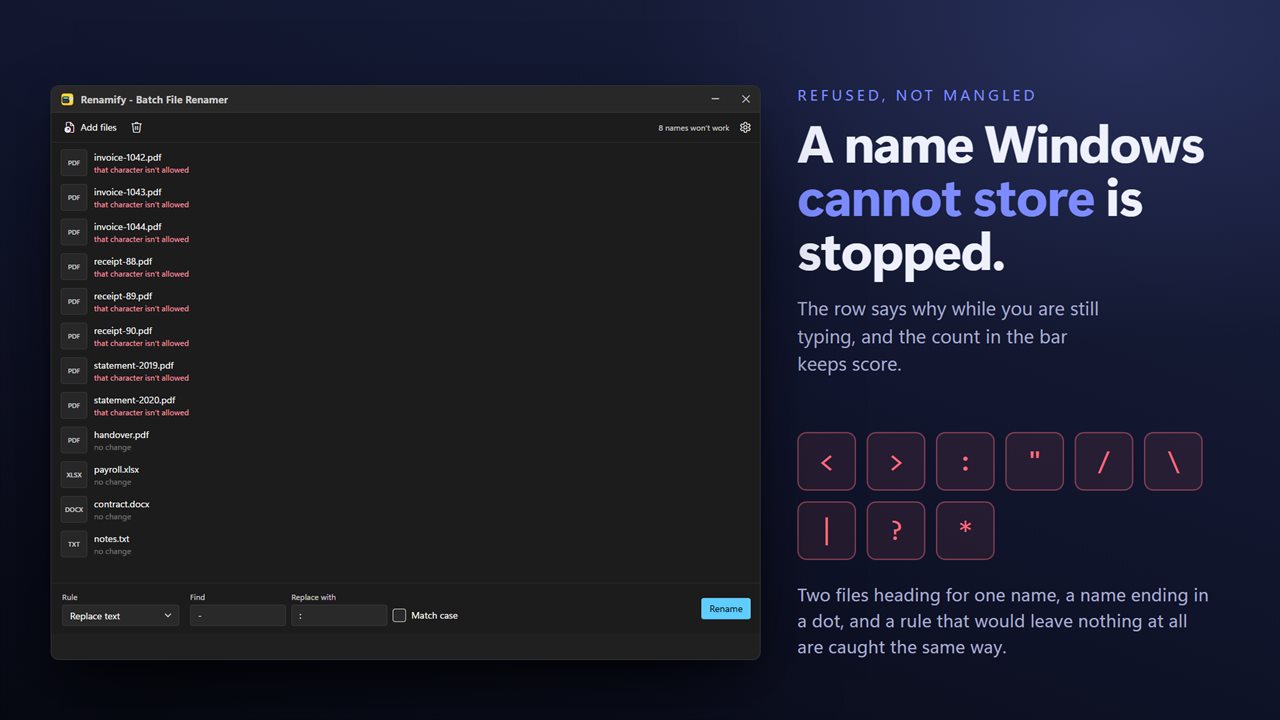
The extension is never part of the search, so a rename cannot change which program opens a file. A name containing a character Windows cannot store is refused with the character named, rather than silently corrected into something you did not ask for. And a file is never renamed on top of an existing one — that file is flagged and left alone, not overwritten.
As many files as you like
Drop in files from as many different folders as you want and they are all renamed in one pass. Drag them in from Explorer, pick them from a dialog, or select them in a folder and use the right-click menu.
Case matters only if you want it to: turn Match case on and Photo and photo are different words, turn it off and they are not.
The date a file is stamped with comes from the file itself rather than from today, so a photo taken in 2019 is stamped 2019.
On your PC, and nowhere else
There is no account, no sign-in, no upload and no telemetry. The app has no network code in it at all and works with the connection turned off.
Features
- Six rules: replace text, remove text, add text, change case, make sequential, or add the file's date
- One rule at a time, with its own controls sitting on the bar
- The new name appears on every file as you type, before anything is renamed
- Find and replace across every file name at once, matching case or ignoring it
- Numbers files in order from any starting point, to any number of digits, with your own separator
- Stamps the date a file was created or last changed, in five formats
- UPPER CASE, lower case, Title Case or Sentence case
- Extensions are left alone, so a rename cannot break which app opens the file
- Refuses a name Windows cannot store, and says which character is the problem
- Refuses to rename a file onto one that already exists
- Files from any number of folders in one run
- Drag straight in from Explorer, or send a selection from the right-click menu
- Light or dark, and it can follow Windows instead
- No account, no upload and no server processing
Details
- Works on
- Windows 10 (1809 or later) and Windows 11
- Download
- About 16.1 MB
- Version
- 2.0.4, updated October 2026
- First released
- September 2023
- Price
- $3.49 once. No subscription.
- Category
- Utilities & tools
What's new in 2.0.4
- Every file's new name now appears as you type, before anything is renamed. The list is the preview
- All six rules are here — replace, remove and add text, change case, make sequential, and add the file's date — each with the whole bar to itself
- The date rule reads the date the file was created or last changed, in any of five formats
- Numbering takes a starting point, a number of digits and a separator of your own
- Find and replace works across the whole batch at once, with an optional Match case
- Extensions are left out of the search, so a rename can no longer change which program opens a file
- A name Windows cannot store is refused with the offending character named, instead of being quietly altered
- A file is never renamed over an existing one; it is flagged and left alone
- Files from any number of different folders can be renamed in one run
- Drag and drop from Explorer, and a right-click selection opens one window instead of one per file
- A redesigned interface, in light or dark, and it can follow Windows instead if you prefer
Questions
Anything else? Ask us
Which versions of Windows does it run on?
Windows 10 (version 1809 or later) and Windows 11.
Is it a subscription?
No. Renamify is a one-time purchase of $3.49, and updates are included.
How do I get it?
EvlarSoft apps are moving to direct downloads from this site. Ask to be notified and we will email you as soon as Renamify is ready to download.