Internet Connectivity Checker
A link light for your internet connection, in the notification area. A wall jack sits by the clock and stays green while the internet is up. Open it and you get the response time over the last two hours, every drop with the time it happened and how long it lasted, and your local and public IP address ready to copy.
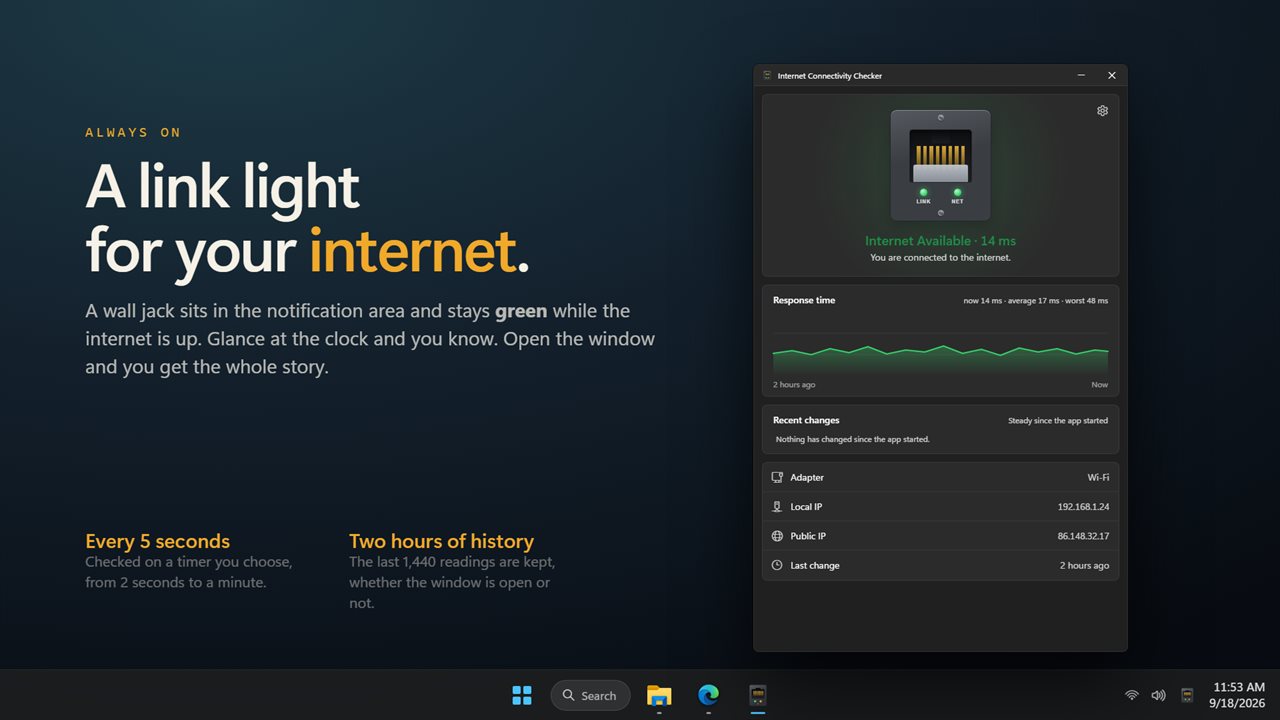
A link light by the clock, green while the internet is up.
See it in action
About Internet Connectivity Checker
Is it me, or is it the internet? Internet Connectivity Checker answers that without you opening a browser.
A wall jack by the clock
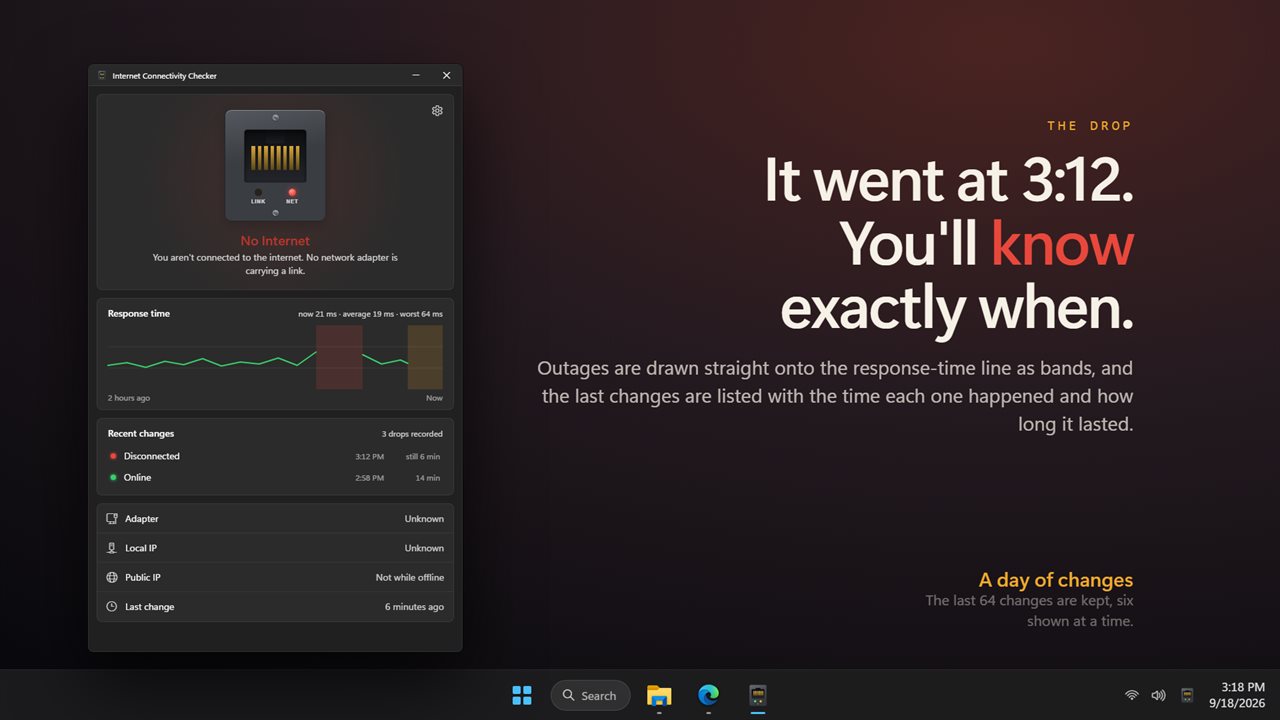
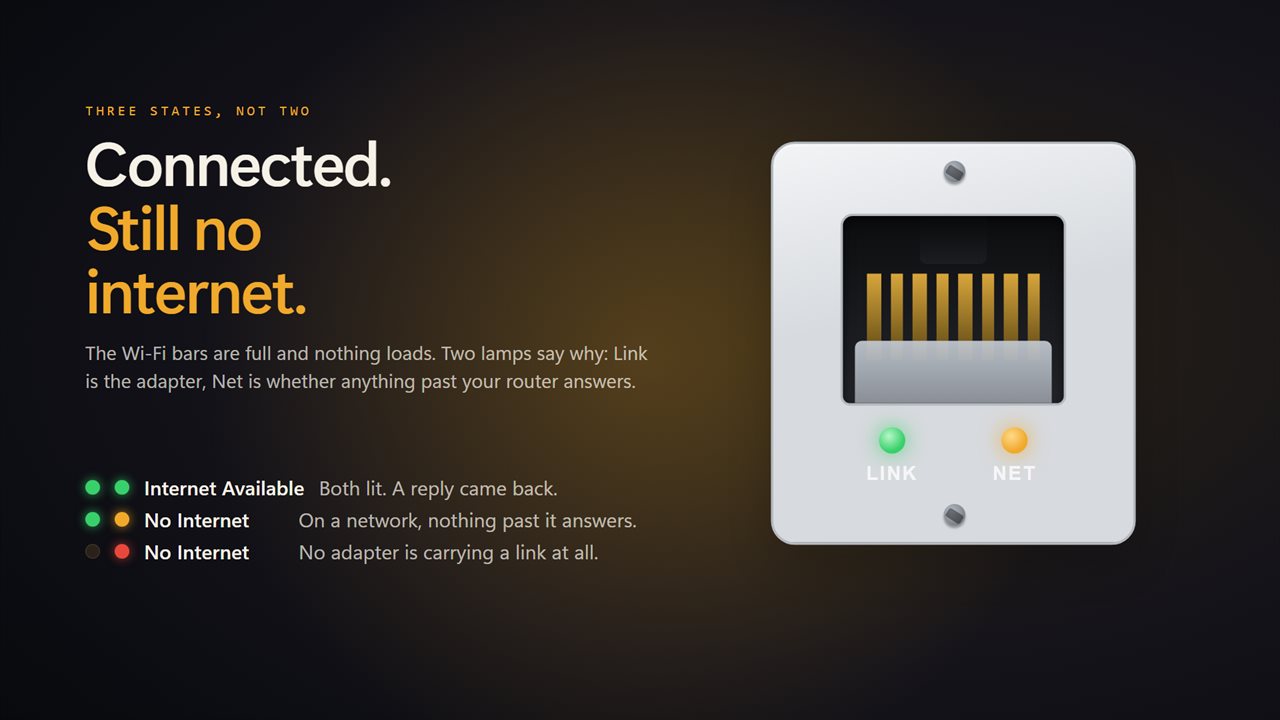
The app lives in the notification area as a small lamp. Green means the internet is up. Amber means you are on a network but nothing past it is answering. Red means no adapter is carrying a link at all. Open the window and the same jack is drawn full size, with a Link lamp for the adapter and a Net lamp for what is past it. Click it to check right now.
Three states, not two
Most checkers tell you whether you have Wi-Fi. That is not the question. This one pings past your router, so a hotel sign-in page you have not accepted, or a router that has lost its own connection, shows as its own state rather than as a green light that lies to you.
What happened while you were away
The checks keep running whether the window is open or not. When you open it you see a response-time line covering the last two hours, with outages drawn straight onto it as bands, and a list of the last changes with the time each one happened and how long it lasted. The app remembers 64 changes and shows six at a time.
A card when it changes
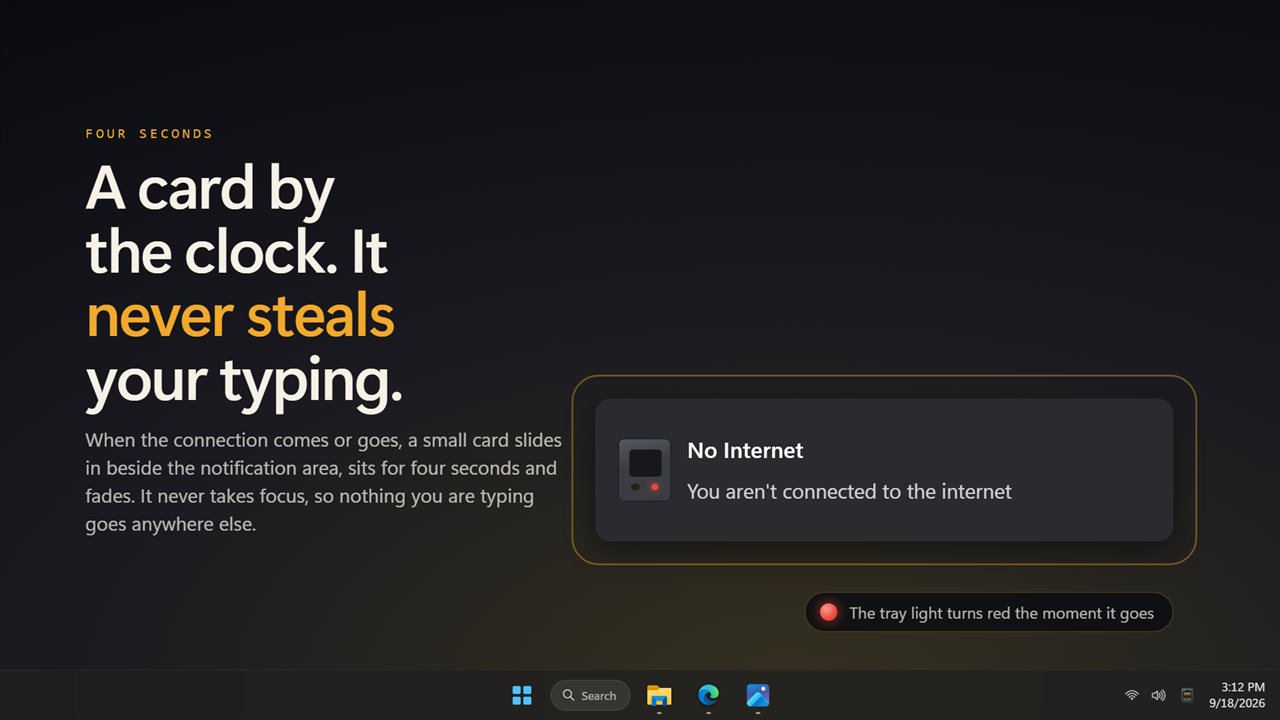
When the connection comes or goes, a small card slides in beside the clock, sits for four seconds and fades. It never takes focus, so nothing you are typing goes anywhere else. Turn it off if you would rather just watch the lamp.
Your addresses
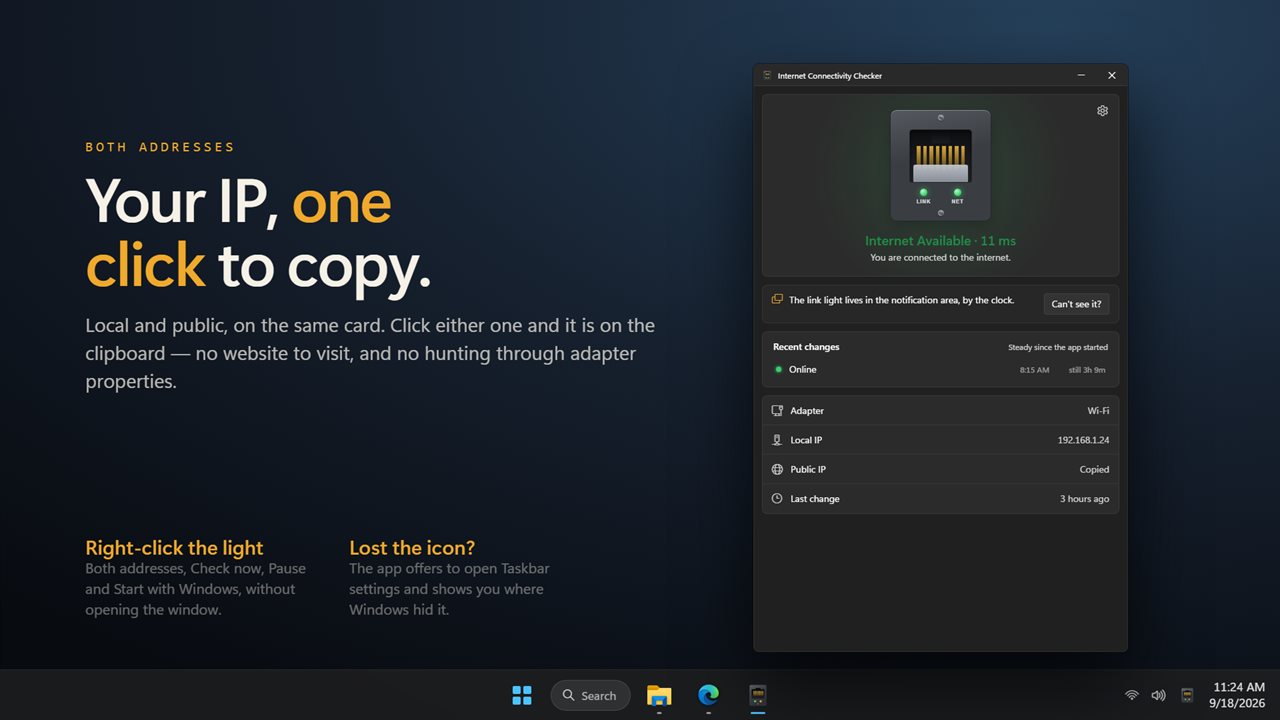
The local and public IP address are on the same card in the window, and in the menu when you right-click the light. Click either one and it is on the clipboard.
On your terms
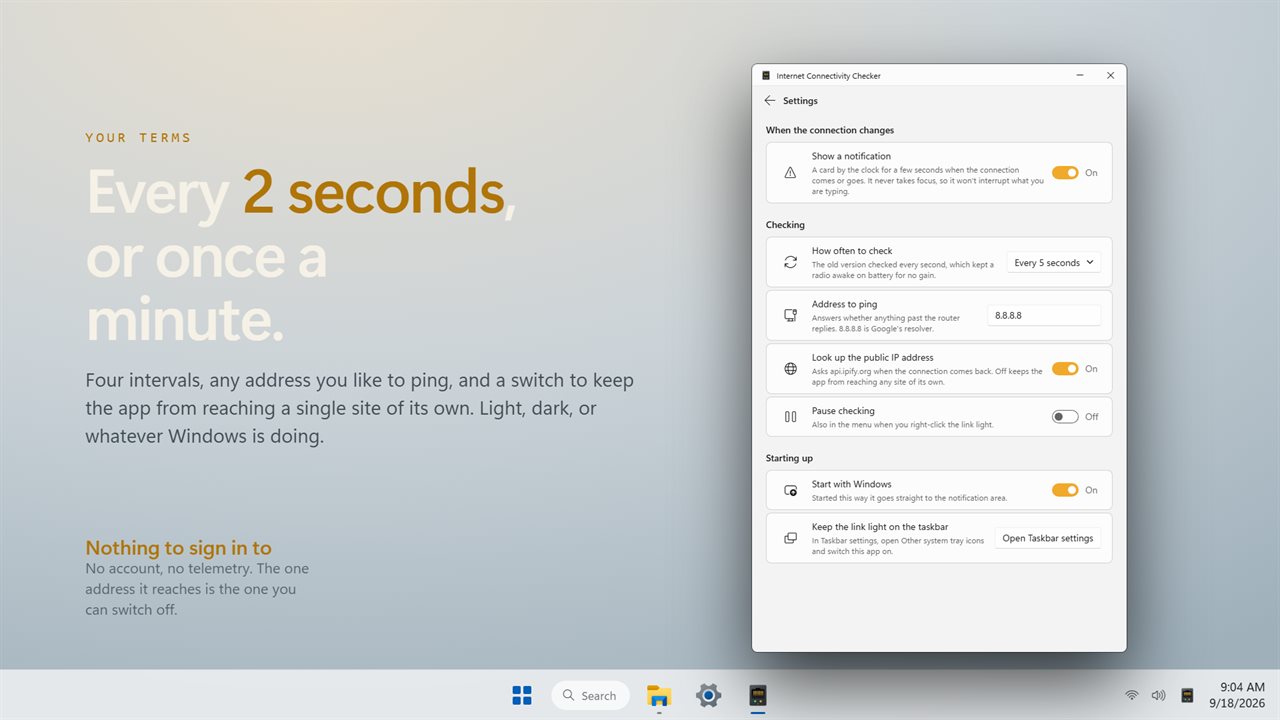
Check every 2 seconds, every 5 seconds, every 15 seconds or every minute. Ping whatever address you like. Switch off the public IP lookup and the app reaches nothing outside your own network. Pause it entirely when you do not want it. Start it with Windows and it goes straight to the notification area.
There is no account, nothing is uploaded, and everything it shows is measured on this PC.
Features
- A wall jack in the notification area whose lamp is green, amber or red at a glance
- Tells apart no network at all and a network that reaches nothing past the router
- A card by the clock when the connection comes or goes, for four seconds, that never takes focus
- A response-time line covering the last two hours, with outages drawn on it as bands
- The last 64 changes are kept, six shown at a time, each with the time it happened and how long it lasted
- Your local and public IP address on the same card, click either one to copy it
- Check every 2 seconds, every 5 seconds, every 15 seconds or every minute
- Ping any address you like; 8.8.8.8 out of the box
- The public IP lookup can be switched off, so the app reaches nothing but your own network
- Click the jack, or the tray menu, to check right now instead of waiting for the next check
- Pause checking from the window or the tray menu
- Right-click the light for both addresses, Check now, Pause and Start with Windows
- Starts with Windows straight to the notification area, if you want it to
- Helps you put the light back on the taskbar when Windows hides it behind the arrow
- Light, dark, or whatever Windows is set to
- No account, and nothing is uploaded
Details
- Works on
- Windows 10 (1809 or later) and Windows 11
- Download
- About 2.7 MB
- Version
- 2.0.4, updated October 2026
- First released
- September 2022
- Price
- $2.49 once. No subscription.
- Category
- Utilities & tools
What's new in 2.0.4
- New: a wall jack you can click, with a Link lamp and a Net lamp
- New: tells apart no network and a network with no internet
- New: a response-time line for the last two hours, with outages drawn on it
- New: a list of recent changes with the time and how long each one lasted
- New: click either IP address to copy it
- New: choose how often to check, from 2 seconds to a minute
- New: choose the address to ping, and switch off the public IP lookup
- New: light and dark themes
- Checking every second is gone; it kept the radio awake on battery for no gain
Questions
Anything else? Ask us
Which versions of Windows does it run on?
Windows 10 (version 1809 or later) and Windows 11.
Is it a subscription?
No. Internet Connectivity Checker is a one-time purchase of $2.49, and updates are included.
How do I get it?
EvlarSoft apps are moving to direct downloads from this site. Ask to be notified and we will email you as soon as Internet Connectivity Checker is ready to download.