Network Device Scanner
Type a range of addresses and it asks every one of them in turn, then tells you who answered. Names come from the router and from the network itself over Bonjour and UPnP, so the list reads Living Room Speaker rather than 192.168.1.34. Silent addresses get knocked on before they are believed, because Windows PCs ignore a ping by default and a lesser scanner reports them as absent. Open any device for its maker, model, reply time and what it is listening on. Save the lot as CSV or JSON.
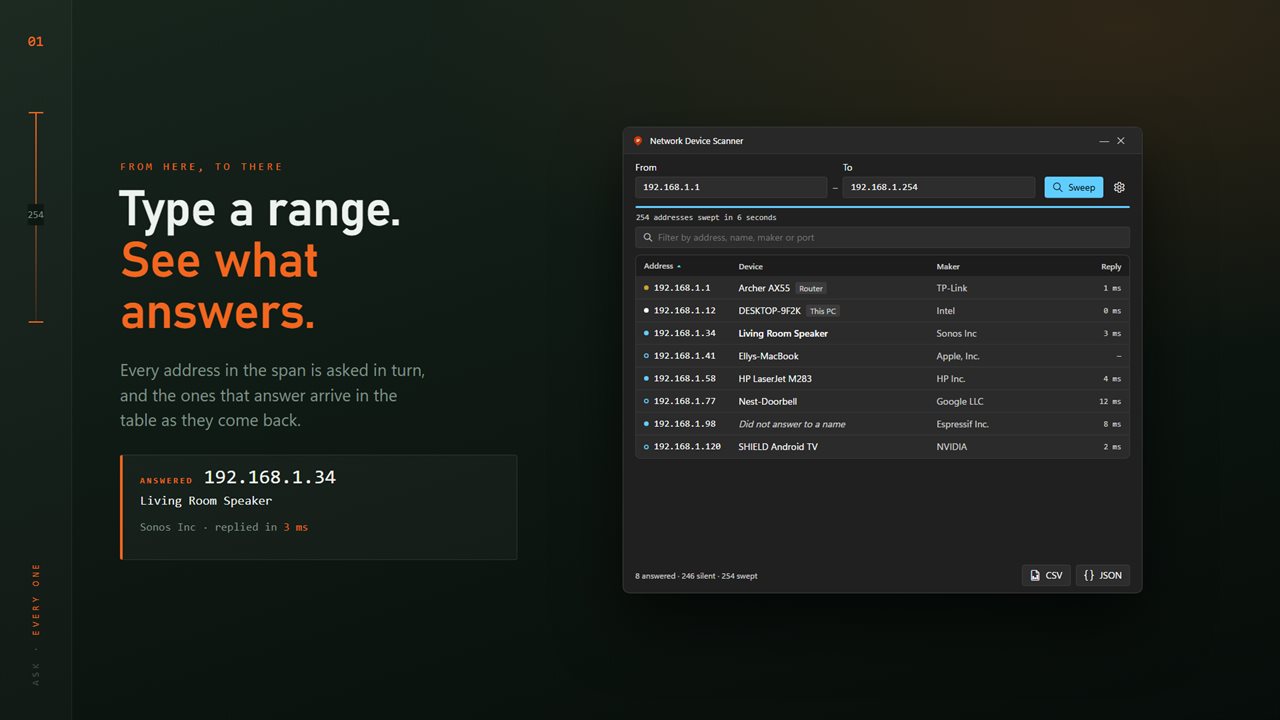
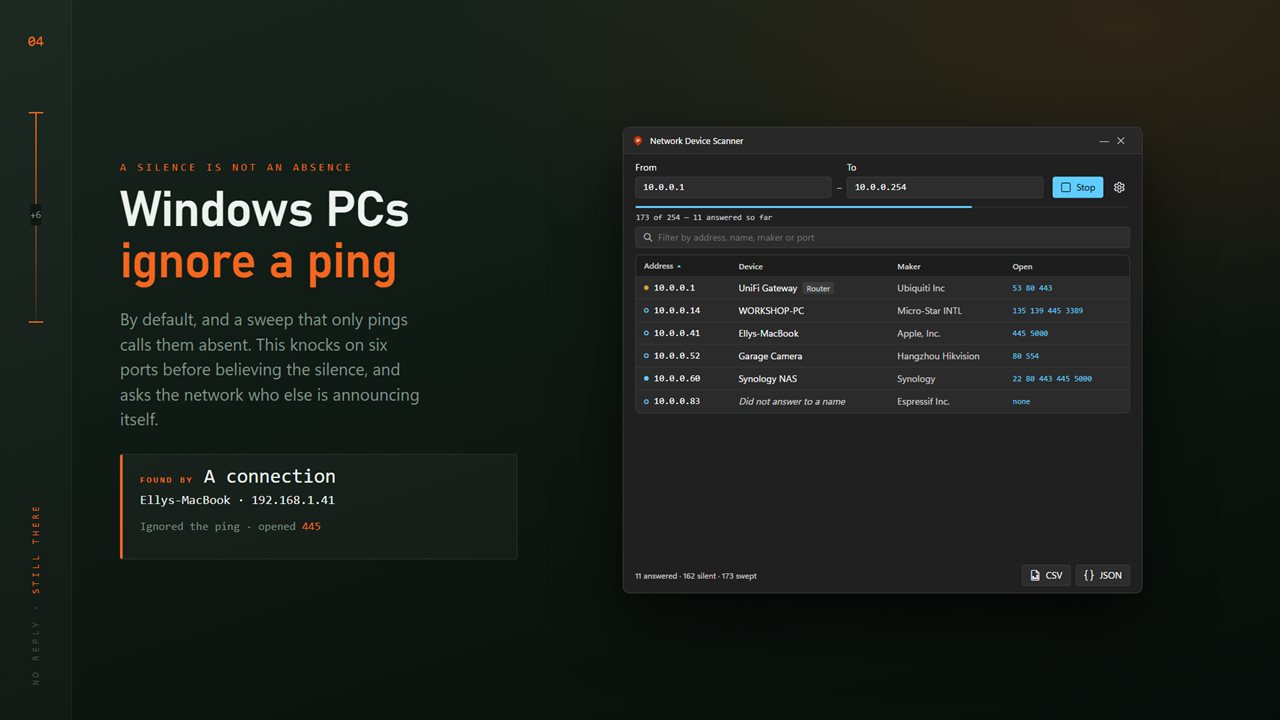
Type a range. Every address in it is asked, and the answers arrive as they come back.
See it in action
About Network Device Scanner
A network is a list of numbers until something tells you what the numbers are.
Network Device Scanner sweeps a range of addresses and reports every device that answered — what it is called, who made it, how fast it replied and what it is listening on.
Type a range, press sweep
Two boxes: from one address to another. Both take a whole address or a bare last octet, and what will actually be swept is read back under them before anything starts. Results arrive in the table as they come in rather than all at the end, so a large range is useful while it is still running.
Names, not numbers
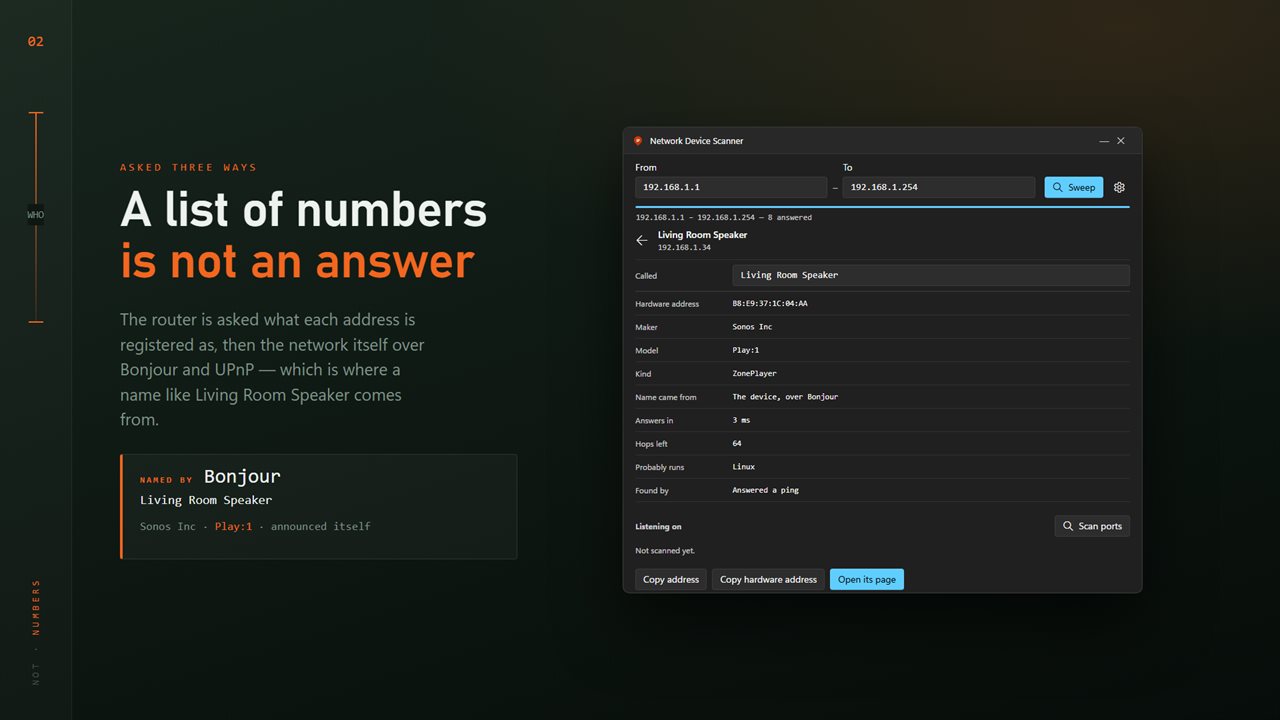
A list of addresses is not an answer. Network Device Scanner asks the router what each address is registered as, then asks the network itself over Bonjour and UPnP — which is where a name like Living Room Speaker comes from, along with the model, the kind of device and sometimes the serial.
The maker comes from the hardware address, so even a device that says nothing at all is identified as an Espressif board or a Hikvision camera. Your own PC and the router are marked in the list.
A silence is not an absence
Windows PCs ignore a ping by default. A scanner that only pings reports them as absent, which is how half a household goes missing from a sweep. Network Device Scanner knocks on six ports before it believes the silence, and picks up devices that announce themselves over Bonjour or UPnP without ever answering a ping.
What each one is listening on
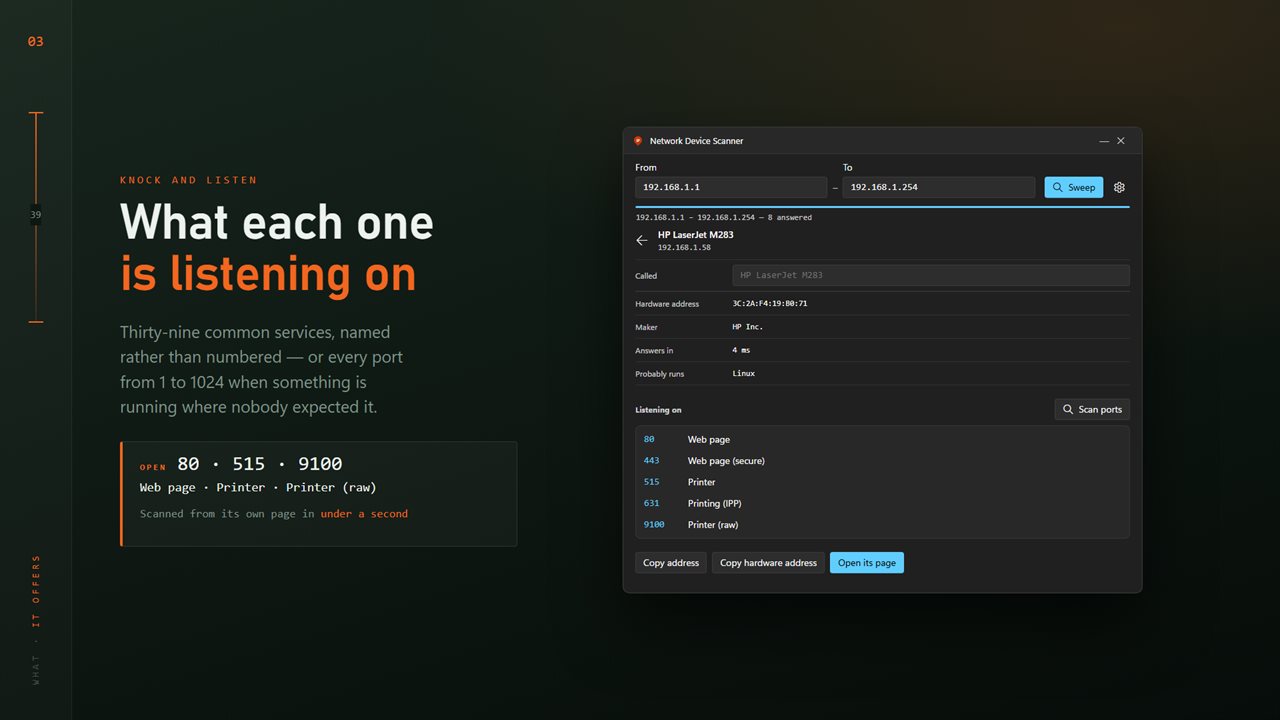
Thirty-nine common services, named rather than numbered: web pages, printers, cameras, file sharing, remote desktop, databases. Scan them during the sweep or on one device from its own page. When something is running on a port nobody expected, there is every port from 1 to 1024.
Open one up
Any row opens onto that device: hardware address, maker, model, reply time, hops left, a guess at what it runs and how it was found. Give it a name of your own and it keeps that name across sweeps, because it is stored against the hardware address rather than the address the router happens to hand out today.
A sleeping PC can be woken from here. A device with a web page can have it opened.
Yours to keep
Filter by address, name, maker or port, and save what is on screen as CSV or JSON.
On your PC
No account, no sign-in, nothing running in the background. It asks your own network and tells nobody — nothing leaves the PC unless you save it yourself.
Features
- Sweeps any range you type, from one address to another
- Answers arrive as they come back, not all at the end
- Knocks on six ports before calling an address silent, so Windows PCs are not missed
- Names from the router, and from the network itself over Bonjour and UPnP
- Maker of each device from its hardware address
- Reply time in milliseconds, and a guess at what it runs
- Thirty-nine common services named rather than numbered
- Or every port from 1 to 1024, when something is running where nobody expected
- Marks your own PC and the router in the list
- Model, kind and serial where a device announces them
- Name a device yourself, and it keeps that name across sweeps
- Wake a sleeping PC, or open a device's web page
- Filter by address, name, maker or port
- Save the list as CSV or JSON
- Light and dark, following Windows
- No account and nothing running in the background
Details
- Works on
- Windows 10 (1809 or later) and Windows 11
- Download
- About 2.9 MB
- Version
- 2.0.8, updated October 2026
- First released
- March 2023
- Price
- $1.99 once. No subscription.
- Category
- Utilities & tools
What's new in 2.0.8
- Sweeps a real range now, rather than filtering what Windows already knew
- Results appear as they arrive instead of at the end
- Names asked for three ways: the router, Bonjour and UPnP
- Knocks on six ports before calling an address silent
- Port scanning, with thirty-nine named services or every port to 1024
- Reply time, hops left and a guess at what each device runs
- Names you give a device are kept against its hardware address
- Wake a sleeping PC, or open a device's web page
- CSV and JSON export
- Light and dark, following Windows
Questions
Anything else? Ask us
Which versions of Windows does it run on?
Windows 10 (version 1809 or later) and Windows 11.
Is it a subscription?
No. Network Device Scanner is a one-time purchase of $1.99, and updates are included.
How do I get it?
EvlarSoft apps are moving to direct downloads from this site. Ask to be notified and we will email you as soon as Network Device Scanner is ready to download.