JSON Validator
JSON Validator checks your JSON and repairs it when it's broken. Single quotes, trailing commas, comments, missing commas and files cut short are fixed and marked, right on your PC. Fix the JSON on your clipboard with one shortcut, compare two files, and turn a sample into TypeScript, C# or a JSON Schema.
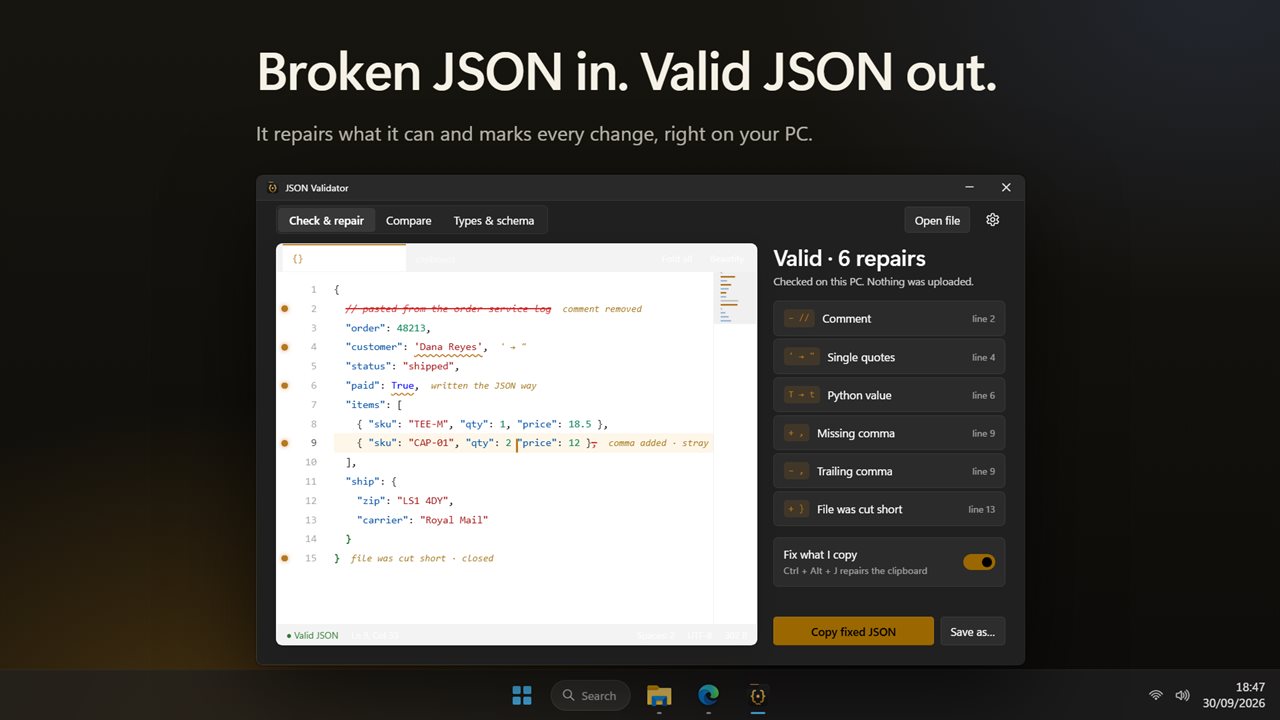
Broken JSON in, valid JSON out, with every repair marked.
See it in action
About JSON Validator
Most JSON checkers tell you it's broken. JSON Validator fixes it.
Broken JSON in, valid JSON out
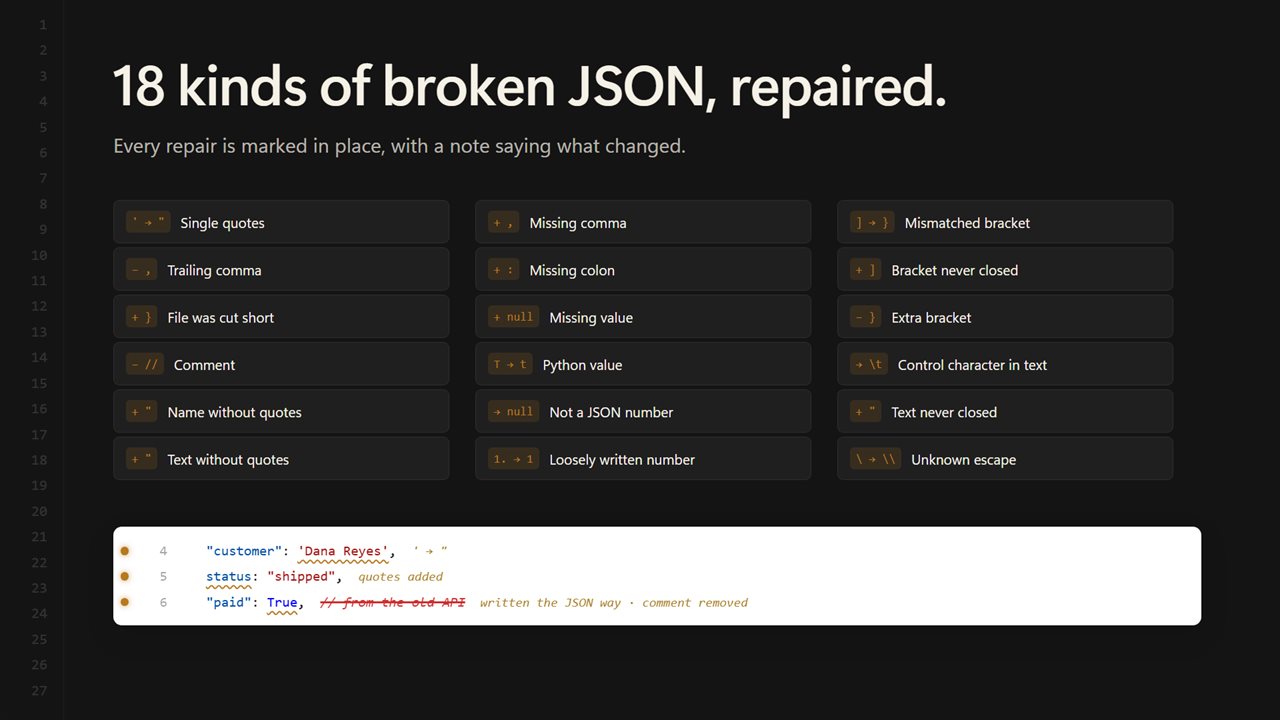
Paste, open or drop a file. It's checked as you type, and the mistakes people really make are repaired: single quotes, trailing commas, comments, names without quotes, missing commas and colons, Python's True, False and None, brackets that don't match and files that were cut short. That's 18 kinds of repair in all. Each one is marked in the editor with a short note, and listed beside it, so you can see exactly what changed. Then copy the fixed JSON or save it as a new file.
Fix what you copy
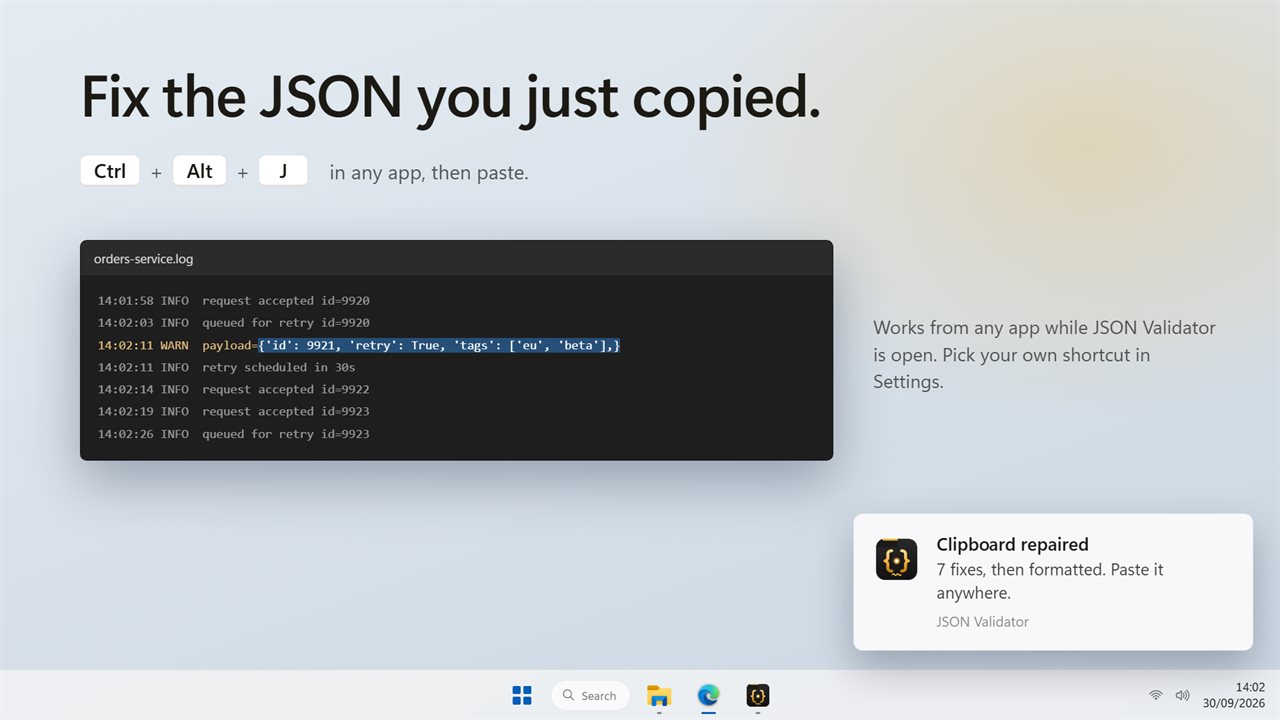
Copied a payload from a log or a chat? Press Ctrl+Alt+J in any app while JSON Validator is open. The JSON on the clipboard is repaired and formatted in place, and a notification tells you how many fixes it made. Paste it anywhere. You can pick your own shortcut.
A proper editor
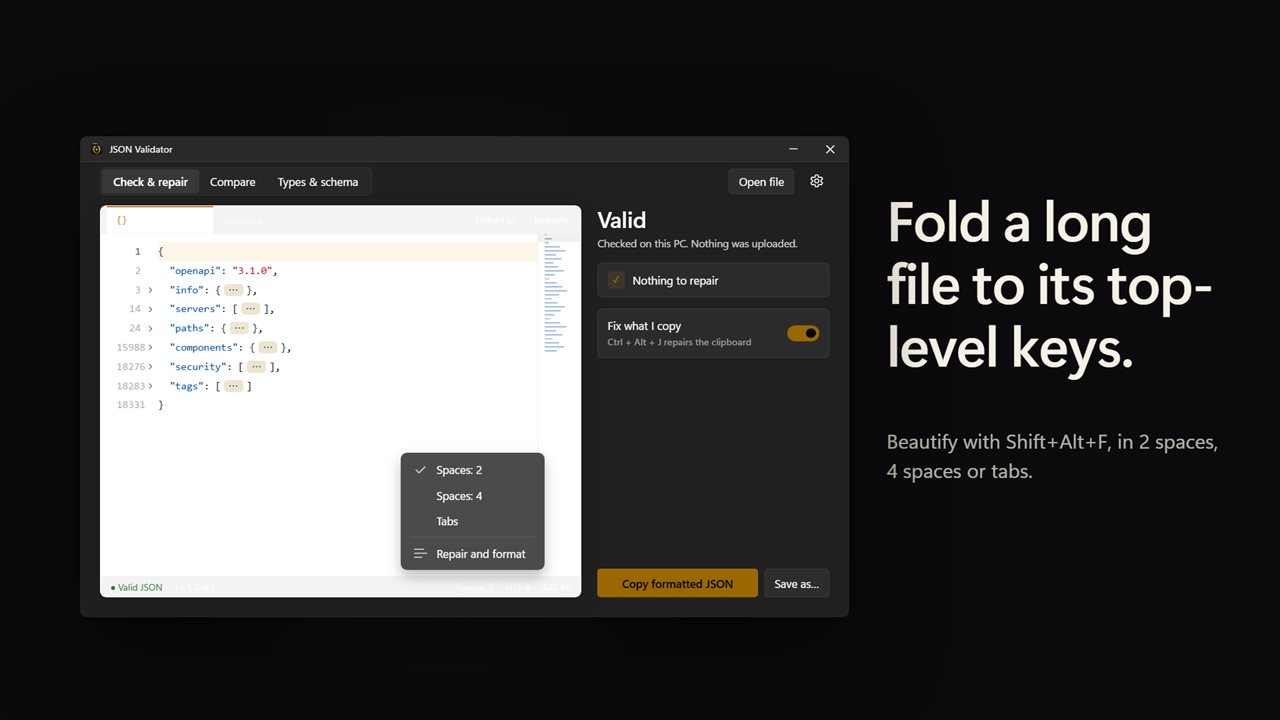
Beautify with Shift+Alt+F, with an indent of 2 spaces, 4 spaces or tabs. Paste minified JSON into an empty editor and it arrives formatted. Fold everything down to the top-level keys, or fold any block from the gutter. Large files open read-only and stay fast.
See what changed
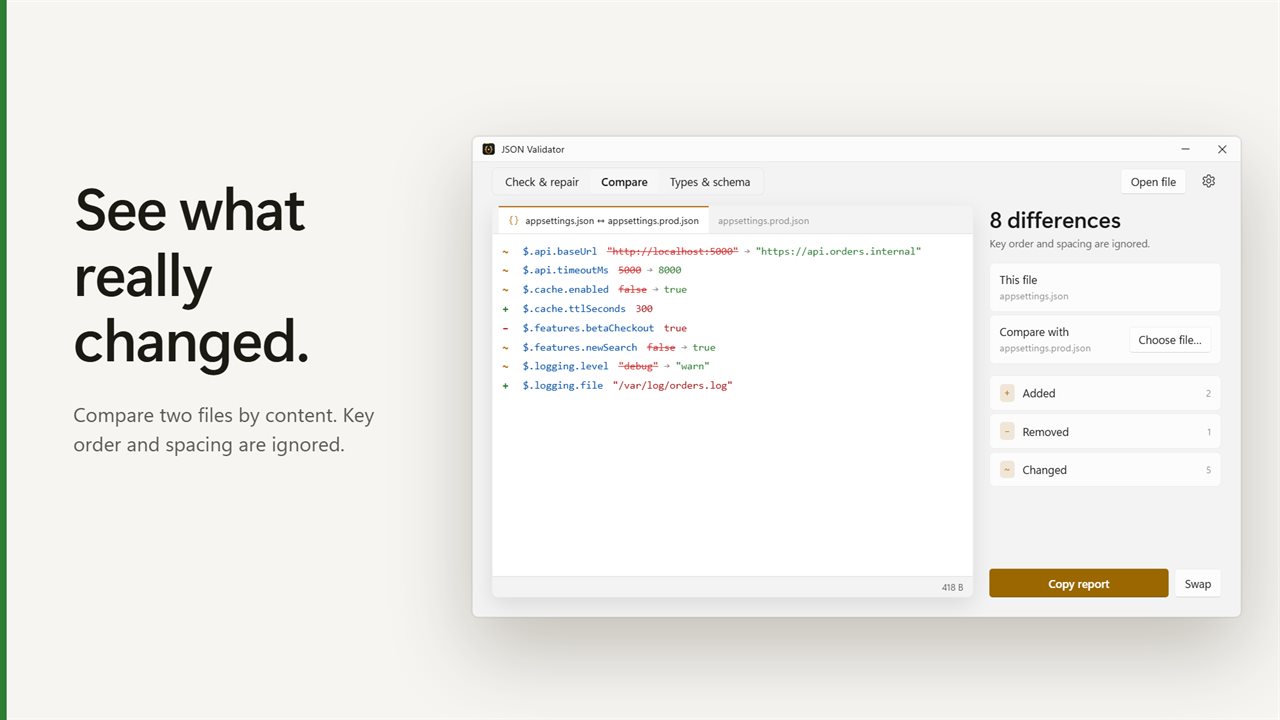
Compare two JSON files by content. Added, removed and changed values are listed by key path, and key order and spacing are ignored. Copy the report, or swap the two sides.
Types from a sample
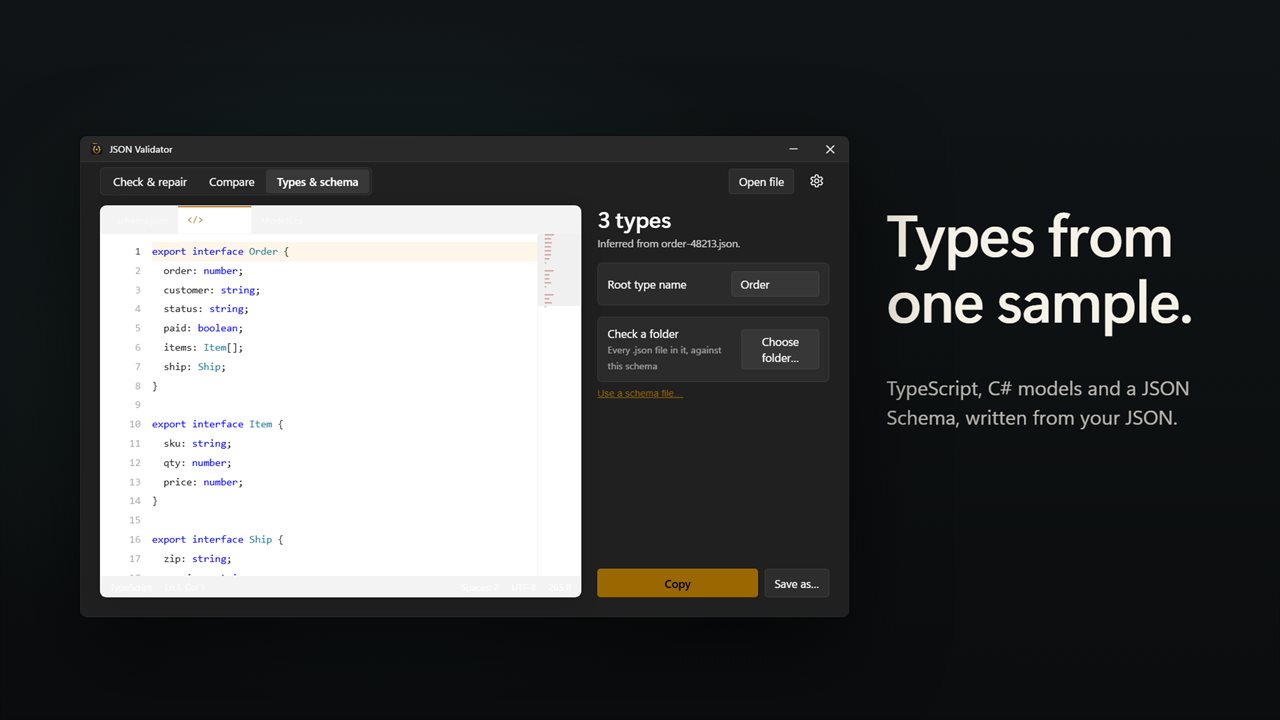
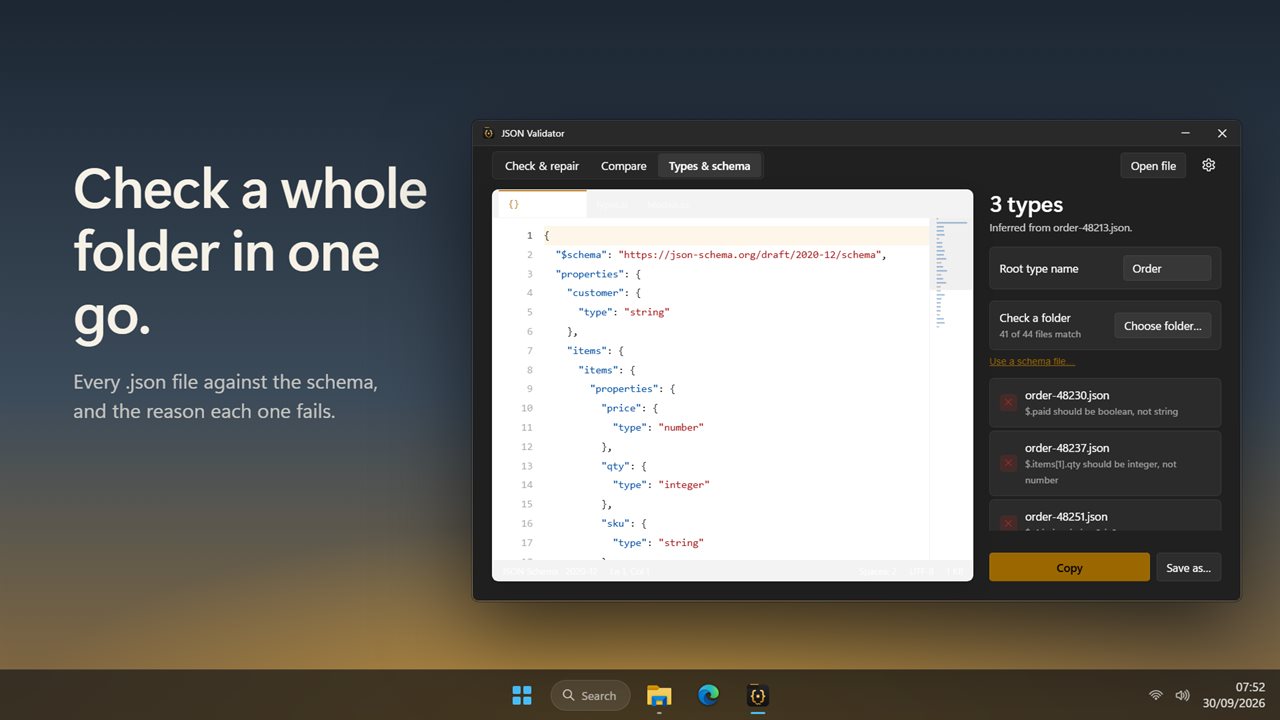
Turn one example into TypeScript types, C# models for System.Text.Json and a JSON Schema. Then check a whole folder of .json files against that schema, or against a schema file of your own, and see why each failing file fails.
Private
Everything is checked on your PC. Nothing is uploaded, and there is no account.
Features
- Paste, open or drop JSON and it is checked as you type
- Repairs broken JSON instead of just rejecting it: 18 kinds of mistake, from single quotes and trailing commas to comments, names without quotes, missing commas and Python's True, False and None
- Closes a file that was cut short, so a truncated response or log line becomes valid JSON
- Every repair is marked in the editor with a short note, and listed beside it. Click one to jump to it
- When something can't be repaired, it shows the line and says what should come next
- Copy the fixed JSON, or save it as a new file
- Fix what you copy: press Ctrl+Alt+J in any app and the JSON on the clipboard is repaired and formatted in place, with a notification. Pick your own shortcut in Settings
- Beautify with Shift+Alt+F, with an indent of 2 spaces, 4 spaces or tabs
- Paste minified JSON into an empty editor and it arrives already formatted
- Fold all down to the top-level keys, or fold any block from the arrows beside the line numbers
- Indents for you as you type
- Large files open read-only and stay fast, and you can still copy or save the fixed version
- Compare two JSON files and see what was added, removed or changed, by key path
- Key order and spacing are ignored, so only real differences show
- Paste or type the second JSON, or choose a file. Swap sides and copy the report
- Generate TypeScript types, C# models for System.Text.Json and a JSON Schema from one sample
- Name the root type, then copy the result or save it as a file
- Check a whole folder of .json files against the schema, or against a schema file you already have, and see why each one fails
- Everything is checked on your PC. Nothing is uploaded
- Light and dark themes, or match Windows
Details
- Works on
- Windows 10 (1809 or later) and Windows 11
- Download
- About 2.8 MB
- Version
- 2.0.2, updated October 2026
- First released
- April 2023
- Price
- $1.99 once. No subscription.
- Category
- Developer tools
What's new in 2.0.2
- New: broken JSON is repaired, not just rejected, with every repair marked in the editor
- New: press Ctrl+Alt+J in any app to fix the JSON on your clipboard
- New: compare two JSON files and see what changed
- New: generate TypeScript, C# and a JSON Schema from a sample, and check a folder against it
- New: fold all, beautify with your choice of indent, and fast read-only viewing for large files
Questions
Anything else? Ask us
Which versions of Windows does it run on?
Windows 10 (version 1809 or later) and Windows 11.
Is it a subscription?
No. JSON Validator is a one-time purchase of $1.99, and updates are included.
How do I get it?
EvlarSoft apps are moving to direct downloads from this site. Ask to be notified and we will email you as soon as JSON Validator is ready to download.