Self Signed Certificate Maker
Trusted HTTPS for localhost in one click. Self Signed Certificate Maker makes your own local certificate authority, trusts it in Windows and Firefox, and issues a certificate your browser accepts with no warning. Wire it into a Vite, ASP.NET, IIS Express or Node project, export it as PFX or PEM, and check any certificate for problems.
Trusted HTTPS for localhost, in one click.
See it in action
About Self Signed Certificate Maker
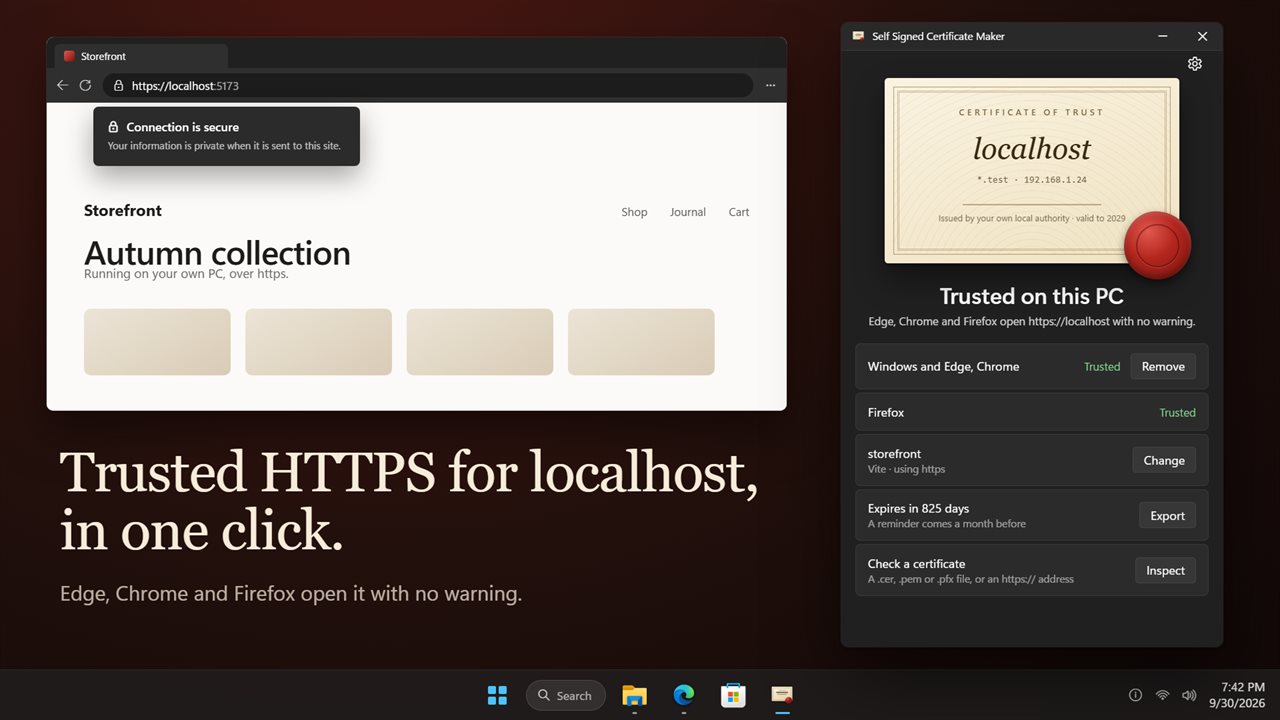
Stop clicking past "Your connection isn't private" on your own dev server. Self Signed Certificate Maker gives https://localhost a certificate your browsers trust, in one click.
One click to trust
Press the wax seal on the certificate, or the Trust localhost button. The app makes your own local certificate authority, adds it to Windows and issues a certificate for localhost. Windows asks you once to confirm. After that, Edge, Chrome and Firefox open https://localhost with no warning. If Firefox was open at the time, its own Trust button finishes the job.
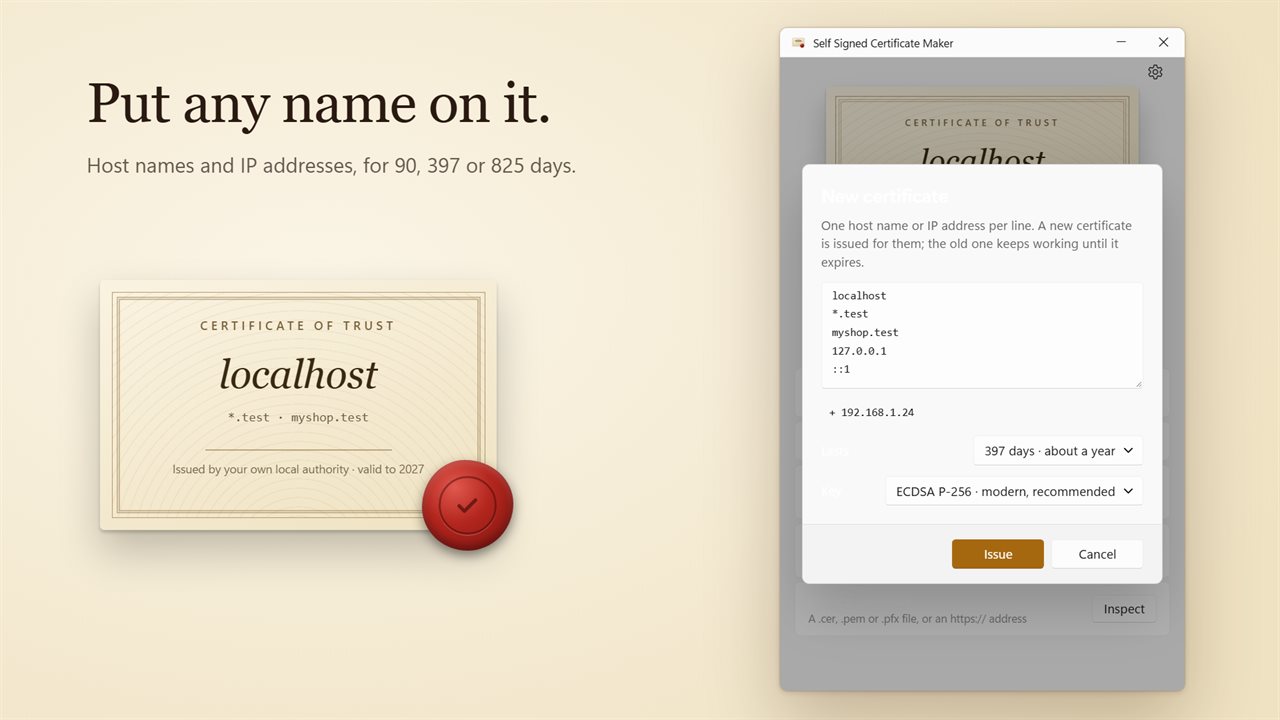
The first certificate covers localhost, *.test, 127.0.0.1, ::1 and this PC's network addresses.
Your names, your dates
Click the certificate to issue a new one. Type host names and IP addresses one per line, or add the ones the app suggests. Choose how long it lasts, 90, 397 or 825 days, and the key, ECDSA P-256 or RSA 2048 for older clients. The old certificate keeps working until it expires.
Wire it into your Project
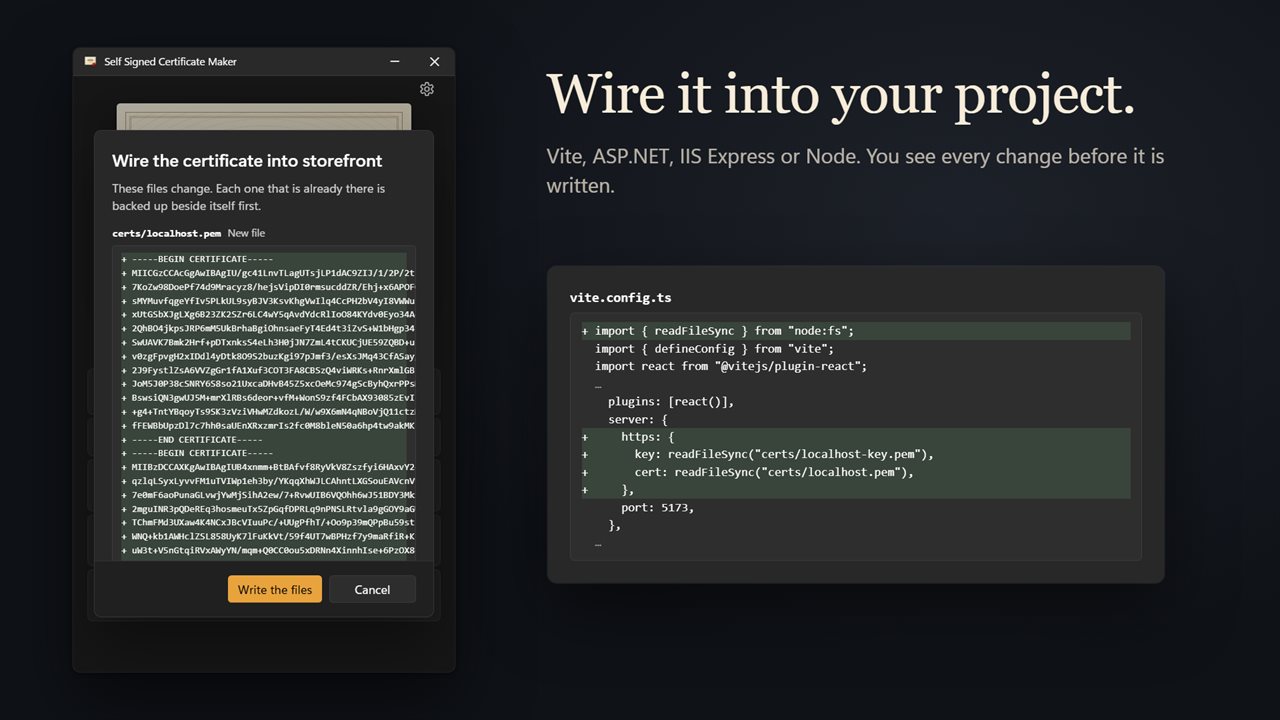
Pick your project's folder. The app finds a Vite, ASP.NET, IIS Express or Node project and shows exactly what will change before it writes anything. It edits vite.config or appsettings.json for you, backs up every file it replaces, and adds certs/ to your .gitignore so the private key stays out of your repository. For Node and IIS Express it gives you the lines to paste, ready to copy.
Export it
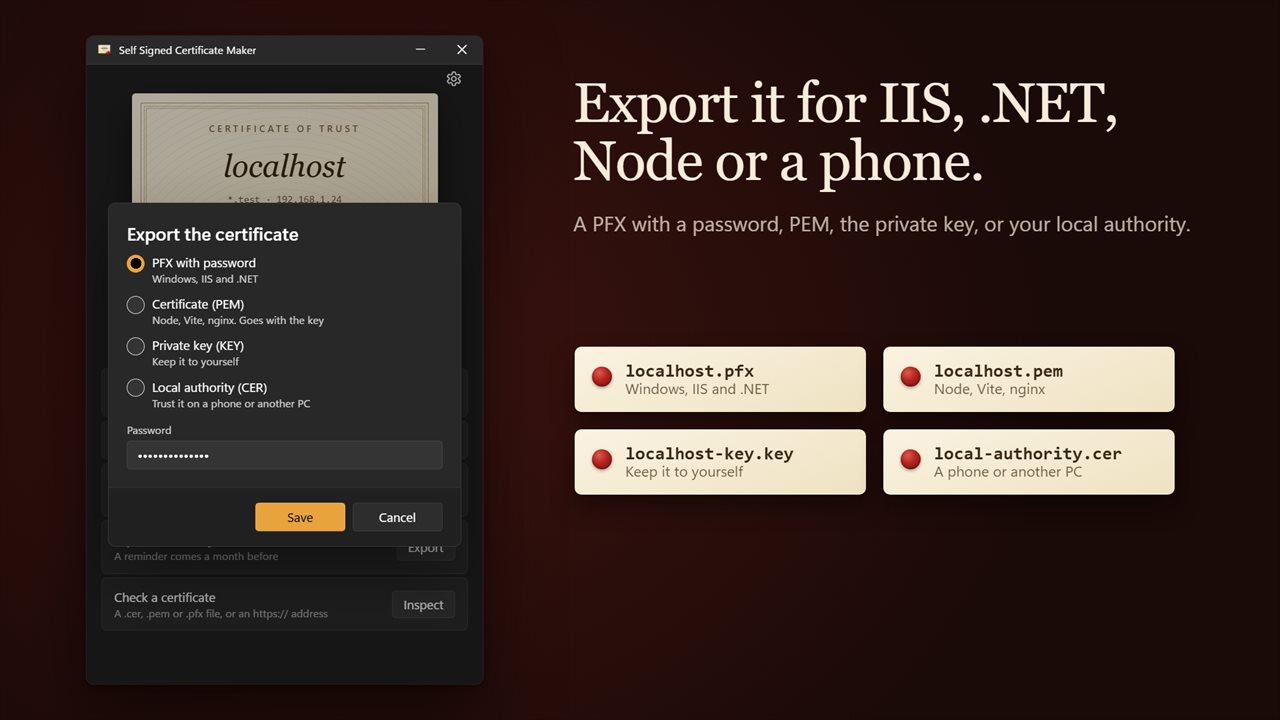
Save a PFX with a password for Windows, IIS and .NET, the certificate as PEM and the private key for Node, Vite and nginx, or your local authority as a CER to trust it on a phone or another PC.
Check any certificate
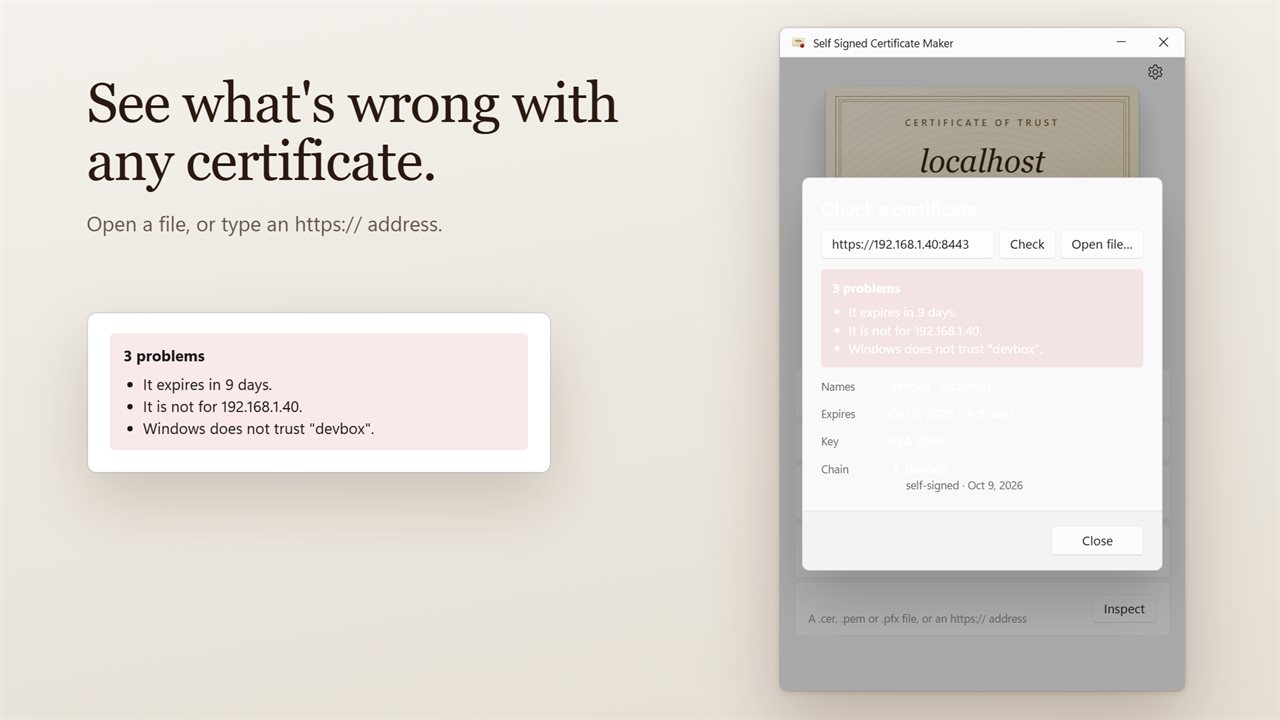
Open a .cer, .crt, .pem, .der, .pfx or .p12 file, or type an https:// address. The app shows its names, when it expires, its key and its chain, and lists what is wrong: expired or about to expire, made for a different address, a chain out of order, or not trusted by Windows.
A reminder before it runs out
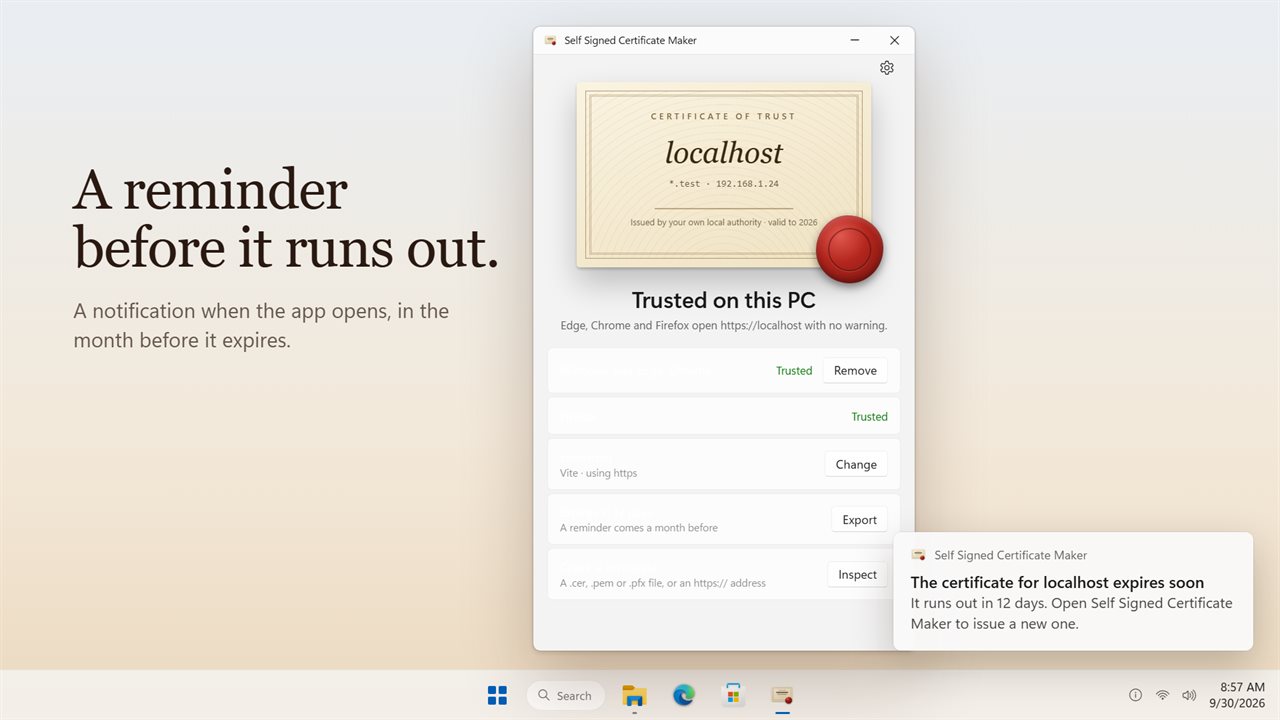
In the month before a certificate expires, a notification tells you when the app opens.
Clean up in one click
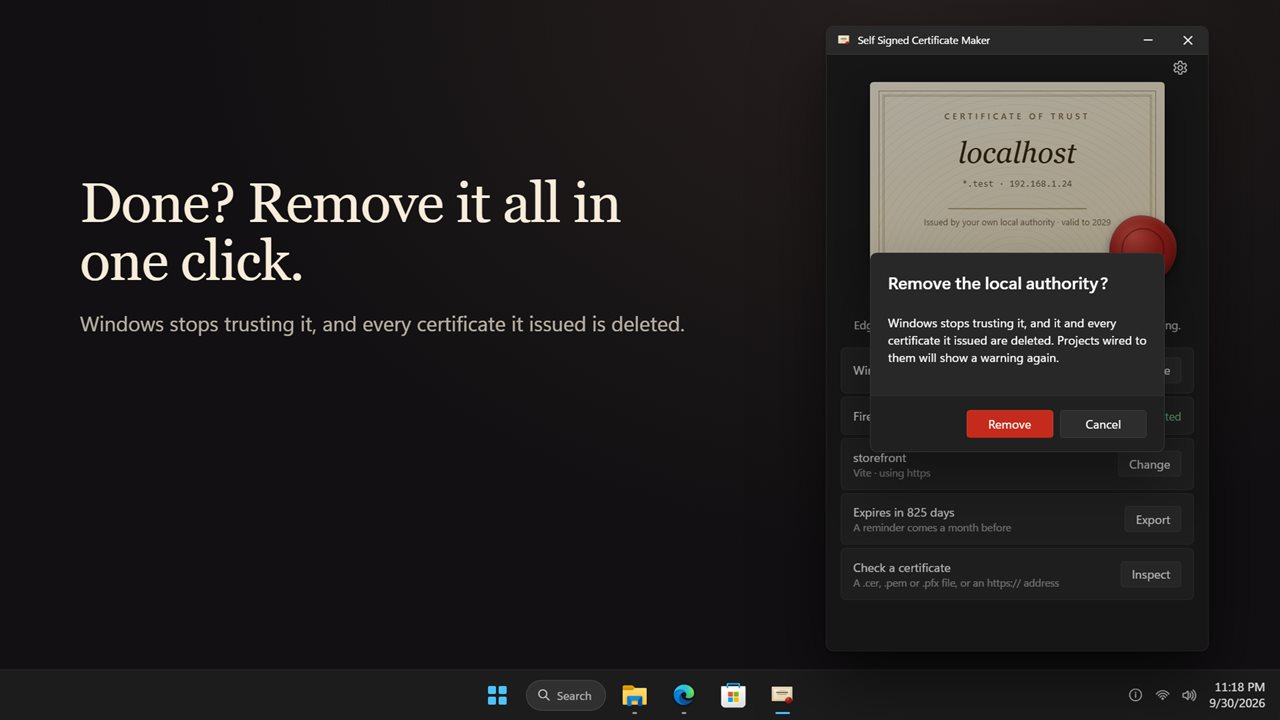
Done with it? Remove takes your local authority out of Windows and deletes every certificate it issued.
No account and no sign-up.
Features
- Trust https://localhost on this PC in one click: press the wax seal, or the Trust localhost button
- Makes your own local certificate authority and adds it to Windows, so Edge and Chrome open your dev sites with no warning
- Firefox trusts it too. If Firefox was open at the time, a Trust button finishes it later
- The first certificate covers localhost, *.test, 127.0.0.1, ::1 and this PC's network addresses
- Issue a new certificate for any host names and IP addresses, one per line, with this PC's addresses suggested
- Choose how long it lasts: 90 days, 397 days, or 825 days, the most browsers accept
- Choose the key: ECDSA P-256, or RSA 2048 for older clients
- Wire it into a project: pick the folder and it finds a Vite, ASP.NET, IIS Express or Node project
- See every change before it is written. Files that are already there are backed up beside themselves first
- Adds certs/ to your .gitignore, so the private key stays out of your repository
- Export as a PFX with a password for Windows, IIS and .NET
- Export the certificate as PEM and the private key as KEY for Node, Vite and nginx
- Export your local authority as a CER to trust it on a phone or another PC
- Check any certificate: open a .cer, .crt, .pem, .der, .pfx or .p12 file, or type an https:// address
- Shows its names, expiry date, key and chain, and lists the problems it finds
- Spots expired certificates, ones for the wrong address, a broken chain, and ones Windows does not trust
- A notification when the app opens in the month before a certificate expires
- Remove it all in one click: Windows stops trusting it, and every certificate it issued is deleted
- No account and no sign-up
- Light and dark themes, or match Windows
Details
- Works on
- Windows 10 (1809 or later) and Windows 11
- Download
- About 3.1 MB
- Version
- 2.0.2, updated October 2026
- First released
- September 2023
- Price
- $1.99 once. No subscription.
- Category
- Utilities & tools
What's new in 2.0.2
- New: trust https://localhost in one click, in Windows and Firefox
- New: issue certificates for your own host names and IP addresses, for 90, 397 or 825 days
- New: wire the certificate into a Vite, ASP.NET, IIS Express or Node project
- New: export as PFX, PEM, KEY or CER
- New: check any certificate file or https:// address for problems
- New: a reminder before a certificate expires
- New: remove the local authority and everything it issued in one click
Questions
Anything else? Ask us
Which versions of Windows does it run on?
Windows 10 (version 1809 or later) and Windows 11.
Is it a subscription?
No. Self Signed Certificate Maker is a one-time purchase of $1.99, and updates are included.
How do I get it?
EvlarSoft apps are moving to direct downloads from this site. Ask to be notified and we will email you as soon as Self Signed Certificate Maker is ready to download.