LoanCalc
See every payment of your loan as a coupon book, and what paying a little extra each month saves. LoanCalc works out the monthly payment, the payoff date and the total interest as you type, and shows the full amortization schedule to the cent.
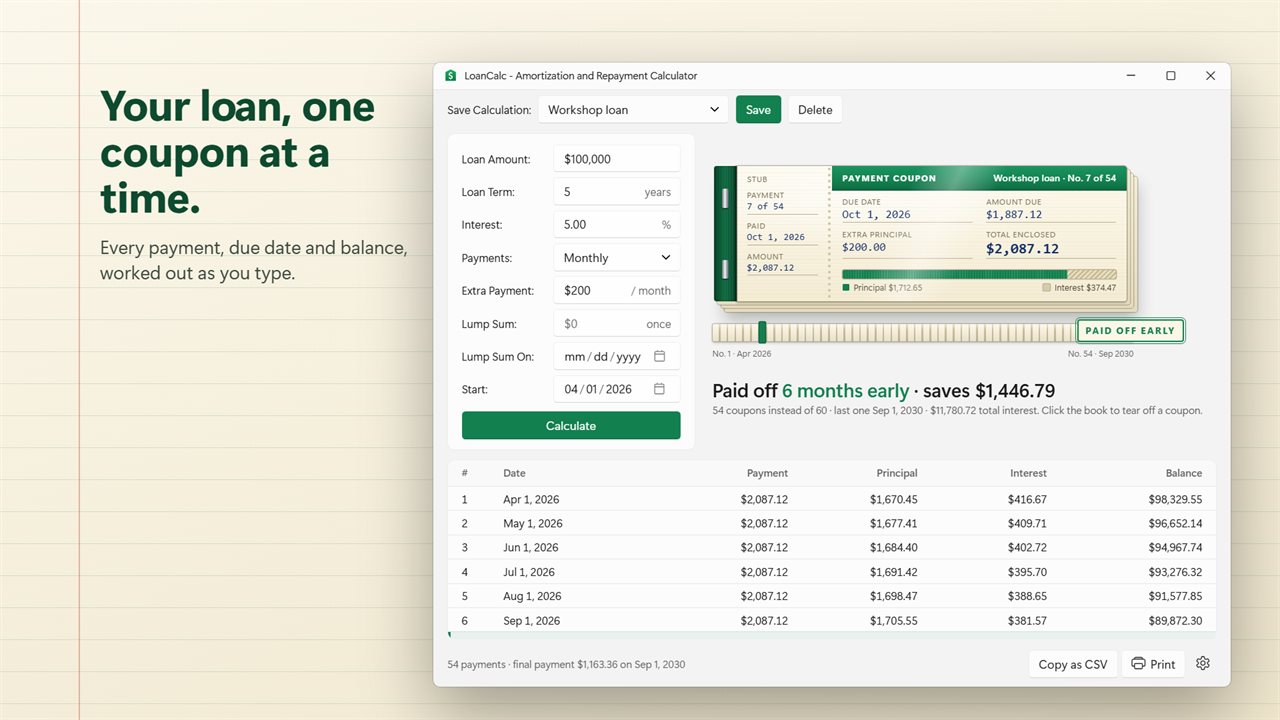
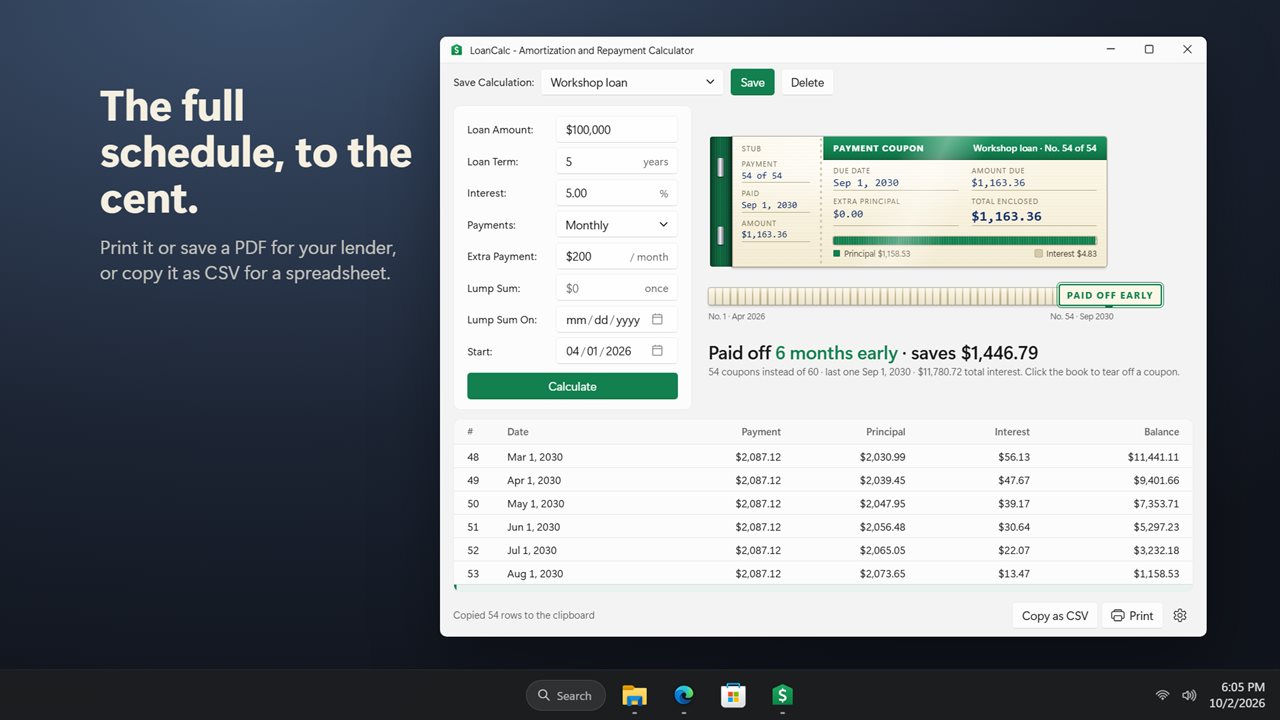
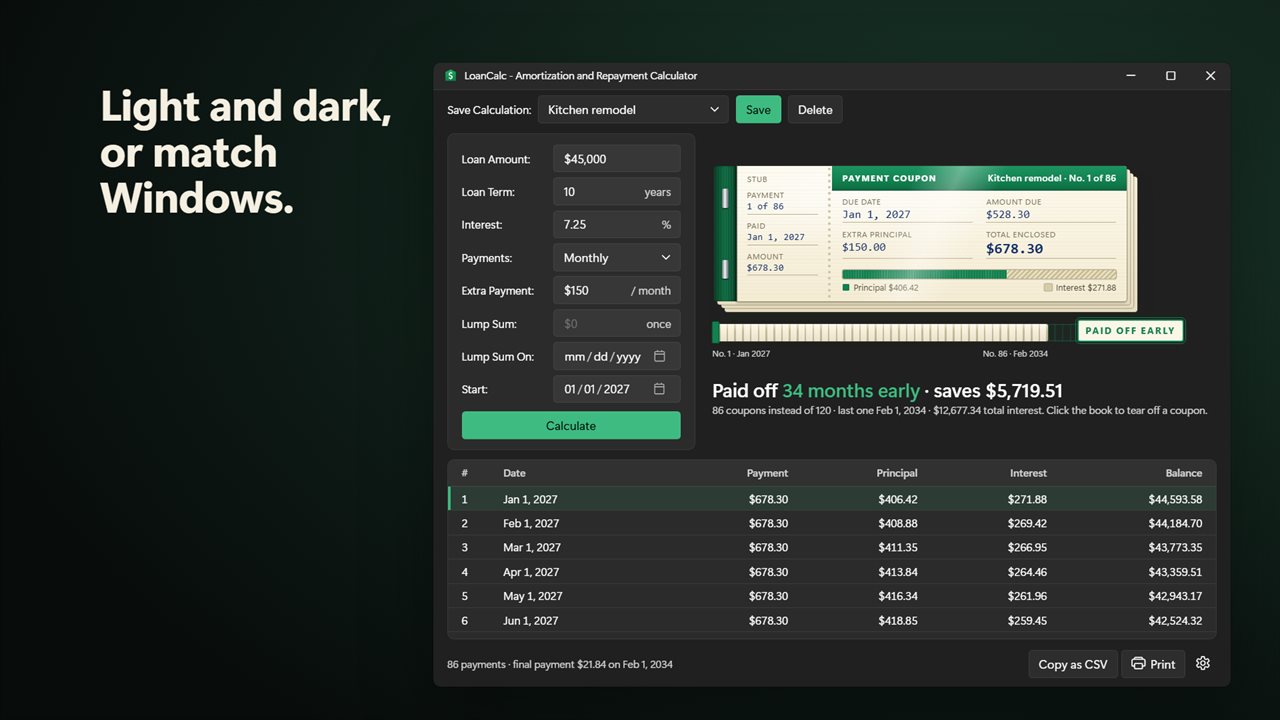
Your loan as a coupon book, with every payment in the schedule below.
See it in action
About LoanCalc
LoanCalc shows your loan the way your lender bills it: one coupon for every payment.
The payment as you type
Enter the loan amount, the term in years, the interest rate and the date of the first payment. The monthly payment, the payoff date and the total interest update as you type, with no button to press.
A coupon book for your loan
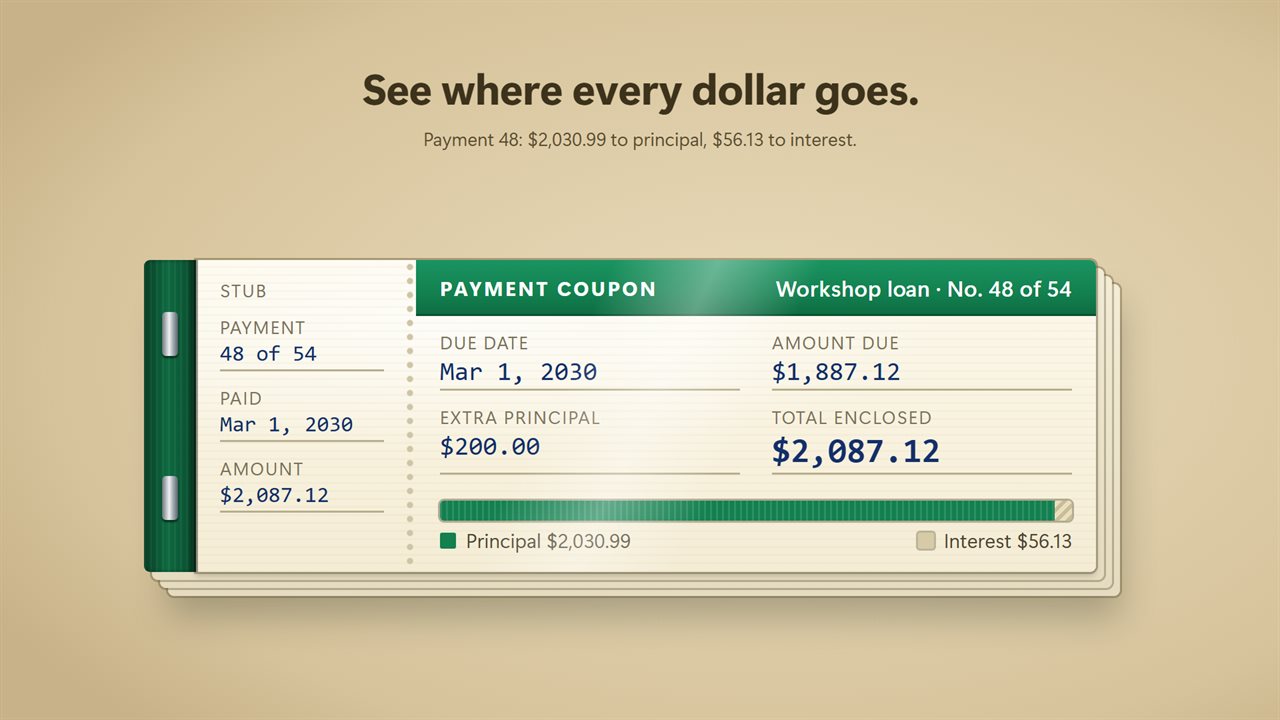
Every payment is a coupon with its due date, the amount due and a bar showing how much goes to principal and how much to interest. Click the book to tear off a coupon and move on to the next one. The matching row is highlighted in the schedule below.
See what paying extra saves
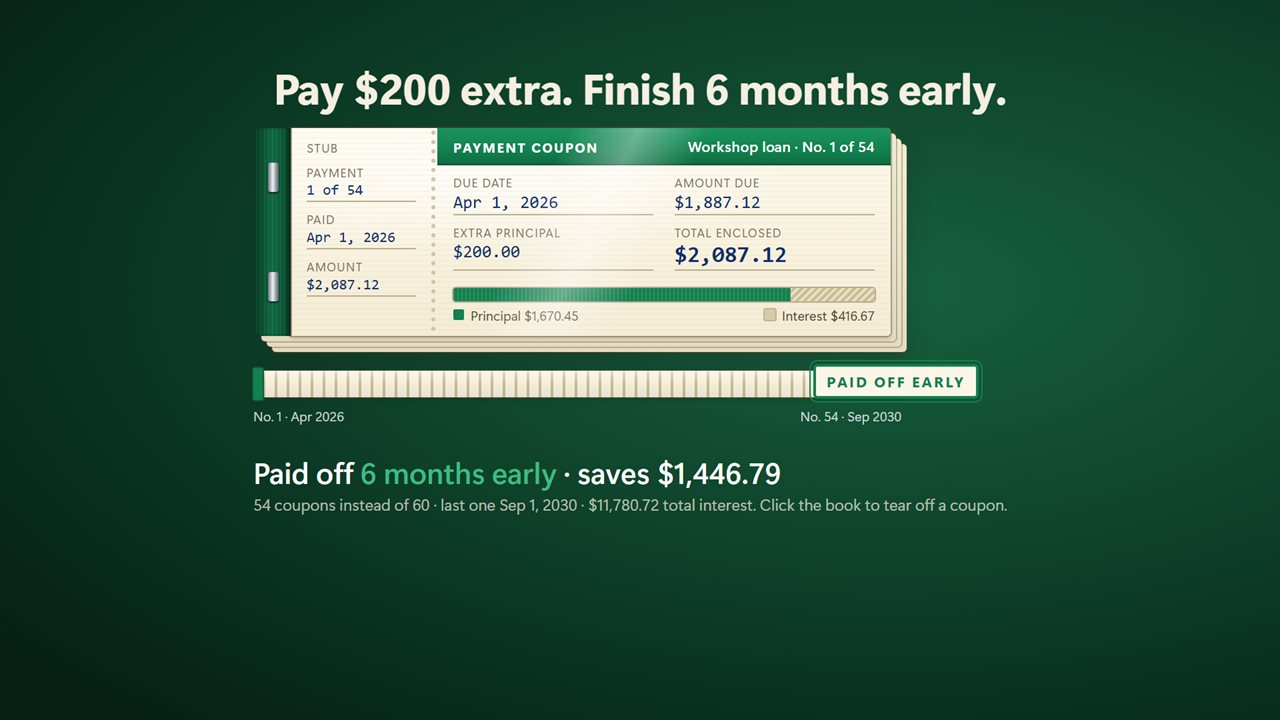
Add an extra payment each month and the book gets thinner. The coupons you will never need are stamped Paid Off Early, and LoanCalc tells you how many months sooner you are done and how much interest you keep.
Paid every two weeks? Switch Payments to Every 2 weeks: half the payment every 14 days adds up to one extra payment a year. Got a bonus or a tax refund? Add it as a Lump Sum on the day you will pay it.
The full schedule
The amortization schedule lists every payment with its date, amount, principal, interest and remaining balance. The last payment is worked out to the cent, so the balance always ends at zero. Print it, or save it as a PDF with Microsoft Print to PDF, with a summary of the loan at the top. Or copy the whole schedule as CSV and paste it into a spreadsheet.
Save your loans
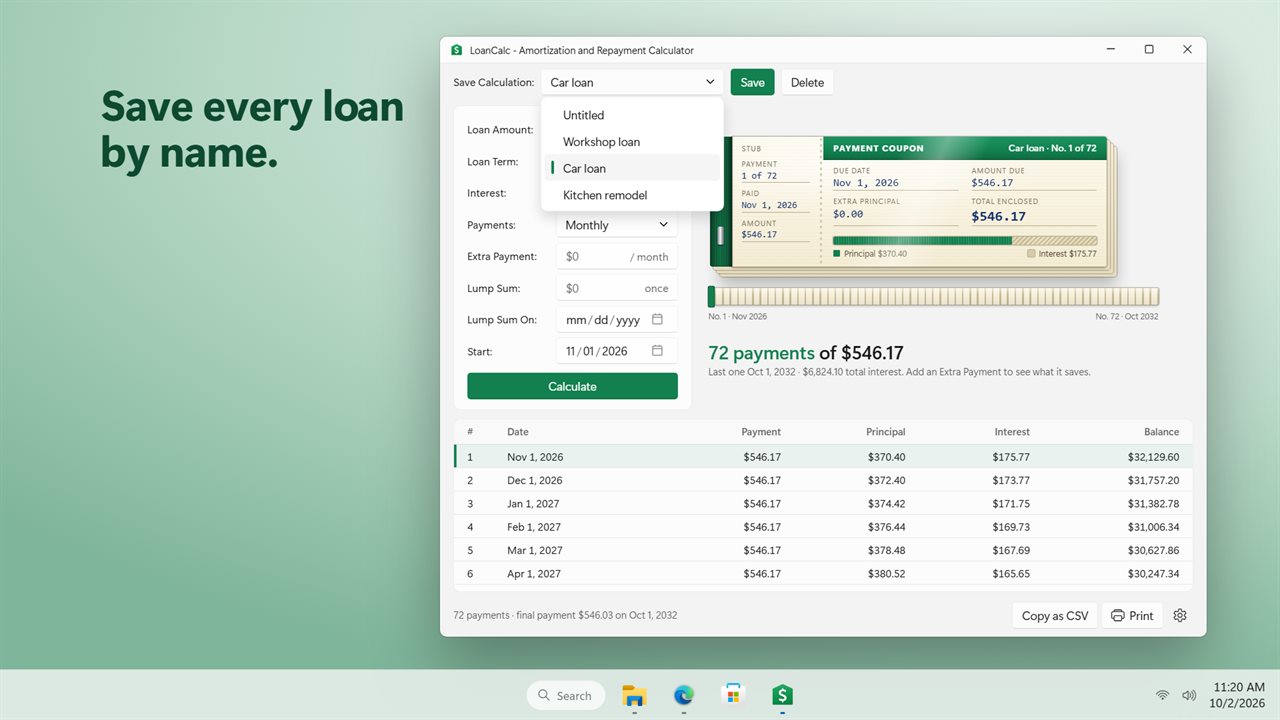
Give a loan a name and save it, then switch between your car loan, your mortgage and the one you are still thinking about. Loans you saved in earlier versions of LoanCalc are still there.
Light and dark themes, or match Windows.
Features
- Enter the loan amount, term, interest rate and start date, and the monthly payment appears as you type
- Your loan as a payment coupon book: each coupon shows the due date, the amount and how much goes to principal and interest
- Click the book to tear off a coupon and move to the next payment
- Add an extra payment each month and see how many months sooner the loan is paid off, and how much interest it saves
- Pay every two weeks instead of monthly and see how much sooner the loan is paid off
- Add a one-time lump sum, like a bonus or a tax refund, on any date
- The coupons you no longer need are stamped Paid Off Early
- The full amortization schedule: every payment's date, amount, principal, interest and balance
- The last payment is worked out to the cent, so the schedule always ends at a zero balance
- Handles 0% interest loans
- Save loans by name and switch between them, then delete the ones you are done with
- Loans you saved in earlier versions of the app are still there
- Copy the whole schedule as CSV and paste it into a spreadsheet
- Print the schedule, or save it as a PDF to send to your lender or accountant
- Open the book at the first payment or at the next payment due
- Remembers the last loan you were looking at
- Light and dark themes, or match Windows
Details
- Works on
- Windows 10 (1809 or later) and Windows 11
- Download
- About 2.6 MB
- Version
- 2.0.3, updated October 2026
- First released
- April 2023
- Price
- $1.99 once. No subscription.
- Category
- Business
What's new in 2.0.3
- New: your loan as a payment coupon book. Click it to tear off a coupon
- New: see how many months an extra payment saves, and how much interest
- New: everything updates as you type
- New: print the schedule, or save it as a PDF
- New: biweekly payments and one-time lump sums
- New: copy the schedule as CSV
- Any loan amount works: the old 9,999,999 limit is gone
- The last payment is now exact to the cent
- Your saved loans are all still there
Questions
Anything else? Ask us
Which versions of Windows does it run on?
Windows 10 (version 1809 or later) and Windows 11.
Is it a subscription?
No. LoanCalc is a one-time purchase of $1.99, and updates are included.
How do I get it?
EvlarSoft apps are moving to direct downloads from this site. Ask to be notified and we will email you as soon as LoanCalc is ready to download.
More from EvlarSoft
 VIN DecoderType or paste a VIN and see the whole car: recalls, crash-test stars, fuel economy, driver-assist features and its window sticker.
 Trip Cost CalculatorPin your road trip on a map and see what the gas costs, leg by leg.
 Simple Date CalculatorCount the days between two dates, or add and subtract days, weeks, months and years from a date.