Trip Cost Calculator
Pin your road trip on a map and see what the gas costs, leg by leg. Riders can join and leave at any stop, and Trip Cost Calculator works out what each person owes, to the cent.
Pin your road trip and see what the gas costs, leg by leg.
See it in action
About Trip Cost Calculator
Planning a road trip with friends? Trip Cost Calculator works out what the gas costs, and who owes what.
Pin your trip on a map
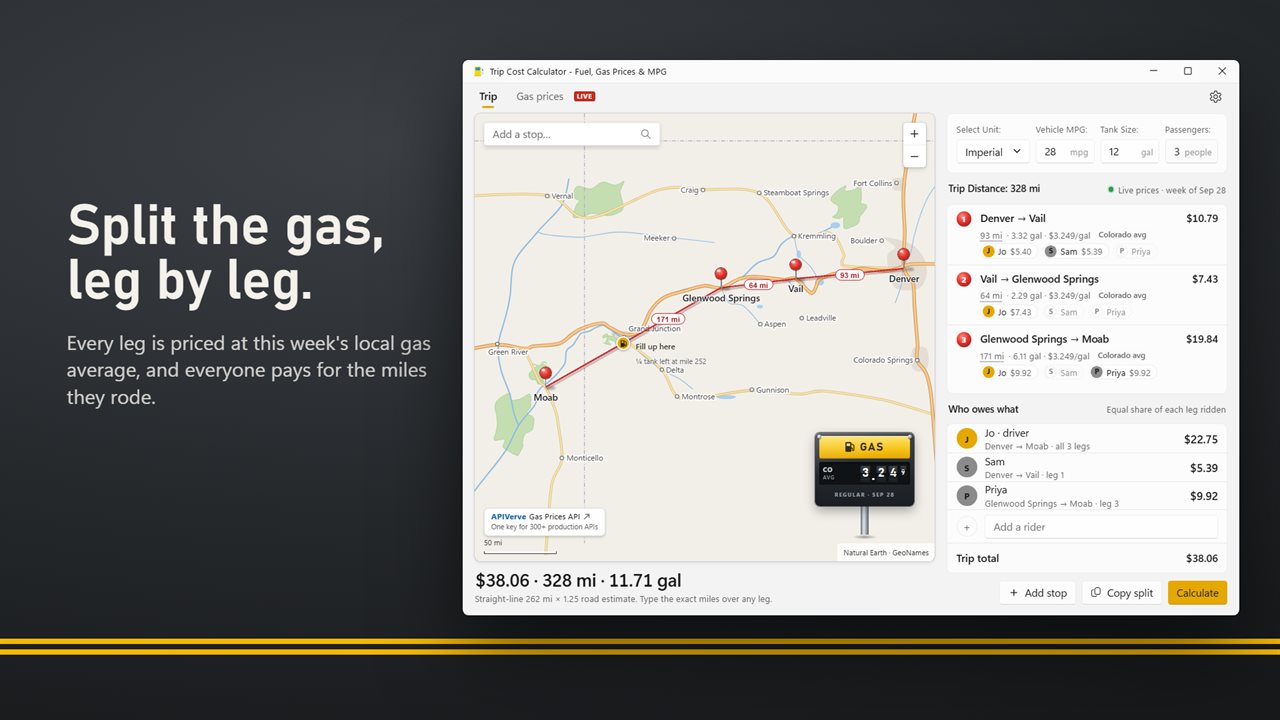
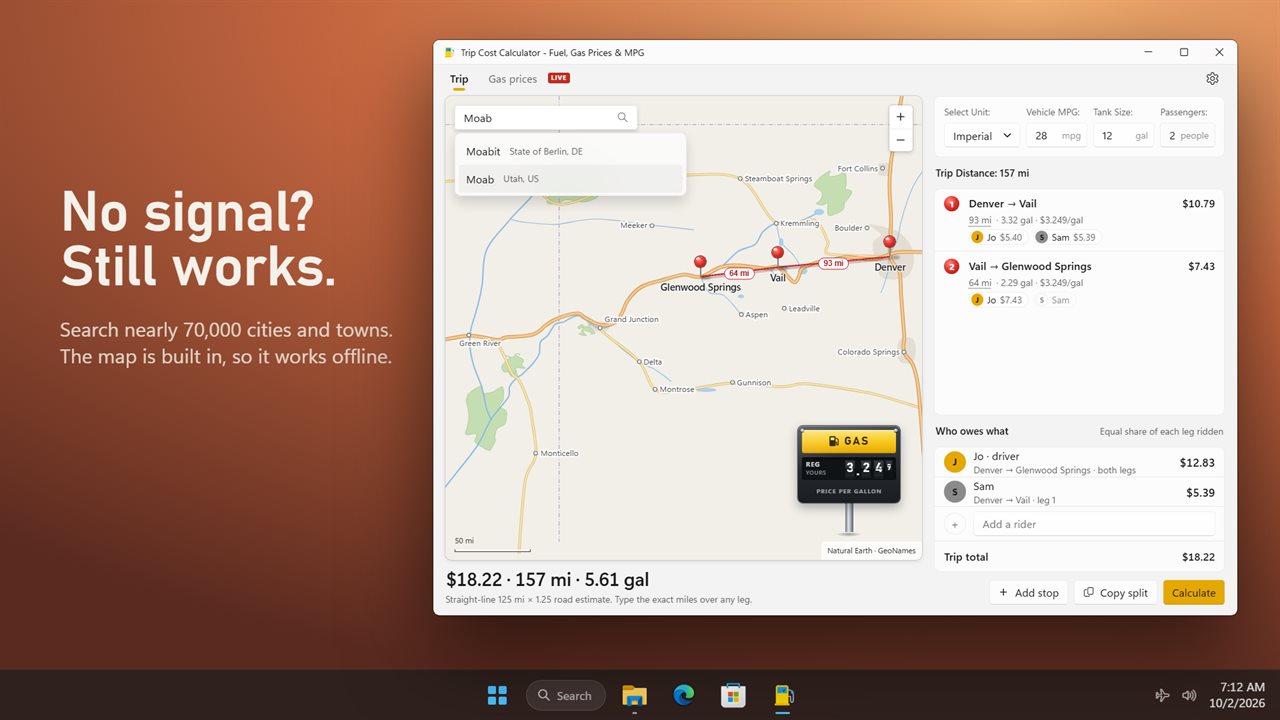
Search nearly 70,000 cities and towns, or click anywhere on the map to drop a pin. A red string runs from stop to stop, and each leg shows its distance. The map is built into the app, so it works with no internet connection.
Every leg, priced
Enter your car's MPG and the price of gas, and each leg shows the miles, the gallons it burns and what it costs. Legs follow major highways. Know the real mileage? Type it over any leg and everything updates.
This week's gas prices
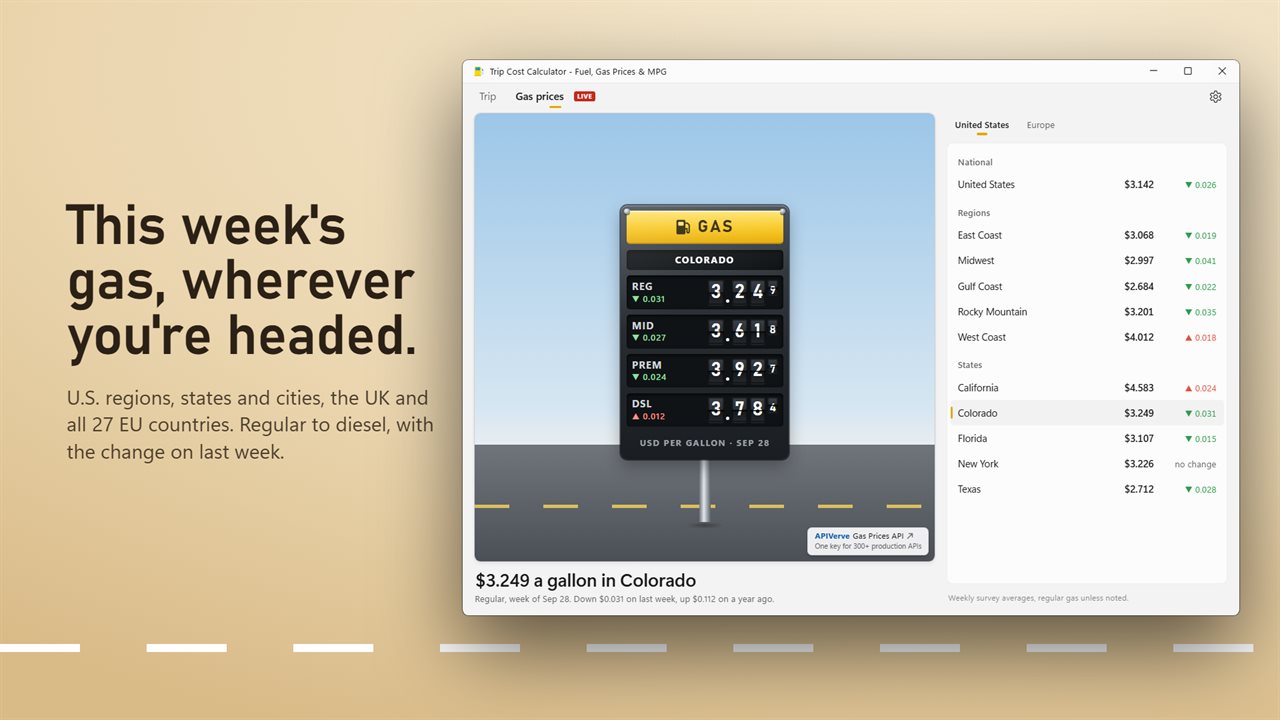
Each leg is priced at this week's average for where it's driven: U.S. regions, states and cities, the UK and all 27 EU countries. Anywhere else, or offline, your own price is used. The Gas prices tab puts any area on a big gas station sign, regular to diesel, with the change on last week and on a year ago, converted to your currency.
Split by leg
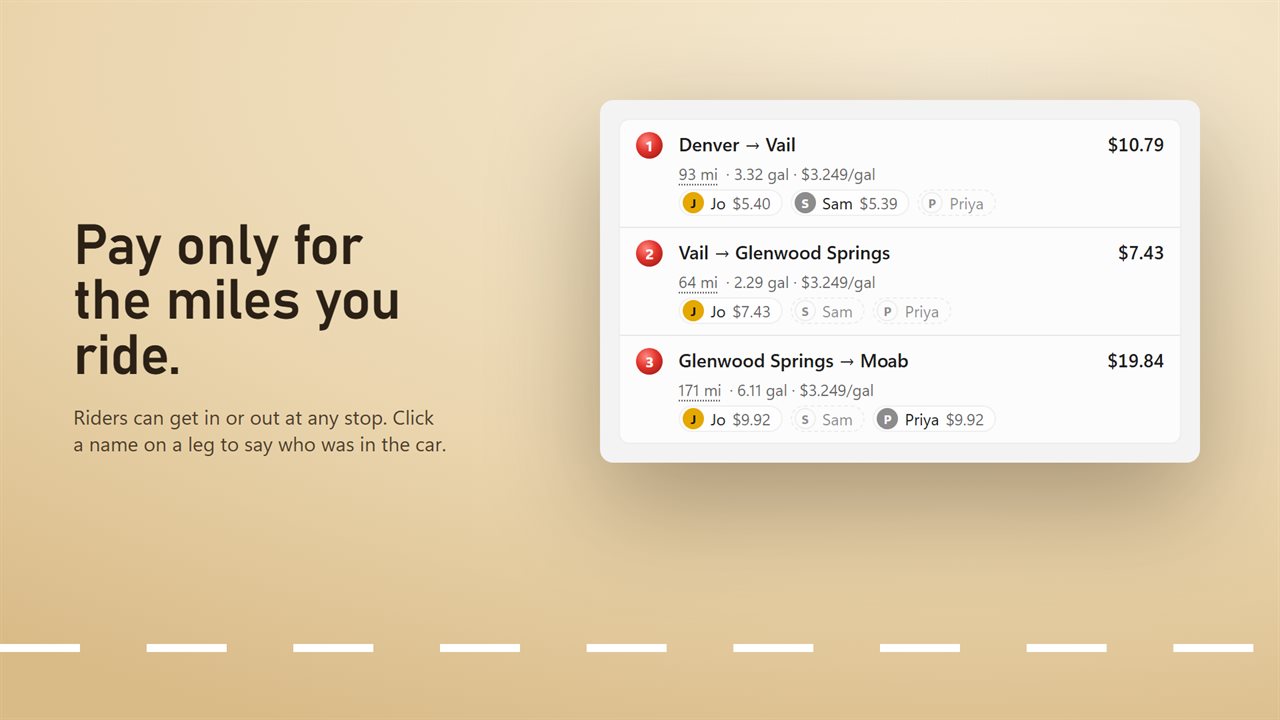
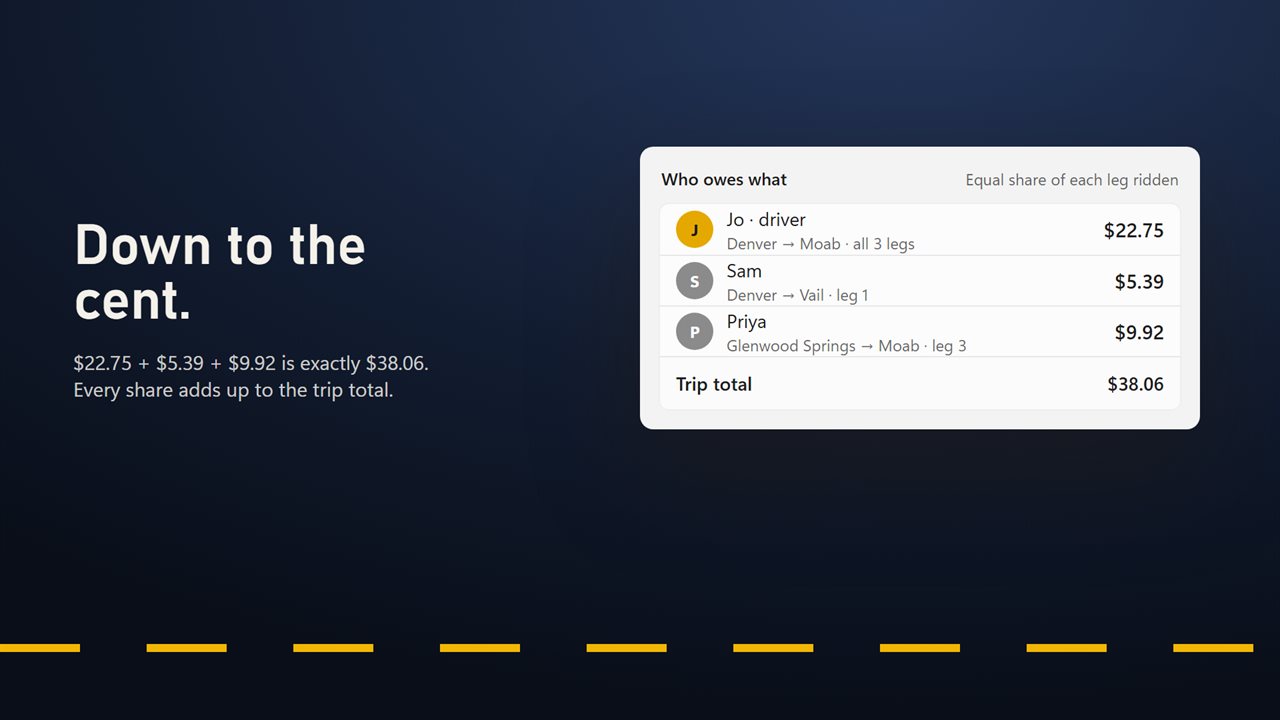
Not everyone rides the whole way. Add your riders, then click their names on each leg to say who was in the car. Each person pays an equal share of every leg they rode, and every share adds up to the trip total, to the cent. You decide whether the driver pays a share or rides free.
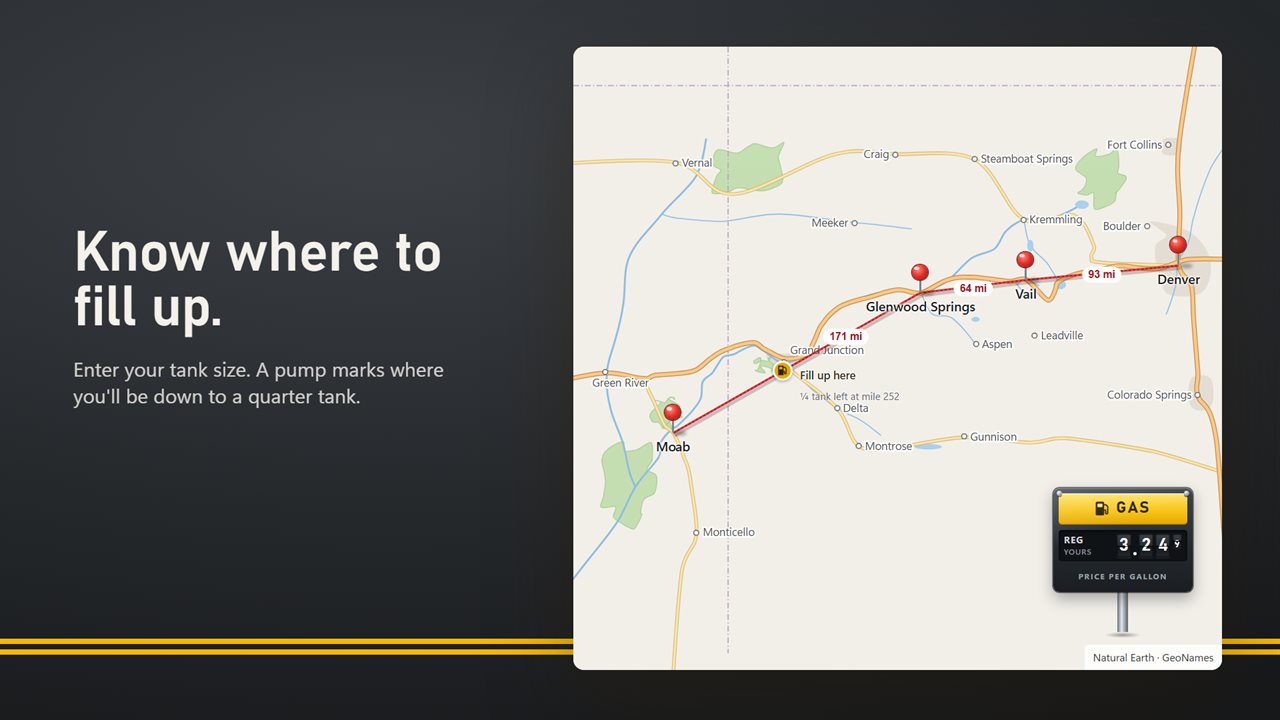
Know where to fill up
Set your tank size and a fuel pump marks the spot on the route where you'll be down to a quarter tank. Prefer an eighth or a half? Change it in Settings.
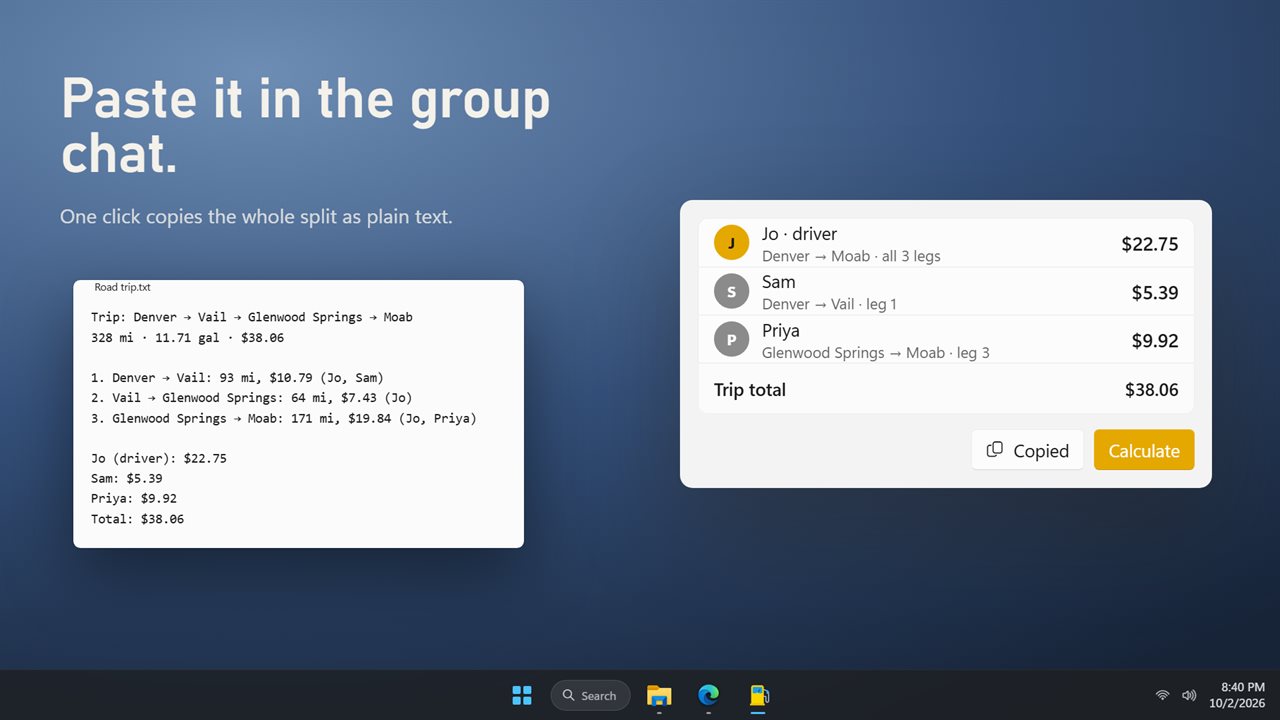
Share the split
One click copies the whole trip as plain text, leg by leg and person by person, ready to paste into a group chat.
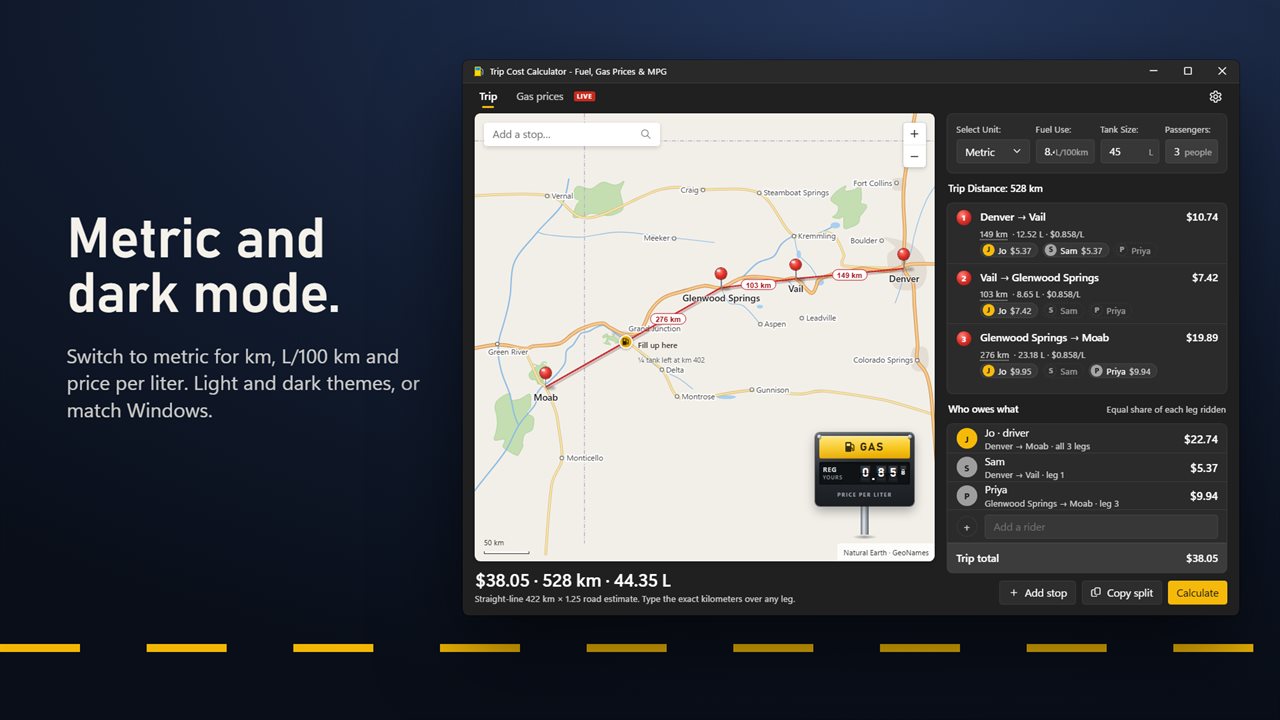
Your way
Use miles, MPG and gallons, or kilometers, L/100 km and liters. Your last trip, riders and car are there when you open the app again. Light and dark themes, or match Windows.
Map data from Natural Earth. Place names from GeoNames. Gas prices from APIVerve.
Features
- Pin your stops on a map and see the gas cost of the whole road trip
- Search nearly 70,000 cities and towns, or click anywhere on the map to drop a pin
- The map is built in, so it works with no internet connection
- Each leg shows its distance, the gas it burns, its price and its cost
- Each leg is priced at this week's average gas price where it's driven, in the U.S., the UK and the EU
- A Gas prices tab shows regular to diesel for U.S. regions, states and cities, the UK and all 27 EU countries
- See how each price moved on last week and on a year ago
- Gas prices convert to your currency, with 19 to choose from
- Legs follow major highways. Type the exact miles over any leg and everything updates
- Riders can join and leave at any stop. Each person pays an equal share of every leg they rode
- Every share adds up to the trip total, to the cent
- Choose whether the driver pays a share or rides free
- Set your tank size and see where you'll need to fill up along the route
- Click the gas sign to set your price per gallon
- Drag legs to reorder your stops, or drag a pin to move it
- Copy the split as plain text to paste into a group chat
- Imperial or metric: miles, MPG and gallons, or kilometers, L/100 km and liters
- Your last trip, riders and car are there when you open the app again
- Light and dark themes, or match Windows
Details
- Works on
- Windows 10 (1809 or later) and Windows 11
- Download
- About 4.9 MB
- Version
- 2.0.4, updated October 2026
- First released
- January 2023
- Price
- $5.99 once. No subscription.
- Category
- Utilities & tools
What's new in 2.0.4
- New: plan your trip on a map that works offline
- New: this week's gas prices for the U.S., the UK and the EU, on every leg and on their own tab
- New: split the cost by leg, for riders who join and leave along the way
- New: see where you'll need to fill up
- New: copy the split to share with your group
- New: metric units and a dark theme
Questions
Anything else? Ask us
Which versions of Windows does it run on?
Windows 10 (version 1809 or later) and Windows 11.
Is it a subscription?
No. Trip Cost Calculator is a one-time purchase of $5.99, and updates are included.
How do I get it?
EvlarSoft apps are moving to direct downloads from this site. Ask to be notified and we will email you as soon as Trip Cost Calculator is ready to download.
More from EvlarSoft
 VIN DecoderType or paste a VIN and see the whole car: recalls, crash-test stars, fuel economy, driver-assist features and its window sticker.
 LoanCalcSee every payment of your loan as a coupon book, and what paying a little extra each month saves.
 Simple Date CalculatorCount the days between two dates, or add and subtract days, weeks, months and years from a date.