Lock Key Notifications
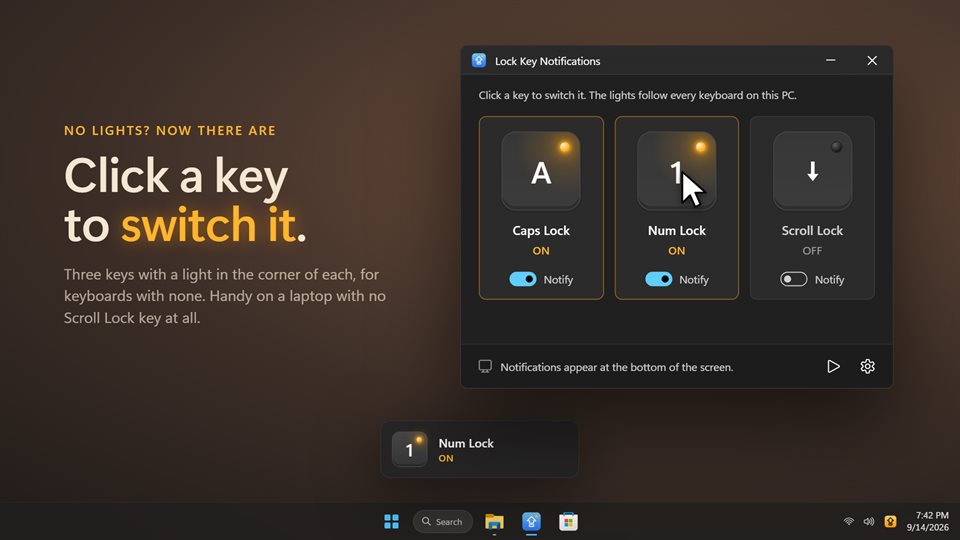
A small on-screen card the moment Caps Lock, Num Lock or Scroll Lock switches, plus a light for each in the notification area. Made for keyboards whose lights you cannot see, or that have none.
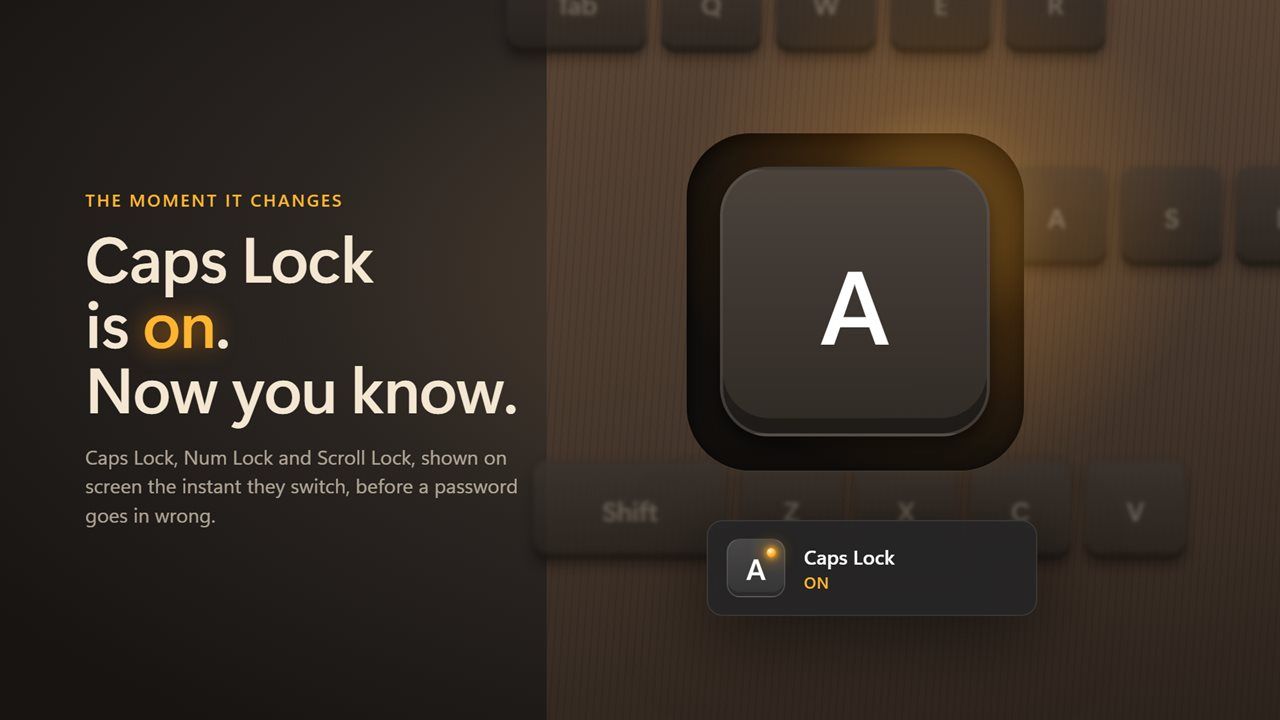
A card that never gets in the way
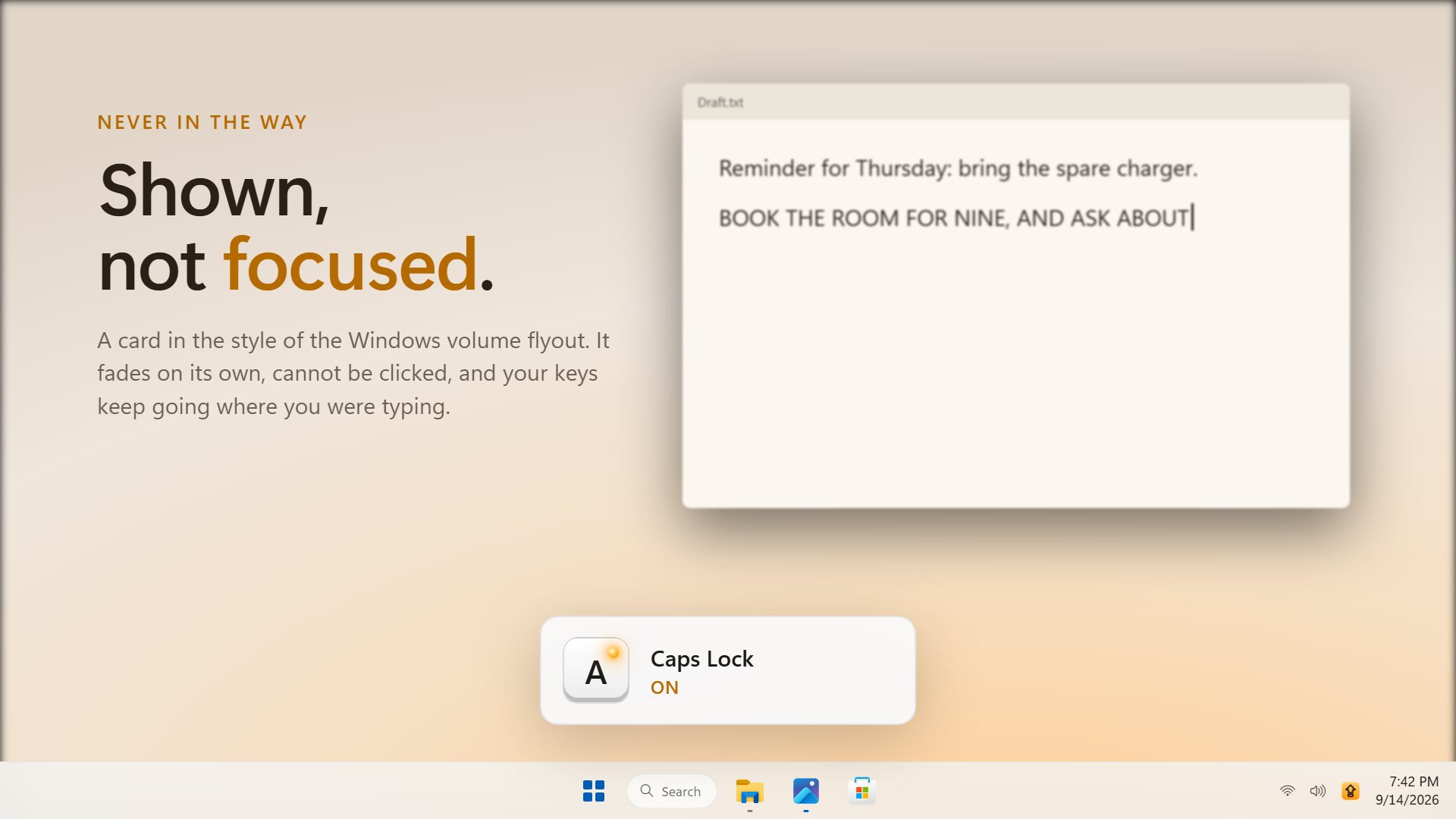
It looks like the card Windows shows when you change the volume. It cannot be clicked and never takes focus, so your typing carries on where it was.
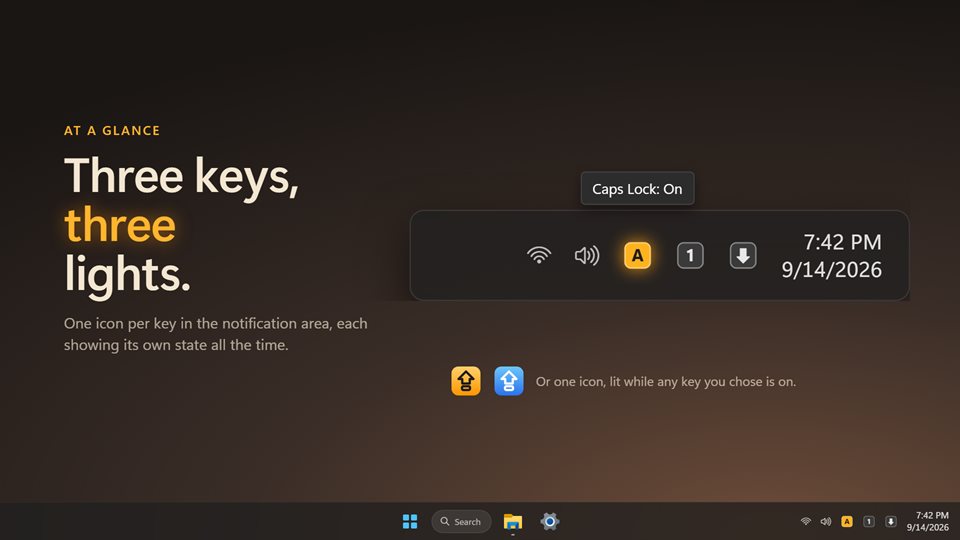
Three lights by the clock
Show one notification area icon for each key, so all three states are visible all the time, or a single icon that lights when any of them is on.
Catches every change
It watches the lock state itself, not just your key presses, so a second keyboard, a remote session or a program switching Num Lock is caught too.
See it in action
Straight from the app, on a Windows 11 desktop.
Why the light on the key isn't enough
Many laptops and slim keyboards have no lock lights at all, and plenty of wireless keyboards leave them out to save battery. Where there is a light, it sits under your fingers, where you cannot see it while typing.
The cost of missing it is small but constant. Caps Lock turns a correct password into a wrong one, and a few wrong tries can lock an account. On a laptop with the number pad built into the letter keys, Num Lock turns words into digits. In Excel, Scroll Lock makes the arrow keys move the sheet instead of the selected cell.
A card on the screen and a light by the clock put that information where you are already looking.
What people use it for
Typing passwords
Seeing Caps Lock come on before it turns a correct password into a failed sign-in.
Laptops without lights
Getting the lock lights back on a keyboard that was built without them.
Working over remote desktop
Noticing when a remote session flips Num Lock or Caps Lock behind your back.
Details
- Works on
- Windows 10 (1809 or later) and Windows 11
- Download
- About 2.8 MB
- Version
- 2.0.7, updated October 2026
- Price
- $2.99 once. No subscription, no in-app purchasesUS price; the Store shows yours.
- Privacy
- No account needed, no ads, works offline
- Category
- Utilities & tools
What's new in 2.0
- Starting with Windows works again, through Windows' own startup setting
- One notification area icon per key, each showing its own state
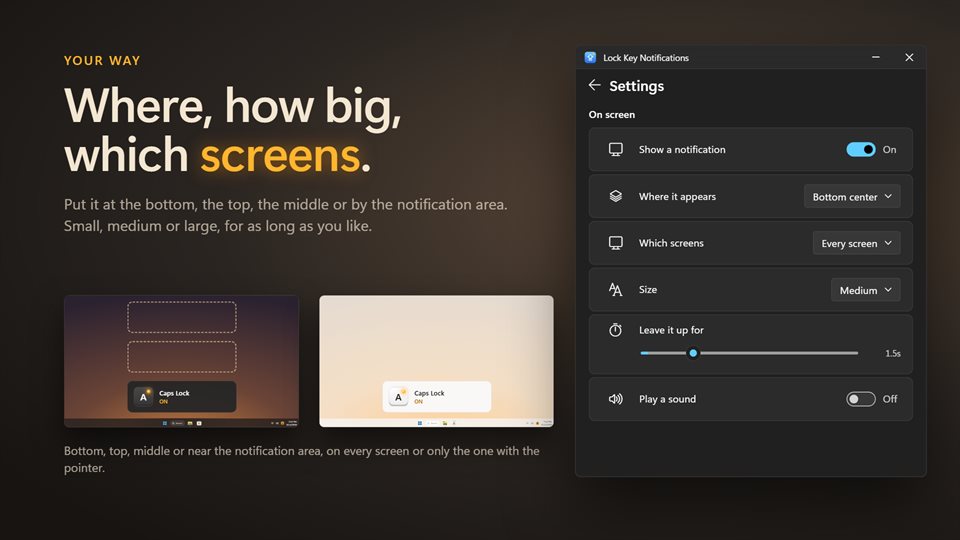
- Choose where the card appears, its size, how long it stays and which screens show it
- Changes from another keyboard, a remote session or a program are caught
- Click a key in the window to switch it, and an optional sound
- A redesigned card that never takes focus, and light and dark themes
Questions
Anything else: [email protected]
Will the card interrupt my typing?
No. It cannot be clicked and never takes focus, so keys keep going to the window you were typing in.
Can I keep the card up while Caps Lock is on?
Yes. It can stay on screen until you turn the lock off. Otherwise it shows for anywhere from half a second to ten seconds.
Can I choose which keys it tells me about?
Yes. Each of Caps Lock, Num Lock and Scroll Lock has its own switch.
Does it work with more than one monitor?
Yes. Show the card on every screen, or only on the one with the pointer.
Does it need the internet or an account?
No. An optional EvlarSoft ONE sign-in backs up your settings, and nothing is uploaded unless you turn that on.