PDF to PPTX Converter
Turn PDFs into PowerPoint slides you can edit: the text stays text, with its fonts and colors, and photos stay pictures you can move. Save PowerPoint decks as PDF or as pictures too.
Every PDF page becomes a slide you can edit.
See it in action
About PDF to PPTX Converter
PDF to PowerPoint turns a PDF into a deck you can actually edit.
Text stays text
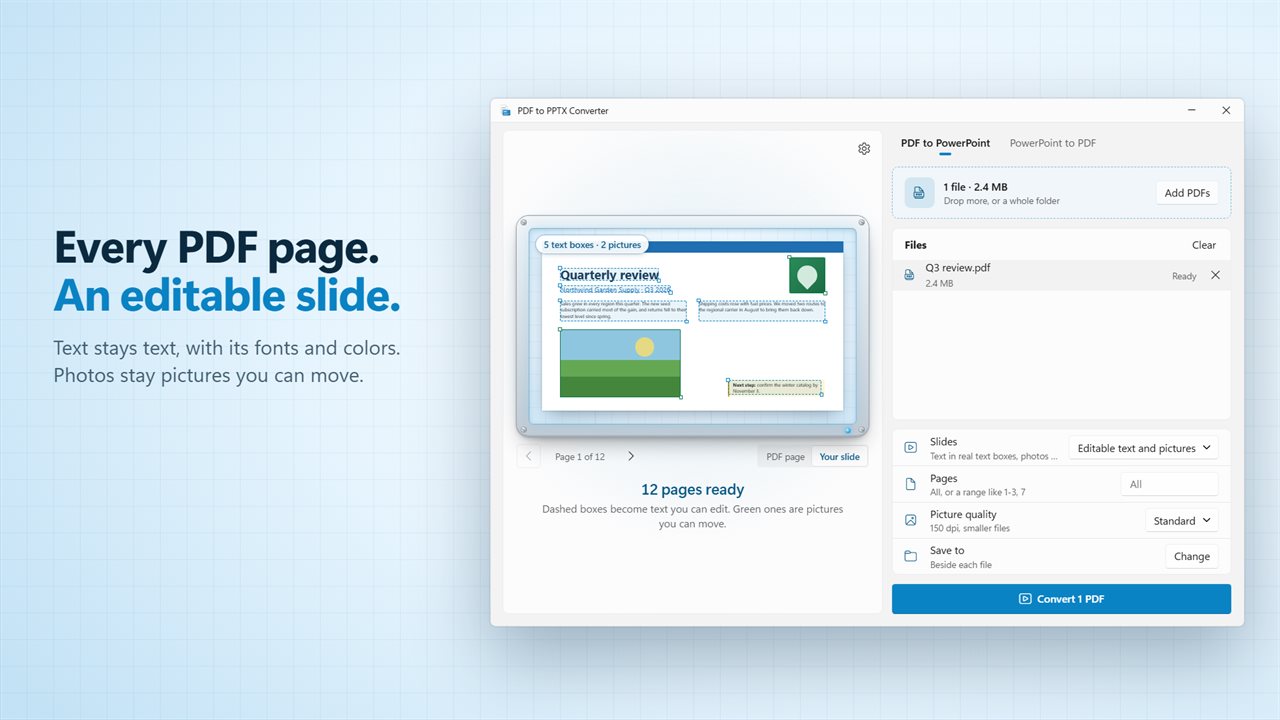
Every page becomes a slide. The words come across as real text boxes, in the same place, with their fonts, sizes and colors, so you can fix a typo or update a number without retyping the page. Lines of the same paragraph share one text box. Photos and logos come across as pictures of their own that you can move, resize or replace. Lines, shapes and backgrounds sit behind them as one picture.
See it before you convert
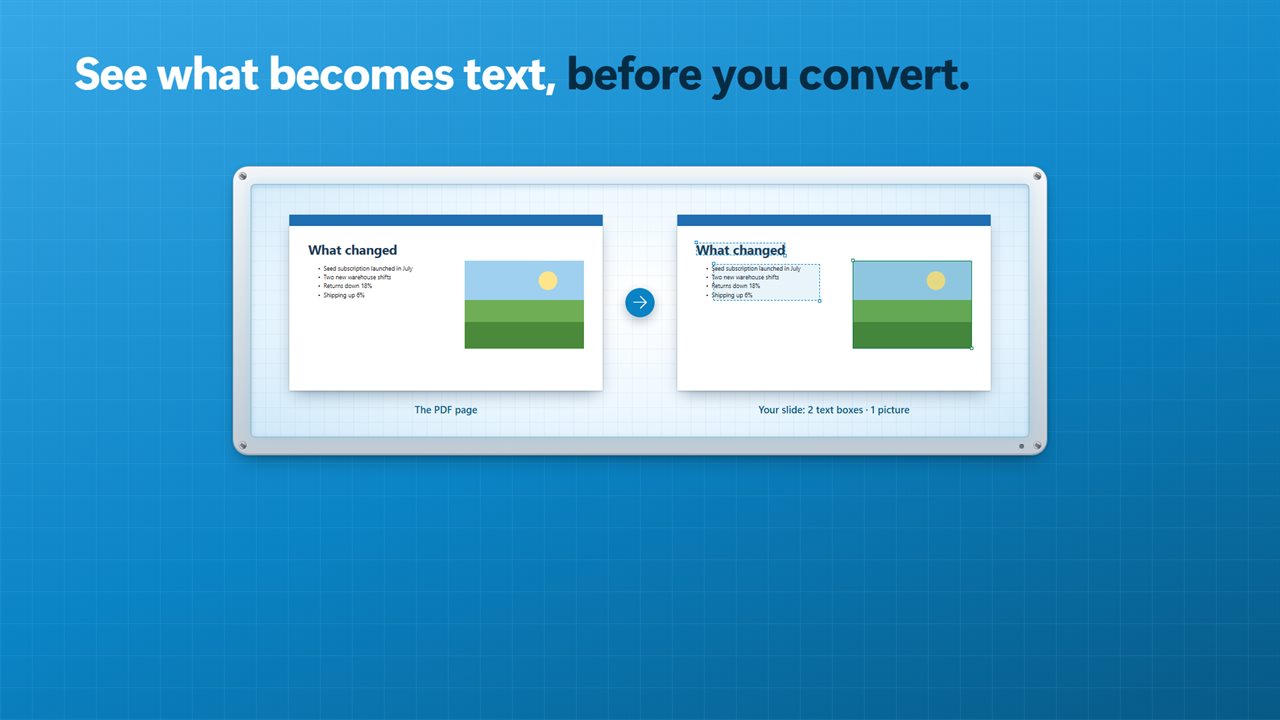
The page sits on a light box with dashed boxes around everything that will become text, and a count of text boxes and pictures. Flip between the PDF page and your slide with a click.
Exactly as it looks
If you would rather keep every page pixel for pixel, bring each page in as one picture. Its words go into the speaker notes, so the deck is still searchable. Scanned and rotated pages always come across this way, so nothing is lost.
One PDF or a folder
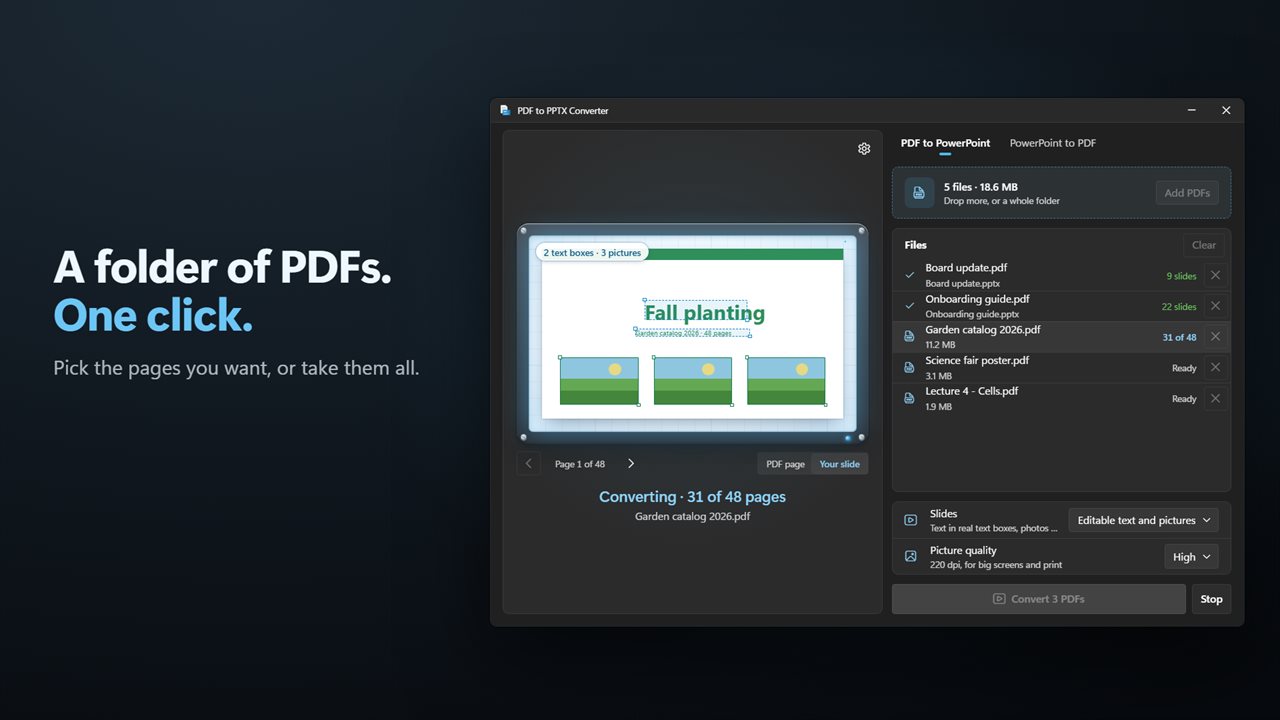
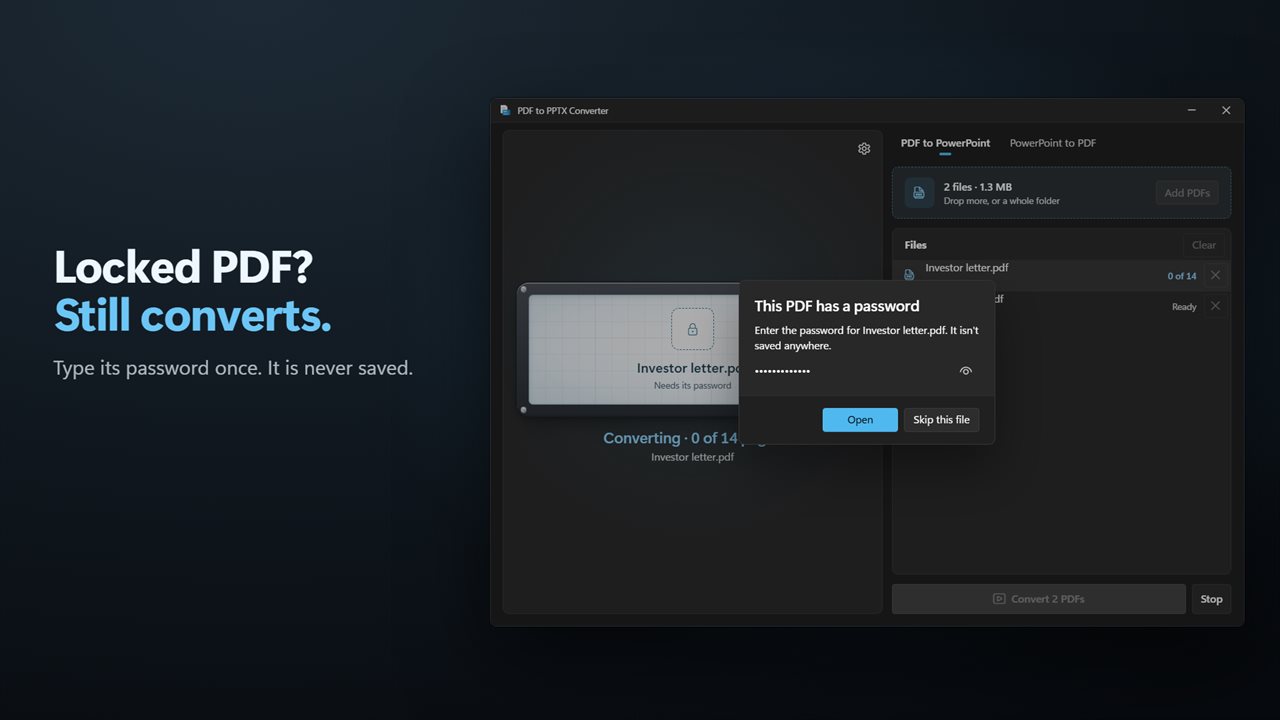
Drop files or a whole folder and convert them in one go. Pick the pages you want, such as 1-3, 7, and standard or high picture quality. Password-protected PDFs ask for their password, which is never saved.
And back again
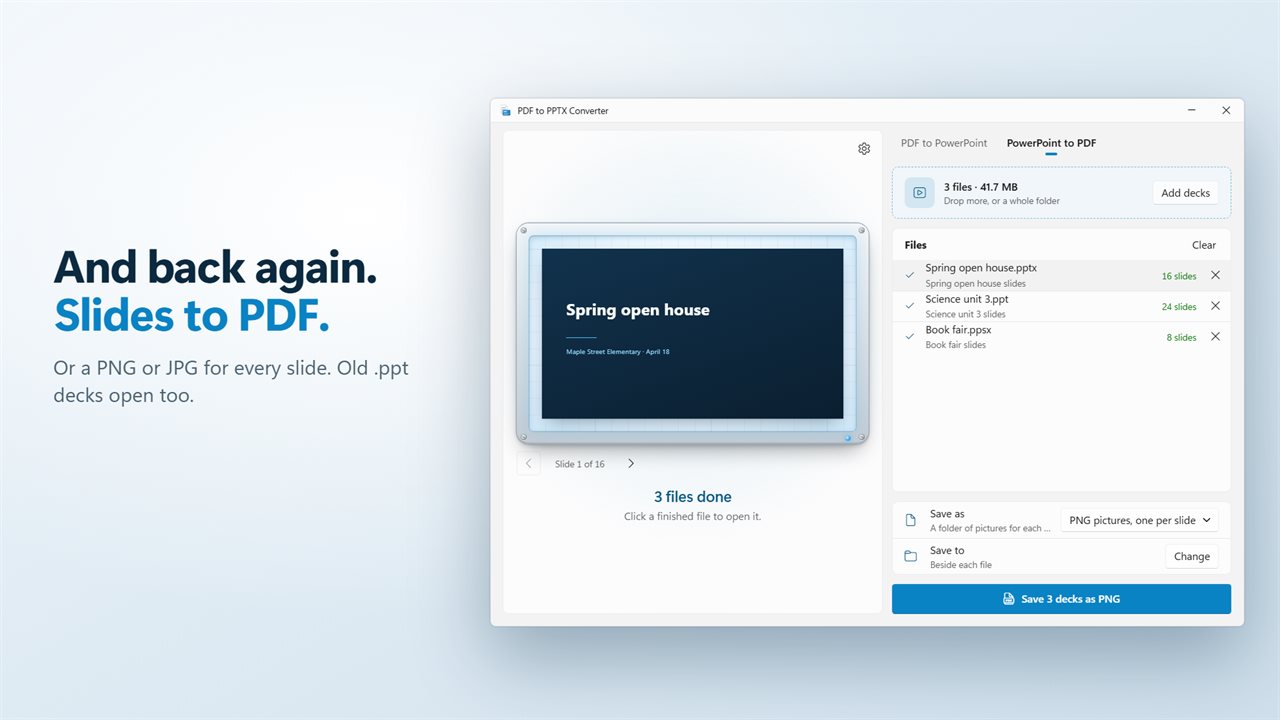
The job Presentation File Converter did still works. Save PowerPoint decks as PDF, with speaker notes if you like, or save every slide as a PNG or JPG picture. It opens .pptx, .ppt, .pps, .ppsx, .pptm and .potx files.
Your files are safe
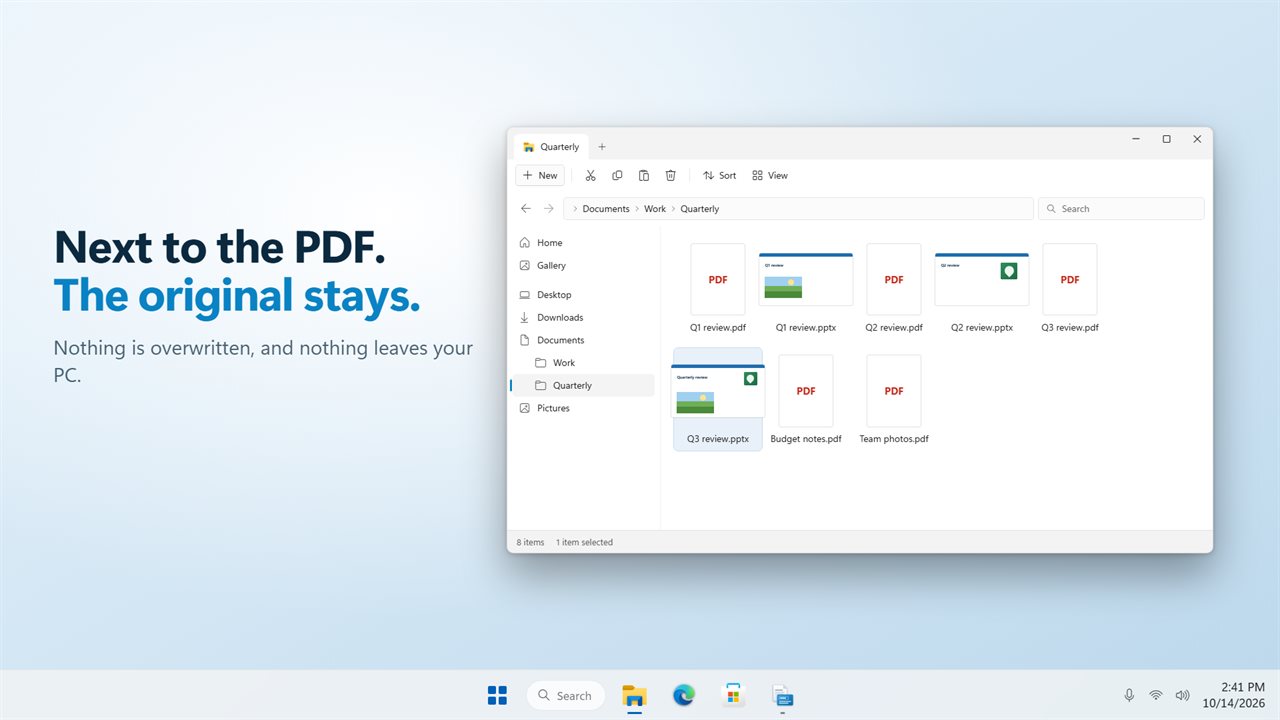
New files are saved beside the originals, or in a folder you choose, and nothing is ever overwritten.
Private
Everything happens on your PC. There is no account, and nothing is uploaded.
Features
- Turn every page of a PDF into a PowerPoint slide
- Text comes across as real text boxes you can edit, not a picture of text
- Fonts, sizes and colors come along
- Lines of the same paragraph share one text box, so a sentence edits as one
- Photos and logos come across as pictures you can move, resize or replace
- See which parts become text before you convert, right on the page
- Or bring in each page as one picture that looks exactly like the PDF, with its words in the speaker notes
- Scanned and rotated pages come across as pictures, so nothing is lost
- Convert only the pages you want, such as 1-3, 7
- Standard or high picture quality
- Convert many PDFs at once. Drop files, or a whole folder
- Password-protected PDFs ask for their password, which is never saved
- Save PowerPoint decks as PDF, with or without speaker notes
- Or save every slide as a PNG or JPG picture
- Opens .pptx, .ppt, .pps, .ppsx, .pptm and .potx files
- New files are saved beside the originals, or in a folder you choose. Nothing is overwritten
- Everything happens on your PC. Nothing is uploaded
- Light and dark themes, or match Windows
Details
- Works on
- Windows 10 (1809 or later) and Windows 11
- Download
- About 55.0 MB
- Version
- 2.0.2, updated October 2026
- First released
- August 2023
- Price
- $1.99 once. No subscription.
- Category
- Utilities & tools
What's new in 2.0.2
- New: turn PDFs into PowerPoint slides, with the text in real text boxes you can edit
- New: photos and logos come across as pictures you can move
- New: see which parts become text before you convert
- New: convert only the pages you want, and many PDFs at once
- New: password-protected PDFs ask for their password
- New: open PowerPoint 97-2003 decks (.ppt and .pps)
- New: slide pictures go into a folder of their own, one per deck
Questions
Anything else? Ask us
Which versions of Windows does it run on?
Windows 10 (version 1809 or later) and Windows 11.
Is it a subscription?
No. PDF to PPTX Converter is a one-time purchase of $1.99, and updates are included.
How do I get it?
EvlarSoft apps are moving to direct downloads from this site. Ask to be notified and we will email you as soon as PDF to PPTX Converter is ready to download.
More from EvlarSoft
 Evlar PPTX PresenterOpen any PowerPoint file and present it, with your phone as the clicker.
 Evlar PDF EditorChange the words in a PDF, not just draw on it.
 PPTX LockerTake speaker notes, comments, hidden slides and your name out of a PowerPoint deck before it leaves, then lock it with a password to open.