Simple Beautiful Stopwatch
Small, beautiful stopwatch cards for your desktop. Open as many as you need, name each one, and pin them on top of your work. Glowing digits show at a glance which ones are running, and every run you reset is saved to History.
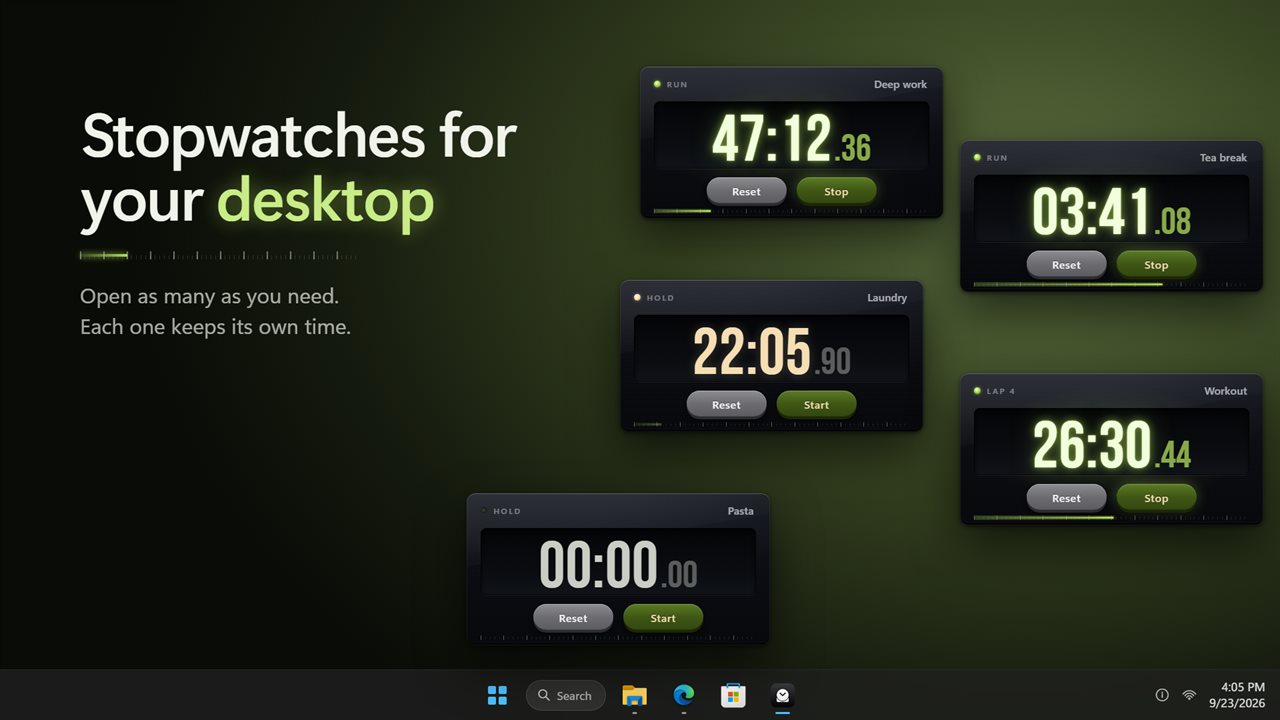
As many stopwatches as you need, right on your desktop.
See it in action
About Simple Beautiful Stopwatch
Simple Beautiful Stopwatch puts a stopwatch right on your desktop: a small dark card with big glowing digits, a start button and a reset button. Nothing else to learn.
As many as you need
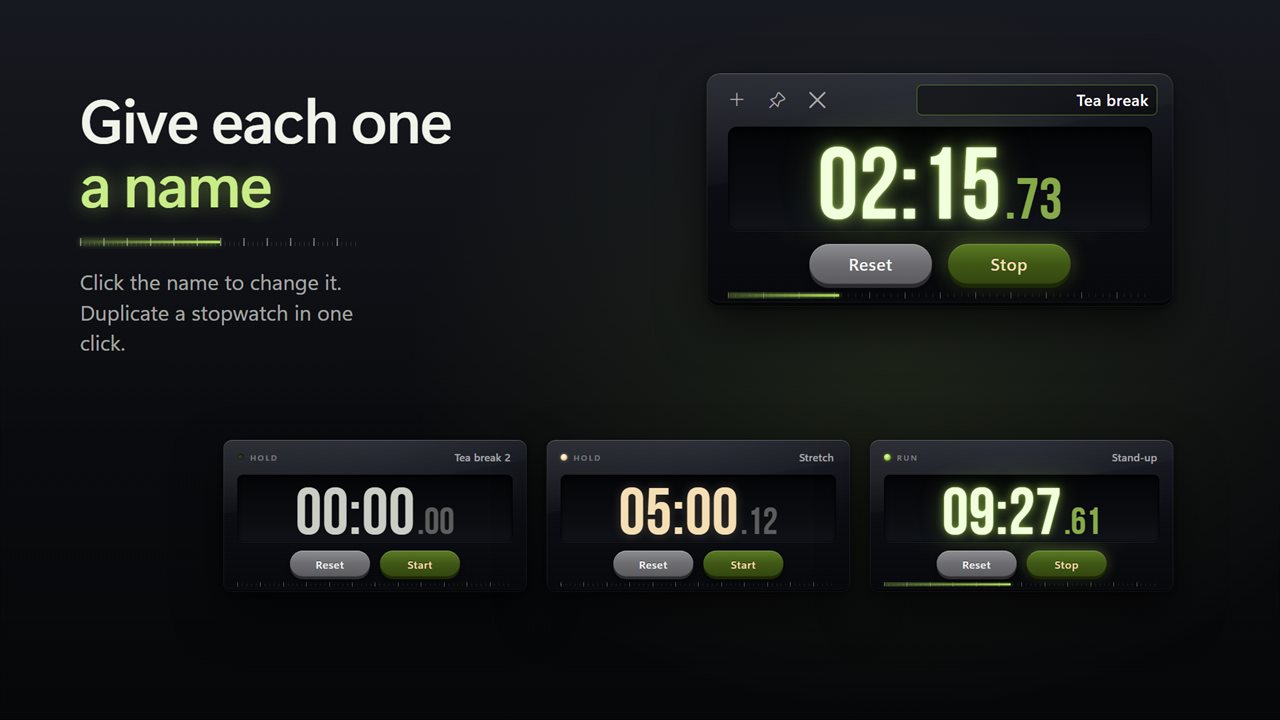
Open a new stopwatch for each thing you are timing. Give each one a name, like Tea break, Deep work or Laundry, so you always know which is which. Duplicate one in a click. Drag them anywhere, and drag a corner to make one bigger.
Easy to read
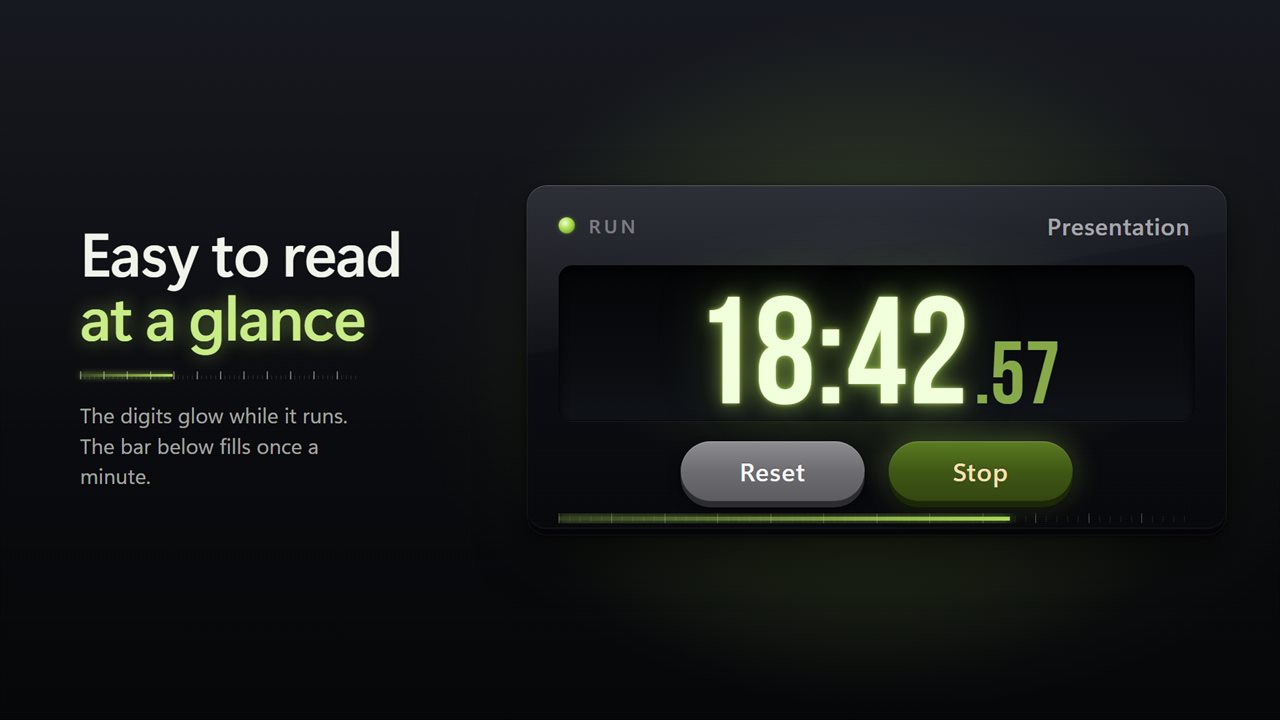
A running stopwatch glows green. A paused one turns a warm wheat color. A thin bar under the digits fills once every minute, so you can see time passing from across the room.
Stays in sight
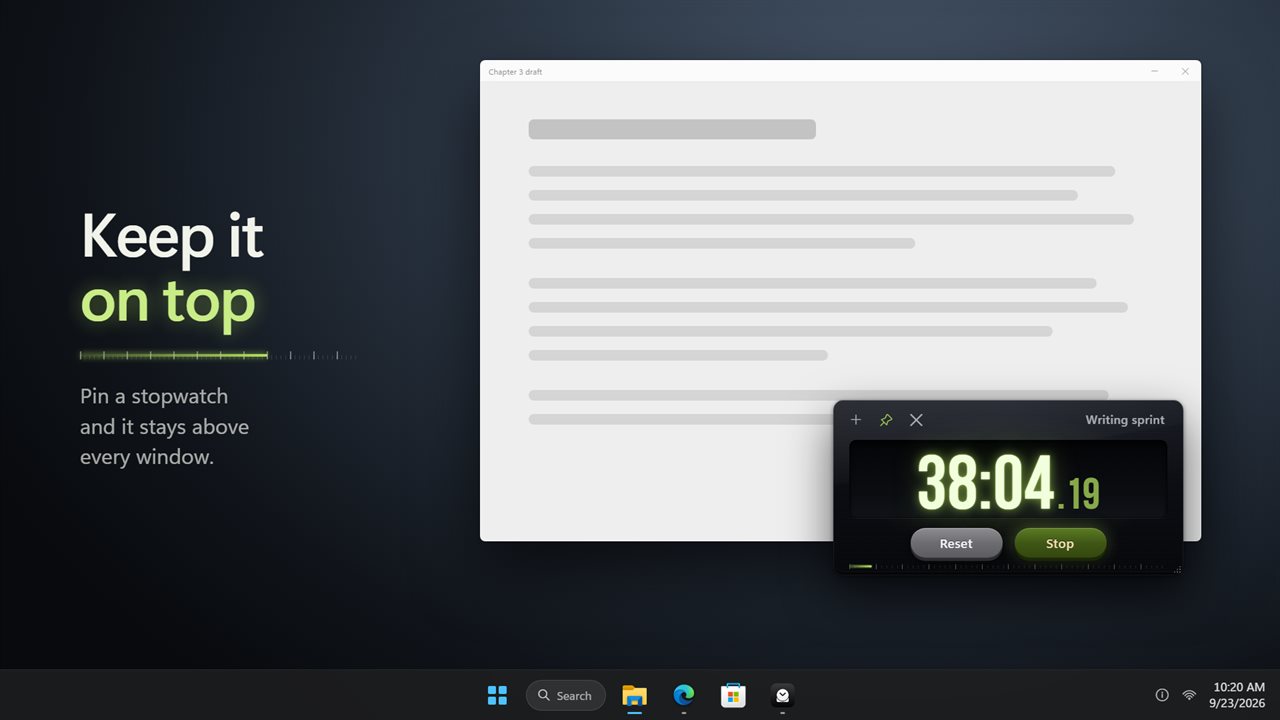
Pin a stopwatch and it stays on top of every other window. The tray icon lists all your stopwatches with their times, and brings any of them to the front.
Laps and history
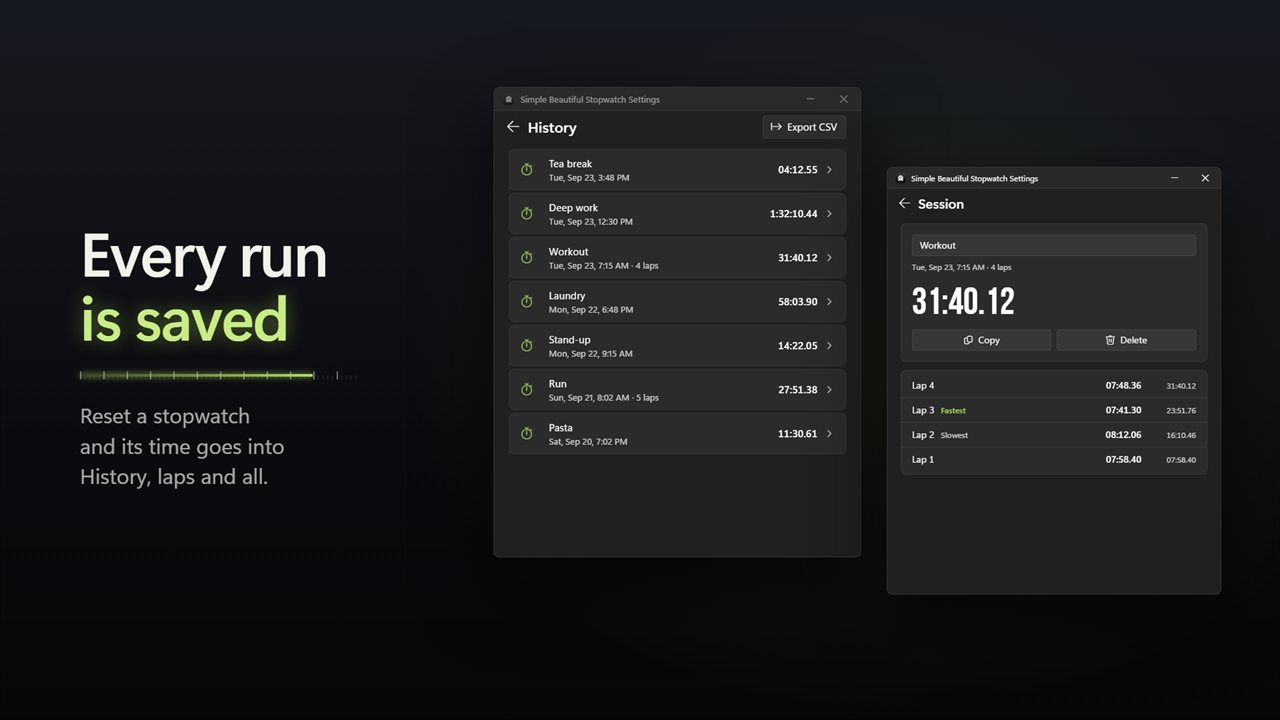
Mark laps while a stopwatch runs. When you reset one, the run is saved to History under its name, with every lap. History shows each lap's time with the fastest and slowest marked. Copy a run, rename it, delete it, or export all of History to a spreadsheet.
Chimes
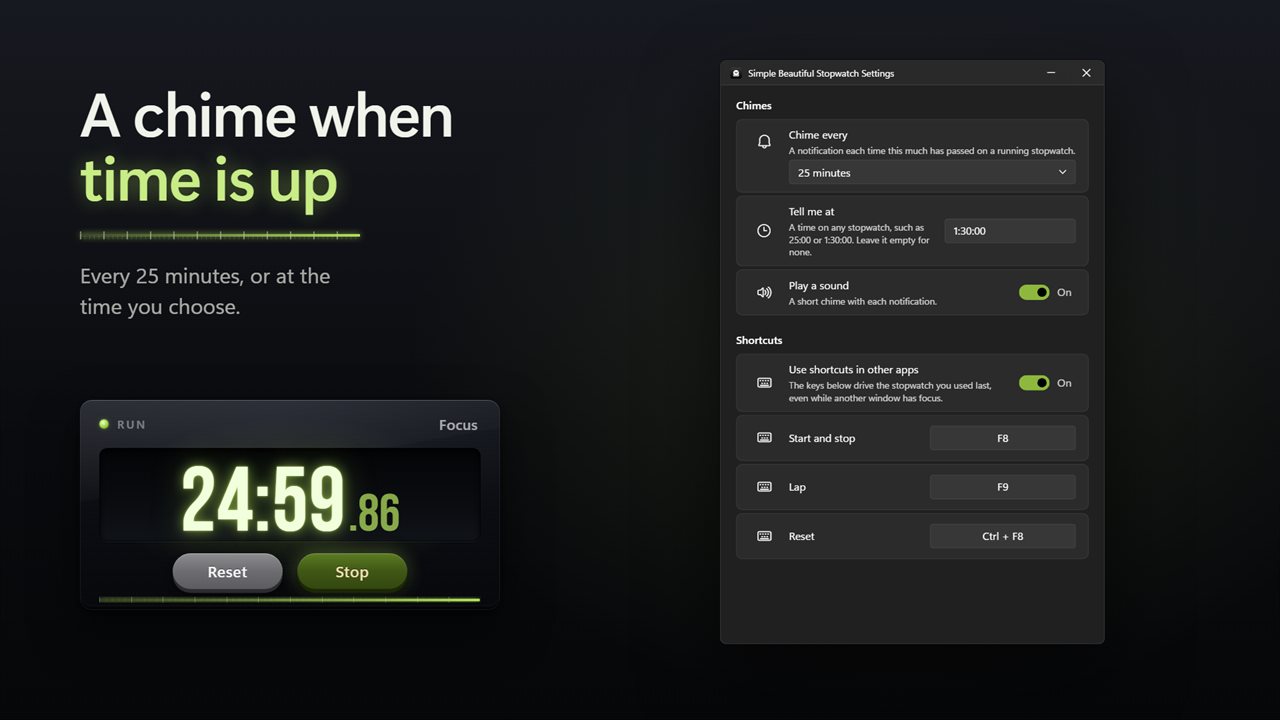
Get a chime every few minutes, or at the time you choose, such as 25:00. Each one comes with a notification, and the sound is optional.
Shortcuts
On a card, Space starts and stops, L marks a lap and R resets. Turn on shortcuts for other apps and F8, F9 and Ctrl+F8 work from anywhere. You can pick your own keys.
Picks up where you left off
Let it start with Windows and your stopwatches come back where you left them, still counting.
Everything stays on this PC. There is no account, and it works with no connection.
Features
- Open as many stopwatches as you need, each on its own small card on your desktop
- Give each stopwatch a name, such as Tea break or Deep work
- Duplicate a stopwatch in one click
- Pin any stopwatch on top of your other windows
- Drag a card's corner to make it bigger or smaller
- Glowing digits while it runs, warm digits while it waits, and a bar that fills once a minute
- Mark laps while a stopwatch runs
- Space starts and stops, L marks a lap, R resets
- Hide the hundredths on any stopwatch you like
- Every run you reset is saved to History under its name, with its laps
- See each lap's time, with the fastest and slowest marked
- Copy a run, rename or delete it, or export History to a spreadsheet
- A chime every 1, 5, 10, 15, 25 or 30 minutes, or every hour
- A chime at the time you choose, such as 25:00 or 1:30:00
- Shortcuts that work from any app: F8 to start and stop, F9 for a lap, Ctrl+F8 to reset, and you can change them
- The tray icon lists every stopwatch with its time
- Starts with Windows if you like, and your stopwatches come back where you left them, still counting
- Works offline, with no account needed
Details
- Works on
- Windows 10 (1809 or later) and Windows 11
- Download
- About 2.8 MB
- Version
- 2.0.4, updated October 2026
- First released
- October 2022
- Price
- $1.99 once. No subscription.
- Category
- Productivity
What's new in 2.0.4
- New: open as many stopwatches as you need, and duplicate one in a click
- New: glowing digits and a bar that fills once a minute
- New: History keeps every run you reset, with its laps. Export it to a spreadsheet
- New: chimes every few minutes or at a time you choose
- New: shortcuts that work from any app
- New: the tray lists every stopwatch with its time
- Your stopwatches come back where you left them, still counting
Questions
Anything else? Ask us
Which versions of Windows does it run on?
Windows 10 (version 1809 or later) and Windows 11.
Is it a subscription?
No. Simple Beautiful Stopwatch is a one-time purchase of $1.99, and updates are included.
How do I get it?
EvlarSoft apps are moving to direct downloads from this site. Ask to be notified and we will email you as soon as Simple Beautiful Stopwatch is ready to download.