Desktop Notes Backup
Every Sticky Note on one wall in its real color, backed up each day so a note you deleted can still come back. Search them all, then export to Markdown, text, a web page or Word.
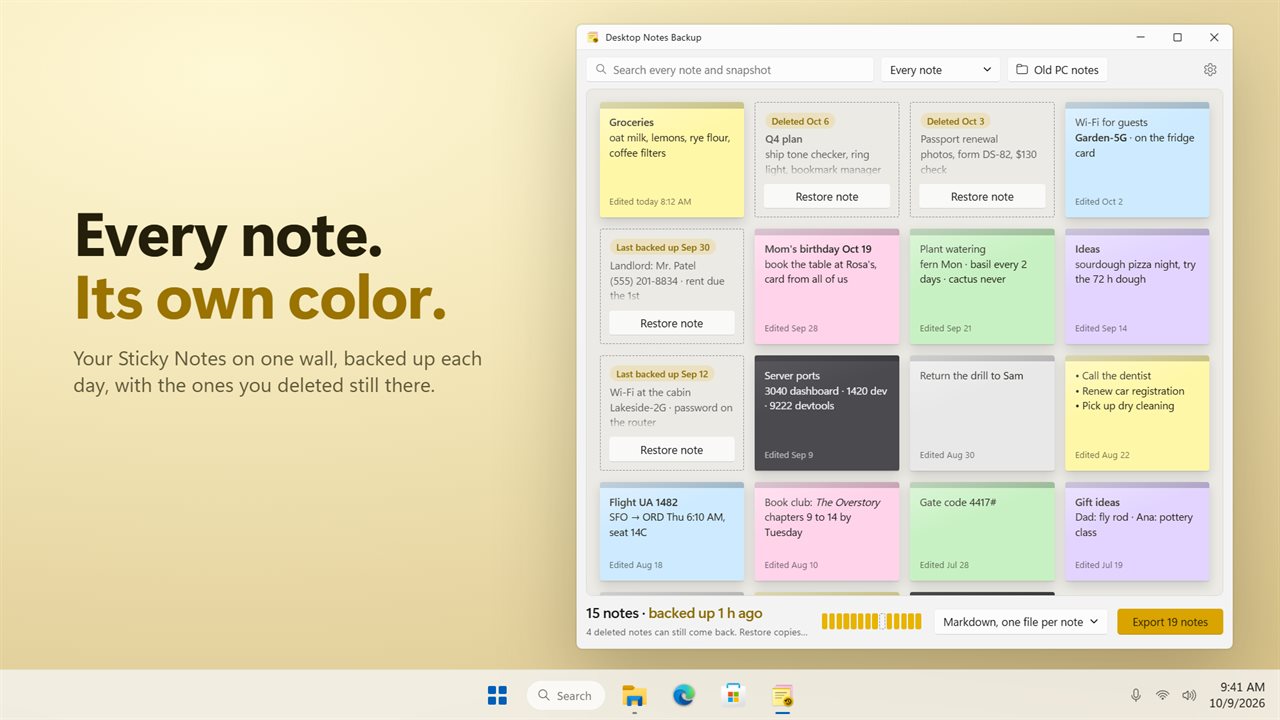
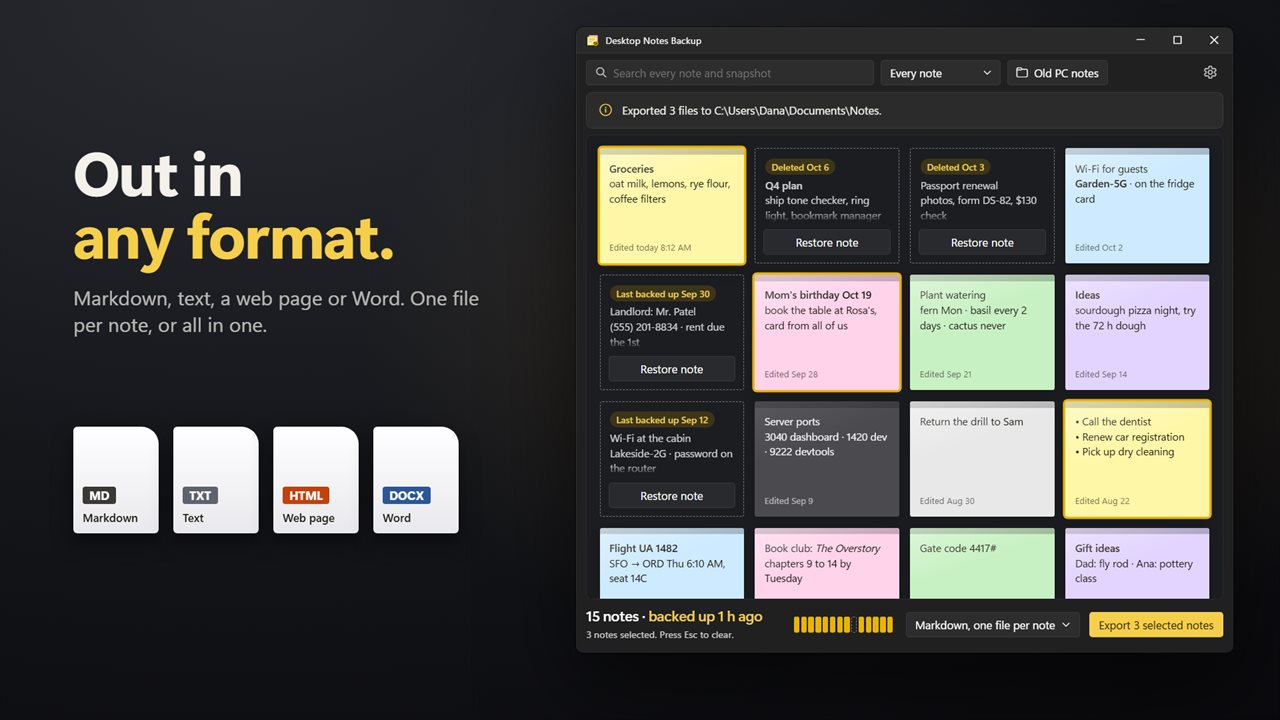
Every Sticky Note on one wall, in its own color.
See it in action
About Desktop Notes Backup
Desktop Notes Backup keeps a safe copy of your Windows Sticky Notes and gets them out in any format you like.
Your notes on one wall
Open the app and every note is there, in the same yellow, green, pink, purple, blue, gray or charcoal you gave it in Sticky Notes, with the date you last edited it. Bold, italic and bullets look the way you wrote them.
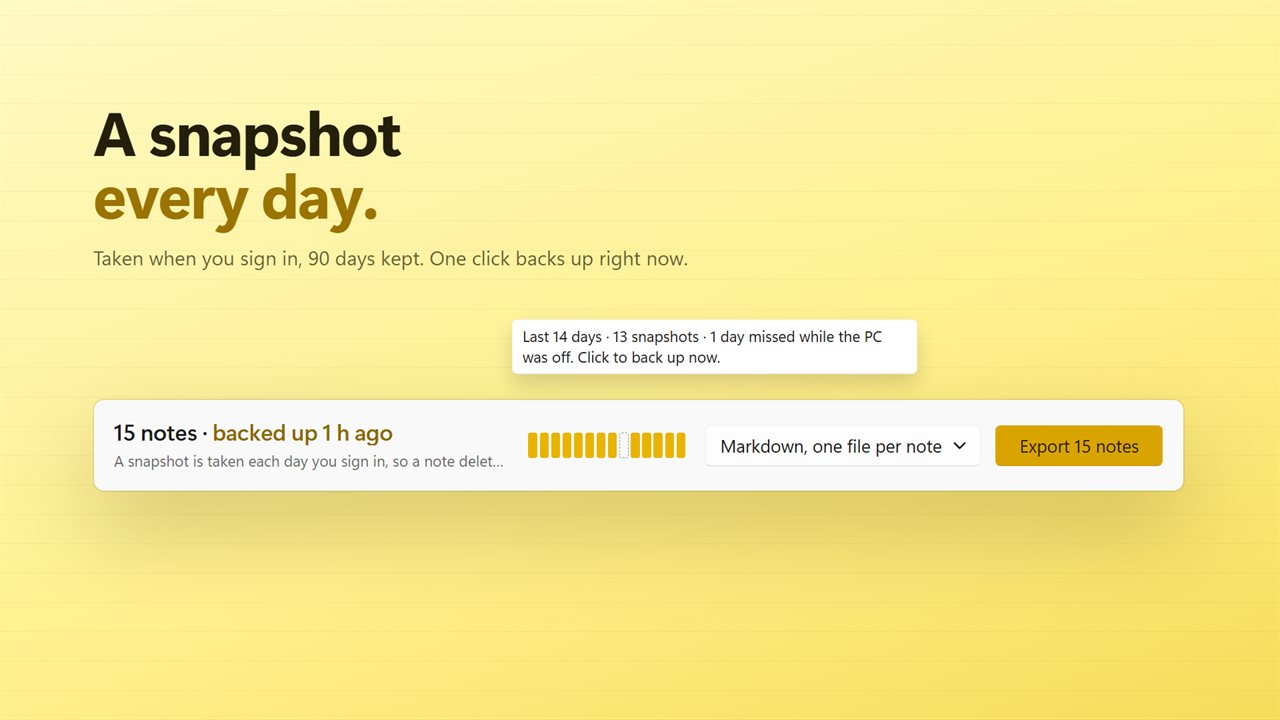
A snapshot every day
Each day you sign in, the app takes a copy of your notes and closes again. The last 90 days are kept. A row of marks under the wall shows the last two weeks: a filled mark for each day backed up, a dashed one for a day the PC was off. Click it to back up right now.
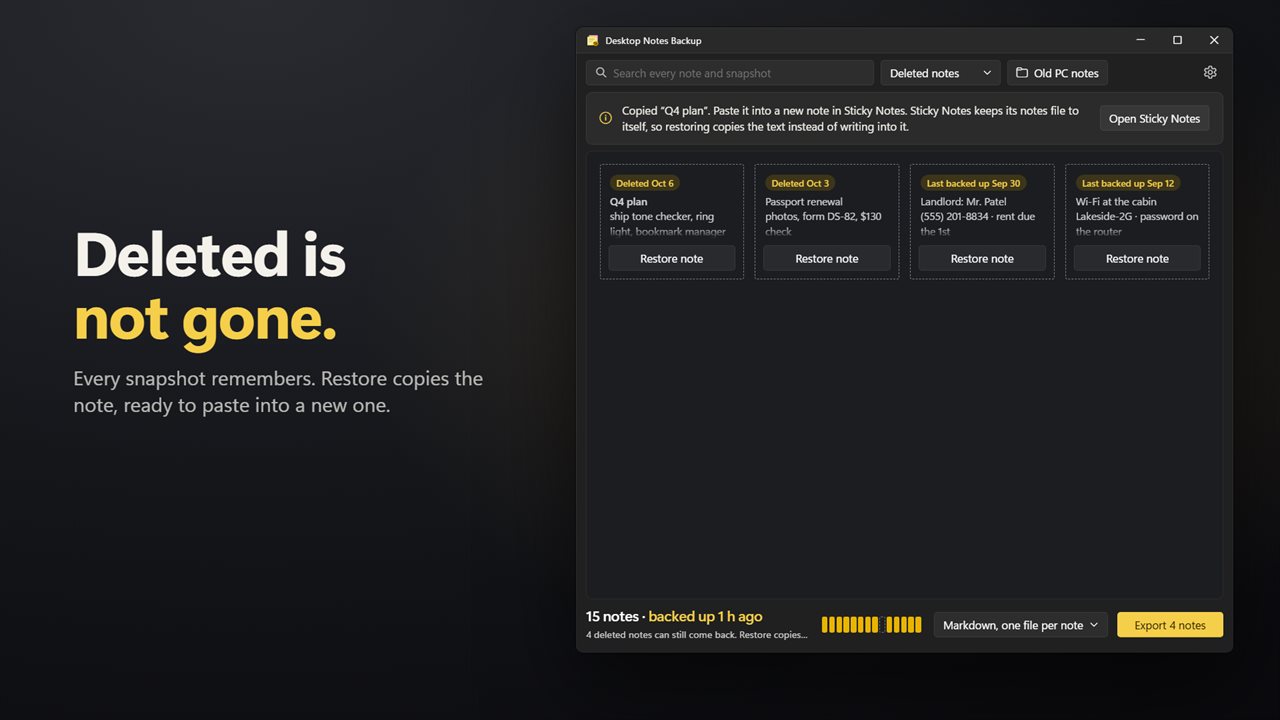
Deleted is not gone
Deleted a note by mistake? It stays on the wall with a dashed outline. Click Restore and its text is copied, ready to paste into a new note. Sticky Notes keeps its own file to itself, so the app reads it and never writes to it.
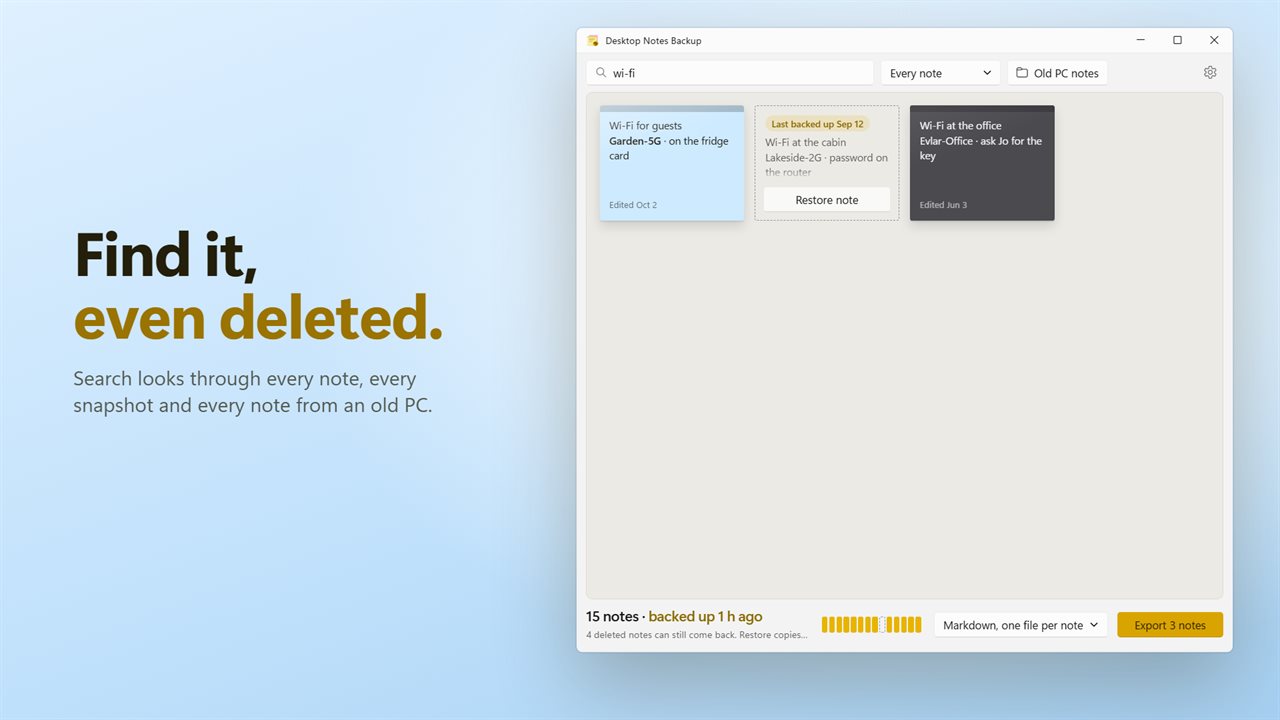
Search everything
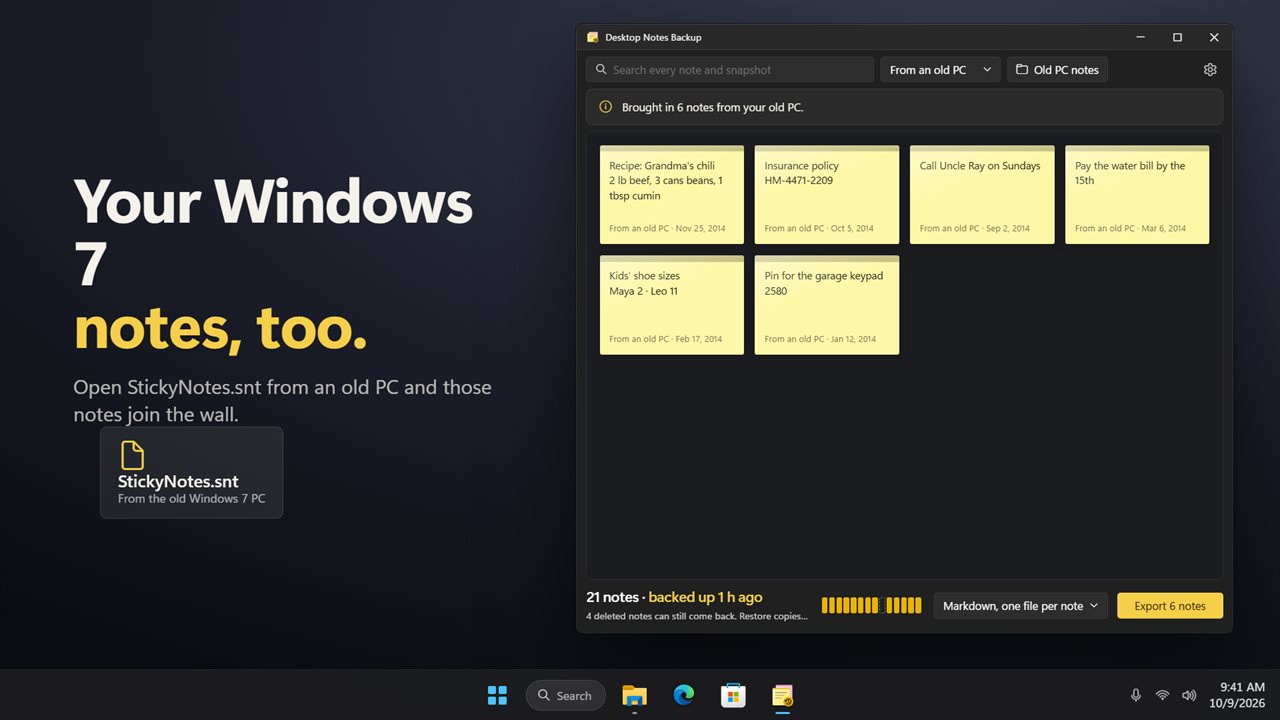
Type a word and the wall narrows to the notes that mention it, including deleted notes from your snapshots and notes brought in from an old PC.
Export your way
Save your notes as Markdown, plain text, a web page that keeps their colors, or a Word document. Make one file per note or put them all in one file. Click notes to pick just those, or export everything you see.
From an old PC
Still have StickyNotes.snt from a Windows 7 PC? Bring it in, and those notes join the wall, ready to search and export.
Private
Everything happens on your PC. There is no account, and nothing is uploaded.
Features
- See every Windows Sticky Note on one wall, each in its own color
- A snapshot of your notes is taken each day you sign in, and the last 90 days are kept
- Notes deleted in Sticky Notes stay on the wall, ready to restore
- Restore copies the note's text so you can paste it into a new note
- A row of day marks shows the last 14 days of snapshots at a glance
- Back up now with one click
- Search every note on your wall, every deleted note and every note from an old PC
- Export to Markdown, text, a web page or a Word document
- One file per note, or every note in one file
- Select just the notes you want, or export everything you see
- Bold, italic, underline and bullets carry over into Word and web page exports
- Bring in StickyNotes.snt from a Windows 7 PC
- Copy any note's text with one click
- Each note shows when it was last edited
- Your notes stay on your PC. Nothing is uploaded, and Sticky Notes' own file is only ever read
- Light and dark themes, or match Windows
Details
- Works on
- Windows 10 (1809 or later) and Windows 11
- Download
- About 3.4 MB
- Version
- 2.0.2, updated October 2026
- First released
- May 2023
- Price
- $1.99 once. No subscription.
- Category
- Utilities & tools
What's new in 2.0.2
- New name: Desktop Notes Backup. It's the same app, and your backups and settings carry over
Questions
Anything else? Ask us
Which versions of Windows does it run on?
Windows 10 (version 1809 or later) and Windows 11.
Is it a subscription?
No. Desktop Notes Backup is a one-time purchase of $1.99, and updates are included.
How do I get it?
EvlarSoft apps are moving to direct downloads from this site. Ask to be notified and we will email you as soon as Desktop Notes Backup is ready to download.