Subtle Blink Reminder
The blink reminder you know - an eye and “Don't Forget To Blink” - now yours to place, size and fade. Choose exactly how often it appears, anything from every 3 seconds to once an hour. It blinks once and is gone, and it is hidden from screen sharing.
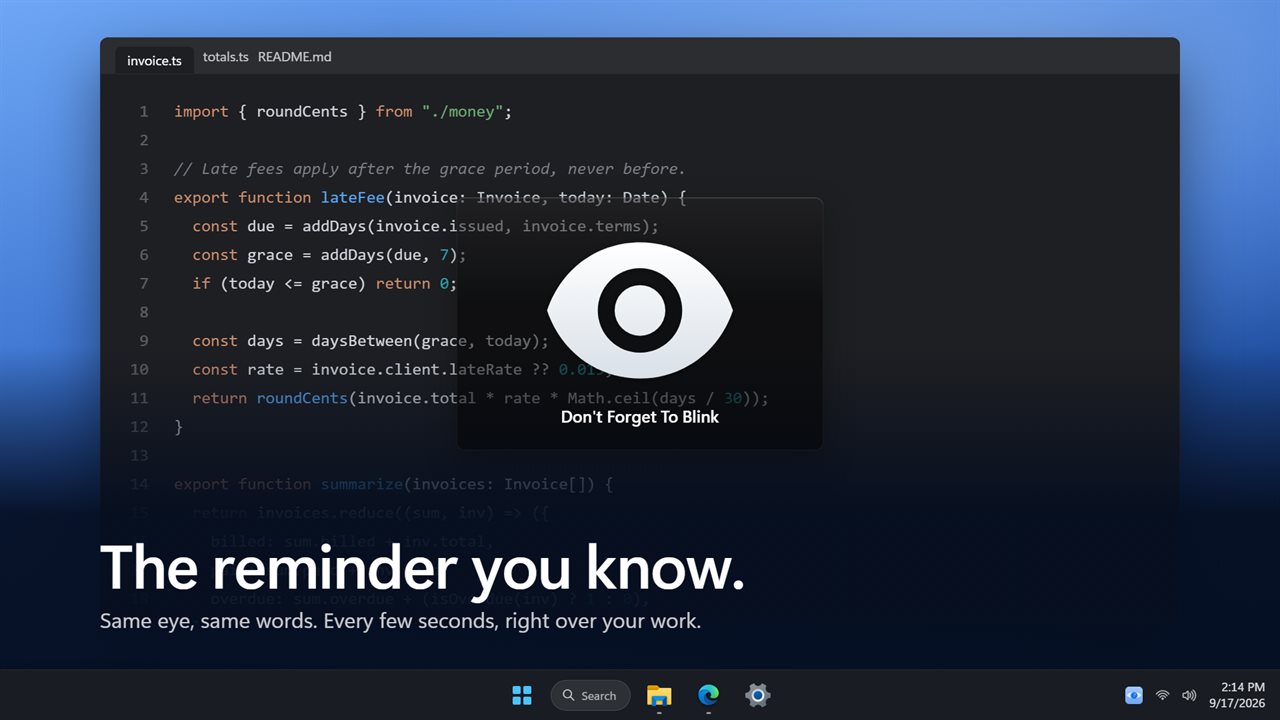
The reminder you know: Don't Forget To Blink, right over your work.
See it in action
About Subtle Blink Reminder
Staring at a screen halves how often you blink, and that is what dries your eyes out. A reminder helps - but only if it fits around the work you are doing.
The same friendly eye
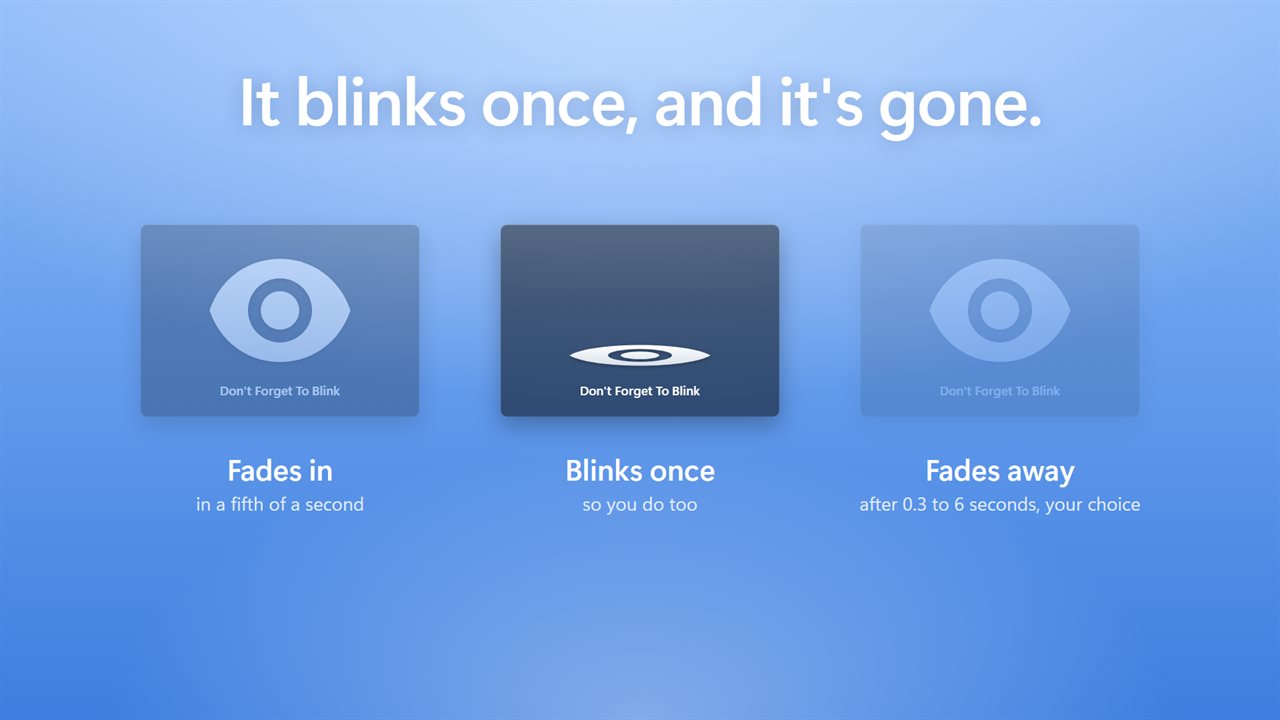
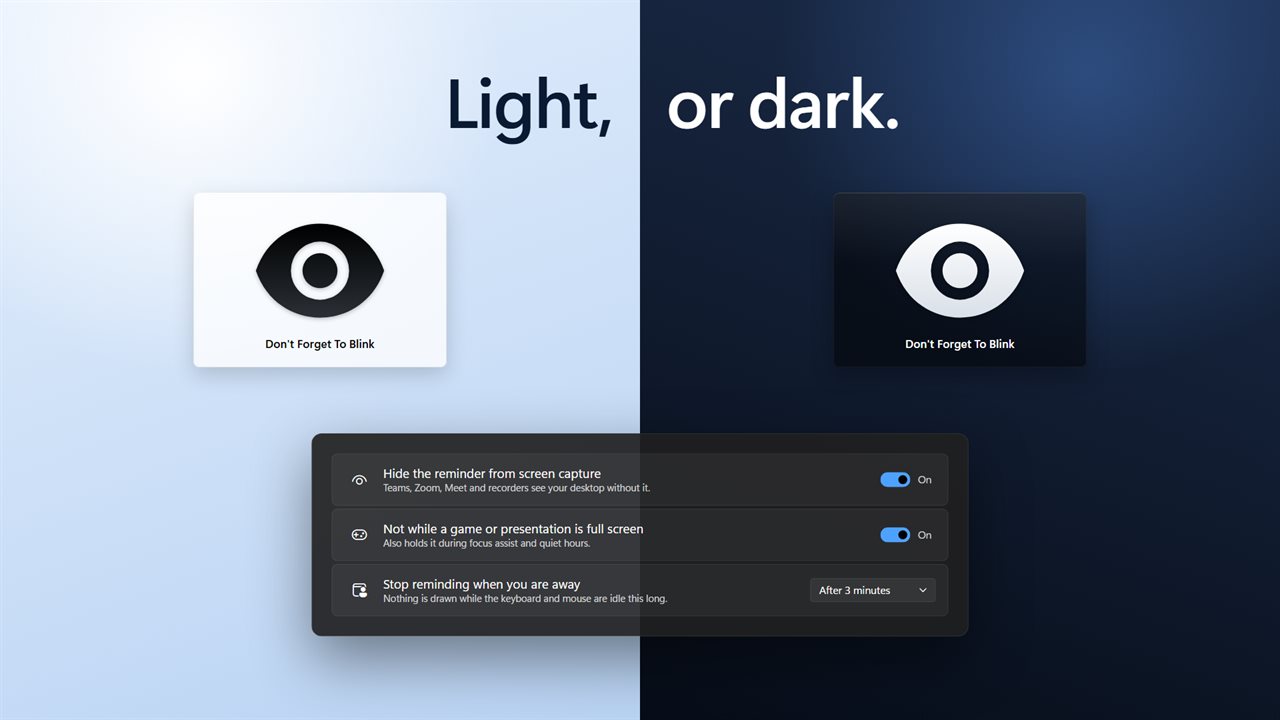
Every few seconds a card appears with an eye and the words “Don't Forget To Blink”. The eye blinks once, the card fades away, and you carry on. Pick a dark card with a white eye or a light card with a black one, or let it follow Windows.
Put it where you want it
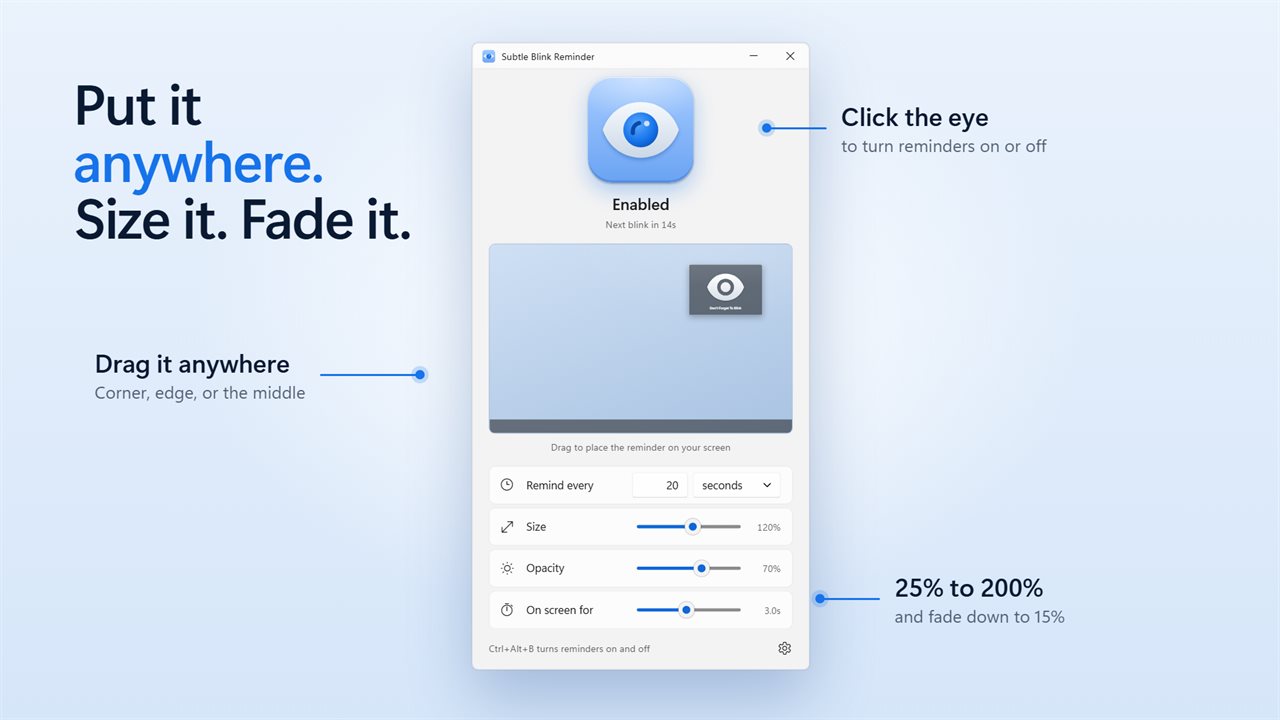
The window shows a small picture of your screen with the reminder in it, exactly as it will look. Leave it in the middle, or drag it into a corner or off to one side.
Every setting you asked for
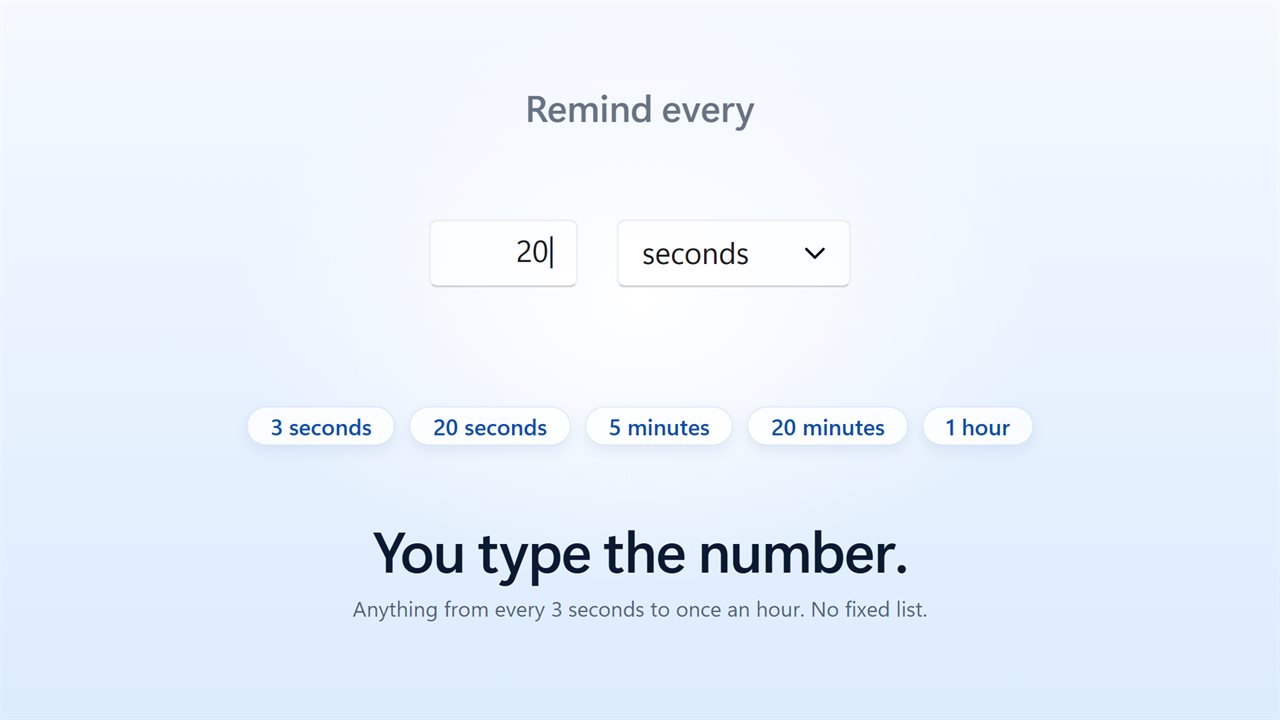
Type any interval in: every 3 seconds, every 15 seconds, every 20 minutes, or anything up to an hour. Set its size from 25% to 200%, its opacity from 100% down to 15%, and how long it stays from three tenths of a second to six seconds. Turn the words off and it is just the eye.
Not during the call, or the Game
It is hidden from screen capture, so a shared screen and a recording show your desktop without it. It holds off while a game or a presentation is running full screen, and it stops altogether once you have been away from the keyboard - it picks up again when you do.
Press Ctrl+Alt+B, or a shortcut of your own, to turn reminders on and off from any app.
In the notification area
It lives by the clock, where one click turns it on or off. It can start with Windows, and show on every monitor or just the main one.
Everything happens on this PC. There is no account, nothing is recorded or uploaded, and it works with no connection at all.
Features
- The reminder you know: an eye and “Don't Forget To Blink”, on a dark or light card
- The eye blinks once as the card fades in and out
- Set any interval you like, from every 3 seconds to once an hour
- Drag the reminder anywhere on a preview of your screen, or leave it in the middle
- Size it from 25% to 200%, and fade it from 100% down to 15%
- Choose how long it stays, from 0.3 seconds to 6 seconds
- Hidden from screen sharing and recording, so Teams and Zoom never see it
- Holds off while a game or presentation is full screen
- Stops reminding when you step away, and picks up when you come back
- Ctrl+Alt+B turns reminders on and off from any app, including a full-screen game
- Show it on the main screen only, or on every monitor
- Works offline. No account, and nothing is recorded or uploaded
Details
- Works on
- Windows 10 (1809 or later) and Windows 11
- Download
- About 2.8 MB
- Version
- 2.0.5, updated October 2026
- First released
- June 2022
- Price
- $2.49 once. No subscription.
- Category
- Utilities & tools
What's new in 2.0.5
- New: any interval you type, from every 3 seconds to once an hour
- New: drag the reminder into place on a preview of your screen, and set its size, its opacity and how long it stays
- New: the eye blinks once as the card fades in and out
- New: hidden from screen sharing and recording
- New: Ctrl+Alt+B turns reminders on and off from any app; the tray icon does it in one click
- New: holds off during full-screen games and presentations, and while you are away from the keyboard
- Fixed: reminders no longer stop for good when you ignore one, and turning them off is remembered after a restart
- Your reminder interval carries over, along with Animated and a Light appearance
Questions
Anything else? Ask us
Which versions of Windows does it run on?
Windows 10 (version 1809 or later) and Windows 11.
Is it a subscription?
No. Subtle Blink Reminder is a one-time purchase of $2.49, and updates are included.
How do I get it?
EvlarSoft apps are moving to direct downloads from this site. Ask to be notified and we will email you as soon as Subtle Blink Reminder is ready to download.