Peaceful Awareness Timer
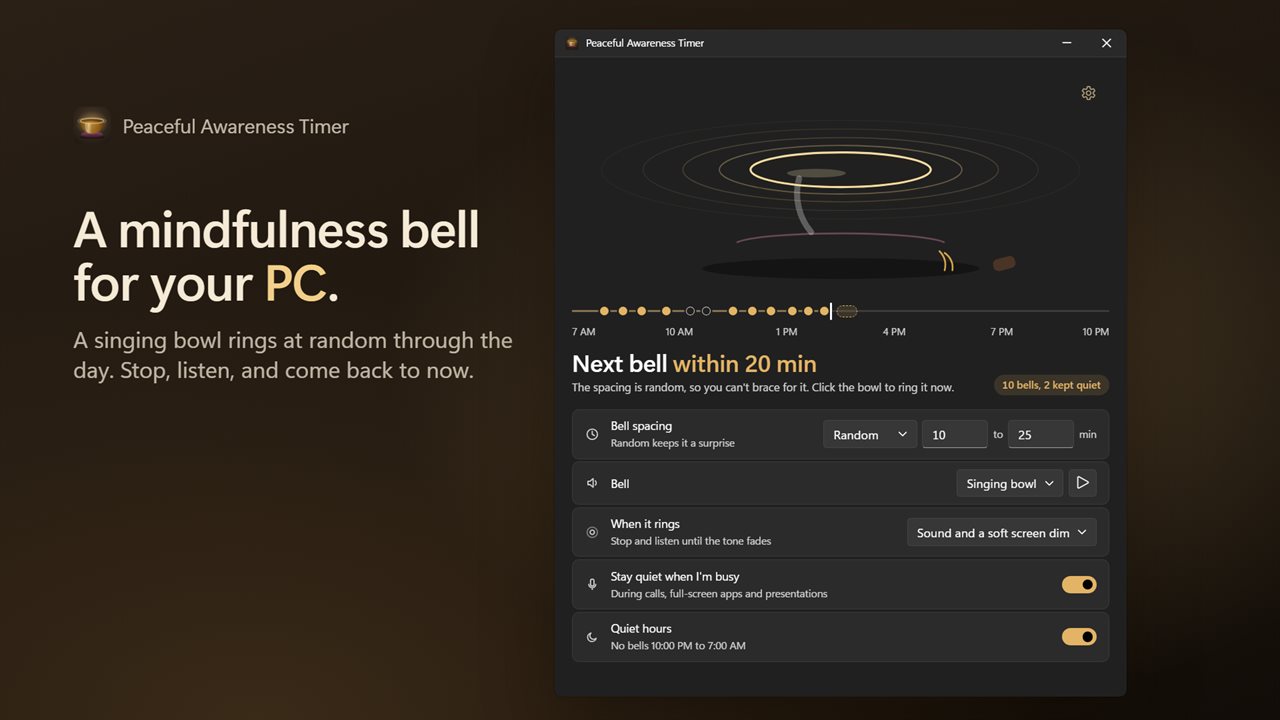
A mindfulness bell for your PC. A bronze singing bowl rings at random through the day to bring you back to the present, then fades on its own. It stays quiet during calls and presentations, and sleeps through your quiet hours.
A singing bowl that rings at random to bring you back to the present.
See it in action
About Peaceful Awareness Timer
A mindfulness bell for your PC. Every so often a singing bowl rings. You stop, listen until the tone fades, and come back to the present. Then you carry on.
A bell you can't brace for
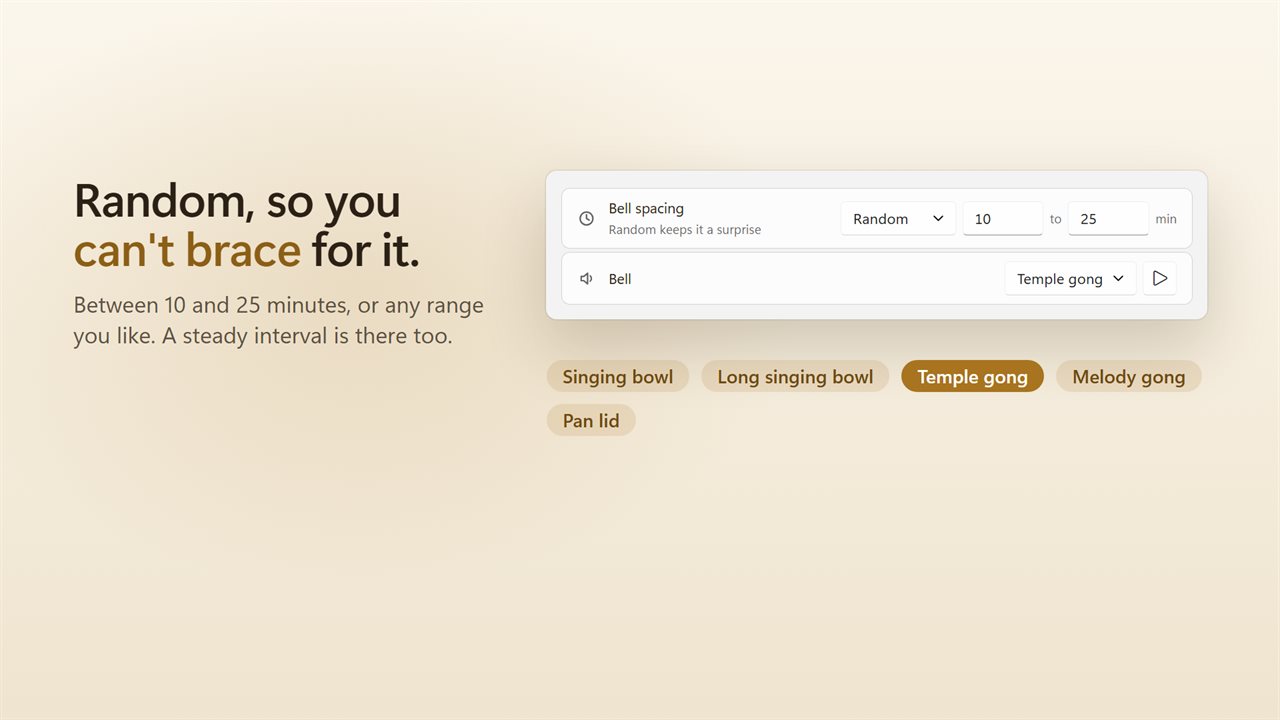
Bells come at random within a range you set, 10 to 25 minutes unless you choose another, so you never sit waiting for the next one. Prefer a steady rhythm? Ring every so many minutes instead.
Five bells
A singing bowl, a long singing bowl, a temple gong, a melody gong and a pan lid. Play each one before you choose, and set its volume apart from the rest of Windows.
Stop and listen
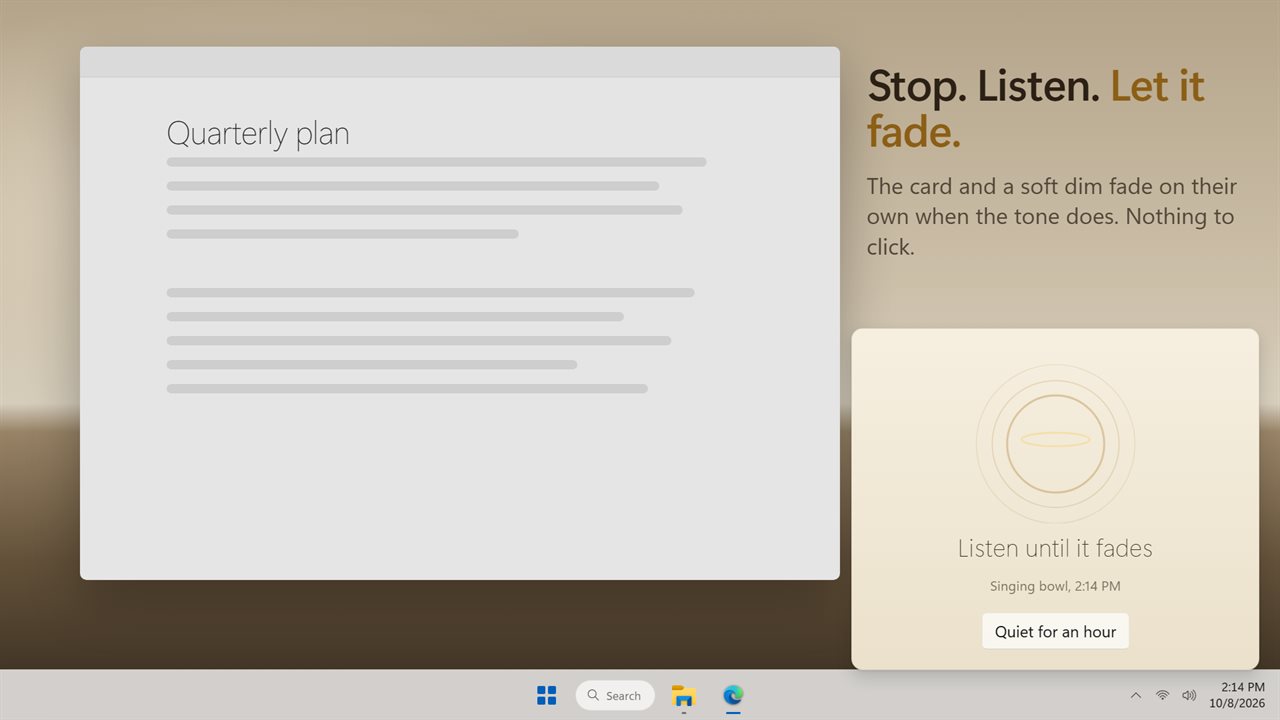
When the bell rings, a small card above the tray says "Listen until it fades", and its ring shrinks with the sound. Choose a soft dim of the whole screen as well, or just the sound. The card and the dim fade on their own when the tone is gone. There is nothing to click. Need some peace? Quiet for an hour is one click on the card.
It knows when to stay quiet
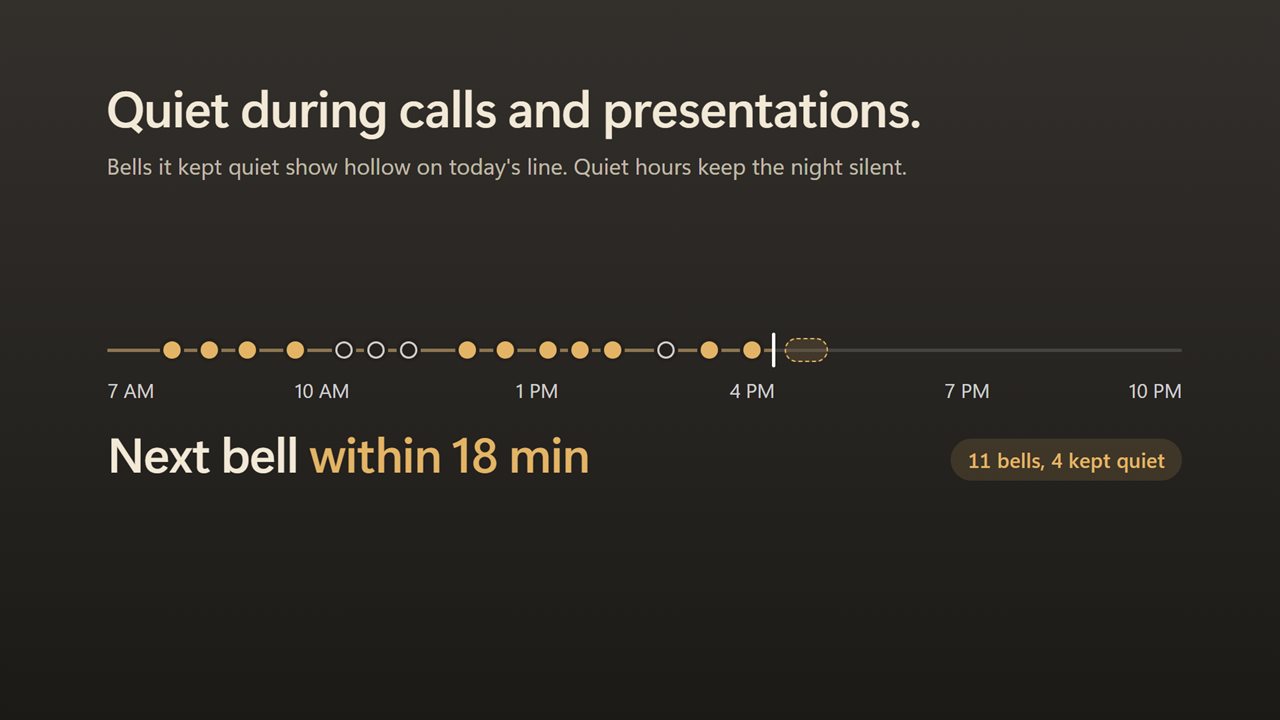
No bell during a call, a full-screen app or a presentation. Those bells are kept quiet and marked on today's line. Quiet hours keep the night silent, 10:00 PM to 7:00 AM unless you set your own.
The bowl is the button
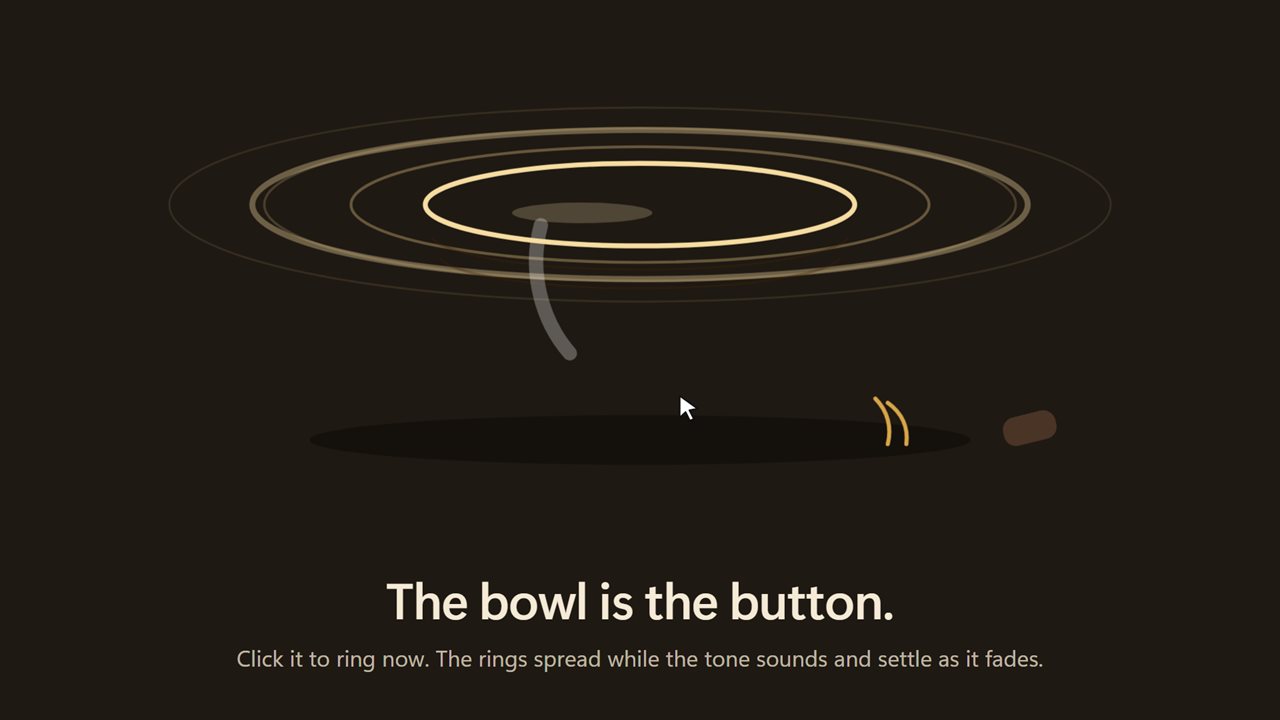
Click the bronze singing bowl to ring it now. Its rings spread while the tone sounds and settle as it decays. Under it, today's line marks every bell, hollow where it kept quiet, and shows where the next one may fall.
Always there
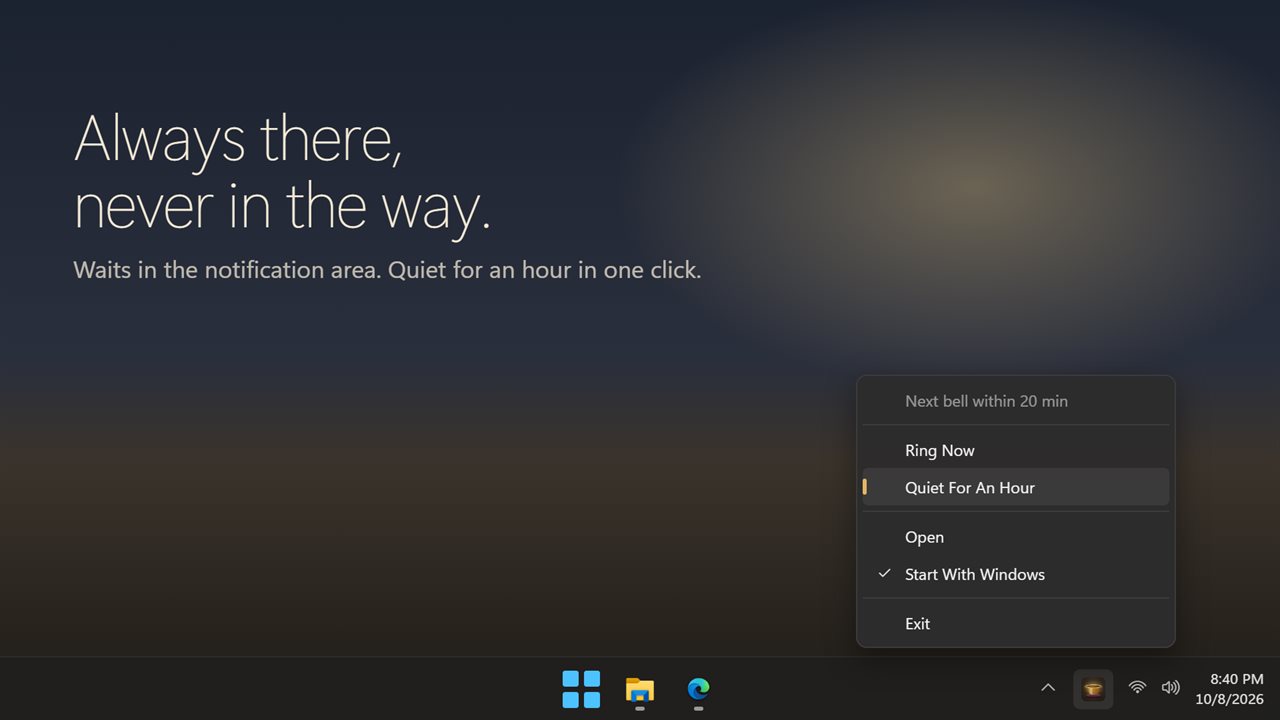
The app waits in the notification area and can start with Windows. If you used the earlier version, your interval, your bell and your alert choice carry over.
Features
- A mindfulness bell that rings at random through your day, so you can't brace for it
- Choose the range, 10 to 25 minutes unless you pick another, or ring at a steady interval instead
- Five bells: singing bowl, long singing bowl, temple gong, melody gong and pan lid
- Click the bronze singing bowl to ring it any time
- Three ways to ring: sound only, sound and a small card, or sound and a soft dim of the screen
- The card and the dim fade on their own as the tone dies away. Nothing to click
- Stays quiet during calls, full-screen apps and presentations
- Quiet hours, 10:00 PM to 7:00 AM unless you set your own
- Quiet for an hour, from the card or the tray
- Today's line marks every bell, hollow where it kept quiet
- Set the volume of the bell apart from the Windows volume
- Waits in the notification area and can start with Windows
- Your interval, bell and alert choice carry over from the earlier version
- Light and dark themes, or match Windows
Details
- Works on
- Windows 10 (1809 or later) and Windows 11
- Download
- About 4.4 MB
- Version
- 2.0.2, updated October 2026
- First released
- November 2022
- Price
- $1.99 once. No subscription.
- Category
- Health & fitness
What's new in 2.0.2
- New: bells ring at random within a range, so you can't brace for them. A steady interval is still there
- New: click the bronze singing bowl to ring it now
- New: a small card and an optional soft screen dim while the bell rings. Both fade on their own
- New: stays quiet during calls, full-screen apps and presentations
- New: quiet hours, and Quiet for an hour
- New: today's line marks every bell
- Your interval, bell and alert choice carry over
Questions
Anything else? Ask us
Which versions of Windows does it run on?
Windows 10 (version 1809 or later) and Windows 11.
Is it a subscription?
No. Peaceful Awareness Timer is a one-time purchase of $1.99, and updates are included.
How do I get it?
EvlarSoft apps are moving to direct downloads from this site. Ask to be notified and we will email you as soon as Peaceful Awareness Timer is ready to download.