Take A Break
Sitting still for hours is what hurts, not the work. Take A Break Reminder counts down your Focus Interval, then dims every screen and tells you it is time to take a break. Stand up, move around and relax your mind until the countdown ends. Put a break off when you cannot take it, and never be interrupted while you are in a call or away from the PC.
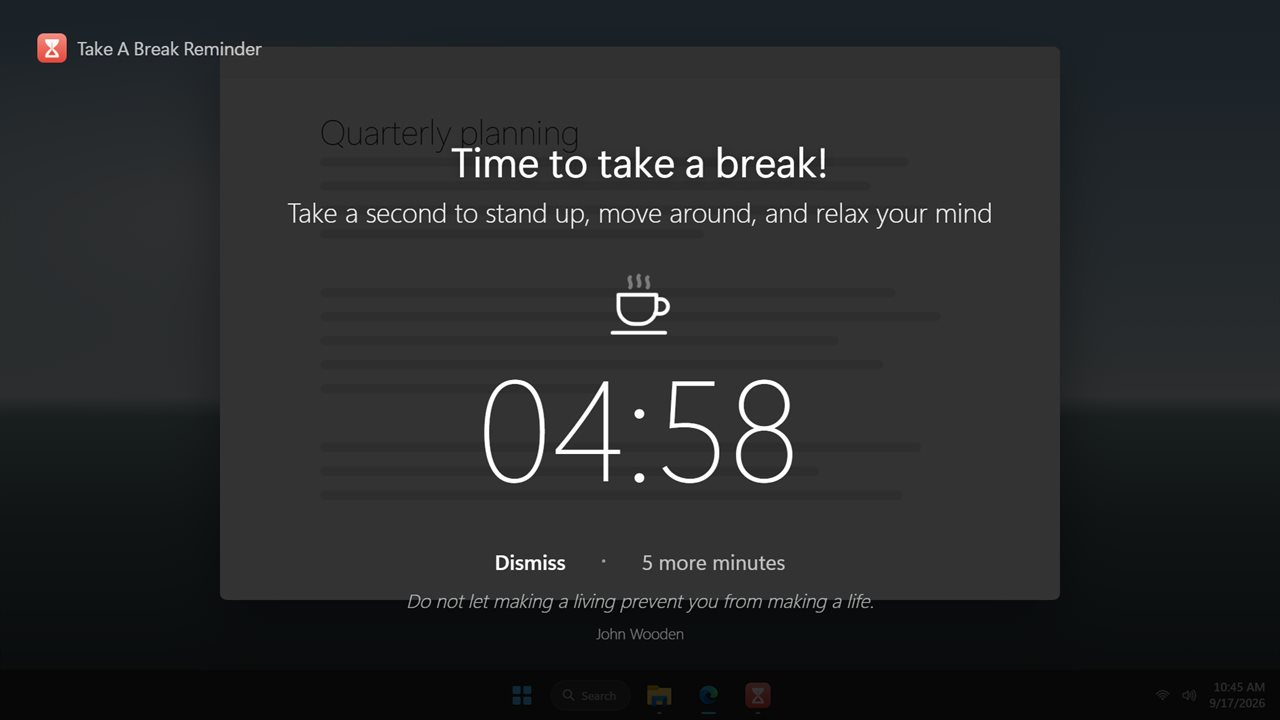
Time to take a break! Every monitor dims behind the countdown.
See it in action
About Take A Break
Time to take a break!
Take A Break Reminder counts down while you focus. When your Focus Interval is up, every screen dims and a countdown shows how long is left of your break. Take a second to stand up, move around, and relax your mind.
How it works
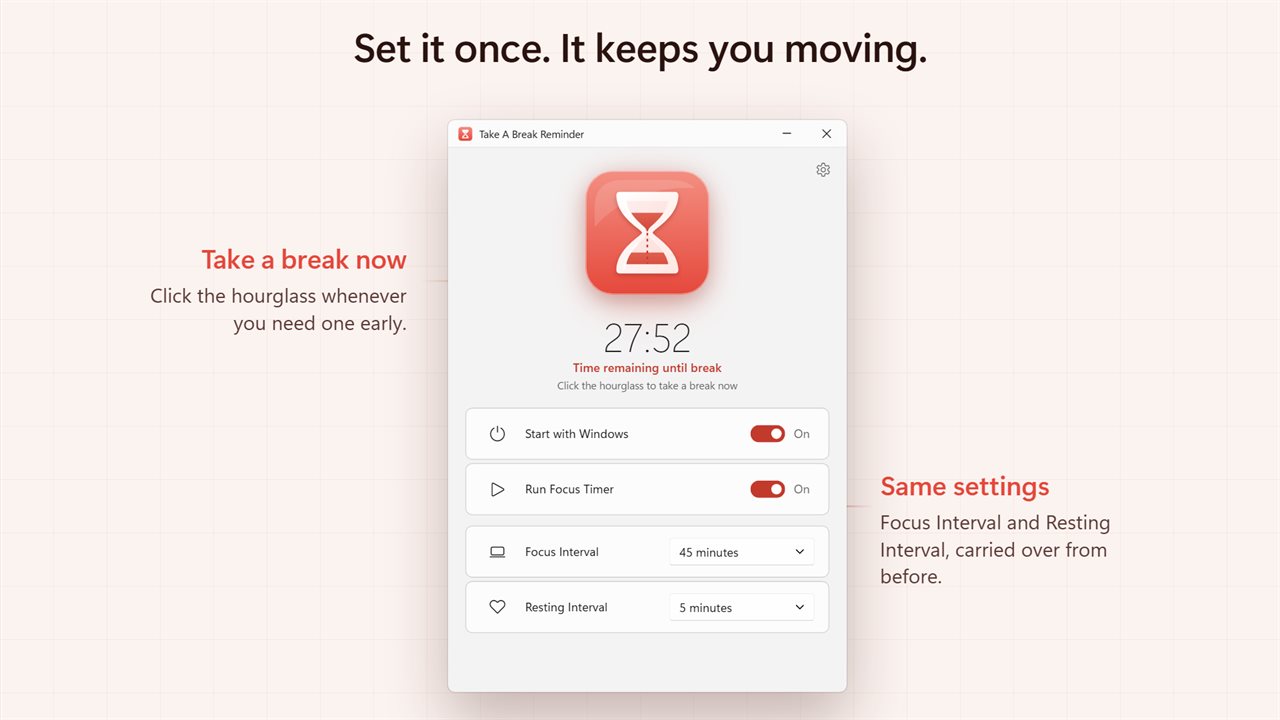
Choose a Focus Interval and a Resting Interval, switch on Run Focus Timer, and close the window. The app keeps running in the notification area and reminds you on repeat.
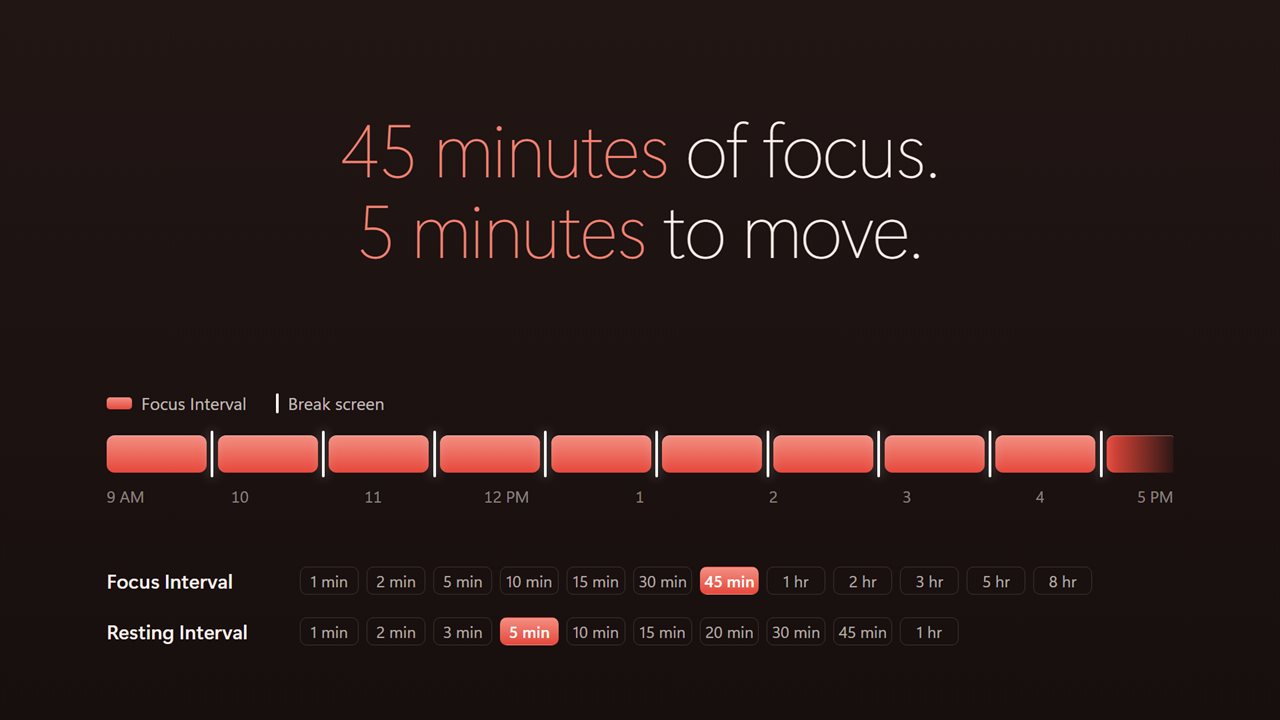
Focus for 1, 2, 5, 10, 15, 30 or 45 minutes, or 1, 2, 3, 5 or 8 hours. Rest for 1, 2, 3, 5, 10, 15, 20, 30 or 45 minutes, or an hour.
The hourglass in the window shows the time running down. Click it to take a break right now.
The break
Every monitor dims behind a big countdown, with one of 96 quotes underneath.
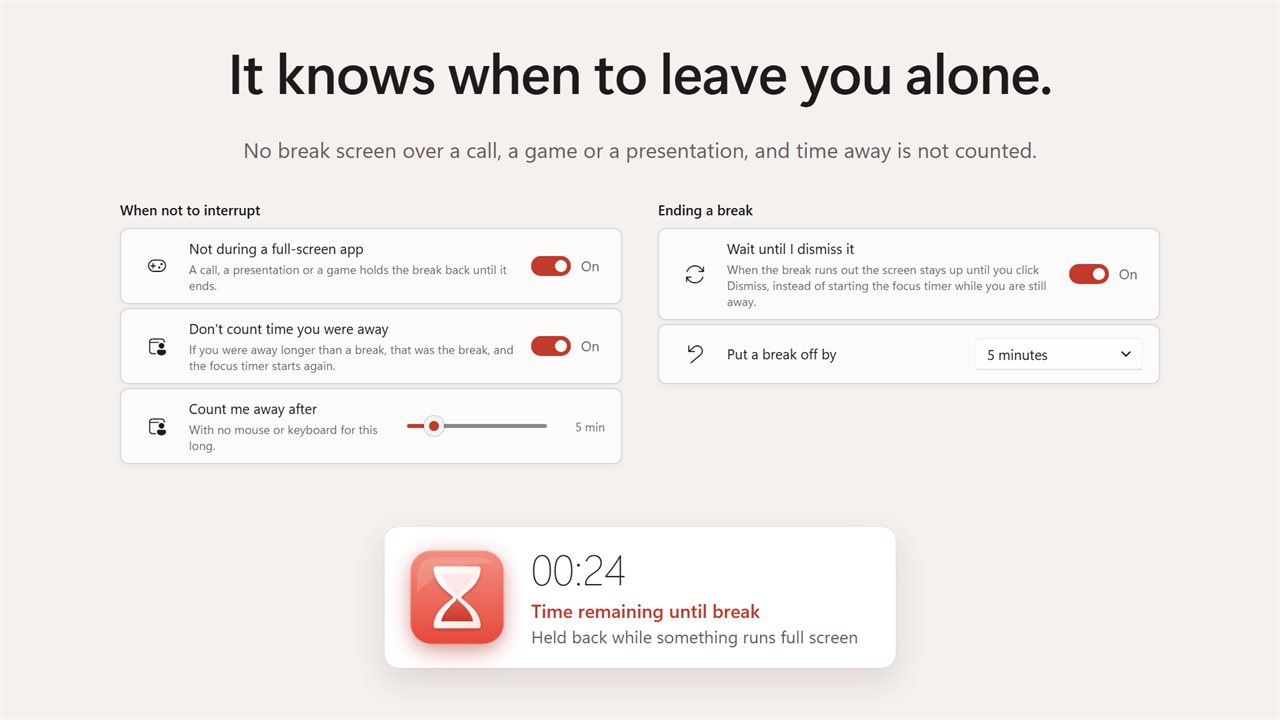
Click Dismiss whenever you are ready. When the countdown runs out, the screen waits for you to dismiss it, so the focus timer never starts again while you are still away. If you would rather it carried straight on, that is a switch.
Can't stop right now? Put the break off by 2, 5, 10 or 15 minutes.
It knows when to leave you alone
A break screen over a video call is worse than no reminder at all. Nothing appears while a full-screen app, a game or a presentation is running; it waits for that to finish.
Time you were not at the PC is not time you spent focusing. If you were away longer than a break, that was the break, and the focus timer starts again.
Everything else
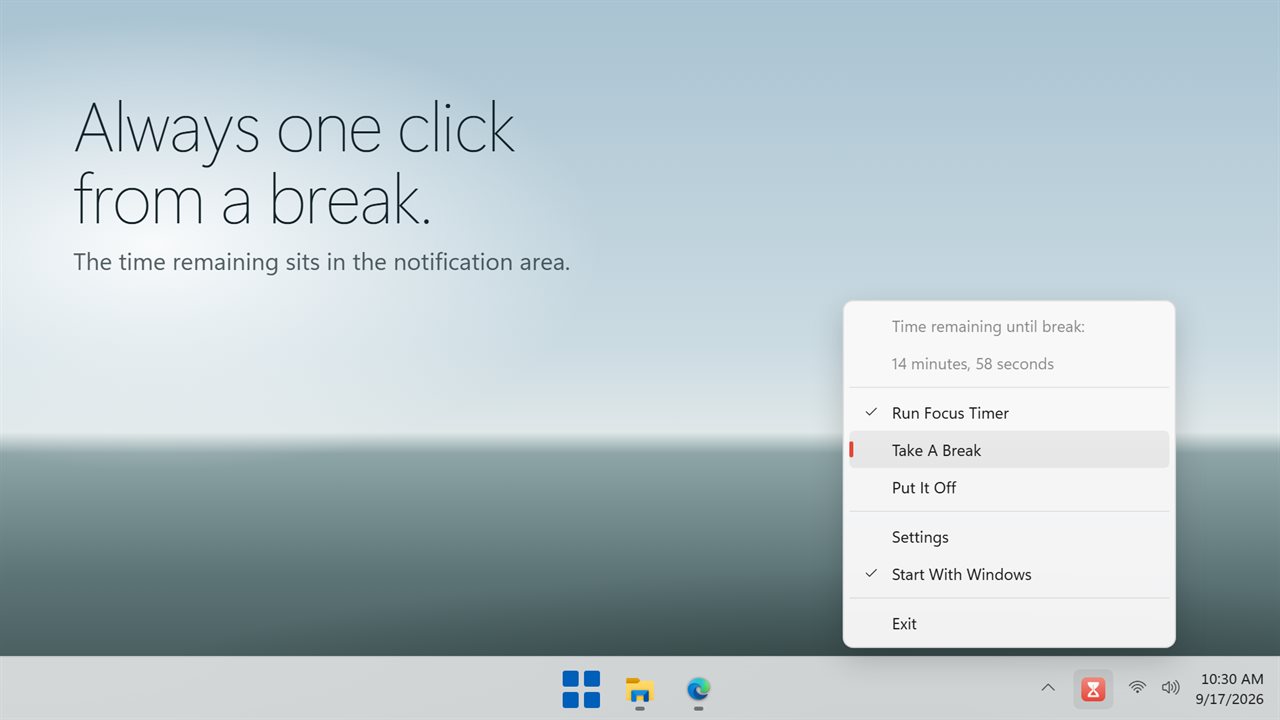
The notification area icon shows the time remaining until your break, and takes a break, puts it off or turns the focus timer off in one click. It starts with Windows if you want, and follows the Windows light and dark themes.
Everything happens on this PC. No account is needed, nothing is uploaded unless you turn on backup, and it works with no connection at all.
Features
- Set a Focus Interval and a Resting Interval, and it reminds you on repeat
- Focus for anything from 1 minute to 8 hours, in 12 steps
- Rest for anything from 1 minute to an hour, in 10 steps
- The break screen dims every monitor with a big countdown
- Dismiss a break whenever you like, or put it off by 2, 5, 10 or 15 minutes
- The focus timer waits for you to dismiss the break before it starts again
- Click the hourglass to take a break right now
- Nothing interrupts a full-screen call, a presentation or a game
- Time you spend away from the PC is not counted as focus time
- 96 quotes on the break screen, one drawn at random
- A notification area icon shows the time left and takes a break in one click
- Starts with Windows and runs in the notification area
- Follows the Windows light and dark themes
- Works offline. No account needed, and nothing is uploaded unless you turn on backup
Details
- Works on
- Windows 10 (1809 or later) and Windows 11
- Download
- About 2.6 MB
- Version
- 2.0.3, updated October 2026
- First released
- October 2022
- Price
- $2.49 once. No subscription.
- Category
- Utilities & tools
What's new in 2.0.3
- Your Focus Interval, Resting Interval and Start with Windows setting are carried over
- New: the window is open on first launch, and shows the time remaining on an hourglass. Click it to take a break now
- Fixed: the break no longer starts the focus timer while you are still away from the desk. It waits for you to click Dismiss
- New: put a break off by 2, 5, 10 or 15 minutes
- New: breaks are held back while a full-screen app, game or presentation is running
- New: time you spent away from the PC no longer counts as focus time
- Fixed: a break of "3 hours" lasted four. The Resting Interval list also offered 2, 3, 5 and 8 hour breaks, which were never breaks; they now land on an hour
- New: 96 quotes on the break screen. They shipped inside the old app and were never shown
- New: light and dark themes, and a contact address on the About page
Questions
Anything else? Ask us
Which versions of Windows does it run on?
Windows 10 (version 1809 or later) and Windows 11.
Is it a subscription?
No. Take A Break is a one-time purchase of $2.49, and updates are included.
How do I get it?
EvlarSoft apps are moving to direct downloads from this site. Ask to be notified and we will email you as soon as Take A Break is ready to download.