Daily Mood Tracker Diary
A private mood diary for your PC. Give each day a mood, a rating and a note, and watch your calendar fill with color. Log today straight from a reminder, see what lifts your mood, seal a note for your future self, and save your year as a picture. Works offline, with no account needed.
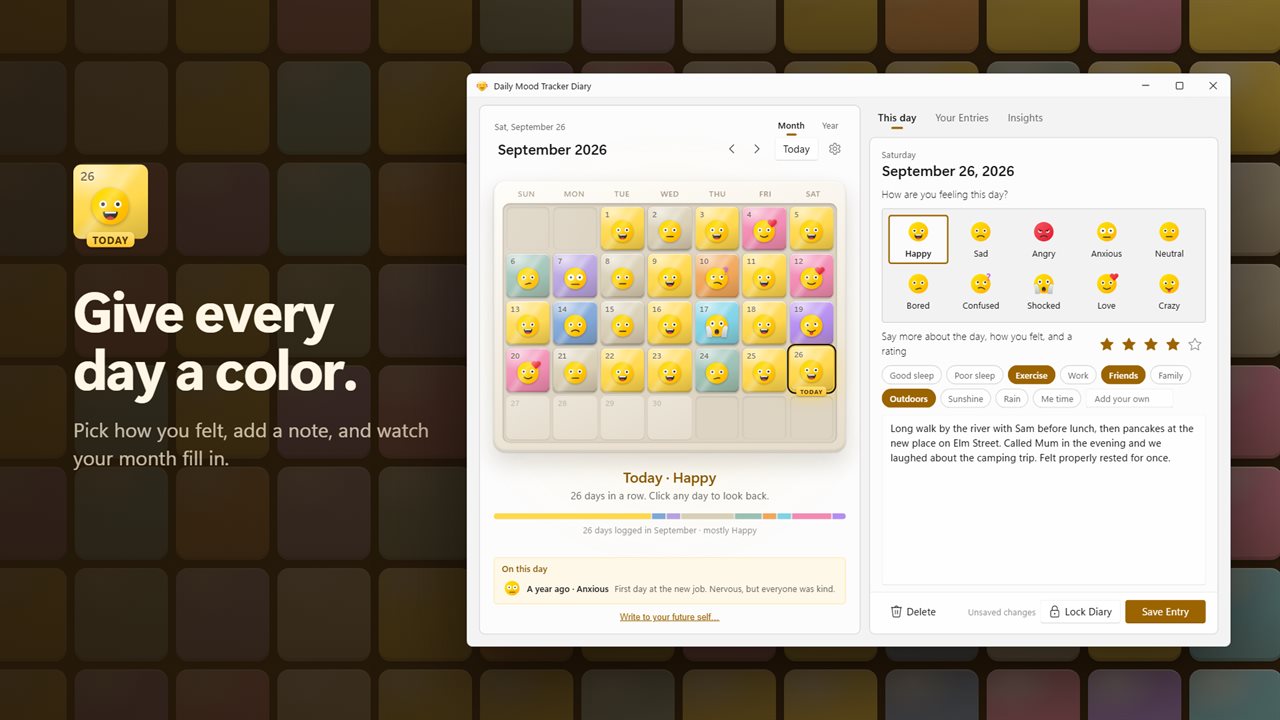
Give every day a mood, a rating and a note, and watch your month fill in.
See it in action
About Daily Mood Tracker Diary
How did today feel? Daily Mood Tracker Diary gives every day a color, so you can see how your weeks and months have really been.
A day in a few seconds
Pick one of 10 mood faces, from Happy and Love to Anxious and Bored. Give the day a rating out of five stars, tag what was part of it, and write as much or as little as you like. Each day becomes a colored tile on your calendar, and the month fills in as you go.
Log it from the reminder
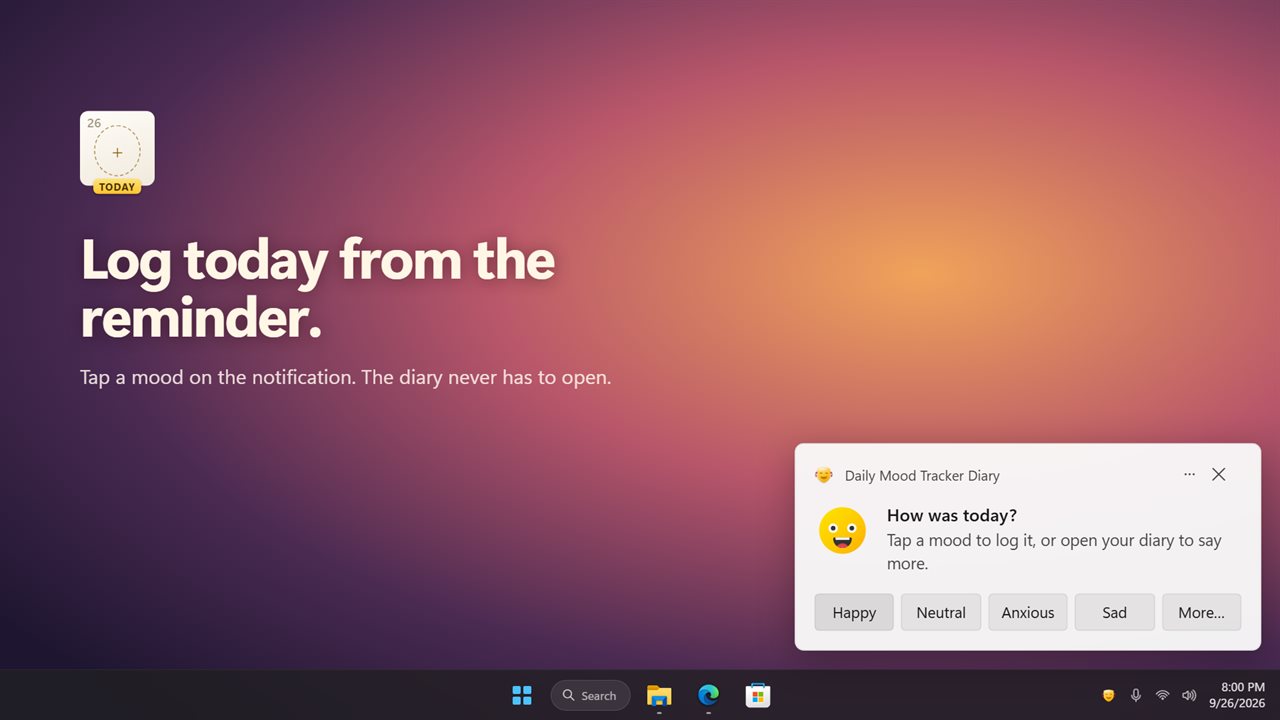
Turn on the daily check-in and pick a time. On days you have not logged yet, a Windows notification asks how today was, with buttons for your most-used moods. Tap one and the day is in your diary, without opening anything. Want to say more? Open the diary from the same notification.
See what lifts your mood
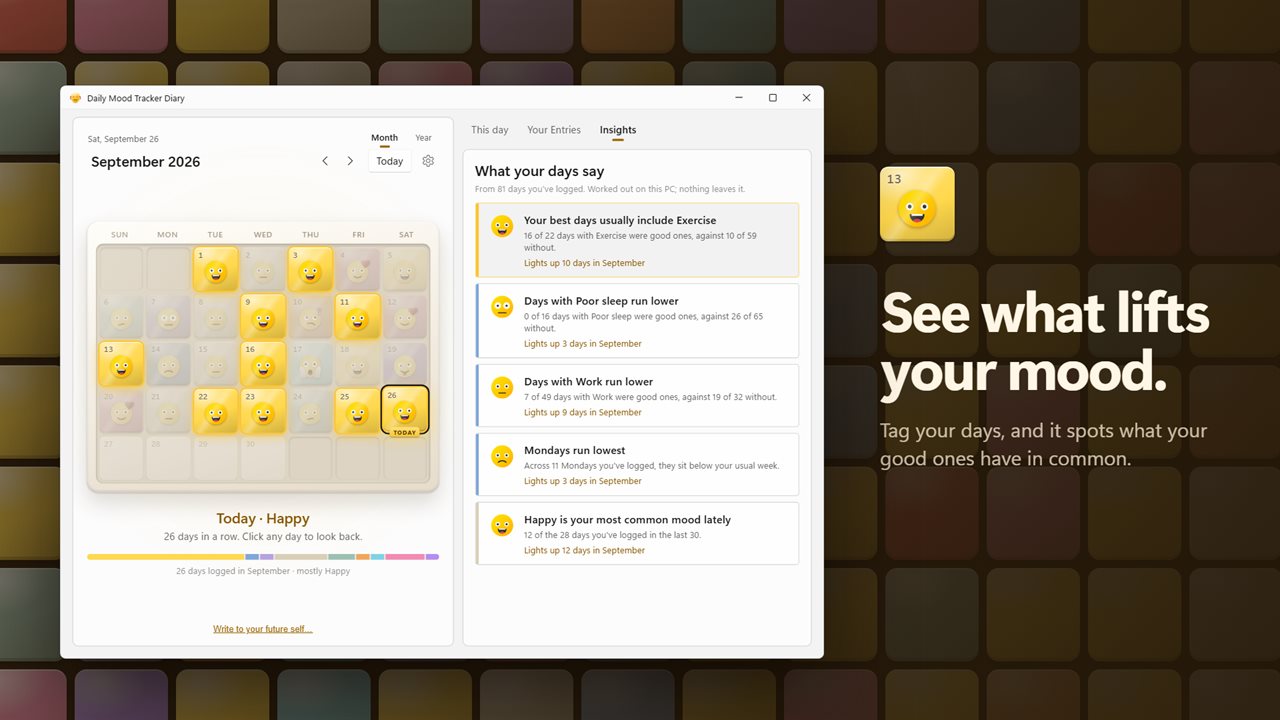
Tag your days with things like Good sleep, Exercise, Friends or Rain, or add your own. Once you have logged seven days, Insights starts telling you what goes with your better days and what goes with the harder ones, which day of the week runs lowest, and whether your last two weeks are brighter than the two before. Point at an insight and its days light up on the calendar.
A note to your future self
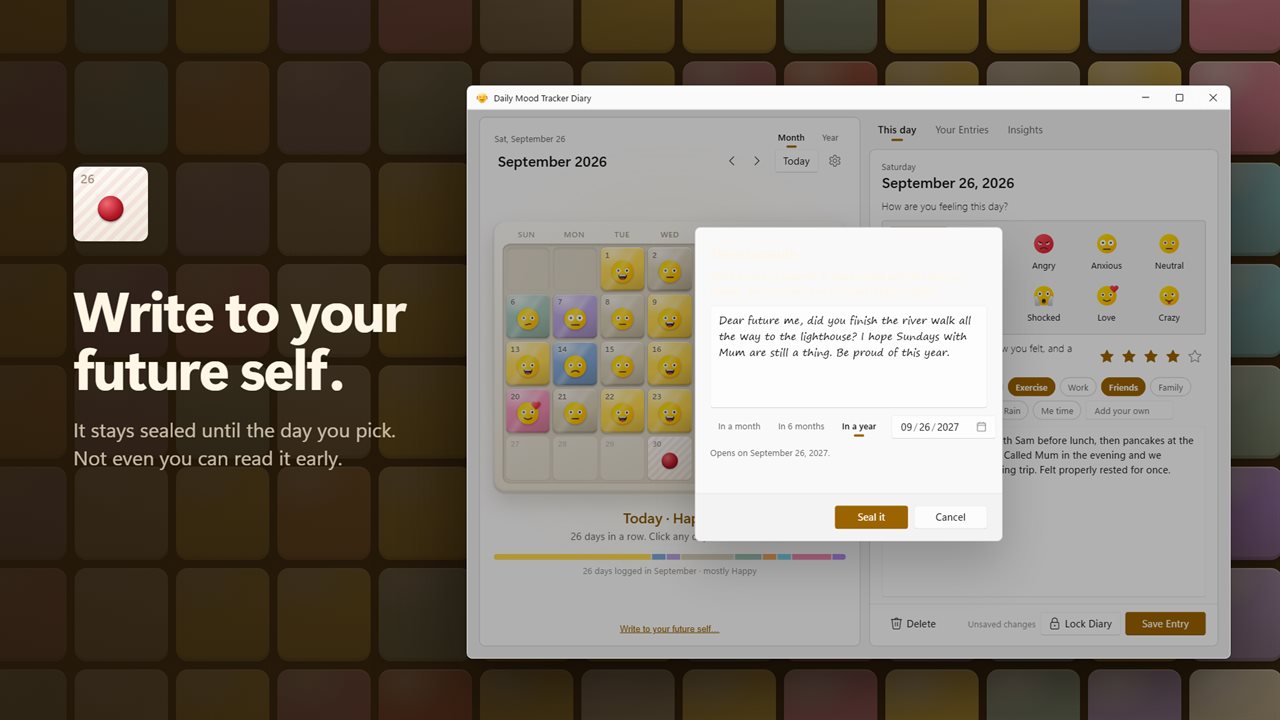
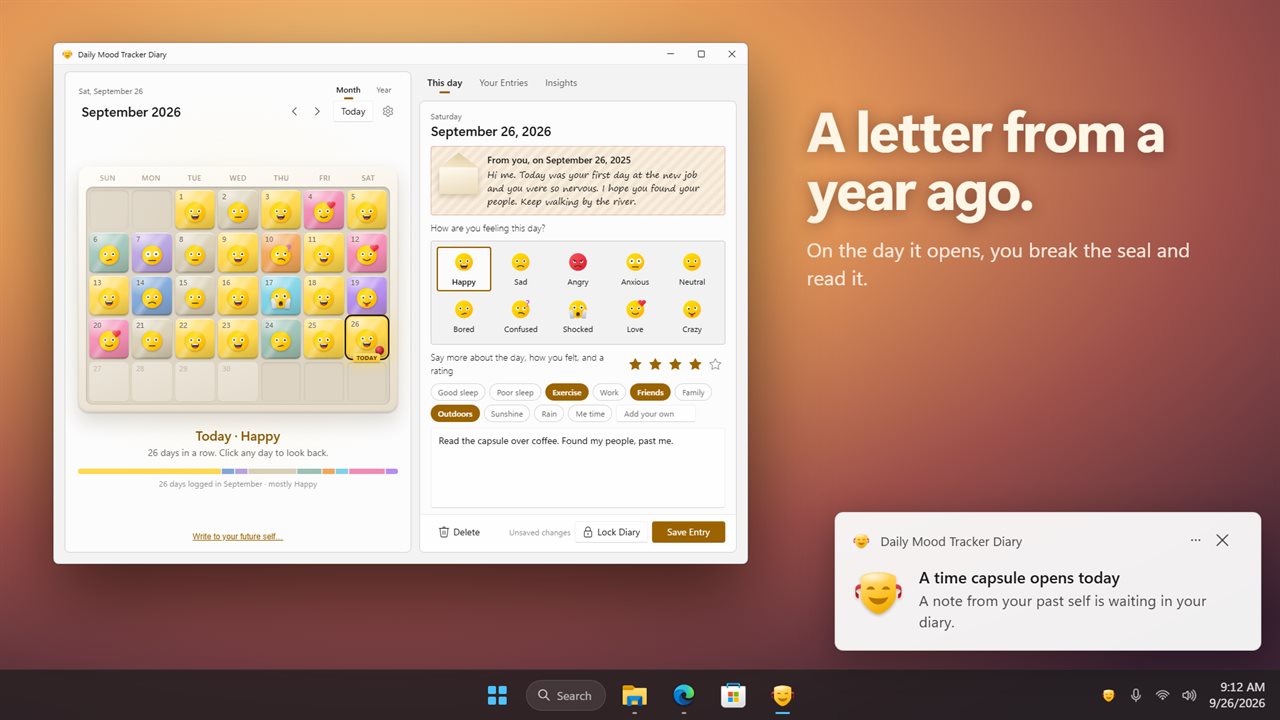
Write a time capsule and pick when it opens: in a month, in six months, in a year, or any day you choose. It stays sealed until then, and not even you can read it early. On the day, you get a notification, and you break the seal to read it.
Your year in one picture
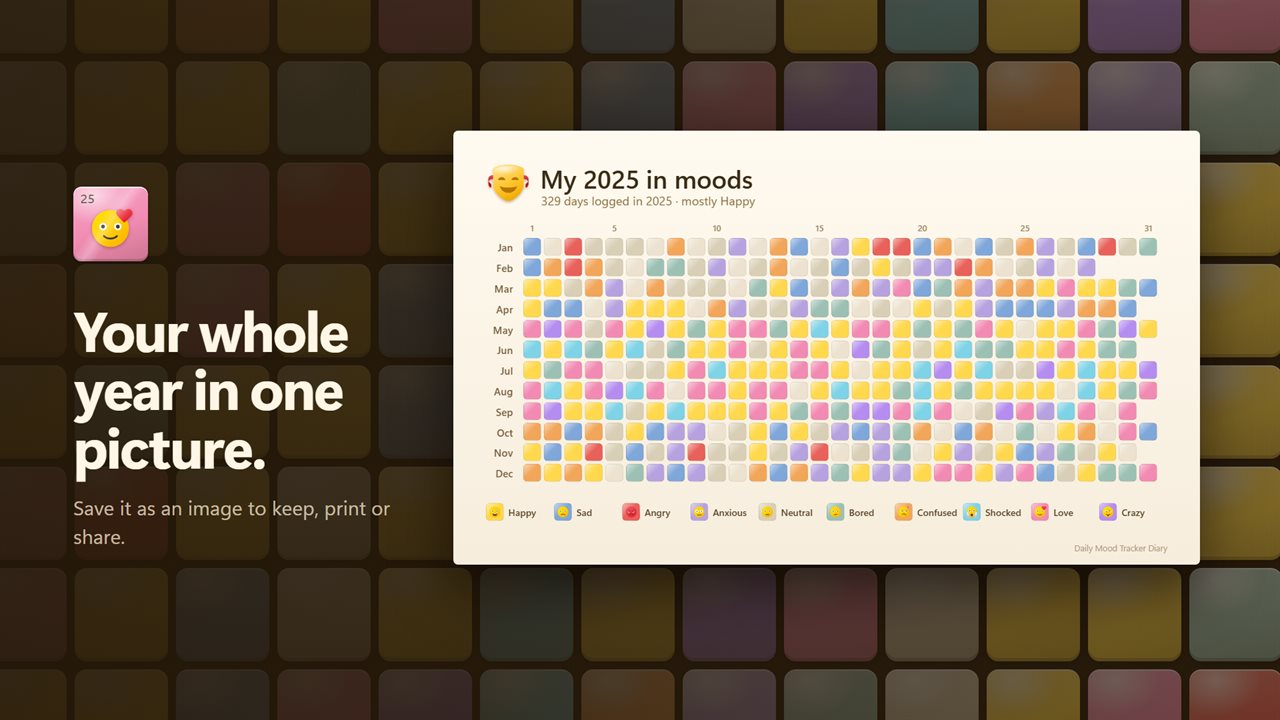
Switch to Year and see every day of the year as a small colored square. Save it as a picture to keep, print or share.
Look back
On this day shows how you felt a month ago and a year ago. Search every entry by what you wrote, the mood, the date or a tag. A day can hold more than one entry, for days with ups and downs.
Private by design
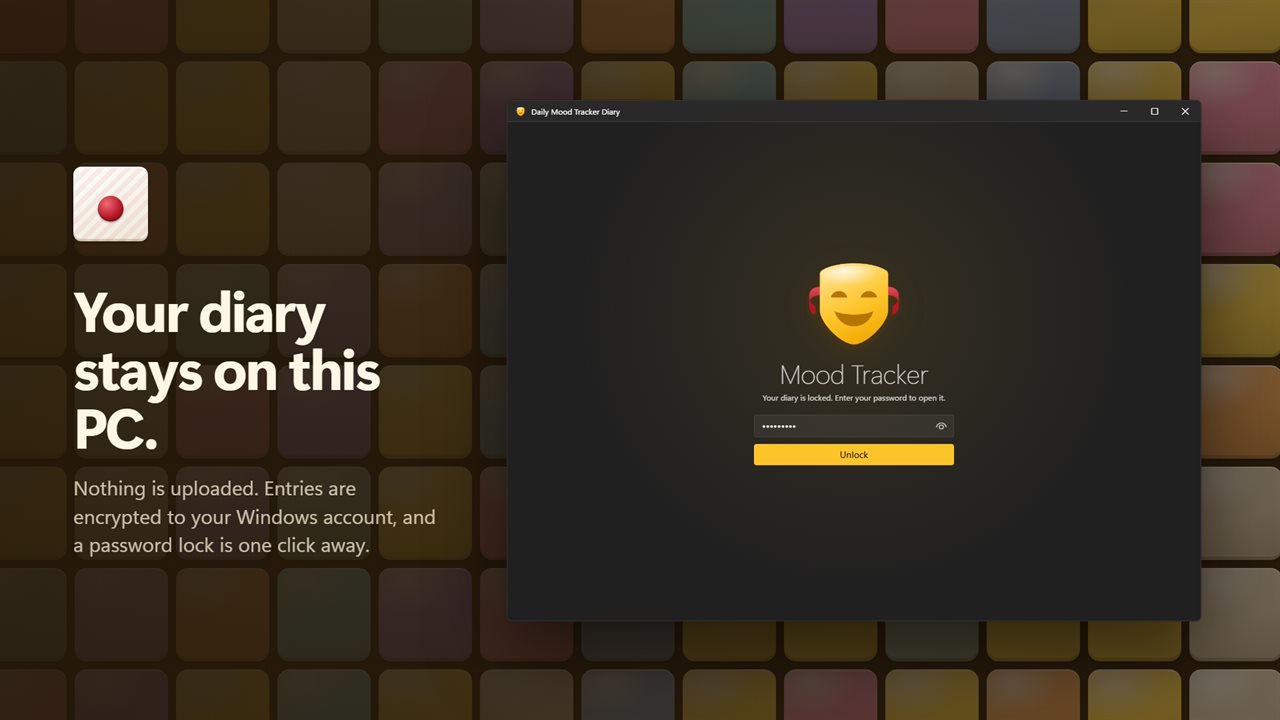
Your diary is kept on this PC, encrypted to your Windows account, and you can add a password so the diary asks for it every time it opens. It works fully offline and needs no account. An optional EvlarSoft ONE sign-in backs up your entries and settings so you can carry them to another PC; a diary with a password, and your sealed time capsules, stay on this PC. Feedback is sent only when you press Send.
Your diary carries over
Every entry from earlier versions of the app is still there, and so is your password.
Features
- Log each day with one of 10 mood faces, a 1 to 5 star rating and a diary note
- A month calendar of mood tiles shows how your days have been at a glance
- A daily reminder at the time you choose, only on days you have not logged yet, with mood buttons to log the day right from the notification
- Insights show what lifts your mood and what drags it down, from the things you tag your days with
- See which day of the week runs lowest or brightest, and whether your last two weeks are up or down
- Point at an insight to light up its days on the calendar
- Tag a day with Good sleep, Exercise, Friends, Rain and more, or add your own
- Write a time capsule to your future self. It stays sealed until the day you pick
- See your whole year as a grid of colored days
- Save your year as a picture to keep or share
- On this day: see how you felt a month ago and a year ago
- More than one entry a day, for days with ups and downs
- Search your entries by what you wrote, the mood, the date or a tag
- Your streak of days in a row, and each month's mix of moods
- Your diary is kept on this PC, encrypted to your Windows account
- Optional EvlarSoft ONE sign-in backs up your entries and settings to carry them to another PC. A diary with a password is never backed up
- Optional password lock
- Entries and your password from earlier versions carry over
- Waits in the notification area for the reminder, and can start with Windows
- Light and dark themes, or match Windows. Weeks start on Sunday or Monday
Details
- Works on
- Windows 10 (1809 or later) and Windows 11
- Download
- About 3.2 MB
- Version
- 2.0.3, updated October 2026
- First released
- September 2023
- Price
- $1.99 once. No subscription.
- Category
- Productivity
What's new in 2.0.3
- New: a calendar of mood tiles, with a whole-year view
- New: log today from a notification's mood buttons, without opening the app
- New: Insights show what lifts your mood and what drags it down
- New: tag your days, and search entries by tag
- New: time capsules, sealed notes to your future self
- New: save your year as a picture
- New: On this day, a month and a year ago
- Your entries and password carry over
Questions
Anything else? Ask us
Which versions of Windows does it run on?
Windows 10 (version 1809 or later) and Windows 11.
Is it a subscription?
No. Daily Mood Tracker Diary is a one-time purchase of $1.99, and updates are included.
How do I get it?
EvlarSoft apps are moving to direct downloads from this site. Ask to be notified and we will email you as soon as Daily Mood Tracker Diary is ready to download.