TaskBar ToDo List
Your to-do lists on a slim notepad clipped to the taskbar. Click the tray icon and the pad opens beside the clock; tick a task and a pen strikes it through. Keep several lists as tab dividers, drag tasks into order, flag what matters, set due dates and reminders, and pin the pad open so it stays on screen while you work.
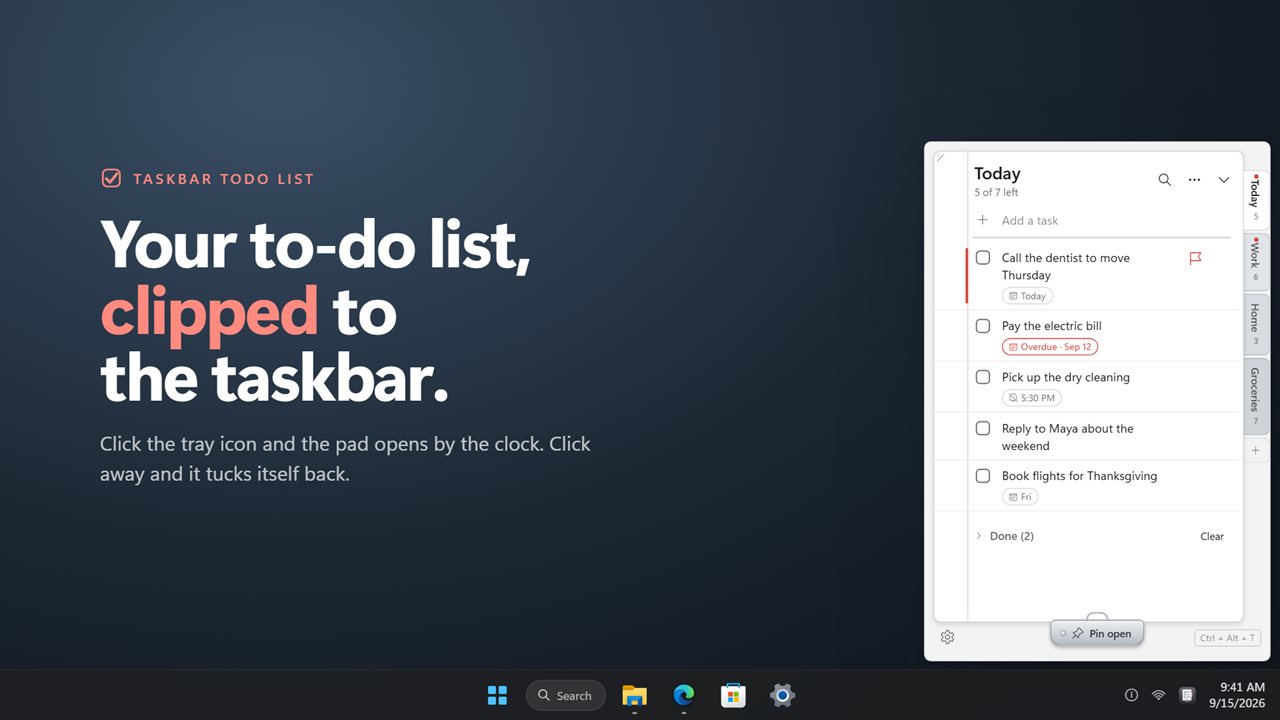
Your lists on a slim pad beside the taskbar clock, one click from the tray.
See it in action
About TaskBar ToDo List
A to-do list is only useful if it is where you look. TaskBar ToDo List keeps yours one click from the taskbar, on a slim pad that sits beside the clock and never takes over the screen.
One click away
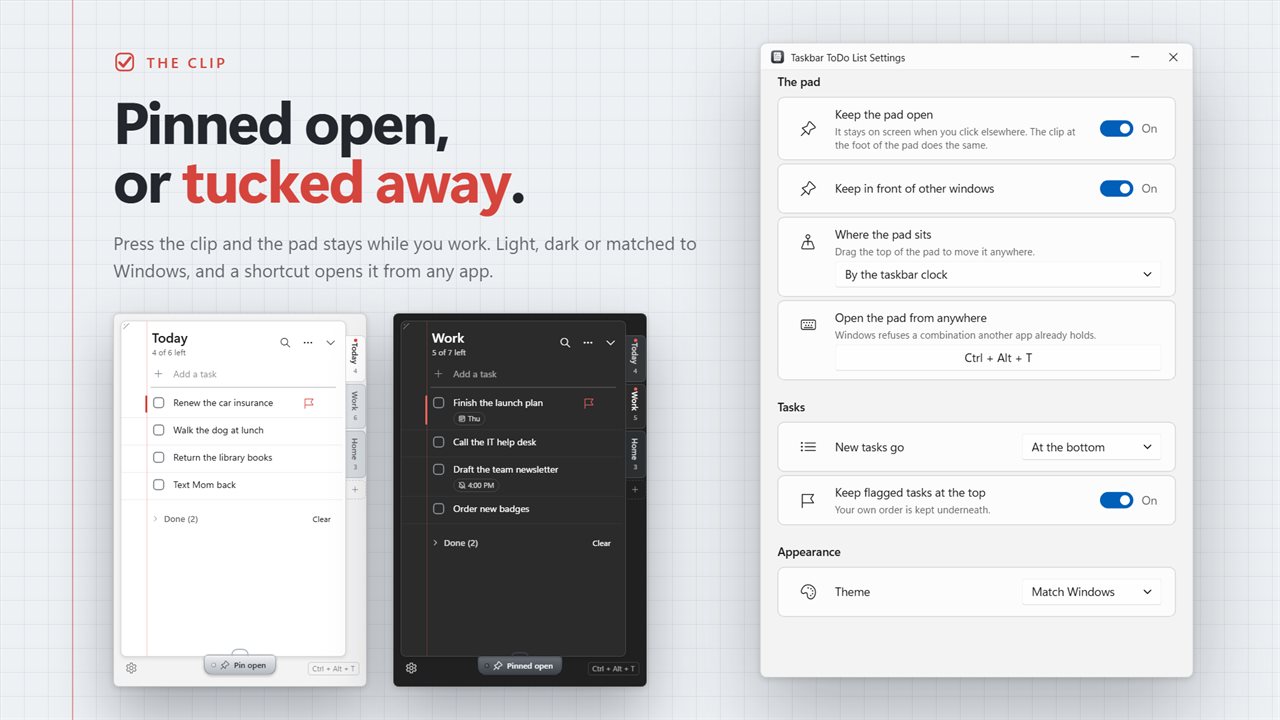
Click the icon in the notification area and the pad opens against the taskbar, on whichever edge of the screen your taskbar lives. Click elsewhere and it tucks away again. Or pin it with the clip at its foot and it stays on screen while you work. A shortcut of your choice brings it up from any app, ready to type.
Drag the pad anywhere you prefer and it remembers the spot, or snap it back to the taskbar. Resize it as large as you need; long tasks wrap rather than disappear.
Lists as tab dividers
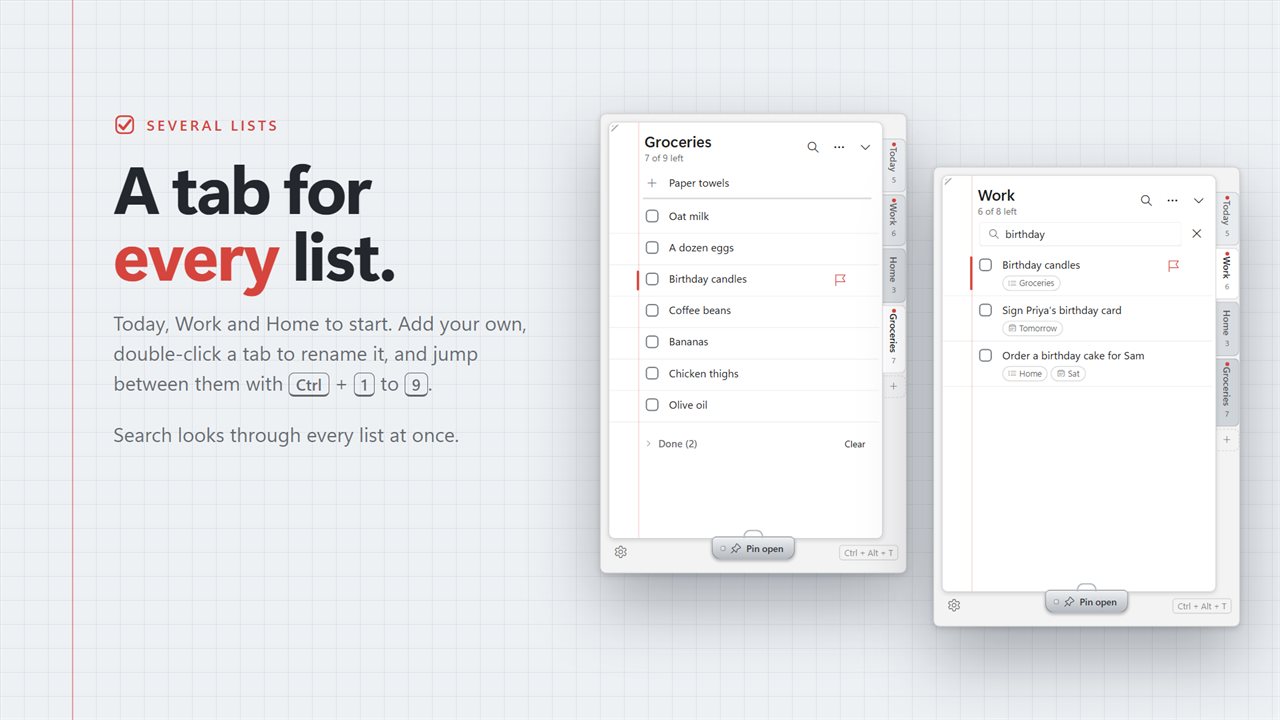
Keep Today, Work and Home apart, or name your own. Each list is a tab down the side of the pad, with a count of what is left on it. Click a tab to switch lists, double-click to rename.
In the order you want
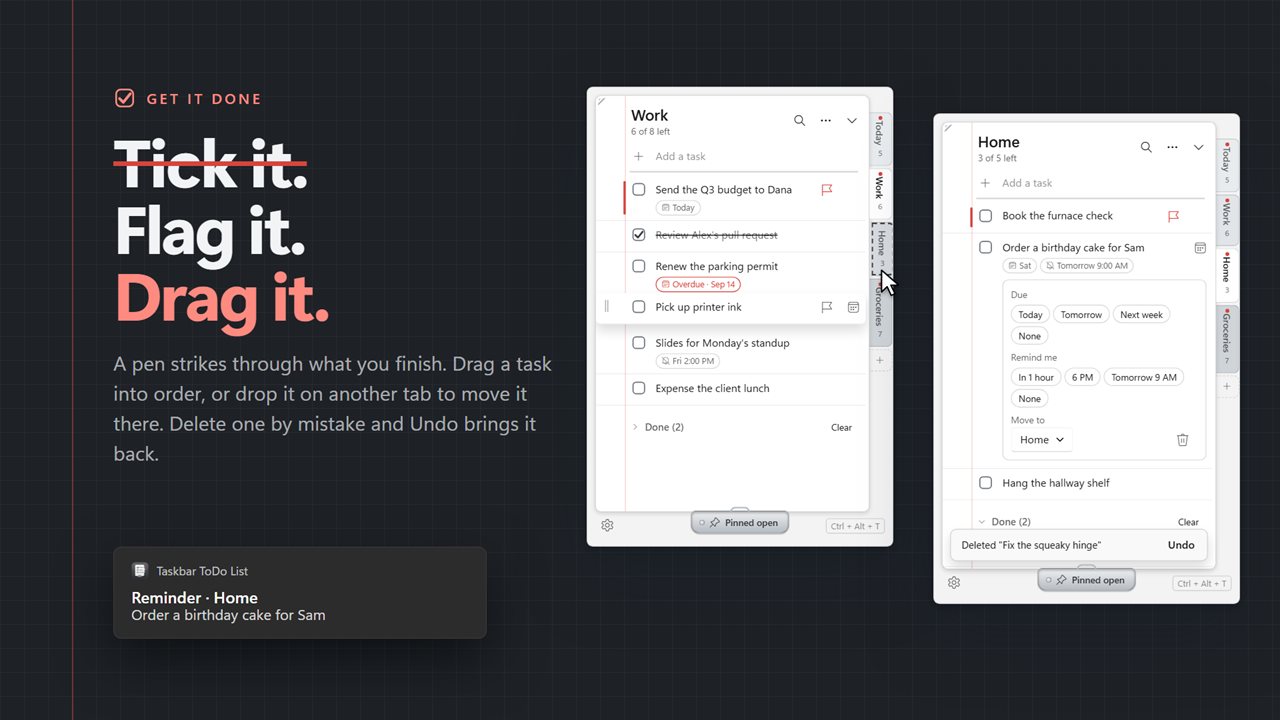
Drag a task by its handle to move it up or down, or drop it on another tab to move it to that list. Flag the tasks that matter and keep them at the top. Sort a list by priority, by due date or from A to Z whenever it gets out of hand.
Due dates and reminders
Give a task a due date and it shows on the task, turning red once it is overdue. Set a reminder for a time and Windows shows a notification when it arrives — in an hour, this evening, tomorrow morning or any time you pick.
Quick to use
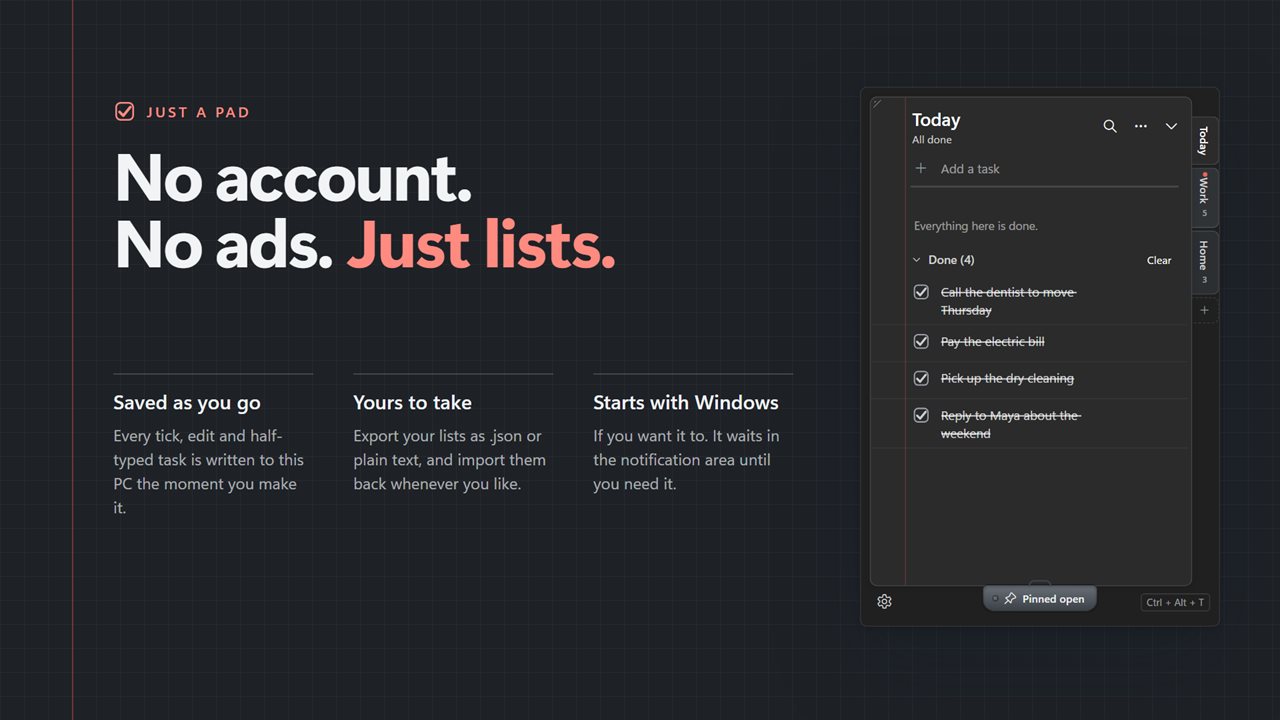
Type and press Enter to add; the box stays ready for the next one. Tick a task and a pen strikes it through, then it folds away into Done. Click a task to edit it. Delete one by mistake and Undo brings it back. Search looks through every list at once.
Nothing lost
Every change is written to disk the moment you make it — ticks, edits, the order, even a task you have only half typed. Tasks from the previous version come across when you update. Export your lists as JSON or plain text, and import them back.
It works fully offline and needs no account. An optional EvlarSoft ONE sign-in backs up your lists and settings so you can carry them to another PC. Feedback is sent only when you press Send.
Features
- Opens from the taskbar in one click and sits by the clock, on whichever edge your taskbar is on
- Pin the pad open so it stays on screen, or let it tuck away when you click elsewhere
- Resize the pad; long tasks wrap onto as many lines as they need
- Several lists as tab dividers down the side of the pad: Today, Work and Home to start, renamed or added as you like
- Drag tasks to reorder them, or drop one on another list's tab to move it there
- Flag a task as a priority, and keep flagged tasks at the top of the list
- Due dates, with overdue tasks marked in red
- Reminders at a time you choose, shown as a Windows notification
- Edit any task in place, and undo a deleted task, a deleted list or a cleared Done section
- Finished tasks fold away into a Done section you can clear in one click
- Search every list at once
- Sort a list by priority, by due date or from A to Z
- Every change is saved the moment you make it, including a task you are still typing
- Keyboard: Enter adds, Space ticks, Delete removes, Alt+Up and Alt+Down reorder, Ctrl+1 to Ctrl+9 switch lists
- A shortcut of your choice opens the pad from any app
- Export your lists as JSON or plain text, and import them back
- Your tasks from the previous version come across on update
- Starts with Windows if you like, and follows the light and dark themes
- Works fully offline, with no account needed
- Optional EvlarSoft ONE sign-in backs up your lists and settings, to carry them to another PC
Details
- Works on
- Windows 10 (1809 or later) and Windows 11
- Download
- About 2.8 MB
- Version
- 2.0.4, updated October 2026
- First released
- June 2022
- Price
- $2.49 once. No subscription.
- Category
- Productivity
What's new in 2.0.4
- Ticks and new tasks are now saved the moment you make them, and survive a restart
- Pin the pad open so it no longer closes every time you click away
- The pad can be resized, and long tasks wrap
- New: several lists, drag to reorder, priority flags, due dates and reminders
- New: edit in place, undo, search, sorting and a shortcut to open the pad
- New: export and import your lists
Questions
Anything else? Ask us
Which versions of Windows does it run on?
Windows 10 (version 1809 or later) and Windows 11.
Is it a subscription?
No. TaskBar ToDo List is a one-time purchase of $2.49, and updates are included.
How do I get it?
EvlarSoft apps are moving to direct downloads from this site. Ask to be notified and we will email you as soon as TaskBar ToDo List is ready to download.