Audio To WAV Converter
Turn MP3, AAC, WMA, FLAC, M4A, OGG and more into WAV, a whole batch at once. See and play every file first, pick the WAV your gear expects, from CD quality to 96 kHz hi-res, and know how big each file will be before you convert. Everything stays on your PC.
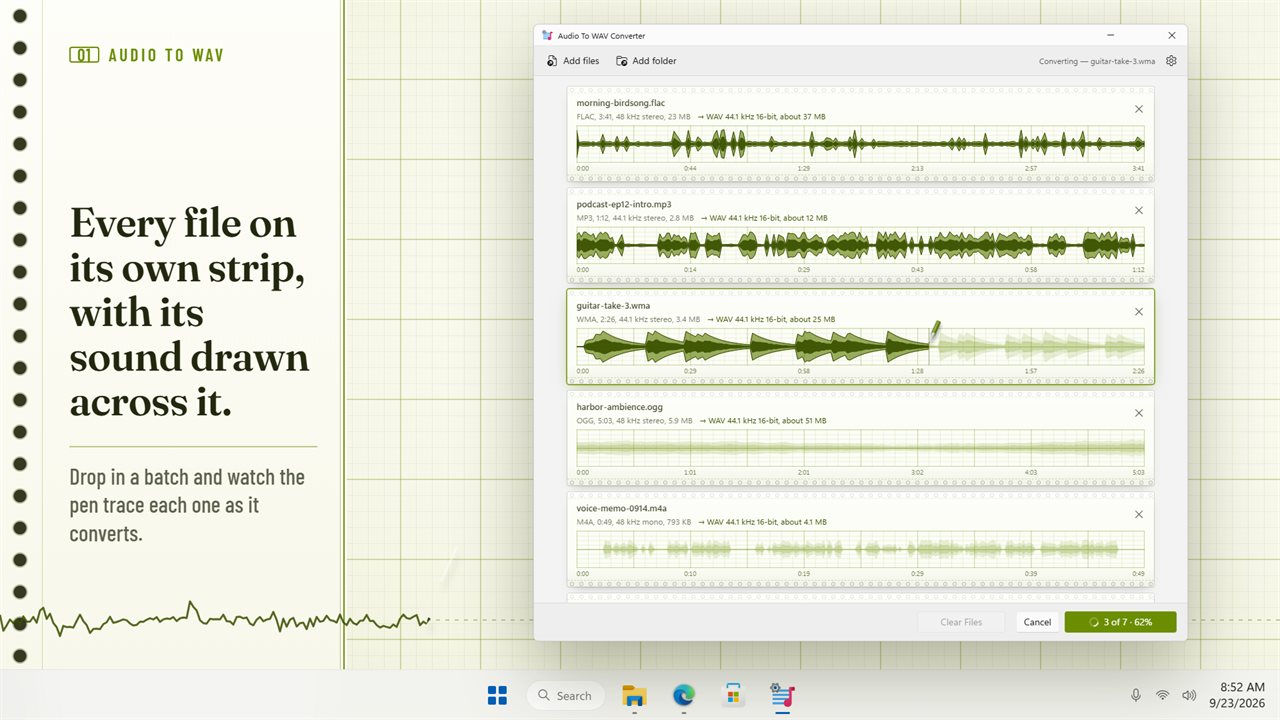
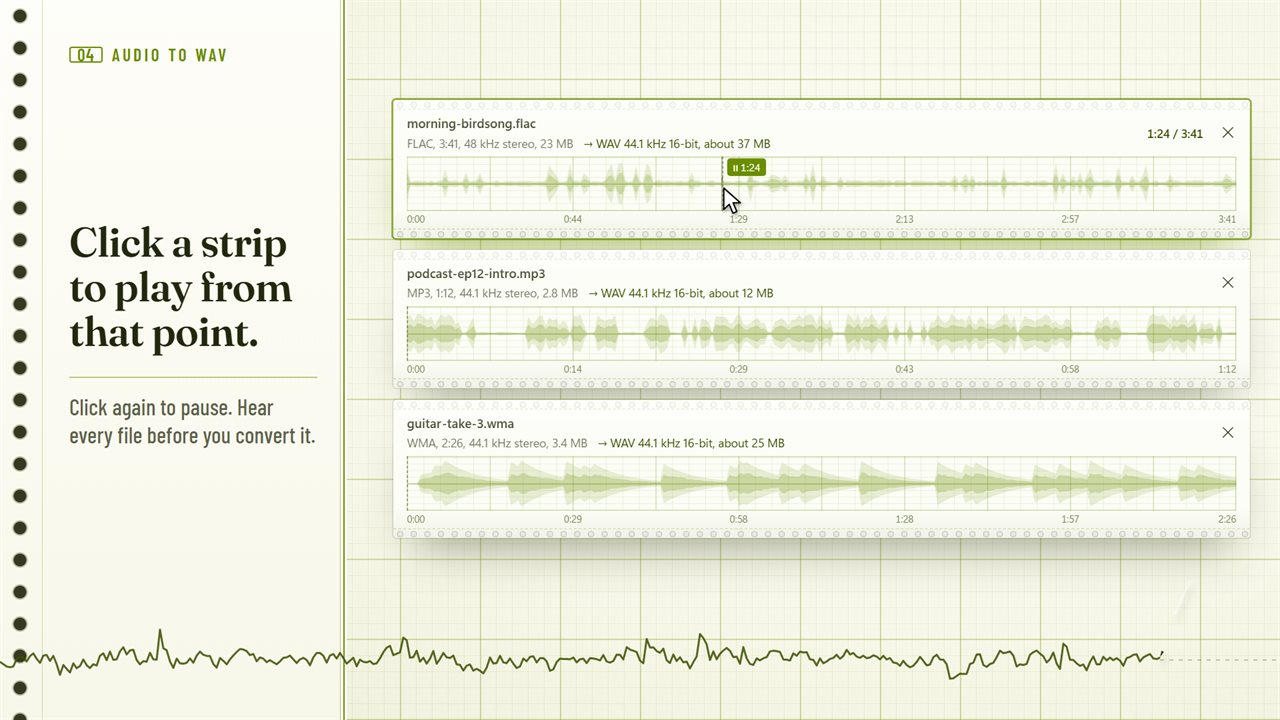
Every file on its own strip, with its sound drawn across it.
See it in action
About Audio To WAV Converter
Audio To WAV Converter turns your audio files into WAV, as many at once as you like, and shows you each one before it does.
See every file
Drag in your files and each one appears on its own strip of chart paper, with its sound drawn across it. You can see where it is loud, where it is quiet, and how long it runs. Click anywhere on a strip to play from that point, and click again to pause.
The right WAV for the job
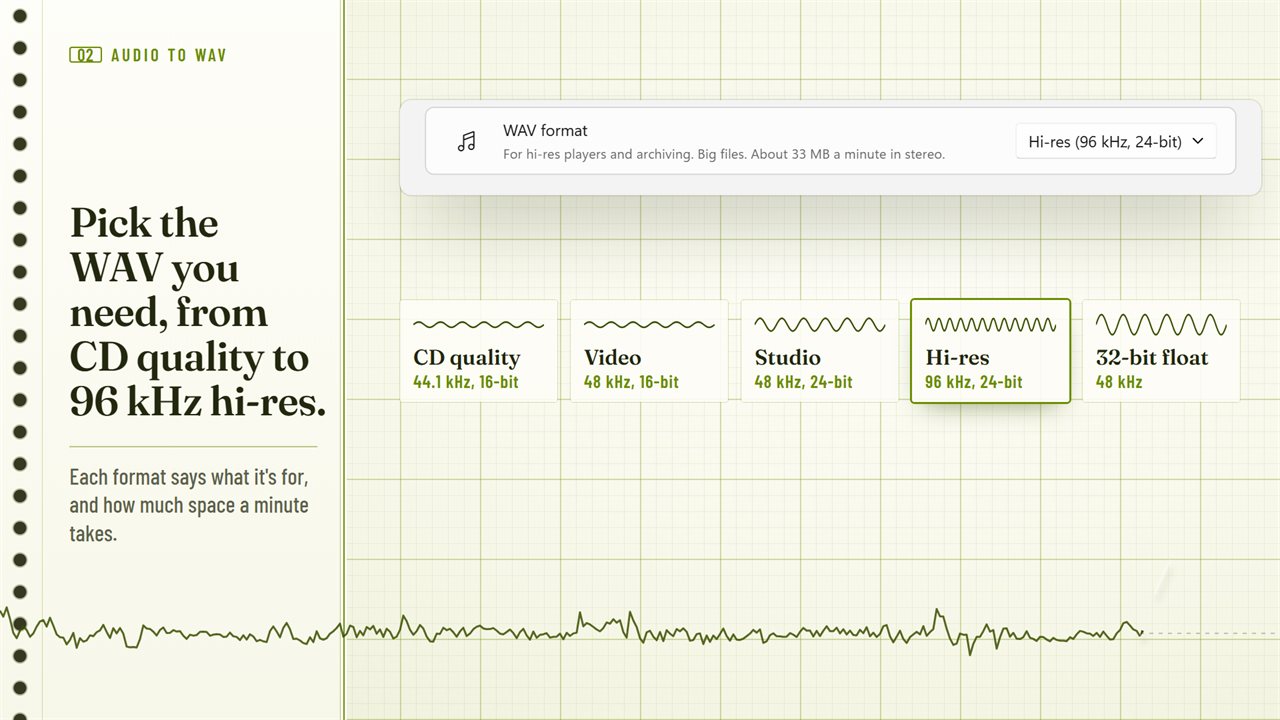
Pick a ready-made format and the app explains what it is for:
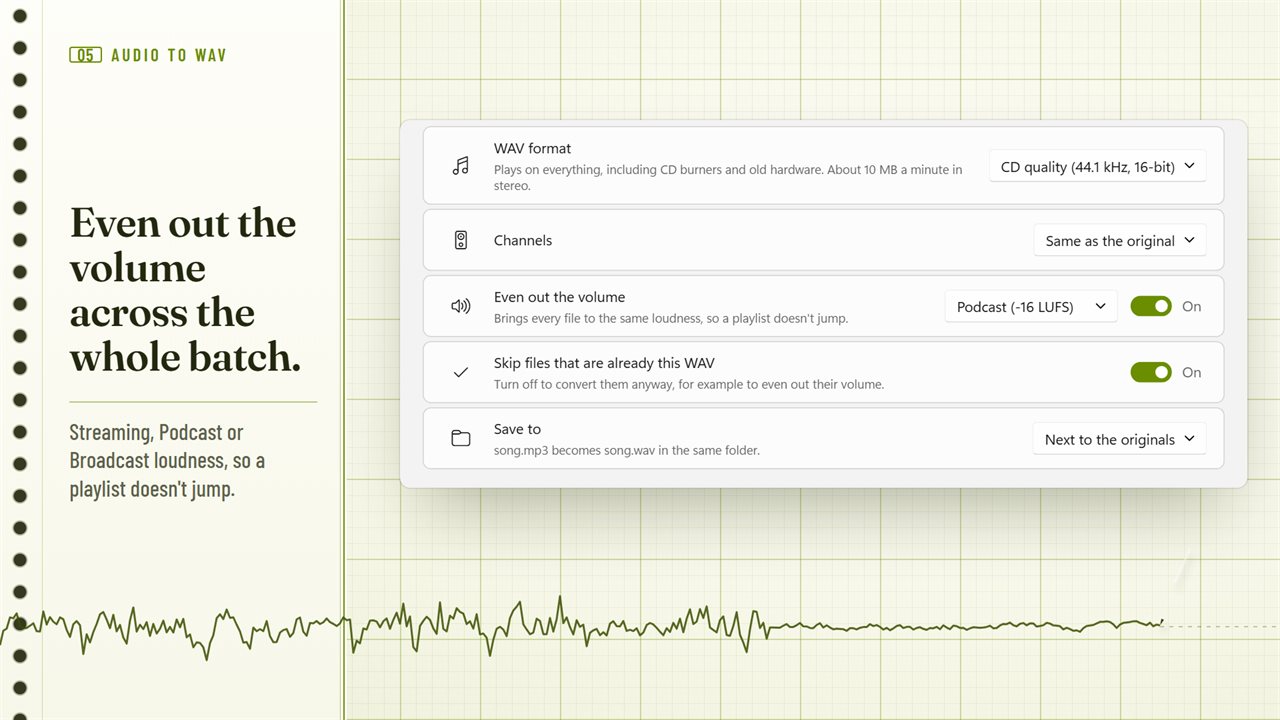
Or choose your own sample rate, from 22.05 kHz to 192 kHz, and 16-bit, 24-bit or 32-bit float. Keep the channels as they are, or make every file stereo or mono.
- CD quality (44.1 kHz, 16-bit) plays on everything, including CD burners and old hardware.
- Video (48 kHz, 16-bit) is the rate video editors and cameras expect.
- Studio (48 kHz, 24-bit) gives more headroom for recording and mixing.
- Hi-res (96 kHz, 24-bit) is for hi-res players and archiving.
- 32-bit float (48 kHz) means nothing clips while you edit.
No surprises
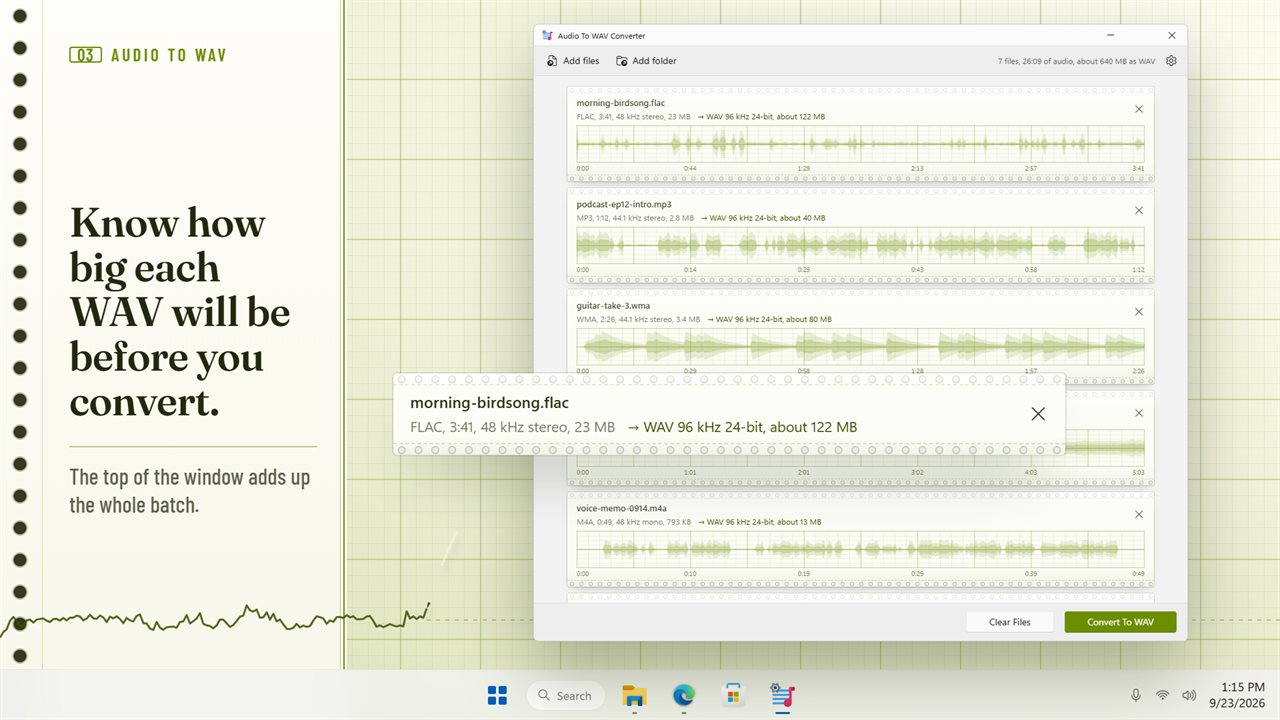
Before you convert, every file shows how big its WAV will be, and the top of the window adds up the whole batch. Files that are already a WAV in the format you picked are skipped, and so are files that already have that WAV next to them, so you are not left with a second copy.
Even out the volume
Turn on one switch and every file comes out at the same loudness, so a playlist or a set of clips doesn't jump from quiet to loud. Choose Streaming, Podcast or Broadcast level.
Watch it work
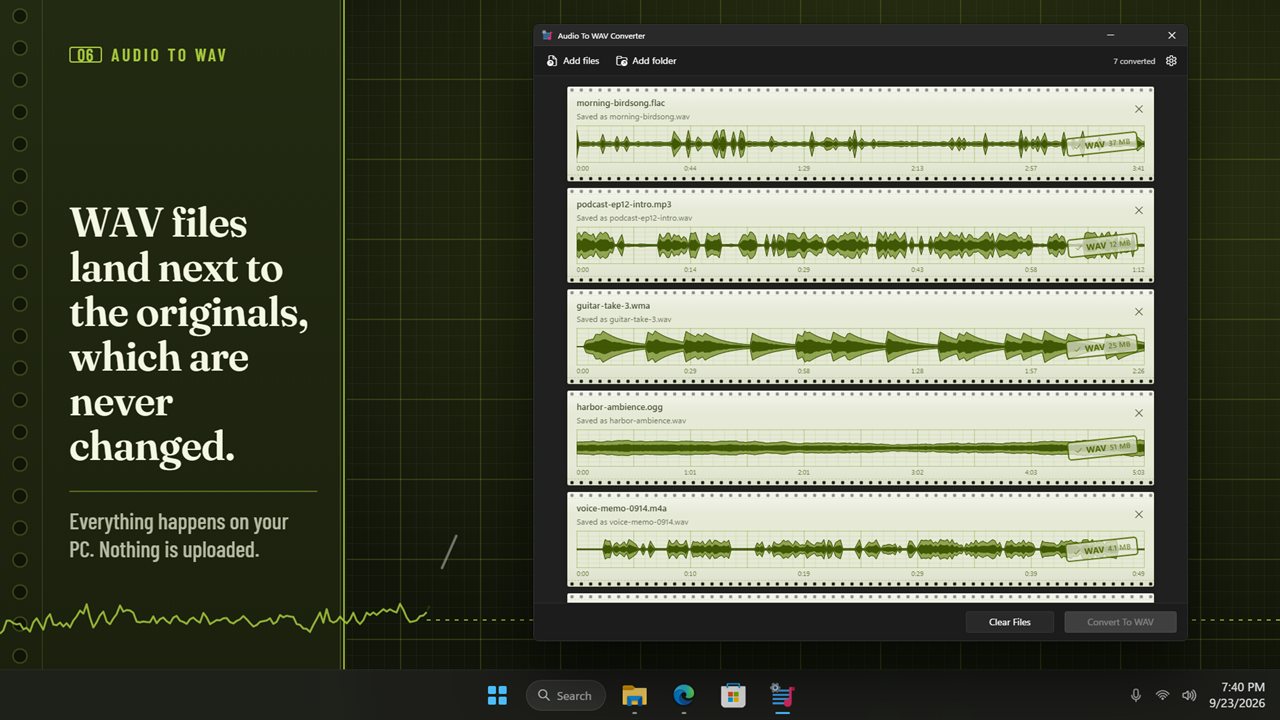
A pen traces each file as it converts, and a stamp marks it done with its new size. Right-click a finished file to play the WAV or show it in its folder.
More than music files
It reads 26 file types: MP3, AAC, M4A, M4B, WMA, FLAC, OGG, Opus, AIFF, CAF, AMR, AC3, MP2 and more. It can take the sound out of MP4, MOV, MKV, AVI, WMV, WebM and 3GP videos too.
Your files stay yours
WAV files are saved next to the originals, or in a folder you choose, and the originals are never changed. Everything happens on your PC, and nothing is uploaded.
Features
- Convert MP3, AAC, M4A, WMA, FLAC, OGG and more to WAV, as many files at once as you like
- Reads 26 file types, including Opus, AIFF, CAF, AMR, AC3 and MP2
- Takes the sound out of MP4, MOV, MKV, AVI, WMV, WebM and 3GP videos too
- Every file shows its sound on its own strip of chart paper before you convert
- Click anywhere on a strip to play from that point, and click again to pause
- Pick a ready-made format: CD quality, Video, Studio, Hi-res or 32-bit float
- Or choose your own sample rate, from 22.05 kHz to 192 kHz, and 16-bit, 24-bit or 32-bit float
- See how big each WAV will be before you convert it
- Keep the channels as they are, or make every file stereo or mono
- Even out the volume so a playlist doesn't jump: Streaming, Podcast or Broadcast loudness
- Files that are already this WAV are skipped, including ones already converted next to their originals
- Save next to the originals, or into a folder you choose
- Your originals are never changed or replaced
- Drag in files or a whole folder
- Watch the pen trace each file as it converts, with a stamp when it's done
- Right-click a finished file to play the WAV or show it in its folder
- Everything happens on your PC. Your audio is never uploaded
- Light and dark themes, or match Windows
Details
- Works on
- Windows 10 (1809 or later) and Windows 11
- Download
- About 74.6 MB
- Version
- 2.0.3, updated October 2026
- First released
- June 2023
- Price
- $1.99 once. No subscription.
- Category
- Multimedia design
What's new in 2.0.3
- New: see and play every file before you convert it
- New: ready-made formats, from CD quality to 96 kHz hi-res and 32-bit float, or pick your own
- New: see how big each WAV will be before you start
- New: even out the volume across a batch
- New: files that are already this WAV are skipped
- New: save next to the originals or into a folder you choose
- New: take the sound out of videos too
Questions
Anything else? Ask us
Which versions of Windows does it run on?
Windows 10 (version 1809 or later) and Windows 11.
Is it a subscription?
No. Audio To WAV Converter is a one-time purchase of $1.99, and updates are included.
How do I get it?
EvlarSoft apps are moving to direct downloads from this site. Ask to be notified and we will email you as soon as Audio To WAV Converter is ready to download.